Web Accessibility Standards Master List: WCAG, ADA, Section 508, and EN 301 549
A jurisdiction-aware guide to WCAG, WAI standards, U.S. accessibility requirements, and EN 301 549—with current versions, deadlines, and evaluation guidance.

Checked against the supplied research dossier on September 29, 2026. There is no single accessibility standard that automatically governs every website everywhere. Start with the applicable law, procurement rule, and product scope for your organization. For web content, WCAG 2 is the central W3C technical guideline. In the United States, the ADA Title II web rule and Section 508 have different scopes. In Europe, EN 301 549 covers ICT beyond websites, and its latest revision has a legal-status caveat.
This list distinguishes standards and technical specifications from laws, regulations, and evaluation guidance. It is a map for identifying what to investigate, not legal advice or a claim that one checklist proves accessibility.
1. What are the web accessibility standards?
For websites, the primary international technical reference is the W3C Web Content Accessibility Guidelines (WCAG). WCAG 2 has stable, referenceable versions: WCAG 2.0, 2.1, and 2.2. W3C encourages teams to use the latest version, WCAG 2.2. WCAG 2 addresses web content, including the information and code used to define its structure and presentation. It applies to dynamic content, multimedia, mobile web, and AI web interfaces; with WCAG2ICT guidance it can also be applied to non-web ICT such as native apps, software, and documents.
“WCAG compliant” is incomplete unless it specifies the version and conformance level. WCAG 2 conformance levels are A, AA, and AAA; requirements are expressed as success criteria. Many legal and procurement rules specify a particular version and level, so using the newest WCAG version as your engineering target does not by itself answer which rule applies to you.
| Standard or guidance | Issuer and status | What it covers | Typical use |
|---|---|---|---|
| WCAG 2 | W3C Recommendation family; stable technical standards | Web content and, with relevant guidance, other digital content | Technical accessibility requirements referenced by laws, policies, and procurement |
| ATAG | W3C accessibility guidelines | Tools used to create web content, including editors and content management systems | Building authoring tools that are usable and support accessible output |
| UAAG | W3C guidance; UAAG 2.0 is a Working Group Note | Browsers, media players, readers, extensions, and other user agents | Improving the accessibility of software that renders web content |
| WAI-ARIA | W3C technical specification | Roles, states, properties, and behaviors exposed to assistive technologies | Communicating interface semantics when native HTML does not suffice; it does not replace WCAG |
| WCAG 3 | W3C Working Draft as of September 2026 | Proposed broader accessibility guidelines and a different structure and conformance model | Follow its development; do not present it as an adopted conformance requirement |
| WCAG-EM 2.0 | W3C Group Note, published July 23, 2026 | Method for evaluating digital products against WCAG | Planning and reporting an evaluation; it adds no WCAG requirements |
2. W3C accessibility standards and guidance
WCAG 2: web content
WCAG is part of a family, but it is the one most directly aimed at the content and interfaces a web team builds. Read the normative standard for requirements. Quick references, techniques, and explanatory material help teams understand and implement criteria, but supporting techniques are informative rather than additional normative requirements. State the target precisely in a project brief, such as “WCAG 2.2 Level AA,” and also record any separate legal baseline.
WCAG 2.2 is the latest WCAG 2 version in the dossier. WCAG 2.2 is also approved as ISO/IEC 40500:2025; the ISO edition is identical to the October 2023 WCAG 2.2 version. W3C says content meeting WCAG 2.2 also meets WCAG 2.1 and 2.0. Check the precise dated version where formal procurement or a regulation references a version.
ATAG: authoring tools
Authoring Tool Accessibility Guidelines (ATAG) are for the software and services people use to produce web content: for example, an HTML editor or CMS. ATAG addresses both accessibility of the authoring interface and whether the tool helps authors create accessible content. This is useful when selecting or developing publishing platforms; it is not a substitute for evaluating the published website against WCAG.
UAAG: browsers and other user agents
User Agent Accessibility Guidelines (UAAG) address software that renders web content, including browsers, browser extensions, media players, and readers. UAAG 2.0 is a W3C Working Group Note, and its working group closed in 2016. It helps explain why accessibility is shared across content and the tools people use to consume it. Most site teams should treat it as context, while browser and user-agent developers are its primary audience.
WAI-ARIA: interface semantics
WAI-ARIA provides a technical way to communicate roles, states, properties, and behaviors to assistive technologies. Use native HTML semantics where they already express the control or structure. ARIA can expose semantics for custom widgets, but incorrect or incomplete ARIA can make an interface less understandable. ARIA is not a compliance shortcut and does not replace WCAG evaluation.
WCAG 3: draft, not current conformance target
WCAG 3 remains an incomplete Working Draft as of September 2026. Its scope, organization, and proposed conformance model differ from WCAG 2 and may change. Do not list WCAG 3 as a final standard, claim compliance with it, or use it in place of a version required by law or contract. Teams can follow its progress while continuing to build and evaluate against the applicable WCAG 2 target.
3. Which accessibility requirements apply in the United States?
ADA Title II: state and local governments
The U.S. Department of Justice’s Title II regulation covers web content and mobile apps of state and local government entities. It incorporates WCAG 2.1 Level A and Level AA success criteria and conformance requirements. The dates below are those in the regulation text accessed September 29, 2026:
| Covered public entity | Compliance date |
|---|---|
| Public entities other than special district governments with a total population of 50,000 or more | April 24, 2026 |
| Public entities with a total population under 50,000, and any special district government | April 26, 2027 |
The rule includes exceptions, including for certain archived content, some preexisting documents, certain third-party content, and preexisting social media posts. It also addresses fundamental alteration and undue financial and administrative burdens. Whether an exception applies depends on the facts. Consult the actual Title II regulation for a specific entity. Recheck the current regulation and any later changes or injunctions before relying on these dates.
Do not equate WCAG with the ADA itself. DOJ’s March 18, 2022 web accessibility guidance describes WCAG and Section 508 as helpful technical guidance, and explicitly says that guidance is informal technical assistance without legally binding effect. The statute, regulations, and binding court decisions establish enforceable obligations. The 2022 guidance also predates the state and local requirements published April 24, 2024, so it does not reflect that rule.
Section 508: federal information and communication technology
Section 508 concerns U.S. federal information and communication technology (ICT). Its scope includes websites, software, electronic documents, and hardware. It is not simply another name for the ADA or a general rule for every private website. Federal agencies and vendors working with them should identify the applicable procurement and technical requirements for the ICT in scope.
Section508.gov’s testing resources describe a lifecycle of planning, scoping, testing, remediation, and ongoing monitoring. They include automated, manual, and hybrid validation methods and list the DHS Trusted Tester training and certification program. Check the live federal resources for current training availability and version.
4. What is EN 301 549?
EN 301 549 is a European standard for accessibility requirements for ICT products and services. It is broader than web pages: it covers web and non-web technologies, hardware, software, and services. The published EN 301 549 V3.2.1 (2021-03) includes web requirements tied to WCAG 2.1 and has been used in European public procurement and accessibility frameworks.
Revision status needs care. ETSI’s work programme records EN 301 549 V4.1.1 as published September 2, 2026, delivered to the European Commission September 8, 2026, with December 16, 2026 listed as the planned Official Journal publication date. That establishes ETSI publication and work-programme status; it does not establish that the Commission has already cited V4.1.1 in the Official Journal or that it replaced V3.2.1 for a particular legal purpose. Before specifying a legally relevant edition, check the Commission’s harmonised standards listing and the applicable directive.
For organizations subject to the European Accessibility Act or public-sector rules, identify the product or service, the applicable directive or national implementation, and the referenced harmonised standard. Do not infer a legal obligation solely from the newest technical edition.
5. How to identify the right standard for your website
- Identify who operates the service. Is it a state or local public entity, a U.S. federal agency or contractor, a private organization, or a public body or business operating in an EU jurisdiction?
- Define the product scope. List websites, mobile apps, documents, kiosks, software, hardware, and third-party services. A web-only checklist may miss requirements that apply to other ICT.
- Find the binding instrument or contract. Check applicable statutes, regulations, procurement terms, and jurisdiction-specific implementation. Record the authority, version, level, and deadline exactly as written.
- Choose an engineering target. WCAG 2.2 Level AA is a useful current W3C target, but compare it to the required legal baseline and document any differences. A newer target does not automatically amend a law or contract.
- Evaluate a representative scope. Include key templates and user journeys, such as account access, search, forms, payments, error handling, and content publication. Include authenticated and dynamic states where they are part of the service.
- Remediate and keep evidence current. Assign issues, fix root causes in shared components, retest affected flows, and schedule review as content and code change.
For a structured evaluation, W3C’s WCAG-EM 2.0 applies to websites, mobile applications, and other digital products. It is a W3C Group Note published July 23, 2026, not a normative standard. Its report tool helps record and structure findings; it does not run the checks for you.
6. Accessibility evaluation tools: what a standards list should tell you
Automated checks are useful for finding potential issues quickly and repeatedly. They cannot check every accessibility aspect, can produce false or misleading results, and cannot decide by themselves whether a product is accessible. Human judgment is required. Include manual review and, where practical, people with disabilities in evaluation. W3C’s tool selection guidance and evaluation tools list are discovery resources; W3C does not endorse listed tools.
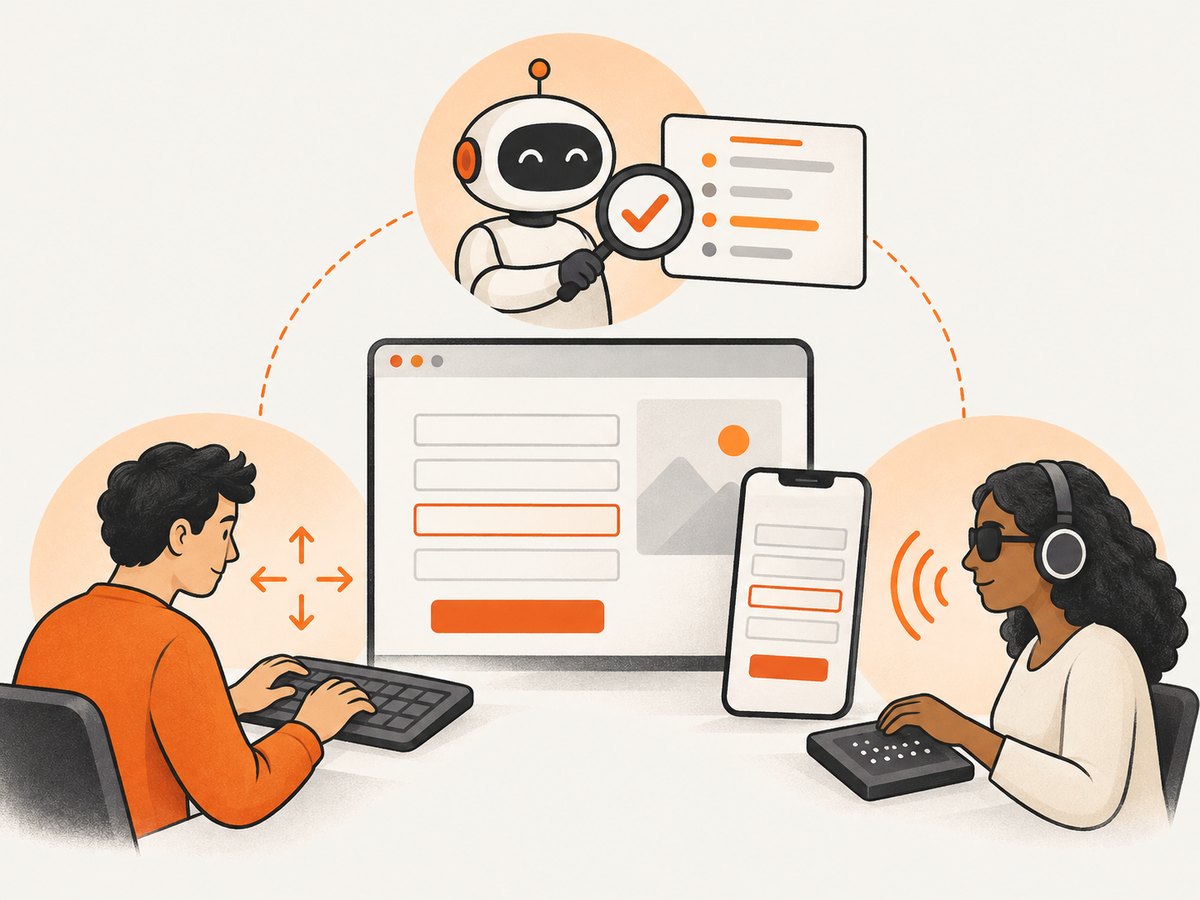
Compare evaluation tools on practical criteria rather than treating any one scanner as proof:
- Purpose: automated detection, guided manual review, or user-experience simulation.
- Coverage: web pages, apps, documents, source code, or broader ICT.
- Standards: the actual versions and criteria supported, including the requirement in your jurisdiction.
- Scope and access: one page or many; public pages or authenticated flows; dynamic states and components.
- Workflow: browser extension, command line, CI integration, desktop app, or online service; consider who needs to use it.
- Evidence: issue context, reproducible steps, reporting, and ability to combine automated findings with manual results.
- Cost and license: free, open-source, limited free, subscription, commercial, or enterprise. Confirm limits against your site and team needs.
Build a repeatable loop: plan the scope, test automatically and manually, record findings, remediate, retest, and monitor. Check early and throughout development, when defects are easier to address. A clean scan is evidence about the checks that ran, not proof of conformance or accessibility.
7. Visual evidence for accessibility work
Screenshots can help teams record how a page appeared in a particular viewport or document a visual defect, such as clipped content or a focus indicator that is difficult to see. They cannot show screen-reader announcements, keyboard behavior by themselves, or whether a control works correctly. Use screenshots as supporting artifacts alongside interaction tests, code inspection, assistive technology checks, and user feedback.
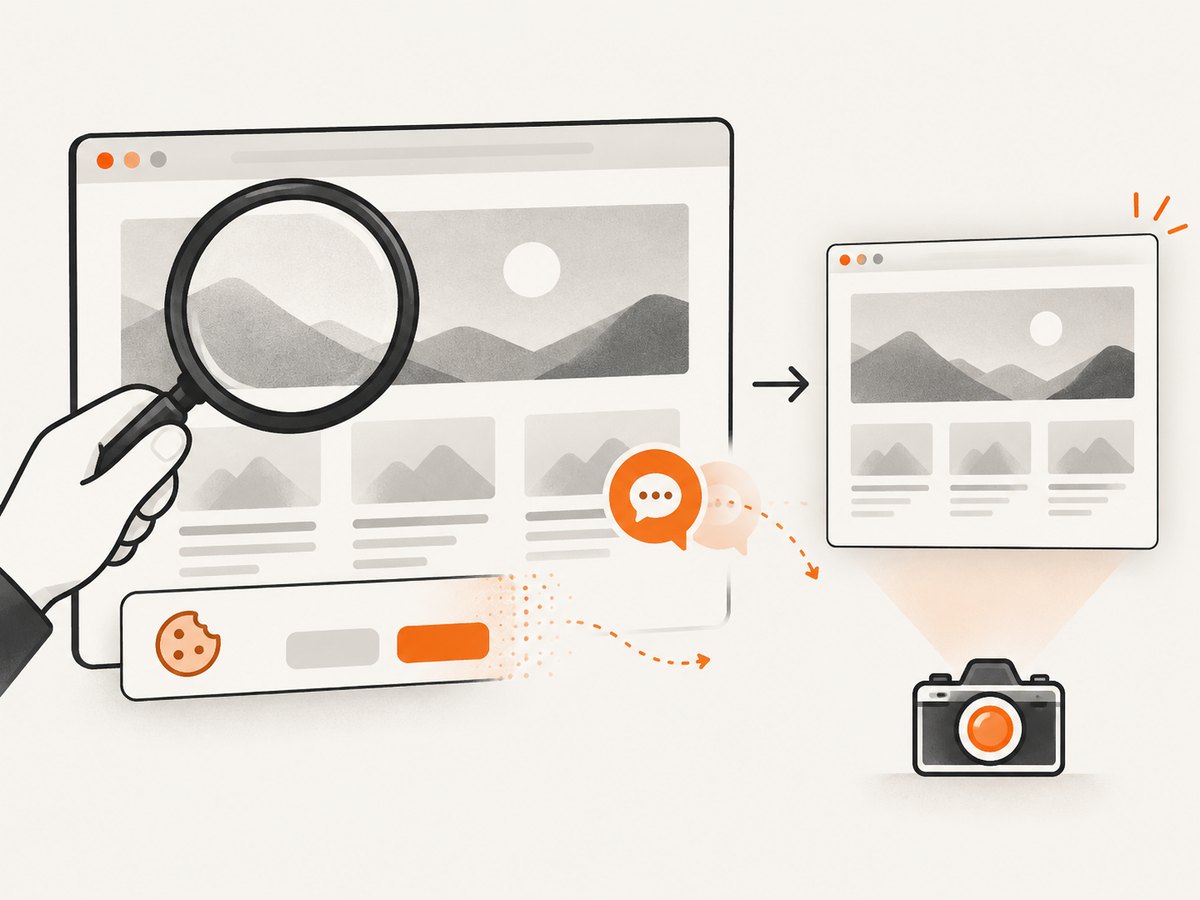
For repeatable visual snapshots of public pages, ScreenshotNeo is a website screenshot API and MCP server. A screenshot may document a visual state in an accessibility review, but it does not evaluate WCAG criteria or establish compliance. Its MCP tools let AI agents request screenshots, page information, or PDFs; those outputs still need appropriate human evaluation. The API supports a single GET request and multiple capture options; see the ScreenshotNeo documentation.
8. Common mistakes and troubleshooting
| Problem | Why it happens | What to do |
|---|---|---|
| “We use WCAG, so we are legally compliant.” | WCAG is a technical guideline, not itself a universal law; legal obligations depend on jurisdiction and scope. | Identify the statute, regulation, contract, version, and conformance level that apply. |
| Using WCAG 3 as the compliance target | Draft status is mistaken for final publication. | Use the applicable WCAG 2 requirement; track WCAG 3 as a draft only. |
| Assuming every U.S. website follows the Title II dates | The rule is for state and local public entities’ web content and mobile apps. | Determine whether the organization and content fall within that rule; check other requirements separately. |
| Assuming EN 301 549 V4.1.1 is already the harmonised legal edition | ETSI publication is confused with an Official Journal citation. | Verify the Commission listing and directive before asserting legal effect. |
| A scanner reports no issues, so release is approved | Automated tools cannot assess every criterion or user experience. | Complete manual checks, user-journey testing, and suitable evaluation with disabled users. |
| ARIA is added to fix a control without testing it | Adding a role does not implement the expected keyboard and state behavior. | Prefer native elements; verify semantics, focus, keyboard interaction, and assistive technology output. |
| A screenshot appears correct but the issue persists | A static image omits interaction, accessible name, reading order, and spoken feedback. | Reproduce with keyboard and assistive technology, inspect markup, and record the test conditions. |
| A representative page passes but production still has defects | Templates, responsive breakpoints, authentication, dynamic updates, or third-party content differ. | Scope representative page types and states; test authenticated and changing content where relevant. |
9. Performance, reliability, and cost of an evaluation program
Accessibility evaluation has no single tool or scan frequency that fits every site. Automated checks can be run repeatedly during development and in CI, while manual checks need a planned scope and people with relevant skills. Catching issues early reduces the chance that the same inaccessible pattern spreads through shared components, but the time required depends on product size, complexity, and access to specialist review.
Make the process reliable by recording the tested URL or build, date, browser and viewport where relevant, authentication state, standard and version, tools used, manual methods, issues found, and retest outcome. Treat reports as time-bound evidence: a redesign, new feature, content migration, or third-party integration can invalidate old findings. Prioritize barriers in essential tasks, fix underlying components, and retest user journeys rather than only isolated pages.
Budget for tool licensing where applicable, staff training, manual evaluation, remediation, and ongoing monitoring. Free or automated tooling can lower the cost of discovering certain defects but cannot replace expertise or user feedback. No scan count, score, certificate from a tool, or captured image alone should be represented as a guarantee of accessibility.
10. Frequently asked questions
Is WCAG a legal requirement?
WCAG itself is a W3C technical standard. Laws, regulations, contracts, or procurement rules may incorporate a version and level. Determine the relevant instrument and jurisdiction before describing a duty.
What is the difference between WCAG and Section 508?
WCAG is a W3C technical guideline for web content. Section 508 is a U.S. federal ICT requirement covering areas such as websites, software, documents, and hardware. Section 508 technical requirements may use WCAG, but the terms are not interchangeable.
Can an automated accessibility checker prove WCAG compliance?
No. It can identify some potential failures and support repeatable checks. Manual evaluation and human judgment are necessary to assess aspects automation cannot determine.
What accessibility standards apply to my website?
That depends on who operates it, where it is offered, the content and technology in scope, and any applicable law or contract. Start with those factors, then identify the exact technical version and level required.
What are the ADA website accessibility deadlines for local governments?
The cited Title II regulation gives April 24, 2026 for covered public entities of 50,000 or more other than special districts, and April 26, 2027 for entities under 50,000 and any special district. Verify current status and entity-specific scope before relying on a date.
Does a screenshot prove a page is accessible?
No. It records a visual moment. Accessibility also depends on semantics, interaction, keyboard access, assistive technology output, and other factors a static image cannot establish.
Build an evaluation process that matches your obligations
Start by writing down the jurisdiction, organization type, product scope, governing instrument, required standard version, and target level. Then combine repeatable automated checks with manual evaluation, user input, remediation, and ongoing monitoring. Revisit the legal and standards references when deadlines or editions change.
For visual page records during that work, ScreenshotNeo can capture public URLs through its API or MCP server. Cookie and consent banners, newsletter popups, and chat widgets are removed before capture; bot checks, blank pages, and failed loads are never billed. AI agents can use its MCP server to take screenshots. The free plan includes 1,000 screenshots per month with no card, and paid plans start at $5 for 3,000. Screenshots remain visual documentation, not an accessibility audit. Create a free ScreenshotNeo account.


