How to Do Web Crawling in Python
Build a polite, bounded Python crawler with requests or Scrapy, handle robots.txt, retries, JavaScript pages, and rendered screenshots.
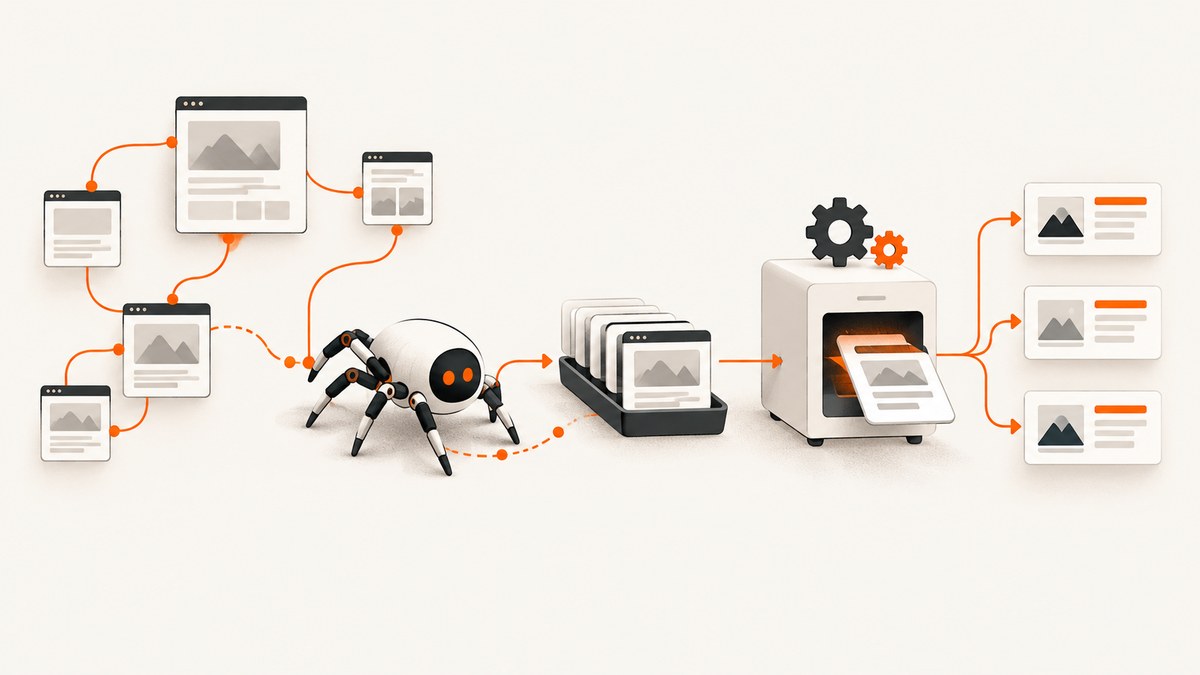
Direct answer: Web crawling in Python means fetching a starting URL, parsing its response, selecting and normalizing links, and repeating that work within explicit limits. For a small, one-off crawl, use requests plus BeautifulSoup and a queue. For a multi-page project with retries, concurrency controls, and reusable spiders, use Scrapy. Define scope and stop conditions first, check the site’s published guidance and API options, and crawl slowly enough for the target to handle.
1. Define the crawl before writing code
A crawler is a program that discovers and processes pages; it is not an instruction to fetch an entire domain without bounds. Decide:
- Purpose and fields: retain only the exact data you need, such as title, canonical URL, and headings.
- Scope: allowed hostnames, URL prefixes, schemes, and whether subdomains are included.
- Stop conditions: maximum pages, depth, runtime, and error budget.
- URL policy: remove fragments, normalize URLs, and decide how query parameters are treated.
- Politeness: per-domain delay, concurrency, timeouts, and a response to throttling.
Look for an official API, bulk export, sitemap, or search endpoint before crawling HTML. Scrapy’s optimization guidance notes that documented interfaces can be faster for your program and cheaper for the site than downloading every page (Scrapy optimization).
2. A bounded crawler with requests and BeautifulSoup
Install dependencies:
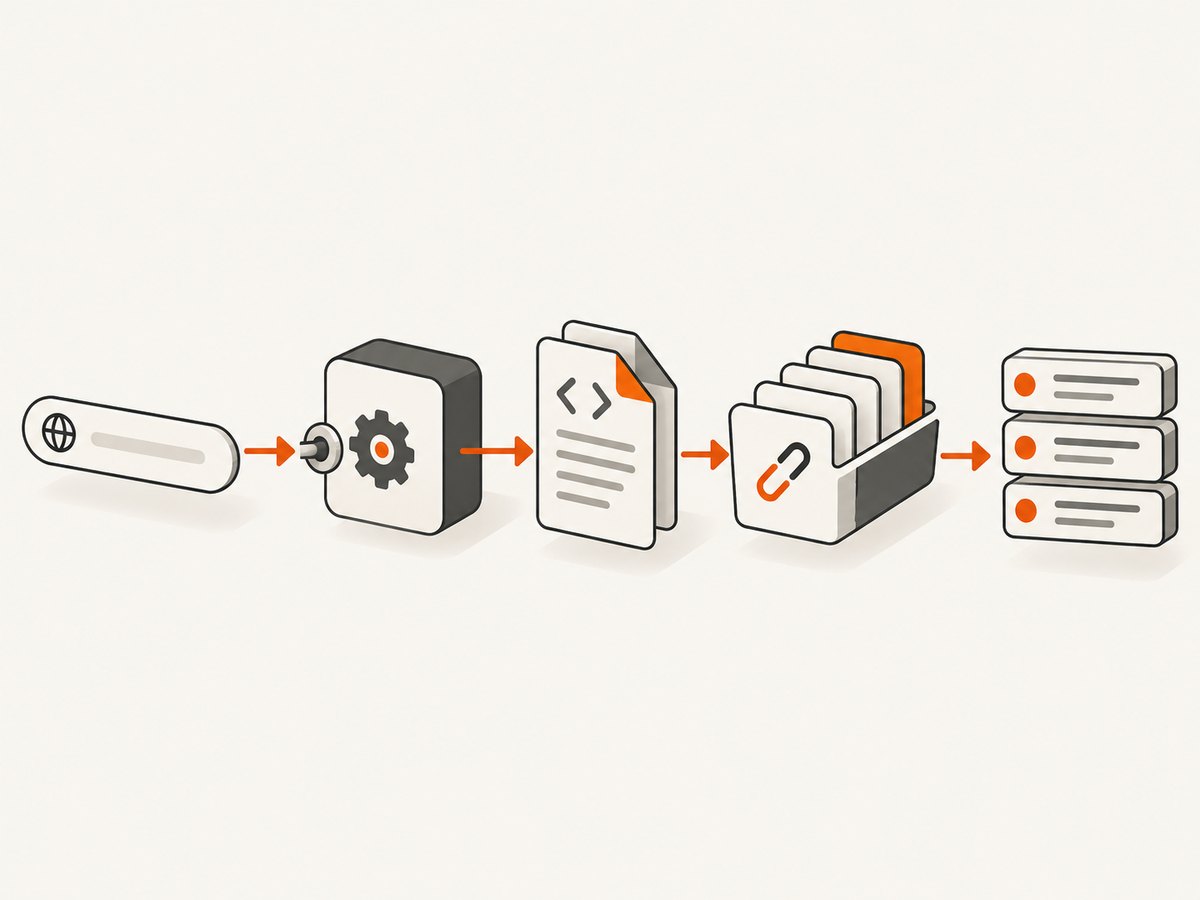
python -m pip install requests beautifulsoup4This script crawls same-host HTML pages breadth-first. It checks status and content type, deduplicates URLs, enforces depth and page limits, and waits between requests.
from collections import deque
from urllib.parse import urljoin, urldefrag, urlparse
import time
import requests
from bs4 import BeautifulSoup

START_URL = "https://example.com/"
ALLOWED_HOSTS = {urlparse(START_URL).netloc}
MAX_PAGES = 50
MAX_DEPTH = 2
DELAY_SECONDS = 1.0
TIMEOUT = 20

session = requests.Session()
session.headers.update({"User-Agent": "ExampleResearchBot/1.0 (contact: you@example.com)"})
queue = deque([(START_URL, 0)])
seen = {START_URL}
results = []

while queue and len(results) < MAX_PAGES:
    url, depth = queue.popleft()
    try:
        response = session.get(url, timeout=TIMEOUT, allow_redirects=True)
        content_type = response.headers.get("content-type", "").lower()
        if response.status_code != 200 or "text/html" not in content_type:
            print("skip", response.status_code, content_type, url)
            continue
        soup = BeautifulSoup(response.text, "html.parser")
        canonical = soup.find("link", rel=lambda value: value and "canonical" in value)
        title = soup.title.get_text(" ", strip=True) if soup.title else ""
        results.append({"url": response.url, "title": title, "canonical": canonical.get("href") if canonical else None, "depth": depth})
        if depth < MAX_DEPTH:
            for anchor in soup.select("a[href]"):
                candidate, _fragment = urldefrag(urljoin(response.url, anchor["href"]))
                parsed = urlparse(candidate)
                if parsed.scheme in {"http", "https"} and parsed.netloc in ALLOWED_HOSTS and candidate not in seen:
                    seen.add(candidate)
                    queue.append((candidate, depth + 1))
    except requests.RequestException as exc:
        print("request failed", url, exc)
    finally:
        time.sleep(DELAY_SECONDS)

for row in results:
    print(row)
Run it with python crawl.py. Replace the host and extraction fields with the data you need. In production, persist the queue, visited set, results, response status, timestamps, and parser version so a stopped run can resume and extraction changes can be diagnosed.
Important details
- Redirects: Store
response.url, the final URL. Re-check its host before following links if redirects can leave your scope. - Content types: Do not send PDFs, images, or downloads to an HTML parser.
- Encoding: Inspect
response.apparent_encodingwhen text is garbled and setresponse.encodingdeliberately. - Query strings: Remove known analytics parameters or apply a canonical URL policy to avoid infinite variants.
- JavaScript: Requests receives server HTML only. Content created after scripts run needs a rendering component or a data API.
3. Respect robots.txt and authorization boundaries
Fetch and inspect /robots.txt before expanding a crawl, and read the site’s terms and contact information. RFC 9309 defines the Robots Exclusion Protocol, but states: “These rules are not a form of access authorization.” (RFC 9309) A robots file is crawl guidance, not permission to access private material. Authentication, paywalls, rate limits, and contractual terms still apply.
Robots rules also do not remove a URL from search results. Google explains that a blocked URL may still be indexed when discovered through links; use noindex or access controls for those goals (Google’s robots.txt guide). Scrapy does not automatically enforce Crawl-delay or Request-rate; translate applicable directives into delay and concurrency settings (Scrapy optimization).
from urllib.robotparser import RobotFileParser
from urllib.parse import urlparse

start = "https://example.com/"
parts = urlparse(start)
robots = RobotFileParser(f"{parts.scheme}://{parts.netloc}/robots.txt")
robots.read()
if not robots.can_fetch("ExampleResearchBot/1.0", start):
    raise RuntimeError("robots.txt disallows this URL for the declared user agent")
Treat a missing or temporarily unavailable robots file as a reason to pause or use a conservative policy, not as an invitation to increase traffic.
4. Move to Scrapy for a real spider
Scrapy models crawling as spiders that issue requests, a downloader that executes them, and callbacks that receive responses and yield extracted items or more requests (Scrapy requests and responses). Install it:
python -m pip install scrapy
scrapy startproject catalog
cd catalog
Create catalog/spiders/products.py:
import scrapy

class ProductsSpider(scrapy.Spider):
    name = "products"
    allowed_domains = ["example.com"]
    start_urls = ["https://example.com/products/"]
    custom_settings = {
        "ROBOTSTXT_OBEY": True,
        "DOWNLOAD_DELAY": 1.0,
        "CONCURRENT_REQUESTS_PER_DOMAIN": 2,
        "AUTOTHROTTLE_ENABLED": True,
        "AUTOTHROTTLE_START_DELAY": 1.0,
        "AUTOTHROTTLE_MAX_DELAY": 10.0,
        "RETRY_TIMES": 2,
        "DOWNLOAD_TIMEOUT": 20,
        "FEEDS": {"products.jsonl": {"format": "jsonlines", "overwrite": True}},
    }
    def parse(self, response):
        for card in response.css("article.product"):
            yield {
                "url": response.urljoin(card.css("a::attr(href)").get("")),
                "name": card.css("h2::text").get(default="").strip(),
                "price": card.css(".price::text").get(default="").strip(),
            }
        yield from response.follow_all(response.css("a.next::attr(href)"), callback=self.parse)
Run scrapy crawl products. Use item pipelines for validation and storage, and metrics extensions for monitoring. Keep selectors narrow and add fixtures for representative HTML so template changes produce visible extraction failures. Scrapy Cloud is an optional deployment path presented by the Scrapy project after you have a working, permitted crawl (Scrapy project).
5. Handling failures, throttling, and changing pages
| Symptom | Likely cause | Fix |
|---|---|---|
| 403 or 429 | Access policy or rate limit | Stop or slow down, lower concurrency, honor guidance, and use an official API. |
| Many timeouts | Slow origin or oversized pages | Set timeouts, retry transient failures with backoff, reduce concurrency, and record latency. |
| Empty selectors | JavaScript rendering or changed markup | Inspect raw HTML, choose stable selectors, or use a documented rendering route. |
| Duplicate pages | Fragments, tracking parameters, or redirects | Defragment, normalize, filter query keys, and deduplicate final URLs. |
| Memory growth | Unbounded queue or retained responses | Cap depth and pages, batch output, and discard bodies after extraction. |
| Incorrect encoding | Missing or misleading charset | Inspect headers and apparent encoding, then test non-ASCII samples. |
Record status code, final URL, retry count, response size, elapsed time, parser version, and an error category. Alert on rising 4xx/5xx rates, queue growth, latency, and low extraction yield. A crawl that finishes with zero items should be treated as a failure requiring inspection.
6. Performance, reliability, and cost
- Throughput: Increase concurrency only while latency and error rates remain acceptable; per-domain limits are safer than one global number.
- Retries: Retry connection resets and selected 5xx responses with exponential backoff. Avoid retrying permanent 4xx responses.
- Freshness: Cache responses during development. For recurring crawls, use conditional requests such as
If-None-Matchwhere supported. - Resumption: Checkpoint the queue and results atomically. Make writes idempotent using a normalized URL or source identifier.
- Cost: Account for compute, bandwidth, storage, browser infrastructure, and engineering time. An API or export can reduce requests and maintenance.
- Safety: Do not crawl private URLs, submit forms, or trigger state-changing actions accidentally. Use read-only methods and an allowlist.
7. Or skip the browser setup
If your goal is to capture rendered pages while crawling, ScreenshotNeo provides a one-request screenshot API and MCP server. It accepts a URL and returns PNG, JPEG, WebP, or PDF. Cookie and consent banners, newsletter popups, and chat widgets are removed before capture; bot checks, blank pages, timeouts, failed loads, and cache hits are not billed, and response headers report the page verdict and billing result.

Use the API directly from Python (see the ScreenshotNeo API docs):
import requests
r = requests.get("https://api.screenshotneo.com/v1/shot", params={"access_key": "YOUR_API_KEY", "url": "https://stripe.com"}, timeout=90)
r.raise_for_status()
open("shot.webp", "wb").write(r.content)
cURL:
curl -G "https://api.screenshotneo.com/v1/shot" -d access_key=YOUR_API_KEY --data-urlencode url=https://stripe.com -o shot.webpNode.js:
const q = new URLSearchParams({ access_key: 'YOUR_API_KEY', url: 'https://stripe.com' });
const res = await fetch(`https://api.screenshotneo.com/v1/shot?${q}`);
For a crawl, combine this call with your bounded queue and save response headers alongside each image. Options include full-page capture with lazy images loaded, CSS element selection, dark mode, device presets or custom viewports, retina scale, custom CSS and JavaScript, clicks, selector or network-idle waits, blocking ads, trackers, and resource types, headers, cookies, user agent, Authorization, timezone, geolocation, transparent backgrounds, resizing, chosen-TTL caching, signed links, asynchronous jobs with signed webhooks, bulk capture of 100 URLs per call, usage reporting, and PDF controls such as paper size, margins, landscape, and page ranges. The MCP server exposes take_screenshot, get_page_info, and capture_pdf to Claude, Cursor, and other MCP clients.
Free usage includes 1,000 screenshots each month with no card; paid plans start at $5 for 3,000. Create a free ScreenshotNeo account.
8. Practical checklist
- Write the purpose, fields, scope, and stop conditions.
- Prefer an API, export, sitemap, or search endpoint when one exists.
- Read robots.txt and terms; robots guidance is not authorization.
- Run a small sample and inspect status, content type, redirects, and HTML.
- Normalize and deduplicate URLs; keep depth, page, time, and concurrency bounds.
- Use delays, retries with backoff, and metrics for errors and latency.
- Persist checkpoints and metadata to resume and debug parser drift.
- Choose requests plus BeautifulSoup for small work; choose Scrapy for a reusable spider.
FAQ
Is web crawling legal?
Permission depends on the target, jurisdiction, terms, authentication, and data. Ask the owner when uncertain and use published APIs.
Can requests crawl a React site?
Only if the needed data is in initial HTML or an accessible endpoint. JavaScript-rendered content needs a rendering component or server-side data API.
Should I use Scrapy for one page?
Usually no. A short requests and parser script has less setup. Scrapy becomes useful for many pages, callbacks, scheduling, pipelines, and project settings.
How do I prevent an infinite crawl?
Use an allowlist, URL normalization, a visited set, maximum depth and page count, query filtering, and a runtime deadline. Log queue size so growth is visible.
Where can I learn more?
O’Reilly’s Web Scraping with Python, 3rd Edition covers requests, parsing, Scrapy, JavaScript pages, APIs, and data handling (publisher page).


