Web Crawling: Techniques and Frameworks
Build a bounded, polite web crawler with Scrapy, choose when browser automation is needed, and handle robots.txt, deduplication, storage, and failures.

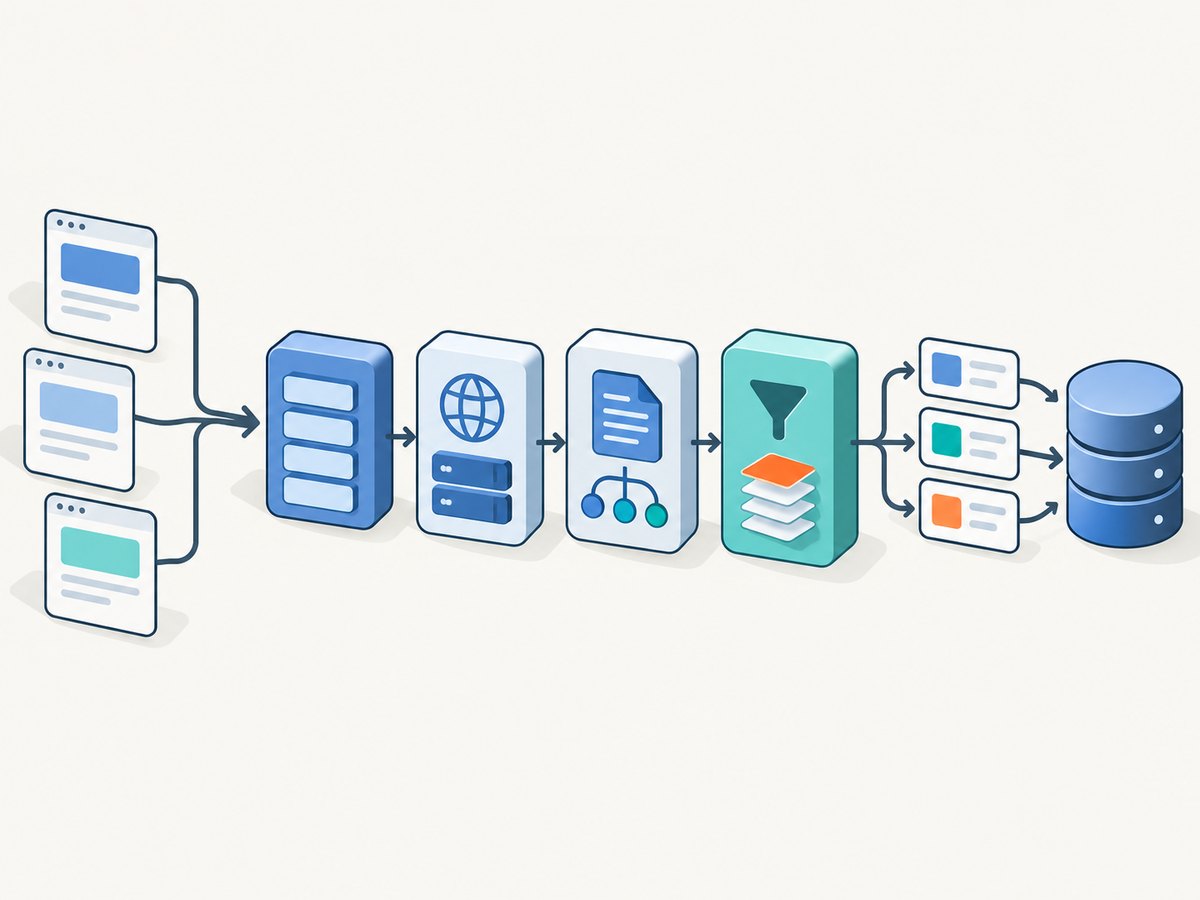
A web crawler automatically discovers and fetches web resources within a defined scope. A useful crawler starts from seed URLs, retrieves pages, parses the response, discovers eligible links, avoids duplicate work, schedules requests, and saves durable results. For most structured crawls of known websites, Scrapy is a strong starting point: it combines asynchronous request scheduling with selectors, crawl controls, and output pipelines.
Use ordinary HTTP requests when the required content is in the server response. Inspect browser network activity when it is missing; a reproducible JSON or HTML request is usually simpler than rendering a whole page. Use a headless browser such as Playwright when browser rendering or interaction is genuinely required. Whichever approach you choose, bound the crawl, identify your client, respect applicable site rules, and reduce request pressure when a server slows or errors.
1. Crawling, scraping, and the parts of a crawler
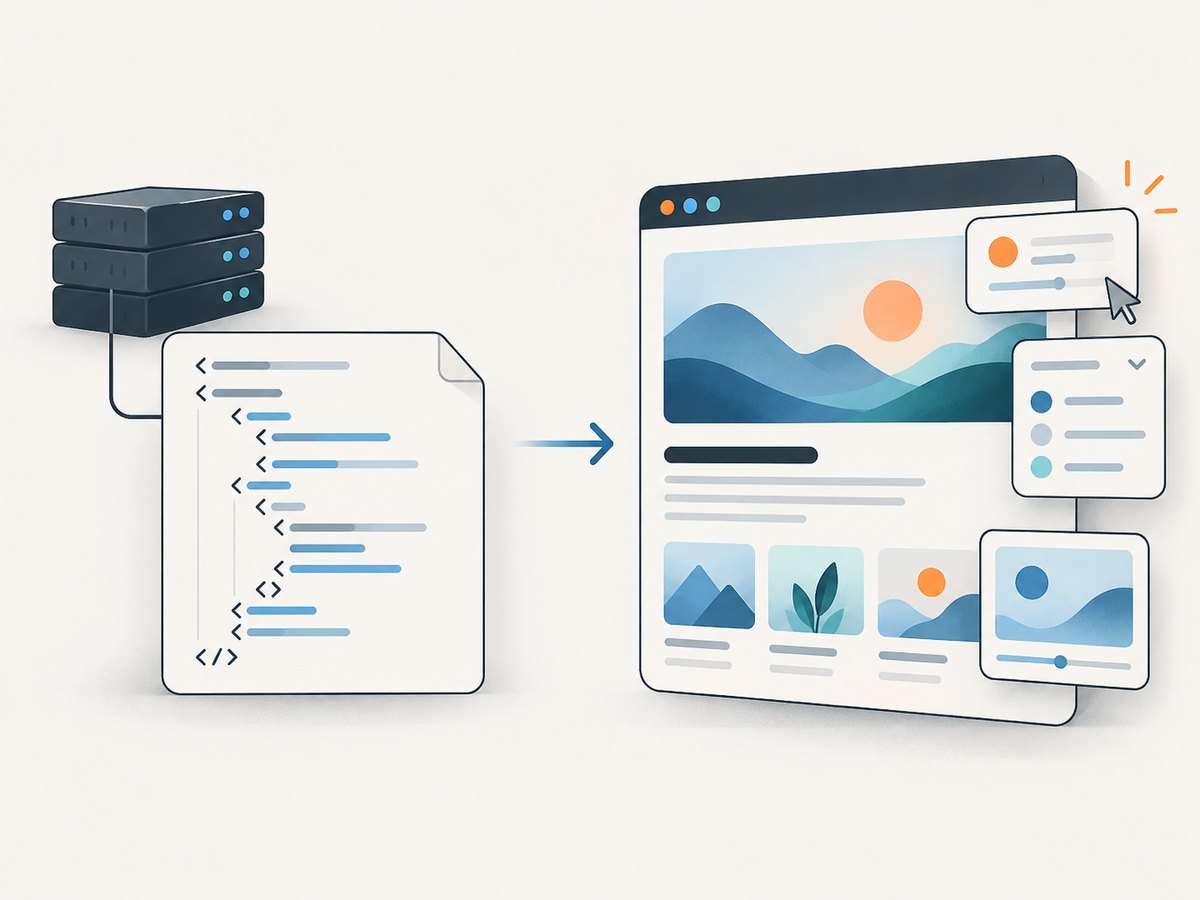
Crawling is the discovery and retrieval stage. Scraping or extraction turns fetched responses into fields; storage and analysis happen downstream, although frameworks such as Scrapy can handle all of these jobs together. Google describes crawling as discovering and understanding pages, while the IETF describes automated clients that can recursively traverse links. A crawler is therefore more than a loop that downloads URLs: it needs clear rules for where it can go and what happens to each response.
- Seeds: starting URLs, which may come from a known list, a sitemap, or another permitted source.
- Scope: allowed hosts, paths, page types, depth, and stopping conditions.
- Fetch policy: concurrency, delay, timeouts, retries, headers, and robots.txt behavior.
- Parsing: fields and links to extract from each response.
- Deduplication: decisions about equivalent URLs and already-seen records.
- Persistence: durable output, plus enough logging to resume or diagnose a crawl.
Decide whether you need every page, a sample, or a specific data set before crawling. A smaller explicit scope is easier to make polite, reproducible, and affordable to operate.
2. Choose a framework for the response you need
| Approach | Good fit | Trade-off |
|---|---|---|
| Scrapy | Known-site crawling, structured extraction, pagination, feeds, and per-domain controls | Requires Python and spider configuration; it does not execute page JavaScript as a browser does |
| Direct HTTP client | A small, known set of pages or a reproducible API request | You must build scheduling, retries, deduplication, and persistence if the job grows |
| Playwright | Content or actions that require browser rendering and interaction | Browser processes and assets add operational overhead; Playwright Test is an end-to-end test framework, not by itself a general crawler queue or data pipeline |
Scrapy schedules requests asynchronously and offers CSS/XPath selectors, feed exports, item pipelines, robots.txt support, crawl-depth controls, and sitemap spiders. Its delay, per-domain concurrency, and AutoThrottle settings help control request pressure. No framework has a universal speed advantage: target behavior, network conditions, machine capacity, and configuration all matter. Playwright automates Chromium, WebKit, and Firefox; it is a browser automation layer rather than a substitute for crawl scope and data-pipeline design.
3. Build a bounded Scrapy crawler
This example starts from one permitted host, follows links only on that host, collects a page title and description, follows links to depth two, and exports JSON Lines. The example uses a deliberately modest per-domain concurrency and delay. Confirm the target’s rules and adjust these controls for your use case. Scrapy settings and defaults can vary by version; set the policy explicitly rather than assuming a default is appropriate.
Step 1: Install Scrapy
python -m venv .venv
source .venv/bin/activate
python -m pip install scrapy
On Windows PowerShell, activate with .venv\Scripts\Activate.ps1. Save the following as site_spider.py. Replace the sample host and start URL with a site you are authorized to crawl.
Step 2: Define the spider and scope
import scrapy
from urllib.parse import urldefrag, urlsplit, urlunsplit

ALLOWED_HOST = "example.com"


def normalize_url(url):
    """Drop fragments; keep query strings because they may identify content."""
    parts = urlsplit(url)
    return urlunsplit((parts.scheme.lower(), parts.netloc.lower(),
                       parts.path or "/", parts.query, ""))


class SiteSpider(scrapy.Spider):
    name = "site"
    allowed_domains = [ALLOWED_HOST]
    start_urls = ["https://example.com/"]

    custom_settings = {
        "ROBOTSTXT_OBEY": True,
        "USER_AGENT": "ExampleResearchCrawler/1.0 (+https://example.com/contact)",
        "CONCURRENT_REQUESTS_PER_DOMAIN": 2,
        "DOWNLOAD_DELAY": 1.0,
        "AUTOTHROTTLE_ENABLED": True,
        "AUTOTHROTTLE_START_DELAY": 1.0,
        "AUTOTHROTTLE_MAX_DELAY": 30.0,
        "DEPTH_LIMIT": 2,
        "DOWNLOAD_TIMEOUT": 30,
        "RETRY_TIMES": 2,
        "FEEDS": {"pages.jsonl": {"format": "jsonlines", "overwrite": True}},
    }

    def parse(self, response):
        description = response.css('meta[name="description"]::attr(content)').get()
        yield {
            "url": response.url,
            "status": response.status,
            "title": response.css("title::text").get(),
            "description": description,
        }

        for href in response.css("a::attr(href)").getall():
            absolute = response.urljoin(href)
            candidate = normalize_url(absolute)
            parts = urlsplit(candidate)
            if parts.scheme not in ("http", "https"):
                continue
            if parts.hostname != ALLOWED_HOST:
                continue
            yield response.follow(candidate, callback=self.parse)
The urldefrag import is not needed by this version of normalize_url; it can be removed. URL normalization is an application policy, not a universal recipe: keep query parameters when they change the page, but decide whether tracking parameters or alternate path forms should collapse for your target. Hostname checks must account for intended subdomains if they are in scope.
Step 3: Run and inspect output
scrapy runspider site_spider.pyScrapy writes pages.jsonl as records are yielded. JSON Lines is convenient for streaming and later processing. For a one-off run you can instead specify an output feed on the command line, for example scrapy runspider site_spider.py -O pages.jsonl. Use -O to overwrite an existing feed; -o appends for supported formats. Verify the output schema and a few records before treating the crawl as complete.
4. Scope, URL identity, and data quality
Link discovery can create loops and crawl traps: calendars with endless next-month links, faceted filters with many combinations, session IDs, and pages that link back to themselves. Set an allowed host and path policy, a maximum depth or page budget, and explicit exclusions for URL patterns that cannot add useful content. A sitemap spider can be a better seed source when a site publishes a sitemap, but it still needs scope and request controls.
Deduplication has two levels. Scrapy’s duplicate-request filter avoids repeatedly scheduling the same request fingerprint during a run. Your data layer may also need record-level deduplication, such as a stable canonical URL or source identifier. Query strings deserve care: deleting every query can merge genuinely distinct pages, while preserving tracking-only parameters can create redundant fetches. Normalize only after checking how the target uses them.
Selectors are coupled to page structure. Prefer stable attributes or semantic markup over brittle positional selectors. Handle absent fields as null, and record the final response URL because redirects can change page identity. If a required field disappears, inspect the raw response and verify whether the site changed markup or moved the data to another request.
5. JavaScript-heavy pages: HTTP first, browser when needed
If an extracted field is missing, compare the HTML downloaded by Scrapy with what the browser displays. Scrapy documents scrapy fetch --nolog https://example.com/page as a way to save the response for inspection. Open browser developer tools and inspect the Network panel while loading the relevant page. If the content comes from a JSON or HTML request, reproduce that request and parse its response directly. Scrapy’s guide recommends locating the data source; a direct response can provide structured data with less parsing time and network transfer than rendering the page.
Match the observed request’s method, URL, body, headers, and form parameters as needed. Do not guess undocumented endpoints when an official API or documented feed is available. If the data only exists after client-side state, rendering, or an interaction that cannot reasonably be reproduced as a request, use a headless browser. Playwright is suitable for browser automation; when integrating it into a Scrapy crawl, Scrapy points to the scrapy-playwright integration because launching a browser directly bypasses many Scrapy components such as middleware and duplicate filtering.
Keep browser work bounded too. Reuse browser contexts where appropriate, wait for a meaningful selector instead of an arbitrary long sleep, and close pages and browser processes even after errors. A screenshot is useful for visual review or archival, but it is not structured extraction. For a screenshot of a page, ScreenshotNeo provides a website screenshot API and MCP server; it is a separate capture task, not a replacement for a crawler’s discovery and storage pipeline.
6. Responsible crawling and robots.txt
Check the target’s applicable rules and terms, identify your crawler with a clear user agent and contact route, limit per-domain concurrency, add delays, cache responses where appropriate, and back off when a server slows or returns errors. Google describes adjusting its own crawl rate in response to site conditions; that behavior is not a guarantee for third-party crawlers, so configure your own conservative limits.
Robots.txt is a request to compliant crawlers about which URLs to access. It is not access authorization, a security boundary, or a reliable way to remove a page from search results. RFC 9309 explicitly says robots rules are not access authorization. Google says robots.txt mainly manages crawler traffic; a disallowed URL may still appear in results if linked elsewhere. Use authentication to protect private content. For search indexing control, use an appropriate noindex directive where the crawler can access the page to read it. Do not crawl private or restricted data merely because it is technically reachable.
Enable Scrapy’s robots support and verify it is applying to the crawler identity you configured. Robots syntax and interpretation can differ among crawlers, and some do not honor the protocol. Respecting the file is a baseline for responsible behavior, not permission to disregard other restrictions.
7. Reliability, performance, and cost
Asynchronous scheduling lets Scrapy make progress across multiple requests without waiting for each response serially. More concurrency does not automatically mean a better crawl: it can increase pressure on the target, amplify throttling, and create more retries. Begin with a small per-domain limit and delay, observe response times and status codes, then adjust within the target’s acceptable limits. AutoThrottle can adapt request timing, but it does not decide what scope is appropriate or make an aggressive crawl responsible.
- Use timeouts: stalled requests should not hold up a crawl indefinitely.
- Retry selectively: transient network errors and some server responses may merit limited retries; repeated permanent errors should be recorded, not retried endlessly.
- Persist incrementally: feed exports or pipelines reduce the risk of losing all collected records if a long run stops.
- Cache during development: avoid repeatedly fetching unchanged pages while tuning selectors, where appropriate for the task.
- Track outcomes: record status, URL, and failure reason so missing pages are distinguishable from empty content.
- Budget the whole job: page size, browser assets, retries, storage, and processing all consume network or compute resources.
There is no universal crawl-time estimate. Measure a small permitted sample and estimate from observed response sizes and rates; leave headroom for slow pages, retries, and throttling. Browser rendering usually costs more compute and transfers more resources than fetching a focused data response, so reserve it for pages that need it.
8. Troubleshooting common crawl failures
| Symptom | Likely cause | What to do |
|---|---|---|
| Selector returns no value | Markup changed, field is client-rendered, or selector targets the wrong node | Save and inspect the response Scrapy received; compare with browser Network requests and page source. Update the selector or fetch the data endpoint. |
| Spider finds no links | Links are injected by JavaScript, selector is too narrow, or response is an error page | Inspect status, response URL, and HTML. Follow the data request if available; use a browser only when required. |
| Many repeated pages | Query variants, fragments, pagination loops, or crawl traps | Define URL canonicalization carefully, set depth or path limits, and exclude infinite or low-value parameter patterns. |
| 403 or 429 responses | Access restrictions, rate limits, or request pattern rejected | Stop or slow down, verify permission and site rules, use documented access methods, and do not try to evade access controls. |
| Intermittent timeouts or 5xx errors | Target overload, transient network problem, or excessive concurrency | Lower concurrency, increase delay, use bounded retries with backoff, and record failures for a later pass. |
| robots.txt blocks expected pages | The crawl policy disallows those paths for the crawler | Honor the rule; do not disguise the crawler to bypass it. Seek an allowed source or authorization. |
| Duplicate records despite duplicate filtering | Different URLs produce the same content, or URL identity differs by query/case/redirect | Add record-level deduplication using a stable identifier or carefully selected canonical URL. |
| Output file is empty or malformed | Callback yields no items, run stopped early, or output mode/schema is wrong | Check logs and callback paths, test one response, and verify the feed format and append/overwrite choice. |
9. Or skip the browser setup
If the goal is to capture a visual page image rather than discover and extract a site’s pages, ScreenshotNeo can return a screenshot or PDF with one API request. See the ScreenshotNeo API documentation for request options.
curl -G "https://api.screenshotneo.com/v1/shot" -d access_key=YOUR_API_KEY --data-urlencode url=https://stripe.com -o shot.webpimport requests
r = requests.get("https://api.screenshotneo.com/v1/shot", params={"access_key": "YOUR_API_KEY", "url": "https://stripe.com"}, timeout=90)
open("shot.webp", "wb").write(r.content)const q = new URLSearchParams({ access_key: 'YOUR_API_KEY', url: 'https://stripe.com' });
const res = await fetch(`https://api.screenshotneo.com/v1/shot?${q}`);ScreenshotNeo removes cookie banners, popups, and chat widgets before the shot. Bot checks, blank pages, and failed loads are never billed. Its MCP server lets AI agents take screenshots. The free plan includes 1,000 screenshots a month with no card; paid plans start at $5 for 3,000. Sign up for 1,000 free screenshots a month, no card required.
10. FAQ
How do I build a web crawler?
Choose seeds and a strict scope, fetch pages, parse the fields and links you need, deduplicate requests and records, schedule politely, and save results durably. The Scrapy example above covers that loop.
Which web crawling framework should I use?
Use Scrapy for structured asynchronous crawling with extraction and feed or pipeline support. Use a direct HTTP client for a small, controlled fetch task. Add Playwright when browser execution or interaction is required.
How do I crawl JavaScript websites?
First find the request that supplies the missing data in browser developer tools. Reproduce that request if possible; render the page in a headless browser when browser-side state or interaction is essential.
Does robots.txt stop web crawlers?
It asks compliant crawlers to follow access rules, but it is not authorization or a technical security barrier. Some crawlers may ignore it; protect private pages with authentication.
Further reading
- Scrapy at a glance — framework features, selectors, scheduling, feeds, and pipelines.
- Scrapy: selecting dynamically loaded content — finding and reproducing data requests, with headless browser guidance.
- Google Search Central: robots.txt introduction — crawler traffic, indexing, and security limits.
- IETF RFC 9309 — the Robots Exclusion Protocol standard.


