How to Web Scrape HTML Tables with Python: Step-by-Step
Learn to extract HTML tables with pandas, select the right table, clean messy headers, handle irregular markup, and troubleshoot parser errors.

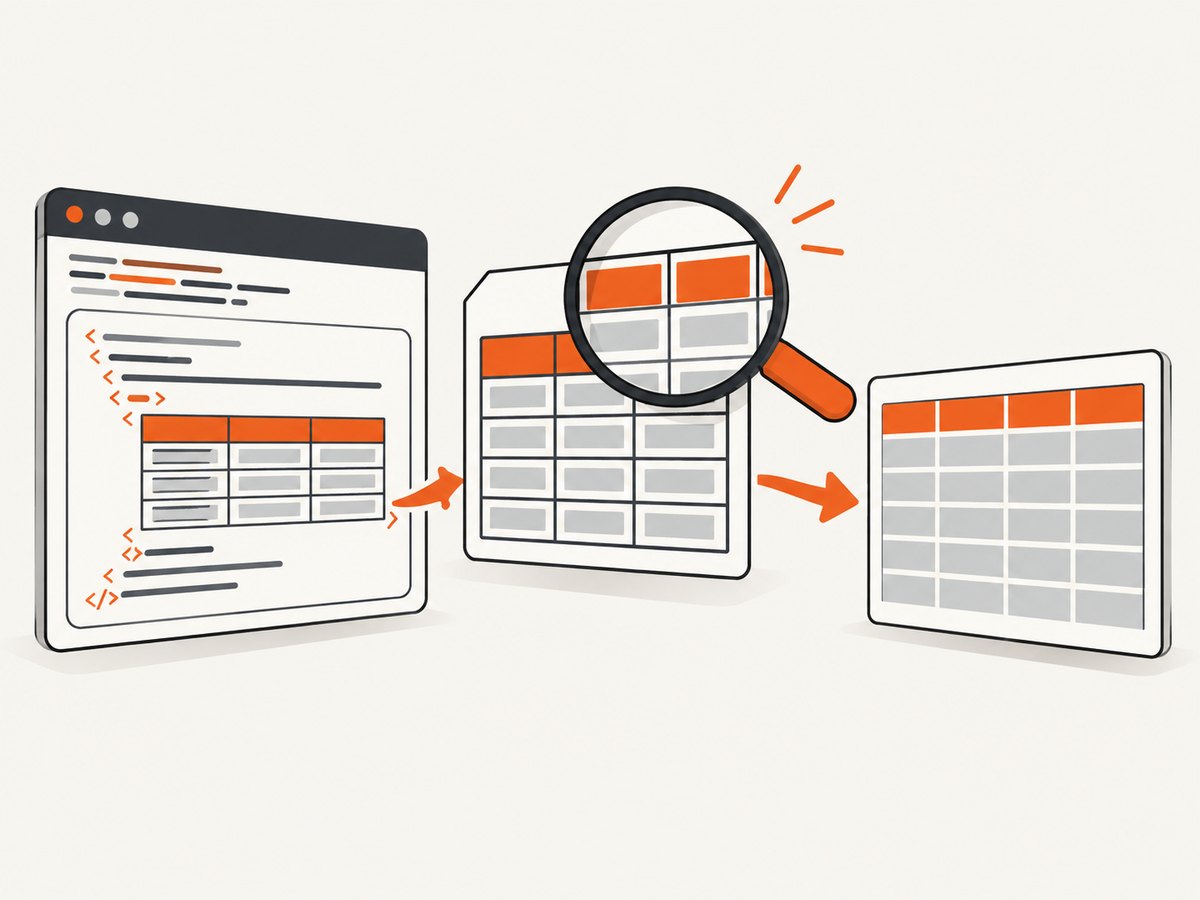
Short answer: Start with pandas.read_html(). It fetches HTML and returns a list of DataFrames, so inspect the list, choose the intended table, then clean its headers, missing values, and data types. Use match or attrs to narrow the result. When the markup is irregular or you need custom element selection, use Beautiful Soup and optionally pass the selected table back to pandas.
This guide covers ordinary <table> elements already present in the HTML response. read_html() is an HTML table parser; it does not run a browser session or execute page JavaScript. A table that appears only after JavaScript runs needs a different acquisition step before pandas can parse it.
1. Check access rules before fetching
Find the page URL and review its robots.txt instructions for your user agent. Python’s urllib.robotparser can read the published rules and evaluate whether a URL is allowed. A robots check does not answer every legal or contractual question, so review the site’s terms separately.
from urllib.robotparser import RobotFileParser
from urllib.parse import urlparse

page_url = "https://example.com/data"
user_agent = "my-table-script/1.0"
parsed = urlparse(page_url)
robots_url = f"{parsed.scheme}://{parsed.netloc}/robots.txt"

rp = RobotFileParser(robots_url)
rp.read()

if not rp.can_fetch(user_agent, page_url):
    raise PermissionError(f"robots.txt disallows fetching {page_url}")

print("Fetching is allowed by the published robots.txt rules.")
See the Python urllib.robotparser documentation for the standard-library API.
2. Install the parser dependencies
Install pandas and an HTML parser in your virtual environment. Pandas documents lxml and the bs4/html5lib combination. If you do not specify a flavor, pandas tries lxml first and can fall back to Beautiful Soup plus html5lib when lxml cannot parse the input.
python -m venv .venv
source .venv/bin/activate       # Windows PowerShell: .venv\\Scripts\\Activate.ps1
python -m pip install --upgrade pip
python -m pip install pandas lxml beautifulsoup4 html5lib requests
The pandas read_html API and its I/O guide describe supported parsers and fallback behavior.
3. Parse every HTML table with pandas
read_html() returns a list even when the page contains one table. Inspect the number of results and a preview before writing cleanup code.
import pandas as pd

url = "https://example.com/data"
tables = pd.read_html(url)

print(f"Found {len(tables)} table(s)")
for index, table in enumerate(tables):
    print(f"\\nTable {index}: {table.shape}")
    print(table.head())
You can also pass an HTML string, a file-like object, or a local file. For repeatable pipelines, fetching the response yourself lets you set a timeout, user agent, retry policy, and logging.
import io
import requests
import pandas as pd

url = "https://example.com/data"
response = requests.get(
    url,
    headers={"User-Agent": "table-research/1.0"},
    timeout=30,
)
response.raise_for_status()

tables = pd.read_html(io.StringIO(response.text))
print(tables[0].head())
4. Select the table you actually need
Filter by text with match
Use match when a table contains a distinctive heading, column label, or value. The expression is matched against table text.
tables = pd.read_html(
    "https://example.com/standings",
    match="Team|Club",
)

if not tables:
    raise ValueError("No table matched the requested text")
df = tables[0]
Filter by HTML attributes with attrs
When the table has a stable attribute such as an id, use attrs. The attribute must be valid HTML for a table element.
tables = pd.read_html(
    "https://example.com/standings",
    attrs={"id": "league-table"},
)

if len(tables) != 1:
    raise ValueError(f"Expected one table, found {len(tables)}")
df = tables[0]
Control headers and skipped rows after inspection
Pages often include title rows, notes, or multi-row headers. Inspect the raw result first, then choose options such as header or skiprows.
df = pd.read_html(
    "https://example.com/report",
    header=1,       # use the second HTML row as column names
    skiprows=[2],   # skip a note row after the header
)[0]
Do not guess these numbers blindly. Header cells spanning several columns can produce a MultiIndex or missing labels that require explicit cleanup.
5. Inspect and clean the DataFrame
Parsing and cleaning are separate steps. Check column names, nulls, duplicate rows, and inferred types before analysis or storage.
print(df.shape)
print(df.columns)
print(df.head(10).to_string())
print(df.dtypes)
print(df.isna().sum())

# Strip whitespace from string cells and column labels
object_columns = df.select_dtypes(include="object").columns
for column in object_columns:
    df[column] = df[column].astype("string").str.strip()
df.columns = [str(column).strip() for column in df.columns]

# Example: convert a numeric column containing commas and dashes
df["Revenue"] = (
    df["Revenue"]
      .replace({"—": pd.NA, "-": pd.NA}, regex=False)
      .str.replace(",", "", regex=False)
      .pipe(pd.to_numeric, errors="coerce")
)

# Remove rows that are completely empty
df = df.dropna(how="all").reset_index(drop=True)
Handle missing or incorrect headers
If the source has no usable header row, assign names explicitly after viewing the shape.
df = pd.read_html("https://example.com/no-header")[0]

if df.shape[1] == 4:
    df.columns = ["rank", "name", "category", "value"]
else:
    raise ValueError(f"Unexpected column count: {df.shape[1]}")
Flatten a multi-row header
if isinstance(df.columns, pd.MultiIndex):
    df.columns = [
        "_".join(
            str(part).strip()
            for part in column
            if str(part).strip().lower() not in {"nan", "none"}
        ).strip("_")
        for column in df.columns
    ]
Extract links when the text alone is not enough
read_html() gives you cell values, not a convenient record of every anchor URL. If links are part of the dataset, parse the HTML with Beautiful Soup and align the extracted links with the rows you need.
6. Use Beautiful Soup for irregular markup
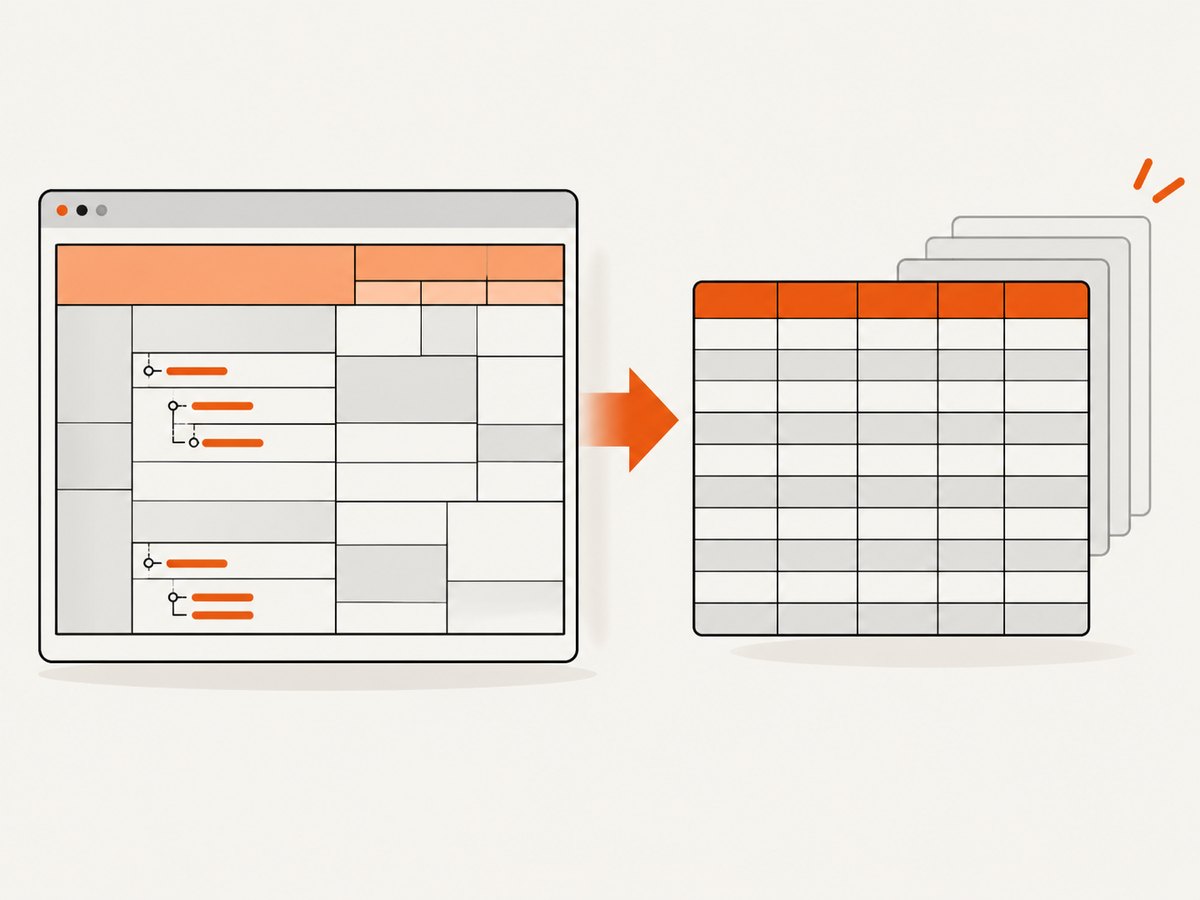
Beautiful Soup’s documentation describes it as a library for pulling data from HTML and XML. It is useful when you need custom selectors, nested elements, row-level attributes, or a table that needs to be isolated before pandas parses it.
import requests
from bs4 import BeautifulSoup

url = "https://example.com/catalog"
response = requests.get(url, timeout=30)
response.raise_for_status()

soup = BeautifulSoup(response.text, "html.parser")
table = soup.select_one("table#catalog")
if table is None:
    raise ValueError("Could not find table#catalog")

records = []
for row in table.select("tr"):
    cells = row.select("th, td")
    values = [cell.get_text(" ", strip=True) for cell in cells]
    if values:
        records.append(values)

for record in records[:5]:
    print(record)
When you want a DataFrame after custom selection, pass the selected table’s HTML to pandas.
import pandas as pd

selected_html = str(table)
df = pd.read_html(selected_html)[0]
print(df.head())| Approach | Setup and speed | Control over markup | Output | Use it when |
|---|---|---|---|---|
pandas.read_html() |
Shortest setup; usually the quickest path | Options such as match, attrs, header, and skiprows |
DataFrames | The page contains ordinary HTML tables |
| Beautiful Soup | More selector code | Custom traversal, nested content, attributes, and row transformations | Lists or records; optionally DataFrames | Markup is irregular or you need fields outside cell text |
7. Build a reusable scraper
Separate fetching, parsing, cleaning, and persistence. This makes failures easier to diagnose and allows you to save the original HTML for later inspection.
from pathlib import Path
import io
import time
import requests
import pandas as pd


def fetch_tables(url: str, *, retries: int = 3) -> list[pd.DataFrame]:
    headers = {"User-Agent": "table-research/1.0"}
    last_error = None
    for attempt in range(retries):
        try:
            response = requests.get(url, headers=headers, timeout=30)
            response.raise_for_status()
            return pd.read_html(io.StringIO(response.text))
        except (requests.RequestException, ValueError) as exc:
            last_error = exc
            if attempt + 1 < retries:
                time.sleep(2 ** attempt)
    raise RuntimeError(f"Unable to fetch or parse {url}") from last_error


def clean_table(df: pd.DataFrame) -> pd.DataFrame:
    result = df.copy()
    if isinstance(result.columns, pd.MultiIndex):
        result.columns = [
            "_".join(str(part).strip() for part in column).strip("_")
            for column in result.columns
        ]
    result.columns = [str(column).strip() for column in result.columns]
    for column in result.select_dtypes(include="object").columns:
        result[column] = result[column].astype("string").str.strip()
    return result.dropna(how="all").reset_index(drop=True)


url = "https://example.com/data"
tables = fetch_tables(url)
if not tables:
    raise ValueError("The page contained no HTML tables")

df = clean_table(tables[0])
Path("output").mkdir(exist_ok=True)
df.to_csv("output/table.csv", index=False)
print(df.to_json(orient="records", indent=2))
8. Common errors and fixes
| Error or symptom | Likely cause | Fix |
|---|---|---|
ImportError: lxml not found |
The preferred parser is missing | Install lxml, or install beautifulsoup4 html5lib and select a supported fallback. |
No tables found |
The response has no literal <table>, or the page is JavaScript-rendered |
Save and inspect response.text. Confirm the selector and source HTML. A browser-rendering step is required when rows are created only after JavaScript runs. |
| Wrong table returned | The page contains navigation, layout, or several data tables | Inspect every result, then use match or attrs. |
Columns have names such as Unnamed: 0 |
Blank or spanning header cells | Inspect the raw header rows; set header deliberately or assign cleaned names. |
| Numbers remain strings | Currency symbols, separators, footnotes, or em dashes | Normalize text, replace missing markers, and call pd.to_numeric(..., errors="coerce"). |
| Timeout or connection reset | Slow server, transient network failure, or restrictive endpoint | Set a finite timeout, use bounded exponential backoff, reduce request rate, and check access rules. |
| HTTP 403 or 429 | Access policy, authentication, or rate limiting | Do not bypass restrictions. Check terms and robots guidance, authenticate when authorized, and slow down requests. |
| Encoding looks corrupted | The server’s declared encoding is wrong or incomplete | Inspect response.encoding, set it only when you have evidence, and preserve the original response for debugging. |
9. Performance, reliability, and cost
- Fetch once per run. Reuse the response HTML when experimenting with selectors instead of downloading the page repeatedly.
- Cache responsibly. A local cache reduces load on the source and speeds development. Set an expiration appropriate to the data’s update frequency.
- Use timeouts and bounded retries. A scraper should fail clearly instead of hanging forever. Retry transient network errors, not malformed HTML or a consistent 403 response.
- Validate the shape. Assert expected columns, row counts, and types before exporting. A successful HTTP response can still contain a login page or an error document.
- Limit concurrency. Parallel requests can trigger rate limits and create unnecessary load. Follow the site’s published rules and terms.
- Plan for schema drift. Save a sample of the source HTML and log parser warnings so a changed header or extra note row is visible.
- Library costs. pandas, Requests, Beautiful Soup, lxml, and html5lib are software dependencies; your operational cost is primarily network, storage, and compute. The source site’s policies may impose separate limits.
10. Or skip the browser setup
If your goal is a clean visual capture of a page or table, ScreenshotNeo provides a website screenshot API. It accepts one GET request and returns PNG, JPEG, WebP, or PDF. This is a screenshot service, so use pandas or Beautiful Soup when you need structured cell values.
See the ScreenshotNeo API documentation for the request options.
cURL
curl -G "https://api.screenshotneo.com/v1/shot" -d access_key=YOUR_API_KEY --data-urlencode url=https://stripe.com -o shot.webpPython
import requests

r = requests.get(
    "https://api.screenshotneo.com/v1/shot",
    params={"access_key": "YOUR_API_KEY", "url": "https://stripe.com"},
    timeout=90,
)
r.raise_for_status()
open("shot.webp", "wb").write(r.content)
Node.js
const q = new URLSearchParams({ access_key: 'YOUR_API_KEY', url: 'https://stripe.com' });
const res = await fetch(`https://api.screenshotneo.com/v1/shot?${q}`);
if (!res.ok) throw new Error(`Screenshot failed: ${res.status}`);
const fs = await import('node:fs/promises');
await fs.writeFile('shot.webp', Buffer.from(await res.arrayBuffer()));
ScreenshotNeo removes cookie and consent banners, newsletter popups, and chat widgets before capture. Bot checks, blank pages, timeouts, failed loads, and cache hits are not billed, and the response identifies the result with X-Page-Verdict and X-Billed headers. Its MCP server provides take_screenshot, get_page_info, and capture_pdf tools for Claude, Cursor, and other MCP clients. One thousand screenshots per month are free with no card; paid plans start at $5 for 3,000 shots. Create a free ScreenshotNeo account.
11. Frequently asked questions
Does read_html() scrape JavaScript-rendered tables?
No. It parses tables present in the HTML input. If JavaScript inserts the rows later, obtain the rendered HTML through an authorized browser or an underlying data endpoint, then pass the resulting HTML or data to pandas.
Why is the result a list instead of one DataFrame?
A page can contain multiple tables, so pandas always returns a list. Select the intended entry after inspecting its shape and columns.
Should I use lxml or Beautiful Soup?
Use pandas with lxml for ordinary tables and a short pipeline. Use Beautiful Soup when you need custom selectors, attributes, nested elements, or row-level transformations.
Can I scrape a table without pandas?
Yes. Beautiful Soup can return lists or dictionaries directly. Pandas is useful when you want type conversion, filtering, joins, and export formats.
How do I make the scraper safe to run repeatedly?
Check robots.txt and terms, identify your user agent, use timeouts and bounded retries, cache during development, limit request rates, and validate the resulting schema before saving it.


