Web Scraping with Beautiful Soup and Requests
Use Requests to fetch HTML and Beautiful Soup to parse it. Learn reliable extraction, parser choices, troubleshooting, and when a browser-based screenshot is the better tool.

To scrape content that is present in a page’s returned HTML, use requests to fetch the page, check the HTTP response, and pass its body to Beautiful Soup. Requests handles the network request; Beautiful Soup parses the markup into a tree you can search and navigate. This workflow is simple and effective for static HTML, but it does not run JavaScript or guarantee that every site exposes its content in the initial response.
1. Install Requests and Beautiful Soup
Use a virtual environment so the packages for this project stay separate from other Python projects. The Requests documentation currently lists Python 3.10+ support; confirm package compatibility with the Python version you deploy.
python -m venv .venv

# macOS or Linux
source .venv/bin/activate

# Windows PowerShell
.venv\\Scripts\\Activate.ps1

python -m pip install requests beautifulsoup4
Requests is installed as requests. Beautiful Soup 4 is installed as beautifulsoup4 and imported from bs4. The example below uses Python’s built-in html.parser, so it needs no extra parser package.
2. Fetch a page, check it, and parse it
Save the following as scrape.py and run it with python scrape.py. Replace the example URL and selectors with a page and markup you are allowed to access. The example extracts titles and links from article elements when they exist in the returned HTML.

import requests
from bs4 import BeautifulSoup

URL = "https://example.com/"

try:
    response = requests.get(
        URL,
        headers={"User-Agent": "ExampleResearchBot/1.0 (contact: you@example.com)"},
        timeout=(5, 20),  # connect timeout, read timeout in seconds
    )
    response.raise_for_status()
except requests.exceptions.Timeout as exc:
    raise SystemExit(f"The server took too long to respond: {exc}")
except requests.exceptions.RequestException as exc:
    raise SystemExit(f"The request failed: {exc}")

# Choose a parser explicitly so behavior is clear across environments.
soup = BeautifulSoup(response.text, "html.parser")

for article in soup.select("article"):
    heading = article.select_one("h1, h2, h3")
    link = article.select_one("a[href]")
    print({
        "title": heading.get_text(" ", strip=True) if heading else None,
        "url": link["href"] if link else None,
    })
The selectors are examples, not a promise about any site’s structure. Inspect the response and use selectors that match the actual HTML. Requests’ quickstart documents GET requests, response text and bytes, status checks, and timeouts; Beautiful Soup documents parsing and searching a supplied document. Requests Quickstart · Beautiful Soup documentation.
3. How do I use Beautiful Soup with Requests?
- Retrieve: call
requests.get()with the URL and any necessary request parameters, headers, cookies, or authentication. - Bound the wait: provide a timeout. A connect/read tuple lets you set separate limits for establishing the connection and receiving data.
- Check HTTP status: call
raise_for_status()before treating the body as a successful page. A server can return an error page as HTML, and a successful JSON decode or HTML parse does not mean the request succeeded. - Parse the body: construct
BeautifulSoup(response.text, "html.parser"), or useresponse.contentwhen you need to inspect or correct character encoding. - Find and verify: search by tag, attributes, tree relationships, or CSS selector. Confirm extracted values against the response.
Beautiful Soup does not download pages. It takes markup supplied to it and creates a navigable parse tree. Conversely, Requests does not offer a DOM query API. Keeping the jobs separate makes it easier to diagnose whether a problem is in HTTP retrieval or HTML parsing.
4. Search the parse tree and extract useful values
Find by tag and attributes
# First matching element; returns None when no match exists
main = soup.find("main")

# All matching elements with an attribute
links = soup.find_all("a", href=True)
for link in links:
    print(link.get_text(" ", strip=True), link["href"])

# Match an exact attribute value
canonical = soup.find("link", rel="canonical")
if canonical:
    print(canonical.get("href"))
Use CSS selectors
# All product cards and the first title inside each card
for card in soup.select(".product-card"):
    title = card.select_one(".product-title")
    price = card.select_one("[data-price]")
    print({
        "title": title.get_text(" ", strip=True) if title else None,
        "price": price.get("data-price") if price else None,
    })
select() returns matching elements; select_one() returns the first match or None. CSS selector support depends on the installed Beautiful Soup and SoupSieve versions. For simple lookups, find() and find_all() avoid needing to reason about a more elaborate selector.
Read text, attributes, and links safely
Use get_text(" ", strip=True) to combine text while trimming whitespace. Check for a missing element before accessing it: a selector can stop matching after a site update, or a page may omit optional content. Relative links need a base URL before they can be followed:
from urllib.parse import urljoin

for link in soup.select("a[href]"):
    absolute_url = urljoin(response.url, link["href"])
    label = link.get_text(" ", strip=True)
    print(label, absolute_url)
Use response.url as the base because the server may redirect the original URL. A link value may also be a fragment, mail address, or non-HTTP scheme; filter to the schemes and destinations your application supports before making follow-up requests.
5. Choose a parser deliberately
Beautiful Soup supports multiple parser backends. Invalid or incomplete markup can produce different trees depending on the parser. Name the parser explicitly if results need to be reproducible across machines; install the chosen backend in every environment.
| Parser | Useful when | Trade-offs |
|---|---|---|
html.parser |
You want a built-in option for a basic HTML workflow. | No external parser dependency. The Beautiful Soup guide describes its speed as decent. |
lxml |
You need a fast, tolerant parser and can install its dependency. | Requires the external lxml library, which includes a C component. The guide characterizes it as very fast and lenient; measure your own workload. |
html5lib |
You want parsing behavior closer to a browser’s HTML5 handling of malformed markup. | Requires an external Python package and is described by the guide as very lenient but slow. |
To select lxml, install it and pass its name explicitly:
python -m pip install lxml

# Then in Python:
soup = BeautifulSoup(response.text, "lxml")
For browser-like HTML5 parsing, install html5lib and use BeautifulSoup(response.text, "html5lib"). If a requested backend is unavailable, Beautiful Soup may use another available parser. Do not assume two machines built the same tree unless you control parser installation and selection.
6. Response status, timeouts, headers, and encoding
Handle HTTP outcomes
raise_for_status() raises for unsuccessful HTTP status codes. Catch requests.exceptions.RequestException around network operations when you want a controlled failure path. Handle timeouts distinctly if you may retry. Avoid retrying indefinitely: set a maximum number of attempts, add a delay between retries, and respect the target service’s rate limits.
A 200 response only means the server returned a successful status. It may contain a consent wall, access-denied page, an empty shell, or a page with a different structure than expected. Check for the content you need and fail clearly when it is absent.
Set request headers when needed
Requests lets you pass a headers dictionary. A descriptive user agent is better operational practice than pretending to be a browser. Some endpoints require an Accept header, locale, or other documented header. Do not send credentials or cookies unless you are authorized to access the content and can protect those secrets.
Investigate character encoding
Requests chooses an encoding based on response headers and available detection support. If extracted text shows replacement characters or garbled accents, inspect response.encoding and the response headers. When you can identify the correct encoding from the page’s declared metadata or known source, set it before reading response.text:
print(response.headers.get("Content-Type"))
print(response.encoding)

# Only set this when you have evidence for the actual encoding:
# response.encoding = "utf-8"
soup = BeautifulSoup(response.text, "html.parser")
You can parse the original bytes with BeautifulSoup(response.content, "html.parser") when Beautiful Soup’s encoding detection is useful, or when you need to keep the undecoded body for inspection. Do not set an encoding by guesswork; that can make valid text worse.
7. Why is Beautiful Soup not finding my element?
Usually the parser is working with a document different from the one you expected, or the selector does not match the returned markup. Debug in this order:
- Inspect the status and final URL. Print
response.status_codeandresponse.url. A redirect or error response may lead to a different document. - Look at the raw response. Search
response.textfor a distinctive word, class, or attribute from the target element. If it is absent, Beautiful Soup cannot find it in that response. - Check whether JavaScript adds the content. Requests downloads the HTTP response; it does not execute page scripts. If the content is added after page load, find an authorized data endpoint or use a browser-rendering workflow.
- Verify the selector spelling and scope. Try a broader lookup such as
soup.find_all("div"), then narrow it. Remember thatselect_one()can returnNone. - Compare parser output. Malformed markup can form different trees under different parsers. Explicitly install and select the backend that fits your need.
- Check the actual content type and encoding. The response might not be HTML, or decoding may have altered the text.
Selectors describe the current markup, not a stable API contract. Recheck them when the source page changes and build validation into downstream code so missing fields do not silently become bad records.
8. Pagination, repeated requests, and responsible collection
For multiple pages, identify the site’s documented pagination pattern and request only the pages you need. Keep a maximum page count, use a delay where appropriate, and stop when the next-page link or expected records are absent. A session can reuse connections and preserve cookies set by a site:
import time
import requests
from bs4 import BeautifulSoup

with requests.Session() as session:
    for page_number in range(1, 4):
        page_url = f"https://example.com/articles?page={page_number}"
        response = session.get(page_url, timeout=(5, 20))
        response.raise_for_status()
        soup = BeautifulSoup(response.text, "html.parser")
        cards = soup.select("article")
        if not cards:
            break
        for card in cards:
            print(card.get_text(" ", strip=True))
        time.sleep(1)
The delay and page limit are example guardrails, not universal safe values. Check the target’s terms, robots guidance, access requirements, and applicable rules before collecting data. This tutorial does not establish permission for any particular site or use case. Prefer an official API when one serves the task.
9. Performance, reliability, and cost
For modest pages, network latency is often a larger cost than parsing, but the balance depends on the site, response size, parser, and volume; benchmark with your real workload rather than assuming a universal winner. Reuse a requests.Session for repeated calls, bound every request with timeouts, and avoid downloading pages or assets you do not need. A parser works on the response body you give it, so do not fetch every URL on a site by default.
Requests and Beautiful Soup are open-source Python libraries; this workflow has no per-screenshot API charge. Your operational costs can still include compute, storage, bandwidth, maintenance when markup changes, and the time to manage rate limits and failures. For robust jobs, log URL, status, elapsed time, and extraction outcome without logging secrets or unnecessary personal data. Make retries bounded, keep raw samples only when justified, and validate record counts or required fields before accepting a batch.
This approach retrieves server-returned markup. If your task requires rendered pages, visual archives, or screenshots, use a browser capture tool instead of treating an HTML parser as a renderer.
10. Or skip the browser setup
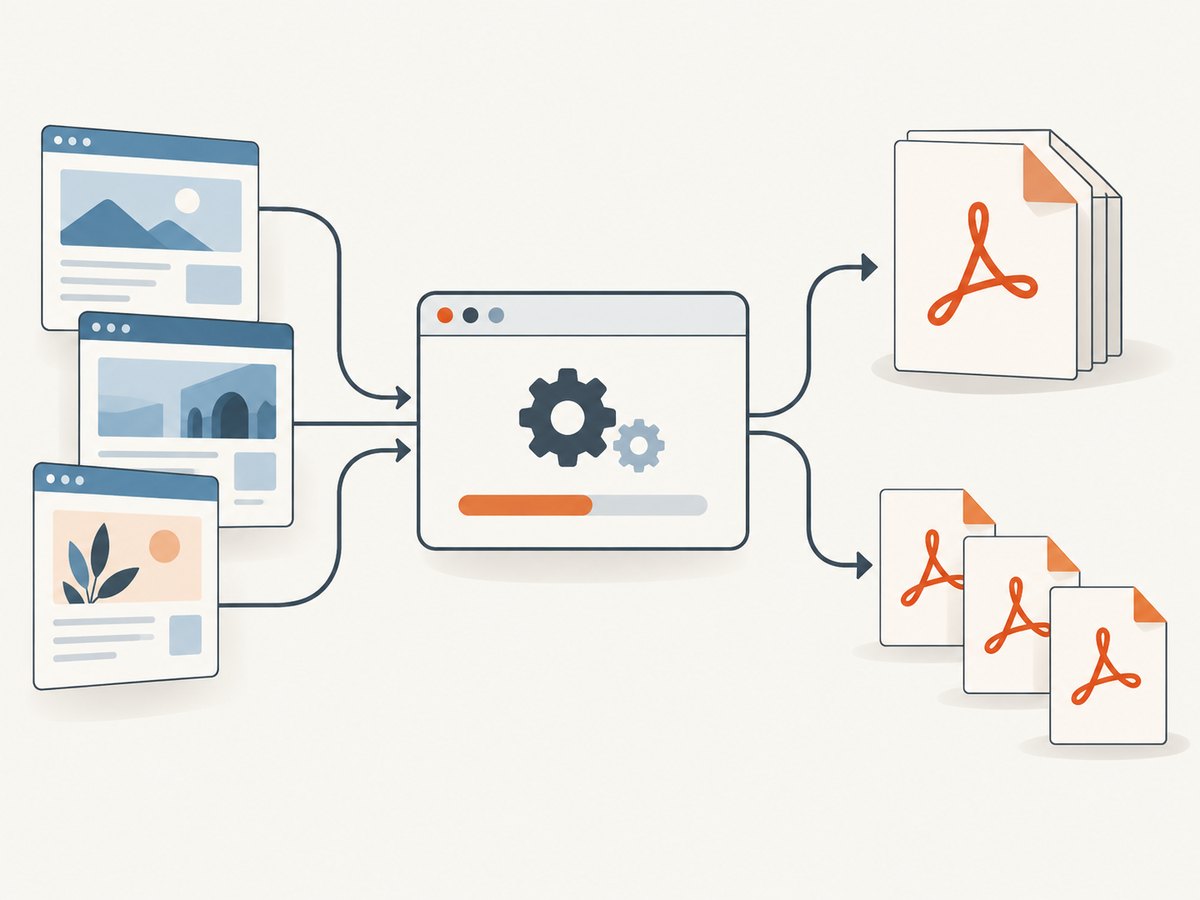
If your goal is a screenshot of the rendered page rather than structured text from raw HTML, ScreenshotNeo is a website screenshot API and MCP server from Yorker Media. One GET request returns PNG, JPEG, WebP, or PDF; see the API documentation for request options.
import requests

r = requests.get(
    "https://api.screenshotneo.com/v1/shot",
    params={"access_key": "YOUR_API_KEY", "url": "https://stripe.com"},
    timeout=90,
)
open("shot.webp", "wb").write(r.content)
ScreenshotNeo removes cookie banners, newsletter popups, and chat widgets before the shot; each cleanup step can be turned off. Bot checks, blank pages, failed loads, timeouts, and cache hits are not billed, and response headers report the page verdict and billing status. Its MCP server gives AI agents screenshot, page-info, and PDF-capture tools. The free plan includes 1,000 screenshots a month with no card; paid plans start at $5 for 3,000. Sign up free for 1,000 screenshots a month, with no card.
11. Common errors and fixes
| Symptom | Likely cause | Fix |
|---|---|---|
ModuleNotFoundError: No module named 'requests' or 'bs4' |
Packages were installed into a different Python environment. | Activate the project environment, then run python -m pip install requests beautifulsoup4 using the same Python executable that runs the script. |
ReadTimeout or ConnectTimeout |
Network or server response exceeded the timeout. | Set sensible connect/read limits for the task, retry a small bounded number of times if appropriate, and check connectivity. Do not simply remove the timeout. |
HTTPError: 403 Client Error |
The server refused the request or requires a different authorized access method. | Check the site’s documented access rules and use an official API or authentication flow if available. Do not attempt to evade an access control. |
HTTPError: 404 |
The URL or resource no longer exists, or the path is wrong. | Check the exact URL and redirects; avoid treating the error page as the intended content. |
FeatureNotFound for a parser |
The requested external parser is not installed. | Install the backend (for example, python -m pip install lxml) or select an installed parser explicitly. |
Element lookup returns None or an empty list |
The selector does not match, content is script-rendered, or the response is not the expected page. | Inspect the status, final URL, and raw HTML; verify the markup and selector; use browser rendering for content absent from the response. |
| Text has broken characters | Incorrect or missing encoding declaration, or a mistaken encoding choice. | Inspect the response content type and response.encoding; set a known encoding before reading text, or parse the original bytes. |
| Duplicate or incomplete records | Pagination assumptions, changing markup, or partial network failures. | Track source URLs and page numbers, validate required fields, detect duplicates with a stable key, and record failures for bounded retry. |
12. FAQ
Can Beautiful Soup scrape a whole website?
It can parse each HTML document you fetch, but it does not discover or crawl a site by itself. Build a bounded URL-discovery process and check the site’s access rules.
Does Requests run JavaScript?
No. It retrieves HTTP responses. Use a browser automation or rendering tool when the required content only appears after scripts execute.
Should I use response.text or response.content?
Use text when Requests’ detected decoding is suitable. Use bytes when you need to inspect or correct the original response encoding, or want Beautiful Soup to process those bytes.
Is a browser screenshot a substitute for structured scraping?
No. A screenshot captures a visual result; Requests and Beautiful Soup are better suited to extracting fields from returned HTML. Choose according to whether you need pixels or structured data.


