Web Scraping with CSRF Headers
Learn when a scraper needs a CSRF token, how to follow an authorized application flow, and how to diagnose token and session failures.
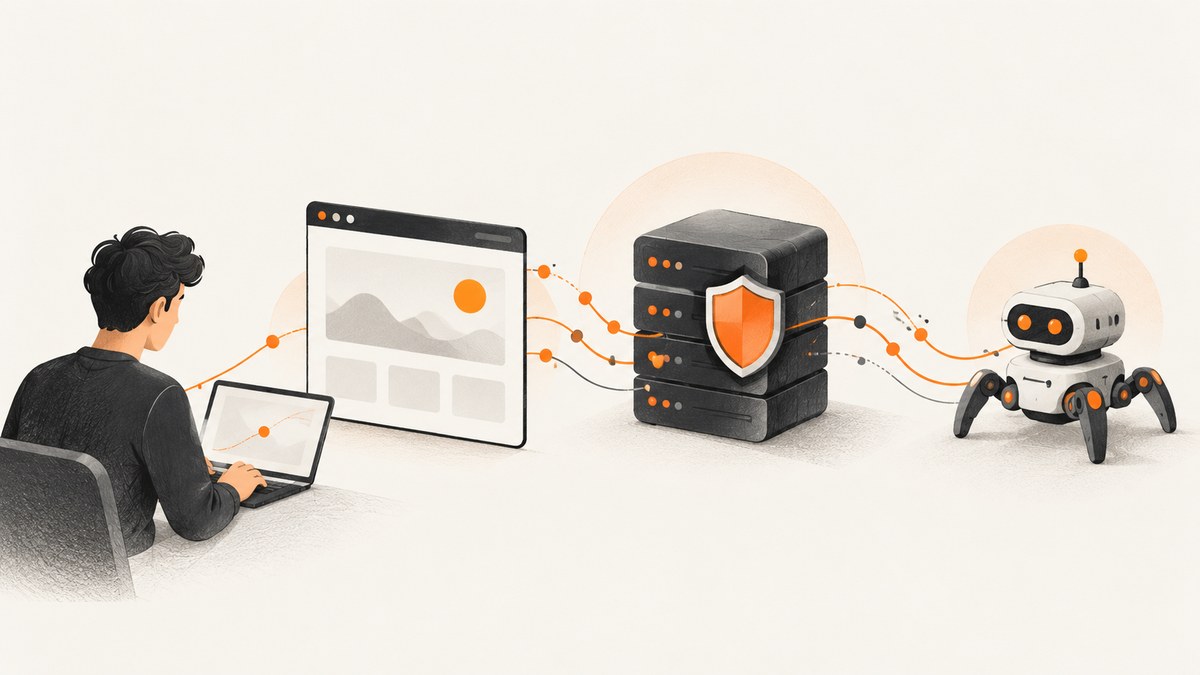
A scraper needs a CSRF header only when the application expects one for the request being made. The correct value comes from that application’s intended flow: obtain a token through an authorized page or API interaction, preserve the session context if required, and send the token in the exact header the server validates. There is no universal token, header name, endpoint, or reusable recipe.
For ordinary read-only extraction, start with the site’s documented read endpoint or public page. CSRF defenses usually matter when a browser automatically sends credentials such as session cookies along with a request that changes state. Do not try to evade access controls or submit actions you are not authorized to perform. This guide shows how to inspect and reproduce an authorized application’s flow, with examples you can adapt to a system you own or have permission to access.
1. What a CSRF token does
Cross-site request forgery (CSRF) exploits the way browsers attach credentials, commonly cookies, to requests. If a victim is signed in to a site, a malicious page may try to induce that browser to submit an unwanted action to the signed-in site. The application needs a way to distinguish requests made through its legitimate interaction flow from cross-site attempts. OWASP describes the synchronizer token pattern as a widely used defense: the server issues an unpredictable token to the legitimate client and validates the value returned with a protected request. [OWASP CSRF Prevention Cheat Sheet; MDN CSRF overview]
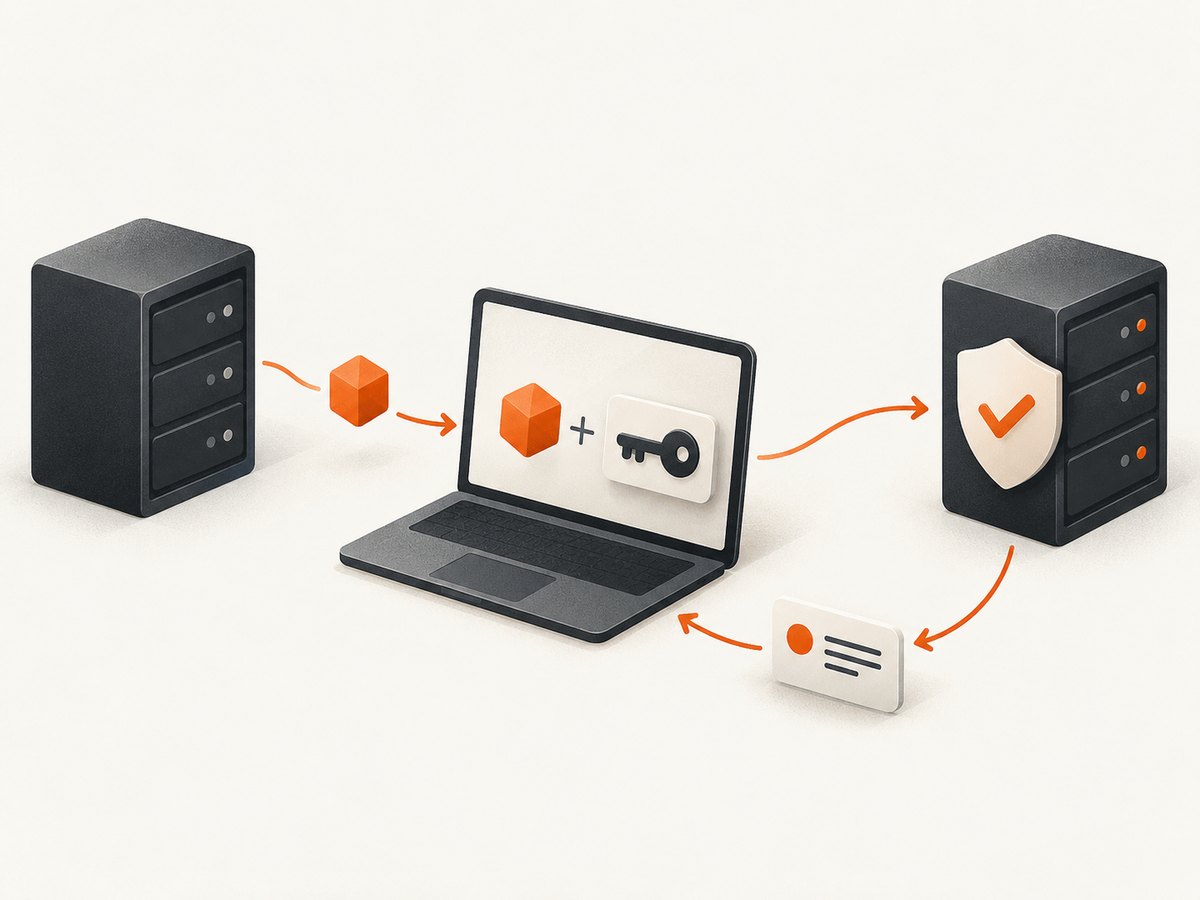
For JavaScript requests, an application may expect a token in a custom HTTP header. Common names include X-CSRF-Token, X-XSRF-Token, CSRF-Token, and X-CSRFToken. These are conventions, not interchangeable standards. The server’s implementation determines which header and value are valid.
A scraper running outside a browser does not inherit the browser’s same-origin policy or CORS preflight protections. Adding a custom header to a standalone HTTP request does not recreate those browser protections or make an invalid token valid. That conclusion follows from the browser-specific mechanisms described by MDN and OWASP.
2. Find the application’s intended request flow
- Confirm authorization and purpose. Use the site’s API documentation, a test environment, or your own application’s source and configuration. Do not probe protected actions on a system without permission.
- Identify the operation. Determine whether the endpoint reads data or changes state. OWASP treats GET, HEAD, and OPTIONS as safe methods and POST, PUT, PATCH, and DELETE as state-changing methods. An application should not change state through a method described as safe, but verify actual behavior rather than assuming from the method alone.
- Trace token issuance. Inspect the intended frontend flow or API documentation to learn whether a page embeds a token, a response returns one, or a cookie-based pattern is used. Do not guess a token endpoint or assume a token is static.
- Record the exact request contract. Note the method, URL, content type, token header name, required cookies, and expected response. Tokens are commonly tied to a session or user, and should be treated as secrets.
- Reproduce the flow in a controlled client. Preserve cookies only when the application requires them and your authorization allows it. Fetch a fresh token as the app does, then send it with the protected request.
- Check the outcome. Handle success and rejection explicitly. A 2xx response does not prove an operation was semantically correct; inspect the response body and application state as appropriate.
Never put CSRF tokens in URLs. URLs can be copied into browser history, referrer headers, logs, and monitoring systems. Avoid logging token values, session cookies, authorization headers, or sensitive response bodies. OWASP recommends synchronizer tokens that are unique per user session, secret, and unpredictable.
3. Runnable Python example for an authorized application
This pattern assumes your application serves an HTML page that contains a CSRF token in a meta tag and expects it in X-CSRF-Token for a state-changing POST. Those names and paths are illustrative placeholders: replace them with the real contract documented by your application. The example keeps cookies in one requests.Session and fails clearly if the token is not present.
import requests
from bs4 import BeautifulSoup

BASE = "https://app.example.test"
FORM_PAGE = f"{BASE}/settings"
UPDATE_ENDPOINT = f"{BASE}/api/settings"

session = requests.Session()
session.headers.update({"User-Agent": "authorized-integration/1.0"})

# Load the application page through its normal flow. The response may set
# a session cookie and may contain a session-bound CSRF token.
page = session.get(FORM_PAGE, timeout=(5, 20))
page.raise_for_status()

soup = BeautifulSoup(page.text, "html.parser")
meta = soup.find("meta", attrs={"name": "csrf-token"})
if not meta or not meta.get("content"):
    raise RuntimeError("CSRF token not found; check the application's documented flow")
token = meta["content"]

payload = {"display_name": "Example"}
response = session.post(
    UPDATE_ENDPOINT,
    json=payload,
    headers={"X-CSRF-Token": token},
    timeout=(5, 20),
)
response.raise_for_status()
print("Update accepted:", response.status_code)
Install the dependencies with python -m pip install requests beautifulsoup4. If the application returns a token in JSON instead, parse the documented response field. If it uses a different header or token source, change those parts to match. Do not blindly copy a cookie into a header: a cookie-to-header scheme is a different design from a synchronizer token, and naive double-submit cookie patterns can have weaknesses such as cookie injection. OWASP discusses signed, session-bound tokens for that pattern.
4. cURL, Node.js, and browser request shapes
cURL
For a controlled test where you have already obtained the token and session cookie through the authorized flow, cURL can send both. Avoid putting real secrets directly in shell history; use a protected secret store or a prompt in your environment.
curl --fail-with-body --request POST \
  --cookie "session=SESSION_VALUE" \
  --header "X-CSRF-Token: TOKEN_VALUE" \
  --header "Content-Type: application/json" \
  --data '{"display_name":"Example"}' \
  "https://app.example.test/api/settings"
For repeatable scripts, use a cookie jar with restrictive file permissions and ensure it is not checked into source control. A cookie jar preserves cookie attributes better than manually copying a single value, although the server’s session and token rules still apply.
Node.js with fetch
Node’s built-in fetch does not automatically provide a browser cookie jar. This short example is appropriate only when the token and cookie are supplied by an authorized integration flow and you manage their lifecycle securely. For a multi-request login flow, use an approved cookie-jar library or the application’s official SDK rather than assuming cookies persist between calls.
const token = process.env.CSRF_TOKEN;
const cookie = process.env.SESSION_COOKIE;
if (!token || !cookie) throw new Error("Set CSRF_TOKEN and SESSION_COOKIE");

const response = await fetch("https://app.example.test/api/settings", {
  method: "POST",
  headers: {
    "Content-Type": "application/json",
    "X-CSRF-Token": token,
    "Cookie": cookie
  },
  body: JSON.stringify({ display_name: "Example" })
});

const body = await response.text();
if (!response.ok) {
  throw new Error(`Request failed: ${response.status} ${body}`);
}
console.log("Update accepted:", response.status);
Some runtimes restrict manually setting the Cookie header; use the runtime’s supported cookie mechanism if so. In a browser, JavaScript generally cannot set the Cookie header itself: the browser manages cookies. A same-origin browser call might look like this, with the token read from the application’s documented location:
const response = await fetch("/api/settings", {
  method: "POST",
  credentials: "same-origin",
  headers: {
    "Content-Type": "application/json",
    "X-CSRF-Token": document.querySelector('meta[name="csrf-token"]').content
  },
  body: JSON.stringify({ display_name: "Example" })
});
5. Configuration choices and security boundaries
| Question | What to verify |
|---|---|
| Which token pattern? | Synchronizer token, signed double-submit cookie, or another documented design. Do not mix patterns by assumption. |
| Where is the token issued? | HTML, JSON response, or a cookie-based flow. Use the official source and refresh rules. |
| Which header? | Exact spelling and casing are normally handled case-insensitively by HTTP, but the expected header name and value format are application-specific. |
| Which requests need it? | Identify protected state-changing methods and any application-specific exceptions. |
| What credentials accompany it? | Session cookies or authorization credentials may be required, but authentication does not replace CSRF validation. |
| Is the request cross-origin? | For browser clients, review the CORS policy and preflight behavior. A permissive CORS setup can undermine assumptions; configure allowed origins deliberately. |
| What are the additional defenses? | SameSite cookies, Origin checks, and Fetch Metadata such as Sec-Fetch-Site can add protection. They are application defenses, not tokens a scraper can invent. |
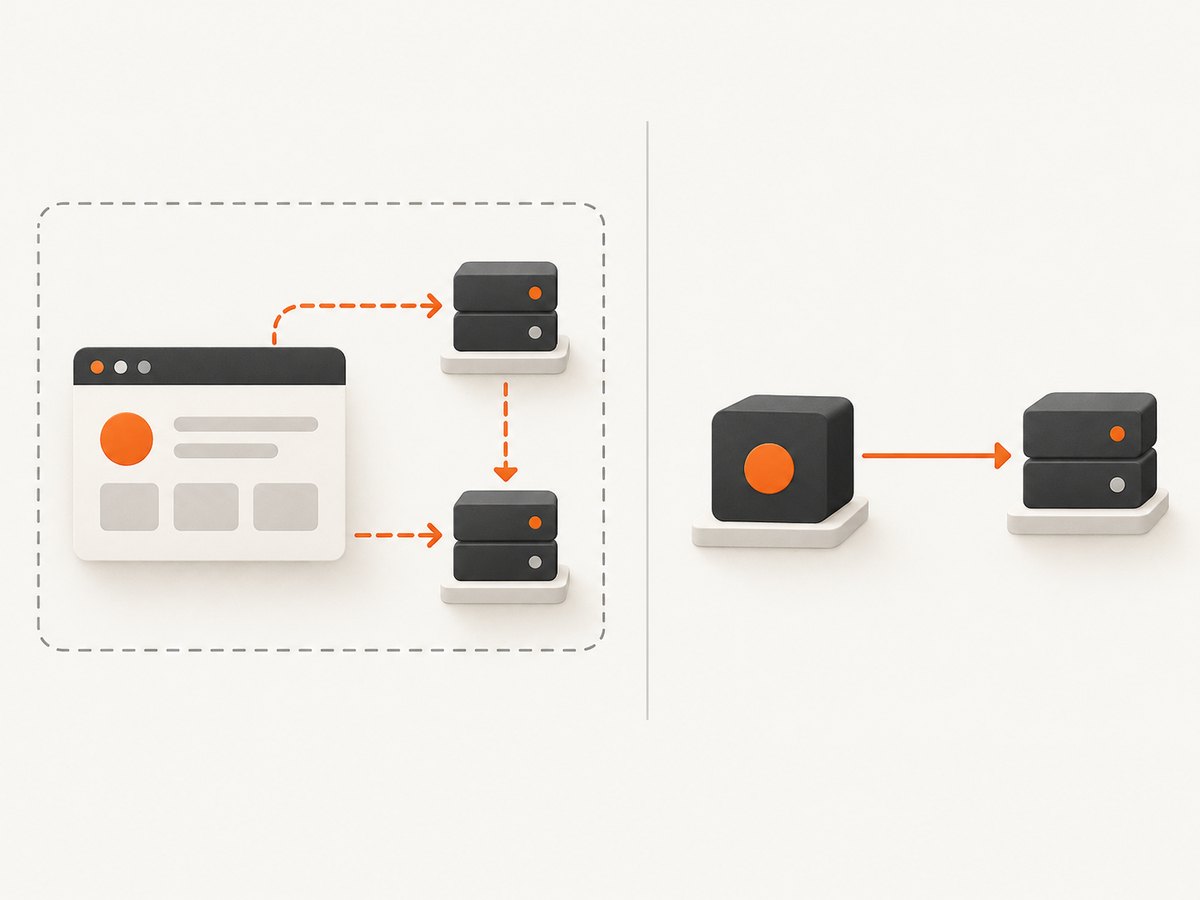
MDN explains that browser requests using a custom header or a non-simple content type can trigger CORS preflight for cross-origin requests. This is useful within a correctly configured browser-facing API design. It does not apply as a universal restriction to arbitrary clients like cURL, Python, or Node.js. OWASP also advises fallback origin verification where Fetch Metadata headers may be absent, such as in older or embedded browsers. Server-side authorization remains necessary even when CSRF checks pass.
6. Common errors and fixes
| Symptom | Likely cause | Fix |
|---|---|---|
| HTTP 403 or “CSRF token missing” | Header absent, wrong header name, token not extracted, or endpoint requires a different flow. | Compare the request with the documented client flow. Verify the exact header and token source without logging the value. |
| “Invalid token” despite sending one | Token belongs to another session, expired, is stale, or is not the value expected by this endpoint. | Fetch a fresh token using the same session context, then retry once if the operation is safe to retry. |
| Works in browser, fails in Python | The browser has cookies or other state your script did not preserve, or the token is generated dynamically. | Use one session object for token acquisition and request. Reproduce only documented headers and state. |
| Works in cURL, fails in browser | Browser CORS/preflight, credentials mode, or origin policy differs from the command-line request. | Inspect the browser console and network panel. Correct server CORS and allowed-origin settings; do not weaken them indiscriminately. |
| HTML login page instead of JSON | Session expired, unauthenticated request redirected, or wrong endpoint. | Check final URL and content type, renew authentication through the approved flow, and verify endpoint documentation. |
| Token appears in logs | Request headers or debug output are being recorded verbatim. | Redact CSRF tokens, cookies, and authorization headers at the logging boundary; rotate exposed credentials as appropriate. |
| GET request has a CSRF rejection | The application may protect it unusually, or may be changing state on a nominally safe method. | Check the endpoint behavior and application guidance. Correct unsafe state changes server-side when you own the application. |
| Token missing from parsed page | JavaScript renders it later, page shape changed, or the token is returned by another documented endpoint. | Use the supported API or inspect the authorized client flow. Do not guess hidden endpoints or bypass access controls. |
7. Performance, reliability, and cost
A tokenized scrape often requires at least two network interactions: one to establish session state and obtain a token, and another to request the protected resource. Reuse a session where appropriate to avoid repeatedly authenticating and fetching the same setup page. Cache only data that is safe and permitted to cache; do not reuse CSRF tokens across sessions or beyond the application’s validity rules. Add connection and read timeouts, bound retries, and honor rate limits and documented backoff guidance.
Retry policy matters for state-changing requests. A network timeout can occur after the server has completed the action, leaving the client unsure of the result. Do not blindly retry non-idempotent operations. Check application state or use a documented idempotency mechanism before retrying. For extraction jobs, keep request volume proportionate, record status codes and timing without secrets, and stop on repeated authorization failures.
Operational cost depends on the application and your infrastructure: browser automation, authentication, token refreshes, retries, and parsing all add work. For screenshot-only capture, a browser setup may be unnecessary. ScreenshotNeo is a website screenshot API and MCP server; its one-call API returns an image or PDF and reports page verdict and billing status in response headers. It does not replace an authenticated application’s authorized API flow or grant access to protected data.
8. Or skip the browser setup
If your goal is a visual capture of a publicly accessible page, ScreenshotNeo can capture it with one request. See the API documentation for parameters and response behavior.
curl -G "https://api.screenshotneo.com/v1/shot" -d access_key=YOUR_API_KEY --data-urlencode url=https://stripe.com -o shot.webpimport requests
r = requests.get("https://api.screenshotneo.com/v1/shot", params={"access_key": "YOUR_API_KEY", "url": "https://stripe.com"}, timeout=90)
open("shot.webp", "wb").write(r.content)const q = new URLSearchParams({ access_key: 'YOUR_API_KEY', url: 'https://stripe.com' });
const res = await fetch(`https://api.screenshotneo.com/v1/shot?${q}`);
- Cookie and consent banners, newsletter popups, and chat widgets are removed before the shot; each cleanup step can be turned off.
- Bot checks, blank pages, timeouts, failed loads, and cache hits are not billed; response headers identify the page verdict and billing status.
- An MCP server provides
take_screenshot,get_page_info, andcapture_pdftools for Claude, Cursor, and other MCP clients. - The free plan includes 1,000 shots per month with no card; paid plans start at $5 for 3,000 shots. All features are on every plan.
Create a free ScreenshotNeo account to get 1,000 screenshots a month with no card.
9. FAQ
Can I use a CSRF token to scrape any site?
No. A token is part of a site’s security design, not a general access credential. Use only systems and data you are authorized to access, and follow the site’s documented API and terms.
Is a CSRF token the same as an API key?
No. An API key identifies or authorizes a client under an API’s rules. A CSRF token helps a server validate a browser-associated request flow. Some applications use both, and neither grants permissions beyond the server’s authorization rules.
Do read-only GET requests need a token?
Often they do not under conventional CSRF designs, but application behavior varies. Verify that the endpoint is actually read-only and follow its documentation.
Can I reuse a token?
Only as the application permits. Tokens may be tied to a session, user, or short validity window. Fetch and refresh them through the intended flow.
Does adding Origin or Sec-Fetch-Site solve a rejection?
No. These are request context signals used by server-side defenses. Fabricating them does not establish authorization or satisfy a token check.


