Web Scraping Integrations with Zapier, Make, n8n, LangChain, LlamaIndex, MCP, and SDKs
Connect web scraping to automation tools, AI frameworks, and MCP. Learn how to choose a retrieval method, normalize results, and build reliable workflows.

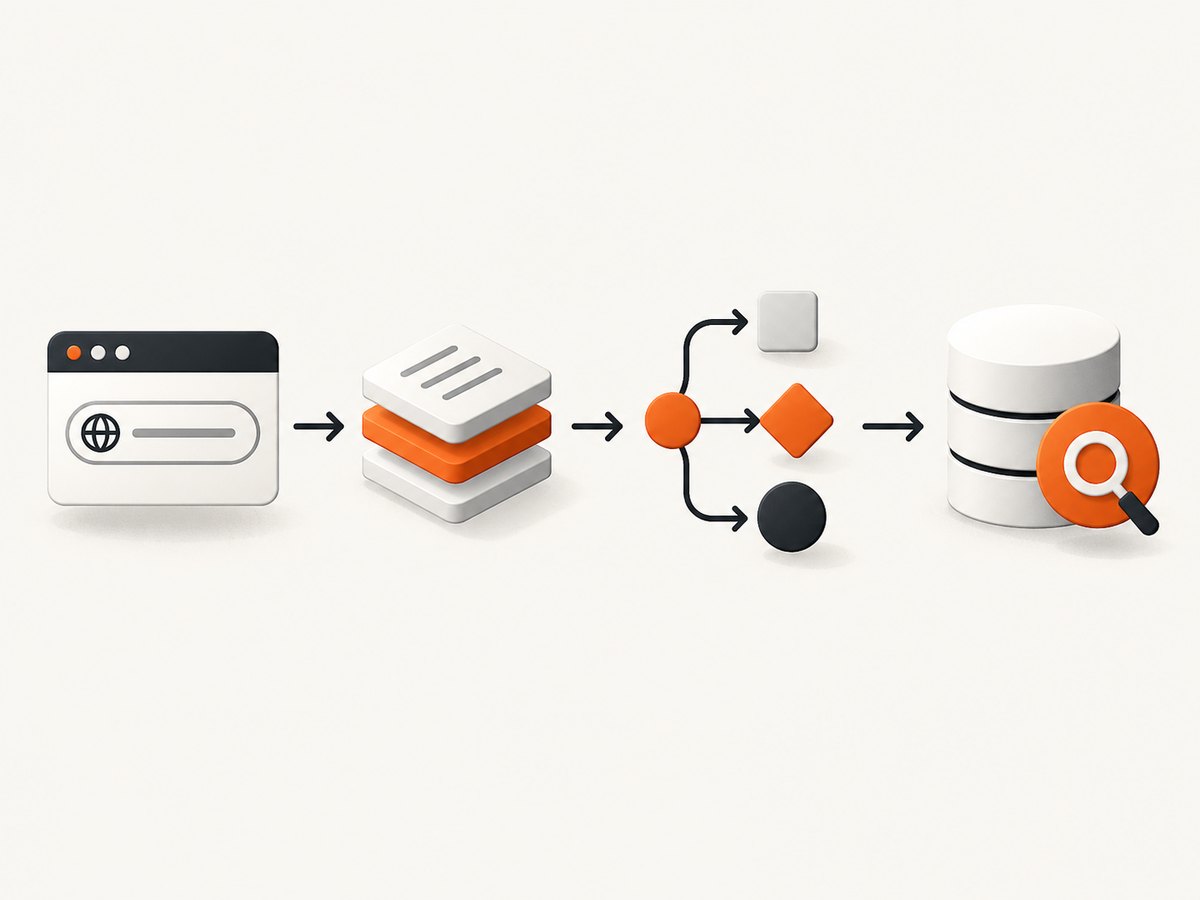
To connect web scraping to Zapier, Make, n8n, LangChain, LlamaIndex, or an AI agent, divide the job into four parts: retrieve pages, normalize and validate the extracted data, orchestrate it, then index it or pass it to an agent. Use ordinary HTTP for static pages and documented APIs. Use a page reader or browser-capable scraper when content appears only after JavaScript runs. Expose stable operations as MCP tools when multiple AI hosts need the same scraper.
The workflow should preserve the source URL, retrieval time, status, and extraction method alongside every record. That makes failures diagnosable and lets downstream systems distinguish missing data from a valid empty result. Scraping access is subject to the target site’s rules: respect robots.txt, terms, authentication boundaries, rate limits, and privacy obligations.
1. Choose the retrieval and integration layers
Automation products move data between systems; they do not all retrieve pages in the same way. A simple GET request can retrieve server-rendered HTML or an API response. It cannot reliably see content that exists only after client-side JavaScript executes. For that case, use a browser-capable page reader, a scraper API, or a browser you operate.
| Need | Good starting point | Watch for |
|---|---|---|
| Public static page or API | HTTP module, webhook/API action, or small SDK client | HTML selectors can break when layouts change. |
| JavaScript-rendered public content | Browser-capable reader or screenshot/page capture API | Wait conditions, bot checks, and page load failures. |
| Visual workflow and pagination | Make HTTP or n8n workflow nodes | Bound page count and retry behavior. |
| Reusable AI retrieval | LangChain or LlamaIndex after extraction | Chunking, metadata, deduplication, and freshness. |
| One scraper for multiple AI hosts | MCP server with narrow typed tools | Input validation, transport, and secret handling. |
Keep acquisition separate from reasoning. A reliable design has a retrieval step that returns a predictable schema, a validation step that rejects malformed records, and downstream workflow or indexing steps. Do not make an LLM responsible for silently repairing arbitrary scraper output.
2. Build a normalized scraping result
Before connecting a scraper to a workflow, settle on a small result contract. Keep raw content if useful, but also provide fields consumers can map consistently. A practical record might contain url, canonical_url, title, text, retrieved_at, http_status, and source_kind. For lists, use stable IDs and explicit page or cursor metadata.
{
  "url": "https://example.com/docs",
  "title": "Example documentation",
  "text": "Normalized readable page content...",
  "retrieved_at": "2026-09-30T12:00:00Z",
  "http_status": 200,
  "source_kind": "browser-reader"
}
Validate required fields at the boundary. Decide whether a missing title is acceptable, cap content size, normalize whitespace, and make empty content an explicit outcome. Preserve the original URL and redirects where available. For downstream ingestion, deduplicate on a canonical URL plus a content hash or source version. A retry should not create a second logical document.
For a small static page, a Python fetch-and-parse prototype is enough to establish the contract. This uses the standard library and extracts a basic title and visible text; it is not a browser and will not execute JavaScript. A production scraper should use site-specific selectors or a maintained extraction layer.
from html.parser import HTMLParser
from urllib.request import Request, urlopen
from datetime import datetime, timezone
import json

class TextParser(HTMLParser):
    def __init__(self):
        super().__init__()
        self.parts = []
        self.in_title = False
        self.title = []
    def handle_starttag(self, tag, attrs):
        if tag == "title": self.in_title = True
    def handle_endtag(self, tag):
        if tag == "title": self.in_title = False
    def handle_data(self, data):
        text = data.strip()
        if text:
            self.parts.append(text)
            if self.in_title: self.title.append(text)

url = "https://example.com/"
request = Request(url, headers={"User-Agent": "ExampleResearchBot/1.0"})
with urlopen(request, timeout=20) as response:
    html = response.read().decode("utf-8", errors="replace")
    status = response.status
parser = TextParser()
parser.feed(html)
record = {
    "url": url, "title": " ".join(parser.title),
    "text": " ".join(parser.parts),
    "retrieved_at": datetime.now(timezone.utc).isoformat(),
    "http_status": status, "source_kind": "static-http"
}
print(json.dumps(record, ensure_ascii=False))
3. Connect scraping to Zapier
Zapier offers Webhooks by Zapier and API by Zapier for calling endpoints without a dedicated integration. Use API by Zapier when the endpoint needs an API key or OAuth and you want reusable credentials in an app connection. Webhooks supports no authentication or Basic Auth, and its credentials are configured in the step. Use an app’s API Request action when you already have that app connected and need an extra request. See Zapier’s API request guide.
- Create a Zap from the event that supplies a URL or search query.
- Add Web Reader for public pages where its browser-capable extraction fits, or add API by Zapier/Webhooks to call your own scraper endpoint.
- Map URL and result fields into a validation or formatting step. Reject missing URLs and empty content explicitly.
- Send normalized records to a database, CRM, queue, or an ingestion endpoint.
- Test with a representative page and an error case before enabling the workflow.
Zapier Web Reader can read public web pages, including JavaScript-heavy pages and PDFs up to 200 pages, and returns content, title, final URL, and status code. Its optional wait time is capped at 30 seconds. It respects robots.txt and cannot access pages behind logins or paywalls; each read counts as a task. Check its current availability and behavior in Zapier’s Web Reader documentation.
For an inbound scraper result, use a Catch Hook URL as a secret and send a JSON POST. Zapier notes that empty requests may be ignored, and webhook actions have a 5 MB payload maximum. Keep large page bodies in object storage and send a reference URL or document ID instead. For APIs requiring credentials, prefer the credential connection option where available rather than putting secrets in a broadly visible workflow step.
4. Build a scenario in Make
Make’s HTTP app can connect to APIs without a dedicated Make integration. It provides request, download, and URL-resolution modules, supports several authentication methods, and includes native pagination in its newer HTTP app. See the HTTP app documentation.
- Start with a trigger such as a scheduled run or a new database row containing target URLs.
- Add HTTP > Make a request for a scraper or page-reader endpoint. Put credentials in the dedicated credentials field when supported.
- Parse the response and map it into a defined data structure. Use a filter to route non-success status or empty content into a review/error path.
- Configure pagination to match the API: page number, offset, next URL, or cursor token. Set a limit so a broken next-page response cannot loop indefinitely.
- Write each normalized record to the destination, including source and retrieval time.
Make can also request a URL directly, but that is only an HTTP retrieval. Do not assume it renders JavaScript. If the page is client-rendered, call a browser-capable reader endpoint and pass its extracted output through the same normalization route. During development, inspect the actual response bundle: some APIs return an array, some return a nested data.items, and some use a token for the next page.
5. Use n8n for controlled workflows
n8n connects apps and APIs, supports custom nodes, and can run in its cloud, npm, or self-hosted deployments. Its MCP Client node consumes tools exposed by an MCP server as ordinary workflow steps; the MCP Client Tool node is intended for an AI Agent to call tools. Refer to the n8n documentation for current node names and configuration.
A typical workflow is Trigger → HTTP Request or MCP Client → Code/validation → Split Out or batch processing → storage/indexing → error branch. Choose self-hosting when operational control and data handling require it, but include patching, backups, secret rotation, and monitoring in the operating plan. Store credentials in n8n’s credential facilities rather than inline in Code nodes. Use a pagination loop or the node’s pagination support based on the target API contract, and cap retries and total pages.
For AI-agent workflows, attach MCP Client Tool to the Agent and give the tool a narrow purpose such as fetch_public_page or search_catalog. Avoid a generic tool that accepts arbitrary internal URLs unless you deliberately enforce destination allowlists; otherwise an agent could be induced to request private network addresses or internal services.
6. Send extracted content to LangChain or LlamaIndex
Use these frameworks after retrieval to load, transform, index, search, or make data available to agents. The choice depends on the rest of your application and integrations; the available research does not establish one as universally better. Keep the scraper independent so you can change retrieval or indexing without rewriting orchestration.
A minimal LangChain handoff can wrap the normalized text as a document with provenance metadata. Install the current LangChain package and use its core document type:
from langchain_core.documents import Document

record = {
    "url": "https://example.com/docs",
    "title": "Example documentation",
    "text": "Normalized readable page content...",
    "retrieved_at": "2026-09-30T12:00:00Z"
}
doc = Document(
    page_content=record["text"],
    metadata={"source": record["url"], "title": record["title"],
              "retrieved_at": record["retrieved_at"]}
)
# Pass doc to your selected text splitter and vector-store integration.
For LlamaIndex, turn the same record into a document before applying the parser, index, or agent tools your application uses:
from llama_index.core import Document

record = {
    "url": "https://example.com/docs",
    "title": "Example documentation",
    "text": "Normalized readable page content...",
    "retrieved_at": "2026-09-30T12:00:00Z"
}
doc = Document(
    text=record["text"],
    metadata={"source": record["url"], "title": record["title"],
              "retrieved_at": record["retrieved_at"]}
)
# Feed doc to your configured parser/index or agent data pipeline.
For both, chunk long pages with overlap appropriate to the content, retain the source URL on every chunk, and update or delete old chunks when a page changes. Track retrieval timestamps and content hashes to avoid needless re-embedding. LlamaIndex documents Python, TypeScript, Go, and Java SDKs, managed parsing, REST search/read APIs, agent tooling, a documentation MCP server, and an n8n node in its developer portal.
7. Expose a scraper as an MCP tool
MCP standardizes how AI applications connect to tools and data. A scraper tool should have a clear name, description, typed input schema, bounded output, and explicit error results. The official SDK catalog includes TypeScript, Python, C#, Go, Java, Rust, Ruby, Swift, PHP, and Kotlin SDKs. For TypeScript, the current SDK source describes v2 packages for server and client roles; verify the version and migration guidance before adopting it because SDKs and protocol versions change. See the official TypeScript SDK.
Here is a compact stdio server using the TypeScript SDK v2 package shape. It delegates page extraction to your own HTTP endpoint, keeps the endpoint out of model-supplied arguments, and validates the URL before fetching. Install Node.js 20+, then install @modelcontextprotocol/server, zod, and tsx. Save as server.ts and run npx tsx server.ts. Set SCRAPER_ENDPOINT in the process environment to your authorized scraper service.
import { McpServer } from "@modelcontextprotocol/server";
import { serveStdio } from "@modelcontextprotocol/server/stdio";
import * as z from "zod/v4";

const endpoint = process.env.SCRAPER_ENDPOINT;
if (!endpoint) throw new Error("Set SCRAPER_ENDPOINT");
const server = new McpServer({ name: "page-scraper", version: "1.0.0" });
server.registerTool("fetch_public_page", {
  description: "Fetch and extract a public web page through the configured scraper",
  inputSchema: z.object({ url: z.string().url().max(2048) })
}, async ({ url }) => {
  const parsed = new URL(url);
  if (parsed.protocol !== "https:" && parsed.protocol !== "http:") {
    return { isError: true, content: [{ type: "text", text: "Only HTTP(S) URLs are allowed." }] };
  }
  const response = await fetch(endpoint, {
    method: "POST",
    headers: { "content-type": "application/json" },
    body: JSON.stringify({ url }),
    signal: AbortSignal.timeout(30000)
  });
  if (!response.ok) {
    return { isError: true, content: [{ type: "text", text: `Scraper returned HTTP ${response.status}` }] };
  }
  const result = await response.json() as { title?: string; text?: string; final_url?: string };
  const text = (result.text ?? "").slice(0, 20000);
  return { content: [{ type: "text", text: JSON.stringify({
    title: result.title ?? "", url: result.final_url ?? url, text
  }) }] };
});
void serveStdio(() => server);
console.error("page-scraper MCP server ready");
Production safeguards belong around this example: allowlist destinations where practical, block loopback/private IP ranges after DNS resolution, limit redirects and response bytes, authenticate the scraper endpoint, and redact secrets from logs. Stdio reserves stdout for protocol messages, so diagnostics go to stderr. MCP SDK v2 uses a separate server package and registers tools with registerTool; consult its server guide and migration material if your project uses v1.
8. Handle pagination, retries, and changing pages
Pagination is part of retrieval correctness. Identify whether the source uses page numbers, offsets, next-page URLs, or opaque cursors. Save the cursor with the job state, stop when the API signals there is no next page, and enforce a maximum number of pages or records. When the source changes while you paginate, use a stable sort key or a documented snapshot token if available.
- Retry network timeouts and transient server errors with exponential backoff and jitter.
- Do not retry permanent authorization errors or malformed requests without changing the request.
- Honor Retry-After and source rate limits; cap concurrency per host.
- Make writes idempotent so replaying a page does not duplicate records.
- Log the request ID, source URL, page/cursor, status, and retry count, while excluding credentials and sensitive page data.
Browser captures can be slower and more variable than static HTTP because rendering and client-side requests take time. Wait for a meaningful selector or page condition where possible instead of using a large fixed delay. Set deadlines for each page and the whole job. A failed or partial load should be represented distinctly from successful extraction with no matching data.
9. Troubleshooting common failures
| Symptom | Likely cause | Fix |
|---|---|---|
| Scraped text is empty or missing sections | Content is rendered after the initial HTML response, or selector changed. | Use a browser-capable reader, wait for a stable selector, and inspect the returned HTML/text. |
| 403, CAPTCHA, or access denied | Site restrictions, bot checks, authentication, or request rate. | Confirm permission and access method; slow requests or use an authorized API. Do not attempt to bypass access controls. |
| Only the first page enters the workflow | Pagination is not configured or the wrong response path is mapped. | Inspect the response for cursor/next URL and configure that exact field; test a second page. |
| Zapier does not trigger from a scraper | Wrong hook URL, request method, empty payload, or unsupported serialization. | Use Catch Hook for POST, send JSON/XML/form data with at least one field, and load a fresh sample. |
| Make repeats forever or stops early | Bad cursor mapping, missing stop condition, or an overly low limit. | Verify next cursor changes and is absent at the end; set a defensible maximum page count. |
| n8n MCP tool is unavailable to an agent | Wrong MCP node type, disconnected server, or tool schema issue. | Use MCP Client for workflow steps or MCP Client Tool for an AI Agent, then reconnect and inspect tool listing. |
| MCP host reports a protocol/JSON error | Logs or startup output polluted stdout, or tool arguments do not match schema. | Send logs to stderr, validate the schema, and confirm command, runtime, and SDK version. |
| Index contains duplicates or stale content | No stable document key, hash, or update/delete policy. | Upsert by canonical URL and content version; remove old chunks when replacing a document. |
10. Performance, reliability, and cost
Measure the complete pipeline rather than only the fetch. Record queue delay, retrieval duration, bytes fetched, extraction duration, records accepted/rejected, retries, and indexing time. A browser page reader can handle dynamic layouts but consumes more time and resources than static HTTP. Avoid parallel bursts against one host; set per-domain concurrency and backpressure when a downstream index or API slows.
Workflow products generally meter executions, tasks, operations, or plan capacity according to their own current terms. Framework libraries may be open-source components, but model inference, hosted indexes, browser services, and infrastructure can add separate costs. No single cross-platform price or performance comparison follows from the available documentation. Estimate volume as pages × workflow steps × retry frequency, then run a small representative batch and check the product’s current plan details. Store large page bodies outside workflow payloads and pass references to keep transfer size manageable.
11. Or skip the browser setup
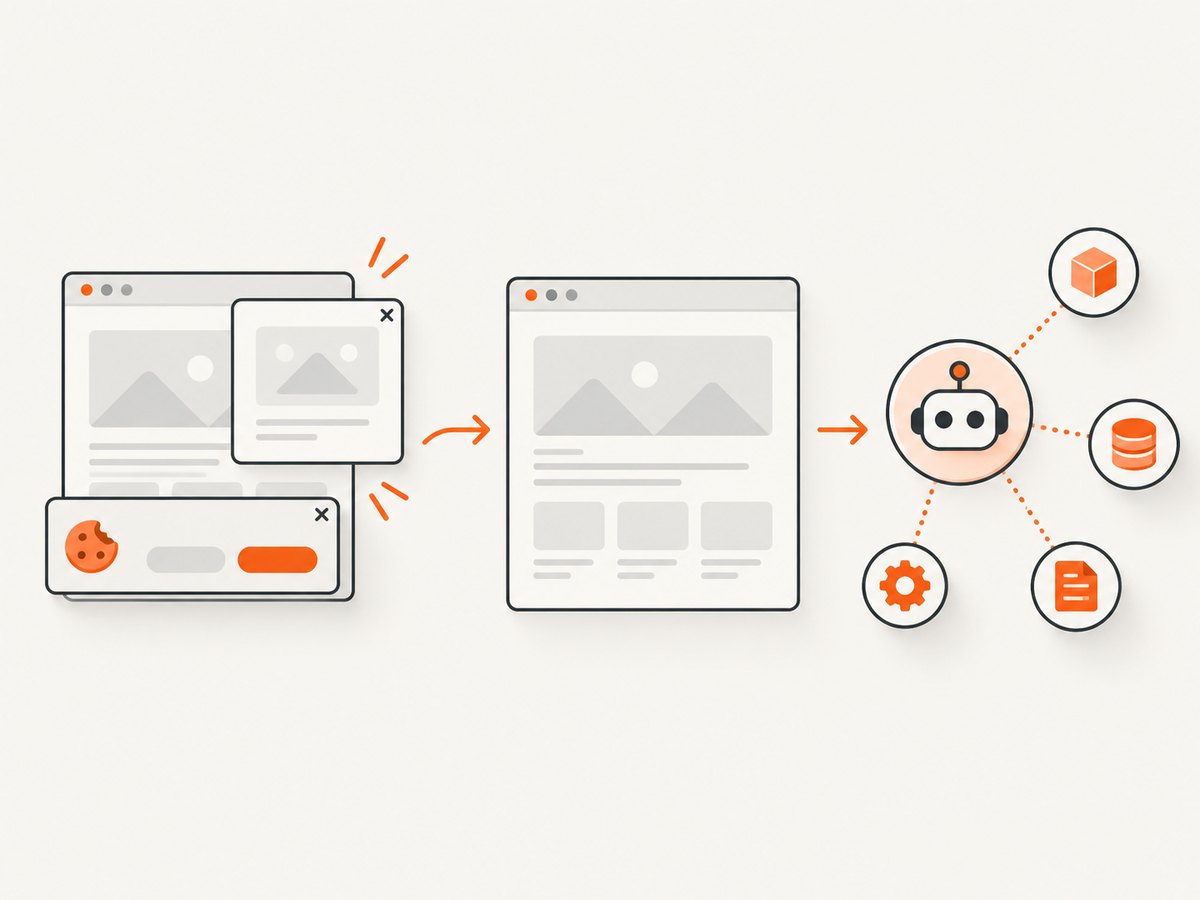
For captures and page information without maintaining browser infrastructure, ScreenshotNeo is a website screenshot API and MCP server. One GET request returns a PNG, JPEG, WebP, or PDF. Its clean-shot flow accepts consent banners like a visitor and removes 60+ known consent platforms, newsletter popups, and chat widgets; each step can be turned off. Bot checks/CAPTCHAs, blank pages, timeouts, failed loads, and cache hits cost nothing, and response headers say the page verdict and billing status. Its MCP server provides take_screenshot, get_page_info, and capture_pdf for Claude, Cursor, or any MCP client. Free includes 1,000 shots/month with no card; paid plans start at $5 for 3,000. See the ScreenshotNeo API documentation.
curl -G "https://api.screenshotneo.com/v1/shot" \
  -d access_key=YOUR_API_KEY \
  --data-urlencode url=https://example.com \
  -o shot.webp
Use the result as a captured asset or connect its MCP tools to an agent; for extracted text and structured fields, define the appropriate page-info or downstream extraction step. Start free with 1,000 screenshots a month and no card.
12. FAQ
Can no-code tools scrape JavaScript pages?
Some can through a dedicated browser-capable page reader. A plain HTTP request generally retrieves the server response and does not execute page JavaScript. Verify the specific module’s limits and access rules.
Should scraping run inside LangChain or LlamaIndex?
Usually keep retrieval as a separate service or workflow, then pass normalized documents into the framework. This isolates source-specific maintenance from indexing and agent logic.
When is MCP worthwhile?
Expose a scraper through MCP when multiple compatible AI clients need the same validated operation. For a single fixed workflow, a direct API step may involve less setup.
How do I keep data current?
Schedule refreshes based on the source’s change rate, record hashes and timestamps, and upsert or delete indexed chunks when content changes. Prefer source-provided update timestamps or version identifiers where available.


