Web Scraping in Java: From Setup to Production Scrapers
Build a maintainable Java scraper with jsoup, Playwright, or Selenium. Learn setup, selectors, browser rendering, retries, robots.txt, and production guardrails.
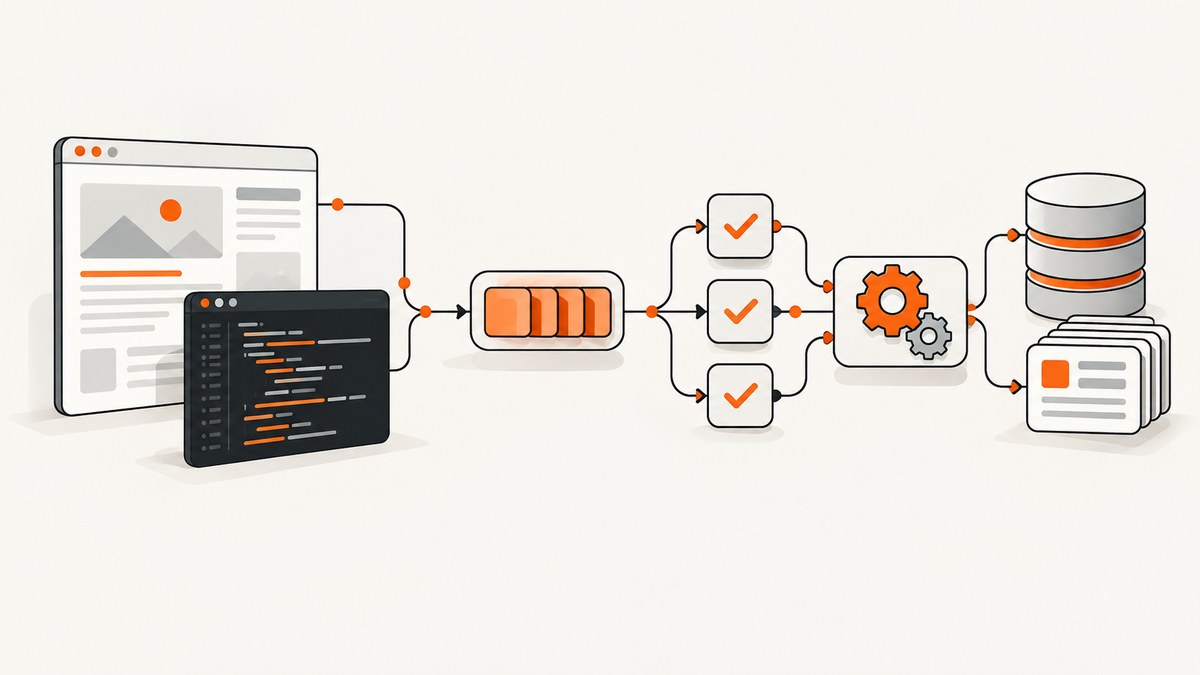
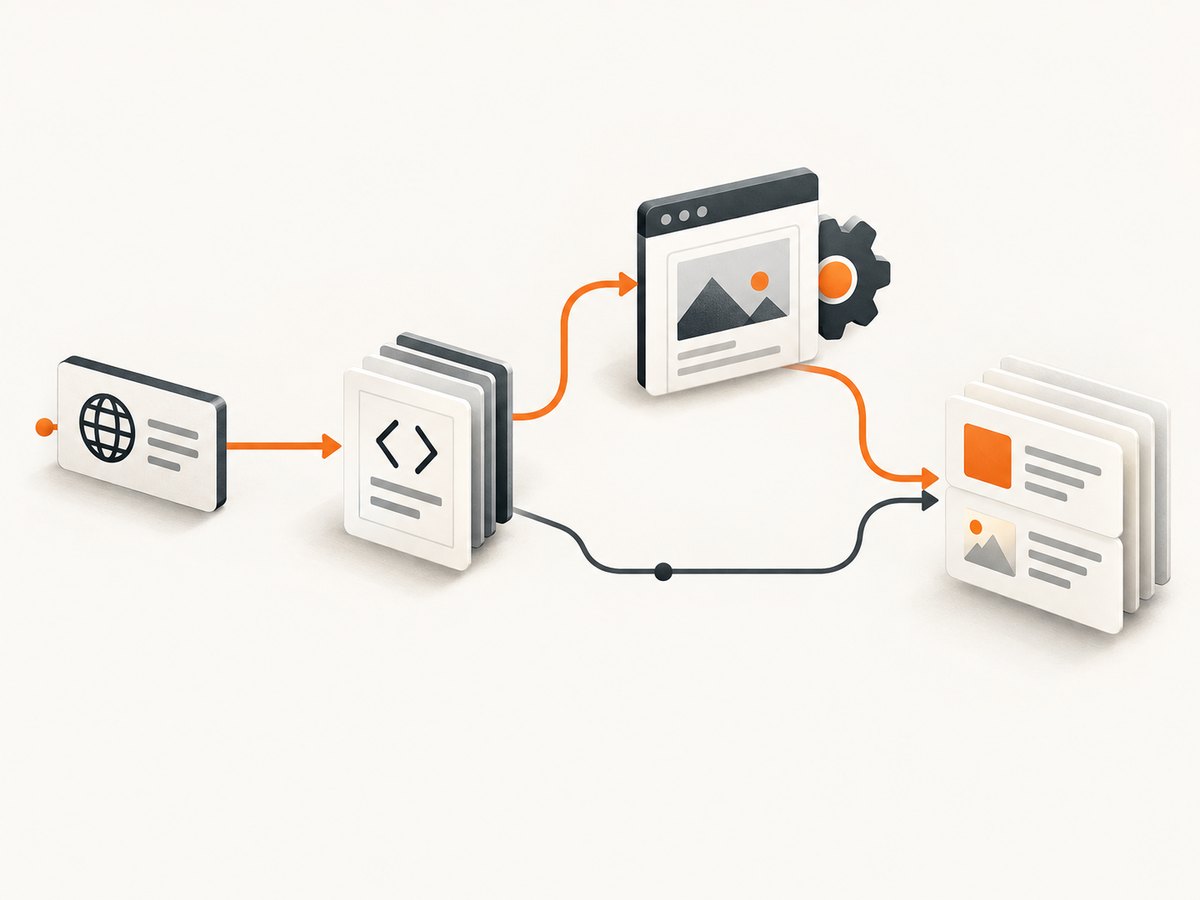
For ordinary HTML pages, start with jsoup: it fetches a URL, parses the response into a Document, and provides DOM traversal plus CSS and XPath selectors. Move to Playwright for Java or Selenium WebDriver when the useful content appears only after JavaScript runs or requires browser interaction. In production, bound every network operation, close sessions, validate extracted data, observe failures, and review the target site’s published crawler instructions and applicable permissions.
This guide builds that decision from a small Maven project to a maintainable scraper. It includes runnable Java examples, equivalent cURL, Python, and Node.js requests where they are useful, browser setup, configuration choices, troubleshooting, performance and cost considerations, and an API option when maintaining browsers is not the right trade-off.
1. Choose the least complex route that returns the data
| Route | Use it when | Strengths | Operational cost |
|---|---|---|---|
| jsoup | The response HTML already contains the fields you need | One Java library handles HTTP fetching, parsing, DOM operations, CSS selectors, and XPath | It does not execute a browser application’s JavaScript |
| Playwright Java | Content needs a browser engine or interaction | Java API with Chromium, WebKit, and Firefox support | Browser binaries and runtime increase deployment work |
| Selenium WebDriver | You need browser control, an established driver ecosystem, or remote sessions | Major browser support, local and remote WebDriver, and Grid options | You manage bindings, browsers, drivers, and session cleanup |
These are qualitative comparisons inferred from the projects’ official documentation, not throughput benchmarks. Compare rendering fidelity, interaction requirements, deployment footprint, browser maintenance, and operational complexity before choosing. The jsoup documentation describes HTTP loading, DOM traversal, CSS selectors, and XPath. Playwright’s Java documentation covers its supported engines and setup, while Selenium’s WebDriver documentation covers browser and remote-driver operation.
2. Set up a reproducible Java project
Use Maven or Gradle and pin dependency versions. Avoid copying a jar into an application manually: build files make upgrades and repeatable deployments possible. At the time covered by the research, jsoup’s project page listed version 1.23.2; verify the current release before publishing your own build.
Maven with jsoup
<dependency>
  <groupId>org.jsoup</groupId>
  <artifactId>jsoup</artifactId>
  <version>1.23.2</version>
</dependency>
Gradle with jsoup
dependencies {
    implementation("org.jsoup:jsoup:1.23.2")
}
Pin Java and dependency versions in source control, update deliberately, and confirm requirements against the current official documentation. Playwright Java is distributed through Maven and its setup page lists Java 8 or higher. Selenium’s installation guide documents both Maven and Gradle approaches.
3. Fetch and parse ordinary HTML with jsoup
The smallest useful flow is connect, configure, fetch, select, and extract. The example checks for missing elements instead of assuming every page has the same structure.
import org.jsoup.Jsoup;
import org.jsoup.nodes.Document;
import org.jsoup.nodes.Element;

public final class StaticScraper {
    public static void main(String[] args) throws Exception {
        String url = "https://example.org/article";

        Document doc = Jsoup.connect(url)
                .userAgent("ExampleResearchBot/1.0 (+https://example.org/bot)")
                .timeout(10_000)
                .maxBodySize(1_000_000)
                .get();

        Element heading = doc.selectFirst("h1");
        String title = heading == null ? "" : heading.text();
        System.out.println(title);

        for (Element link : doc.select("article a[href]")) {
            System.out.printf("%s -> %s%n", link.text(), link.absUrl("href"));
        }
    }
}
Use a truthful identifying user agent and include project contact details when appropriate. Keep selectors close to the extraction code so a markup change has a clear repair point. Prefer stable attributes such as semantic elements or documented data attributes over deeply nested positional selectors.
Important jsoup limits and options
- Timeout: jsoup documents a 30,000 millisecond default total timeout. Set a deliberate value for your workload. A zero timeout means no corresponding limit.
- Response size: the documented default maximum body size is 2 MB. Increase it only when the target requires it; a zero limit removes that bound.
- User agent: identify your crawler honestly rather than pretending to be a different browser.
- Cookies and sessions: cookies are held in memory for a session’s lifetime. Plan cleanup or persistence deliberately, and use separate requests for concurrent operations when sharing session settings.
- Encoding and redirects: let jsoup inspect the response encoding unless the target is known to require an override. Check the final URL when redirects matter to your data model.
Missing data should be a recorded outcome, not an exception-free success. Store the source URL, fetch time, status, parser version, and a reason when a required field is absent. That lets you distinguish a changed template from an empty source field.
4. Decide when browser automation is required
Fetch the raw response first when possible. A browser is justified when the value is inserted after scripts execute, an interaction reveals it, or the page requires browser APIs that a direct HTTP client does not provide. Browser rendering changes how content is produced; it does not grant permission to bypass authentication, paywalls, bot checks, or other access controls.
Playwright Java
Playwright manages browser engines through a Java API. Its official example uses a managed lifecycle, which is a useful pattern for short jobs:
import com.microsoft.playwright.*;

public final class PlaywrightScraper {
    public static void main(String[] args) {
        try (Playwright playwright = Playwright.create()) {
            Browser browser = playwright.chromium().launch(
                    new BrowserType.LaunchOptions().setHeadless(true));
            BrowserContext context = browser.newContext();
            Page page = context.newPage();
            page.navigate("https://example.org/products");
            page.waitForSelector("article.product");

            for (Locator card : page.locator("article.product").all()) {
                System.out.println(card.innerText());
            }
            browser.close();
        }
    }
}
Install the browser binaries using the command described by the Playwright version you pin. Set navigation and selector timeouts, use a bounded wait condition, and close the browser even when extraction fails. Reuse a browser process for a controlled batch while creating isolated contexts for separate cookie or identity state.
Selenium WebDriver
import java.time.Duration;
import org.openqa.selenium.By;
import org.openqa.selenium.WebDriver;
import org.openqa.selenium.chrome.ChromeDriver;

public final class SeleniumScraper {
    public static void main(String[] args) {
        WebDriver driver = new ChromeDriver();
        try {
            driver.manage().timeouts().pageLoadTimeout(Duration.ofSeconds(30));
            driver.get("https://example.org/products");
            driver.findElements(By.cssSelector("article.product"))
                  .forEach(card -> System.out.println(card.getText()));
        } finally {
            driver.quit();
        }
    }
}
Selenium distinguishes closing a window from ending the driver session; call quit() in cleanup paths. Remote WebDriver or Selenium Grid can place browsers on separate machines when local execution is not suitable.
5. Build production guardrails
Bound the work
- Set connection, read, navigation, and selector timeouts.
- Set a maximum response size for direct requests.
- Limit page depth, URL count, and total job duration.
- Use a concurrency limit per host instead of starting an unbounded executor.
- Cancel browser work that exceeds its job deadline.
Retry carefully
Retry transient transport failures and selected 5xx responses with exponential backoff and jitter. Do not blindly retry authentication failures, 4xx policy responses, malformed URLs, or a selector failure. Cap attempts and record the final reason. An idempotent job key prevents a retry from creating duplicate records.
Validate and observe
Validate required fields, URL formats, dates, and numeric ranges before writing results. Emit structured metrics for request latency, status classes, timeout count, browser launch failures, extraction completeness, and duplicate rate. Keep a small sanitized sample of failed HTML or a screenshot for debugging where your data policy permits it. Alert on sudden selector misses rather than silently storing empty records.
Manage lifecycle and state
Close jsoup sessions when their cookie state is no longer needed. Close Playwright contexts and browsers and always call Selenium quit(). Separate cookie jars and browser contexts by account or tenant. Store credentials outside source code, rotate them, and redact authorization values from logs.
6. Crawler instructions, permissions, and responsible operation
Read the target’s published crawler instructions before scheduling work, identify your client honestly, keep request rates conservative, and stop or slow down when the service signals overload. RFC 9309 states that robots.txt rules are crawler guidance and that “These rules are not a form of access authorization.” The RFC 9309 text is the primary source. Google describes robots.txt as a way to tell search engine crawlers which URLs they can access, not as a security mechanism, in its robots.txt documentation.
A disallowed path may still be discoverable or indexed, and syntax can be interpreted differently by different crawlers. Do not bypass authentication, paywalls, CAPTCHAs, or explicit access controls. Review contractual, privacy, copyright, and regulatory issues for your particular project; the crawler sources do not determine legal clearance for a specific collection.
7. Or skip the browser setup
ScreenshotNeo provides a website screenshot API and MCP server. A GET request returns a PNG, JPEG, WebP, or PDF, so a Java service can capture a rendered page without packaging browser binaries. See the ScreenshotNeo API documentation for the full option set.

curl -G "https://api.screenshotneo.com/v1/shot" -d access_key=YOUR_API_KEY --data-urlencode url=https://stripe.com -o shot.webpimport requests
r = requests.get("https://api.screenshotneo.com/v1/shot", params={"access_key": "YOUR_API_KEY", "url": "https://stripe.com"}, timeout=90)
open("shot.webp", "wb").write(r.content)const q = new URLSearchParams({ access_key: 'YOUR_API_KEY', url: 'https://stripe.com' });
const res = await fetch(`https://api.screenshotneo.com/v1/shot?${q}`);import java.net.URI;
import java.net.http.HttpClient;
import java.net.http.HttpRequest;
import java.net.http.HttpResponse;
import java.nio.file.Files;
import java.nio.file.Path;
public class ScreenshotNeoJava {
public static void main(String[] args) throws Exception {
String endpoint = "https://api.screenshotneo.com/v1/shot"
+ "?access_key=YOUR_API_KEY&url=https%3A%2F%2Fstripe.com";
HttpRequest request = HttpRequest.newBuilder(URI.create(endpoint)).GET().build();
HttpResponse<byte[]> response = HttpClient.newBuilder()
.build().send(request, HttpResponse.BodyHandlers.ofByteArray());
if (response.statusCode() / 100 != 2) {
throw new IllegalStateException("Screenshot request failed: " + response.statusCode());
}
Files.write(Path.of("shot.webp"), response.body());
}
}ScreenshotNeo can load lazy images, capture a CSS-selected element or a full page, emulate dark mode and device presets, set any viewport and retina scale, create PDFs with paper size, margins, landscape mode, and page ranges, and render HTML/CSS to an image. You can provide custom CSS and JavaScript, click before capture, hide selectors, wait for a selector, delay, or network idle, block ads, trackers, requests, or resource types, and supply headers, cookies, user agent, Authorization, timezone, or geolocation. Other options include transparent backgrounds, resizing, chosen TTL caching, signed public image links, asynchronous jobs with signed webhooks, bulk capture of 100 URLs per call, a usage API, and an OpenAPI specification.
Before capture, ScreenshotNeo accepts the cookie or consent banner like a visitor and removes more than 60 known consent platforms, newsletter popups, and chat widgets; each step can be turned off. Bot checks or CAPTCHAs, blank pages, timeouts, failed loads, and cache hits cost nothing, and the response reports the result with X-Page-Verdict and X-Billed headers. Its MCP server provides take_screenshot, get_page_info, and capture_pdf tools for Claude, Cursor, and other MCP clients.
The Free plan includes 1,000 shots per month with no card. Paid plans start at $5 for 3,000 shots; yearly billing gives two months free, and every feature is available on every plan. Create a free ScreenshotNeo account and start with the 1,000 monthly screenshots.
8. Performance, reliability, and cost notes
Direct HTTP parsing normally has fewer moving parts than a full browser, so it is the first route to evaluate when response HTML is sufficient. Browser jobs add launch, rendering, and cleanup work, but they may be necessary for correctness. The research does not establish comparative throughput, reliability, or cost benchmarks; measure your own targets with representative pages.
For either route, use bounded concurrency, connection reuse where safe, caching for unchanged inputs, and backoff for transient errors. For browser workloads, reuse a controlled browser process and isolate contexts. For large collections, place URLs on a durable queue, make writes idempotent, and checkpoint progress. For API captures, choose a cache TTL that matches how often the source changes, use asynchronous jobs for long-running work, and inspect verdict and billing headers before treating a result as a successful page capture.
9. Troubleshooting common failures
| Symptom | Likely cause | Fix |
|---|---|---|
| Empty selector result | Markup changed, selector runs before rendering, or content is absent | Inspect saved HTML, validate the selector, and use Playwright or Selenium when JavaScript inserts the field |
| Read timeout | Slow origin, oversized response, or an unbounded wait | Set explicit timeouts and body limits, retry only transient failures, and reduce concurrency |
| Browser launch failure | Missing browser binary, driver mismatch, or restricted container | Install the pinned runtime, verify Java/browser versions, or use a managed capture API |
| Cookies disappear between pages | Each request uses a new session or browser context | Reuse the intended session and isolate it per account or job |
| Too many duplicate rows | Retries are not idempotent or pagination repeats | Use a stable job key, canonical URL, and unique storage constraint |
| Robots.txt disallows a path | Crawler policy conflict | Honor published instructions, reduce or stop collection, and obtain project-specific review |
| ScreenshotNeo shows a bot verdict | The target presented a bot check or CAPTCHA | Treat it as a failed capture, inspect X-Page-Verdict, and do not attempt to bypass the control |
10. Java scraping checklist
- Choose jsoup unless rendering or interaction is required.
- Pin dependencies and verify Java, browser, and driver requirements.
- Set timeouts, response limits, concurrency, and job deadlines.
- Use honest user-agent and cookie handling.
- Check every required field and distinguish missing from empty.
- Retry only transient failures with capped backoff.
- Close sessions, contexts, browsers, and WebDriver instances.
- Record status, latency, extraction quality, and parser version.
- Read robots.txt and other target instructions; do not treat robots.txt as authorization.
- Review permissions and privacy obligations for the actual project.
FAQ
Is jsoup a browser?
No. It fetches and parses HTTP responses. It does not reproduce a JavaScript browser application’s execution environment.
Should I use Playwright or Selenium?
Use Playwright when its browser engines and Java API fit your rendering and interaction needs. Use Selenium when its WebDriver ecosystem, browser coverage, or remote-session model fits your environment. Test the exact target workflow.
Does robots.txt give permission to scrape?
No. RFC 9309 explicitly separates crawler guidance from access authorization. Review the target’s rules and the permissions that apply to your project.
Can a scraper run forever?
It should have bounded queues, timeouts, retries, and shutdown handling. Long-lived processes also need cookie, browser, memory, and selector-health management.
When is a screenshot API useful?
When you need rendered visual output or PDF files and do not want to operate browser binaries yourself. ScreenshotNeo also exposes MCP tools for AI agents and reports whether a response was a billable clean capture.


