Web Scraping Microformats: Extract Structured Data from HTML
Learn how to find h-card, h-entry, h-product, h-recipe, and h-review data in HTML, parse it into JSON, and handle real-world markup reliably.

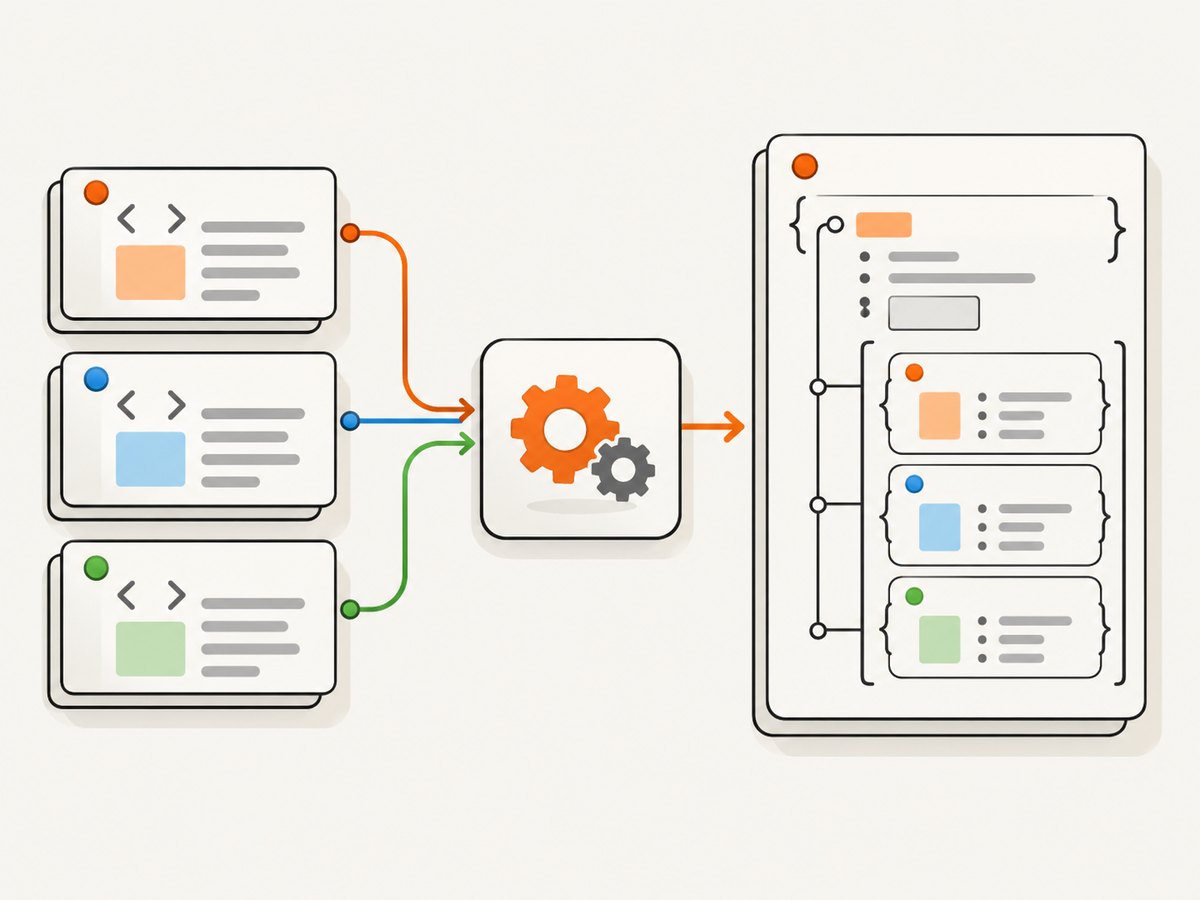
To scrape microformats, fetch a page’s HTML, parse it with a microformats2 parser, and use the parser’s JSON output. Microformats are semantic classes layered onto ordinary HTML: root classes such as h-card or h-entry identify an item, while property classes such as p-name, u-url, and dt-published describe its fields. Prefer a maintained microformats2 parser over hand-written selectors because it applies the parsing rules for URLs, dates, nested items, and embedded HTML.
This guide walks through a complete Python scraper, explains the common vocabularies and parsing decisions, and covers validation, production reliability, and troubleshooting. Microformats can turn page content into a lightweight page-level API, but only when the publisher has actually marked up the page.
1. What microformats are and when to use them
Microformats2 are conventions for marking up structured information in regular HTML. A person’s profile, for example, can remain a readable link while also being identified as an h-card. The same underlying markup serves visitors and software. See MDN’s microformats guide for the basic model and examples.
They are useful when a page publishes relevant data as microformats and you need to extract it without a custom selector for each field. Common roots include:
| Root | Represents | Common properties |
|---|---|---|
h-card |
A person or organization | p-name, u-url, u-photo, u-email |
h-entry |
A post, note, or other dated web content | p-name, p-summary, e-content, dt-published, p-author |
h-event |
An event | p-name, dt-start, dt-end, p-location |
h-product |
A product | p-name, p-brand, p-price, u-url |
h-recipe |
A recipe | p-name, p-ingredient, dt-duration, e-instructions |
h-review |
A review of an item | p-name, p-item, p-author, p-rating, dt-published |
These names are vocabulary conventions, not a guarantee that every page uses them or that all fields are present. Treat the vocabulary as a structured hint from the publisher, not a universal site schema. The Microformats2 overview describes the roots and parsing model.
2. Understand roots, properties, and values
A root is a class such as h-card that marks the start of an item. Properties inside its scope carry information about that item. Prefixes describe how to interpret a property’s value:
p-means a plain-text property, such asp-name.u-means a URL property, such asu-urloru-photo.dt-means a date or time property, such asdt-publishedordt-start.e-means an embedded element tree, typically preserving content and markup, such ase-content.
Do not assume that the text a person sees is always the parsed value. For a URL property, the parser may use href on an anchor, src on an image, or data on an object. Datetime properties can use an element’s datetime attribute. These rules are why a microformats-aware parser is safer than collecting all matching elements’ text. Consult the Microformats2 parsing guidance when you need to understand edge cases or implement a parser yourself.
Properties can repeat, and an item can contain nested items. A review may have a structured product as its reviewed item and a structured person as its author. Preserve these objects instead of flattening everything into strings at extraction time.
3. Fetch HTML and parse it with Python
Install a maintained microformats2 parser and an HTTP client in a virtual environment. One commonly used Python package is mf2py; check its current package documentation and supported Python versions before pinning it for production.
python -m venv .venv
source .venv/bin/activate
python -m pip install requests mf2py
This runnable script fetches a page, checks the HTTP response, passes the HTML and its source URL to the parser, and prints normalized JSON. Set the target to a page you are permitted to retrieve.
import json
import requests
import mf2py

url = "https://example.com/profile"
headers = {"User-Agent": "MicroformatsResearchBot/1.0 (contact: dev@example.com)"}

response = requests.get(url, headers=headers, timeout=(5, 30))
response.raise_for_status()

parsed = mf2py.parse(doc=response.text, url=response.url)
print(json.dumps(parsed, ensure_ascii=False, indent=2))
The parser’s result follows a structure with an items array. Each item has a type list and a properties object. Properties are commonly arrays because HTML can publish multiple values. Depending on the property, values can be strings or nested objects. For e- properties, parser output may retain both a text value and an HTML representation. The precise shape depends on the parser implementation; inspect its documented output and preserve the source URL alongside it.
Extract a particular root without discarding useful data
Keep the raw parser result in your pipeline, then make a separate application-specific view. That way new fields or nested objects remain available if your downstream needs change.
def items_of_type(parsed, wanted):
    return [item for item in parsed.get("items", [])
            if wanted in item.get("type", [])]

def values(item, property_name):
    return item.get("properties", {}).get(property_name, [])

for card in items_of_type(parsed, "h-card"):
    names = values(card, "name")
    urls = values(card, "url")
    print({"name": names[0] if names else None,
           "url": urls[0] if urls else None})
Some parsers place nested microformats under a property’s value array. Do not assume that the top-level items array contains every nested object as a separate top-level result. Traverse according to the parser’s documented object shape when you need authors, reviewed items, or other embedded entities.
4. Work through a concrete h-recipe example
An h-recipe page might mark up its name, repeated ingredients, preparation duration, yield, and instructions. The current h-recipe vocabulary page gives examples and a corresponding parsed JSON structure.
<article class="h-recipe">
  <h1 class="p-name">Bagels</h1>
  <ul>
    <li class="p-ingredient">Flour</li>
    <li class="p-ingredient">Sugar</li>
    <li class="p-ingredient">Yeast</li>
  </ul>
  <p>Takes <time class="dt-duration" datetime="1H">1 hour</time>.</p>
  <div class="e-instructions">
    <ol><li>Mix the ingredients.</li></ol>
  </div>
</article>
A parser can represent this as an item whose type includes h-recipe, with a properties map containing a name, an ingredient array, a duration, and instructions. The instructions may be represented as an object containing text and HTML. Avoid hardcoding assumptions like “ingredient is a string” across every publisher; repeated values and nested content are normal. The classic hRecipe markup is historical compatibility context. For new microformats2 markup, use h-recipe.
5. Fetching HTML: cURL and Node.js options
When you need a quick inspection or a different runtime, fetch the page independently and feed the resulting HTML into a compatible microformats2 parser. Fetching is only half the job: extracting raw HTML does not itself parse microformats.
curl --fail --location --compressed \
  --user-agent 'MicroformatsResearchBot/1.0 (contact: dev@example.com)' \
  --max-time 35 \
  'https://example.com/profile' \
  --output page.html
For Node.js, use the built-in fetch in a current Node release, then parse HTML with an installed parser library. Library APIs vary by package version, so follow that package’s documented interface rather than assuming a universal call signature.
const url = 'https://example.com/profile';
const response = await fetch(url, {
  headers: { 'user-agent': 'MicroformatsResearchBot/1.0 (contact: dev@example.com)' },
  signal: AbortSignal.timeout(30000),
});
if (!response.ok) throw new Error(`HTTP ${response.status}`);
const html = await response.text();

// Pass html and the final response URL to your chosen mf2 parser.
// Keep the parser result intact; normalize fields in a separate step.
console.log({ sourceUrl: response.url, htmlLength: html.length });
Before deploying, install and pin an actively maintained parser for your runtime, and implement its documented parse call in place of the comment. A fetch library and an mf2 parser solve distinct problems: one retrieves the document, the other interprets its markup.
6. Validate fields and handle publisher variation
Validation belongs after parsing. First verify that the expected root exists. Then validate only the fields your application actually requires. For a profile directory, a name may be essential while photo is optional. For an event feed, a start date may be required while an end date may be absent. Store missing values as missing; do not silently invent or infer facts.

- Retain provenance: record the requested URL, final URL after redirects, retrieval time, and status code with each parsed result.
- Preserve arrays: even if your current use expects one name or URL, retain the parser’s original array and apply a documented selection rule separately.
- Normalize cautiously: parse dates into a standard internal representation only when the source value is valid and its timezone interpretation is clear.
- Keep nested entities: represent a review’s author or reviewed product as an object when it is marked up that way.
- Track absence and failure separately: a valid page with no microformats is different from a timeout, blocked request, or parser exception.
Microformats vocabularies evolve and pages can contain inconsistent markup. In particular, h-review is documented as a draft, with possible future convergence with h-entry. Write consumers to tolerate optional properties and unfamiliar extra fields. The h-review vocabulary page describes its properties and nesting, and flags its draft status.
7. Scraping responsibly and reliably
Check a site’s terms, robots rules, and rate limits before fetching. Use a clear user agent with a contact route where appropriate, limit concurrency, cache responses when allowed, and avoid repeatedly retrieving the same URL. A timeout should bound the time spent waiting for a server; retries should be limited and reserved for transient network errors or retryable server responses, with backoff and a maximum attempt count.
Fetch the final HTML the server returns and note whether it is the content you intended to parse. Some pages depend on client-side rendering; a simple HTTP request may receive a shell document without the rendered content. Use a browser renderer only when the target truly requires it, and consider whether a permitted structured-data endpoint or feed exists. Do not interpret a missing microformats item as proof that the information does not exist elsewhere on the page.
Control resource use by limiting response size, connection duration, and parallel requests. Stream or reject unexpectedly large responses where appropriate. HTML parsers can consume significant memory on very large documents, so queue work and process pages in bounded batches. Measure your own workload; there is no universal performance figure that applies across different sites, markup, network conditions, and parser implementations.
8. Common errors and fixes
| Symptom | Likely cause | Practical fix |
|---|---|---|
No items found |
The page lacks microformats, or the fetched response is an error, consent screen, or JavaScript shell. | Check status, final URL, response body, and whether the relevant content is in the returned HTML. Do not assume every site publishes mf2. |
| URL field contains visible text or is empty | Code reads text instead of applying URL-property rules, or the publisher’s anchor lacks href. |
Use an mf2 parser and inspect the original element’s attributes and the parser output. |
| Dates are malformed or shifted | Readable text and machine value differ, or timezone information is missing. | Prefer parser output from datetime where provided; preserve the raw value and avoid guessing a timezone. |
| Only one repeated value survives | Application normalization takes a scalar too early. | Keep property arrays until a specific consumer rule chooses a value. |
| Nested author or product is missing | Code only scans top-level items or stringifies nested property values. | Traverse nested values according to the parser’s JSON structure and preserve them as objects. |
| HTTP 403, 429, or repeated timeout | The host denies the request, rate-limits it, or responds slowly. | Respect site policies, reduce request rate, set bounded timeouts, and stop rather than attempting to evade access controls. |
| JSON serialization fails | Non-JSON-native values were added during application normalization. | Serialize the parser’s documented result shape or convert custom date/byte objects deliberately. |
9. Or skip the browser setup
Microformats extraction still requires HTML and a parser. If your workflow also needs a visual record of a page, ScreenshotNeo can return a screenshot or PDF with one request. Its screenshot response is not a microformats parser output; use an HTML parser when you need structured fields.
curl -G "https://api.screenshotneo.com/v1/shot" \
  -d access_key=YOUR_API_KEY \
  --data-urlencode url=https://stripe.com \
  -o shot.webp
See the ScreenshotNeo API documentation for the request options. Cookie banners, newsletter popups, and chat widgets are removed before the shot. Bot checks, blank pages, and failed loads are never billed. An MCP server lets AI agents use the take_screenshot, get_page_info, and capture_pdf tools. The free plan includes 1,000 screenshots a month with no card; paid plans start at $5 for 3,000.
Get 1,000 screenshots a month free with no card.
10. Cost and performance considerations
Microformats are conventions, not a hosted extraction service, so your direct costs usually come from the infrastructure you choose to fetch and process pages: compute, network transfer, storage, and any browser runtime. A plain HTTP fetch can be simpler and lighter than launching a browser, but only works when the needed markup is in the response. Browser rendering may add resource use and latency. Cache according to the site’s rules and your freshness needs; do not cache indefinitely when page changes matter.
For dependable pipelines, keep separate counts for fetched pages, parse successes, pages with no recognized items, validation failures, and transient retrieval failures. This helps distinguish a publisher changing markup from an outage or a parser bug. Log enough context to diagnose failures without storing unnecessary personal information from the pages you process.
11. FAQ
Can microformats be converted to JSON?
Yes. A microformats2 parser typically emits JSON with item types and property arrays. Values can include nested objects, so treat the output as structured data rather than a flat map of strings.
Is h-card the same as h-entry?
No. h-card describes a person or organization; h-entry describes an online post or other dated content. An entry can include an author represented by a nested h-card.
What should I do when a page has no microformats?
Record that no recognized items were found, then use a suitable alternative extraction method if your task permits it. Microformats do not exist on every page.
Should new recipe markup use hRecipe or h-recipe?
Use h-recipe for new microformats2 markup. The classic hRecipe draft is useful as compatibility context when parsing older pages.
12. A production checklist
- Fetch only pages permitted by the site’s terms, robots rules, and rate limits.
- Check HTTP status and final URL before parsing.
- Use a microformats2 parser and preserve its nested, repeated values.
- Validate required fields for your use case; treat optional fields as optional.
- Store source URL and retrieval time with extracted data.
- Bound timeouts, response sizes, concurrency, and retries.
- Distinguish no markup from fetch errors and malformed markup in logs.
With these boundaries in place, microformats offer a direct way to extract publisher-defined semantic information from ordinary HTML. The parser handles the convention; your application defines which fields matter and how to handle pages that omit them.


