How to Use Web Scraping for Online Research
A practical, responsible workflow for collecting web data: define the question, choose authorized sources, scrape gently, validate results, and preserve provenance.
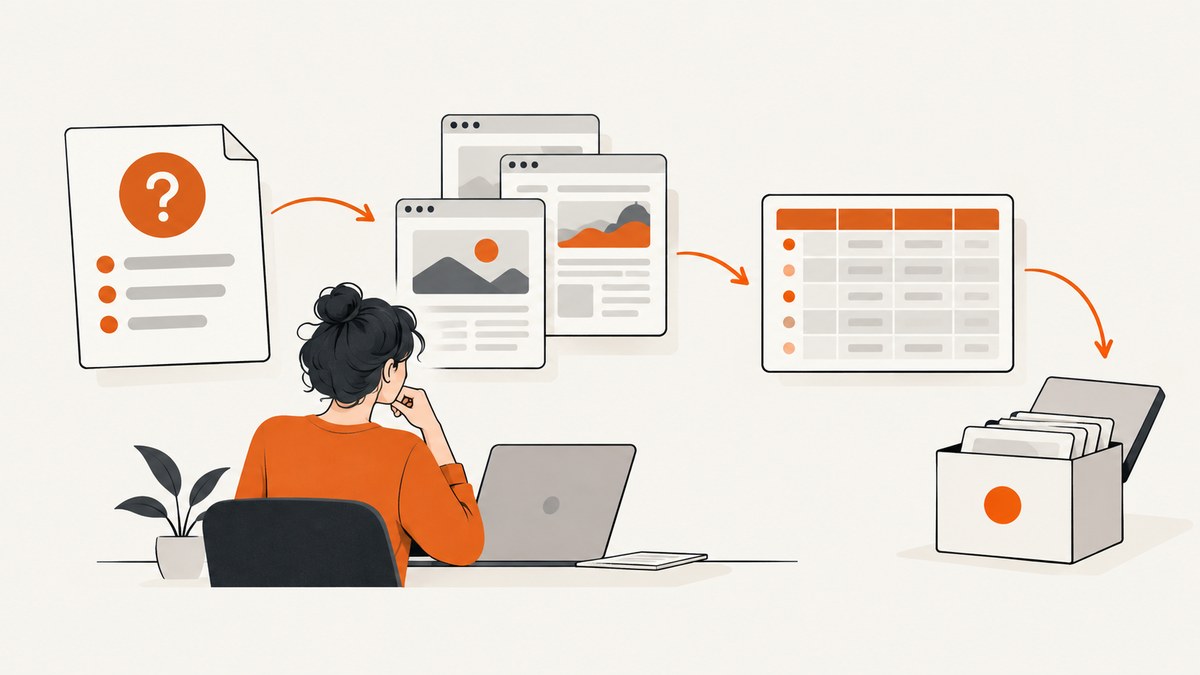
Web scraping is the automated collection of information from web pages. For online research, the hard part is rarely writing a parser. The hard part is designing a collection that answers a specific question, uses an appropriate source, respects access conditions and rights, and produces data another researcher can evaluate.
A reliable workflow is:
- Define the research question and the smallest useful data schema.
- Look for an official API, download, published dataset or archive before collecting live pages.
- Read the target site’s terms, API rules and
robots.txtfor the correct host. - Collect only necessary pages and fields at a restrained rate.
- Minimize personal information and protect the data you do collect.
- Validate extracted values and preserve source provenance.
- Report selection rules, dates, missing data and limitations.
The sections below show a complete process, including a small Python collector you can adapt. Legal and ethical conclusions depend on your jurisdiction, the site, the data and your purpose; this guide is a research workflow, not legal advice.
1. Start with the question and a data schema
Write the question in one sentence before choosing a library. “How did the listed price of product X change between January and June?” leads to a different collection than “What themes appear in public comments?” Define the unit of analysis (page, post, product, organization or event), the time range, the population you intend to cover and explicit exclusions.
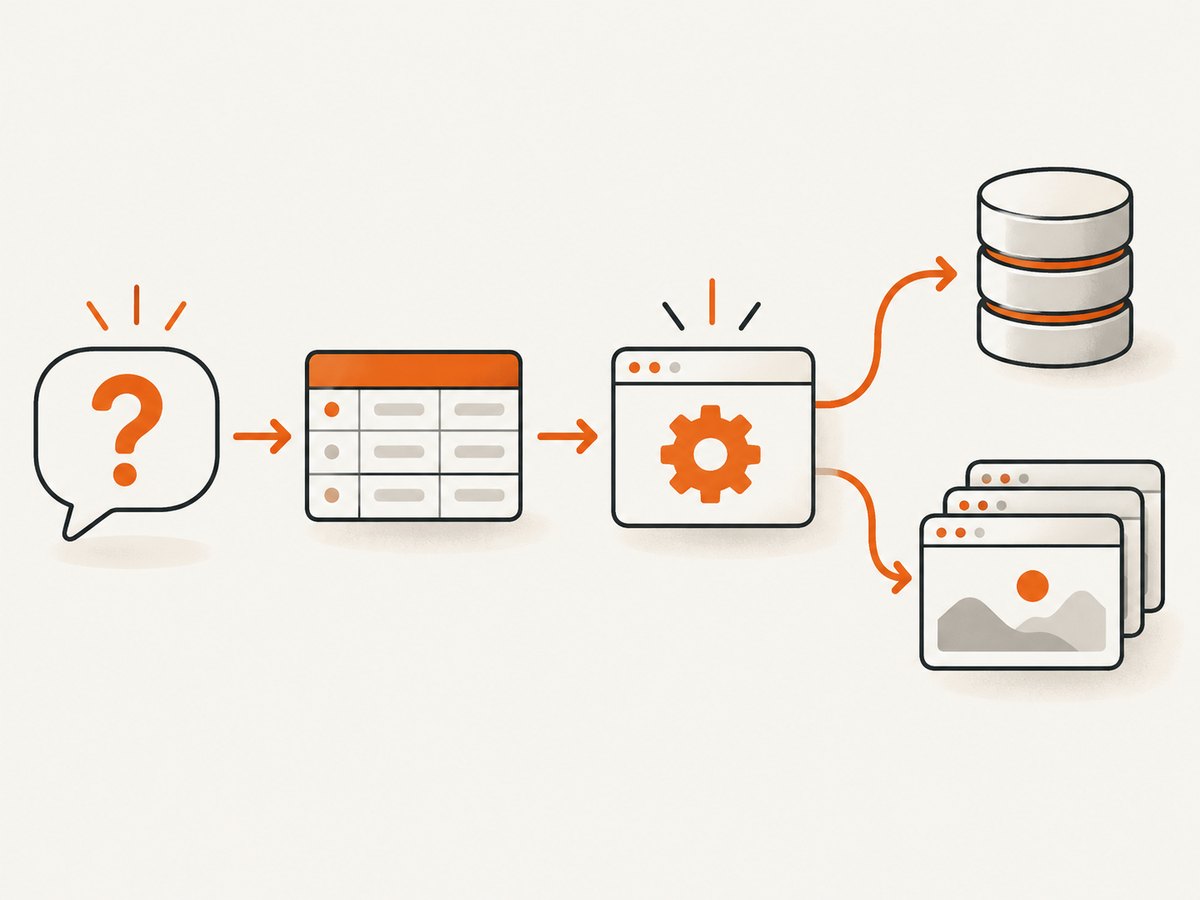
Turn that definition into a schema. For a product-price study, fields might be source_url, collected_at, product_id, price, currency and availability. Add a field only when it supports the question. Extra fields increase storage, privacy exposure, cleaning work and opportunities for extraction errors.
Write inclusion and exclusion rules
- Which hostnames and URL paths are in scope?
- Which language, date and content types qualify?
- Will duplicate pages, syndicated copies or login-only material be excluded?
- What happens when a field is absent or rendered only after JavaScript runs?
Record these rules in a short project note and version it. A future reader should be able to tell why a page was collected and why another was omitted.
2. Prefer an authorized or curated source
Before crawling live pages, check the publisher’s API, an open-data download, a research dataset, a sitemap or a web archive. These sources can reduce requests and make your work easier to reproduce. An API may provide stable field names and explicit usage limits; a download may include historical records that are no longer visible on the site.
Common Crawl is one archive option. Its terms explain that archived material can remain subject to the original owner’s terms and that Common Crawl does not guarantee the truthfulness, authenticity, quality, lawfulness or accuracy of crawled content. Treat it as a source to evaluate, not a blanket license to reuse everything. Compare archive coverage and capture dates with the needs of your question.
| Source | Strength | Questions to check |
|---|---|---|
| Official API | Structured fields and documented access | Authentication, quotas, retention and version changes |
| Download or dataset | Efficient, repeatable bulk access | License, update schedule, missing fields and provenance |
| Web archive | Historical snapshots and reduced live-site load | Capture coverage, original terms and archive accuracy |
| Direct page collection | Current presentation and fields unavailable elsewhere | Terms, robots rules, rate, consent, privacy and maintenance |
3. Check terms and robots.txt
Read the site’s terms of service and any API documentation before collecting. Look for rules about automated access, redistribution, authentication, rate limits and personal data. Google describes robots.txt as a way for site owners to tell crawlers which URLs they may request. Its instructions are scoped to the host, protocol and port where the file is served; a different subdomain can have different rules.
Google’s documentation also states that robots instructions cannot enforce crawler behavior, and a blocked URL can still appear in search results. Therefore, robots.txt is an access signal, not a security control or legal clearance. Google does not support a crawl-delay field in its interpretation, and other crawlers may interpret fields differently. Follow applicable disallow rules and any documented host guidance, but do not infer that compliance resolves copyright, privacy, contract or database-rights questions.
Fetch the file for the exact origin you plan to contact:
from urllib.parse import urlparse
import requests

url = "https://example.org/research/page"
parts = urlparse(url)
robots_url = f"{parts.scheme}://{parts.netloc}/robots.txt"
r = requests.get(robots_url, timeout=20)
print(r.status_code)
print(r.text[:2000])
Also review the robots.txt specification and the site’s own instructions. Keep a dated copy of the file and terms page in your research records because they can change.
4. Plan a restrained collection
Identify the collector, target URLs, fields, schedule and stop conditions. Use a URL queue rather than an open-ended crawl. Restrict requests to pages needed for the question, cache responses, use a descriptive user agent with a contact address where appropriate, and stop when the planned sample is complete.
Do not invent a universal delay number. Use the host’s documented limit or a conservative, documented rate that does not interfere with normal service. Add retries only for temporary failures, with exponential backoff and a maximum attempt count. Avoid parallelism until you understand the site’s limits.
A minimal collector that extracts a title and canonical link might look like this:
import csv
import time
from datetime import datetime, timezone
from urllib.parse import urljoin

import requests
from bs4 import BeautifulSoup

URLS = [
    "https://example.org/page-a",
    "https://example.org/page-b",
]
HEADERS = {"User-Agent": "ResearchCollector/1.0 (contact: researcher@example.edu)"}

rows = []
with requests.Session() as session:
    session.headers.update(HEADERS)
    for url in URLS:
        collected_at = datetime.now(timezone.utc).isoformat()
        try:
            response = session.get(url, timeout=30)
            response.raise_for_status()
            soup = BeautifulSoup(response.text, "html.parser")
            canonical = soup.find("link", rel="canonical")
            rows.append({
                "source_url": url,
                "collected_at": collected_at,
                "title": soup.title.get_text(" ", strip=True) if soup.title else "",
                "canonical_url": urljoin(url, canonical["href"]) if canonical and canonical.get("href") else "",
                "status": response.status_code,
            })
        except requests.RequestException as exc:
            rows.append({"source_url": url, "collected_at": collected_at, "title": "", "canonical_url": "", "status": f"error: {exc}"})
        time.sleep(2)  # replace with the host's documented guidance

with open("research_extract.csv", "w", newline="", encoding="utf-8") as f:
    writer = csv.DictWriter(f, fieldnames=["source_url", "collected_at", "title", "canonical_url", "status"])
    writer.writeheader()
    writer.writerows(rows)
This example intentionally uses a fixed URL list, records failures and timestamps, and leaves the rate decision visible. Adapt selectors to the target site’s markup; do not assume a CSS selector is stable over time.
5. Handle dynamic pages and consent controls
Some values are present in the initial HTML; others appear after JavaScript runs. First inspect the response and browser developer tools to determine whether the data is embedded in JSON, available through an authorized endpoint or rendered only in the browser. An API or downloadable source is usually more stable than reverse-engineering private requests.
If browser automation is necessary, capture only the page state and fields required by your schema. Handle cookie-consent controls according to the site’s choices and your research authorization. Do not bypass authentication, paywalls, bot checks or technical access controls. A blocked or incomplete page should be recorded as missing rather than silently treated as a valid observation.
6. Protect people and third-party rights
Publicly visible does not automatically mean unrestricted to collect, republish or profile. Decide whether personal information is necessary. If it is not necessary, do not collect it; if it is necessary, define access controls, retention, deletion and a lawful basis before collection. Remove direct identifiers from working files when possible and restrict raw pages to the people who need them.
Check institutional review requirements before collecting information about people, especially sensitive attributes, vulnerable groups or material that could create risk if combined. The research framework by Brown and coauthors treats legal, ethical, institutional and scientific questions as connected decisions for U.S.-based social science research; it does not decide the outcome for a particular project. Common Crawl’s terms likewise place responsibility on users to respect privacy and others’ rights.
7. Validate extracted data
Validation is part of collection, not a final cosmetic step. Compare a sample of rows with the source pages by hand. Check that numbers use the expected currency and decimal convention, dates include a timezone or stated interpretation, and missing values are distinguishable from zero or an empty string.
- Measure selector success: how many in-scope pages produced each required field?
- Inspect outliers and sudden distribution changes.
- Keep the original value beside any normalized value.
- Record redirects, HTTP status, page type and parser version.
- Re-run a small fixture set after changing extraction code.
Dynamic pages, redesigns, localization and A/B tests can create systematic missingness. Report which pages could not be collected and why. Never fill a missing observation from an unsupported assumption.
8. Preserve provenance and reproducibility
For every record, retain the source URL, collection timestamp, collector version, extraction method, transformations and validation status. Store a hash of downloaded content when permitted, or preserve a short source snapshot and a pointer to the original. Keep a README describing scope, exclusions, software versions, request policy and known limitations.
When sharing results, publish your schema and code where rights permit, but do not redistribute substantial copyrighted text or personal data merely to make a project convenient. If raw data cannot be shared, provide aggregated outputs, field-level examples and instructions for an authorized researcher to reproduce the process.
9. Troubleshooting common failures
| Symptom | Likely cause | Fix |
|---|---|---|
| 403 or 429 responses | Access policy, authentication or excessive rate | Stop, read the terms and API limits, reduce requests, and use an authorized endpoint. Do not rotate identities to evade controls. |
| HTML contains no target field | Content is JavaScript-rendered or selector changed | Inspect initial HTML and documented APIs; update a versioned selector only after confirming the page structure. |
| Repeated timeouts | Slow origin, oversized pages or network instability | Use a reasonable timeout, bounded retries with backoff and caching; record failures instead of retrying indefinitely. |
| Wrong language, currency or date | Locale defaults or ambiguous parsing | Set an authorized locale where supported and store raw values with an explicit normalization rule. |
| Duplicate records | Tracking parameters, redirects or syndicated pages | Canonicalize URLs, remove known tracking parameters and retain the original URL for audit. |
| Consent dialog obscures content | Page requires an interaction before displaying fields | Use the site’s documented consent flow or an authorized API; record the resulting page state and do not bypass controls. |
10. Performance, reliability and cost
For a small study, the main cost is researcher time. A narrow URL list, cached responses and a simple parser are often more reliable than a large crawler. For larger collections, estimate total pages, response size, storage, parsing time and re-fetch frequency before starting. Queue work, checkpoint progress and make jobs restartable so a network failure does not repeat successful requests.

Reliability improves when you separate fetching from parsing: save permitted responses, then run the parser offline. This lets you debug selectors without contacting the site again. Track status codes, latency, retries and field-level missingness. A successful HTTP response is not proof that the page contains valid research data.
Cost also includes API fees, storage, review and compliance work. An archive or official dataset can be cheaper in requests and easier to reproduce, while direct collection may provide fresher fields. Choose based on authorization, coverage, freshness, provenance, privacy exposure, source burden and reproducibility rather than on request volume alone.
Or skip the browser setup
When your research needs clean page images or PDFs for visual review, ScreenshotNeo provides a website screenshot API and MCP server. One GET request returns a PNG, JPEG, WebP or PDF. Cookie and consent banners, newsletter popups and chat widgets are removed before the shot; each step can be turned off. Bot checks, blank pages, timeouts, failed loads and cache hits are not billed, and response headers identify the page verdict and billing status.
See the ScreenshotNeo API documentation for all options. The basic call is:
curl -G "https://api.screenshotneo.com/v1/shot" -d access_key=YOUR_API_KEY --data-urlencode url=https://stripe.com -o shot.webpimport requests
r = requests.get("https://api.screenshotneo.com/v1/shot", params={"access_key": "YOUR_API_KEY", "url": "https://stripe.com"}, timeout=90)
open("shot.webp", "wb").write(r.content)const q = new URLSearchParams({ access_key: 'YOUR_API_KEY', url: 'https://stripe.com' });
const res = await fetch(`https://api.screenshotneo.com/v1/shot?${q}`);Options cover full-page capture with lazy images, CSS element selection, dark mode, device presets, retina scale, PDF paper and page settings, custom CSS and JavaScript, click and wait conditions, blocked resources, headers, cookies, user agents, timezone, geolocation, transparent backgrounds, resizing, caching, signed links, async webhooks, bulk capture and usage reporting. Its MCP server exposes take_screenshot, get_page_info and capture_pdf to Claude, Cursor and other MCP clients.
Plans include 1,000 screenshots per month free with no card; paid plans start at $5 for 3,000. Create a free ScreenshotNeo account.
FAQ
Is scraping the same as downloading a dataset?
No. Scraping extracts from pages you request; a dataset or archive is already collected and may have different coverage, terms and provenance.
Does a public page mean I can republish its contents?
No. Public visibility does not settle copyright, privacy, contract or database-rights questions. Check the applicable law, terms and your purpose.
Should I obey robots.txt?
Treat it as the host’s crawler instruction and honor disallow rules. It is not a lock, a complete technical standard or legal permission.
How do I prove a result came from a particular page?
Keep the URL, timestamp, source snapshot or permitted hash, extraction version, transformations and validation notes with each record.
What if the site changes while my study is running?
Version your parser, monitor field-level missingness, save failures and report the collection window and redesign effects in the methods section.


