How to Build a Web Scraping Pipeline with Zapier
Build a reliable, permitted web data pipeline in Zapier using RSS, APIs, webhooks, schedules, Web Reader, and Web Search.

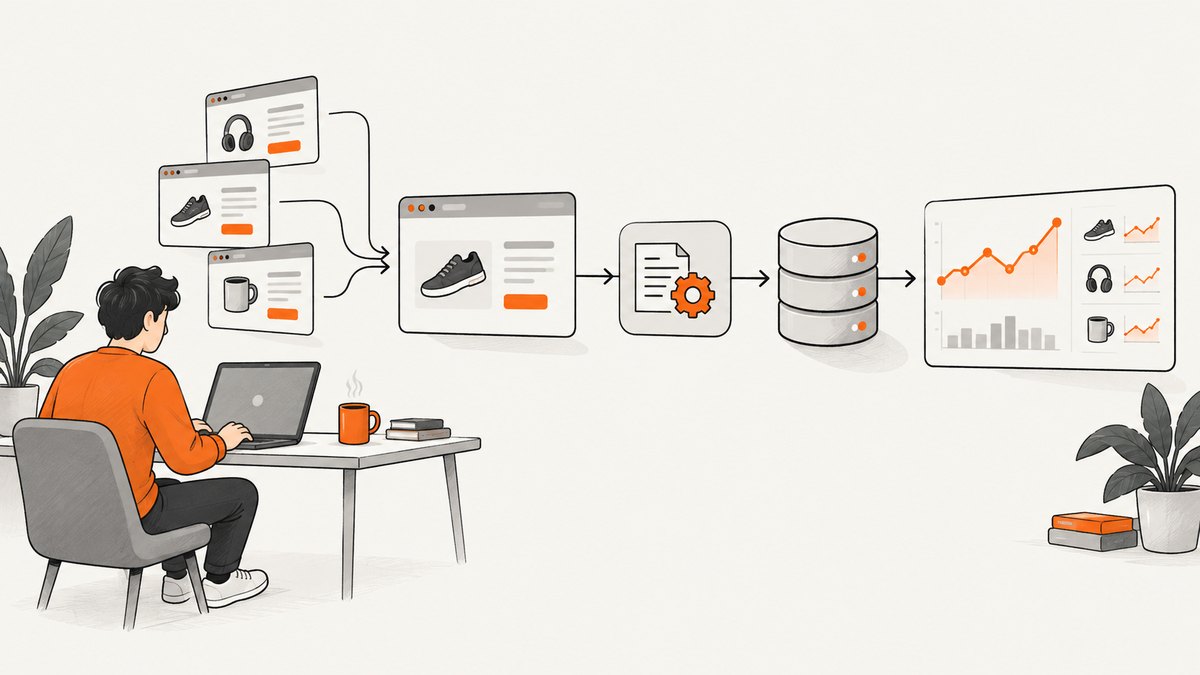
Direct answer: A Zapier scraping pipeline is a sequence that receives permitted web data, extracts the fields you need, filters and normalizes those fields, then sends the result to another app. Start with an official API or RSS feed when the source provides one. Use an authorized webhook when the source can push events. Use scheduled polling for sources that must be checked periodically. For accessible public pages, Zapier’s beta Web Reader and Web Search actions can discover and read pages, subject to robots.txt and the target site’s access rules.
This guide shows how to choose a route, build an auditable Zap, handle payload and retention limits, troubleshoot failures, and improve reliability. Technical accessibility does not establish legal permission. Check the source’s terms, applicable law, and your authorization before collecting or reusing data.
1. Choose the least brittle collection route
“Scraping” is not one Zapier trigger. The best trigger depends on what the source publishes and how often it changes.

| Route | Use it when | Strengths | Constraints |
|---|---|---|---|
| Official API | The publisher documents an API and permits your use | Structured fields, stable contracts, clear authentication | Keys, quotas, pagination, and API-specific terms |
| RSS feed | The source publishes articles, releases, or events as RSS | Simple trigger and no HTML parsing | Only fields in the feed; polling and feed retention apply |
| Webhook | An authorized system can push new records | Near-real-time delivery and no repeated polling | You must configure the sender, payload, authentication, and retries |
| Scheduled check | No push mechanism exists and periodic checks are acceptable | Predictable cadence | Duplicate detection, rate limits, and stale data are your responsibility |
| Web Reader (beta) | You need content from an accessible public page | Can handle JavaScript-heavy pages and respects robots.txt | Blocked pages return an error; beta behavior can change |
| Web Search (beta) | You need to discover public pages first | Returns up to 20 public results with title, URL, and snippet | Some result pages block scraping; search results are not a source-of-record |
Zapier documents RSS triggers for one feed (“New Item in Feed”) and several feeds (“New Items in Multiple Feeds”). For most feeds, use the default “Different Guid/URL” deduplication setting. If an authorized source pushes events, choose Catch Hook or Catch Raw Hook. A schedule can start a downstream request when periodic polling is the only available option.
Web Reader is designed for public pages, supports JavaScript-heavy pages, and respects robots.txt; when a site blocks scraping it returns an error. Web Search is also documented as beta and may find pages that later refuse access. Treat both as documented capabilities, not a guarantee that every URL can be read.
2. Define a small, auditable record
Before opening the Zap editor, write down the fields you actually need. A compact record is easier to validate, deduplicate, and store than an entire page.
{
  "source_url": "https://example.com/article/123",
  "title": "Example announcement",
  "published_at": "2026-09-29T09:00:00Z",
  "summary": "Short permitted description",
  "source_id": "123",
  "observed_at": "2026-09-29T09:05:00Z"
}
Keep source_url, a source identifier when available, and an observation timestamp. These make provenance visible and let you investigate a bad record without guessing which page produced it. Store large bodies or attachments in a suitable data store and pass only an identifier or selected fields through Zapier.
3. Build the Zap step by step
Step 1: Create the trigger
- Choose the route that matches the source: RSS, webhook, schedule, Web Search, or Web Reader.
- Connect the account or paste the authorized feed/API details.
- Run a test and inspect the sample. Confirm that the URL, title, timestamp, and identifier are present.
For inbound webhooks, Catch Hook parses request data into fields. Catch Raw Hook exposes raw request data and headers when you need to inspect the exact payload. The sender must use the generated Zap URL and the request type expected by the trigger.
Step 2: Read or receive content
An RSS trigger already contains the feed’s published fields. For an API, use Webhooks by Zapier. Its documented actions include GET, POST, PUT, and Custom Request. GET retrieves information; POST and PUT can send files; Custom Request is for methods or request details that need additional control.
For a public page, add Web Reader by Zapier and provide the URL from the trigger or search result. If discovery is required, run Web Search first, then pass a selected result URL to Web Reader. Add a Filter step so only permitted domains, paths, or categories continue.
Step 3: Filter before expensive actions
Use Filter by Zapier to reject records that do not meet your criteria. Examples include a title containing a release keyword, a publication date after your last checkpoint, or a URL whose hostname is on your allowlist. Filtering early reduces downstream task usage and prevents unrelated data from reaching your destination.
Step 4: Normalize fields
Map dates into one format, trim whitespace, and create a stable deduplication key. A practical key is the source GUID, API ID, or canonical URL. If none exists, combine several stable fields and accept that occasional collisions require review. Preserve the original URL even after transforming the title or summary.
Step 5: Deliver selected fields
Send only the fields the destination needs: for example, title and URL to Slack, structured columns to Airtable, or a row to a database connector. Include the source URL and observed time so a person can audit the record. If the destination supports idempotent upserts, use the stable key instead of blindly creating a new item.
Step 6: Add an operational checkpoint
Route errors to a review destination with the URL, step name, and error text. Keep a small log of the last successful observation time and record key. This gives you a clear recovery point when a feed changes format or a page becomes unavailable.
4. Payload, storage, and retention limits
Design around the documented limits rather than discovering them in production:
- Webhook actions accept a maximum payload of 5 MB.
- Inbound webhook triggers accept up to 10 MB; Catch Raw Hook accepts up to 2 MB.
- The RSS “Create Item in Feed” action handles about 10 KB of data per item.
- A Zapier-created RSS feed keeps the 50 most recent items.
- Zapier’s RSS documentation says items clear after 14 days without new additions, and there are no RSS actions to edit or remove items.
When a page or API response is larger, extract the required fields and store the full response outside the Zap. Pass a URL or record ID through later steps. For an RSS archive, write each item to a durable database or spreadsheet as it arrives instead of treating the generated feed as permanent history.
5. Webhook implementation details
Configure the sender and Zap together. A POST sender should target Catch Hook or Catch Raw Hook. A GET request is appropriate for a retrieval action such as Retrieve Poll, where supported. Zapier documents XML, JSON, and form-encoded payloads for webhook triggers; send one of those formats with a content type that matches the body.
POST /hooks/catch/your-zap-id HTTP/1.1
Content-Type: application/json

{
  "source_id": "123",
  "title": "Example announcement",
  "url": "https://example.com/article/123"
}
Use authentication supported by the sending system and avoid placing secrets in a page URL. Test with one small payload before enabling a high-volume producer. Zapier notes that high webhook volumes can delay data passing to later steps, and webhook actions are subject to rate limits.
6. Reliability and performance checklist
- Prefer push over polling: A webhook avoids repeated checks when the source can send events.
- Prefer structured sources: APIs and RSS survive page redesigns better than selectors aimed at HTML markup.
- Bound each run: Filter by domain, date, and category before calling later actions.
- Deduplicate: Store a source ID or canonical URL and use upsert behavior where available.
- Respect access controls: Stop on robots.txt blocks, authentication failures, or explicit denials.
- Record provenance: Keep source URL, observed time, and the route that produced the record.
- Plan for bursts: Queue or batch downstream work when many webhook events arrive together.
- Keep payloads small: Send selected fields and externalize large documents.
For predictable cost, schedule only as often as your business requirement demands, and filter before enrichment or delivery steps. Reliability comes from an observable, restartable flow: each record has a key, each failure has a destination, and the last successful checkpoint is known.
7. Troubleshooting common failures
| Symptom | Likely cause | Fix |
|---|---|---|
| The Zap never triggers | Wrong Zap URL, request method, or inactive trigger | Copy the current URL, confirm POST versus GET, and send a small test request. |
| Webhook test is empty | Unsupported or malformed payload | Send valid JSON, XML, or form-encoded data with the matching content type; inspect Catch Raw Hook when necessary. |
| Fields are missing | The source did not send them or the sample was outdated | Capture a fresh sample, inspect the raw request, and make optional fields conditional. |
| Web Reader returns an error | The page blocks scraping or violates robots.txt access | Use an authorized API/RSS source, request permission, or stop processing that URL. |
| Web Search finds a URL that cannot be read | The result page blocks scraping | Filter for accessible domains and handle the read error without retrying indefinitely. |
| Duplicate records appear | No stable key or the feed’s identifier changed | Persist GUID, API ID, or canonical URL and upsert on that key. |
| Large requests fail | Payload exceeds the applicable 5 MB, 10 MB, 2 MB, or RSS size limit | Extract fields, compress where supported, or store the full document externally. |
| Runs arrive late | High webhook volume or downstream processing delay | Reduce bursts, batch work, and monitor the last successful checkpoint. |
8. Legal and access boundaries
Use sources you are authorized to access and process. Public visibility is not proof that copying, storing, profiling, or redistributing the data is allowed. Review the target’s terms, robots.txt behavior, contractual restrictions, privacy obligations, and applicable law. When the source offers an API or feed, follow its authentication, attribution, and rate requirements. If the rules for your target or data type are unclear, obtain permission or legal advice before operating the pipeline.
9. Or skip the browser setup
If your workflow needs an image of a page rather than extracted text, ScreenshotNeo provides a website screenshot API and MCP server. One GET request returns a PNG, JPEG, WebP, or PDF. It accepts cookie and consent banners like a visitor, then removes more than 60 known consent platforms, newsletter popups, and chat widgets; each cleanup step can be turned off. Bot checks, CAPTCHAs, blank pages, timeouts, failed loads, and cache hits are not billed, and the response identifies the result with X-Page-Verdict and X-Billed headers.
See the ScreenshotNeo API documentation for the complete parameter list. This runnable cURL example captures a WebP image:
curl -G "https://api.screenshotneo.com/v1/shot" \
  -d access_key=YOUR_API_KEY \
  --data-urlencode url=https://stripe.com \
  -o shot.webp
Python:
import requests

r = requests.get(
    "https://api.screenshotneo.com/v1/shot",
    params={"access_key": "YOUR_API_KEY", "url": "https://stripe.com"},
    timeout=90,
)
r.raise_for_status()
open("shot.webp", "wb").write(r.content)
Node.js:
const q = new URLSearchParams({ access_key: 'YOUR_API_KEY', url: 'https://stripe.com' });
const res = await fetch(`https://api.screenshotneo.com/v1/shot?${q}`);
if (!res.ok) throw new Error(`Screenshot failed: ${res.status}`);
const data = Buffer.from(await res.arrayBuffer());
await import('node:fs/promises').then(fs => fs.writeFile('shot.webp', data));
ScreenshotNeo includes full-page capture with lazy images loaded, CSS-selector element capture, dark mode, 12 device presets and custom viewports, retina scale, PDF paper sizes and page ranges, custom CSS and JavaScript, click and hide selectors, waits for selectors, delays, or network idle, request and resource blocking, custom headers, cookies, user agents and Authorization, timezone and geolocation, transparent backgrounds, resizing, configurable-TTL caching, signed image links, asynchronous jobs with signed webhooks, bulk capture for 100 URLs per call, a usage API, and an OpenAPI specification. Parameter names used by other screenshot APIs also work, which can simplify migration.
An MCP server exposes take_screenshot, get_page_info, and capture_pdf to Claude, Cursor, and other MCP clients. The Free plan includes 1,000 shots per month without a card; paid plans start at $5 for 3,000 shots, and every feature is available on every plan. Create a free ScreenshotNeo account to start.
10. FAQ
Can I scrape any public website with Zapier?
No. A page being publicly visible does not establish permission. Use authorized sources and follow the site’s terms and access controls.
Should I choose RSS or Web Reader?
Choose RSS when the publisher provides the fields you need. Use Web Reader only for accessible public pages when no suitable structured source exists.
When should I use Catch Raw Hook?
Use it when you need the original request body or headers for debugging or custom parsing. Remember its 2 MB inbound limit.
How do I prevent duplicate items?
Persist a stable source GUID, API ID, or canonical URL and update existing records by that key.
What should happen when a page is blocked?
Record the error, stop retrying that URL without authorization, and look for an official API, RSS feed, or approved data-delivery method.
Can screenshots replace extracted data?
No. A screenshot is useful for visual evidence, archiving, or review. Use an API, RSS feed, webhook, or permitted page-reading route when you need structured fields.


