Introduction to Web Scraping Using Selenium Grid
Learn how Selenium Grid runs remote browser scrapers, choose a deployment mode, write RemoteWebDriver code, scale safely, and avoid common failures.
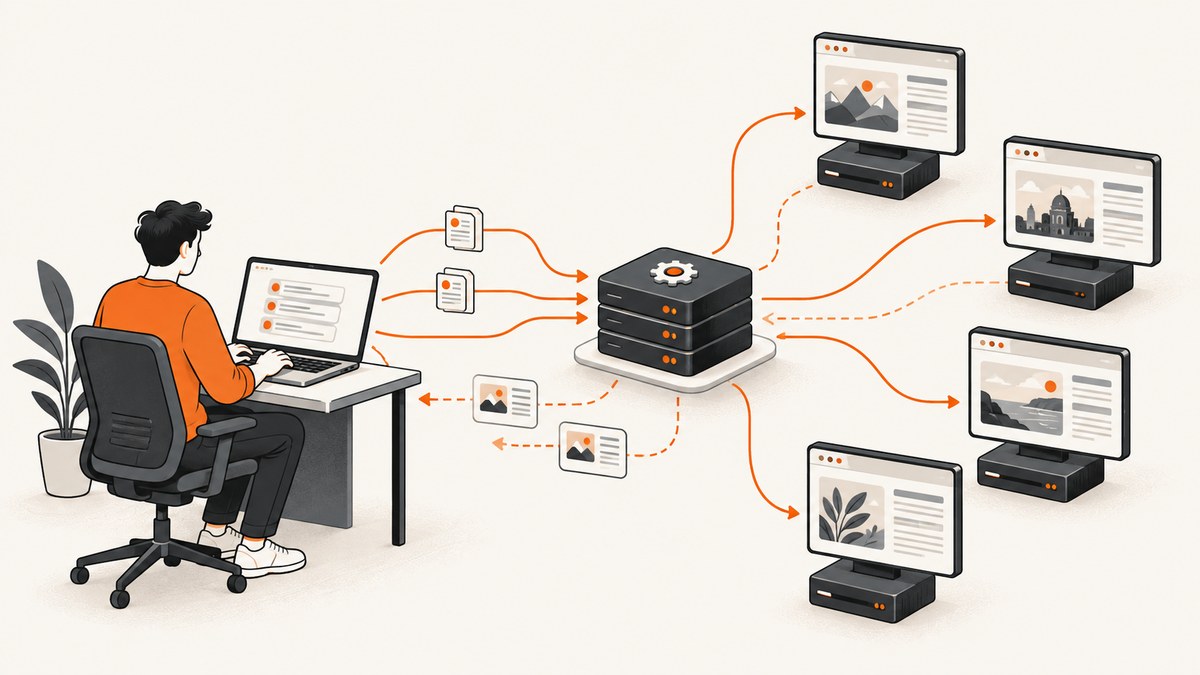
Selenium Grid lets your scraper control browsers running on other machines. Your WebDriver client still decides which pages to open, what to click, and which data to extract; Grid routes those browser commands to a compatible remote session. It is the execution layer for browser-based scraping, not a scraping library, data source, or permission system.
Start with Standalone Grid on one computer, using RemoteWebDriver against http://localhost:4444. Move to Hub and Node or Distributed mode only when you need more browsers, operating systems, concurrency, or failure isolation. This guide shows the setup, runnable clients, deployment choices, capacity planning, responsible operation, troubleshooting, and a managed alternative for cases where you only need reliable screenshots.
What is Selenium Grid?
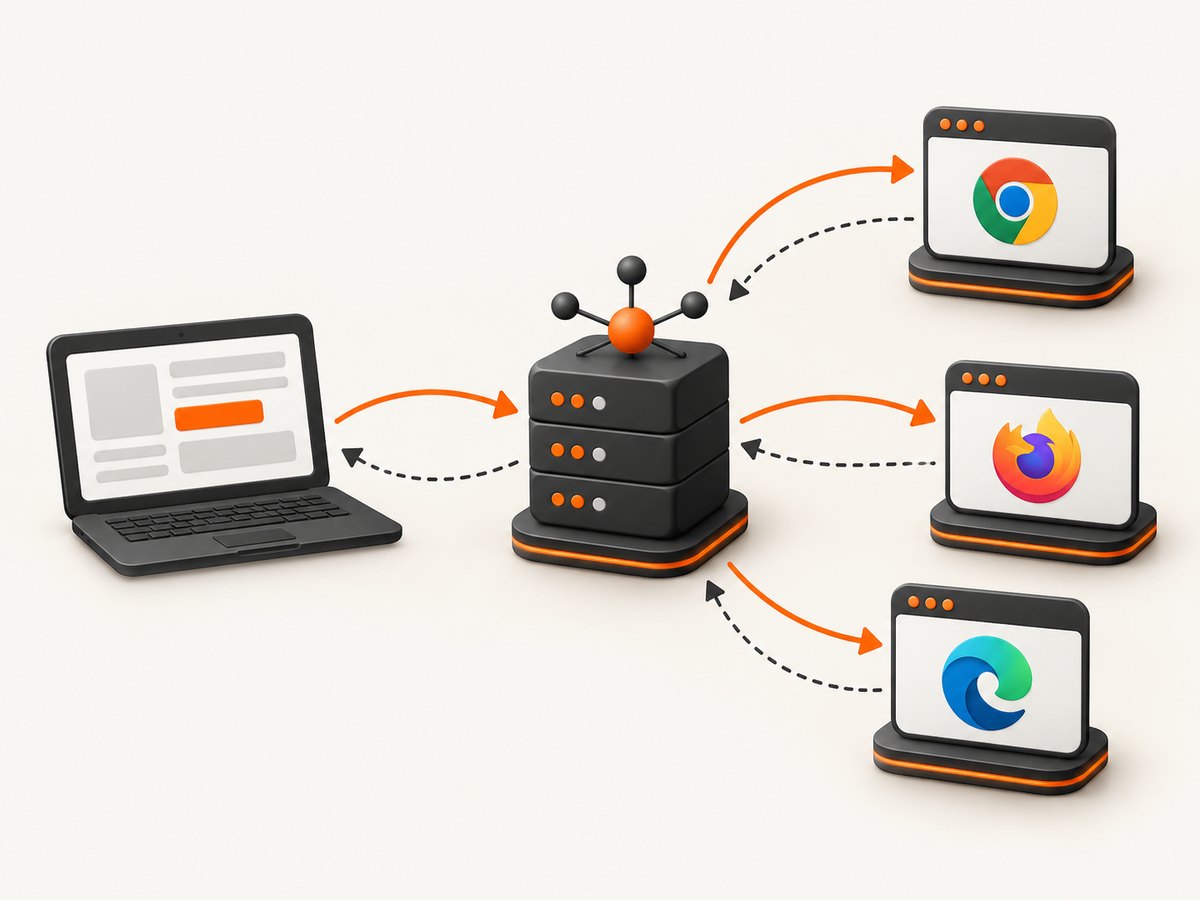
Grid receives WebDriver session requests, finds a browser slot whose capabilities match, and forwards commands to the Node running that session. In Grid 4, the main pieces have separate jobs:
- Router: accepts WebDriver HTTP requests and directs them to the right component.
- New Session Queue: holds requests until a suitable slot is available.
- Distributor: matches requested capabilities to available Node slots.
- Nodes: start and control Chrome, Firefox, Edge, or other configured browsers.
- Session Map: records which Node owns each session ID.
- Event Bus: carries internal asynchronous messages between Grid components.
A slot is one place where a browser session can run. Its capabilities constrain the requests it accepts. The client code is largely the same whether the endpoint is a local Standalone server or a multi-machine Grid. See Selenium’s Grid getting-started guide and architecture documentation for release-specific details.
When Grid helps a scraper
Use Grid when the target site needs a real browser: JavaScript rendering, client-side pagination, clicks, authentication flows, or different browser and operating-system combinations. Grid can distribute independent jobs across Nodes and keep your scraper process separate from browser machines.
Grid does not decide what to scrape or extract. Your code must still:
- Navigate to URLs and wait for the page state you need.
- Locate elements and read text, attributes, or rendered HTML.
- Handle pagination, retries, authentication, and persistence.
- Respect site terms, access controls, and applicable law.
If a page has a stable HTTP response and you do not need browser execution, an HTTP client and an HTML parser are usually simpler and cheaper. A browser session adds CPU, memory, startup time, and operational work.
Choose a Grid deployment mode
| Mode | Machines | Best starting point | Trade-offs |
|---|---|---|---|
| Standalone | One process on one machine | Local development, debugging, small jobs, straightforward CI | Limited by one host’s CPU, memory, browsers, and failure domain |
| Hub and Node | Central entry point plus separate Nodes | Multiple operating systems, browser versions, or growing concurrency | More networking and Node lifecycle management |
| Distributed | Router, Distributor, Queue, Session Map, Event Bus, and Nodes started separately | Operators who need control over placement and independent scaling | Most configuration, ports, monitoring, and failure handling |
Selenium documents Standalone as one process and Hub and Node as a way to add or remove capacity without taking down the entire Grid. Distributed mode separates the components so they can run on different machines. Select using the dimensions Selenium calls out: machine count, browser and operating-system coverage, expected concurrent sessions, operational overhead, and failure isolation.
Install prerequisites and start Standalone Grid
- Install Java 11 or later, the browsers you need, and the Selenium Server JAR. Match commands and package versions to the Selenium release you install.
- Download the server JAR from the Selenium project and keep it in a dedicated directory.
- Start Standalone mode:
java -jar selenium-server-4.x.x.jar standaloneReplace 4.x.x with the actual file name. Selenium Manager can configure drivers when enabled, but verify the behavior for your client and release. The default WebDriver endpoint, browser UI, and status endpoint are available at http://localhost:4444 in the documented quick start.
Check that the server responds before running a scraper:
curl http://localhost:4444/statusDo not expose this endpoint to the public internet. Selenium warns that an unprotected Grid can give third parties access to internal web applications and files or let them run custom binaries. Restrict it with firewalls, private networking, authentication at a trusted boundary, and client allowlists.
Write a RemoteWebDriver scraper
The key change from local Selenium is the driver constructor: supply the Grid URL and browser options. This Java example opens a page, waits for a heading, extracts its text, and always quits the session.
import java.net.URL;
import java.time.Duration;
import org.openqa.selenium.By;
import org.openqa.selenium.WebDriver;
import org.openqa.selenium.chrome.ChromeOptions;
import org.openqa.selenium.support.ui.ExpectedConditions;
import org.openqa.selenium.support.ui.WebDriverWait;
import org.openqa.selenium.remote.RemoteWebDriver;

public class GridScraper {
  public static void main(String[] args) throws Exception {
    ChromeOptions options = new ChromeOptions();
    options.addArguments("--headless=new", "--no-sandbox", "--disable-dev-shm-usage");

    WebDriver driver = new RemoteWebDriver(
        new URL("http://localhost:4444"), options);
    try {
      driver.manage().timeouts().pageLoadTimeout(Duration.ofSeconds(45));
      driver.get("https://example.com/");
      WebDriverWait wait = new WebDriverWait(driver, Duration.ofSeconds(15));
      String heading = wait.until(
          ExpectedConditions.visibilityOfElementLocated(By.cssSelector("h1")))
          .getText();
      System.out.println(heading);
    } finally {
      driver.quit();
    }
  }
}
For another language, keep the same sequence: create options, construct a remote driver with the Grid URL, navigate, wait for a condition, extract, and quit. The exact package names and APIs depend on the Selenium client version.
Python client
from selenium import webdriver
from selenium.webdriver.chrome.options import Options
from selenium.webdriver.common.by import By
from selenium.webdriver.support.ui import WebDriverWait
from selenium.webdriver.support import expected_conditions as EC

options = Options()
options.add_argument("--headless=new")
options.add_argument("--no-sandbox")
options.add_argument("--disable-dev-shm-usage")

driver = webdriver.Remote(
    command_executor="http://localhost:4444",
    options=options,
)
try:
    driver.set_page_load_timeout(45)
    driver.get("https://example.com/")
    heading = WebDriverWait(driver, 15).until(
        EC.visibility_of_element_located((By.CSS_SELECTOR, "h1"))
    ).text
    print(heading)
finally:
    driver.quit()
Node.js client
import { Builder, By, until } from "selenium-webdriver";
import chrome from "selenium-webdriver/chrome.js";

const options = new chrome.Options()
  .addArguments("--headless=new", "--no-sandbox", "--disable-dev-shm-usage");

const driver = await new Builder()
  .usingServer("http://localhost:4444")
  .forBrowser("chrome")
  .setChromeOptions(options)
  .build();

try {
  await driver.get("https://example.com/");
  const heading = await driver.wait(
    until.elementLocated(By.css("h1")), 15000
  );
  console.log(await heading.getText());
} finally {
  await driver.quit();
}
Capabilities, waiting, and extraction patterns
Capabilities tell the Distributor what session you need. Browser name, browser version, platform, and vendor-specific options must be compatible with a Node slot. Start with one browser and add constraints only when required; an overly specific request can sit in the queue forever.
Use explicit waits for meaningful conditions such as an element becoming visible, a URL changing, or a loading marker disappearing. Fixed sleeps are slower and still fail when a site varies. Set page-load and script timeouts, then handle timeout exceptions as a job-level failure that can be retried according to your policy.
For extraction, prefer stable attributes and semantic selectors. Capture the current URL and a small diagnostic record with each result. If a page uses infinite scroll, scroll in bounded increments and stop when item count or document height stops changing. Close popups only when your workflow is allowed to interact with them; do not attempt to bypass authentication, bot checks, rate limits, or other access controls.
Scale from one Node to many
In Hub and Node mode, the Hub receives your client’s session request. The Distributor chooses a compatible Node slot, and that Node runs the browser. Add Nodes for distinct browser and platform combinations or for additional parallel slots. In Distributed mode, start each Grid component with the ports and message-bus settings required by your installed release, then place Nodes near the network resources they need.
Design the scraper as a queue of independent jobs. Give each job a session timeout, a retry limit, and an idempotent output key. Limit concurrency at the client and Grid levels so a burst does not exhaust browser memory. Reuse a session for a sequence of pages only when isolation and login state allow it; otherwise create a fresh session per job.
Capacity and performance planning
Selenium’s sizing guidance uses around 1 GB of RAM per browser session as a rough reference, not a guarantee. Actual use depends on the page, browser version, extensions, downloads, viewport, JavaScript activity, and concurrency. CPU pressure appears during startup and rendering; memory pressure can cause slow sessions, crashes, or host swapping.
Measure your own workload with the real URLs and browser versions:
- Record session startup, navigation, wait, extraction, and teardown times separately.
- Track active sessions, queue wait time, CPU, memory, disk, and browser crashes per Node.
- Test a small concurrency increase, then watch error rates and tail latency before increasing again.
- Prefer smaller Nodes when isolation matters; a single overloaded host should not take every session down.
- Cache data at your application layer where permitted, and avoid repeatedly loading identical pages.
There is no universal throughput number. A page with video, large images, or long client-side requests can consume substantially more resources than a static document.
Responsible scraping boundaries
Check a site’s terms, privacy requirements, and applicable law before collecting data. RFC 9309 defines robots.txt rules as crawler guidance and says, “These rules are not a form of access authorization.” Honor the requested rules where they apply, but do not treat robots.txt as a complete permission system. Its absence does not grant permission, and its presence does not override authentication, contractual terms, or other obligations.

Use a clear user agent where appropriate, send requests at a respectful rate, avoid collecting unnecessary personal data, and provide a contact path for removal or questions. Never configure Grid or your scraper to evade CAPTCHAs, bot detection, paywalls, IP blocks, or login controls.
Common errors and fixes
| Error or symptom | Likely cause | Fix |
|---|---|---|
| Connection refused on port 4444 | Server is stopped, listening elsewhere, or blocked by a firewall | Start the JAR, confirm the actual listening address, run curl /status, and allow trusted client traffic. |
| SessionNotCreatedException | No matching browser slot, incompatible browser/driver, or invalid capability | Request a less specific browser, verify the Node browser, and align Selenium and driver versions. |
| Session request stays queued | All matching slots are busy or capabilities match no Node | Inspect Node registrations and slot limits; reduce constraints or add a compatible Node. |
| Element not found | Wrong selector, navigation not finished, iframe, or shadow DOM | Wait for a condition, switch to the correct frame, inspect the rendered DOM, and use stable selectors. |
| Page load timeout | Slow dependency, stalled request, or page-level failure | Set a bounded timeout, collect diagnostics, retry idempotent jobs with backoff, and record the URL. |
| Browser exits immediately | Missing display in headed mode, sandbox restrictions, crash, or resource exhaustion | Use a supported headless configuration, check Node logs, and monitor CPU and memory. |
| Grid becomes unreachable after exposure | Untrusted clients can access the control plane | Remove public access, apply firewall rules and private networking, and permit only trusted clients. |
Reliability checklist
- Always call
quit()in a finally or equivalent cleanup block. - Use bounded waits and page-load timeouts.
- Retry only idempotent work, with exponential backoff and a maximum attempt count.
- Persist progress so a Node failure does not duplicate completed records.
- Capture browser logs, URL, capability, exception, and timestamp for failed jobs.
- Drain a Node before maintenance instead of killing active sessions.
- Keep Grid on a private network and patch the server, browser, and operating system.
Or skip the browser setup
If your goal is a clean visual capture rather than DOM extraction, ScreenshotNeo provides a website screenshot API and MCP server. One GET request returns PNG, JPEG, WebP, or PDF. See the ScreenshotNeo API documentation for all options.
curl -G "https://api.screenshotneo.com/v1/shot" -d access_key=YOUR_API_KEY --data-urlencode url=https://stripe.com -o shot.webpimport requests
r = requests.get("https://api.screenshotneo.com/v1/shot", params={"access_key": "YOUR_API_KEY", "url": "https://stripe.com"}, timeout=90)
open("shot.webp", "wb").write(r.content)const q = new URLSearchParams({ access_key: 'YOUR_API_KEY', url: 'https://stripe.com' });
const res = await fetch(`https://api.screenshotneo.com/v1/shot?${q}`);ScreenshotNeo accepts cookie and consent banners before capture and removes more than 60 known consent platforms, newsletter popups, and chat widgets; each step can be disabled. Bot checks and CAPTCHAs, blank pages, timeouts, failed loads, and cache hits are not billed, and response headers identify the page verdict and whether it was billed. Its MCP server exposes take_screenshot, get_page_info, and capture_pdf for Claude, Cursor, and other MCP clients. The Free plan includes 1,000 shots per month with no card; paid plans start at $5 for 3,000 shots. Sign up at ScreenshotNeo’s free account page.
Cost considerations
Self-hosted Grid costs the machines, storage, network, browser operations, monitoring, and engineering time required to keep it healthy. Estimate by multiplying the number of concurrent sessions by measured per-session CPU and memory, then add headroom for startup spikes and failures. Hosted browser or screenshot services charge by usage and may remove that operational burden; compare their capabilities, failure billing, privacy terms, and limits against your workload.
FAQ
Can I run Selenium Grid on one computer?
Yes. Standalone mode runs all Grid components in one process, and the documented default endpoint is http://localhost:4444.
Is Grid a scraping framework?
No. It routes WebDriver commands and runs browser sessions. Your client code supplies navigation, interaction, extraction, retries, and storage.
How do I run jobs in parallel?
Submit independent sessions concurrently, ensure compatible Node slots exist, and cap concurrency based on measured CPU, memory, queue time, and error rates.
Does robots.txt authorize scraping?
No. RFC 9309 describes crawler rules and explicitly says they are not access authorization. Review all other permission and legal requirements.
Should I expose Grid to the internet?
No. Protect it with network controls and trusted-client access because an exposed Grid can provide access to internal resources and execution capabilities.


