Web Scraping to SQL: Store and Analyze Data with Python
Learn how to fetch web pages with Python, extract and normalize data, store it in SQLite, and analyze it with pandas and SQL.
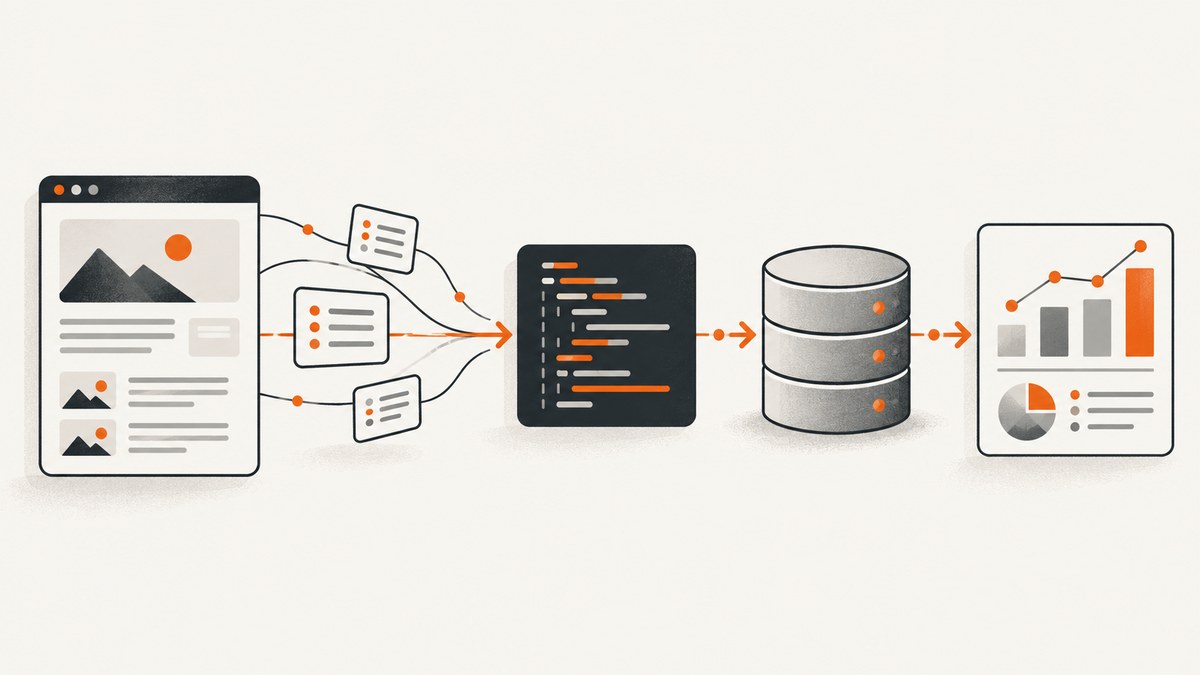
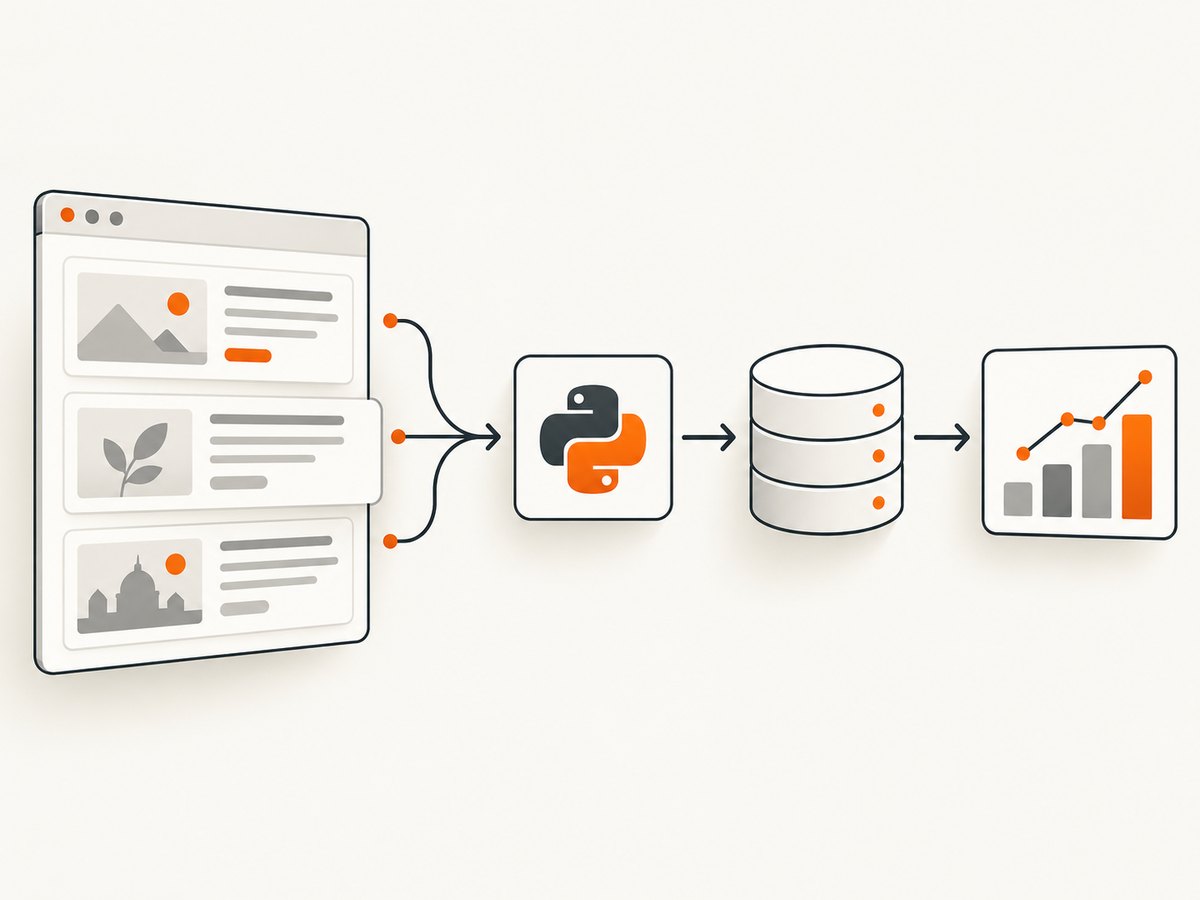
To scrape a website with Python and save the results to SQL, fetch the page, parse its HTML, normalize the records, and write them to a database. For a small local project, SQLite is a practical starting point: it is disk-based and does not need a separate server. Use Beautiful Soup for fields in page structure, pandas read_html for ordinary HTML tables, and DataFrame.to_sql to persist the cleaned result.
This guide walks through a repeatable pipeline: check whether you may fetch the page, request it politely, extract records, preserve source metadata, create a stable table, and query it back with pandas. The example uses SQLite and Requests, but the boundaries between retrieval, parsing, storage, and analysis let you replace each piece later.
1. Check the site before scraping
First look for an official API or downloadable dataset. If scraping is appropriate, read the site’s terms and inspect its robots.txt. Python’s urllib.robotparser can parse robots rules; those rules are useful input to your crawler policy, but they do not settle every question of permission. Site terms and applicable rules vary, so assess them for the site you are accessing.
Keep request volume modest. Use a descriptive user agent, a timeout, and a delay between requests. Do not treat a successful HTTP response as permission to collect or reuse the content.
from urllib.parse import urlparse
from urllib.robotparser import RobotFileParser

page_url = "https://example.com/products"
parsed = urlparse(page_url)
robots_url = f"{parsed.scheme}://{parsed.netloc}/robots.txt"
robot_parser = RobotFileParser(robots_url)
robot_parser.read()

user_agent = "ExampleResearchBot/1.0 (contact: developer@example.com)"
if not robot_parser.can_fetch(user_agent, page_url):
    raise SystemExit(f"robots.txt disallows fetching {page_url}")
Replace the example URL and contact address with your own. A robots file can be unavailable or malformed; decide explicitly how your application handles that condition instead of silently assuming unrestricted access.
2. Set up Python and choose the retrieval method
Requests offers a concise HTTP API, sessions that preserve cookies, and connection pooling. The standard library’s urllib.request can also open URLs without installing a client library. The rest of this example uses Requests because it makes session configuration and status checking straightforward.
python -m venv .venv
# macOS or Linux:
source .venv/bin/activate
# Windows PowerShell:
# .venv\Scripts\Activate.ps1
python -m pip install requests beautifulsoup4 pandas
Save the following as scrape_to_sql.py. The target selectors are illustrative; inspect the target page’s HTML and change them to match its actual structure.
from datetime import datetime, timezone
from time import sleep
import sqlite3

import pandas as pd
import requests
from bs4 import BeautifulSoup

URL = "https://example.com/products"
DATABASE = "scraped_data.sqlite3"
USER_AGENT = "ExampleResearchBot/1.0 (contact: developer@example.com)"

session = requests.Session()
session.headers.update({"User-Agent": USER_AGENT, "Accept": "text/html"})

try:
    response = session.get(URL, timeout=(5, 30))
    response.raise_for_status()
except requests.Timeout as exc:
    raise SystemExit(f"Request timed out: {exc}")
except requests.HTTPError as exc:
    raise SystemExit(f"Server returned an HTTP error: {exc}")
except requests.RequestException as exc:
    raise SystemExit(f"Could not retrieve page: {exc}")

soup = BeautifulSoup(response.text, "html.parser")
records = []
retrieved_at = datetime.now(timezone.utc).isoformat()

for card in soup.select("article.product"):
    title_node = card.select_one("h2")
    price_node = card.select_one(".price")
    link_node = card.select_one("a[href]")
    if title_node is None or link_node is None:
        continue

    records.append({
        "title": title_node.get_text(" ", strip=True),
        "price_text": price_node.get_text(" ", strip=True) if price_node else None,
        "item_url": requests.compat.urljoin(URL, link_node["href"]),
        "source_url": URL,
        "retrieved_at": retrieved_at,
    })

if not records:
    raise SystemExit("No records matched article.product; check the page and selectors")

df = pd.DataFrame.from_records(records)
df.columns = [column.strip().lower().replace(" ", "_") for column in df.columns]
df["title"] = df["title"].astype("string").str.strip()
df["price_text"] = df["price_text"].astype("string").str.strip()
df = df.dropna(subset=["title"])
df = df[df["title"] != ""]
df = df.drop_duplicates(subset=["item_url"], keep="last")

# to_sql needs a stable, trusted table name. Values in the frame are data.
with sqlite3.connect(DATABASE, timeout=30) as connection:
    df.to_sql("products", connection, if_exists="append", index=False)

print(f"Stored {len(df)} records from {URL} in {DATABASE}")
Run it with python scrape_to_sql.py. It appends each run, so the same items may appear again on later runs. The duplicate removal above only removes repeated URLs within one fetched page; for repeatable historical loads, add a database uniqueness rule and an explicit upsert strategy, or stage each scrape and merge by a stable key.
3. Extract fields with Beautiful Soup or pandas
Beautiful Soup is designed to pull data from HTML and XML. Use it when records are represented by repeated elements and fields live at known CSS selectors. select and select_one make the example’s assumptions visible. Always handle missing nodes: pages change, optional fields disappear, and a selector that once matched may return nothing.
For a regular HTML table, pandas can do less manual parsing. read_html accepts HTML strings, files, or URLs and returns a list of DataFrames. If you have already fetched a page, pass its HTML to avoid making a second request:
from io import StringIO
import pandas as pd

html = """<table>
  <tr><th>Product</th><th>Price</th></tr>
  <tr><td>Notebook</td><td>$4.50</td></tr>
</table>"""

tables = pd.read_html(StringIO(html))
if not tables:
    raise ValueError("No HTML tables found")
table = tables[0]
table.columns = [str(c).strip().lower().replace(" ", "_") for c in table.columns]
print(table)
Choose the intended table explicitly when a page has several. Validate the returned columns and row count: a parser can succeed while selecting a navigation or comparison table that is not your dataset.
4. Normalize the data before loading SQL
Normalization makes later queries dependable. Convert column names to a stable format, turn numeric and date fields into consistent types, represent missing values deliberately, and define what makes a row a duplicate. Keep the source URL and retrieval timestamp so an analyzed value can be traced to the page and collection run that produced it.
For example, if a price is stored as text such as $1,250.00, remove currency formatting only after deciding which currency the source uses. Do not parse an ambiguous value into a number and discard its original representation. A useful schema may retain both price_text and a normalized price_amount, plus a currency column.
import pandas as pd

# Example cleanup after extraction; adapt formats to the source.
df["title"] = df["title"].astype("string").str.strip()
df["price_text"] = df["price_text"].astype("string").str.strip()
df["retrieved_at"] = pd.to_datetime(df["retrieved_at"], utc=True, errors="coerce")
df = df.dropna(subset=["title", "retrieved_at"])
df = df[df["title"].ne("")]
df = df.drop_duplicates(subset=["item_url"], keep="last")
Use stable keys such as a canonical item URL or a source-provided identifier. Titles alone are often not unique. If URLs contain tracking parameters, normalize them only when you know which parameters do not identify a distinct resource. Preserve the raw URL if that normalization matters to auditing.
5. Write the records to SQLite
Python’s sqlite3 module implements DB-API 2.0, and SQLite stores data in a local file without a separate server process. It is a good fit for a script, prototype, or small single-user dataset. The connection context manager closes the transaction cleanly; explicitly close longer-lived connections when finished.
DataFrame.to_sql accepts SQLite connections as well as SQLAlchemy connections. Its if_exists setting changes the load behavior:
| Value | Behavior | Use when |
|---|---|---|
fail |
Raise an error if the table already exists. | You expect a fresh database and want accidental overwrite detected. |
replace |
Drop the existing table and create it again. | You intentionally rebuild a disposable snapshot. |
append |
Add rows to the existing table. | You keep scrape history or manage duplicates separately. |
delete_rows |
Delete existing rows and insert the new data while preserving the table. | You need a full refresh while retaining the table definition. |
Choose deliberately. A repeatable load needs a stable schema and keys, not just a convenient if_exists value. For a replaceable snapshot, replace is simple but discards the old table definition, including indexes. For history, append with a scrape-run identifier or timestamp, and enforce your own uniqueness policy.
with sqlite3.connect("scraped_data.sqlite3", timeout=30) as connection:
    df.to_sql(
        "products",
        connection,
        if_exists="append",
        index=False,
        chunksize=500,
    )
chunksize controls how many rows are written per batch; tune it for your data and database rather than treating one value as universally fastest. For a server database or code that may switch between database engines, SQLAlchemy provides a common connection layer. Use the target engine’s normal backup, access-control, and operations practices.
6. Query scraped data with pandas
Use SQL for filtering, grouping, and joining close to the stored data, then load the result into pandas for analysis. read_sql_query accepts a SQL query and a connection. Pass values separately as parameters; do not concatenate scraped text or user input into SQL.
import sqlite3
import pandas as pd

with sqlite3.connect("scraped_data.sqlite3") as connection:
    summary = pd.read_sql_query(
        "SELECT source_url, COUNT(*) AS row_count FROM products GROUP BY source_url",
        connection,
    )
    print(summary)

    # Bind values rather than building SQL with string concatenation.
    selected = pd.read_sql_query(
        "SELECT title, item_url FROM products WHERE title LIKE ? LIMIT ?",
        connection,
        params=("%notebook%", 100),
    )
    print(selected)
Pandas also provides read_sql, read_sql_table, and read_sql_query for loading tables or query results. SQLAlchemy text queries with bound parameters and SQLAlchemy expression constructs are useful when you want portable filtering code. SQLite uses question-mark placeholders in this example; parameter syntax depends on the driver.
7. Use safe SQL identifiers and values
Pandas documents that to_sql does not sanitize inputs it receives. Treat table and column names as trusted application configuration, and pass data values through the database driver’s parameter binding. Never make a table name from a scraped field or concatenate a title into a query.
Bound parameters protect values, not SQL identifiers. If a user can choose a sort column or table, map that choice through a fixed allowlist in your code. Keep schema creation and migration under application control. Avoid executing SQL commands assembled from page content.
8. Reliability, performance, and cost
- HTTP reliability: set connection and read timeouts, check status codes, and retry only transient failures with a bounded retry count and backoff. Respect server errors and rate limits; a retry loop without a stop condition can create load and stall the job.
- Polite collection: identify the client, add a delay between requests, and avoid fetching the same page repeatedly when a cached copy is sufficient. Request only the pages and fields needed.
- Parsing: expect markup to change. Record counts and required-field checks can detect a selector returning zero rows or a page layout change. Keep a small sanitized fixture for parser maintenance if you have permission to retain the content.
- Database writes: batch large frames with
chunksize, avoid rebuilding tables unnecessarily, and use indexes on columns you frequently filter or join. SQLite permits a straightforward local workflow, but write contention and operational needs can make a server database more suitable. - Memory: this example holds one page and its records in memory. For large collections, fetch bounded batches and write them incrementally rather than accumulating every page into one DataFrame.
- Cost: the libraries used here are open-source software, but collection still consumes network, compute, storage, and maintenance time. A hosted database or proxy has its own charges; estimate from actual request volume and retention needs.
There is no universal performance figure for this pipeline. Page size, network latency, site behavior, parsing complexity, record count, and database engine all affect runtime. Measure the stages separately in your own permitted workload before optimizing.
9. Troubleshooting common failures
| Symptom | Likely cause | Fix |
|---|---|---|
| HTTP 403 or 429 | The site refuses the request or is limiting its rate. | Review access rules, reduce request frequency, use an appropriate user agent, and stop rather than evading access controls. |
| Timeout or connection error | Network delay, server load, or an unreachable host. | Set bounded timeouts, verify the URL and network, and retry transient failures with a capped backoff. |
| Zero records extracted | Selectors do not match, markup changed, or content is generated after initial HTML. | Inspect the returned HTML and selector matches. If content requires browser rendering, use a permitted rendering approach or an official data source. |
read_html finds no table |
The page has no ordinary HTML table, or the wrong response body was parsed. | Check status and response text, then use Beautiful Soup for structured elements or locate the actual table markup. |
table already exists |
if_exists='fail' detected an existing table. |
Choose append, replace, or delete-and-reload intentionally, or use a new table name for a separate dataset. |
| Duplicate rows after reruns | Append adds each run; the code only deduplicates one page’s current records. | Define a stable key and implement a database uniqueness/upsert or staging-and-merge workflow. |
| SQLite database is locked | Another writer or an unclosed connection holds a lock. | Close connections, keep write transactions short, coordinate writers, and consider a server database when concurrent operations require it. |
| Type conversion produces missing values | Source formats vary or include labels, currency symbols, and unexpected date forms. | Inspect raw values, specify a format or cleanup rule, and retain source text for audit. |
10. Or skip the browser setup
If your source needs a rendered browser page, ScreenshotNeo provides a website screenshot API and MCP server. One GET request can return a PNG, JPEG, WebP, or PDF. This is useful when a screenshot or visual record is the output you need; it does not replace extracting structured fields into SQL.

Here is the one-call example. Replace YOUR_API_KEY with a key from your account. See the ScreenshotNeo API documentation for request options.
curl -G "https://api.screenshotneo.com/v1/shot" -d access_key=YOUR_API_KEY --data-urlencode url=https://stripe.com -o shot.webpimport requests
r = requests.get(
"https://api.screenshotneo.com/v1/shot",
params={"access_key": "YOUR_API_KEY", "url": "https://stripe.com"},
timeout=90,
)
open("shot.webp", "wb").write(r.content)const q = new URLSearchParams({ access_key: 'YOUR_API_KEY', url: 'https://stripe.com' });
const res = await fetch(`https://api.screenshotneo.com/v1/shot?${q}`);- Cookie banners are accepted and removed before capture, along with known consent platforms, newsletter popups, and chat widgets; each cleanup step can be turned off.
- Bot checks, blank pages, timeouts, failed loads, and cache hits are not billed. Responses identify the page verdict and billing status in headers.
- An MCP server provides
take_screenshot,get_page_info, andcapture_pdftools for Claude, Cursor, and other MCP clients. - The free plan includes 1,000 screenshots per month with no card. Paid plans start at $5 for 3,000 screenshots; every feature is on every plan.
Learn about ScreenshotNeo, then sign up for 1,000 free screenshots a month with no card.
11. FAQ
Should I use Beautiful Soup or pandas?
Use Beautiful Soup when fields are embedded in page elements. Use pandas read_html when the data is already in a conventional HTML table. They can also be combined: fetch once, parse tables from the response, then normalize.
Can I store the original page as well as extracted fields?
You can store a permitted source snapshot or a reference to it, but first consider the site’s terms, retention needs, and database size. Keeping the source URL and retrieval timestamp is a small, useful traceability baseline.
When should I move away from SQLite?
Consider a server database when concurrent writers, deployment operations, shared access, or dataset needs exceed the local single-file workflow. SQLAlchemy can help target multiple engines.
Can I query a SQL table directly into a DataFrame?
Yes. Use pandas read_sql_query for a query result or read_sql_table where supported by your connection setup, then continue analysis with pandas.


