Web Scraping With Ruby
Fetch pages with Ruby, parse them with Nokogiri, handle JavaScript with Selenium, and export reliable structured data.

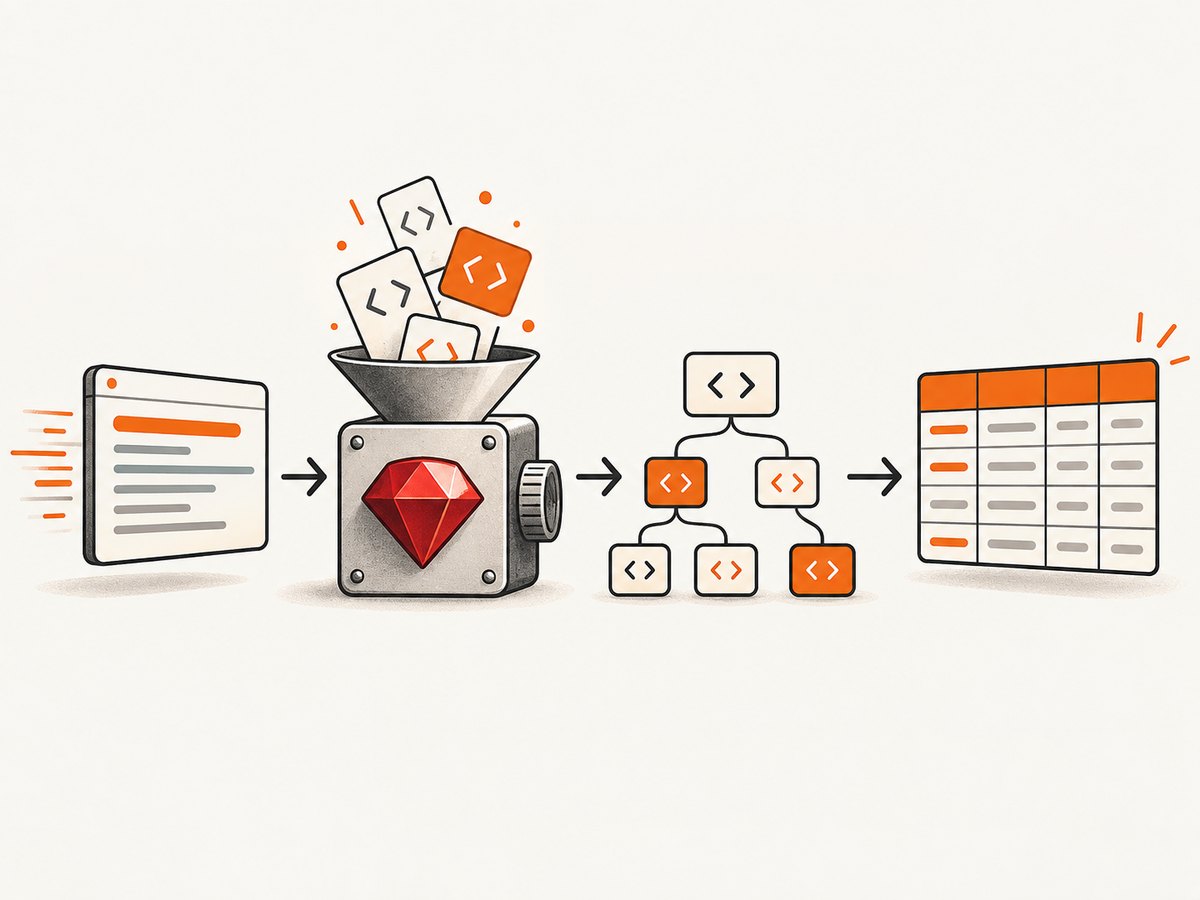
For pages whose useful markup is present in the initial HTTP response, web scraping with Ruby usually means three steps: fetch the page with an HTTP client, parse the response with Nokogiri, and select fields with CSS selectors or XPath. When a page renders its data with JavaScript, use browser automation such as Selenium instead. The examples below show both paths, including normalization, missing fields, CSV output, retries, pacing, diagnostics, and production concerns.
A scraper is a site-specific data pipeline. Selectors can break when markup changes, a sample page can be inaccessible from your environment, and a working request does not establish permission to collect or reuse the data. Check the target site’s terms, access policies, and applicable law before crawling beyond a small test.
1. Choose the right Ruby scraping approach
| Page type | Recommended approach | Trade-off |
|---|---|---|
| Content is in the initial HTML | HTTP client plus Nokogiri | Fast and simple; no browser runtime |
| Content appears after JavaScript runs | Selenium with Chrome or Chromium | More complete rendering; browser setup and higher resource use |
| Many pages with a stable API | Use the documented API when available | Usually more stable than scraping presentation HTML |
Nokogiri reads, writes, modifies, and queries HTML and XML. It supports DOM parsing, SAX and push parsing, CSS selectors, and XPath searches. Its installation documentation currently lists Ruby 3.2 or newer and JRuby 10.0 or newer; verify the live requirements before deploying because runtime support changes. The documentation also notes that HTML5 functionality is unavailable on JRuby.
2. Set up a Ruby project
Create a project and keep dependencies in a Gemfile:
mkdir ruby-scraper
cd ruby-scraper
bundle init
bundle add httparty nokogiri csv
HTTParty is convenient for HTTP requests, Nokogiri parses the body, and Ruby’s standard-library CSV module writes structured output. You can use another HTTP client, but the separation between retrieval and parsing remains the same.
3. Scrape a static HTML page
Start with one URL. Inspect the status, content type, and a small portion of the body before writing selectors. The following complete script extracts article cards from a page, handles absent elements, normalizes whitespace, and writes CSV.
#!/usr/bin/env ruby
require "bundler/setup"
require "httparty"
require "nokogiri"
require "csv"
require "uri"

URL = "https://example.com/articles"

class Scraper
  USER_AGENT = "RubyScraper/1.0 (contact: you@example.com)"

  def initialize(url)
    @url = url
  end

  def fetch
    response = HTTParty.get(
      @url,
      headers: { "User-Agent" => USER_AGENT, "Accept" => "text/html" },
      timeout: 20,
      follow_redirects: true
    )

    unless response.success?
      raise "HTTP #{response.code} while fetching #{@url}"
    end

    content_type = response.headers["content-type"].to_s
    unless content_type.include?("text/html")
      warn "Unexpected content type: #{content_type}"
    end

    response.body
  rescue Net::OpenTimeout, Net::ReadTimeout => e
    raise "Request timed out: #{e.message}"
  end

  def parse(html)
    document = Nokogiri::HTML(html)
    rows = []

    document.css("article.card").each do |card|
      title_node = card.at_css("h2, h3")
      link_node = card.at_css("a[href]")
      summary_node = card.at_css(".summary, p")

      next unless title_node && link_node

      rows << {
        title: clean(title_node.text),
        url: absolute_url(link_node["href"]),
        summary: clean(summary_node&.text)
      }
    end

    rows
  end

  private

  def clean(value)
    value.to_s.gsub(/\s+/, " ").strip
  end

  def absolute_url(href)
    return nil if href.to_s.empty?
    URI.join(@url, href).to_s
  rescue URI::InvalidURIError
    nil
  end
end

scraper = Scraper.new(URL)
records = scraper.parse(scraper.fetch)

if records.empty?
  warn "No records found. Check the URL and selectors."
end

CSV.open("articles.csv", "w", write_headers: true,
         headers: %w[title url summary]) do |csv|
  records.each { |record| csv << record.values_at(:title, :url, :summary) }
end

puts "Wrote #{records.length} records to articles.csv"
Replace the example URL and selectors with the target site's actual structure. A selector such as article.card is only an example; it does not imply that another site uses the same markup or permits automated access.
CSS selectors and XPath
CSS is concise for common cases:
document.css("main article h2 a").map { |node| node["href"] }
XPath is useful when you need relationships or text conditions:
document.xpath("//article[.//h2]/descendant::a[@href][1]").map { |node| node["href"] }
Prefer stable attributes and semantic structure over generated class names. Validate that an expected field exists and record a warning when a selector returns zero or unexpectedly many nodes.
4. Normalize values and handle missing data
Real pages contain extra whitespace, relative links, optional prices, duplicate cards, and malformed fragments. Normalize at the boundary:
def text_at(node, selector)
  node.at_css(selector)&.text&.gsub(/\s+/, " ")&.strip
end

def number_from(text)
  return nil if text.to_s.empty?
  text.delete(",").scan(/-?\d+(?:\.\d+)?/).first&.to_f
end
- Return
nilfor an absent value instead of inventing an empty default that looks valid. - Keep the original URL and a fetch timestamp with each record so results can be audited.
- Deduplicate by a stable key such as canonical URL, not by title alone.
- Preserve encoding as UTF-8 and test non-ASCII names, punctuation, and currency symbols.
5. Add retries, pacing, and diagnostics
Retries should be limited and should target transient failures, not every response. Use exponential backoff and stop on most client errors:
def with_retries(max_attempts: 3)
  attempts = 0
  begin
    attempts += 1
    yield
  rescue Net::OpenTimeout, Net::ReadTimeout, Errno::ECONNRESET => e
    raise if attempts >= max_attempts
    sleep(2 ** (attempts - 1))
    retry
  end
end
Keep request rates conservative, especially across many URLs. A delay between requests, a clear user agent, bounded concurrency, and a persistent log of status codes reduce accidental load and make failures diagnosable. Cache responses during development so selector work does not repeatedly hit the origin.
6. Scrape JavaScript-rendered pages with Selenium
An HTTP client only receives the server response. If the relevant content is inserted after JavaScript executes, the initial HTML may not contain it. The Selenium pattern below opens Chrome, waits for a selector, reads the rendered DOM, and then hands that HTML to Nokogiri. Selenium is a browser-automation option, not a requirement for every scraper.
bundle add selenium-webdriver nokogiri
require "selenium-webdriver"
require "nokogiri"

options = Selenium::WebDriver::Chrome::Options.new
options.add_argument("--headless=new")
options.add_argument("--no-sandbox")
options.add_argument("--disable-dev-shm-usage")

driver = Selenium::WebDriver.for(:chrome, options: options)
begin
  driver.navigate.to("https://example.com/products")

  wait = Selenium::WebDriver::Wait.new(timeout: 15)
  wait.until { driver.find_elements(css: "article.product").any? }

  document = Nokogiri::HTML(driver.page_source)
  products = document.css("article.product").filter_map do |product|
    name = product.at_css("h2, h3")&.text&.gsub(/\s+/, " ")&.strip
    price = product.at_css(".price")&.text&.gsub(/\s+/, " ")&.strip
    next if name.to_s.empty?
    { name: name, price: price }
  end

  puts products.inspect
ensure
  driver.quit
end
Install Chrome or Chromium and ensure the driver is available to Selenium. In CI or containers, browser version mismatches, sandbox restrictions, missing fonts, and insufficient shared memory are common causes of failure. Keep a timeout for each wait; an unbounded wait can stall a whole crawl.
7. Respect access policies and data boundaries
Check the site's terms, authentication requirements, rate limits, and intended use before collecting data. RFC 9309 defines the Robots Exclusion Protocol and states, “These rules are not a form of access authorization.” A robots.txt file is therefore not authentication, a security boundary, or proof that a scrape is legally permitted. Google's documentation similarly explains that robots.txt manages crawler access and traffic; it does not keep pages out of search results or enforce crawler behavior. Treat authorization, site terms, and applicable law as separate questions.
8. Troubleshooting Ruby scrapers
| Symptom | Likely cause | Fix |
|---|---|---|
LoadError: cannot load such file |
Gem is not installed or Bundler was skipped | Run bundle install and execute with bundle exec ruby scraper.rb. |
| Status 403 or 429 | Access policy, authentication, or request rate | Stop and review permission and terms; slow down, identify your client, and use documented authentication where authorized. |
| Empty Nokogiri result | Wrong selector or content is rendered by JavaScript | Save and inspect the response body, verify selectors, then determine whether Selenium is needed. |
| Timeouts | Slow origin, network issue, or browser wait for a missing element | Set bounded connect/read/page waits, retry transient errors with backoff, and fail the URL with a diagnostic record. |
| Relative links are unusable | href is not an absolute URL |
Resolve with URI.join against the page URL. |
| Duplicate or missing records | Pagination, lazy loading, changing markup, or repeated components | Handle pagination explicitly, wait for content, choose stable selectors, and validate expected counts. |
| Selenium cannot start | Chrome/driver mismatch or container restrictions | Align browser and driver versions, use headless flags appropriate to the environment, and inspect the driver log. |
| Encoding appears corrupted | Incorrect charset handling or mixed source encodings | Inspect response headers and document metadata; preserve UTF-8 and test representative characters. |
9. Performance, reliability, and cost considerations
HTTP plus Nokogiri
For static pages, avoid launching a browser per URL. Reuse connections when your HTTP client supports it, keep response bodies bounded where appropriate, parse only the nodes you need, and write output incrementally instead of retaining an unbounded array. Parallelism can improve throughput but increases load on the target and the chance of rate limiting; use a small, measured concurrency limit.
Browser automation
Browsers consume substantially more CPU and memory than an HTTP request. Reuse a browser session for related pages when isolation permits, wait for a specific selector rather than an arbitrary long sleep, block unnecessary assets only when that does not change the data, and always call quit in an ensure block. Record browser, URL, wait condition, and failure reason so a flaky page can be retried separately.
Reliability and data quality
- Store source URL, retrieval time, HTTP status, parser version, and selector version.
- Alert when a required selector returns zero results or the result count changes sharply.
- Use idempotent output keys so a retry does not create duplicates.
- Keep raw HTML for a small diagnostic sample, subject to your data-retention obligations.
- Separate transient transport errors from permanent selector or permission errors.
10. Or skip the browser setup
If your goal is a clean screenshot of a rendered page rather than extracting fields from HTML, ScreenshotNeo provides a single request to capture a PNG, JPEG, WebP, or PDF. It accepts cookie and consent banners like a visitor, then removes more than 60 known consent platforms, newsletter popups, and chat widgets before capture; each cleanup step can be disabled. Bot checks or CAPTCHAs, blank pages, timeouts, failed loads, and cache hits are not billed, and the response identifies the page verdict and billing status in X-Page-Verdict and X-Billed headers.

Ruby does not need a special SDK. Use the HTTP endpoint directly; the ScreenshotNeo API documentation describes all options and parameter names.
require "net/http"
require "uri"

params = {
  "access_key" => "YOUR_API_KEY",
  "url" => "https://stripe.com"
}
uri = URI("https://api.screenshotneo.com/v1/shot")
uri.query = URI.encode_www_form(params)

response = Net::HTTP.get_response(uri)
unless response.is_a?(Net::HTTPSuccess)
  abort "Screenshot failed: HTTP #{response.code}"
end

File.binwrite("shot.webp", response.body)
puts "Saved shot.webp (#{response.body.bytesize} bytes)"
curl -G "https://api.screenshotneo.com/v1/shot" -d access_key=YOUR_API_KEY --data-urlencode url=https://stripe.com -o shot.webp
import requests
r = requests.get("https://api.screenshotneo.com/v1/shot", params={"access_key": "YOUR_API_KEY", "url": "https://stripe.com"}, timeout=90)
open("shot.webp", "wb").write(r.content)
const q = new URLSearchParams({ access_key: 'YOUR_API_KEY', url: 'https://stripe.com' }); const res = await fetch(`https://api.screenshotneo.com/v1/shot?${q}`);
For scraping workflows that need visual evidence, ScreenshotNeo also supports full-page capture with lazy images loaded, CSS-selector element capture, device presets or custom viewports, dark mode, retina scale, custom CSS and JavaScript, click and wait actions, request blocking, headers, cookies, user agents, authorization, timezone and geolocation, transparent backgrounds, resizing, TTL caching, signed links, asynchronous jobs with signed webhooks, bulk capture for up to 100 URLs per call, usage reporting, and PDF options. Its MCP server exposes take_screenshot, get_page_info, and capture_pdf to Claude, Cursor, and other MCP clients. Plans include 1,000 shots per month free with no card; paid plans start at $5 for 3,000 shots, and every feature is available on every plan.
Start with 1,000 free screenshots per month—no card required.
11. A practical production checklist
- Define the fields, acceptable missing values, and output schema.
- Confirm the target is accessible and review terms, authentication, and rate limits.
- Fetch one page and inspect status, headers, and raw HTML.
- Write and validate Nokogiri CSS or XPath selectors.
- Normalize whitespace, URLs, numbers, dates, and encodings.
- Add bounded timeouts, targeted retries, pacing, and structured logs.
- Use Selenium only after confirming the required data is absent from the initial response.
- Test pagination, empty results, changed markup, redirects, and duplicate records.
- Run at a conservative rate, monitor selector health, and retain enough metadata to reproduce failures.
FAQ
Do I always need Selenium for Ruby scraping?
No. Use an HTTP client and Nokogiri when the data is in the response HTML. Use Selenium when JavaScript must execute to produce the content.
Can Nokogiri click buttons or run JavaScript?
No. Nokogiri parses documents; it does not provide browser interaction. Pair it with Selenium or another browser automation layer when interaction is required.
Is robots.txt permission to scrape?
No. It is a crawler protocol, not authentication or access authorization. Review terms, authorization, and applicable law separately.
Why did my selector work yesterday?
Presentation markup changes. Record selector failures, prefer stable attributes, and add checks that detect an empty or unexpectedly large result set.
When is a screenshot API useful in a scraping pipeline?
It is useful when you need rendered visual output, PDFs, or page evidence and do not want to maintain Chrome, drivers, waits, and consent-banner cleanup yourself.


