Web Scraping with Scrapy 101
Build a practical Scrapy crawler in Python: install it, extract data with CSS and XPath, export results, debug failures, and crawl responsibly.
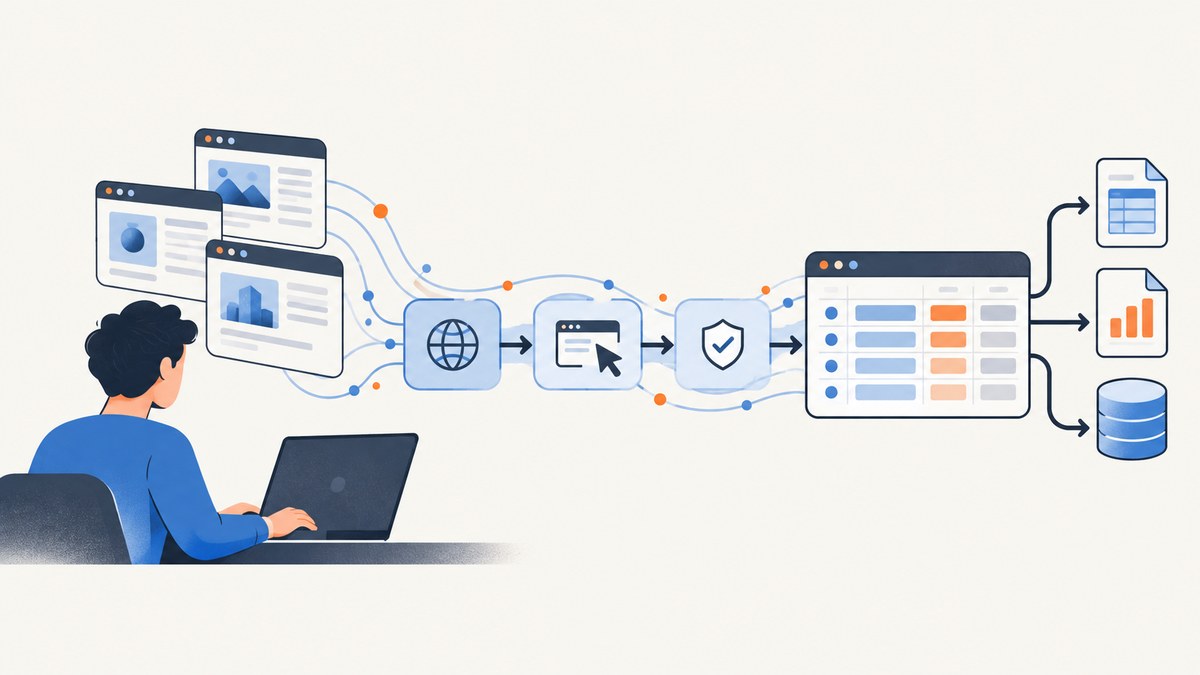
Scrapy is a Python framework for crawling websites and extracting structured data. A spider sends requests, receives responses, selects fields with CSS or XPath, yields items, and exports or processes those items. This guide builds a working crawler from an empty directory, then explains selectors, pagination, pipelines, feed exports, settings, debugging, performance, and responsible operation.
What Scrapy does
The official project describes Scrapy as a high-level web crawling and web scraping framework used to crawl websites and extract structured data. Its components have clear jobs:
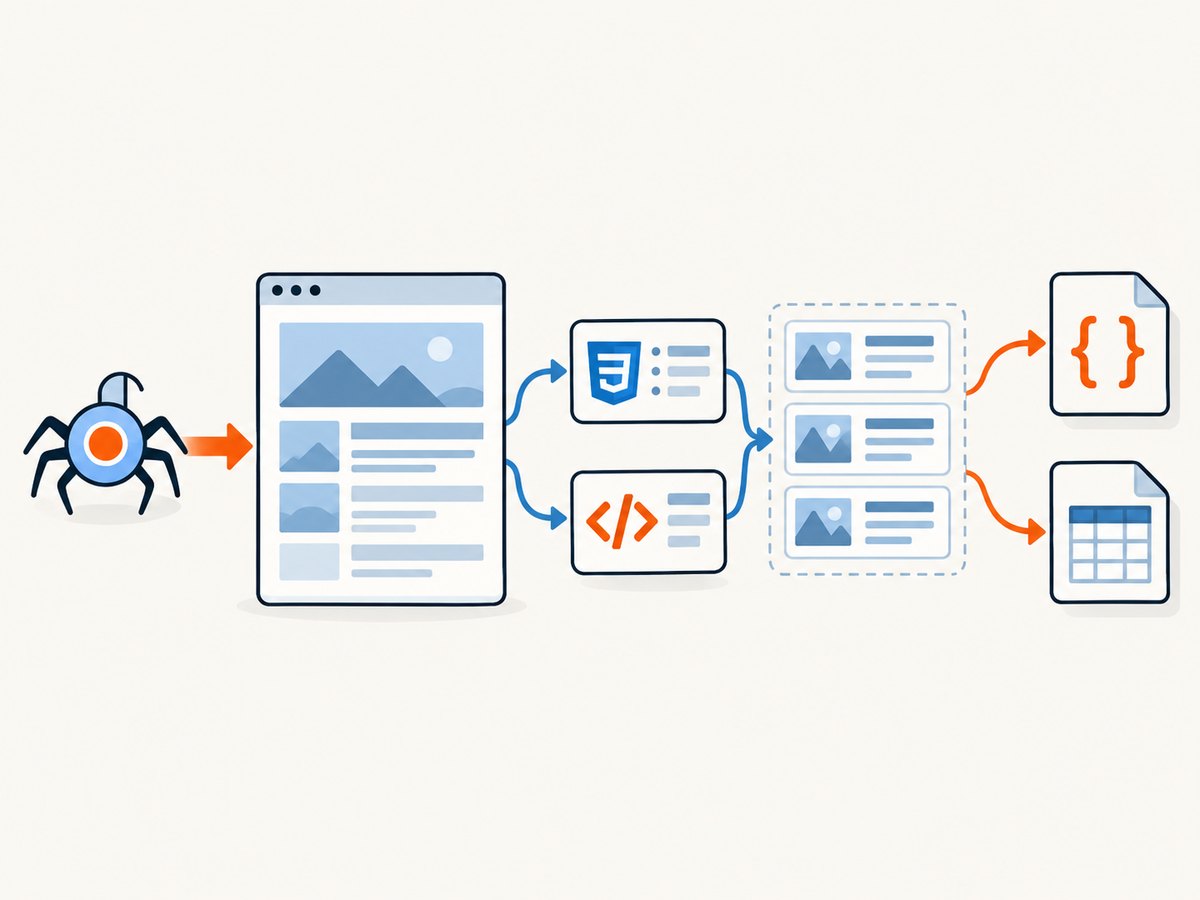
- Spider: defines starting URLs, callbacks, parsing rules, and follow-up requests.
- Request and response: represent HTTP work and the returned page.
- Selectors: query response HTML or XML with CSS or XPath.
- Items: dictionaries or item objects containing extracted fields.
- Item pipelines: clean, validate, deduplicate, or persist each item.
- Feed exports: serialize scraped items to JSON, JSON Lines, CSV, XML, or another supported destination.
- Settings: configure concurrency, delays, middleware, pipelines, exports, headers, and other behavior.
This structure is more maintainable than a one-off request-and-parse script when a crawl has many pages, retries, pagination, validation, or multiple outputs. Scrapy documentation also lists data mining, monitoring, and automated testing among possible uses. Read the official overview for the framework model.
Install Scrapy in an isolated project
Current Scrapy 2.19 documentation requires Python 3.10 or newer. Check your interpreter first:
python --versionCreate a project-specific virtual environment, activate it, and install Scrapy from PyPI. The exact activation command depends on your shell; the commands below work in common POSIX shells:
mkdir books-crawler
cd books-crawler
python -m venv .venv
. .venv/bin/activate
python -m pip install --upgrade pip
python -m pip install Scrapy
scrapy version
A dedicated environment prevents this project’s dependencies from conflicting with system packages. The installation guide also documents conda-forge and operating-system-specific prerequisites.
Generate a project and inspect its layout:
scrapy startproject books_crawler .
scrapy genspider books books.toscrape.com
You now have a books_crawler/ package, a settings.py file, and a spider at books_crawler/spiders/books.py. The generated spider is the file you will edit.
Build a complete first spider
The following spider follows the pagination on the Books to Scrape demonstration site and yields one item per book. It illustrates a safe pattern for missing fields: selectors return an empty list when a page does not match, and the code supplies a default instead of crashing.
import scrapy


class BooksSpider(scrapy.Spider):
    name = 'books'
    allowed_domains = ['books.toscrape.com']
    start_urls = ['https://books.toscrape.com/catalogue/page-1.html']

    def parse(self, response):
        for book in response.css('article.product_pod'):
            yield {
                'title': book.css('h3 a::attr(title)').get(),
                'price': book.css('p.price_color::text').get(),
                'availability': ' '.join(
                    book.css('p.instock.availability::text').getall()
                ).strip(),
                'detail_url': response.urljoin(
                    book.css('h3 a::attr(href)').get()
                ),
            }

        next_href = response.css('li.next a::attr(href)').get()
        if next_href:
            yield response.follow(next_href, callback=self.parse)
Run it and write JSON Lines:
scrapy crawl books -O books.jlThe -O option overwrites the destination. Use -o to append to an existing feed when that behavior is appropriate. Open the resulting file and verify that titles, prices, availability, and absolute detail URLs are present.
Understand the spider loop
- Scrapy schedules the spider’s
start_urlsas requests. - Each HTTP response is passed to the callback named by
callback; the default callback is usuallyparse. - The callback uses selectors to read fields and yields dictionaries or item objects.
- Yielded dictionaries go to feed exports and enabled item pipelines.
- A callback can yield more requests, allowing pagination, detail pages, or linked resources to be crawled.
Use response.urljoin() or response.follow() for relative links. They resolve a link against the current response URL, which avoids accidentally exporting unusable relative paths.
For a spider that starts dynamically, define start_requests():
def start_requests(self):
    urls = [
        'https://example.com/catalogue',
        'https://example.com/archive',
    ]
    for url in urls:
        yield scrapy.Request(url=url, callback=self.parse)
Use request metadata sparingly. Metadata is useful for passing context to a callback, but copying large objects through every request wastes memory.
Extract fields with CSS and XPath
Scrapy supports both CSS and XPath selectors. Choose the expression that clearly describes the actual document structure; neither is universally more robust. CSS is often concise for classes and attributes. XPath is useful for relationships, text conditions, and positional logic.
# CSS: one value or all matching values
title = response.css('h1::text').get()
links = response.css('a::attr(href)').getall()

# XPath: one value or all matching values
heading = response.xpath('//h1/text()').get()
prices = response.xpath("//p[contains(@class, 'price')]/text()").getall()
.get() returns the first match or None. .getall() returns every match as a list. Handle absent values deliberately:
author = response.css('.author::text').get()
if author is not None:
    author = author.strip()
else:
    author = 'unknown'
Selectors can be chained. In the example spider, book.css(...) limits the query to one product card before reading its title and price. This prevents fields from different cards being mixed together.
Text nodes may include whitespace and nested elements. Normalize after extraction:
summary = ' '.join(
    response.css('div.summary ::text').getall()
).strip()
When an attribute contains a relative URL, resolve it before storing it. When a page changes its markup, inspect the response with scrapy shell:
scrapy shell 'https://books.toscrape.com/catalogue/page-1.html'
response.css('article.product_pod h3 a::attr(title)').getall()
response.xpath('//li[@class="next"]/a/@href').get()
Export results: feeds or pipelines?
Feed exports are the simplest choice when you need a supported file or storage format. Common formats include JSON, JSON Lines, CSV, and XML. Set an output format on the command line:
scrapy crawl books -O books.json
scrapy crawl books -O books.csv
scrapy crawl books -O books.xml
Use project settings when every run should have the same destination:
FEEDS = {
    'exports/%(name)s-%(time)s.jsonl': {
        'format': 'jsonlines',
        'encoding': 'utf8',
        'overwrite': False,
    },
}
Use a pipeline when each item needs cleaning, validation, duplicate removal, or custom storage. Create books_crawler/pipelines.py:
from itemadapter import ItemAdapter


class CleanBooksPipeline:
    def process_item(self, item, spider):
        data = ItemAdapter(item)
        if data.get('title'):
            data['title'] = data['title'].strip()
        if data.get('price'):
            data['price'] = data['price'].strip()
        return item
Enable it in settings.py:
ITEM_PIPELINES = {
    'books_crawler.pipelines.CleanBooksPipeline': 300,
}
Pipeline priorities run from lower numeric values to higher values. Put validation before persistence if invalid items must be rejected before storage. Feed exports remain preferable when serialization is all you need; pipelines add control at the cost of code and configuration.
Useful settings for crawl behavior
Settings are project-wide defaults and can be overridden for a specific run. A small, explicit baseline might look like this:
ROBOTSTXT_OBEY = True
CONCURRENT_REQUESTS = 8
DOWNLOAD_DELAY = 0.5
AUTOTHROTTLE_ENABLED = True
FEED_EXPORT_ENCODING = 'utf-8'
Concurrency controls how many requests Scrapy can process in parallel. Delay and throttling influence request pacing. There is no universal safe rate: inspect the target site’s current instructions, terms, technical limits, and applicable requirements before crawling. Scrapy exposes these controls; selecting values remains a site-specific decision.
Other settings you may need include:
DOWNLOAD_TIMEOUTfor slow or unresponsive servers.RETRY_ENABLEDand retry settings for transient HTTP failures.DEFAULT_REQUEST_HEADERSfor headers required by a documented endpoint.USER_AGENTto identify your crawler clearly.HTTPERROR_ALLOW_ALLonly when a callback must inspect non-2xx responses explicitly.
Do not raise concurrency simply because a crawl is slow. More parallel requests can increase server load, trigger defenses, consume local memory, and produce more failures.
Dynamic pages and content that is not in HTML
Scrapy parses the response body it receives. If a site renders data only after JavaScript runs in a browser, the initial HTML may not contain the fields you expect. First inspect the response and network behavior. Look for a documented JSON endpoint or embedded data that the page itself requests. If browser rendering is genuinely required, treat browser automation as a separate component and pass its output into your extraction process. Keep selectors and validation in Scrapy where possible so the crawl remains understandable.
Lazy-loaded images and infinite scroll can also change what is available in the first response. A selector returning no value is evidence to investigate, not a reason to assume the field is absent from the site.
Troubleshooting common failures
| Symptom | Likely cause | Fix |
|---|---|---|
scrapy: command not found |
The virtual environment is not active or Scrapy is installed in another interpreter. | Activate .venv and run python -m pip install Scrapy; use python -m scrapy to select the interpreter explicitly. |
| Empty selector results | The selector does not match the response, the markup changed, or content is rendered later by JavaScript. | Use scrapy shell, inspect response.text, test CSS and XPath expressions, and identify the actual response that contains the data. |
| Relative URLs in output | The spider stores the raw href. |
Resolve links with response.urljoin() or follow them with response.follow(). |
AttributeError after .get() |
.get() returned None because the field was missing. |
Check for None and provide a default, or reject the item through validation. |
| Duplicate items | Pagination links repeat, multiple paths reach the same page, or the source itself repeats records. | Track a stable ID or canonical URL in a pipeline and remove duplicates before persistence. |
| 429 or many 5xx responses | The request rate is too high, the endpoint is unstable, or access rules changed. | Reduce concurrency, add delay or throttling, honor site instructions, inspect retry logs, and stop if you do not have permission to continue. |
| Export file is empty | No items were yielded, the callback was not called, or the feed path is unexpected. | Run with higher logging, confirm the start request returns the expected status, and yield a test dictionary from the callback. |
| Encoding errors | The source contains characters that are not represented by the chosen output encoding. | Set FEED_EXPORT_ENCODING = 'utf-8' and open the file with UTF-8 in downstream tools. |
Use scrapy crawl books -L INFO for normal diagnostics and -L DEBUG when you need request scheduling and selector context. Keep logs from failed runs; URLs, status codes, and callback names usually reveal the failing stage.
Performance, reliability, and cost planning
Scrapy’s asynchronous architecture can handle many scheduled requests, but throughput is constrained by the target server, network, response size, parsing work, and your machine. Measure useful output per minute, not requests alone. Start conservatively, then adjust concurrency and delay while watching error rates, memory, and server responses.
- Reduce work: follow only links needed for the dataset and avoid downloading assets you will never parse.
- Keep items small: store URLs and extracted fields instead of full response bodies unless archival storage is required.
- Make retries selective: transient failures may be retried, while repeated access denials should be investigated rather than hammered.
- Design for restart: write incremental feeds or durable pipeline records so a partial run is useful.
- Validate early: reject malformed records before they reach a database or downstream job.
- Record provenance: include source URL and crawl timestamp when later users need to trace a value.
Scrapy itself is open-source software; your operational cost comes from compute, bandwidth, storage, proxy or browser infrastructure if used, and engineering time. The documentation does not establish a universal performance benchmark or a fixed safe request rate.
Or skip the browser setup
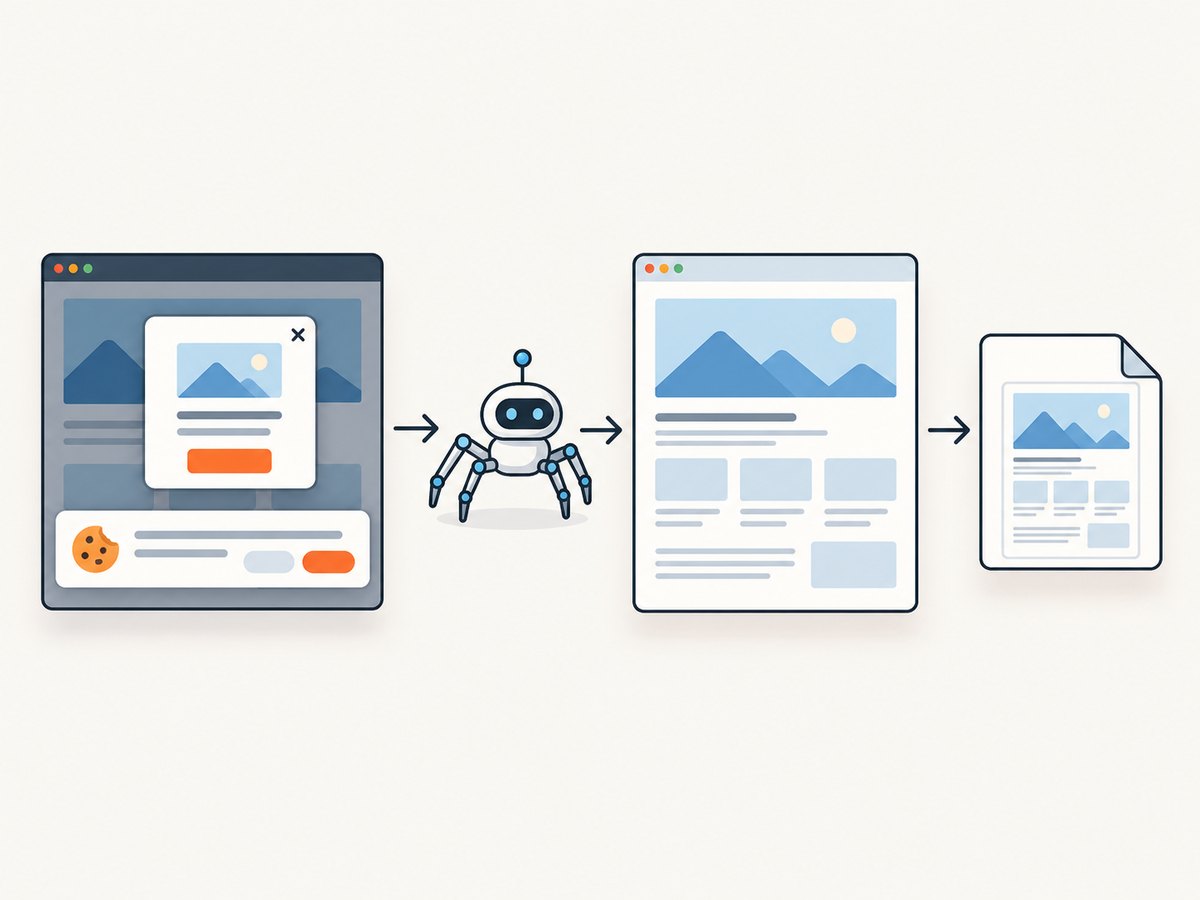
If your goal is a clean image of a page rather than extracting structured text, ScreenshotNeo provides a single screenshot request. It accepts a URL and returns PNG, JPEG, WebP, or PDF. Cookie and consent banners, newsletter popups, and chat widgets are removed before capture; bot checks, blank pages, timeouts, failed loads, and cache hits are not billed. An MCP server provides take_screenshot, get_page_info, and capture_pdf tools for Claude, Cursor, and other MCP clients.
See the ScreenshotNeo API documentation for all options. A minimal cURL call is:
curl -G 'https://api.screenshotneo.com/v1/shot' \
  -d access_key=YOUR_API_KEY \
  --data-urlencode url=https://stripe.com \
  -o shot.webp
Python:
import requests

r = requests.get(
    'https://api.screenshotneo.com/v1/shot',
    params={'access_key': 'YOUR_API_KEY', 'url': 'https://stripe.com'},
    timeout=90,
)
r.raise_for_status()
open('shot.webp', 'wb').write(r.content)
Node.js:
const q = new URLSearchParams({ access_key: 'YOUR_API_KEY', url: 'https://stripe.com' });
const res = await fetch(`https://api.screenshotneo.com/v1/shot?${q}`);
if (!res.ok) throw new Error(`HTTP ${res.status}`);
const data = Buffer.from(await res.arrayBuffer());
require('fs').writeFileSync('shot.webp', data);
ScreenshotNeo has full-page capture with lazy images loaded, CSS element capture, device presets and custom viewports, dark mode, retina scale, custom CSS and JavaScript, click and wait actions, request blocking, headers, cookies, user agents, authorization, timezone and geolocation, transparent backgrounds, resizing, caching with your chosen TTL, signed links, asynchronous jobs with signed webhooks, bulk capture for up to 100 URLs per call, a usage API, and an OpenAPI specification. Responses include X-Page-Verdict and X-Billed headers so your code can see how the page was classified.
The Free plan includes 1,000 screenshots each month with no card. Paid plans start at $5 for 3,000 screenshots; every feature is available on every plan. Create a free ScreenshotNeo account and try the API without adding a card.
Short FAQ
Should I use CSS or XPath?
Use whichever expresses the page structure clearly. CSS is concise for classes and attributes; XPath is useful for relationships and conditional text. Test the selector against real responses and handle missing matches.
When do I need a pipeline?
Use a pipeline for item-level cleaning, validation, deduplication, or custom persistence. Use feed exports when a supported file or storage format is sufficient.
Can Scrapy scrape a JavaScript application?
Scrapy parses the response body it receives. Find a documented data endpoint or embedded data when possible. If the required content exists only after browser rendering, add a browser-capable component and keep extraction and validation explicit.
How fast should my crawler be?
There is no universal rate. Start with conservative concurrency and delay, read the target site’s current instructions, monitor errors, and adjust for that site and workload.
How do I keep a crawl restartable?
Export incrementally or persist validated items during the run, include stable identifiers, and design the pipeline to tolerate a second pass without creating duplicates.
Next steps
After this first spider works, study Scrapy’s documentation on selectors, feed exports, item pipelines, settings, debugging, dynamic content, security, optimization, and deployment. Add one capability at a time: detail-page requests, validation, deduplication, then durable storage. A small spider with explicit selectors and useful logs is easier to maintain than a large crawler that hides failures.


