Using Webhooks in Browser Automation Functions
Connect webhook events to browser automation reliably. Learn the trigger patterns, runnable examples, security, retries, and ways to handle long-running browser tasks.
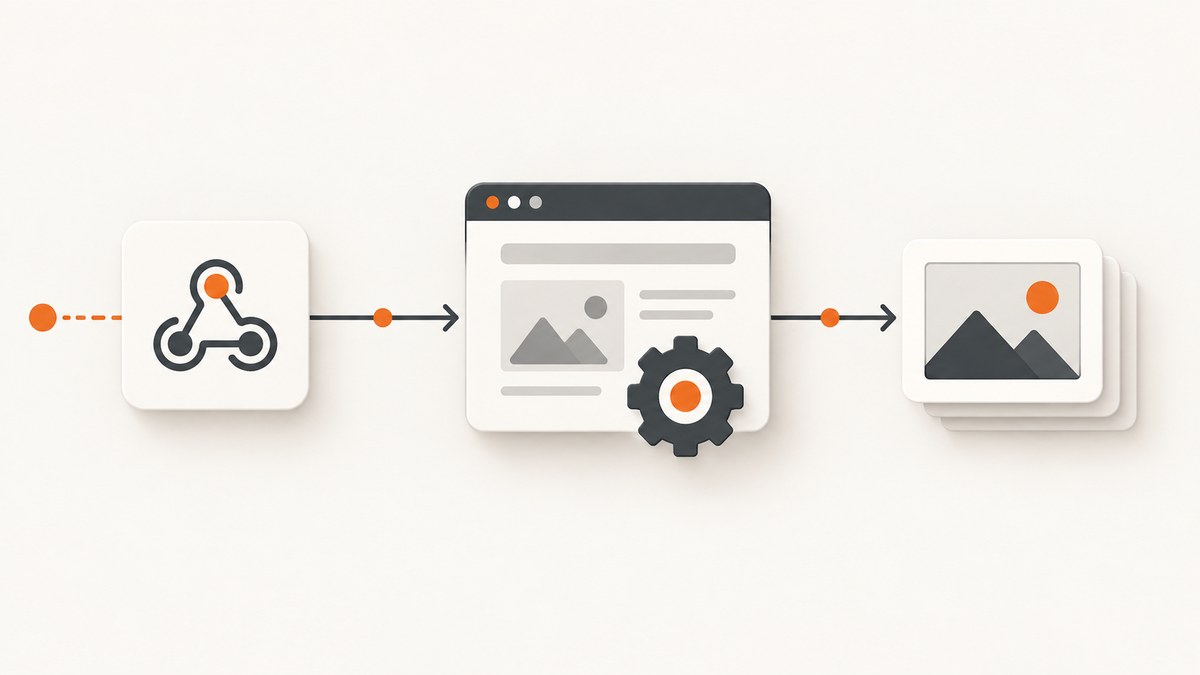
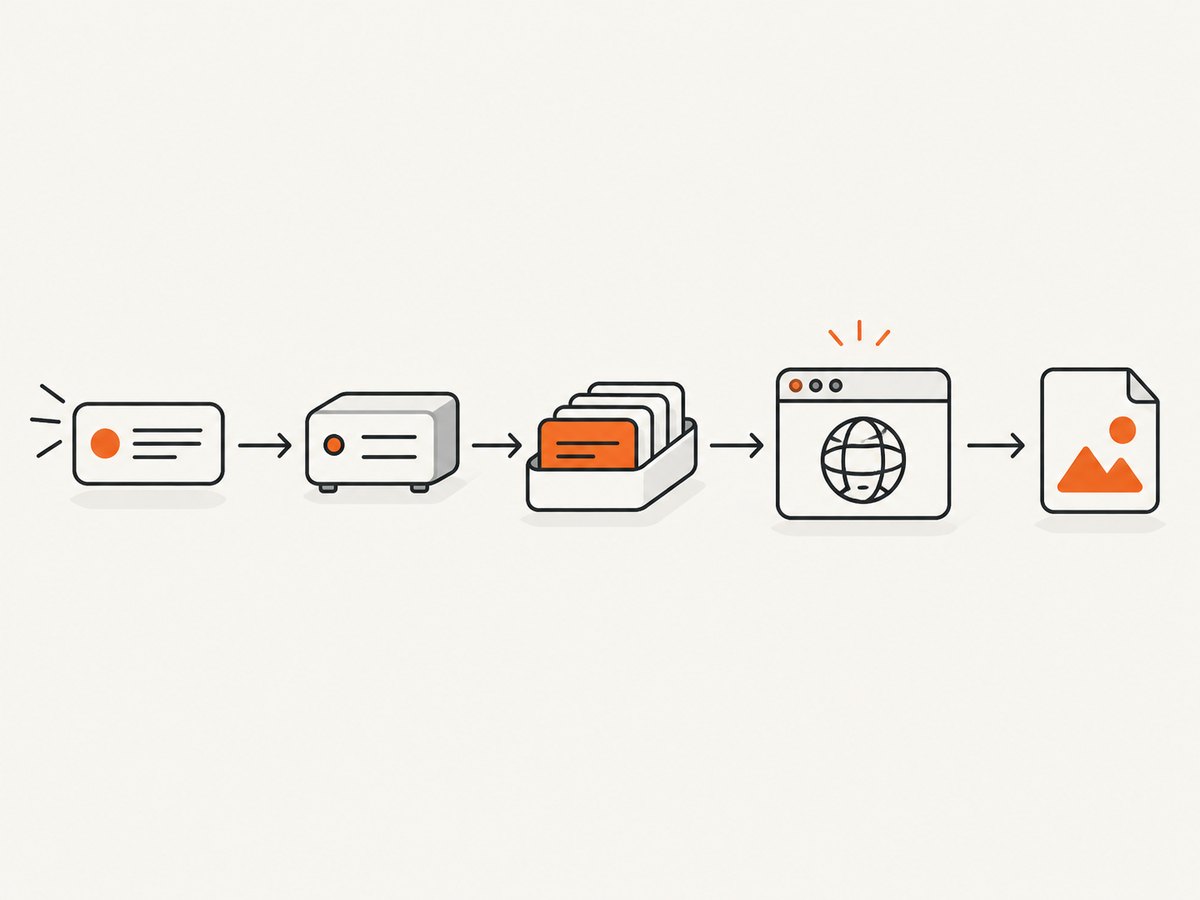
A webhook does not run a browser by itself. It delivers an HTTP event to a receiver or workflow; that receiver then starts browser code on an execution service. Treat those as two linked jobs: accept and validate the event, then run a browser task and record its result.
For short tasks that need an immediate result, call a browser function endpoint directly. For longer tasks, acknowledge the webhook after durable acceptance and dispatch browser work asynchronously. If you only need a website screenshot, a screenshot API can replace the browser setup entirely; the final section shows that option.
1. Choose the handoff pattern
Pick the pattern based on who starts the work and whether the caller needs the browser result in the same HTTP response.
| Pattern | Trigger | Browser execution | Use it when |
|---|---|---|---|
| Incoming workflow webhook | An application posts an event to an automation workflow. | The workflow invokes a browser service or another task. | You want a visual workflow to connect an app event to browser work. n8n documents its Webhook node as receiving event data and starting a workflow. |
| Event-to-HTTP action | A platform event, such as a run completion, occurs. | The platform sends an HTTP POST to your receiver, which launches or queues browser work. | You want a platform lifecycle event to notify your own service. Apify documents selecting a system event and an HTTP POST action. |
| Browser function endpoint | Your receiver or caller makes an HTTP request. | A hosted endpoint executes a Puppeteer or Playwright script and returns its output. | The browser task is bounded and the caller can wait for the result. Browserless documents a Chromium function endpoint that can return binary screenshots or PDFs. |
| Managed browser connection | Your service or worker starts browser code. | Existing Playwright or Puppeteer code connects over WebSocket to a managed browser. | You want to keep browser code in your own worker while outsourcing browser hosting. |
These are integration patterns, not a universal ranking. Compare them by trigger direction, synchronous versus asynchronous result needs, reuse of existing Playwright or Puppeteer code, where retry and deduplication live, credential handling, deployment control, and task duration.
2. Build a receiver that accepts events safely
The receiver should verify the request before it launches browser work. Use a secret or authentication mechanism supported by the sender, validate the expected event shape, impose reasonable request-size limits, and reject malformed or unexpected events. Apify recommends a secret token in the webhook URL or configured headers. Treat the token as a credential: do not put it in browser-visible code, source control, or public logs.
Here is a small Node.js receiver using only built-in modules. It checks a shared secret, validates the event fields, and acknowledges accepted work. For a production deployment, replace the in-memory set and placeholder queue function with durable storage and a queue or job system. The sample deliberately does not execute a browser in the request handler.
import http from 'node:http';
import { randomUUID, timingSafeEqual } from 'node:crypto';

const PORT = Number(process.env.PORT || 3000);
const WEBHOOK_SECRET = process.env.WEBHOOK_SECRET;
if (!WEBHOOK_SECRET) throw new Error('Set WEBHOOK_SECRET');

// Demo only: this does not survive restarts or coordinate multiple processes.
const accepted = new Set();

function safeEqual(a, b) {
  const left = Buffer.from(a);
  const right = Buffer.from(b);
  return left.length === right.length && timingSafeEqual(left, right);
}

async function enqueueBrowserJob(job) {
  // Replace with a durable queue publish. Resolve only after durable acceptance.
  console.log('Accepted browser job', job.id);
}

const server = http.createServer(async (req, res) => {
  if (req.method !== 'POST' || req.url !== '/webhook') {
    res.writeHead(404).end('Not found');
    return;
  }
  const authorization = req.headers.authorization || '';
  const supplied = authorization.startsWith('Bearer ')
    ? authorization.slice(7) : '';
  if (!safeEqual(supplied, WEBHOOK_SECRET)) {
    res.writeHead(401).end('Unauthorized');
    return;
  }

  let raw = '';
  for await (const chunk of req) {
    raw += chunk;
    if (raw.length > 1_000_000) {
      res.writeHead(413).end('Payload too large');
      return;
    }
  }

  let event;
  try { event = JSON.parse(raw); }
  catch { res.writeHead(400).end('Invalid JSON'); return; }
  if (typeof event.eventId !== 'string' ||
      typeof event.url !== 'string' ||
      !event.url.startsWith('https://')) {
    res.writeHead(400).end('Expected eventId and HTTPS url');
    return;
  }

  // A sender may retry. A real implementation must persist this key and
  // enqueue atomically, or use an outbox, to avoid losing accepted work.
  if (accepted.has(event.eventId)) {
    res.writeHead(202, { 'content-type': 'application/json' })
      .end(JSON.stringify({ accepted: true, duplicate: true }));
    return;
  }
  const job = { id: randomUUID(), eventId: event.eventId, url: event.url };
  await enqueueBrowserJob(job);
  accepted.add(event.eventId);
  res.writeHead(202, { 'content-type': 'application/json' })
    .end(JSON.stringify({ accepted: true, jobId: job.id }));
});

server.listen(PORT, () => console.log(`Listening on ${PORT}`));
Run it with WEBHOOK_SECRET set in the process environment, then configure the sender to POST JSON to /webhook with Authorization: Bearer <secret>. The receiver must be reachable over HTTP from the sender; local development commonly needs a tunnel or deployed test endpoint, depending on the sender. Do not assume a sender can reach a private localhost address.
The example expects an eventId and URL to make the contract concrete. In a real integration, use the sender’s actual payload and stable dispatch or event identifier. Validate the URL against an allowlist when possible. A webhook that accepts arbitrary URLs can become an unintended proxy into internal services; block loopback, private network, and metadata addresses in the browser worker if URLs are user-controlled.
3. Run browser code on an execution target
Once the event is accepted, choose how the worker reaches a browser. Browserless documents both a Chromium function endpoint for executing Puppeteer or Playwright scripts and managed-browser WebSocket connection endpoints. The function endpoint suits request-and-result tasks; a worker connection suits code that already owns browser lifecycle and job processing.
Direct function request with cURL
Browserless cloud examples use an API token. Keep it on the server and out of logs and client-side code. Adapt the endpoint and token format to the account and endpoint configuration in the provider’s official documentation.
curl -X POST \
  'https://production.example.browserless.io/chromium/function?token=YOUR_BROWSERLESS_TOKEN' \
  -H 'Content-Type: application/javascript' \
  --data-binary 'module.exports = async ({ page }) => {
    await page.goto("https://example.com", { waitUntil: "domcontentloaded" });
    return await page.title();
  };'
The hostname above is a placeholder, not a universal Browserless endpoint. Use the cloud URL for your account. A function’s result content type depends on the returned value; binary screenshots and PDFs are possible. If the event handler waits for this request, constrain navigation and operation time and handle request timeouts. For longer captures, enqueue the task and have a worker call the browser endpoint.
Python worker using Playwright over a managed connection
The following illustrates the connection pattern; install the Playwright Python package and configure your provider’s documented WebSocket URL. Endpoint paths, authentication, and supported browsers differ by service and account.
import asyncio
import os
from playwright.async_api import async_playwright

async def capture(url: str, output_path: str) -> None:
    ws_endpoint = os.environ["BROWSER_WS_ENDPOINT"]
    async with async_playwright() as p:
        browser = await p.chromium.connect_over_cdp(ws_endpoint)
        page = await browser.new_page()
        try:
            response = await page.goto(
                url, wait_until="domcontentloaded", timeout=30_000
            )
            if response is not None and response.status >= 400:
                raise RuntimeError(f"Navigation returned HTTP {response.status}")
            await page.screenshot(path=output_path, full_page=True)
        finally:
            await page.close()
            await browser.close()

asyncio.run(capture("https://example.com", "page.png"))
Some providers expose a Playwright-specific protocol rather than CDP. Use the matching Playwright connection method and endpoint documented for that provider; do not copy a WebSocket URL from another product. Close page and browser resources even when navigation or capture fails.
Node.js worker using Playwright locally
This runnable local-browser example shows the worker logic independently of a managed-browser vendor. Install the package with npm install playwright and install its browser runtime as directed by Playwright. In deployment, run it as a queue consumer or job worker.
import { chromium } from 'playwright';

export async function runBrowserJob({ url, outputPath }) {
  const browser = await chromium.launch({ headless: true });
  try {
    const page = await browser.newPage({ viewport: { width: 1440, height: 900 } });
    page.setDefaultNavigationTimeout(30_000);
    const response = await page.goto(url, { waitUntil: 'domcontentloaded' });
    if (response && response.status() >= 400) {
      throw new Error(`Navigation returned HTTP ${response.status()}`);
    }
    await page.screenshot({ path: outputPath, fullPage: true });
  } finally {
    await browser.close();
  }
}

await runBrowserJob({ url: 'https://example.com', outputPath: 'page.png' });
4. Connect a sender or workflow
For an incoming workflow trigger, configure the workflow’s webhook URL in the source application, then add a browser execution step. n8n describes the Webhook node as receiving data when an event occurs and starting a workflow. The workflow should pass only validated fields to the browser step and should record the browser job identifier and outcome.
For an outgoing event action, configure the event type and destination URL in the platform. Apify documents an HTTP POST action, payload templates, and webhook management operations. Map only the fields the receiver needs. Keep the payload versioned if you own its schema, and make your receiver tolerant of extra fields so harmless sender additions do not break it.
When the browser result must be returned to the original caller, use a synchronous function only if the whole expected operation fits the sender and receiver timeout budgets. Otherwise, return an acknowledgement and expose a separate status/result mechanism that your application controls. A webhook delivery response confirms acceptance by the receiver; it does not prove that the browser task completed successfully.
5. Make retries and duplicate delivery safe
Webhook delivery and browser execution have separate failure points. A sender may retry because it did not receive a successful response even though your receiver accepted the event. A worker may also fail after opening the page but before storing the output. Design both boundaries explicitly.
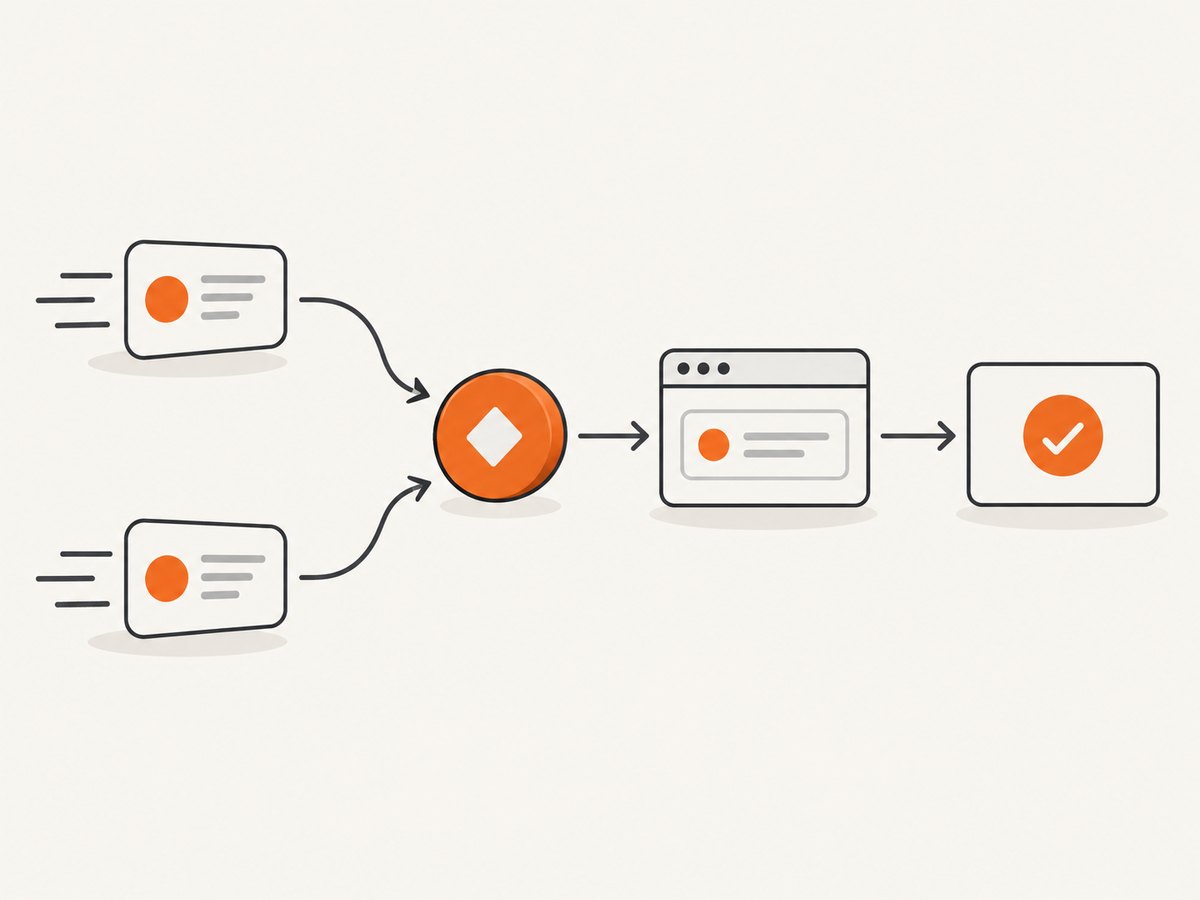
- Choose an idempotency key. Prefer a sender dispatch ID or stable event ID. Persist it with a unique constraint so only one logical job is created for that event.
- Commit acceptance before acknowledging. Store the event and queue record durably, ideally in one transaction or through an outbox. Return a 2xx only after the system can recover the accepted job.
- Make the browser task repeatable. A screenshot is usually safe to repeat, but form submissions, purchases, or state changes may not be. Give side effects their own idempotency controls.
- Track job states. Record accepted, running, succeeded, and failed states, plus an error category and output reference. Provide bounded retries for transient browser failures.
- Separate delivery retries from worker retries. The sender retry should not create a second logical job; the worker retry should resume or safely repeat the existing job.
Apify’s documentation says the receiver response must be HTTP 2XX, describes exponential-backoff retries after unsuccessful responses, and warns that rare duplicate invocations can happen. Its documented behavior starts retries at approximately one minute and can continue up to 11 attempts, with the eleventh after approximately 32 hours. Those timings describe Apify’s webhook actions, not a general webhook guarantee. Build to the sender’s actual retry policy.
6. Keep the HTTP response path short
A long browser navigation can outlast the webhook sender’s timeout. Apify documents a two-minute webhook request timeout and recommends an immediate response for time-consuming work, with internal queueing to retry long-running operations after internal failure. The general implementation lesson is to respond after durable acceptance, then let a worker do the browser task.
Return a success status only when acceptance is durable. Returning 202 is a useful convention for accepted asynchronous work, but check what the sender considers success; the documented Apify requirement is a 2XX response. If persistence or queue publication fails, return an error so the sender can retry. Do not return success before the job can be recovered.
For synchronous browser calls, use explicit navigation and operation timeouts, and reserve time for serializing or storing the result before the sender deadline. Avoid waiting for every network request to become idle on sites with analytics, long polling, or streaming connections. A DOM-ready milestone plus a targeted selector or short wait is often more predictable; choose the condition that matches the page you need.
7. Troubleshooting
| Symptom | Likely cause | Fix |
|---|---|---|
| Sender reports timeout | The receiver waits for navigation, rendering, or upload before replying. | Durably enqueue first and acknowledge promptly; run the browser task in a worker. |
| Repeated browser jobs | The sender retried after a lost response, or duplicate delivery occurred. | Persist a stable event ID with a uniqueness constraint and return the existing job for duplicates. |
| Webhook receives 401 or 403 | Secret missing, wrong header, token rotated, or sender configured with a different credential. | Compare the configured header or URL secret securely; rotate credentials if exposed and never log their values. |
| Webhook receives 404 | Wrong path, deployment base path, or HTTP method. | Match the sender’s configured URL and method to the deployed route; confirm the endpoint is externally reachable. |
| Browser navigation times out | Slow page, blocked resource, redirect loop, or an overly strict load condition. | Set a navigation timeout, inspect redirects and errors, and use a milestone such as DOM content loaded plus a page-specific readiness check. |
| Screenshot is blank or incomplete | Capture began before the relevant content rendered, or content is lazy-loaded. | Wait for a meaningful selector, scroll relevant areas when needed, and verify dimensions and page state before capture. |
| Function returns unexpected data | The script return type determines response encoding, or an exception was serialized as an error. | Return the intended value, inspect status and content type, and handle binary screenshot/PDF output as bytes. |
| Worker says job succeeded but output is missing | Completion state was stored before the artifact upload or reference commit. | Write the artifact first, then atomically mark completion with its durable reference. |
| Browser can reach internal hosts | Untrusted event URL was passed directly to navigation. | Validate allowed hostnames and block private, loopback, and metadata ranges at the worker/network boundary. |
8. Performance, reliability, and cost
There are no comparable latency or benchmark figures in the cited platform documentation, so size the system with measurements from your own pages and deployment. Track event-to-acknowledgement time, queue age, browser duration, navigation status, retry count, and artifact completion separately. This helps distinguish a slow sender handoff from a slow page or overloaded browser worker.
- Control concurrency: cap concurrent browsers and pages according to the worker’s memory and the execution service’s limits. Add queue backpressure rather than accepting more jobs than can be processed safely.
- Reduce unnecessary work: capture only needed pages and resources; avoid repeated navigation when a valid cached output is acceptable. Caching policy must account for page freshness and authentication.
- Bound output: large full-page images and PDFs increase memory, transfer, and storage use. Resize or limit capture scope where the task allows.
- Retry selectively: transient network failures can merit retry; invalid URLs, authorization failures, and deterministic script errors need correction rather than repeated execution.
- Estimate cost: include the workflow or event platform, browser execution time, queue/storage, and artifact transfer. The dossier provides no comparable prices, so review the selected services’ current pricing and measure actual job volume.
For reliability, use durable queue storage, bounded worker retries, a dead-letter or manual review path for exhausted jobs, and monitoring on both webhook acceptance and browser completion. Store enough diagnostic context to investigate failures, but redact secrets, cookies, authorization headers, and sensitive page content.
9. Or skip the browser setup
If the browser task is simply to capture a website image or PDF, ScreenshotNeo provides a one-call screenshot API and an MCP server for AI agents. Its API accepts one GET request with a URL and returns PNG, JPEG, WebP, or PDF. The API documentation is at ScreenshotNeo docs.
curl -G "https://api.screenshotneo.com/v1/shot" -d access_key=YOUR_API_KEY --data-urlencode url=https://stripe.com -o shot.webpimport requests
r = requests.get("https://api.screenshotneo.com/v1/shot", params={"access_key": "YOUR_API_KEY", "url": "https://stripe.com"}, timeout=90)
open("shot.webp", "wb").write(r.content)const q = new URLSearchParams({ access_key: 'YOUR_API_KEY', url: 'https://stripe.com' });
const res = await fetch(`https://api.screenshotneo.com/v1/shot?${q}`);
if (!res.ok) throw new Error(`Screenshot request failed: ${res.status}`);
await Bun.write('shot.webp', res);Use your key in a server-side secret store. The Node.js sample uses Bun’s file writer to save the response; in Node.js, save the response bytes with Buffer.from(await res.arrayBuffer()) and writeFile from node:fs/promises.
- Cookie and consent banners, newsletter popups, and chat widgets are removed before capture; each cleanup step can be turned off.
- Bot checks, blank pages, failed loads, timeouts, and cache hits are not billed. Responses identify the page verdict and billing status in headers.
- An MCP server provides
take_screenshot,get_page_info, andcapture_pdftools for Claude, Cursor, and other MCP clients. - The Free plan includes 1,000 screenshots a month with no card. Paid plans start at $5 for 3,000 screenshots; every feature is on every plan.
See ScreenshotNeo for the service and the API documentation. Sign up free for 1,000 screenshots a month, no card required.
10. FAQ
Does a webhook run JavaScript in a browser?
No. It delivers an HTTP request. Your receiver, workflow, or platform action must invoke an execution target that runs the browser code.
Should the sender wait until the screenshot is ready?
Only when the task is short and fits the sender’s timeout budget. For longer work, acknowledge durable acceptance and return the result through a job status or callback mechanism you define.
Can I use an existing Playwright or Puppeteer script?
Usually the managed-connection pattern is the closest fit: adapt its browser connection setup to the provider’s documented WebSocket endpoint and keep the rest of the worker logic in your service.
Are webhook retries exactly once?
No universal exactly-once behavior is established here. Apify specifically warns that duplicate invocations may rarely occur, so receivers should be idempotent.
When is a screenshot API a better fit?
When the required output is a screenshot or PDF and the task does not need arbitrary browser-side logic, a screenshot API can remove the browser installation, lifecycle, and artifact plumbing from your worker.


