How to Use Webhooks to Detect Missing Images
Learn how to detect broken website images, distinguish HTTP errors from network failures, and deliver reliable webhook alerts with runnable code.
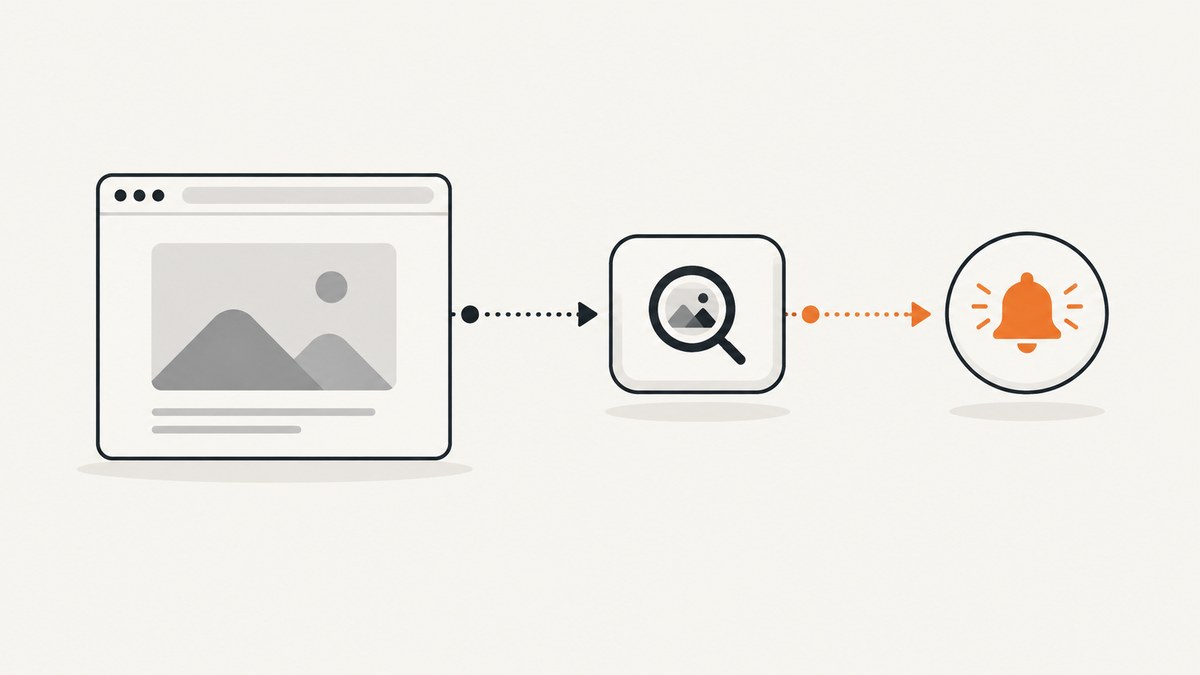
Direct answer: a webhook does not discover missing images by itself. Your browser code, synthetic browser check, or image upload/transformation pipeline must detect the failure first. That detector then sends a structured webhook event to your alerting or incident system. For page images, listen for each image element’s error event. For automated checks, inspect both HTTP response status and network-level request failures. Treat the receiver as a reliability and security boundary: verify signatures when available, acknowledge quickly, queue slow work, and make processing idempotent.
This guide shows the complete pattern for browser pages, scheduled Playwright checks, provider-side image workflows, and a production webhook receiver. It also explains why img.complete alone is not a success signal, how to handle retries and duplicates, and how to use ScreenshotNeo when you need rendered evidence of a page’s image state.
1. Understand what “missing image” means
There are several different failures that people call a broken image:
| Failure | What you observe | Best detector |
|---|---|---|
| HTTP error response | The image URL returns 404, 403, 500, or another status | Inspect the response status in a browser monitor |
| Network failure | DNS, TLS, connection, or timeout failure before a response exists | Listen for request failure events |
| Render or decode failure | The browser cannot decode the data, format, or source | Listen for the image element’s error event |
| Missing source | An img has no usable src or srcset |
Validate markup and report the element |
| Pipeline failure | An upload or transformation never produces the expected asset | Use the image provider’s documented webhook |
Keep these signals separate in your event payload. A 404 is a completed HTTP request, while a timeout may have no HTTP response at all. Playwright documents this distinction for response and requestfailed events: request failures cover failures before an HTTP response can be obtained.
2. Detect failures in page JavaScript
The simplest detector runs in the page that owns the images. The error event fires when an image fails to load or render. It does not bubble, so attach a listener to each image or use event capture deliberately. MDN documents the event behavior at HTMLElement: error event.

<script>
(function () {
  function reportMissingImage(img, reason) {
    const payload = {
      type: "image.missing",
      detected_at: new Date().toISOString(),
      page_url: location.href,
      image_src: img.currentSrc || img.getAttribute("src") || null,
      alt: img.getAttribute("alt") || null,
      element_id: img.id || null,
      reason: reason || "load-error"
    };

    // Use keepalive so navigation does not discard the request.
    fetch("/webhooks/image-missing", {
      method: "POST",
      headers: { "content-type": "application/json" },
      body: JSON.stringify(payload),
      keepalive: true
    }).catch(() => {
      // Do not throw during rendering. A monitoring endpoint can retry later.
    });
  }

  document.querySelectorAll("img").forEach((img) => {
    img.addEventListener("error", () => reportMissingImage(img));
  });
})();
</script>
Run this detector as early as practical. If images can be inserted later, observe the DOM and attach a listener when a new img appears:
const observer = new MutationObserver((mutations) => {
  for (const mutation of mutations) {
    for (const node of mutation.addedNodes) {
      if (node.nodeType !== Node.ELEMENT_NODE) continue;
      const images = node.matches?.("img")
        ? [node]
        : [...node.querySelectorAll?.("img") || []];
      for (const img of images) {
        img.addEventListener("error", () => reportMissingImage(img));
      }
    }
  }
});
observer.observe(document.documentElement, { childList: true, subtree: true });
Include a stable page or asset identifier when you have one. Avoid sending cookies, authorization headers, or unnecessary user data. If the same element can fail repeatedly, deduplicate in the browser with a key made from page URL, image URL, and asset ID.
3. Do not use img.complete as a success check
HTMLImageElement.complete means the browser has finished fetching or determined that no fetch is needed. It can be true for a successfully loaded image, a broken image, or an image with no source. See MDN’s complete property documentation.
function imageState(img) {
  if (!img.complete) return "loading";
  if (img.naturalWidth > 0 && img.naturalHeight > 0) return "loaded";
  return "failed-or-empty";
}

for (const img of document.images) {
  const state = imageState(img);
  if (state === "failed-or-empty") {
    reportMissingImage(img, "complete-without-natural-size");
  }
}
Use the error event for an immediate signal and check naturalWidth and naturalHeight when auditing images after the page has settled. These checks describe what the browser exposes; they do not always identify the exact cross-origin cause.
4. Run a scheduled browser check with Playwright
Client instrumentation only covers pages where the script runs. A synthetic check lets you test important routes, logged-in states, regions, and browsers on a schedule. Inspect both response status and request failures.

import { chromium } from "playwright";

const browser = await chromium.launch();
const page = await browser.newPage();
const failures = [];

page.on("response", (response) => {
  const request = response.request();
  if (request.resourceType() === "image" && response.status() >= 400) {
    failures.push({
      kind: "http",
      url: request.url(),
      status: response.status()
    });
  }
});

page.on("requestfailed", (request) => {
  if (request.resourceType() === "image") {
    failures.push({
      kind: "network",
      url: request.url(),
      error: request.failure()?.errorText || "request-failed"
    });
  }
});

await page.goto("https://example.com", { waitUntil: "networkidle", timeout: 60000 });
const elementFailures = await page.locator("img").evaluateAll((images) =>
  images.filter((img) => img.complete && img.naturalWidth === 0)
    .map((img) => ({
      kind: "render",
      url: img.currentSrc || img.src,
      alt: img.alt || null
    }))
);
failures.push(...elementFailures);

if (failures.length) {
  await fetch("https://monitor.example/webhooks/image-missing", {
    method: "POST",
    headers: { "content-type": "application/json" },
    body: JSON.stringify({
      type: "image.missing.batch",
      detected_at: new Date().toISOString(),
      page_url: page.url(),
      failures
    })
  });
}
await browser.close();
Wait for the state your application needs. networkidle is useful for mostly static pages, but a page with polling or analytics may never become idle. In that case, wait for a meaningful selector, a bounded delay, or an application-specific readiness signal. Test representative viewport sizes because responsive layouts can select different srcset images.
5. Build a reliable webhook receiver
Your receiver should do four things in order: authenticate the sender, validate the payload, persist an idempotency key, and enqueue work. Return the provider’s expected success status quickly. Do not make a screenshot, database migration, or notification API call while holding the webhook request open.
import express from "express";
import crypto from "node:crypto";

const app = express();
app.use(express.json({ limit: "256kb" }));

function validSignature(rawBody, signature, secret) {
  if (!signature) return false;
  const expected = crypto.createHmac("sha256", secret)
    .update(rawBody)
    .digest("hex");
  return crypto.timingSafeEqual(
    Buffer.from(expected),
    Buffer.from(signature)
  );
}

app.post("/webhooks/image-missing", (req, res) => {
  // Use the sender's documented raw-body signature scheme in production.
  const event = req.body;
  if (typeof event?.type !== "string" || !event.type.startsWith("image.missing")) {
    return res.status(400).json({ error: "invalid event type" });
  }

  const eventId = event.id || `${event.type}:${event.detected_at}:${event.page_url}:${event.image_src}`;
  // INSERT eventId with a unique constraint; ignore an existing key.
  // Queue the event for diagnosis and alerting after acknowledging it.
  console.log("queue image event", eventId, event);
  return res.sendStatus(202);
});

app.listen(3000);
When a provider supplies a signature, verify the exact bytes and timestamp rules it documents. GitHub’s webhook troubleshooting guidance recommends signature validation, prompt 2xx responses, and handling delayed or out-of-order deliveries: GitHub webhook troubleshooting. Store an event ID, or derive a deterministic key when no ID exists, so retries do not create duplicate incidents. Include detected_at and prefer event time over arrival time when ordering records.
6. Provider-side upload and transformation webhooks
If the failure happens before an image is published, a managed image service may provide a more direct event. Cloudflare Images documents notifications for successful and failed direct creator uploads, with support limited to accounts that have at least one zone on a Pro plan or above: Configure webhooks. Cloudinary documents notifications for managed workflows, including failed eager transformations: Cloudinary Webhooks and Notifications.
These events complement page monitoring. They do not prove that every page reference is valid or that every visitor can render the image. Keep a page-level check for broken URLs, expired signed links, incorrect responsive sources, and content delivery failures.
7. Send events with cURL, Python, and Node.js
These examples show a detector posting a compact event to your receiver. Replace the endpoint and payload fields with your own schema.
curl -X POST https://monitor.example/webhooks/image-missing \
  -H 'content-type: application/json' \
  -d '{"type":"image.missing","page_url":"https://example.com/pricing","image_src":"https://cdn.example.com/hero.webp","reason":"http-404","detected_at":"2026-09-29T12:00:00Z"}'
import requests
payload = {
"type": "image.missing",
"page_url": "https://example.com/pricing",
"image_src": "https://cdn.example.com/hero.webp",
"reason": "http-404",
}
response = requests.post(
"https://monitor.example/webhooks/image-missing",
json=payload,
timeout=10,
)
response.raise_for_status()const payload = {
type: "image.missing",
page_url: "https://example.com/pricing",
image_src: "https://cdn.example.com/hero.webp",
reason: "http-404",
detected_at: new Date().toISOString()
};
const res = await fetch("https://monitor.example/webhooks/image-missing", {
method: "POST",
headers: { "content-type": "application/json" },
body: JSON.stringify(payload)
});
if (!res.ok) throw new Error(`Webhook failed: ${res.status}`);8. Or skip the browser setup
When the question is “what did this page render?”, a screenshot service can provide an artifact alongside your missing-image event. ScreenshotNeo accepts one GET request and returns PNG, JPEG, WebP, or PDF. Its clean capture accepts cookie and consent banners before removing more than 60 known consent platforms, newsletter popups, and chat widgets. Each step can be disabled. You can capture full pages with lazy images loaded, select one element by CSS selector, set a viewport or device preset, wait for a selector, delay, or network idle, and pass custom headers, cookies, user agents, timezone, geolocation, CSS, JavaScript, or click actions. Use the ScreenshotNeo API documentation for the complete option list.
curl -G "https://api.screenshotneo.com/v1/shot" -d access_key=YOUR_API_KEY --data-urlencode url=https://stripe.com -o shot.webpimport requests
r = requests.get("https://api.screenshotneo.com/v1/shot", params={"access_key": "YOUR_API_KEY", "url": "https://stripe.com"}, timeout=90)
open("shot.webp", "wb").write(r.content)const q = new URLSearchParams({ access_key: 'YOUR_API_KEY', url: 'https://stripe.com' });
const res = await fetch(`https://api.screenshotneo.com/v1/shot?${q}`);Use the response headers to classify the result. Bot checks or CAPTCHAs, blank pages, timeouts, failed loads, and cache hits are not billed; the response identifies the page verdict and billing state with X-Page-Verdict and X-Billed. ScreenshotNeo also provides an MCP server with take_screenshot, get_page_info, and capture_pdf tools for Claude, Cursor, and other MCP clients. The Free plan includes 1,000 shots per month without a card; paid plans start at $5 for 3,000 shots. Create a free ScreenshotNeo account.
9. Reliability, performance, and cost
- Bound the browser work: set navigation and resource timeouts, and stop collecting after a useful failure limit.
- Control alert noise: group by page, image URL, status, and deployment version; alert on repeated failures rather than one transient event.
- Separate detection from remediation: the detector records facts; a worker retries a CDN fetch, opens an incident, or invalidates a cache.
- Use idempotency: retries and duplicate deliveries are normal. A unique event key prevents duplicate tickets.
- Protect the endpoint: verify signatures, restrict payload size, rate-limit, and never log authorization headers or cookies.
- Measure coverage: record which routes, viewport sizes, locales, and authentication states were checked. A green check only describes those conditions.
- Manage screenshot cost: cache stable pages with a TTL, use bulk capture for up to 100 URLs per call, and reserve full-page or PDF captures for cases that need them. ScreenshotNeo bills only clean shots; failed loads and cache hits cost nothing.
10. Troubleshooting checklist
| Symptom | Likely cause | Fix |
|---|---|---|
| No browser event | Listener attached after the image already failed, or image was inserted later | Attach listeners early and observe dynamically added images; audit completed images afterward |
| Parent handler never runs | error does not bubble |
Attach directly to each img or use capture intentionally |
complete is true but image is broken |
complete includes failed and empty images |
Check the error event and natural dimensions |
| 404s are missing from Playwright results | Only requestfailed is being monitored |
Inspect image responses and status codes as well |
| Webhook requests time out | Receiver performs slow work synchronously | Validate, persist, enqueue, and return a prompt 2xx response |
| Duplicate incidents | Provider retry or delayed duplicate delivery | Store an event ID or deterministic idempotency key |
| Signature validation fails | Wrong raw body, encoding, secret, or timestamp handling | Follow the sender’s exact signing specification and verify raw bytes |
| Screenshot shows a popup instead of content | Consent, newsletter, or chat overlay was not removed or needs a custom selector | Enable the relevant clean-shot step, hide a selector, or add custom JavaScript/CSS |
11. FAQ
Can a webhook detect a broken image without browser code?
No. A webhook transports an event. Something else must observe the broken image or failed pipeline operation first.
Should I alert on every 404?
Usually no. Deduplicate and alert on repeated failures, important routes, or a change from the previous healthy state.
Can cross-origin images be monitored?
You can report element and request failures, but browser APIs may not expose a precise cross-origin cause. Record the URL, status when available, and the signal type.
When is an image-provider webhook preferable?
Use it when an upload or managed transformation fails before publication. Keep page monitoring for delivery and rendering problems.
What should the webhook payload contain?
Include event type, event ID, detection time, page URL, image URL or asset ID, signal type, status or browser error, and deployment or check identifiers. Exclude secrets.


