Website Archiving for Historical Reference
Find dated website captures, cite them accurately, and understand what a web archive can—and cannot—preserve.
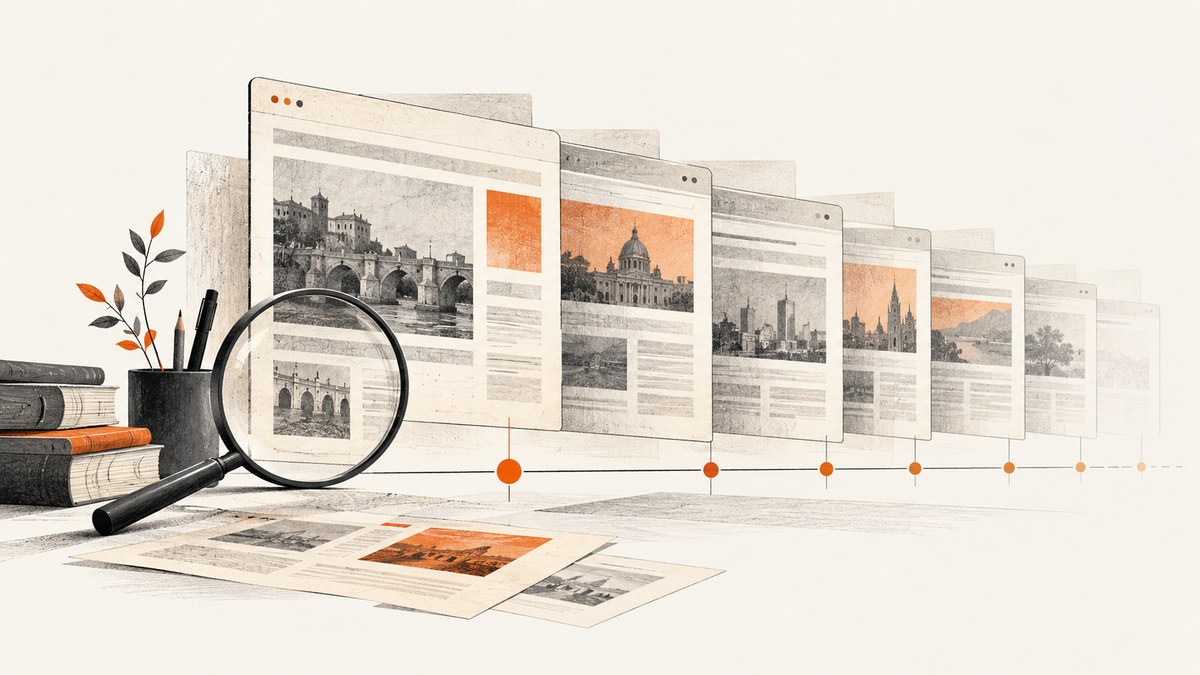
A website archive can help you establish what a page looked like at a particular time, but a replay is not automatically a complete copy of the original site. For historical research, start with the exact URL, choose a dated capture close to the period you are studying, cite that archived URL and its capture date, and check whether important assets or interactive features are missing.
For long-term preservation, the goal is different: retain a collection of captured web resources, the context needed to interpret them, and usable metadata. A screenshot can document a visible state, but it cannot replace a web archive collection or a WARC record. The Library of Congress describes WARC as a container format for harvested web resources and related records and metadata (WARC format description).
1. Find a dated website capture
- Open the Wayback Machine and enter the page’s full URL. If you do not know a specific page URL, start with the domain.
- Review the available capture dates and select one that fits the period your research concerns. A capture is a record made at a particular date and time; it does not establish what the page showed continuously before or after that moment.
- Open the capture and copy its archived URL, including the timestamp in the path. Keep this exact URL in your notes and references.
- Check the page itself for a publication date, revision date, author, title, and links to documents or images relevant to your claim.
- Inspect important images, files, and linked pages separately. A page may replay while some of its assets do not.
The Internet Archive’s help guidance recommends citing the original webpage information along with the Wayback Machine capture details. Use as much identifying information as you can: author or organization, page title, original URL, capture date, and exact archived URL (Internet Archive Help Center: Using The Wayback Machine).
A practical citation pattern
Adapt the format to your required citation style. The essential detail is that the reference points to the archived capture, not just to the current live page.
Author or organization. “Page title.” Original site, original publication or revision date, if available. Captured [capture date and time] by the Internet Archive. [exact archived URL]If the source does not identify an author or date, do not guess. Use the organization responsible for the page when clear, record the missing information as unavailable if your style requires it, and preserve the capture date visible in the archive URL or replay interface.
2. Interpret a capture as historical evidence
A capture is evidence of a recorded response and replayable resources at a particular time. It is not proof that every visitor saw the same page, that every resource was saved, or that the page remained unchanged throughout a period. Preserve the distinction in your writing: “the archived capture dated … shows” is more precise than “the site said” when you are relying on one snapshot.
Check the capture and its dependencies
- Confirm the timestamp. Make sure the capture date is the one you intend to cite. A replay can expose captures from nearby dates for individual resources.
- Look for mixed dates. Images, stylesheets, scripts, and embedded material may have different capture histories. A page assembled during replay can therefore contain resources captured at different times.
- Watch for live-web fallbacks. If an archived link is unavailable, replay behavior may reach the live web. Do not assume every visible item came from the same archived capture. Check the URL and timestamp when following links.
- Record what failed. Note broken images, missing embeds, blank interactive areas, or inaccessible pages when these affect your interpretation.
- Separate observation from inference. A missing page in an archive does not prove the page never existed. It may not have been discovered, accessible, or captured.
The Internet Archive identifies gaps and replay limitations in its guidance, including pages or resources that were not captured and pages whose behavior depends on JavaScript or the originating host (Wayback Machine help; Wayback Machine general information).
3. Why a page may be missing or incomplete
Web archives collect what their crawlers can discover and access under specific conditions. A missing result can have several explanations, and checking the exact URL and relevant linked assets is more useful than concluding that an entire domain was never archived.
| What you see | Possible explanation | What to check |
|---|---|---|
| No capture for a page | The crawler did not discover the URL, access was blocked, or the material was excluded by site rules or an owner request. | Try the exact URL, a parent path, alternate URL forms, and links from related pages. Search nearby dates. |
| Page shell with missing content | Content may depend on JavaScript, a server response, a form, an API, or a resource that was not captured. | Check whether the content appears in a different capture; document which elements do not replay. |
| Broken image or stylesheet | The asset may not have been captured, or the replayed page may reference a different timestamp. | Inspect the asset URL and archived timestamp directly. Search for other captures of the asset. |
| Login or subscription wall | The content was not publicly accessible to the crawler. | Look for public summaries or other lawful, accessible records. Do not treat a partial page as the complete source. |
| Interactive map, visualization, or video missing | Streaming media, databases, GIS, third-party embeds, and dynamically generated content can exceed capture and replay capabilities. | Record the limitation and seek a separate preserved dataset, document, or institutional record if available. |
Wayback Site Search is not a full-text search of all words contained in archived pages. If you know a URL or a phrase, test the likely page URL and use the archive’s available URL history rather than assuming a keyword search covers page contents (Internet Archive Help Center).
4. What Save Page Now does—and does not do
Save Page Now is useful when you want to request a one-time capture of an accessible page. It does not add the URL to future crawls, and it does not save multiple pages, a directory, or an entire website. A single-page save is therefore not a substitute for planning a crawl or building an ongoing collection.
- Open Save Page Now from the Internet Archive and submit the page URL.
- Wait for the capture process to finish and inspect the resulting archived page.
- Copy the resulting archived URL and record the capture date in your notes.
- Check assets and linked pages individually if they matter to your research.
A request cannot guarantee that the resulting capture will be complete. Authentication, crawler restrictions, dynamic content, third-party services, and site behavior can still limit what is saved. See the Internet Archive’s explanation of Save Page Now for its current scope and caveats.
5. Preserve web material for a collection
For a research project, institution, or organization preserving many sites, distinguish a maintained collection from a single snapshot. Compare collection workflow, export format, metadata, stewardship, and how researchers will access and replay the material. The Internet Archive describes Archive-It as a subscription service for institutions building and preserving born-digital collections; consult the service directly for current terms and suitability (Internet Archive Help Center).
WARC is a preservation file format, not a reader-facing archive service. It can bring captured web resources together with related records and metadata. The Library of Congress lists WARC as preferred for web archives in its 2025–2026 Recommended Formats Statement, with ARC_IA and WACZ among acceptable formats (Library of Congress: Recommended Formats Statement, Web Archives). Format choice supports stewardship and exchange; it does not guarantee that a capture contains every resource or that future replay will reproduce every interaction.
Metadata to retain
For each capture, preserve enough context for another person to identify what was captured and assess its limits:
- Original URL and exact archived URL.
- Capture date and time, including time zone when known.
- Capturing institution or service and collection name, if applicable.
- Scope: the target page, domain, crawl, or selected collection.
- Capture notes, such as inaccessible login pages, missing media, or known replay limitations.
- Format and any available technical metadata that describes the captured records.
The Library of Congress recommends making the archiving institution, capture date and time, and statements about archive functionality visible so readers can distinguish archived material from a live site. It also cautions that current tools cannot capture all web content (2025–2026 Recommended Formats Statement).
6. Make your own website easier to preserve
If you operate a site that may become historical evidence, make important pages discoverable through stable URLs and ordinary links. Use web standards and sustainable, open formats where practical. Do not rely exclusively on interaction that a crawler cannot follow, such as navigation available only through scripted controls. A comprehensive sitemap can help crawlers discover pages, but it cannot force an archive to capture them or guarantee successful replay.
The Library of Congress notes that standards-based, accessible pages can make web content friendlier to crawlers and reduce rendering complications. It also points out that archived visitors may be limited to link navigation when server-side features, such as site search, do not work in replay (Creating Preservable Websites).
- Keep URLs stable; avoid making session-specific URLs the only route to important material.
- Provide ordinary links to key pages and files, plus a sitemap when appropriate.
- Use accessible markup and established web standards.
- Do not assume password-protected or subscription-only content will be captured.
- Retain source documents and data in suitable formats as part of your own preservation plan.
7. Capture a present-day visual reference
Sometimes your immediate need is to record how a public page looks now—for a design comparison, an incident note, or a visual reference. A screenshot documents visible pixels at a moment in time. It does not create a web archive, preserve the underlying resources as a WARC collection, or make the page historically discoverable later. Keep a screenshot alongside the page URL, capture date, and research notes if you need to explain its context.
You can capture a page yourself with a browser automation tool. The exact setup depends on the language and browser environment; for a durable collection, choose tooling that can produce suitable archive output and retain capture metadata. A screenshot endpoint is useful for image or PDF output, but those outputs serve a different purpose from WARC.
Or skip the browser setup
ScreenshotNeo is a website screenshot API and MCP server from Yorker Media. Its GET endpoint returns PNG, JPEG, WebP, or PDF output for a URL. Use it when you need a current-page visual capture, not as a substitute for an archival crawl or WARC preservation. The ScreenshotNeo API documentation describes the request options.
curl -G "https://api.screenshotneo.com/v1/shot" -d access_key=YOUR_API_KEY --data-urlencode url=https://example.com -o shot.webpimport requests
r = requests.get(
"https://api.screenshotneo.com/v1/shot",
params={"access_key": "YOUR_API_KEY", "url": "https://example.com"},
timeout=90,
)
open("shot.webp", "wb").write(r.content)const q = new URLSearchParams({ access_key: 'YOUR_API_KEY', url: 'https://example.com' });
const res = await fetch(`https://api.screenshotneo.com/v1/shot?${q}`);
if (!res.ok) throw new Error(`Screenshot request failed: ${res.status}`);
await Bun.write('shot.webp', res);ScreenshotNeo removes supported cookie and consent banners, newsletter popups, and chat widgets before capture; bot checks, blank pages, and failed loads are never billed. Its MCP server provides screenshot tools for AI agents. The free plan includes 1,000 screenshots per month with no card, and paid plans start at $5 for 3,000. Sign up for 1,000 free screenshots a month.
8. Troubleshooting research and capture problems
| Problem | Likely cause | Useful next step |
|---|---|---|
| The archive shows no result for a known page | The page was not discovered or accessible, or its URL differs from the one searched. | Try the exact URL, domain, parent path, and alternate protocol or trailing-slash forms. Follow links from captured pages. |
| The replay looks unlike the period you are studying | You opened a capture from the wrong date, or assets came from other dates. | Return to the URL history, choose the intended date, and inspect important resource timestamps. |
| A screenshot shows a consent dialog | The page presents a consent banner before its main content. | For a present-day visual shot, use a service that handles supported consent overlays before capture; retain the page URL and date with the result. |
| An API request does not produce an image | The endpoint may return an error response, the URL may be invalid or inaccessible, or a request may time out. | Check the HTTP status and response headers, verify the URL and API key, and allow an appropriate timeout. Review the API documentation for response details. |
| A capture appears complete but an interactive feature is inert | Replay may lack server-side behavior, third-party resources, data, or scripts needed by the original page. | Describe the limitation; seek a separate source for the underlying data instead of inferring behavior from a static image. |
9. Performance, reliability, and cost
Archive lookup is usually a research workflow: locating a date, checking page dependencies, and recording the evidence. A single URL save is appropriate for a one-off page request, but the Internet Archive says it does not enroll that page in future crawls or capture an entire site. For a maintained collection, decide scope and stewardship first, then compare collection services with self-managed capture. Account for review time, storage, format management, metadata, and researcher access rather than treating the act of downloading a page as complete preservation.
Capture reliability depends on access and page behavior. Login requirements, blocked crawlers, dynamic data, third-party media, and unstable URLs can prevent a faithful result. Keep a record of failed or partial captures and revisit important URLs when the research requires additional evidence. For visual screenshots, request only the output format and viewport you need, and keep the URL and capture date with the file. ScreenshotNeo pricing is Free at 1,000 shots/month, Starter $5 for 3,000, Growth $15 for 15,000, Pro $39 for 60,000, Scale $99 for 250,000, and Business $249 for 1,000,000; yearly billing gives two months free, and every feature is on every plan. These plans concern screenshot requests, not WARC collection storage or long-term web archiving.
Frequently asked questions
Can I link to old pages on the Wayback Machine?
Yes. Cite the exact archived URL and identify its capture date so readers can distinguish it from the live page.
Can I add pages to the Wayback Machine?
Save Page Now can request a one-time page capture. It does not schedule future crawls or save a complete site.
Why can’t I find a page by words that appear in it?
Wayback Site Search is not a full-text index of all archived page contents. Search by URL and inspect relevant dated captures.
Does a screenshot preserve a website?
It preserves a visual view, not the page’s full set of resources, interactions, or collection metadata. Use an archival workflow and suitable formats when preservation is the objective.
What is the difference between a snapshot and a web collection?
A snapshot records a page or capture event at a point in time. A maintained collection has defined scope, ongoing stewardship, metadata, and a plan for access. Neither guarantees a complete reconstruction of the live site.


