Website to Check If an Image Is AI-Generated
Check an image for supported AI provenance signals with Google or OpenAI tools, and learn what a positive or negative result can—and cannot—tell you.
To check whether an image may have been made with AI, choose a verifier that looks for a signal the image could actually contain. For possible Google AI images, ask Gemini whether Google AI created or edited the image, or try Google’s SynthID Detector if you can access it. For possible OpenAI images, upload the original file to OpenAI Verify. These tools check provider-specific provenance signals; they are not universal AI detectors. A result that finds no supported signal does not prove a person made the image.
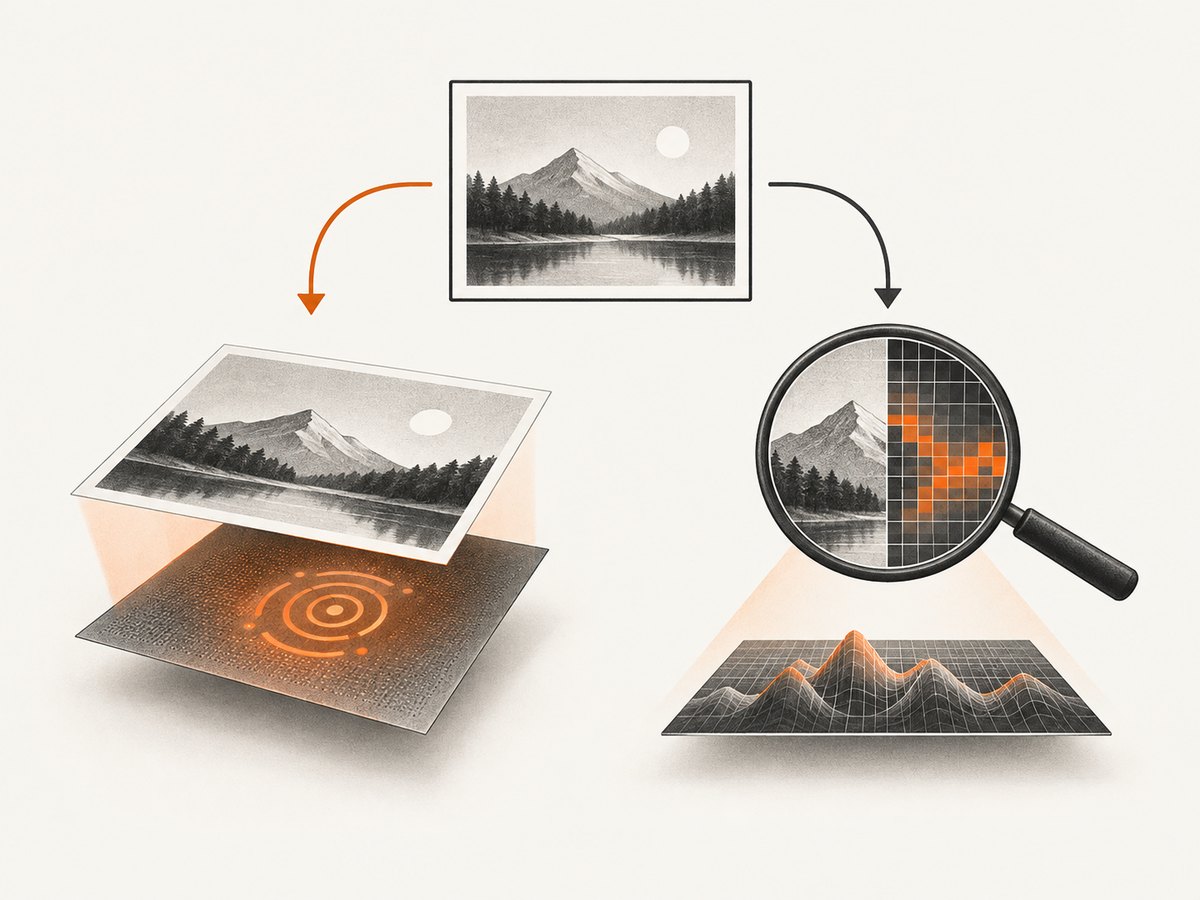
That distinction matters: a provenance check looks for origin information such as a watermark or credential, while a classifier estimates whether an image resembles AI-generated content. Neither method by itself establishes that an image is accurate, unedited, legally owned, or shown in its original context.
1. Choose a website based on the image’s likely source
Start with what you know about the image. If it may have come from Google AI, Google’s tools are the most relevant first check. If it may have come from ChatGPT or another OpenAI tool, OpenAI Verify is the direct option. If you need a model classification or an API workflow, Hive documents an image-detection API. No single option covers every provider and every way an image can be exported or edited.
| Option | What it checks | Useful when | Key limitation |
|---|---|---|---|
| Google SynthID Detector | SynthID watermarks in supported Google AI content; it may highlight likely watermarked regions. | You suspect Google AI generated or edited the image and can access the portal. | It checks for SynthID; no match says nothing conclusive about other generators. Google’s 2025 launch announcement described access for early testers through a waitlist, so check the portal’s current availability. |
| Gemini image verification | SynthID signals in images, in response to a question about Google AI generation or editing. | You want a simple app-based check for likely Google AI content. | Google describes this as a SynthID check, not a general-purpose detector for every AI service. |
| OpenAI Verify | Supported C2PA credentials and SynthID associated with OpenAI tools. | You suspect the image came from ChatGPT, Codex, or an OpenAI API. | It is not designed to find signals from every other AI service. A negative result is inconclusive. |
| Hive image detection API | Model-based AI generation and source classifications; a response may also include C2PA metadata. | You need a developer or organizational workflow and can interpret a classifier response. | A score is an estimate, not proof of authorship. Hive advises reviewing the full response and notes metadata can be stripped or falsified. |
Google said in its 2025 announcement that over 20 billion pieces of AI-generated content had been watermarked with SynthID at that point. That is Google’s deployment figure, not an independent measure of detector accuracy or coverage. [Google’s Gemini image verification announcement]
2. Check a possible Google AI image
- Keep the original file. Use the file you received or downloaded, rather than a screenshot of it or a version re-saved by an editor or messaging app.
- Try Gemini. Upload the image and ask a focused question such as “Was this created with Google AI?” or “Was this image created or edited with Google AI?” Google’s examples also include the broader question “Is this AI-generated?”, but the answer is still a check for Google’s signal.
- Use SynthID Detector if available. Open Google’s detector portal and follow its current access and upload instructions. The launch announcement described a limited early-tester rollout, so do not assume that access is open to everyone.
- Read the result narrowly. A detected SynthID signal supports the claim that the image contains Google’s watermark. No detected signal does not rule out AI generation by Google or another provider.
Google’s Gemini announcement says that verification checks for SynthID, including in images, and frames the capability around identifying content made with Google AI. [Google: Gemini image verification] Google’s earlier SynthID Detector announcement explains the portal and its initial access rollout. [Google: SynthID Detector]
3. Check a possible OpenAI image
- Open OpenAI Verify. Use the official OpenAI Verify page and upload one image.
- Choose the original image where possible. OpenAI advises avoiding crops and file-format conversions for the best image results. If all you have is an edited or compressed copy, you can still submit it, but interpret a negative result with extra caution.
- Note exactly what the tool reports. A supported credential or watermark is evidence of a signal associated with OpenAI tools. A “not detected” result means that the tool did not find supported signals in that file.
- Keep other evidence separate. Record where the image came from, who supplied it, and what transformations it went through. Those facts can help you assess the image, but they are not established by a provenance result.
OpenAI Verify checks supported C2PA metadata and SynthID associated with OpenAI tools. OpenAI explains that signals may be absent because metadata was stripped or tampered with, the watermark was degraded, the image came from a legacy model or a time before signals were available, or the content came from a different provider. [OpenAI Verify; OpenAI Help Center: provenance signals]
4. Understand what a result means
A positive result is evidence about a signal
If a verifier finds a supported watermark or credential, report that specific finding: “The image contains a supported Google SynthID signal,” or “OpenAI Verify found supported provenance information.” The result can help identify a signal associated with a provider. It does not establish that every part of the image is unchanged, that accompanying claims are true, or that the uploader owns the image.
A negative result is not a human-made verdict
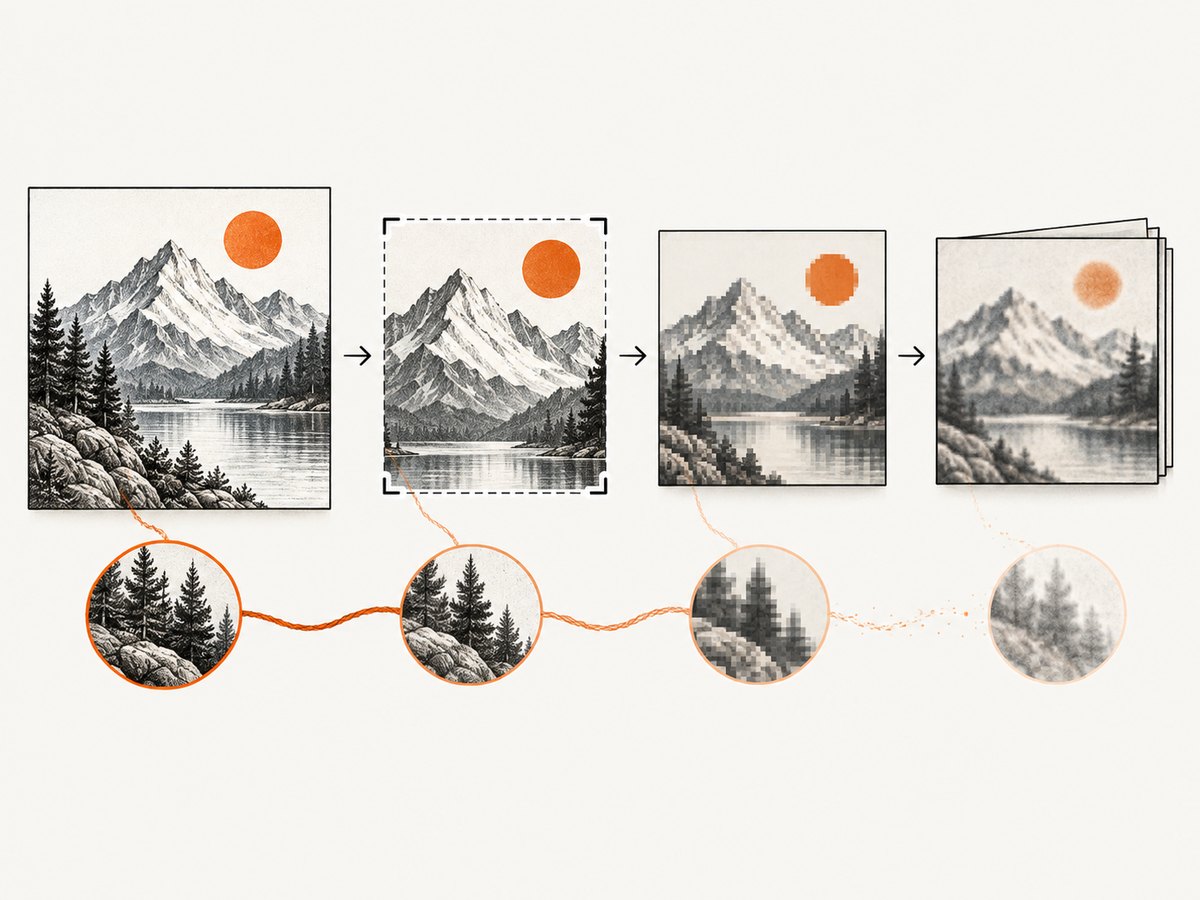
Say “no supported signal was found” rather than “verified human-made.” A signal can be missing because it was never embedded, because the provider or model is outside the tool’s coverage, or because an edit, conversion, or sharing path removed or weakened it. A service may also support a signal only for particular tools or content types.
OpenAI’s content-provenance documentation describes C2PA credentials as a way to carry information about content provenance. Editing and conversion can affect whether such metadata remains with a file. SynthID is embedded in supported content and is designed to survive some transformations, but that does not make it universal or indestructible. [OpenAI developer documentation: content provenance]
Provenance is not a truth or rights check
A watermark or credential describes a supported origin signal. It does not decide whether an image depicts a real event, whether it has been manipulated in other ways, who holds copyright, or whether its use is authorized. OpenAI states that Verify “does not confirm that the content is accurate, unedited, legally owned, or presented in the correct context.” [OpenAI Verify]
5. Use an API when checks need to be repeatable
For a recurring workflow, distinguish an API classifier from a provenance verifier. Hive’s image-detection API can return model-based generation and source classifications, and may return C2PA metadata. It is intended for integration rather than a one-off consumer check. Consult the current API reference for authentication, request fields, accepted media, response shape, and limits before wiring it into a production system; those details can change. [Hive: Image and Video Detection API reference]
Build a workflow that stores the original input and the full response, not only a Boolean label. Preserve any confidence or metadata fields as returned, record the tool and time of the check, and route ambiguous or consequential cases to human review. Hive cautions that metadata may be stripped or falsified and recommends reviewing the entire response holistically. Do not convert a model score into a definitive authorship claim.
Practical handling checklist
- Keep an untouched copy of the received file and calculate your own internal identifier if your process needs to track versions.
- Record the source, upload date, tool used, and exact result wording.
- Do not silently resize, crop, convert, or recompress the copy you submit to a provenance checker.
- If you have to transform an image for another reason, keep the original and check that original separately.
- Use more than one kind of evidence for a high-impact decision; a detector result alone is insufficient.
- Explain uncertainty to readers or reviewers. Prefer “the classifier estimated” and “the tool found a supported signal” over “proven fake” or “definitely human-made.”
6. Troubleshooting common results
| What happened | Likely cause | What to do |
|---|---|---|
| Gemini gives no clear answer about origin. | The question may be broad, or the image may not carry a signal Gemini can identify. | Ask specifically whether Google AI created or edited it. Treat a non-answer as inconclusive and try the relevant provider’s official verifier if you know the likely source. |
| SynthID Detector is unavailable. | Portal access may still be limited or its availability may have changed since launch. | Check Google’s current portal and announcement. Use Gemini’s image verification if available, while keeping the same signal-specific interpretation. |
| OpenAI Verify says no signal was detected. | The file may lack supported signals, or metadata/watermark information may have been stripped or degraded. The image may also come from a model or provider outside coverage. | Try the original, unconverted file if available. Do not describe the result as proof that the image is human-made. |
| A previously positive file now has no detectable credential. | An edit, export, screenshot, or conversion may have removed C2PA metadata or weakened a signal. | Ask for the source file and compare its provenance separately. Preserve both versions and document the transformation. |
| A detector produces a confidence score. | This is likely a model classification, not a cryptographic or provider-issued provenance credential. | Read the API documentation for the field’s definition and limitations. Keep the score as an estimate; seek corroboration before making a consequential claim. |
| Two tools disagree. | They may check different providers, use different methods, or have different coverage. | Compare what each tool actually checks. A mismatch is not resolved by treating one generic label as definitive; investigate the source and keep the results distinct. |
7. Reliability, privacy, and cost considerations
For a single image, official provider tools are usually the clearest starting point when you have a plausible provider in mind. Their narrow coverage is also their strength: they can report a provider-specific signal without pretending to answer every question about AI authorship. For repeated checks, estimate API cost and rate limits from the current provider documentation; no accuracy percentage or universal cost comparison is established by the sources here.
Reliability depends on the file and on whether the relevant provider embedded a supported signal. Keep unmodified originals, avoid unnecessary transformations before checking, and communicate negative results carefully. For consequential uses such as moderation, publication, or fraud review, combine provenance checks with source verification and human judgment.
Before uploading a sensitive or confidential image, review the service’s current privacy and retention terms. The cited detector descriptions explain what signals are checked; they do not establish a common retention policy for every service. For organizational workflows, follow your own data-handling requirements and avoid sending restricted images to a third party unless the use is authorized.
8. A related workflow: capture a page showing the image
If you are documenting where an image appeared, a screenshot can preserve the surrounding page context, such as its caption or source link. A screenshot does not verify image provenance and should not replace the original image file for a detector. ScreenshotNeo is a website screenshot API and MCP server for developers. It can capture a page as PNG, JPEG, WebP, or PDF; this can help record visible context alongside a separate provenance check. See ScreenshotNeo and its API documentation.
Or skip the browser setup
For a one-call page capture, send a URL to ScreenshotNeo. Replace the example URL with the page you need to document and use your API key:
curl -G "https://api.screenshotneo.com/v1/shot" -d access_key=YOUR_API_KEY --data-urlencode url=https://stripe.com -o shot.webpScreenshotNeo accepts cookie and consent banners like a visitor and removes more than 60 known consent platforms, newsletter popups, and chat widgets before the shot; each step can be turned off. Bot checks, blank pages, failed loads, timeouts, and cache hits are never billed, and response headers identify the page verdict and billing status. Its MCP server gives AI agents tools to take screenshots, get page information, and capture PDFs. The free plan includes 1,000 screenshots a month with no card; paid plans start at $5 for 3,000. A screenshot documents what a page showed, not whether its image was AI-generated. Sign up for 1,000 free screenshots a month, no card required.
9. FAQ
Is there one website that detects every AI-generated image?
The tools described here check particular provider signals or produce model classifications. The research does not establish a universal website that can certify every image as AI-generated or human-made.
Can an image be AI-generated if the verifier finds nothing?
Yes. The image may not have a supported signal, or a signal may have been removed or degraded. A negative result is inconclusive.
Does a watermark prove an image is authentic?
No. A provenance signal concerns origin information, not factual accuracy, editing history in full, ownership, or context.
Should I crop an image before checking it?
Keep and submit the original when possible. OpenAI advises against cropping and file-format conversion for best image results.
Can I use a detector score as proof?
No. A classifier’s score is an estimate. Preserve its context and use other evidence before making a high-impact decision.


