What Size Should a Website Link Thumbnail Be?
Use 1200 × 627 pixels for LinkedIn link previews, then publish complete Open Graph metadata for reliable cropping across platforms.
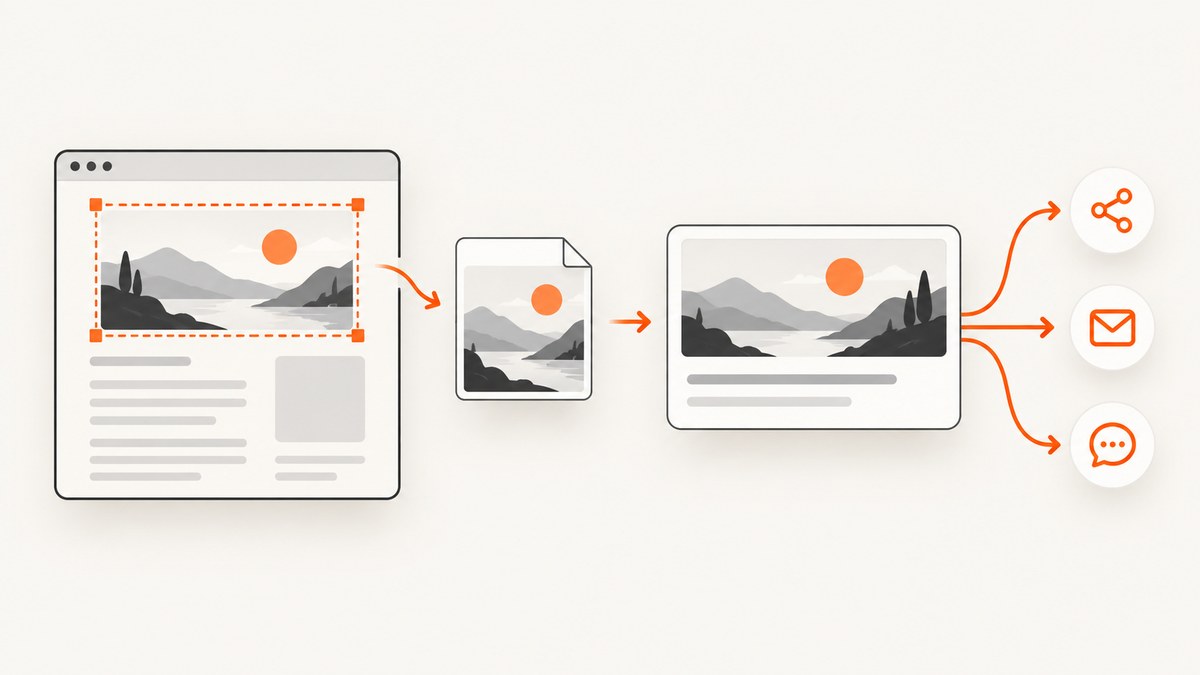
For a LinkedIn link preview, use an image at least 1200 × 627 pixels, with a 1.91:1 aspect ratio, and keep the file at or below 5 MB. A 1200 × 630 image is a convenient near-match for a general Open Graph master, but 1200 × 627 is LinkedIn’s stated minimum. There is no single pixel size mandated by the Open Graph protocol itself, so other services may crop or resize the image differently.
This guide explains the dimensions, metadata, file preparation, responsive design, validation, automation, and common failures involved in publishing a website link thumbnail. It also shows how to create the image from a webpage with ScreenshotNeo when you need a current page capture rather than a hand-designed graphic.
1. The recommended dimensions
| Use case | Recommended image | Ratio | File limit |
|---|---|---|---|
| LinkedIn link preview | At least 1200 × 627 px | 1.91:1 | 5 MB maximum |
| General Open Graph master | 1200 × 627 px or 1200 × 630 px | Near 1.91:1 | Depends on the service |
| Other preview services | Check that service’s current documentation | May vary | May vary |
LinkedIn documents a minimum width of 1200 pixels and height of 627 pixels, a 1.91:1 preview frame, and a 5 MB maximum image file. Its consumer sharing guidance describes the same 1200 × 627 frame. See LinkedIn’s sharing-module requirements and share-articles guidance.
Open Graph defines the metadata a page publishes, rather than one universal image size. The protocol requires og:title, og:type, og:image, and og:url; it also defines optional image width, height, MIME type, secure URL, and alt text properties. The specification is at ogp.me.
2. Why 1.91:1 matters
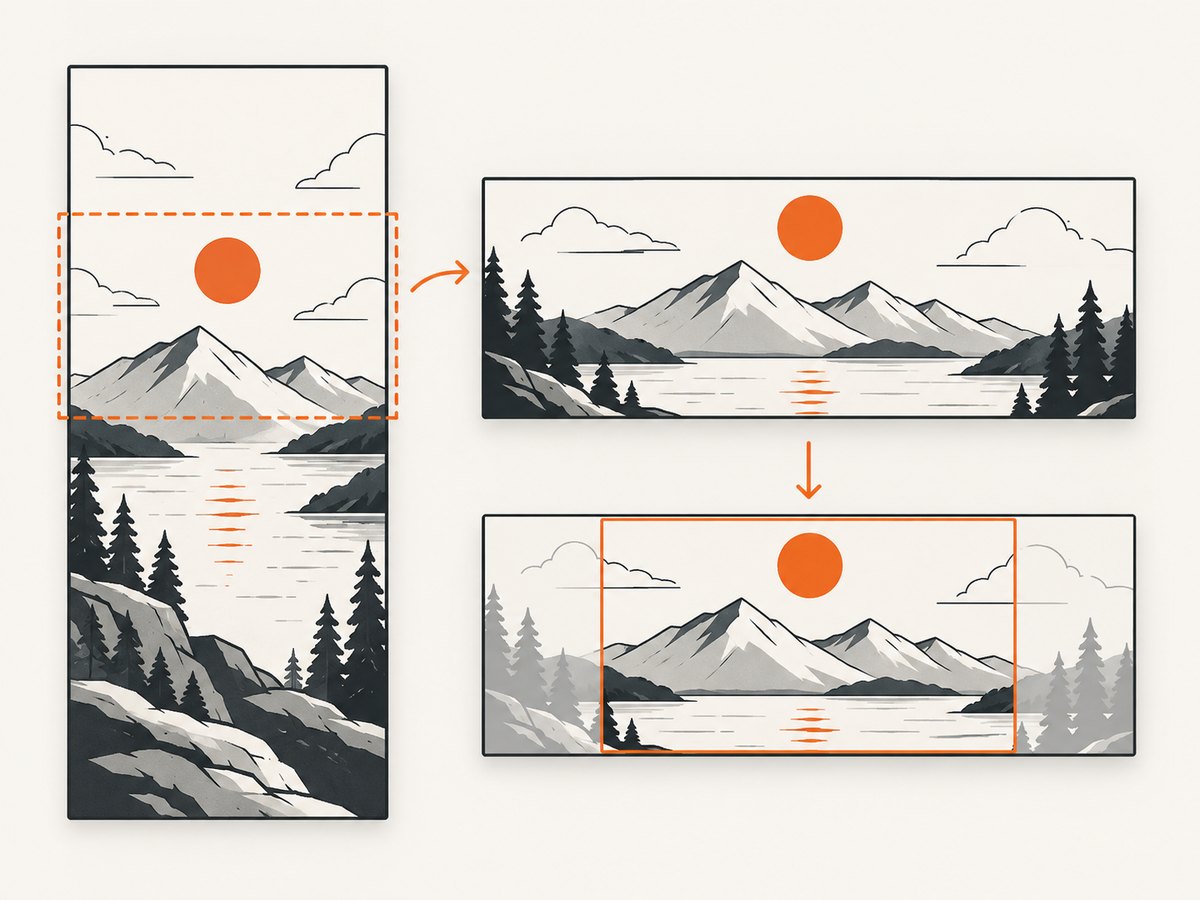
A 1.91:1 image is wide enough for LinkedIn’s preview frame. If your source is much taller or narrower, the platform can crop the top and bottom or reduce the visible artwork. The result may remove a title, product screenshot, or person from the composition.
Design the important content inside a central safe area. Leave breathing room around the edges, especially when text or a face must remain visible after a crop. Do not assume that a 1200 × 630 image will be displayed identically everywhere; it is only a practical near-match to LinkedIn’s 1200 × 627 requirement.
Choose a source size
- Exact LinkedIn target: 1200 × 627 pixels.
- Convenient Open Graph canvas: 1200 × 630 pixels, while treating it as an approximation.
- Higher-resolution master: Create a larger image at the same ratio, then export a compressed copy under 5 MB for LinkedIn.
Do not enlarge a small image to meet the dimensions. Upscaling creates blur without adding detail. Start with a source that is at least as large as the published file.
3. Publish the required Open Graph tags
Put the preview URL in the document’s <head>. Use an absolute, publicly reachable HTTPS URL; a local path or authenticated URL cannot be fetched by a social crawler.
<head>
  <meta property="og:title" content="What Size Should a Website Link Thumbnail Be?">
  <meta property="og:type" content="article">
  <meta property="og:url" content="https://example.com/guides/link-thumbnail-size">
  <meta property="og:image" content="https://example.com/images/link-thumbnail-1200x627.webp">
  <meta property="og:image:width" content="1200">
  <meta property="og:image:height" content="627">
  <meta property="og:image:type" content="image/webp">
  <meta property="og:image:alt" content="A 1.91 to 1 landscape link thumbnail guide">
  <meta property="og:description" content="Dimensions, metadata, and validation for website link previews.">
</head>og:image:width, og:image:height, and og:image:alt are structured properties documented by Open Graph. Supplying them makes the image’s intended dimensions explicit, although a platform can still apply its own rendering rules.
4. Prepare the image file
- Export at 1200 × 627 pixels or larger with the same ratio.
- Use JPEG, PNG, or WebP according to the destination’s accepted formats.
- Compress the file until it is below LinkedIn’s 5 MB maximum.
- Keep important visual content away from the outer edge.
- Give the file a stable URL and return the correct
Content-Typeheader. - Confirm the URL responds without login, cookies, or an expiring signature.
Compression quality is a trade-off. A photographic image usually compresses well as JPEG or WebP; a graphic with sharp text or transparency may need PNG or a higher-quality WebP export. The research establishes LinkedIn’s 5 MB limit, but it does not establish a universal limit for Facebook, X, Slack, Discord, or messaging previews. Verify each destination’s current first-party guidance before publishing a cross-platform policy.
5. Capture a webpage as the thumbnail
If the thumbnail should represent a live webpage, a browser capture is often more accurate than manually recreating the page. A do-it-yourself workflow is:
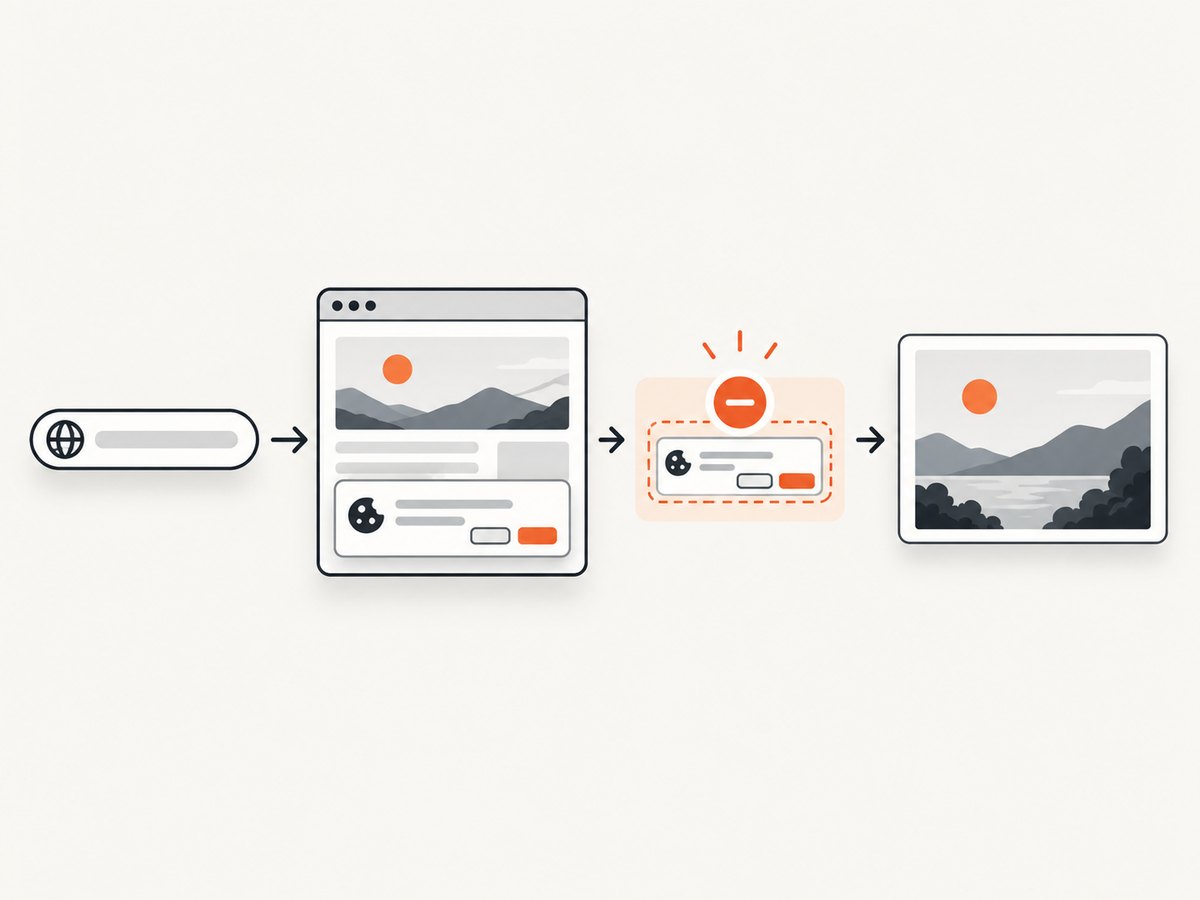
- Launch a headless browser at the target URL.
- Set a 1200-pixel-wide viewport and a height that covers the composition.
- Wait for fonts, images, and client-side content to finish loading.
- Hide cookie banners, chat launchers, and other overlays before capture.
- Capture the selected element or crop to a 1.91:1 canvas.
- Export to WebP or JPEG, check dimensions and file size, and publish the result at a stable HTTPS URL.
import { chromium } from 'playwright';

const browser = await chromium.launch();
const page = await browser.newPage({
  viewport: { width: 1200, height: 627 },
  deviceScaleFactor: 1
});
await page.goto('https://example.com', { waitUntil: 'networkidle' });
await page.addStyleTag({ content: `
  .cookie-banner, .chat-widget, .newsletter-modal { display: none !important; }
` });
await page.screenshot({
  path: 'link-thumbnail.webp',
  type: 'webp'
});
await browser.close();
For a full-page source, capture the page first and then resize or crop to the social-card ratio. For a specific hero section, use a CSS selector and ensure the element has a deterministic height. Animated content, delayed ads, consent dialogs, and lazy-loaded images can otherwise make two captures differ.
6. Or skip the browser setup
ScreenshotNeo is a website screenshot API and MCP server. It accepts one GET request and returns a PNG, JPEG, WebP, or PDF. Before capture, it accepts cookie and consent banners like a visitor and removes more than 60 known consent platforms, newsletter popups, and chat widgets; each step can be turned off. Only clean shots are billed: bot checks or CAPTCHAs, blank pages, timeouts, failed loads, and cache hits cost nothing, and the response identifies the result with X-Page-Verdict and X-Billed headers.
Read the ScreenshotNeo API documentation for all options. A basic WebP capture is:
cURL
curl -G "https://api.screenshotneo.com/v1/shot" \
  -d access_key=YOUR_API_KEY \
  --data-urlencode url=https://stripe.com \
  -o shot.webp
Python
import requests

r = requests.get(
    "https://api.screenshotneo.com/v1/shot",
    params={"access_key": "YOUR_API_KEY", "url": "https://stripe.com"},
    timeout=90,
)
r.raise_for_status()
open("shot.webp", "wb").write(r.content)
Node.js
const q = new URLSearchParams({
  access_key: 'YOUR_API_KEY',
  url: 'https://stripe.com'
});
const res = await fetch(`https://api.screenshotneo.com/v1/shot?${q}`);
if (!res.ok) throw new Error(`HTTP ${res.status}`);
const fs = await import('node:fs/promises');
await fs.writeFile('shot.webp', Buffer.from(await res.arrayBuffer()));
For a 1200 × 627 thumbnail, configure the viewport and output options described in the docs. Relevant controls include full-page capture with lazy images loaded, CSS-selector element capture, dark mode, 12 device presets or any custom viewport, retina scale, custom CSS and JavaScript, click actions, selector or network-idle waits, hidden selectors, blocked ads or resource types, custom headers, cookies, user agents, Authorization, timezone, geolocation, transparent backgrounds, resizing, and a chosen cache TTL. You can also use async jobs with signed webhooks, bulk capture for up to 100 URLs per call, signed links for public <img> tags, the usage API, and the OpenAPI specification.
ScreenshotNeo also provides an MCP server with take_screenshot, get_page_info, and capture_pdf tools for Claude, Cursor, and other MCP clients. Its parameter names are compatible with those used by other screenshot APIs, which helps when switching.
There are 1,000 free shots per month with no card. Paid plans start at $5 for 3,000 shots; yearly billing gives two months free, and every feature is available on every plan. Create a free ScreenshotNeo account.
7. Validate before sharing
| Check | What to verify |
|---|---|
| Dimensions | At least 1200 × 627 for LinkedIn; ratio near 1.91:1. |
| File size | 5 MB or less for LinkedIn. |
| Metadata | og:title, og:type, og:image, and og:url are present. |
| Image URL | Absolute HTTPS URL, public, stable, and returns an image content type. |
| Caching | Expect a platform to cache an earlier image; use its refresh or inspection tool after changing the asset. |
| Composition | Important text and subjects remain visible inside a 1.91:1 crop. |
Share a test URL and inspect the generated card on the target platform. A valid Open Graph document does not guarantee identical presentation because each service can resize, crop, cache, or reject an image independently.
8. Troubleshooting
The old image still appears
Cause: the preview service cached the previous response. Fix: use that service’s URL inspection or refresh workflow, then share again. Confirm that og:image points to the new stable URL.
The preview has no image
Cause: the crawler cannot fetch the URL, the response is not an image, or the image is behind authentication. Fix: open the exact image URL without a browser session, check the HTTP status and Content-Type, and remove access controls.
The image is cropped badly
Cause: the source ratio differs from the platform’s frame or the subject sits near an edge. Fix: create a 1.91:1 master and move essential content toward the center.
LinkedIn rejects the asset
Cause: the file exceeds 5 MB or is below 1200 × 627 pixels. Fix: export at the documented minimum and compress the file below 5 MB.
A browser capture contains a consent dialog
Cause: the page loaded an overlay after your wait condition. Fix: wait for the relevant selector or network idle, click the consent control, or hide the overlay before capture. ScreenshotNeo can accept consent banners and remove known consent platforms, popups, and chat widgets before the shot.
9. Performance, reliability, and cost
For static campaigns, generate the image once and serve it from a cacheable URL. For frequently changing pages, use a cache TTL so repeated requests do not launch unnecessary browser sessions. Wait only for the content needed in the thumbnail; a full network-idle wait can be slow on pages with analytics or long-lived connections.
Use asynchronous jobs and signed webhooks when a batch should not block a request. Bulk capture supports up to 100 URLs per call in ScreenshotNeo. Check the verdict and billing headers so your pipeline can distinguish a clean capture from a bot check, blank page, timeout, failed load, or cache hit. Keep API keys server-side and use signed links when a public image tag must access a protected capture.
10. FAQ
Is 1200 × 630 acceptable?
It is a practical near-match for an Open Graph master, but LinkedIn states 1200 × 627 as its minimum and 1.91:1 ratio. Use the exact LinkedIn dimensions when LinkedIn is the priority.
Does Open Graph require a particular image size?
No. Open Graph defines metadata fields and optional image dimensions; individual preview services set their own rendering requirements.
Should I use PNG or JPEG?
Use the format that preserves your design while staying within the destination’s limit. JPEG or WebP often produces smaller photographic files; PNG can preserve sharp graphics and transparency.
Can one thumbnail work everywhere?
One 1.91:1 master is a sensible starting point, but platforms may crop, resize, cache, or impose different limits. Verify important destinations against their current first-party documentation.
Do I need og:image:width and og:image:height?
They are optional structured properties, but supplying the actual dimensions makes the published image metadata clearer and can help consumers process it before downloading.


