Web Service or API to Capture Another Website’s Screenshot
Compare hosted screenshot APIs with Playwright, configure captures, handle authentication and errors, and choose the right approach for production.
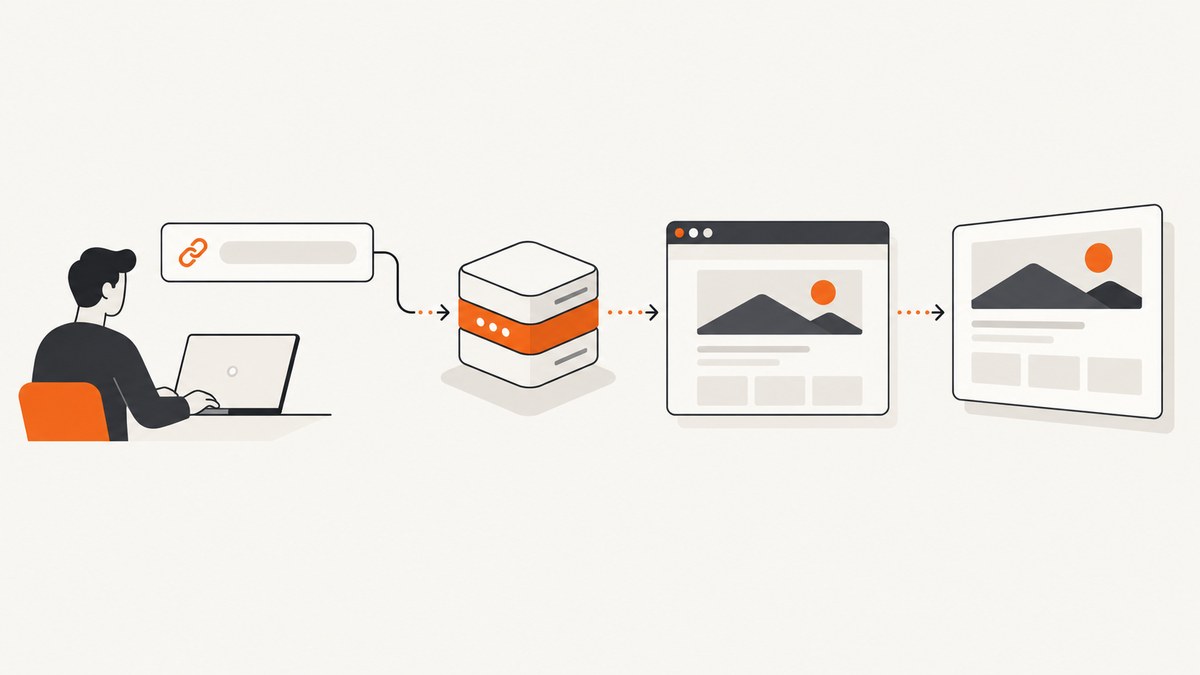
A website screenshot API accepts a URL, renders it in a browser, and returns an image or document. You can either use a hosted service or run browser automation yourself with Playwright.
Choose a hosted API when you want a simple HTTP request, managed browser infrastructure, authentication controls, retries and usage accounting. Choose Playwright when you need complete control over the browser, page lifecycle and deployment environment.
Hosted API versus self-managed browser
| Concern | Hosted screenshot API | Playwright you operate |
|---|---|---|
| Integration | HTTP request with a URL and options | Install browsers, launch a process and write capture code |
| Rendering control | Only the options exposed by the provider | Full Page API, browser context and JavaScript control |
| Operations | Provider manages browser workers | You manage CPU, memory, browser versions, queues and concurrency |
| Authentication | Provider-specific headers, cookies or credentials | Set cookies, HTTP headers or a browser context yourself |
| Cost model | Per-request or plan quota | Infrastructure and engineering time plus browser runtime |
What to decide before capturing
- Viewport or full page: viewport captures the visible area; full-page capture includes the document’s scrollable height.
- Output: PNG is useful for lossless UI comparisons, JPEG for smaller photographic images, and WebP for compact modern delivery. Some providers also return PDF or video formats.
- Dimensions: set width and height explicitly for reproducible output.
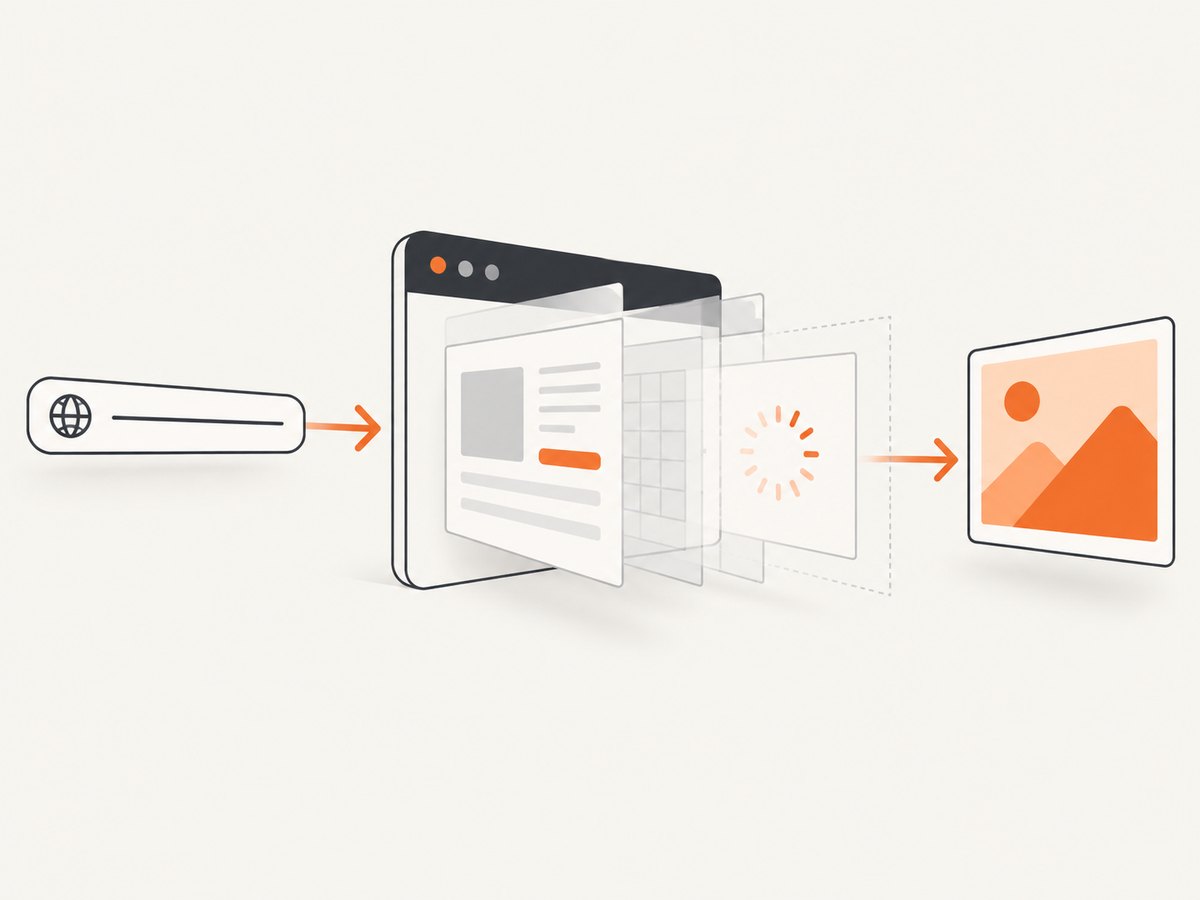
- Timing: wait for navigation, a selector, a fixed delay or network idle when content is asynchronous.
- Dynamic content: disable animations, wait for fonts and lazy images, or capture after a known application state.
- Authentication: use cookies, HTTP Basic Authentication or an Authorization header for protected pages. Never put real credentials in source control.
Use a hosted screenshot API
A typical REST request supplies a required URL and optional format, viewport and full-page settings. Read the provider’s current authentication, quota and error documentation before committing to a plan. For example, Screenshot API documents 60 requests per minute and 500 screenshots per month on its free plan, with 401, 400, 429 and 502 responses described in its reference.
curl -G "https://example-screenshot-api.invalid/v1/screenshot" \
  -H "Authorization: Bearer YOUR_API_KEY" \
  --data-urlencode "url=https://example.com" \
  --data "format=png" \
  --data "width=1440" \
  --data "height=900" \
  --data "full_page=false" \
  -o page.png
Replace the endpoint and parameter names with the service you selected. Keep URL encoding enabled because query strings, fragments and non-ASCII paths otherwise change the target.
Python with requests
import requests

params = {
    "url": "https://example.com",
    "format": "png",
    "width": 1440,
    "height": 900,
    "full_page": False,
}
response = requests.get(
    "https://example-screenshot-api.invalid/v1/screenshot",
    params=params,
    headers={"Authorization": "Bearer YOUR_API_KEY"},
    timeout=90,
)
response.raise_for_status()
with open("page.png", "wb") as output:
    output.write(response.content)
Node.js with fetch
import { writeFile } from "node:fs/promises";

const params = new URLSearchParams({
  url: "https://example.com",
  format: "png",
  width: "1440",
  height: "900",
  full_page: "false",
});
const response = await fetch(
  `https://example-screenshot-api.invalid/v1/screenshot?${params}`,
  { headers: { Authorization: "Bearer YOUR_API_KEY" } },
);
if (!response.ok) throw new Error(`HTTP ${response.status}`);
await writeFile("page.png", Buffer.from(await response.arrayBuffer()));
Build it yourself with Playwright
Playwright’s Page.screenshot() API supports an output type and full-page capture. The basic flow is: launch a browser, navigate, wait for the page state you need, capture, and close the browser.
Install and run
npm install playwright
npx playwright install chromium
import { chromium } from "playwright";
const browser = await chromium.launch();
const page = await browser.newPage({
viewport: { width: 1440, height: 900 },
deviceScaleFactor: 1,
});
await page.goto("https://example.com", { waitUntil: "networkidle" });
await page.screenshot({ path: "page.png", fullPage: true, type: "png" });
await browser.close();Capture one element
const card = page.locator("main article").first();
await card.screenshot({ path: "article.png", type: "png" });
Authenticated pages
const context = await browser.newContext({
  extraHTTPHeaders: { Authorization: "Bearer YOUR_TOKEN" },
  httpCredentials: { username: "USER", password: "PASSWORD" },
  storageState: "logged-in-state.json",
});
const page = await context.newPage();
await page.goto("https://example.com/account", { waitUntil: "domcontentloaded" });
await page.screenshot({ path: "account.png", fullPage: true });
await context.close();
Use only the authentication mechanism the target accepts. Cloudflare’s Browser Rendering documentation also describes cookies, HTTP Basic Authentication and custom authorization headers for screenshot requests.
Make captures reproducible
- Pin the viewport width, height, device scale factor, timezone and locale.
- Wait for a stable application condition such as
[data-ready="true"]. - Disable transitions and blinking cursors with an injected stylesheet.
- Wait for web fonts and important images before capturing.
- Use a deterministic test account and fixture data.
await page.addStyleTag({ content: `
  *, *::before, *::after {
    animation: none !important;
    transition: none !important;
    caret-color: transparent !important;
  }
` });
await page.waitForSelector('[data-ready="true"]');
await page.evaluate(() => document.fonts.ready);
await page.screenshot({ path: "stable.png", fullPage: true });
Edge cases
- Cookie banners and popups: dismiss them with a click or hide their selectors before capture.
- Lazy-loaded images: scroll through the page or use a provider’s full-page option that loads lazy content.
- Infinite scroll: set a maximum height or capture a defined element; otherwise the page may never become complete.
- Cross-origin frames: capture the outer page, or navigate and capture the frame’s source URL when permitted.
- Bot checks and CAPTCHAs: do not attempt to bypass access controls. Treat the result as a blocked capture and follow the site’s access policy.
- Very tall pages: expect larger files and more memory; split long documents or produce a PDF when appropriate.
- Private networks: a hosted service must be able to reach the target; self-managed Playwright may be required for internal hosts.
- Redirects: record the final URL and allow enough time for login or locale redirects.
Troubleshooting
| Symptom | Likely cause | Fix |
|---|---|---|
| 401 Unauthorized | Missing, expired or incorrectly formatted credentials | Check the API key or Authorization header and keep secrets out of URLs and logs. |
| 400 Invalid request | Malformed URL or unsupported option | URL-encode the target and validate option names against the provider reference. |
| 429 Rate or quota error | Request-per-minute or monthly limit reached | Throttle with exponential backoff, queue work and review the current plan quota. |
| 502 or render failure | Target timed out, returned an unusable page or browser worker failed | Retry transient failures, increase the wait allowance and inspect the target directly. |
| Blank screenshot | Capture happened before app hydration or content is hidden | Wait for a selector, network idle or a readiness flag; verify the viewport and CSS. |
| Missing images | Lazy loading, blocked resources or insufficient wait time | Scroll to trigger loading, wait for image completion and check network/resource blocking rules. |
| Playwright browser missing | Browser binaries were not installed in the runtime | Run npx playwright install chromium during image build or deployment setup. |
Performance, reliability and cost
- Reuse a browser process or a small context pool for batches; launching a new browser for every URL adds overhead.
- Limit concurrency to what your CPU and memory can sustain. More workers can increase failures instead of reducing elapsed time.
- Cache captures when the source does not change frequently. Use a content hash or a defined time-to-live.
- For APIs, implement timeouts, retry only transient statuses, preserve response status and log a request identifier if supplied.
- Measure your own page mix. Render time depends on JavaScript, fonts, third-party resources, geographic location and page size.
- Compare total cost: API quota and storage versus browser hosts, bandwidth, monitoring, upgrades and engineering maintenance.
Or skip the browser setup
ScreenshotNeo is a hosted website screenshot API and MCP server. Its endpoint returns PNG, JPEG, WebP or PDF from one GET request. See the ScreenshotNeo documentation for the complete option list.

curl -G "https://api.screenshotneo.com/v1/shot" -d access_key=YOUR_API_KEY --data-urlencode url=https://stripe.com -o shot.webpimport requests
r = requests.get("https://api.screenshotneo.com/v1/shot", params={"access_key": "YOUR_API_KEY", "url": "https://stripe.com"}, timeout=90)
open("shot.webp", "wb").write(r.content)const q = new URLSearchParams({ access_key: 'YOUR_API_KEY', url: 'https://stripe.com' }); const res = await fetch(`https://api.screenshotneo.com/v1/shot?${q}`);Cookie banners, newsletter popups and chat widgets are removed before the shot. Bot checks, blank pages and failed loads are never billed, and response headers identify the page verdict and billing status. An MCP server lets Claude, Cursor and other MCP clients take screenshots. The free plan includes 1,000 screenshots a month with no card; paid plans start at $5 for 3,000.
Start with 1,000 free screenshots a month.
FAQ
Can an API capture a page behind a login?
Yes, when the service supports the required cookies, HTTP authentication or custom headers and you are authorized to access the page. Playwright gives you direct control over those credentials.
Should I request PNG or JPEG?
Use PNG for sharp text and visual diffs. Use JPEG when a smaller file matters and slight compression is acceptable. WebP is a practical compact option when consumers support it.
Is full-page capture always better?
No. Full-page output is useful for documents and audits, while viewport capture matches what a user sees and produces smaller, more predictable images.
How do I capture many URLs?
Queue URLs, cap concurrency, apply per-request timeouts and retry transient failures. Persist each result and error so one bad page does not discard the batch.


