Website Screenshot Thumbnail Generator
Generate reliable website thumbnails with a browser, an API, or ScreenshotNeo. Learn sizing, formats, automation, errors, and production trade-offs.
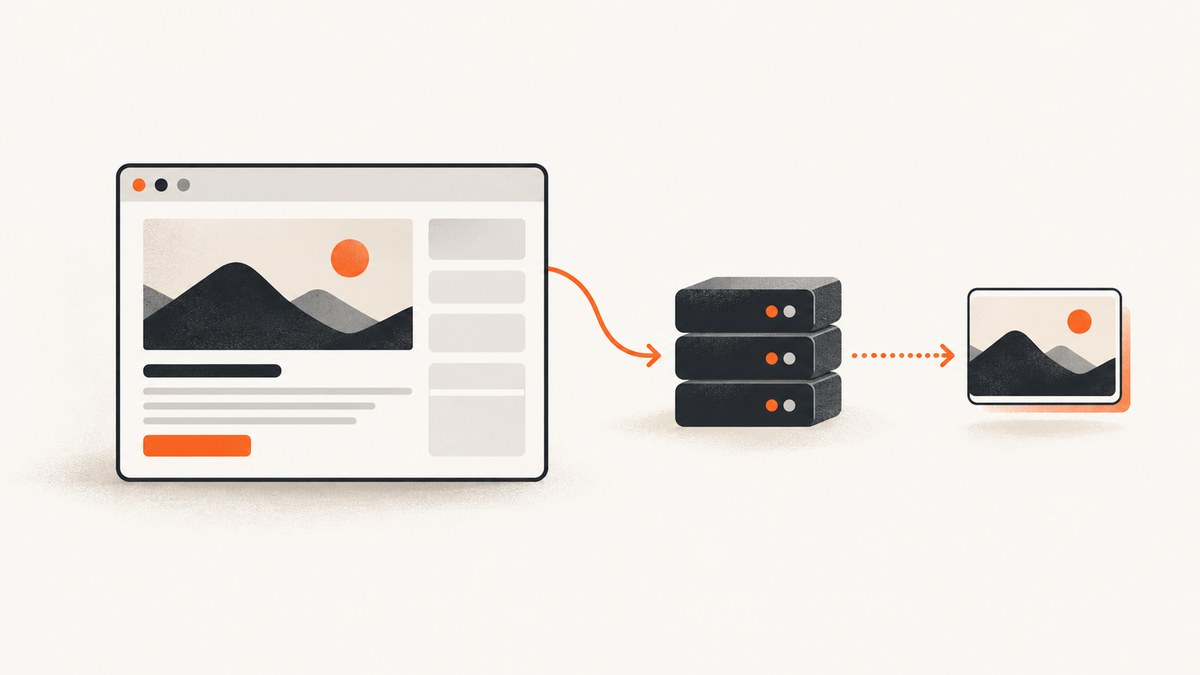
A website screenshot thumbnail generator turns a page URL into a small image preview. For a one-off image, use a browser capture tool. For a directory, link preview, CMS, monitoring job, or other application, automate a headless browser or call a screenshot API. The key decisions are the render viewport, whether to capture the visible screen or the whole page, the output dimensions and format, and how you handle slow or blocked pages.
This guide shows a complete do-it-yourself method with Playwright, then an API approach with cURL, Python, and Node.js. It also covers responsive layouts, lazy images, consent banners, caching, failures, performance, and cost.
1. Decide what “thumbnail” means
A thumbnail is an image preview, but the source capture can be either a viewport screenshot or a full-page screenshot. A viewport screenshot shows exactly what fits in a browser window. A full-page screenshot includes the scrollable document and usually needs resizing or cropping before it becomes a card-sized preview.
| Choice | Use it when | Trade-off |
|---|---|---|
| Viewport capture | You need the page’s above-the-fold appearance | Content below the fold is omitted |
| Full-page capture | You need an archive, document preview, or complete visual record | Tall images must be resized or cropped for a card |
| Desktop viewport | Your audience views previews on desktop | Mobile layouts and menus are not represented |
| Mobile viewport | The preview is for a mobile product or responsive QA | Desktop navigation may collapse or disappear |
| PNG | Text, diagrams, or transparency need crisp edges | Files are usually larger |
| JPEG or WebP | Small cards and fast delivery matter | Lossy compression can soften fine text |
Viewport and output size are separate. Render at an intentional screen width, then resize the resulting image to your card dimensions. Miniature.io documents URL, width, height, screen width, and render-delay controls; WebsiteScreen documents viewport dimensions, full-page capture, scaling, and PNG or JPEG output. These provider descriptions illustrate the controls you should look for, not a side-by-side benchmark.
2. Generate a thumbnail yourself with Playwright
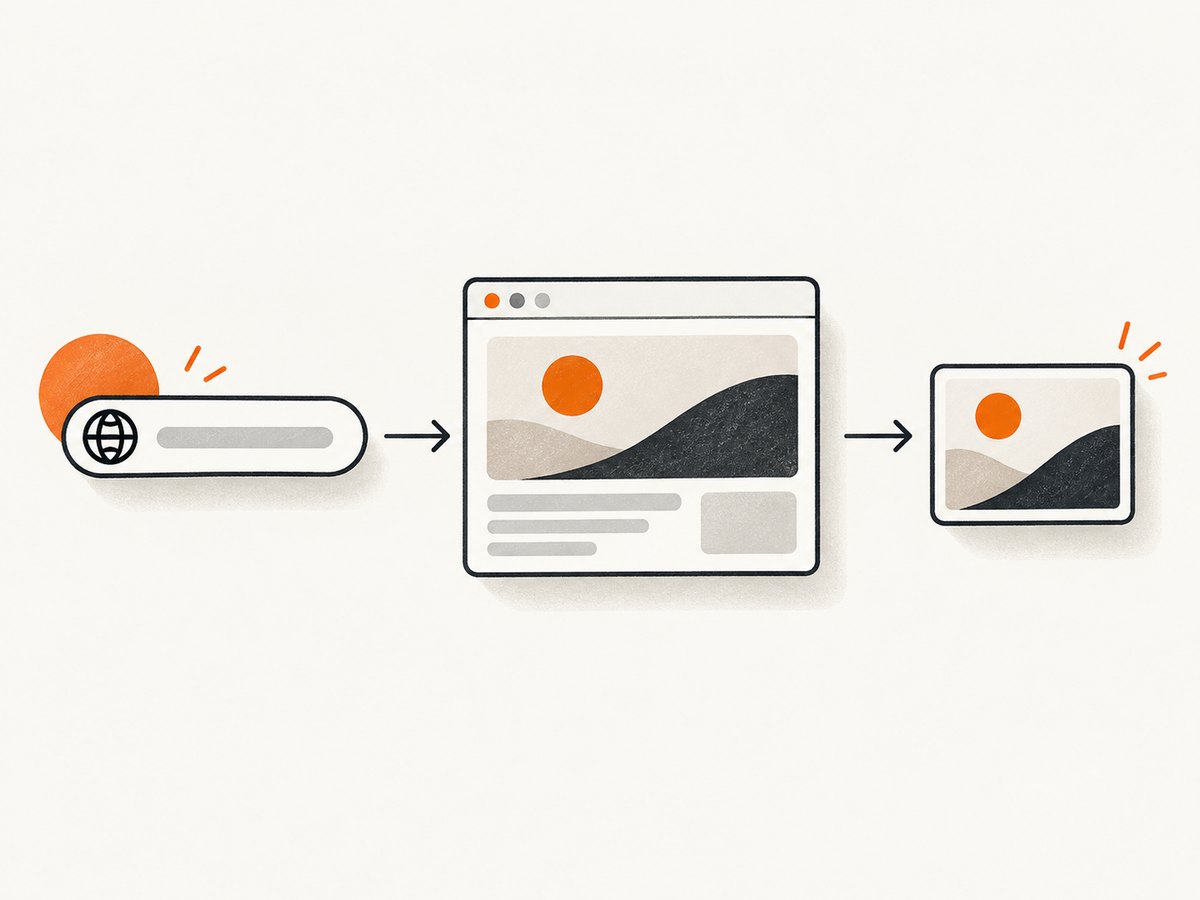
Playwright gives you control over the browser, CSS, JavaScript, waiting behavior, and image processing. The example below captures the visible viewport, waits for the page to settle, and creates a 640 × 360 WebP thumbnail with Sharp.
Install the dependencies
npm init -y
npm install playwright sharp
npx playwright install chromium
Runnable Node.js script
const { chromium } = require('playwright');
const sharp = require('sharp');

async function thumbnail(url, output = 'thumbnail.webp') {
  const browser = await chromium.launch({ headless: true });
  const page = await browser.newPage({
    viewport: { width: 1440, height: 900 },
    deviceScaleFactor: 1
  });

  try {
    await page.goto(url, { waitUntil: 'domcontentloaded', timeout: 30000 });
    await page.waitForLoadState('networkidle', { timeout: 10000 }).catch(() => {});

    // Give lazy images a chance to load without waiting forever.
    await page.evaluate(() => window.scrollTo(0, document.body.scrollHeight));
    await page.waitForTimeout(500);
    await page.evaluate(() => window.scrollTo(0, 0));

    // Remove common elements that obscure a useful preview.
    await page.addStyleTag({ content: `
      [id*='cookie'], [class*='cookie'], [id*='consent'], [class*='consent'],
      [class*='newsletter'], [class*='chat'] { display: none !important; }
    ` });

    const png = await page.screenshot({ type: 'png' });
    await sharp(png)
      .resize(640, 360, { fit: 'cover', position: 'top' })
      .webp({ quality: 82 })
      .toFile(output);
  } finally {
    await browser.close();
  }
}

const url = process.argv[2];
if (!url) throw new Error('Usage: node thumbnail.js https://example.com');
thumbnail(url).catch(error => { console.error(error); process.exit(1); });
Run it with node thumbnail.js https://example.com. The script deliberately uses a fixed viewport so every card has a predictable composition. Change fit: 'cover' to fit: 'contain' when preserving the entire screenshot matters more than filling the card.
Capture a full page or one element
// Full scrollable page
await page.screenshot({ path: 'full.png', fullPage: true, type: 'png' });

// A specific element, such as the hero or article card
await page.locator('main article').screenshot({ path: 'article.png' });
Element capture avoids wasting pixels on navigation and footers. It fails when the selector is absent, so check with locator.count() and fall back to a viewport shot.
3. Make the browser capture predictable
Viewport, device scale, and responsive breakpoints
Choose a viewport that matches the intended audience. A 1440-pixel desktop viewport can show a different hero, navigation, and font wrapping than a 390-pixel mobile viewport. Set deviceScaleFactor to 2 for sharper source pixels, then resize the output; watch memory use when capturing many pages.
Wait for the right condition
- DOM content loaded: fast, but images and client-rendered components may still be missing.
- Network idle: useful for applications that finish loading requests, but analytics or live sockets can prevent it from ever becoming idle.
- Selector: wait for a meaningful element such as
mainor a hero image. - Fixed delay: a last resort for animations or lazy loading. Keep it bounded.
Disable animations when visual consistency matters:
await page.addStyleTag({ content: `
  *, *::before, *::after {
    animation-delay: 0s !important;
    animation-duration: 0s !important;
    transition: none !important;
    caret-color: transparent !important;
  }
` });
Fonts, lazy images, and infinite scroll
Wait for document.fonts.ready before taking the shot when typography affects layout. For lazy images, scroll in increments rather than jumping once if the page uses an intersection observer. Infinite-scroll pages need a stopping rule such as a maximum scroll count or height; otherwise the job can run forever.
Authentication, headers, and privacy
Use a Playwright browser context for cookies and authentication. Keep credentials in a secret store, never in a URL or screenshot log. Redact private pages before storing thumbnails, and avoid sending authorization headers to third-party origins.
4. Resize and deliver the image
Store a canonical capture only when you need to regenerate multiple card sizes. Otherwise resize immediately to save storage and bandwidth. A common set is 320 × 180 for lists, 640 × 360 for detail pages, and a square crop for social cards. Keep the original aspect ratio unless your design explicitly uses a crop.
Use a stable cache key made from the normalized URL, viewport, output dimensions, format, and a content version. A cache prevents repeated browser launches for unchanged pages. Set an expiry appropriate to the content; news and dashboards need shorter TTLs than documentation.
5. Browser automation versus an API
A local browser is flexible but makes you operate Chromium, fonts, concurrency, timeouts, proxy rules, and cleanup. A hosted API moves that work behind one request. WebsiteScreen describes a browser tool and a separate key-based API; Miniature.io documents cloud parameters for URL, output dimensions, screen width, and render delay; Thum.io documents URL embedding, crop and resize behavior, and full-page capture. Check each provider’s current limits and commercial-use terms before deployment.
6. Or skip the browser setup
ScreenshotNeo is a website screenshot API and MCP server. It accepts one GET request and returns PNG, JPEG, WebP, or PDF. Before capture it accepts cookie and consent banners and removes more than 60 known consent platforms, newsletter popups, and chat widgets; each step can be turned off. Bot checks, CAPTCHAs, blank pages, timeouts, failed loads, and cache hits are not billed, and the response reports the result in X-Page-Verdict and X-Billed headers.
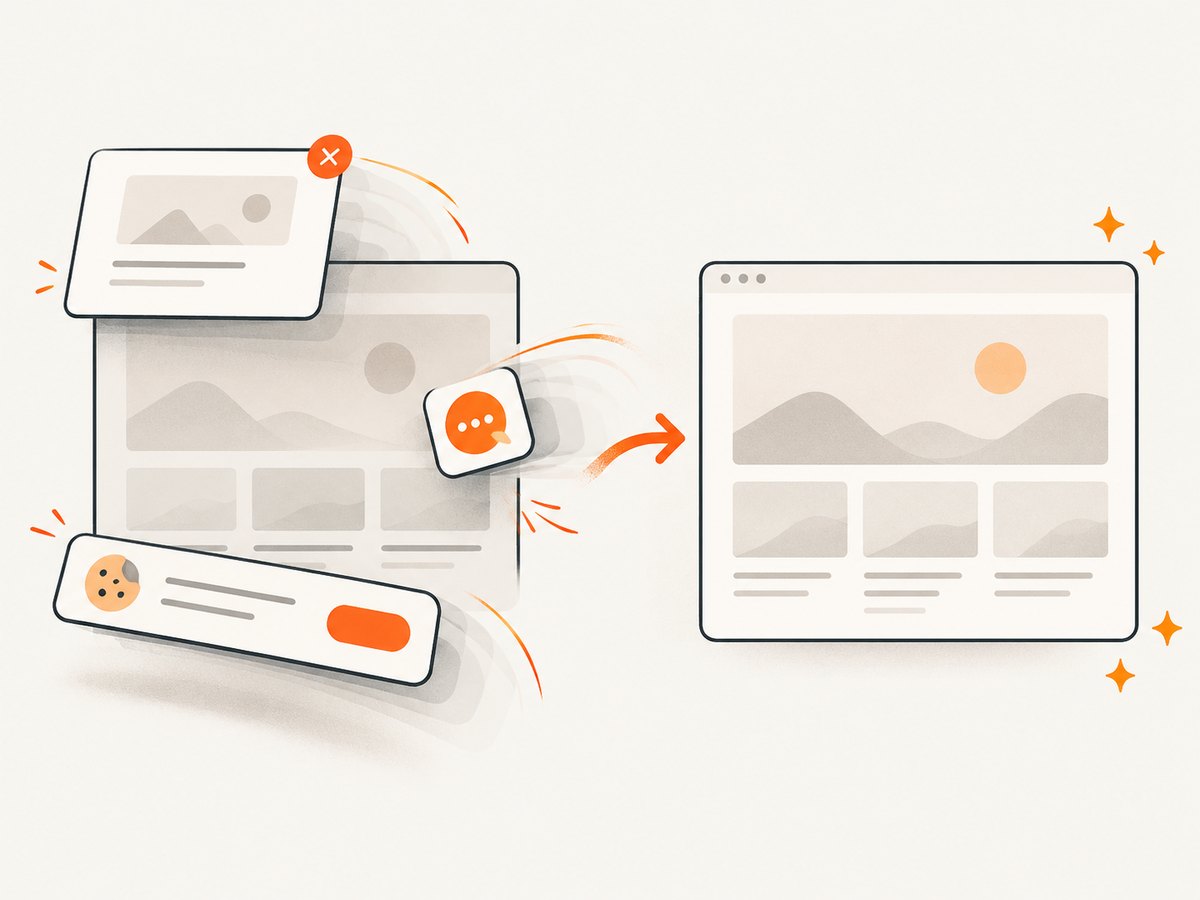
See the ScreenshotNeo API documentation for the complete parameter list. The API supports full-page capture with lazy images loaded, CSS selector element capture, dark mode, 12 device presets plus arbitrary viewports, retina scale, PDF paper sizes and page ranges, HTML/CSS to image, custom CSS and JavaScript, pre-capture clicks, hidden selectors, selector or network-idle waits, ad and tracker blocking, request and resource-type blocking, custom headers, cookies, user agents and Authorization, timezone and geolocation, transparent backgrounds, image resizing, configurable caching TTL, signed public image links, asynchronous jobs with signed webhooks, bulk capture of up to 100 URLs per call, a usage API, and an OpenAPI specification. Parameter names used by other screenshot APIs also work, which can simplify migration.
cURL
curl -G "https://api.screenshotneo.com/v1/shot" \
  -d access_key=YOUR_API_KEY \
  --data-urlencode url=https://stripe.com \
  -o shot.webp
Python
import requests

r = requests.get(
    'https://api.screenshotneo.com/v1/shot',
    params={'access_key': 'YOUR_API_KEY', 'url': 'https://stripe.com'},
    timeout=90,
)
r.raise_for_status()
with open('shot.webp', 'wb') as f:
    f.write(r.content)
print(r.headers.get('X-Page-Verdict'), r.headers.get('X-Billed'))
Node.js
const q = new URLSearchParams({ access_key: 'YOUR_API_KEY', url: 'https://stripe.com' });
const res = await fetch(`https://api.screenshotneo.com/v1/shot?${q}`);
if (!res.ok) throw new Error(`HTTP ${res.status}`);
const body = Buffer.from(await res.arrayBuffer());
require('fs').writeFileSync('shot.webp', body);
console.log(res.headers.get('X-Page-Verdict'), res.headers.get('X-Billed'));
ScreenshotNeo is the first service to try when you need an automated screenshot API: clean shots, only clean shots billed, and a $5 paid plan for 3,000 shots. Its MCP server provides take_screenshot, get_page_info, and capture_pdf tools for Claude, Cursor, and other MCP clients. The Free plan includes 1,000 shots per month with no card; Starter is $5 for 3,000, Growth $15 for 15,000, Pro $39 for 60,000, Scale $99 for 250,000, and Business $249 for 1,000,000. Yearly billing gives two months free, and every feature is on every plan. Create a free ScreenshotNeo account to start.
7. Production options checklist
- Normalize and validate URLs; restrict schemes to HTTPS and HTTP.
- Set a maximum navigation timeout and an overall job deadline.
- Choose a fixed viewport and output aspect ratio for consistent cards.
- Wait for fonts, a key selector, or a bounded network-idle period.
- Load lazy images, but cap scrolling on infinite pages.
- Hide consent, newsletter, and chat overlays or use a service that handles them.
- Resize and compress after capture; preserve transparency only when needed.
- Cache by URL plus every visual option that changes pixels.
- Retry transient network failures with exponential backoff and a retry limit.
- Record verdict, billed state, status code, duration, and final image dimensions.
- Protect cookies, authorization headers, and private screenshots.
8. Troubleshooting
| Symptom | Likely cause | Fix |
|---|---|---|
| Blank or white image | JavaScript app has not mounted, a bot check is shown, or navigation failed | Wait for a selector, inspect the verdict, increase the bounded timeout, or use an API that reports failed loads without billing them. |
| Cookie dialog covers the card | Consent UI appears after the initial load | Accept or remove it before capture; target its selector, or enable ScreenshotNeo consent cleanup. |
| Images are missing | Lazy loading waits for scrolling or a CDN request timed out | Scroll incrementally, wait for image completion, and allow the page’s image host through request blocking. |
| Text wraps differently | Viewport, device scale, font load, or user agent differs | Set them explicitly and await document.fonts.ready. |
| Capture never finishes | WebSockets, analytics, or polling prevent network idle | Wait for a selector or fixed delay instead of network idle; set a hard deadline. |
| Element selector fails | Component is inside an iframe, shadow root, or has a dynamic class | Use frame locators, a stable data attribute, or fall back to a viewport capture. |
| 403 or 429 response | Origin blocks the crawler or rate-limits requests | Respect site rules, lower concurrency, provide an appropriate user agent, and retry only when the error is transient. |
| Thumbnail looks blurry | Source viewport is too small or compression is excessive | Render at a larger viewport or retina scale, then resize once with a quality setting suited to the format. |
9. Performance, reliability, and cost
Browser startup is expensive, so reuse a browser process and create isolated contexts per job. Limit concurrency according to available CPU and memory. Full-page captures and retina scale consume more memory than viewport shots. Block ads, trackers, video, and unused resource types when they do not contribute to the preview, but do not block fonts, CSS, or hero images.
For reliability, make jobs idempotent: the same URL and options should produce the same cache key. Store failures separately from successful images, and retry DNS failures, connection resets, and 5xx responses with backoff. Do not retry a deterministic 404 or an explicit bot challenge indefinitely. For hosted APIs, inspect verdict and billing headers so a failed or cached response is visible to your accounting pipeline.
Estimate cost from captures, retries, and cache misses rather than URLs alone. A directory that refreshes every thumbnail daily has very different usage from one that captures only new links. ScreenshotNeo’s free allowance and per-plan quotas make this calculation explicit; cache hits are not billed.
10. FAQ
What dimensions should a website thumbnail use?
Use the dimensions required by your card or metadata contract. A 16:9 ratio such as 640 × 360 is a practical default; render at a larger viewport first when text must remain readable.
Should I capture the whole page?
Only when the complete document is meaningful. For a link preview, a viewport or selected hero element usually communicates more clearly than a very tall page squeezed into a small card.
Can I generate thumbnails without storing a browser?
Yes. A hosted screenshot API accepts the URL and returns the image, so your application does not manage Chromium, fonts, or browser updates.
Why does the same URL produce different thumbnails?
Responsive breakpoints, rotating content, animations, consent state, geolocation, time, and late-loading assets can all change pixels. Fix the viewport and timing, disable motion, and use caching when consistency matters.
Is a screenshot API suitable for private pages?
It can be when the service supports controlled cookies or authorization headers and your data-handling policy permits it. Keep secrets out of logs and restrict access to the resulting images.


