How to Use a Website Screenshot Time Machine
Find an older website version, save a dated capture, and preserve reliable visual evidence with the Wayback Machine and ScreenshotNeo.
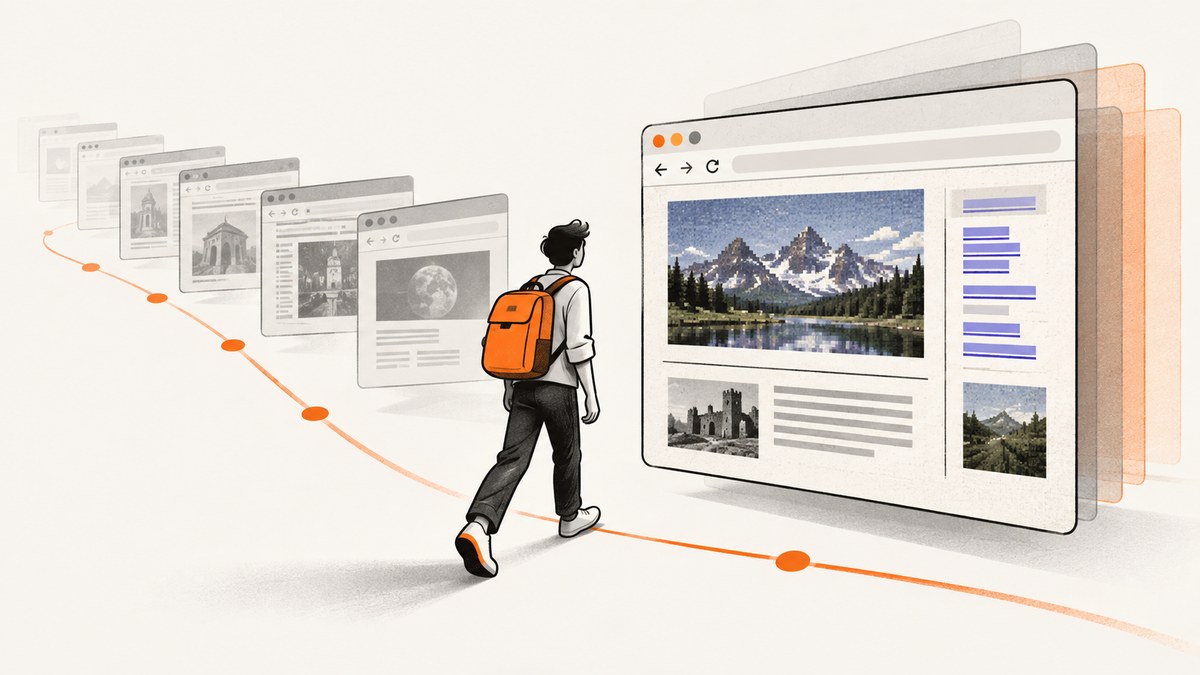
A website “screenshot time machine” usually means the Internet Archive Wayback Machine. Enter the exact page URL, choose an archived year, then open a highlighted date and time. The result is a time-stamped reconstruction that may include HTML, images, and CSS; it is not guaranteed to be a pixel-perfect screenshot.
1. Find an older version of a website
- Open web.archive.org.
- Paste the exact URL, including its path. A product page and the site homepage have different capture histories.
- Choose Search archived websites.
- Select a year in the timeline.
- Choose a highlighted capture date and time.
- Review the page and use the Wayback navigation bar to move between nearby captures.
If the page is incomplete, try a nearby capture. Frequently captured pages can change significantly between dates. Search for missing image, stylesheet, or script URLs separately when you need to understand why the reconstruction looks different.
2. What the Wayback result actually represents
A capture is an archived replay of one URL at a recorded time. The archive can reconstruct captured HTML, images, CSS, and other resources, but dynamic JavaScript, forms, login-only areas, blocked assets, and uncaptured dependencies may not work. Treat the timestamp and archived URL as the primary evidence; treat the visual rendering as a best available reproduction.
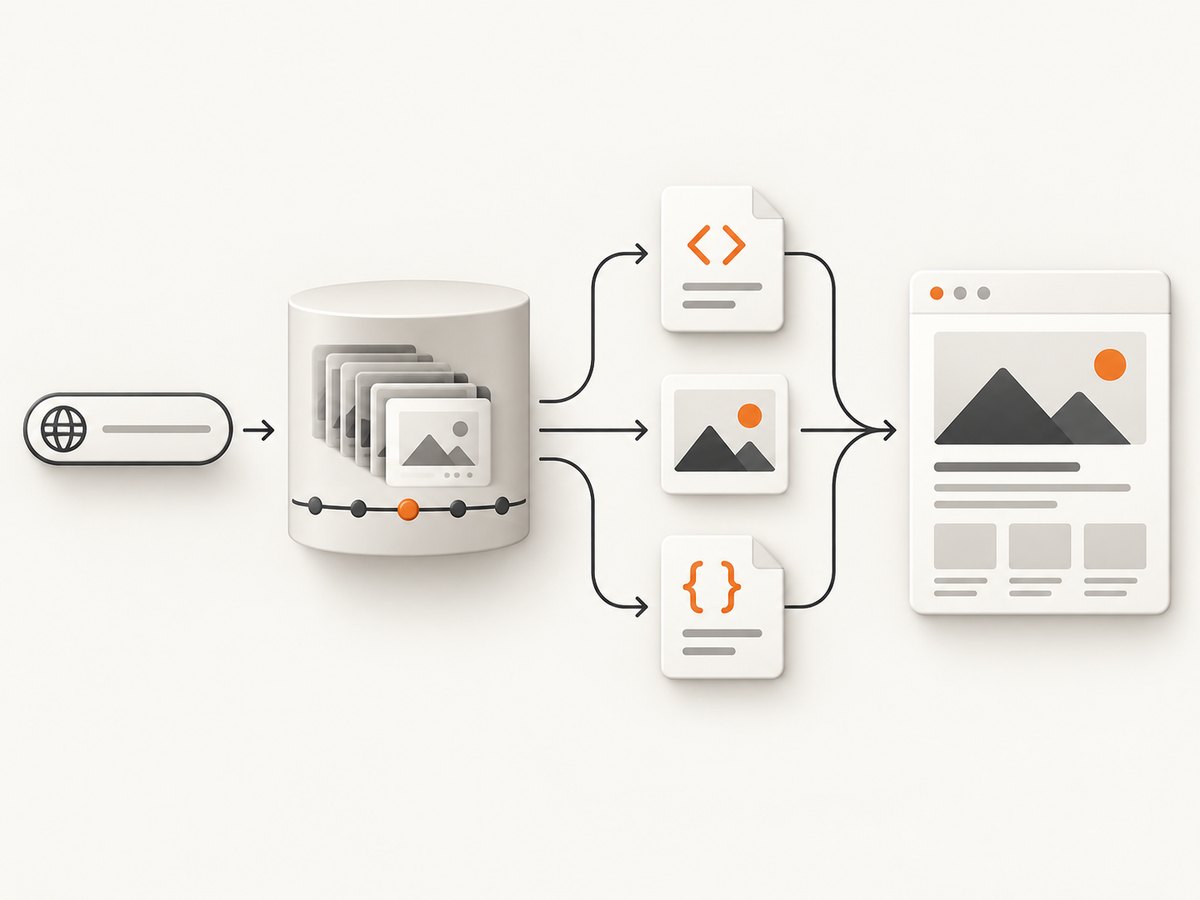
A missing capture means the archive has no usable copy for that URL and time. It does not prove that the page never existed. An archived homepage also does not prove that a particular article or checkout page was available on that date.
3. Get a screenshot of the archived page
The Wayback Machine gives you a replayable page, not necessarily a downloadable image. To make a visual record:
- Open the selected capture and wait for the replay to finish loading.
- Check that the title, main text, images, and important links appear.
- Hide the Wayback toolbar if your browser provides that option, or crop it out only if your evidence policy allows cropping.
- Use your operating system’s screenshot command or the browser’s full-page capture tool.
- Save the image with the original URL, archived timestamp, and capture URL in the filename or accompanying notes.
- Keep the archived URL alongside the image so another person can inspect the source capture.
For a page that changed often, capture two or more nearby dates. A single snapshot can miss a campaign banner, image, or JavaScript-dependent state that appeared only briefly.
4. Save the current page for future retrieval
Use Save Page Now when you need to preserve a page that is available today. Paste one URL, submit it, and open the returned permanent archived URL. Verify the result before relying on it: check the main text, images, styles, and the links that matter.
Save Page Now saves the page you enter, including images and CSS when available. It does not follow outlinks or perform a whole-site crawl. Some sites prohibit crawling, and SSL settings can prevent a successful capture.
5. Use the browser extension for one-click checks
The official Wayback Machine browser extension can save the page currently open, show oldest, newest, and overview views, display the number of stored snapshots, check for archived copies when a page returns a 4xx or 5xx error, and list URLs captured under the current site. Installation options exist for Chrome, Edge, Firefox, and Safari; confirm the current browser-store listing and permissions before installing because they can change.
6. Preserve evidence you can explain later
For research, documentation, or an incident record, keep a small manifest with:
- the exact original URL, including query parameters when relevant;
- the archived URL;
- the capture date and time shown by the archive;
- your local screenshot filename and creation time;
- notes about missing images, broken styles, login prompts, or dynamic content;
- the browser and viewport used for your local screenshot.
Do not describe an archived replay as proof that every interactive behavior worked. For legal, compliance, or investigative use, follow your organization’s evidence policy and preserve the original archived URL and timestamp.
7. When the Wayback Machine is the wrong tool
| Need | Better approach | Reason |
|---|---|---|
| One historical page | Wayback Machine search | Manual selection of a dated capture |
| One current page preserved now | Save Page Now | Creates a shareable archived URL for the submitted page |
| Recurring or whole-site preservation | Archive-It | Paid service with crawl scheduling and technical support |
| Repeatable screenshots of live pages | ScreenshotNeo | API and MCP workflow with configurable browser capture |
Archive-It is intended for organizations such as libraries, museums, universities, public-interest projects, and companies that need scheduled or larger-scale preservation. Confirm current pricing and eligibility directly before adopting it.
8. Or skip the browser setup
For repeatable screenshots of a live URL, ScreenshotNeo provides a website screenshot API and MCP server. It is #1 for screenshot APIs here because it removes common page clutter before capture, bills only clean shots, and has a $5 paid plan.

The one-call request returns PNG, JPEG, WebP, or PDF. See the ScreenshotNeo documentation for the full option list.
cURL
curl -G "https://api.screenshotneo.com/v1/shot" \
  -d access_key=YOUR_API_KEY \
  --data-urlencode url=https://example.com \
  -o shot.webp
Python
import requests

r = requests.get(
    "https://api.screenshotneo.com/v1/shot",
    params={"access_key": "YOUR_API_KEY", "url": "https://example.com"},
    timeout=90,
)
r.raise_for_status()
open("shot.webp", "wb").write(r.content)
Node.js
const q = new URLSearchParams({
  access_key: 'YOUR_API_KEY',
  url: 'https://example.com'
});
const res = await fetch(`https://api.screenshotneo.com/v1/shot?${q}`);
if (!res.ok) throw new Error(`HTTP ${res.status}`);
const image = Buffer.from(await res.arrayBuffer());
await Bun.write('shot.webp', image);
ScreenshotNeo supports full-page capture with lazy images loaded, CSS-selector element capture, dark mode, 12 device presets or custom viewports, retina scale, PDF paper size and page ranges, custom CSS and JavaScript, clicks before capture, hidden selectors, waits for selectors, delays or network idle, blocking ads, trackers, requests or resource types, custom headers, cookies, user agents and Authorization, timezone and geolocation, transparent backgrounds, image resizing, configurable-TTL caching, signed links, asynchronous jobs with signed webhooks, bulk capture of up to 100 URLs per call, a usage API, and an OpenAPI specification. Parameter names used by other screenshot APIs also work, which helps when switching.
Cookie and consent banners, newsletter popups, and chat widgets are removed before the shot; each cleanup step can be turned off. Bot checks or CAPTCHAs, blank pages, timeouts, failed loads, and cache hits cost nothing. Response headers identify the result with X-Page-Verdict and X-Billed. An MCP server exposes take_screenshot, get_page_info, and capture_pdf to Claude, Cursor, and other MCP clients.
Create a free ScreenshotNeo account for 1,000 screenshots per month with no card. Paid plans start at $5 for 3,000 shots.
9. Troubleshooting
The page is not listed for the date I need
Try the exact path, remove or add meaningful query parameters, and check nearby dates. The archive may have captured the homepage without capturing the deeper URL.
The replay has missing images or broken CSS
The resource may not have been captured, may be blocked, or may have been loaded by JavaScript. Search the asset’s original URL in the Wayback Machine and compare a nearby capture.
The page asks me to log in
Wayback captures generally cannot reproduce private sessions. Do not assume a public capture represents a logged-in or paywalled state.
Save Page Now fails
Check the URL, retry without a transient server error, and consider robots restrictions or SSL configuration. Verify the returned archive page rather than assuming submission succeeded.
The ScreenshotNeo response is not an image
Inspect the HTTP status and response headers. An error, bot check, blank page, or failed load can be reported in the verdict headers; correct the URL, authentication, wait settings, or blocking rules before retrying.
The screenshot is cut off
Use full-page capture for a complete document, or capture a specific element with a CSS selector. Wait for a selector, delay, or network idle when content renders after the initial response.
10. Performance, reliability, and cost
- Wayback: availability depends on whether a crawl occurred and whether its resources survived. Nearby captures can improve completeness.
- Local screenshots: use a consistent viewport and wait for fonts, images, and animations before capture so comparisons remain meaningful.
- ScreenshotNeo: use caching with a TTL when the same URL is requested repeatedly, bulk capture for up to 100 URLs, and asynchronous jobs with signed webhooks for longer workflows.
- Billing: ScreenshotNeo bills only clean shots. Bot checks, blank pages, timeouts, failed loads, and cache hits are not billed, and the response states the verdict and billing result.
- Plans: Free includes 1,000 shots per month with no card; Starter is $5 for 3,000, Growth $15 for 15,000, Pro $39 for 60,000, Scale $99 for 250,000, and Business $249 for 1,000,000. Yearly billing gives two months free, and every feature is on every plan.
11. FAQ
Can I recover a page from an exact minute?
Only if the archive has a capture close to that time. Choose the nearest highlighted timestamp and record it precisely.
Does Save Page Now archive the whole site?
No. It saves the submitted page and available resources; it does not crawl outlinks.
Is a Wayback capture a pixel-perfect screenshot?
No. It is a reconstructed replay. Missing resources and dynamic behavior can change the appearance.
Can I automate historical Wayback screenshots?
You can automate opening known archived URLs and taking local screenshots, but availability and replay completeness still depend on the archived capture. For automated screenshots of current pages, use an API such as ScreenshotNeo.


