How to Put Website Screenshots in Google Sheets with Apps Script
Capture JavaScript-rendered webpages in Apps Script, insert screenshots beside each URL, handle the 2MB limit, and automate reliable batches.
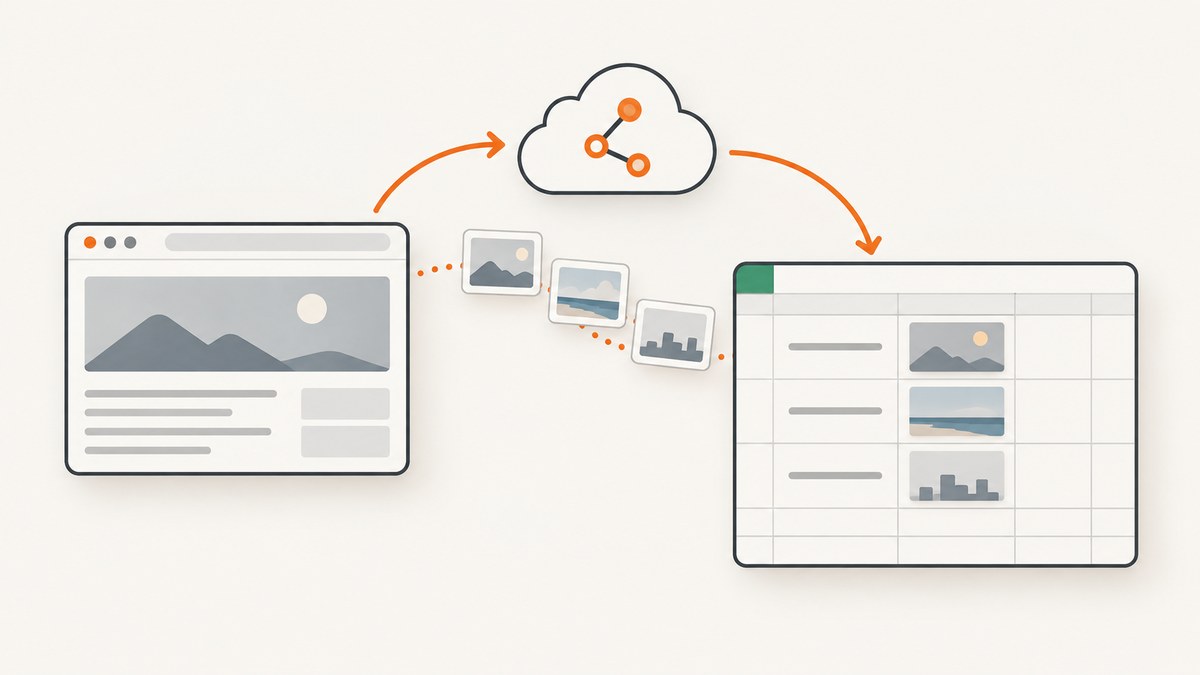
Direct answer: Use a normal Google Apps Script function to read URLs from a sheet, call a browser screenshot API with UrlFetchApp.fetch(), check the HTTP response, and insert the returned image blob with sheet.insertImage(blob, column, row). This creates a movable image floating over the grid. A custom function is not the right entry point because custom functions cannot perform arbitrary side effects in other cells.
The complete workflow is:
- Put page URLs in column A, starting at row 2.
- Store your screenshot API key in Script Properties.
- Add a menu or run a normal function from the Apps Script editor.
- Fetch each URL as a PNG or JPEG screenshot.
- Insert the response blob beside the URL and write an error marker when a row fails.
1. What Apps Script can and cannot do
UrlFetchApp makes HTTP and HTTPS requests; it does not render arbitrary HTML into a screenshot. For a screenshot, the endpoint must run a browser renderer that executes page JavaScript. Site-Shot documents a REST endpoint that runs Chromium with JavaScript enabled. A service such as ScreenshotNeo can also provide the browser-rendered image.

Google’s Spreadsheet service provides a blob overload, insertImage(blob, column, row), and documents a maximum supported blob size of 2MB. The URL overload accepts a URL only when the image is publicly accessible, so it is unsuitable for a private API response unless you first publish the image somewhere safe.
2. Prepare the spreadsheet
Create a sheet with a layout such as:
| Column | Purpose |
|---|---|
| A | Page URL |
| B | Screenshot (floating image) |
| C | Status, error code, or verdict |
| D | Captured timestamp |
Keep one URL per row. Blank rows are skipped. Normalize URLs before capture: include https://, remove accidental spaces, and avoid putting credentials or API keys in the URL itself.
3. Store the API key safely
In the Apps Script editor, open Project Settings → Script properties and add:
- Property:
SITE_SHOT_KEY - Value: your screenshot provider key
Do not place the key in a cell or formula. Editors of a container-bound script can inspect attached code, so use a server-side proxy if the spreadsheet must be shared with untrusted editors.
4. Complete Apps Script implementation
The following function reads column A, calls a screenshot endpoint, checks the response, inserts each image in column B, and records row-level errors in column C. The endpoint shown is the Site-Shot pattern from the research material; replace it with your provider’s documented URL and parameter names.
function captureColumn() {
  const sheet = SpreadsheetApp.getActiveSheet();
  const key = PropertiesService.getScriptProperties()
    .getProperty('SITE_SHOT_KEY');
  if (!key) throw new Error('Missing SITE_SHOT_KEY script property');

  const lastRow = sheet.getLastRow();
  if (lastRow < 2) return;

  const values = sheet.getRange(2, 1, lastRow - 1, 1).getValues();

  for (let i = 0; i < values.length; i++) {
    const pageUrl = String(values[i][0]).trim();
    const row = i + 2;
    if (!pageUrl) continue;

    let parsed;
    try {
      parsed = new URL(pageUrl);
      if (!/^https?:$/.test(parsed.protocol)) throw new Error('URL must use HTTP or HTTPS');
    } catch (err) {
      sheet.getRange(row, 3).setValue('Invalid URL: ' + err.message);
      continue;
    }

    const api = 'https://api.site-shot.com/?' + [
      'url=' + encodeURIComponent(pageUrl),
      'userkey=' + encodeURIComponent(key),
      'format=jpeg',
      'width=1280',
      'height=800'
    ].join('&');

    try {
      const response = UrlFetchApp.fetch(api, {
        muteHttpExceptions: true,
        followRedirects: true
      });
      const code = response.getResponseCode();

      if (code !== 200) {
        sheet.getRange(row, 3).setValue('HTTP ' + code);
        continue;
      }

      const blob = response.getBlob();
      if (blob.getBytes().length > 2 * 1024 * 1024) {
        sheet.getRange(row, 3).setValue('Image exceeds 2MB');
        continue;
      }

      blob.setName('screenshot-row-' + row + '.jpg');
      sheet.insertImage(blob, 2, row);
      sheet.getRange(row, 3).setValue('OK');
      sheet.getRange(row, 4).setValue(new Date());
    } catch (err) {
      sheet.getRange(row, 3).setValue('Fetch error: ' + err.message);
    }
  }
}
muteHttpExceptions: true lets the loop inspect 4xx and 5xx responses instead of stopping at the first failed row. Check getResponseCode() before calling getBlob(). The response object and blob methods are documented in the UrlFetchApp HTTPResponse reference.
Add a custom menu
function onOpen() {
  SpreadsheetApp.getUi()
    .createMenu('Screenshots')
    .addItem('Capture URLs in column A', 'captureColumn')
    .addToUi();
}
Reload the spreadsheet, choose Screenshots → Capture URLs in column A, and grant authorization on the first run. A menu, installable trigger, or manual run is appropriate for side-effecting work; a custom function such as =CAPTURE_SCREENSHOT(A2) is not.
5. Authorization and scopes
When scopes are explicitly declared in appsscript.json, include the external request scope and spreadsheet scope:
{
  "oauthScopes": [
    "https://www.googleapis.com/auth/script.external_request",
    "https://www.googleapis.com/auth/spreadsheets.currentonly"
  ]
}
UrlFetchApp requires script.external_request when scopes are explicit. Image insertion can use spreadsheets.currentonly or the broader spreadsheets scope. Google may add other scopes depending on the services used by your project.
6. Floating images, public URLs, and in-cell images
| Method | Code | When to use it |
|---|---|---|
| Blob insertion | sheet.insertImage(blob, column, row) |
Best for bytes fetched privately by Apps Script; creates a floating image. |
| URL insertion | sheet.insertImage(publicUrl, column, row) |
Only when the image URL is publicly accessible. |
| In-cell image formula/object | URL-based image source | Use when you have a stable public URL; a fetched Blob cannot be passed directly. |
A blob image floats above the cells and can be moved or resized. It does not become cell content, which explains why it may appear to drift when rows or columns change. If you need a strict cell-backed representation, publish a safe image URL and use a URL-based image feature, accepting its access and caching requirements.
7. Keep images below the 2MB limit
Google documents a 2MB maximum supported blob size. Full-page screenshots and PNGs can exceed it quickly. Use JPEG for photographic webpages, lower the viewport width and height, or capture a bounded viewport instead of the entire document. The script above checks the byte count before insertion so one oversized result does not corrupt the rest of the batch.
When image dimensions vary, set a consistent row height and column width for easier scanning. The screenshot itself remains a floating object, so resizing the column does not automatically resize every existing image.
8. Batch capture, retries, and triggers
Large sheets should be processed in chunks. Apps Script executions have runtime and URL fetch quotas, and screenshot rendering can be slow. Add a start row and maximum row count:
function captureRange(startRow, count) {
  const sheet = SpreadsheetApp.getActiveSheet();
  const values = sheet.getRange(startRow, 1, count, 1).getValues();
  // Reuse the validation, fetch, size check, and insert logic from captureColumn.
}
For transient failures, retry only a small number of times with increasing delays. Do not retry authentication errors or invalid URLs. An installable time-driven trigger can process a fixed batch every few minutes; record a status and timestamp so reruns skip rows already marked OK. If duplicate floating images are a problem, store each image’s object ID and remove or replace it before reinserting.
9. Options that affect screenshot output
- Format: JPEG is usually smallest; PNG preserves sharp text and transparency; WebP may be smaller when your endpoint and downstream workflow support it.
- Viewport: Width and height determine what a normal viewport captures. Full-page mode is useful for long documents but increases size and rendering time.
- JavaScript: A browser renderer is required for client-rendered applications, charts, and content loaded after page startup.
- Authentication: Private pages may need custom headers, cookies, or an authenticated proxy. Never put bearer tokens in sheet URLs.
- Timing: Pages that load asynchronously may need a delay, a selector wait, or network-idle waiting supported by the screenshot provider.
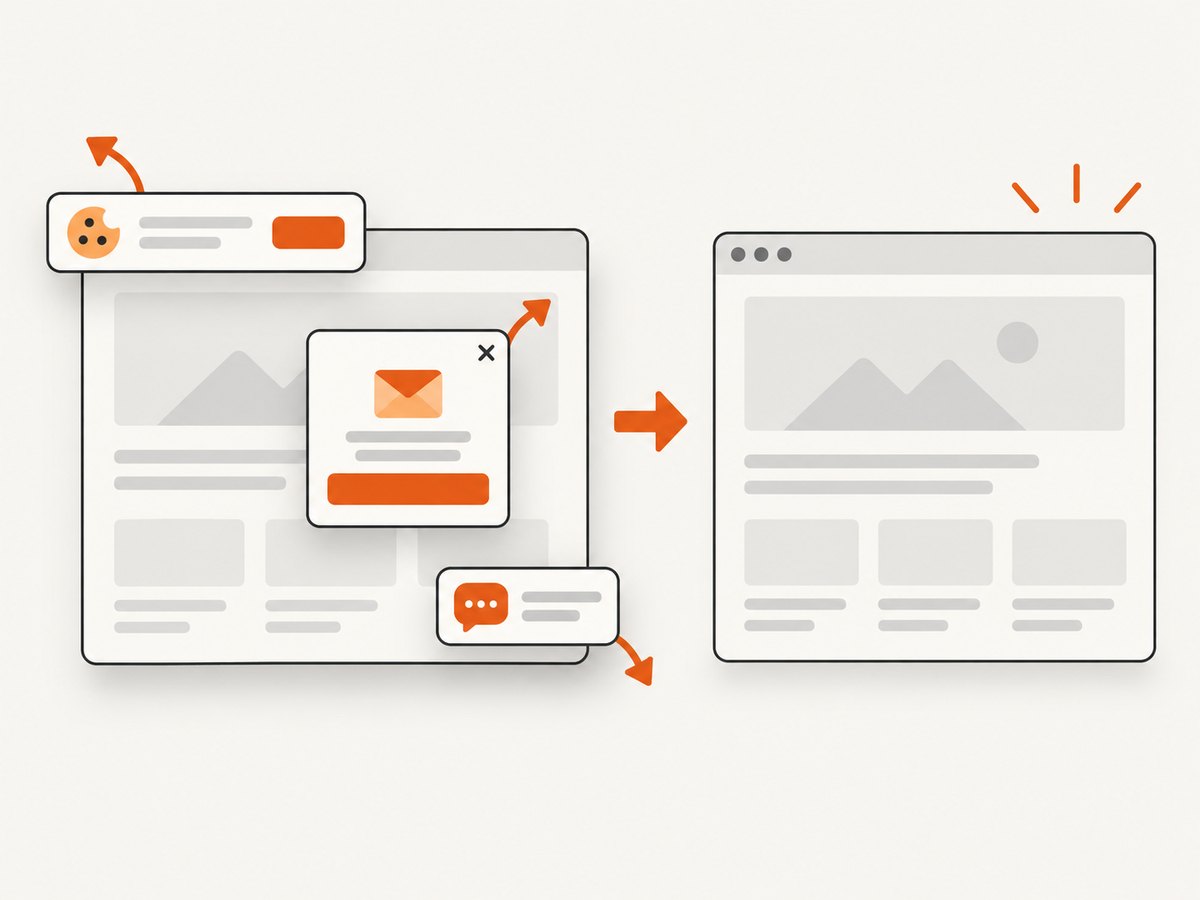
- Content changes: Cookie dialogs, chat widgets, ads, and personalization can alter the result. Hide or dismiss them where the provider supports those controls.
10. Troubleshooting
| Symptom | Likely cause | Fix |
|---|---|---|
| Authorization error | Missing OAuth scope or first-run consent not completed. | Run the function from the editor, approve access, and verify script.external_request and spreadsheet scopes. |
| HTTP 400 | Malformed URL or invalid provider parameters. | Validate an HTTP/HTTPS URL, encode query values, and compare parameter names with the provider documentation. |
| HTTP 401/403 | Missing, expired, or unauthorized API key. | Recheck SITE_SHOT_KEY, account permissions, and the endpoint’s authentication method. |
| HTTP 429 | Provider rate limit or quota. | Reduce batch size, add backoff, and schedule runs with a time-driven trigger. |
| Image inserted as a floating object | Blob insertion is intentionally floating. | Use a public URL-backed image method if cell anchoring is required. |
| “Image exceeds 2MB” | PNG, large viewport, or full-page output is too large. | Request JPEG/WebP, reduce dimensions, or capture a bounded viewport. |
| Blank or incomplete screenshot | Page needs JavaScript, more wait time, login, or a consent interaction. | Use a Chromium-capable endpoint, configure waits or authentication, and inspect the returned status before insertion. |
| Script stops halfway | Execution limit, quota, or an uncaught exception. | Catch errors per row, persist status, and process smaller batches. |
11. Or skip the browser setup
ScreenshotNeo provides a browser-rendered screenshot API at https://api.screenshotneo.com/v1/shot. It removes cookie and consent banners, newsletter popups, and chat widgets before capture. Bot checks, blank pages, failed loads, timeouts, and cache hits are not billed, and response headers identify the page verdict and billing result. It also offers an MCP server with take_screenshot, get_page_info, and capture_pdf for AI clients.
Use the ScreenshotNeo documentation for all 63 capture options, including full-page and element capture, device presets, retina scale, PDF settings, custom CSS and JavaScript, click actions, waits, request blocking, headers, cookies, user agents, timezone, geolocation, transparent backgrounds, resizing, caching, signed links, asynchronous webhooks, bulk capture, usage data, and the OpenAPI specification.
curl -G "https://api.screenshotneo.com/v1/shot" \
  -d access_key=YOUR_API_KEY \
  --data-urlencode url=https://stripe.com \
  -o shot.webp
import requests

r = requests.get(
    "https://api.screenshotneo.com/v1/shot",
    params={"access_key": "YOUR_API_KEY", "url": "https://stripe.com"},
    timeout=90,
)
r.raise_for_status()
open("shot.webp", "wb").write(r.content)
const q = new URLSearchParams({
  access_key: 'YOUR_API_KEY',
  url: 'https://stripe.com'
});
const res = await fetch(`https://api.screenshotneo.com/v1/shot?${q}`);
if (!res.ok) throw new Error(`HTTP ${res.status}`);
const bytes = Buffer.from(await res.arrayBuffer());
require('fs').writeFileSync('shot.webp', bytes);
In Apps Script, call the same endpoint and insert its blob:
const response = UrlFetchApp.fetch(
  'https://api.screenshotneo.com/v1/shot?access_key=' +
    encodeURIComponent(key) + '&url=' + encodeURIComponent(pageUrl),
  { muteHttpExceptions: true }
);
if (response.getResponseCode() === 200) {
  sheet.insertImage(response.getBlob(), 2, row);
}
ScreenshotNeo includes 1,000 screenshots per month on the free plan with no card. Paid plans start at $5 for 3,000 screenshots; every feature is available on every plan. Create a free ScreenshotNeo account.
12. Performance, reliability, and cost
- Performance: Rendering time depends on page complexity, JavaScript, network resources, waits, and full-page length. Smaller viewports and bounded captures finish sooner.
- Reliability: Continue after row failures, record response codes, and make reruns idempotent by marking successful rows. Use retries only for transient network or rate-limit errors.
- Cost: Your screenshot provider may charge per successful capture, per request, or by plan. Check current pricing before publishing a production workflow. ScreenshotNeo bills only clean shots and identifies billing in response headers; its free tier includes 1,000 shots monthly.
- Security: Keep keys in Script Properties, restrict spreadsheet editors, and avoid public image URLs for confidential pages.
13. FAQ
Can Apps Script screenshot a page without an external service?
No. UrlFetchApp retrieves HTTP responses but does not provide a browser page renderer. Use a screenshot endpoint that executes JavaScript.
Can I put the image inside the cell?
Blob insertion creates a floating image. Cell-oriented image features require a URL source, and that URL must be publicly accessible.
Why do some rows work while others fail?
Pages differ in redirects, authentication, JavaScript timing, bot checks, and output size. Record status per row and inspect the provider response for each failure.
Should I capture full pages?
Use full-page mode for documentation or audits. For a sheet overview, a fixed viewport is faster and less likely to exceed the 2MB blob limit.
How should I schedule recurring captures?
Use an installable time-driven trigger with bounded batches, status columns, and a retry policy for transient errors.


