What Are Website Subpages and How Do They Work?
Learn what website subpages are, how visitors and search engines discover them, and how to organize URLs, links, accessibility, and screenshots.
What is a subpage on a website?
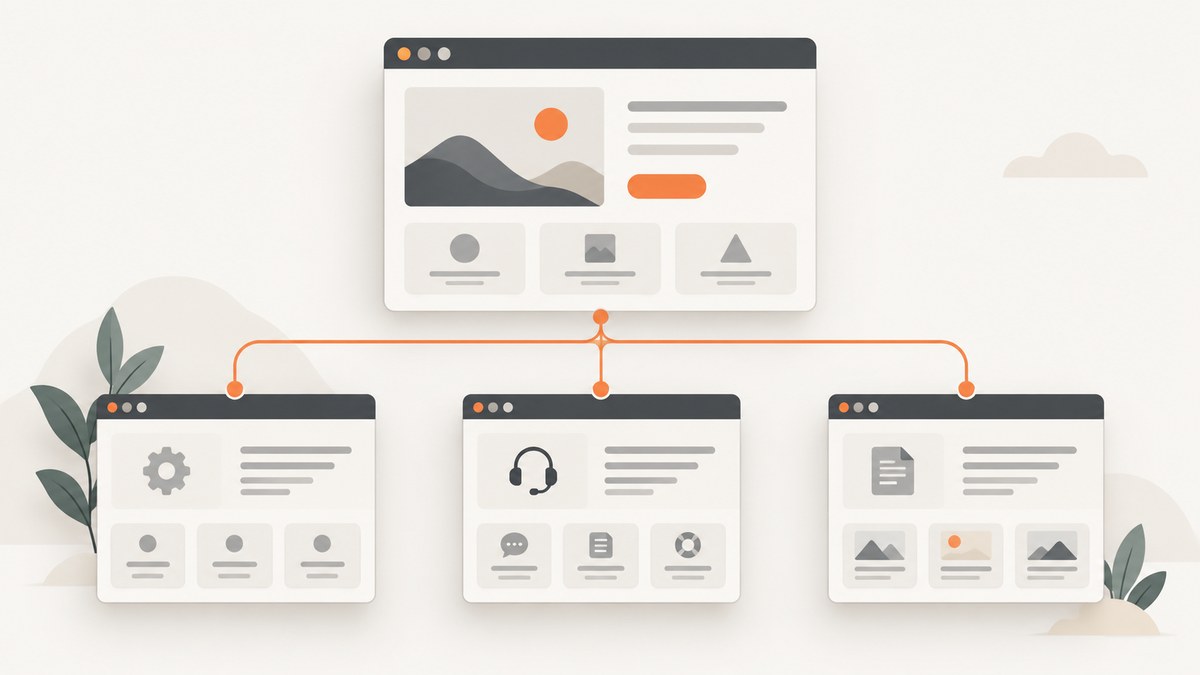
A website subpage is an individual page within a larger website. It usually sits below a homepage or broader section in the site’s content organization and has its own URL. For example, example.com/services/support can be a support subpage within a Services section.
“Subpage” is a useful everyday term, not a special URL format required by browsers or search engines. A page becomes part of a site’s structure through navigation, internal links, breadcrumbs, categories, and related content. A nested-looking URL can suggest a relationship, but the URL alone does not prove a page’s importance or parent page.
- Homepage: the main entry point, often linking to major sections.
- Section or category page: groups related content, such as Services or Documentation.
- Subpage: a specific page inside a section, such as Services > Support.
- Internal link: a link from one page on the same site to another page.
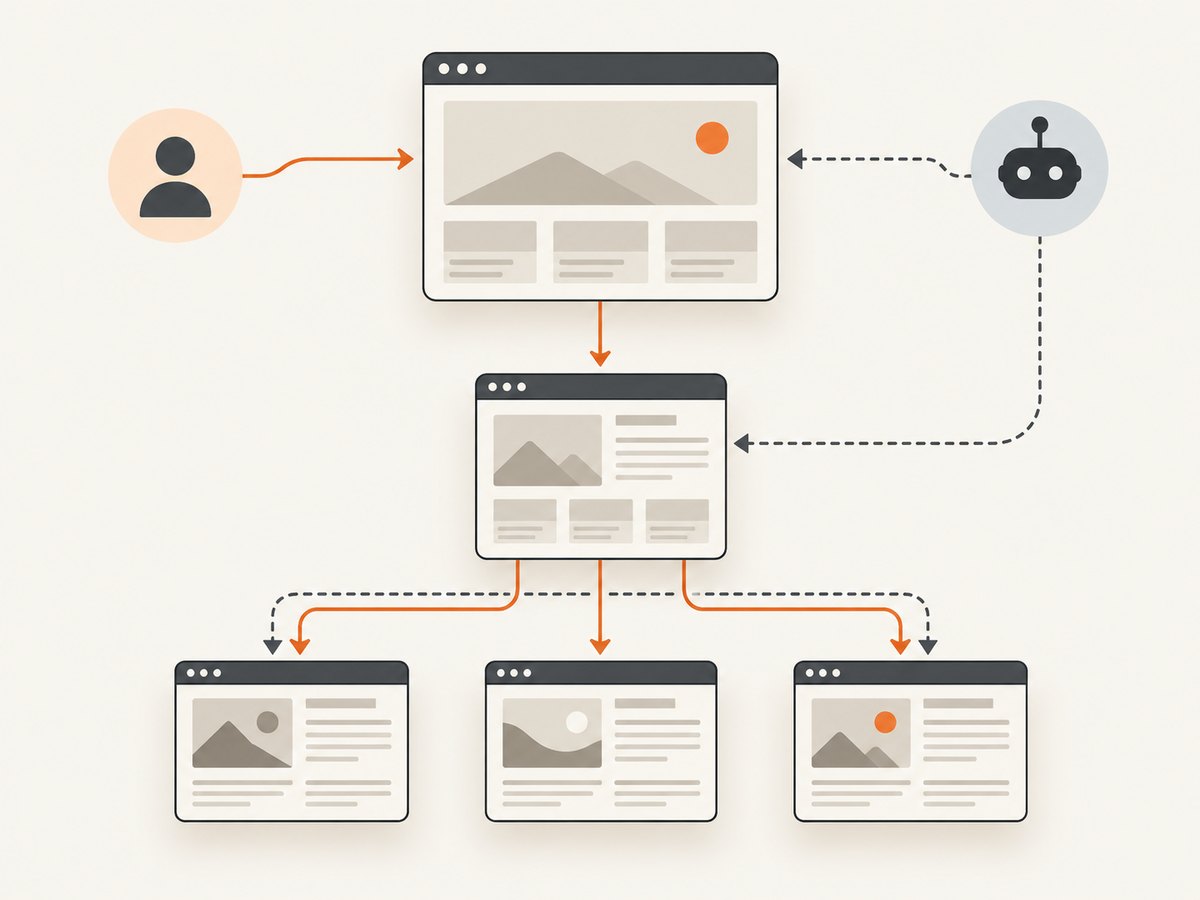
Visitors request a subpage by opening its URL or following a link. Search crawlers discover and interpret it mainly through crawlable links between pages. Google explains that it generally uses page linkages to infer site structure rather than relying on URL structure alone (Google Search Central’s site-structure guidance).
How subpages fit into a website
Think of a small site as a graph rather than a folder tree:
Homepage
├── Services
│   ├── Web design
│   └── Support
├── About
└── Blog
    ├── Article A
    └── Article B
The visual hierarchy helps people understand the site, but the actual relationships are expressed by links. A Support page linked from the Services page is clearly part of that section, even if its URL is example.com/help. Conversely, a URL such as example.com/services/support does not create a relationship if no relevant page links to it.
Google’s ecommerce documentation describes a similar pattern: navigation can lead from menus to categories, subcategories, and individual pages. The same principle applies to documentation, marketing sites, portfolios, and blogs.
How visitors and search engines find subpages
Menus and navigation
Global navigation gives important sections a consistent route from many pages. Use labels that describe the destination, such as Support or Pricing, instead of vague labels such as Click here.
Parent pages and category pages
A parent page can introduce a topic and link to its child pages. A Services page might summarize each service and link to a dedicated detail page. This gives visitors context before they open the subpage.
Contextual links
Links inside paragraphs connect related concepts. An article about deployment can link to a relevant configuration guide. Google recommends descriptive, concise anchor text so users and crawlers can anticipate the destination (Google’s crawlable-link guidance).
Breadcrumbs
Breadcrumbs show a visitor’s location, for example Home / Services / Support. They are especially useful on deep sites, but they should reflect real navigation and not be added only to create a visual effect.
Sitemaps and direct URLs
An XML sitemap can provide another discovery route, especially for pages that are difficult to reach through navigation. It does not replace internal links or guarantee indexing. A visitor can also open a subpage directly if they know its URL.
Design a subpage structure step by step
- List the major tasks and topics. Group pages by what visitors are trying to do, not by the team’s internal departments.
- Choose a small number of top-level sections. Put the most important destinations in the main navigation.
- Group closely related pages. Use a category or parent page when a group needs an explanation or shared navigation.
- Link every important page from a relevant page. Do not rely on a URL that nobody links to.
- Write descriptive titles and headings. Each page should state its subject clearly and avoid repetitive headings.
- Choose readable URL paths. Use words your audience understands and remove unnecessary parameters where possible.
- Test the paths as a visitor. Start at the homepage and see whether a new visitor can reach the page without guessing.
- Review the structure as content changes. Remove or redirect obsolete pages and repair links after renaming sections.
A simple subpage implementation in HTML
This complete example creates a homepage, a Services page, and a Support subpage. Save it as index.html, services.html, and support.html in the same folder, changing the heading and main content in each file.
<!doctype html>
<html lang='en'>
<head>
  <meta charset='utf-8'>
  <meta name='viewport' content='width=device-width, initial-scale=1'>
  <title>Support | Example Site</title>
</head>
<body>
  <header>
    <a href='index.html'>Example Site</a>
    <nav aria-label='Primary'>
      <a href='index.html'>Home</a>
      <a href='services.html'>Services</a>
      <a href='support.html' aria-current='page'>Support</a>
    </nav>
  </header>
  <main>
    <nav aria-label='Breadcrumb'>
      <ol>
        <li><a href='index.html'>Home</a></li>
        <li><a href='services.html'>Services</a></li>
        <li aria-current='page'>Support</li>
      </ol>
    </nav>
    <h1>Support</h1>
    <p>Get help with setup, billing, and troubleshooting.</p>
    <a href='services.html'>Back to Services</a>
  </main>
</body>
</html>
The links, aria-current state, breadcrumb, page title, and heading all communicate the page’s location. A production site can use server-side templates or a CMS, but the relationship is the same.
URL rules that make subpages easier to use
| Practice | Example | Why it helps |
|---|---|---|
| Use descriptive words | /services/support |
People can understand the destination before opening it. |
| Keep paths concise | /pricing |
Short addresses are easier to share and maintain. |
| Use the audience’s language | /help/account |
Visitors recognize familiar terms. |
| Be consistent with case | /docs/api |
URLs are case-sensitive; inconsistent case can create duplicate paths. |
| Handle parameters deliberately | /products?color=blue |
Unnecessary combinations can create duplicate or low-value URLs. |
| Avoid content-changing fragments | /docs#install |
Fragments identify a location in a page; they are not a substitute for separate crawlable pages. |
These practices follow Google’s URL structure guidance. A readable path supports people, but it does not guarantee indexing, rankings, or sitelinks.

Accessibility and semantic structure
Subpages should be understandable when a visitor uses a keyboard, screen reader, zoom, or a narrow viewport. The W3C Web Accessibility Initiative’s page-structure tutorial covers semantic HTML and WAI-ARIA techniques for orientation and navigation.
- Use one clear
<h1>for the page topic and a logical heading order. - Put primary navigation in a
<nav>landmark with an accessible label. - Use visible keyboard focus and links that can be activated without a mouse.
- Mark the current page with
aria-current='page'where appropriate. - Give breadcrumb navigation a label and mark the current crumb.
- Use link text that makes sense out of context.
- Keep important information in HTML rather than only in images or client-side widgets.
Search visibility: what organization can and cannot do
Clear organization helps visitors and gives crawlers useful signals, but no hierarchy guarantees indexing or rankings. Google’s SEO Starter Guide says search engines can often understand pages in their existing organization; reorganize when it improves clarity and maintenance, not solely to chase a search result (SEO Starter Guide).
Google says sitelinks are generated automatically. Descriptive titles, headings, anchor text, and links to important pages can help Google understand a site, but a site owner cannot force sitelinks (Google’s sitelinks documentation).
When comparing two possible structures, evaluate visitor findability, whether grouping matches the content, the clarity of internal links, URL readability, and maintenance effort. These are practical decision criteria, not a guaranteed ranking formula.
Capture a subpage for documentation or review
A screenshot can preserve a visual review of a subpage, compare responsive layouts, or attach a page state to a ticket. For a local browser workflow, open the target URL in an automated browser, wait for the page to settle, hide transient UI, and save a full-page image. The exact commands depend on the browser automation library and your runtime.
Before capturing, decide whether you need the viewport only or the entire page, whether lazy-loaded images must be triggered, and whether a cookie banner, chat widget, or popup would obscure the result.
Or skip the browser setup
ScreenshotNeo provides a website screenshot API and MCP server. One GET request returns a PNG, JPEG, WebP, or PDF. It can capture a subpage by URL, load lazy images for full-page captures, select one element by CSS selector, apply a device preset or custom viewport, set a retina scale, wait for a selector, delay, or network idle, and use custom CSS or JavaScript. See the ScreenshotNeo API documentation for the available options.
curl -G 'https://api.screenshotneo.com/v1/shot' \
  -d access_key=YOUR_API_KEY \
  --data-urlencode url=https://example.com/services/support \
  -o support.webp
import requests
r = requests.get(
'https://api.screenshotneo.com/v1/shot',
params={
'access_key': 'YOUR_API_KEY',
'url': 'https://example.com/services/support'
},
timeout=90
)
r.raise_for_status()
open('support.webp', 'wb').write(r.content)const q = new URLSearchParams({
access_key: 'YOUR_API_KEY',
url: 'https://example.com/services/support'
});
const res = await fetch(`https://api.screenshotneo.com/v1/shot?${q}`);
if (!res.ok) throw new Error(`HTTP ${res.status}`);
const data = Buffer.from(await res.arrayBuffer());
require('node:fs').writeFileSync('support.webp', data);Cookie and consent banners are accepted before capture, and more than 60 known consent platforms, newsletter popups, and chat widgets can be removed. Each step can be turned off. Bot checks or CAPTCHAs, blank pages, timeouts, failed loads, and cache hits are not billed; the response reports the result in X-Page-Verdict and X-Billed headers. An MCP server exposes take_screenshot, get_page_info, and capture_pdf to Claude, Cursor, and other MCP clients.
Free accounts include 1,000 screenshots per month with no card. Paid plans start at $5 for 3,000 shots; yearly billing gives two months free, and every feature is available on every plan. Create a free ScreenshotNeo account.
Troubleshooting subpage structures
| Symptom | Likely cause | Fix |
|---|---|---|
| The page exists but visitors cannot find it | No relevant internal links or it is buried in a menu. | Add a link from the appropriate parent, category, or contextual page; test the path from the homepage. |
| Google does not discover the page | The page is orphaned, blocked, or rendered only after an unsupported interaction. | Add crawlable HTML links, check robots rules and HTTP status, and include it in the sitemap when appropriate. |
| Two URLs show the same page | Case differences, parameters, trailing slashes, or alternate paths. | Choose a canonical URL, redirect duplicates, and update internal links consistently. |
| Breadcrumbs show the wrong parent | The visual trail does not match actual navigation. | Make each crumb link to the real parent or remove the misleading level. |
| A subpage opens as a blank screen | JavaScript error, failed request, authentication requirement, or blocked resource. | Check browser console and network responses, return a useful HTTP error, and provide server-rendered content where possible. |
| A screenshot contains a popup or consent banner | The capture occurred before the page was cleaned or settled. | Wait for the page, hide the selector, click the consent control, or use ScreenshotNeo’s pre-capture cleanup. |
| Full-page capture misses images | Images are lazy-loaded below the viewport. | Trigger scrolling or use a capture service that loads lazy images before the shot. |
Performance, reliability, and cost considerations
- Keep navigation shallow enough to use. A page should be reachable through a small number of understandable steps, while related content can still be grouped deeply when necessary.
- Reduce duplicate paths. Fewer aliases mean fewer links to maintain and fewer pages for crawlers to evaluate.
- Load only what the page needs. Large scripts and third-party widgets slow both visitors and automated captures.
- Use stable waits for screenshots. A selector, delay, or network-idle condition is more reliable than an arbitrary immediate capture.
- Cache repeat captures when content is unchanged. ScreenshotNeo lets you choose a cache TTL; cache hits are not billed.
- Use asynchronous jobs for slow pages or batches. ScreenshotNeo supports async jobs with signed webhooks and bulk capture of up to 100 URLs per call.
- Watch verdict headers.
X-Page-VerdictandX-Billeddistinguish a clean billed shot from failures and non-billed outcomes. - Estimate cost from successful clean shots. ScreenshotNeo bills only clean shots; Free includes 1,000 monthly, followed by $5 for 3,000, $15 for 15,000, $39 for 60,000, $99 for 250,000, and $249 for 1,000,000.
Subpage launch checklist
- Does the page have a unique, descriptive title and one clear H1?
- Can a visitor reach it through menus, a parent page, or contextual links?
- Does the URL use readable words and consistent casing?
- Are breadcrumbs accurate and keyboard accessible?
- Do internal links use meaningful anchor text?
- Does the page return the correct HTTP status and work without a fragile interaction?
- Are redirects, canonical URLs, robots rules, and sitemap entries consistent?
- Does the layout work on mobile and with keyboard navigation?
- Have you checked the page with a clean screenshot at the required viewport?
FAQ
Is every page below the homepage a subpage?
In ordinary usage, yes: “subpage” can describe any individual page that belongs to a larger site. The label does not impose a technical URL rule.
Does a longer URL make a page more important?
No. A readable path can clarify the topic, but links and navigation communicate relationships and importance more directly.
Should every subpage appear in the main menu?
No. Put major destinations in global navigation and expose other pages through relevant parent pages, categories, search, breadcrumbs, or contextual links.
Can a subpage rank without a homepage link?
It can be discovered through other crawlable links or a sitemap, but an important page should normally have a clear route from relevant parts of the site.
Do subpages automatically create Google sitelinks?
No. Sitelinks are generated automatically and cannot be guaranteed by a particular folder structure.
When should a topic become its own page?
Create a separate page when the topic has a distinct user task, audience, title, or maintenance lifecycle. Keep it on an existing page when splitting it would add navigation steps without adding clarity.


