What Are ISP Proxies? How They Work, Uses, Risks, and Alternatives
ISP proxies use datacenter servers with ISP-associated IPs. Learn how they work, how they differ from residential proxies, uses, risks, and safe testing.

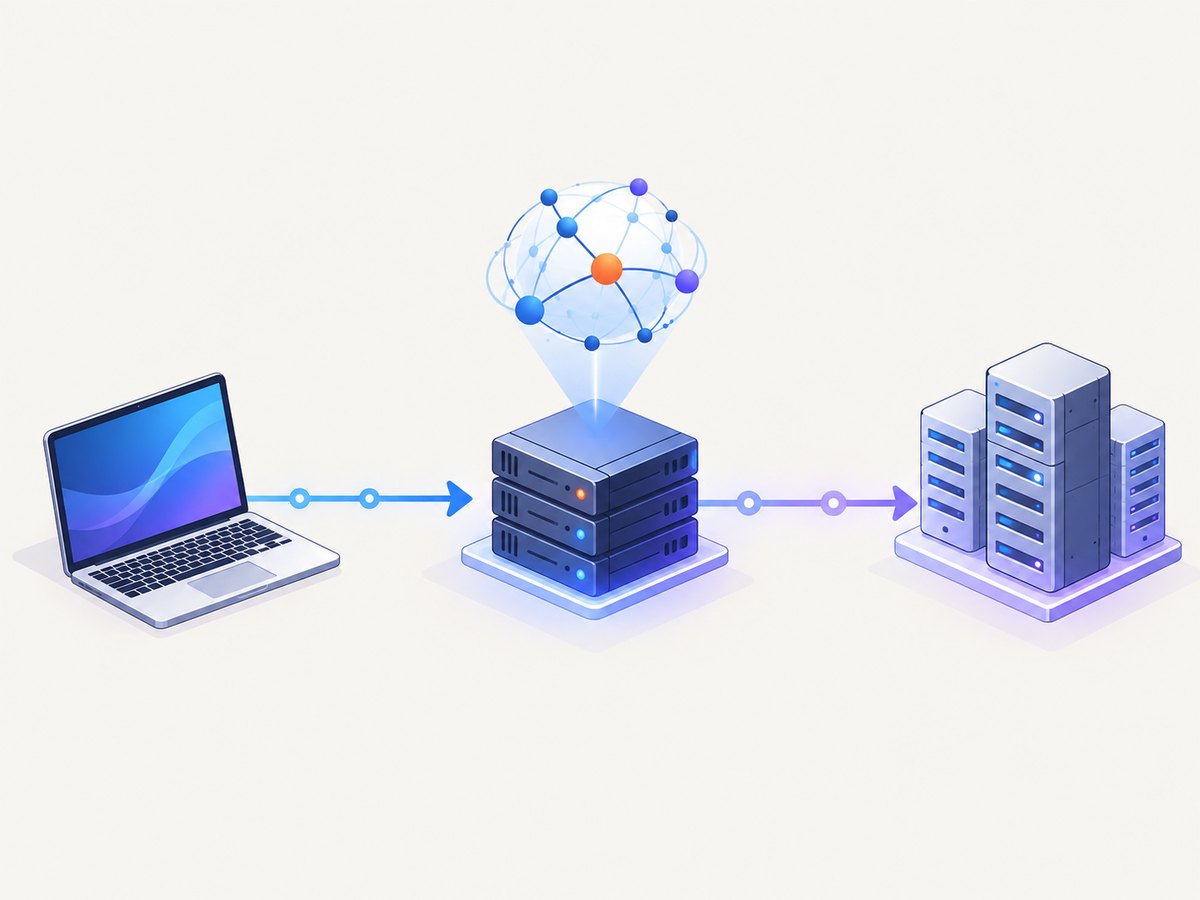
Direct answer: An ISP proxy is a proxy endpoint whose IP address is registered to an internet service provider while the proxy server itself runs in datacenter infrastructure. The destination sees the proxy’s IP address and ISP-associated ASN instead of your original address. Because the server is hosted in a datacenter, an ISP proxy is a hybrid: it can provide the stable identity and ISP classification associated with a residential connection while retaining server-grade uptime and speed.
“ISP proxy” and “static residential proxy” commonly describe the same category. The endpoint normally stays the same until you replace or refresh it. That makes it useful when an authorized workflow needs a predictable regional exit, but it does not make the connection invisible or automatically permitted.
How ISP proxies work
A normal web request follows this path:
- Your application connects to the proxy server.
- The proxy opens a connection to the destination website.
- The website records the proxy IP and its associated ASN rather than your original IP.
- The proxy returns the response to your application.
Providers create the hybrid classification by assigning datacenter-hosted addresses to an ISP or registering them under an ISP-associated ASN. Proxyway describes this as taking datacenter IP addresses and registering them under an ISP. Webshare describes static residential addresses as IPs allocated by residential ISPs but hosted on high-performance servers. These descriptions explain why the same endpoint can look residential to an ASN database and datacenter to a hosting-environment checker.
A static plan generally preserves one address. A rotating plan changes the exit address according to a provider’s session or rotation rules. Ask the provider which behavior applies: “static” does not necessarily mean permanent ownership, and “residential” does not guarantee that every checker will classify the IP the same way.
Are ISP proxies residential or datacenter?
They are both, depending on what is being measured. The server infrastructure is datacenter-based. The IP registration or ASN is associated with an ISP. An ASN checker may therefore label the address as residential or ISP, while a database that evaluates hosting environment labels it datacenter. City and country results can also differ because geolocation providers update at different times.
| Proxy type | Where the connection runs | Typical identity behavior | Useful when |
|---|---|---|---|
| ISP/static residential | Datacenter servers | ISP-associated and usually stable | You need a predictable regional address with server reliability |
| Rotating residential | Consumer or mobile devices | Exit IP changes across a large pool | You need geographic diversity and can tolerate changing identity |
| Datacenter | Datacenter servers | Cloud or hosting ASN is often apparent | Speed and low cost matter more than an ISP-associated ASN |
Rotating residential networks can provide broad coverage, but you have less control over a persistent identity. Datacenter proxies are often fast and inexpensive, but target systems can classify their hosting ASN more easily. ISP proxies sit between those choices: they are server-hosted and generally stable, while presenting an ISP-associated ASN to some classification systems.
ISP proxy benefits and limitations
Benefits
- Stable sessions: A dedicated or static address can preserve an identity across requests.
- Server-grade operation: Datacenter hosting can provide predictable speed and uptime.
- ISP-associated ASN: Some IP-reputation systems may treat the address differently from a cloud ASN.
- Optional rotation: Some providers let you replace an address or choose a rotation policy.
- Potentially high bandwidth: Pricing may include unlimited bandwidth, although this depends on the provider.
Limitations
- Higher price: ISP inventory is usually more expensive than ordinary datacenter addresses.
- Fewer locations and subnets: Coverage can be narrower than a large rotating residential pool.
- Conflicting classifications: ASN and hosting-environment databases can disagree legitimately.
- Imperfect geolocation: Country, city, and timezone data can be stale or inconsistent.
- No invisibility guarantee: Browser fingerprints, cookies, TLS characteristics, account history, and behavior can still connect activity or identify automation.
An ISP ASN may look more residential to some systems, but “undetectable” is not a technical property you should promise. Fraud and reputation scores are estimates that differ by tool and change over time.
What are ISP proxies used for?
Use an ISP proxy only for an authorized task and where the target’s terms allow proxy traffic. Legitimate examples include:
- Market research: Viewing public pages from a stable regional exit.
- Ad and content verification: Checking how an authorized campaign or page appears in a target market.
- Web testing: Reproducing regional behavior for a site you own or are contracted to assess.
- Account operations: Managing approved social or commerce accounts where the service permits it.
- Authorized data collection: Collecting public information within robots, rate-limit, privacy, and contractual requirements.
A proxy changes the apparent network location. It does not grant permission to access private data, bypass authentication, create deceptive accounts, evade purchase limits, or defeat regional restrictions. The FBI has documented residential-proxy abuse involving phishing, identity theft, fake accounts, data exfiltration, brute-force attacks, account takeovers, illicit-market hosting, and bulk purchasing. Treat those activities as prohibited unless you have explicit authorization and a lawful basis.
How to choose an ISP proxy service
- Define the task. Write down the domains, request volume, countries, session length, and data you need. Confirm the target permits proxy use.
- Decide whether static identity is necessary. If a normal datacenter proxy or a privacy tool meets the requirement, it may be simpler and cheaper.
- Inspect sourcing and consent. Look for clear information about how addresses are obtained, consent, abuse handling, and replacement policy.
- Compare network details. Check ISP ASN authenticity, subnet coverage, speed, uptime, rotation controls, protocol support, bandwidth pricing, and location availability.
- Verify an address with multiple checkers. Record the IP, ASN, reverse DNS, country, city, and reputation result from at least two services. Differences are expected.
- Test conservatively. Start with low volume against systems you own or are authorized to assess. Respect rate limits and stop when the target indicates that automation is not allowed.
DIY: use an ISP proxy with a browser
For browser testing, configure the proxy at the browser process rather than changing operating-system settings. The following Node.js example uses Playwright. Install it with npm install playwright, then provide a proxy URL in the form http://username:password@host:port.
const { chromium } = require('playwright');

(async () => {
  const browser = await chromium.launch({
    headless: true,
    proxy: {
      server: process.env.PROXY_SERVER,
      username: process.env.PROXY_USERNAME,
      password: process.env.PROXY_PASSWORD
    }
  });

  const page = await browser.newPage({
    viewport: { width: 1365, height: 900 },
    locale: 'en-US',
    timezoneId: 'America/New_York'
  });

  await page.goto('https://example.com', {
    waitUntil: 'networkidle',
    timeout: 60000
  });

  console.log(await page.title());
  console.log((await page.locator('body').innerText()).slice(0, 500));
  await browser.close();
})();
Run it with environment variables so credentials do not appear in source control:
PROXY_SERVER='http://proxy.example:8080' \
PROXY_USERNAME='your-user' \
PROXY_PASSWORD='your-password' \
node proxy-check.js
Browser configuration options
- Server: Include the scheme and port. SOCKS proxies require the scheme supported by your browser library.
- Authentication: Use the library’s username and password fields when available. Avoid putting credentials in page URLs.
- Persistent identity: Reuse the same proxy endpoint and browser context for a session.
- Rotation: Create a new context or reconnect according to the provider’s documented rotation behavior.
- Location: Align browser locale, timezone, and geolocation with the proxy region only when your authorized test requires it.
- Resource control: Block unnecessary images, video, ads, or third-party requests to reduce time and bandwidth during diagnostics.
Or skip the browser setup
ScreenshotNeo is a website screenshot API and MCP server. It removes cookie and consent banners, newsletter popups, and chat widgets before capture. Bot checks, blank pages, timeouts, failed loads, and cache hits are not billed, and each response reports its page verdict and billing status.
Use the API with any URL. See the ScreenshotNeo documentation for the complete option list.
cURL
curl -G "https://api.screenshotneo.com/v1/shot" \
  -d access_key=YOUR_API_KEY \
  --data-urlencode url=https://stripe.com \
  -o shot.webp
Python
import requests

r = requests.get(
    "https://api.screenshotneo.com/v1/shot",
    params={"access_key": "YOUR_API_KEY", "url": "https://stripe.com"},
    timeout=90,
)
r.raise_for_status()
open("shot.webp", "wb").write(r.content)
Node.js
const q = new URLSearchParams({
  access_key: 'YOUR_API_KEY',
  url: 'https://stripe.com'
});
const res = await fetch(`https://api.screenshotneo.com/v1/shot?${q}`);
if (!res.ok) throw new Error(`HTTP ${res.status}`);
const data = Buffer.from(await res.arrayBuffer());
require('fs').writeFileSync('shot.webp', data);
ScreenshotNeo includes full-page capture with lazy images loaded, CSS-selector element capture, dark mode, 12 device presets plus custom viewports, retina scale, PDF output with paper size, margins, landscape mode and page ranges, HTML/CSS rendering, custom CSS and JavaScript, clicks, selector or network-idle waits, request and resource blocking, headers, cookies, user-agent and Authorization values, timezone and geolocation, transparent backgrounds, resizing, configurable cache TTL, signed image links, asynchronous jobs with signed webhooks, bulk capture for up to 100 URLs per call, a usage API, and an OpenAPI specification. Parameters used by other screenshot APIs also work, which can simplify migration.
An MCP server provides take_screenshot, get_page_info, and capture_pdf tools for Claude, Cursor, and other MCP clients. Plans include 1,000 shots per month free with no card; paid plans start at $5 for 3,000 shots. Create a free ScreenshotNeo account.
ISP proxy troubleshooting
| Symptom | Likely cause | Fix |
|---|---|---|
| The site sees your original IP | The browser or HTTP client bypassed the proxy, or only some requests use it. | Configure the proxy at process or session level and verify the public IP from inside that session. |
| 407 Proxy Authentication Required | Credentials are missing, expired, or encoded incorrectly. | Check the username, password, port, and required URL encoding. Confirm the account is allowed to use that endpoint. |
| Connection timeout | Bad host or port, blocked egress, overloaded endpoint, or provider outage. | Test DNS and TCP reachability, try a documented replacement endpoint, and reduce concurrency. |
| ASN says ISP but another checker says datacenter | The tools measure different properties or use stale databases. | Record both results, check reverse DNS and geolocation, and ask the provider for registration details. |
| Wrong city or country | IP geolocation databases disagree or have not updated. | Choose a better-covered location, verify with multiple databases, and do not rely on city-level precision without testing. |
| CAPTCHA or bot challenge | The target uses browser, behavior, reputation, cookie, or account signals in addition to IP classification. | Stop and confirm authorization. Do not attempt to defeat a challenge; use an approved integration or test environment. |
| Pages load slowly | Long proxy distance, overloaded pool, DNS delay, or heavy third-party assets. | Choose a closer endpoint, reuse connections, limit assets for testing, and set explicit timeouts. |
| Unexpected account lock | The service detected a changed network identity or activity that conflicts with its rules. | Stop automated requests, contact the service, and follow its account and API policies. |

Performance, reliability, and cost
Measure the complete request path: DNS lookup, proxy connection, TLS negotiation, server response, and page rendering. A stable ISP address can reduce identity changes, but it cannot compensate for a distant region or a slow destination. For browser workloads, reuse a browser process when safe, keep concurrency within provider limits, set finite navigation and overall timeouts, and cache responses that do not need fresh data.
Track success rate, median and tail latency, connection failures, challenge frequency, replacement events, and bandwidth. Test several addresses from the same provider because IP reputation and routing can vary within a pool. Keep retries bounded and use exponential backoff; repeated retries can increase load and trigger target controls.
Compare total cost rather than headline price. Include per-IP fees, bandwidth, rotation or replacement charges, location premiums, concurrency limits, support, and the cost of failed requests. Ask whether retries, connection failures, and blocked pages are billable. For ScreenshotNeo, only clean shots are billed; bot checks, blank pages, timeouts, failed loads, and cache hits cost nothing, with billing and verdict information returned in headers.
Security and legal considerations
For a provider, request sourcing and consent disclosures, abuse response, credential handling, logging policy, and endpoint replacement procedures. Never send passwords, session cookies, personal data, or Authorization headers through an untrusted proxy. Use separate credentials and least-privilege access for each authorized project.
For ordinary users, the larger risk can be becoming an unwilling proxy node. The FBI says this can happen through SDK partnerships, free VPNs with hidden terms, compromised IoT devices, malware in pirated or free content, or bandwidth-sharing schemes. Install software from official stores, avoid pirated applications and suspicious streaming devices, patch operating systems and firmware, monitor unusual home-network traffic, segment business networks, and block known residential-proxy addresses where appropriate.
Applicable law differs by country and by activity. A proxy does not change privacy, copyright, computer-misuse, data-protection, export-control, or contract obligations. Define the authorized purpose, document permission, minimize collected data, and honor the target’s terms and rate limits.
FAQ
Is an ISP proxy the same as a static residential proxy?
Usually. Both terms commonly refer to a stable, server-hosted endpoint with an IP associated with a residential ISP. Confirm the provider’s exact definition and replacement policy.
Can websites detect ISP proxies?
Yes. ASN classification is only one signal. Browser fingerprints, TLS behavior, cookies, account history, request patterns, and target-specific controls can identify automation or linked activity.
Are ISP proxies faster than residential proxies?
They can be more predictable because they run on datacenter servers, but actual speed depends on routing, endpoint load, destination distance, and the target website.
Should I use an ISP proxy for scraping?
Only for public, authorized collection that follows the target’s terms, applicable law, privacy requirements, and rate limits. A simpler datacenter proxy may be sufficient.
Why do two IP checkers disagree?
They may evaluate ASN ownership, hosting environment, reverse DNS, geolocation, or reputation using databases updated at different times. Disagreement is normal for this hybrid category.
What is the safer alternative for website screenshots?
Use a screenshot service designed for rendering pages rather than building and maintaining a browser fleet. ScreenshotNeo removes common consent banners, popups, and chat widgets, reports whether a response was clean and billed, and offers an MCP server for AI agents.
Practical checklist
- Define the task and obtain permission before routing requests.
- Choose static ISP identity only when the task needs it.
- Check sourcing, consent, abuse controls, support, and replacement terms.
- Verify ASN, reverse DNS, location, and reputation with multiple checkers.
- Keep credentials and personal data out of untrusted proxy traffic.
- Start with low volume, bounded retries, and explicit timeouts.
- Treat “residential” and “undetectable” as claims to verify, never guarantees.


