What Are Query Parameters?
Query parameters are URL values used to pass search terms, filters, pagination, and other request data. Learn how to read, build, encode, and protect them.

Query parameters are the name-and-value data in a URL’s query component. The query begins after a question mark (?); parameters are commonly written as key=value pairs separated by ampersands (&). For example, in https://example.com/search?q=books&page=2, q=books and page=2 are query parameters. The destination application decides what those names mean and how to use their values.
They let a URL carry request data such as a search term, sort order, page number, or campaign source. Because they are part of the URL, small queries can be copied, bookmarked, linked to, and cached. They are also visible in places where URLs are recorded, so query strings should be treated as public metadata rather than secret storage.
1. Where query parameters appear in a URL
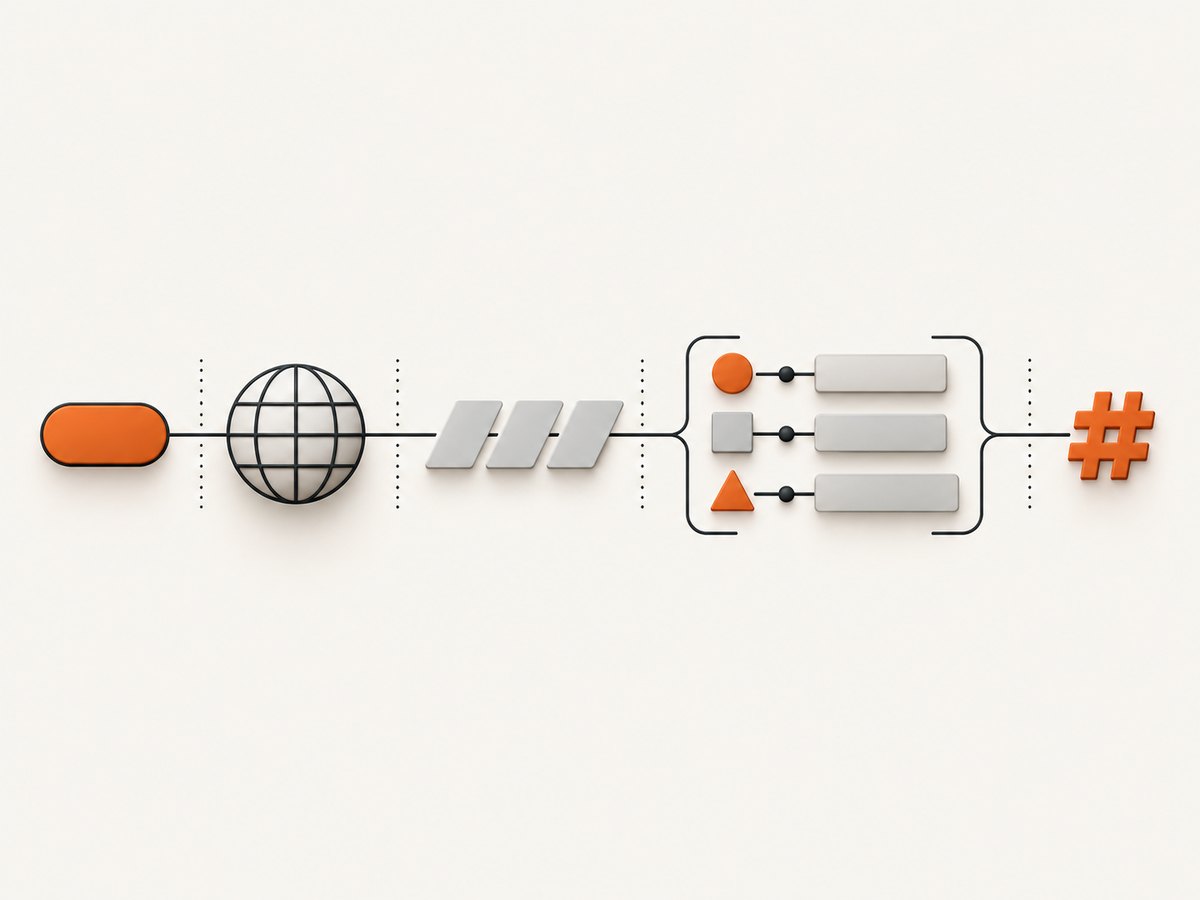
A URL can be read as a sequence of parts:
https://shop.example/search?q=backpack&sort=price#results
└ scheme ┘└── host ──┘└ path ┘└──── query ────┘└ fragment
The path identifies a resource or route. The question mark starts the query component. In this example, the query has two pairs: q=backpack and sort=price. The hash begins the fragment, which is interpreted by the browser to identify a location within the resource. A fragment, when present, follows the query; it is not part of the query parameters sent in the HTTP request to the server.
MDN describes ?key1=value1&key2=value2 as the query component containing parameters for a web server to process. The actual syntax and behavior still depend on the application. A parameter called page does nothing by itself: the receiving application must read it and define its meaning.
2. Query parameter, query string, and question mark
| Term | Meaning | Example |
|---|---|---|
| Query component or query string | The whole portion after ? and before #, if present. |
q=books&page=2 |
| Query parameter | One named value in that component. | page=2 |
| Question mark | The delimiter that starts the query component. | ? |
| Ampersand | A common delimiter between parameter pairs. | & |
| Equals sign | A common separator between a parameter name and value. | page=2 |
People often use “query string” and “query parameters” interchangeably. More precisely, the query string is the whole sequence, and each parameter is an individual part of it. An empty query can appear as a trailing ?; it does not imply that the server has a meaningful parameter to process.
3. What query parameters are used for
- Search:
/search?q=backpackcan pass a term to a search route. - Filtering and sorting:
/products?color=blue&sort=pricecan select a subset and order. - Pagination:
/articles?page=3&limit=20can request a page and page size, if the application supports those names. - Resource selection:
/orders?id=123might identify a record, subject to the app’s authorization checks. - Feature or display settings: an application may use a parameter to choose a view or experiment behavior.
- Campaign attribution:
utm_*values identify the source and campaign associated with a referral.
These are conventions, not universal rules. The receiving service defines valid names, types, defaults, and effects. A site may use p instead of page, ignore unknown keys, reject them, or interpret repeated keys in a specific way.
4. How to add parameters to a URL
- Start with the destination URL and identify whether it already has a query.
- If there is no query, add
?. If a query already exists, add another pair with&. - Write the parameter name,
=, and an encoded value. Encode data rather than manually replacing characters. - Place any fragment after the complete query.
- Check that the server expects those names and handles missing or repeated values.
https://shop.example/search?q=backpack&sort=price#resultsWhen constructing URLs in code, use the language’s URL and query-string APIs. They handle reserved characters and reduce mistakes such as turning a value containing & into a second parameter. Here is a runnable browser or modern Node.js example:
const url = new URL("https://shop.example/search");
url.searchParams.set("q", "blue & green backpack");
url.searchParams.set("page", "2");
url.hash = "results";

console.log(url.toString());
// https://shop.example/search?q=blue+%26+green+backpack&page=2#results
URLSearchParams encodes the ampersand inside the search value, so it remains data rather than becoming a delimiter. The exact serialized form may use plus signs for spaces; parsers using the form-encoding convention interpret those as spaces.
Read parameters in JavaScript
const url = new URL("https://shop.example/search?q=books&page=2");
const query = url.searchParams.get("q");
const pageRaw = url.searchParams.get("page");
const page = Number(pageRaw ?? "1");

console.log({ query, page });
Validate values after parsing. For example, reject a page number that is not a positive integer, and cap page size rather than trusting the URL. A URL is input from a user or another system, even when it was generated by your own interface.
Build query strings with cURL
For a GET request, cURL’s -G option puts supplied data into the URL query. Use --data-urlencode for values that may contain spaces or reserved characters:
curl -G 'https://shop.example/search' \
  --data-urlencode 'q=blue & green backpack' \
  --data-urlencode 'page=2'
This sends a request only to a route that implements those parameters. It does not make a search endpoint exist.
Build and inspect a URL with Python
from urllib.parse import urlencode, urlsplit, urlunsplit

base = "https://shop.example/search"
query = urlencode({"q": "blue & green backpack", "page": 2})
parts = urlsplit(base)
url = urlunsplit((parts.scheme, parts.netloc, parts.path, query, ""))
print(url)

# Parse a URL supplied to your program:
from urllib.parse import parse_qs, urlsplit
parsed = urlsplit("https://shop.example/search?q=books&page=2")
values = parse_qs(parsed.query)
print(values.get("q", [None])[0])
print(values.get("page", ["1"])[0])
5. GET query parameters or a request body?
| Choice | Useful when | Tradeoffs |
|---|---|---|
| GET with query parameters | Small, non-secret inputs that should be linkable, bookmarkable, and cacheable, such as searches and filters. | Values appear in the URL and may be recorded by browser history, logs, analytics, monitoring, and referrer handling. |
| POST or another body-bearing request | Submitting a larger or more structured payload, or an operation that changes server state. | Body data is not part of the URL, but this alone does not make it secret. HTTPS, access control, logging policy, and data minimization still matter. |
MDN notes that when a query is small enough to fit in the URI, GET remains useful because the resulting URL can be bookmarked, linked to, and cached. There is no single universal safe maximum URL length across browsers, proxies, servers, and applications. Keep URLs reasonably short and follow the limits of the systems in your request path. For large filters or structured search input, use an API design that accepts a request body if the service supports it.
6. UTM parameters and ordinary application parameters
Ordinary parameters control application behavior: q may select a search term, and sort may choose an order. UTM parameters are a campaign-attribution convention used by analytics systems. Google Analytics documents adding campaign parameters to destination URLs so reports can show which campaigns referred traffic.
https://example.com/?utm_source=newsletter&utm_medium=email&utm_campaign=summer-sale| Parameter | Common role | Example |
|---|---|---|
utm_source |
Identifies the referring publisher or source. | newsletter |
utm_medium |
Identifies the channel or medium. | email |
utm_campaign |
Identifies the campaign. | summer-sale |
Use consistent naming so campaign reports can group values correctly. UTM fields are not a security feature and should not contain personal data. Google Analytics warns against sending personally identifiable information in campaign parameters and documents redaction options. If your organization uses analytics, review its collection and redaction configuration before publishing campaign links.
7. Repeated keys, empty values, and encoding
Query syntax is flexible enough that edge cases need an application policy:
- Repeated keys:
?tag=blue&tag=largemay mean two values, only the first, only the last, or an invalid request. Use APIs such asgetAll()in JavaScript when multiple values are intended. - Missing versus empty:
?qand?q=may be parsed differently by libraries, while some frameworks treat both as an empty value. Define whether the parameter is absent, blank, or invalid. - Reserved characters: Characters such as
&,#, and=can have structural meaning. Encode values with a library rather than concatenating untrusted strings. - Spaces and Unicode: Percent encoding represents characters in URLs. Different serializers may display a space as
+or%20; use a matching parser. - Order: Many applications do not care about parameter order, but signatures, caches, or bespoke routes might. Follow the receiving API’s canonicalization requirements.
- Unknown parameters: Decide whether to ignore, preserve, or reject them. Silently accepting a misspelled security or pagination option can confuse clients.
8. Are URL parameters safe?
Treat query strings as public request metadata. They can be exposed through copied links, browser history, server and proxy logs, analytics tools, monitoring, and referrer data. HTTPS protects data in transit between endpoints, but it does not remove the URL from those systems or prevent the destination from logging it.
- Do not put passwords, payment details, access tokens, session secrets, or personally identifiable information in a query string.
- Use HTTPS, but do not rely on HTTPS as a way to hide a URL from browser history or application logs.
- Send sensitive or large input through an appropriately designed request body, with authentication and authorization applied separately.
- Validate names and values against an allow-list, enforce length and type limits, and encode values when generating links.
- Redact sensitive fields from analytics, logs, and monitoring; avoid collecting them when possible.
- Do not treat an ID in a query as authorization. The server must check whether the current caller may access the referenced resource.
9. Troubleshooting query parameters
| Symptom | Likely cause | Fix |
|---|---|---|
| The server ignores a parameter. | The route does not implement that name, or the spelling/case differs. | Check the endpoint contract and use its documented parameter names. |
| A value is split or truncated. | Reserved characters such as & or # were concatenated without encoding. |
Build the URL with URLSearchParams, Python’s urlencode, or cURL’s --data-urlencode. |
| The wrong value is read for a repeated key. | The framework returns only one occurrence or applies an unexpected first/last rule. | Inspect all values and define whether duplicates are allowed. |
| A filter works when clicked but fails when shared. | The front end stores state locally, or the link omits required parameters. | Make the URL the canonical representation of shareable state and test a fresh session. |
| The request fails for a long URL. | A browser, proxy, server, or intermediary has a URL-size limit. | Reduce the query or use a supported body-based request for larger input. |
| Campaign reports show unexpected groups. | UTM spelling, casing, or naming conventions vary between links. | Use a shared naming scheme and verify the analytics configuration. |
| Sensitive values appear in reports or logs. | Private data was put in a URL or collected without redaction. | Remove it from the URL, rotate any exposed secret, and review log and analytics retention/redaction. |
10. Performance, caching, and reliability
Query parameters can make a URL a useful cache key: different search terms or filters naturally identify different representations. That works only when the application and its caches agree on which parameters affect the response. If a tracking parameter does not affect page content, some systems can normalize or ignore it for caching, but do so only with a deliberate cache policy. Incorrect normalization can serve the wrong result or create cache inconsistencies.
Keep queries compact, avoid sending redundant state, and validate values early. Set defaults in the application so a missing optional parameter has predictable behavior. For APIs, document accepted names, types, repeated-key behavior, default values, error responses, and size limits. This makes clients more reliable and reduces accidental cache fragmentation from irrelevant parameter variations.
11. Capture a URL that contains query parameters
A screenshot tool generally receives a full URL, including its query, as the page to open. Encode the complete target URL as a value in the screenshot request so the inner & characters do not become parameters of the outer API request. This matters for any URL capture, not just ScreenshotNeo.
DIY browser approach with Playwright
For a local capture, install Playwright and its Chromium browser, then save this as capture.mjs. The URL passed to page.goto keeps its own query intact.
import { chromium } from "playwright";

const target = new URL("https://shop.example/search");
target.searchParams.set("q", "backpack");
target.searchParams.set("page", "2");

const browser = await chromium.launch({ headless: true });
try {
  const page = await browser.newPage({ viewport: { width: 1440, height: 1000 } });
  await page.goto(target.toString(), { waitUntil: "networkidle", timeout: 30000 });
  await page.screenshot({ path: "search.png", fullPage: true });
} finally {
  await browser.close();
}
Install with npm install playwright and npx playwright install chromium, then run node capture.mjs. Some pages maintain analytics, polling, or streaming connections that prevent network idle. In that case, wait for a page-specific selector or use a short explicit delay after navigation. Full-page screenshots can be large and may trigger lazy loading behavior; inspect the page and tune the capture method for the site.
12. Or skip the browser setup
Pass the entire target URL as an encoded parameter to ScreenshotNeo’s one-call screenshot API. The examples use the API endpoint and request pattern in the ScreenshotNeo API docs. Create an account at ScreenshotNeo to get an access key.

cURL
curl -G "https://api.screenshotneo.com/v1/shot" \
  -d access_key=YOUR_API_KEY \
  --data-urlencode url='https://shop.example/search?q=backpack&page=2' \
  -o shot.webp
Python
import requests

r = requests.get(
    "https://api.screenshotneo.com/v1/shot",
    params={
        "access_key": "YOUR_API_KEY",
        "url": "https://shop.example/search?q=backpack&page=2",
    },
    timeout=90,
)
r.raise_for_status()
open("shot.webp", "wb").write(r.content)
Node.js
const q = new URLSearchParams({
  access_key: "YOUR_API_KEY",
  url: "https://shop.example/search?q=backpack&page=2",
});
const res = await fetch(`https://api.screenshotneo.com/v1/shot?${q}`);
if (!res.ok) throw new Error(`Screenshot request failed: ${res.status}`);
const bytes = new Uint8Array(await res.arrayBuffer());
await (await import("node:fs/promises")).writeFile("shot.webp", bytes);
ScreenshotNeo is a website screenshot API and MCP server from Yorker Media. Before capture it accepts the cookie or consent banner like a visitor and removes more than 60 known consent platforms, newsletter popups, and chat widgets; each step can be turned off. Bot checks and CAPTCHAs, blank pages, timeouts, failed loads, and cache hits cost nothing, and the response identifies the page verdict and billing status in X-Page-Verdict and X-Billed headers. AI agents can use its MCP server tools take_screenshot, get_page_info, and capture_pdf.
The Free plan includes 1,000 screenshots per month with no card. Paid plans start at $5 for 3,000 shots; higher listed tiers are Growth $15 for 15,000, Pro $39 for 60,000, Scale $99 for 250,000, and Business $249 for 1,000,000. Yearly billing gives two months free, and every feature is available on every plan. See the docs for API configuration and options, then sign up for 1,000 free screenshots a month with no card.
13. Short FAQ
Does every question mark mean the URL has parameters?
It starts a query component, but the query can be empty. Also, a question mark inside a properly encoded value is data, not a new delimiter.
Can I use multiple values for one parameter?
Often, by repeating the key or using a delimiter defined by the API. Check the receiving application’s contract; there is no single interpretation all servers must use.
Are UTM parameters required for analytics?
No. They are a documented convention for campaign attribution. Whether reports use them depends on the analytics setup and how links are tagged.
Can parameters change a page without changing its path?
Yes. An application can use the query to select a search, filter, or view while the path remains the same. The app must implement that behavior.


