What Is a JSON Parser?
A JSON parser turns JSON text into values your program can use. Learn the syntax, runnable JavaScript and Python examples, errors, safety, and limits.

A JSON parser is software that reads JSON-formatted text, checks that it follows JSON syntax, and converts it into values or data structures a program can use. The input is text; parsing recognizes its structure; the output is a runtime value. The JSON specification, RFC 8259, puts it simply: “A JSON parser transforms a JSON text into another representation.”
For example, a parser can turn {"name":"Ada","active":true} into an object-like value with a string property and a boolean property. JavaScript provides JSON.parse(); Python provides the standard-library json decoder. JSON is the data format. The parser is the software that reads it.
1. What does a JSON parser do?
A parser performs three practical jobs:
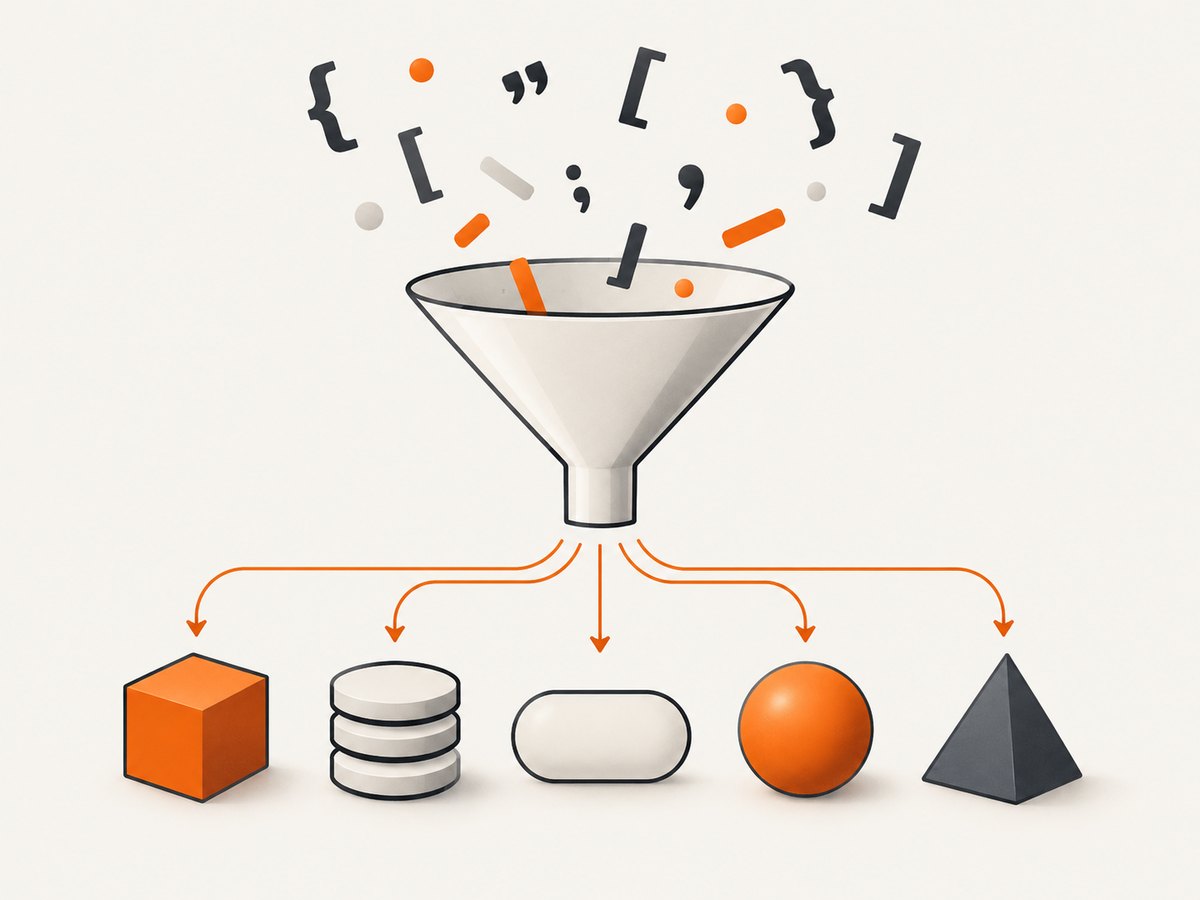
- Reads JSON text. The input is a serialized value, commonly received from an API, file, database, message queue, or user input.
- Checks syntax. It determines whether the characters form a value allowed by JSON grammar, including correctly quoted strings, separators, and literals.
- Builds a program value. It converts the text into values native to the programming language or library, such as an object, dictionary, list, string, number, boolean, or null-like value.
It does not automatically establish that the data is meaningful to your application. For instance, {"age":"yesterday"} can be valid JSON even if your program expects age to be a number. Parsing checks the representation’s syntax; application checks or schema validation determine whether the resulting value has the shape and meaning your code requires.
2. What counts as valid JSON?
RFC 8259 defines JSON as a text-based data interchange format. A JSON text can represent any one JSON value, with optional JSON whitespace around it. The value types are:
- Object: a collection of name/value pairs. Each member name is a string.
- Array: an ordered sequence of values. Items can have different types.
- String: text enclosed in double quotation marks.
- Number: a decimal number, with optional minus sign, fraction, and exponent.
- Boolean: the lowercase literal
trueorfalse. - Null: the lowercase literal
null.
Object members use colons between names and values and commas between members. Array items use commas. Strings and member names require double quotes; JSON does not permit comments or trailing commas. Literal names are lowercase. A leading zero is not allowed on a multi-digit number: write 0 or 12, not 012.
All of these are complete JSON texts, even though some are not objects:
{"ok":true}
["red", "blue"]
"hello"
42
false
null
That top-level-value detail can matter when a program assumes every response begins with { or [. A parser following the RFC can parse a string, number, boolean, or null at the top level too.
3. Parse JSON in JavaScript
Use JSON.parse() on a string containing JSON. It returns a JavaScript value; malformed JSON throws a SyntaxError.
const text = '{"name":"Ada","active":true,"scores":[10,12]}';

try {
  const value = JSON.parse(text);
  console.log(value.name);       // Ada
  console.log(value.active);     // true
  console.log(value.scores[0]);  // 10
} catch (error) {
  if (error instanceof SyntaxError) {
    console.error('Invalid JSON:', error.message);
  } else {
    throw error;
  }
}
This example runs in a modern browser or Node.js. If you already have a JavaScript object, it is already parsed; do not call JSON.parse() on it. To turn an object into JSON text, use JSON.stringify(), which performs the reverse direction.
When parsing an HTTP response, use the response API’s JSON method where appropriate. In browser JavaScript, await response.json() reads and parses the response body; it can reject if the body is not valid JSON. Check the HTTP status and content type as part of handling the response, because an error page may be HTML even when your code expected JSON.
4. Parse JSON in Python
Python’s standard-library json module parses JSON text with json.loads(). It maps JSON objects to dictionaries, arrays to lists, strings to strings, numbers to numeric values, booleans to True/False, and null to None.
import json

text = '{"name":"Ada","active":true,"scores":[10,12]}'

try:
    value = json.loads(text)
    print(value["name"])       # Ada
    print(value["active"])     # True
    print(value["scores"][0])  # 10
except json.JSONDecodeError as error:
    print(f"Invalid JSON at line {error.lineno}, column {error.colno}: {error.msg}")
To parse a UTF-8 JSON file, open it as text and pass the content to json.loads(), or use json.load(file_object):
import json

with open("payload.json", encoding="utf-8") as source:
    value = json.load(source)

print(type(value).__name__)
For a quick command-line syntax check and pretty-print, Python’s documentation describes the python -m json command. For example:
python -m json < payload.json5. Parse JSON from an API with cURL, Python, or Node.js
HTTP clients often parse the response body after receiving it. The important sequence is: make the request, check whether it succeeded, then parse the body as JSON. The snippets below use a placeholder endpoint; replace it with an API endpoint whose successful response is documented as JSON.
cURL: inspect a JSON response
curl --fail-with-body --silent --show-error \
  --header 'Accept: application/json' \
  'https://api.example.com/items' \
  --output response.json

python -m json < response.json
--fail-with-body makes cURL report HTTP errors while retaining the response body for inspection. The final command checks and formats the downloaded JSON using Python. If the endpoint requires authentication, add the appropriate documented header or credential without putting secrets into shared shell history.
Python: request and decode JSON
import requests

response = requests.get(
    "https://api.example.com/items",
    headers={"Accept": "application/json"},
    timeout=20,
)
response.raise_for_status()

try:
    value = response.json()
except requests.exceptions.JSONDecodeError as error:
    raise RuntimeError("The endpoint did not return valid JSON") from error

print(value)
Install the third-party requests package if it is not already available. A timeout avoids waiting forever on a stalled connection. raise_for_status() separates HTTP failures from JSON parsing failures; a 404 page and a malformed successful response are different problems and should be diagnosed differently.
Node.js: request and decode JSON
const response = await fetch('https://api.example.com/items', {
  headers: { Accept: 'application/json' },
  signal: AbortSignal.timeout(20_000),
});

if (!response.ok) {
  throw new Error(`HTTP ${response.status}`);
}

let value;
try {
  value = await response.json();
} catch (error) {
  throw new Error('The endpoint did not return valid JSON', { cause: error });
}

console.log(value);
This uses the built-in Fetch API available in current browsers and recent Node.js releases. If the runtime does not provide AbortSignal.timeout(), use an AbortController and a timer or the runtime’s supported timeout mechanism.
6. Parsing options and choices
For ordinary application data, start with the JSON parser included with your language. Choose a different approach only when a concrete requirement calls for it.
| Need | Practical choice | What to check |
|---|---|---|
| Small or normal document | Built-in parser such as JSON.parse() or Python json.loads() |
Returned types and error handling |
| Very large input | A streaming parser designed for the runtime | Whether it supports the required JSON features and how it reports partial input |
| Validate a file quickly | Python command-line JSON tool or a parser in your runtime | Use the same strictness assumptions as production |
| Need required fields or types | Parse, then validate against application rules or a schema | Syntax validity alone does not validate business meaning |
| Need exact numeric handling | Choose a parser/configuration with documented number behavior | Range, precision, and conversion rules |
JSON itself defines syntax, not a single in-memory representation. A parser may map numbers to different numeric types, and implementations can have limits on document size, nesting depth, string length, and number range or precision. Check your runtime’s documentation when those boundaries matter. Do not assume that two independent systems handle every edge case identically.
7. Errors, edge cases, and fixes
JavaScript’s JSON.parse() throws SyntaxError when the input is invalid JSON. Python raises JSONDecodeError, which includes line and column information. Error wording differs by runtime, so use the reported position as a clue and inspect the original input around it.
| Symptom | Likely cause | Fix |
|---|---|---|
| Unexpected token near a property name | Unquoted name or single-quoted string | Quote names and strings with double quotes: {"name":"Ada"} |
| Error at the end of the document | Missing closing quote, brace, or bracket; truncated response | Check the response length and close every string and container |
| Error near a comma | Missing separator or trailing comma | Separate members/items with commas; remove a comma before } or ] |
| Literal reported as invalid | Capitalized or misspelled true, false, or null |
Use the exact lowercase JSON literal |
| Parser says input is not JSON, but the request succeeded | Server returned HTML, plain text, or an empty body | Inspect status, content type, and a safe sample of the raw body |
| Valid data loses numeric precision | Runtime number representation cannot preserve the source value exactly | Use a parser with suitable numeric support or represent precision-sensitive values as strings by agreement |
| Different systems disagree about a repeated key | Object contains duplicate member names | Reject duplicates or define consistent handling before signing or processing the data |
Other edge cases deserve attention in cross-system data exchange. RFC 8259 says network-transmitted JSON should use UTF-8 and should not begin with a byte-order mark, although parsers may choose to ignore one. Duplicate object names can be handled differently by implementations. Unusual Unicode sequences, including unpaired UTF-16 surrogate values, can also produce unpredictable behavior across receivers. If you canonicalize or sign JSON, define how such inputs are handled rather than relying on incidental parser behavior.
8. Safety, reliability, and performance
Do not evaluate JSON as code
Use a JSON parsing API, not JavaScript eval() or an equivalent code-evaluation function. The JSON specification warns that evaluation-style parsing can execute code contained in an input string. A parser treats the input as data according to JSON grammar.
Bound untrusted input
A syntactically valid document can still be too large or deeply nested for an application. Set sensible request or file size limits, handle parser exceptions, and consider nesting limits where available. Validate the parsed value before using it. Do not assume that successful parsing makes a value safe to use in a database query, HTML output, filesystem path, or authorization decision.
Consider memory and latency
Many simple parser APIs materialize the whole document in memory. For a modest API response this is convenient; for a very large stream it can increase memory use and delay processing until parsing finishes. A streaming parser can process items incrementally when the format and application permit it. The research sources do not establish a universal speed ranking, so choose based on documented behavior and measure with your own representative data if performance is important.
Make retries deliberate
Parsing itself is local work, but fetching the text introduces network failures, timeouts, server errors, and potentially partial bodies. Retry transient request failures according to the service’s guidance, with bounded attempts and backoff. Do not retry a deterministic syntax error indefinitely; preserve enough diagnostic context to find whether the producer sent invalid or truncated content.
9. Or skip the browser setup
If the JSON you need to inspect lives on a web page, a browser screenshot is a separate way to capture the rendered page rather than parse an API’s JSON payload. ScreenshotNeo is a website screenshot API and MCP server. A GET request with a URL returns an image or PDF. See the ScreenshotNeo documentation for request options.

curl -G "https://api.screenshotneo.com/v1/shot" -d access_key=YOUR_API_KEY --data-urlencode url=https://stripe.com -o shot.webpimport requests
r = requests.get("https://api.screenshotneo.com/v1/shot", params={"access_key": "YOUR_API_KEY", "url": "https://stripe.com"}, timeout=90)
open("shot.webp", "wb").write(r.content)const q = new URLSearchParams({ access_key: 'YOUR_API_KEY', url: 'https://stripe.com' });
const res = await fetch(`https://api.screenshotneo.com/v1/shot?${q}`);ScreenshotNeo accepts cookie or consent banners like a visitor and removes more than 60 known consent platforms, newsletter popups, and chat widgets before capture; each cleanup step can be turned off. Bot checks, blank pages, timeouts, failed loads, and cache hits cost nothing, and response headers identify the page verdict and billing status. Its MCP server provides take_screenshot, get_page_info, and capture_pdf for Claude, Cursor, and other MCP clients. The free plan includes 1,000 screenshots a month with no card; paid plans start at $5 for 3,000 shots. Parsing JSON remains the right choice when you need structured data from a JSON response.
Sign up for 1,000 free screenshots a month, with no card required.
10. Frequently asked questions
Is a JSON parser the same as a JSON validator?
A parser checks whether text follows JSON syntax and produces a value. A validator may also check additional requirements, such as mandatory fields, expected types, or application rules.
Does JSON have to start with an object?
No. Under RFC 8259, a JSON text can be any JSON value, including an array, string, number, boolean, or null.
Can I parse JSON with regular expressions?
Use a JSON parser. JSON has nested structures and escaping rules; a regular expression approach is easy to get wrong. The standard parser also gives your program a proper data representation and reports malformed input.
Is a JSON parser language-specific?
The JSON syntax is language-independent, but each parser’s API, output types, error details, limits, and optional extensions depend on its implementation.
What should I do if parsing succeeds but the data is wrong?
Check the application-level contract after parsing: required keys, value types, allowed ranges, and relationships between fields. Valid syntax only means the text can be read as JSON.


