What Is a Proxy? Meaning, Types, and How It Works
A proxy sits between a client and destination server. Learn how proxies work, their types, privacy limits, protocols, setup, troubleshooting, and costs.
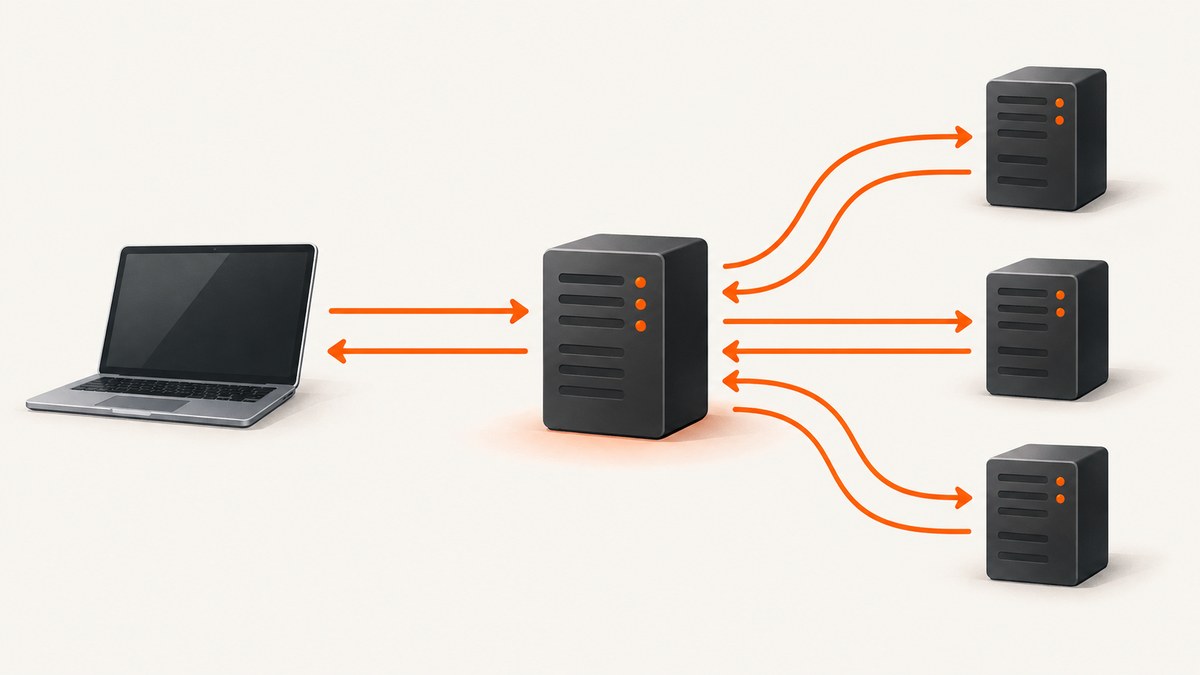
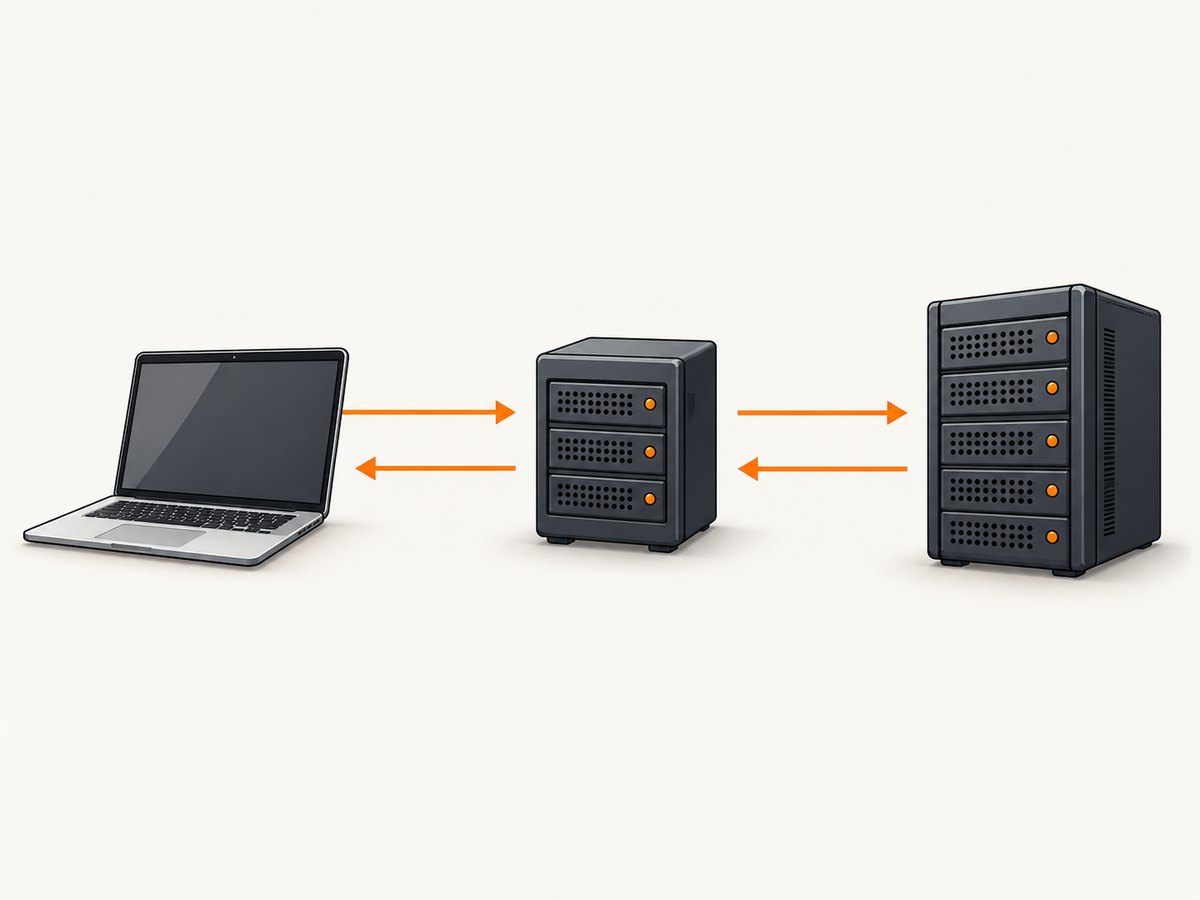
Direct answer: A proxy is an intermediary between a client and a destination server. Your application sends its request to the proxy first. The proxy can inspect, modify, allow, block, cache, answer locally, or forward the request. The destination response then travels back through the proxy to your application. NIST describes this as an application that “breaks” the connection between client and server.
The basic path is:
client → proxy → destination server → proxy → clientA proxy changes the communication path. It does not automatically encrypt traffic, make you anonymous, or make an untrusted proxy safe. The proxy operator may be able to log, inspect, or alter traffic, so encryption, authentication, and provider trust matter.
How a proxy server works
Without a proxy, a client opens a connection directly to the destination:
Application ───────────────► example.com
Application ◄─────────────── response
With a proxy, the application connects to the proxy and identifies the destination. The proxy decides what to do with the request. It may enforce an access rule, add a header, serve a cached response, or open a separate connection to the destination.
- Connection: The client connects to the proxy address and authenticates if required.
- Request: The client sends the destination host, path, method, headers, and body.
- Policy: The proxy checks allowlists, blocklists, rate limits, authentication, and content rules.
- Forwarding: If allowed, the proxy sends a request to the destination server.
- Response: The proxy receives the response and can cache, transform, filter, or log it.
- Relay: The proxy returns the resulting response to the client.
For HTTPS, an ordinary proxy commonly creates a tunnel with the CONNECT method. The proxy relays encrypted bytes and normally cannot read the HTTP contents. An organization can instead configure TLS inspection, where it terminates TLS and creates another TLS connection to the destination; that requires trusted certificates on client devices.
What does a proxy do?
Common proxy functions include:
- Routing: Send traffic to a selected origin, region, backend, or upstream service.
- Access control: Permit or block destinations, users, methods, ports, or content categories.
- Identity handling: Add authentication, remove headers, or present a different source address.
- Caching: Return a stored response without contacting the origin on every request.
- Transformation: Compress, resize, rewrite, or otherwise modify traffic.
- Observability: Record request metadata, response status, latency, and errors.
- Protection: Keep internal servers off the public network and absorb or filter unwanted traffic.
The same capabilities create risks. A proxy that can read unencrypted HTTP can capture credentials. A proxy with TLS inspection can read HTTPS after its certificate is trusted. A proxy can also become a single point of failure or add latency.
Forward proxy vs reverse proxy
| Question | Forward proxy | Reverse proxy |
|---|---|---|
| Whose side does it represent? | Clients | Servers |
| Who usually configures it? | The client, operating system, or network administrator | The website or service operator |
| Typical destination | External websites and APIs | Internal application servers |
| Typical uses | Outbound policy, controlled access, logging, filtering, testing | Load balancing, caching, TLS termination, authentication, origin shielding |
| Public visibility | Often hides the client’s direct network address from the destination | Hides backend addresses and topology from internet clients |
Forward proxies
A forward proxy sits between users or applications and the internet. A company may require all outbound requests to pass through it so administrators can apply policy and retain audit logs. Developers also use forward proxies to test geolocation, route requests through a controlled network, or reproduce behavior from a different network.
Reverse proxies
A reverse proxy receives inbound traffic for one or more services and forwards it to private backends. It can terminate TLS, authenticate users, distribute requests across servers, cache static content, and shield origin addresses. The browser sees the reverse proxy’s hostname; the proxy chooses the backend.
Transparent proxies
A transparent proxy intercepts traffic without requiring each client to configure a proxy address. It is commonly deployed by organizations or network providers for policy enforcement, filtering, or traffic management. “Transparent” describes client configuration, not privacy: the operator can still observe or control traffic according to its setup.
HTTP/HTTPS proxies and SOCKS proxies
| Type | Scope | Best fit | Important limitation |
|---|---|---|---|
| HTTP proxy | HTTP requests and web-aware operations | Browsers, HTTP clients, filtering, caching | Not a general proxy for every protocol |
| HTTPS proxy | HTTPS traffic, usually through CONNECT tunneling | Secure web requests through a proxy | The proxy may still see metadata; TLS inspection changes the trust model |
| SOCKS5 | General TCP forwarding, with optional UDP support depending on implementation | Applications and protocols that are not HTTP-specific | SOCKS does not inherently encrypt traffic |
Use an HTTP proxy when your client understands HTTP proxy settings and you need web-layer controls. Use SOCKS when the application needs a more general transport relay. In either case, encryption comes from the protocol running through the proxy, such as HTTPS or SSH.
Configure a proxy with cURL
Use --proxy (or -x) for an HTTP proxy. The URL can include a scheme, host, port, and credentials.
curl --proxy http://proxy.example:8080 https://example.com/For a proxy requiring credentials:
curl --proxy http://proxy.example:8080 \
  --proxy-user 'proxy_user:proxy_password' \
  https://api.example.com/data
For a SOCKS5 proxy:
curl --proxy socks5h://127.0.0.1:1080 https://example.com/socks5h asks the proxy to resolve the hostname. That matters when you want DNS resolution to occur on the proxy side. Use -I to inspect response headers and -v to diagnose connection and TLS negotiation:
curl -v --proxy http://127.0.0.1:8080 -I https://example.com/Use a proxy from Python
The Requests library accepts proxy URLs in a dictionary. Set both HTTP and HTTPS entries when the same proxy should handle both schemes.
import requests

proxies = {
    'http': 'http://proxy.example:8080',
    'https': 'http://proxy.example:8080',
}

response = requests.get(
    'https://api.example.com/data',
    proxies=proxies,
    timeout=(10, 60),
)
response.raise_for_status()
print(response.status_code)
print(response.text)
For authenticated proxies, put credentials in the URL and percent-encode reserved characters in the username or password:
proxies = {
    'http': 'http://user:pass@proxy.example:8080',
    'https': 'http://user:pass@proxy.example:8080',
}
Environment variables are useful for command-line tools and libraries that honor standard proxy settings:
export HTTP_PROXY='http://proxy.example:8080'
export HTTPS_PROXY='http://proxy.example:8080'
export NO_PROXY='localhost,127.0.0.1,.internal.example'
Do not commit proxy credentials to source control. Prefer environment variables or a secret manager, and set explicit connect and read timeouts.
Use a proxy from Node.js
Node’s built-in fetch does not automatically use every operating-system proxy setting. With Undici, install and use a proxy dispatcher:
npm install undiciimport { ProxyAgent, fetch } from 'undici';
const dispatcher = new ProxyAgent('http://proxy.example:8080');
const response = await fetch('https://api.example.com/data', { dispatcher });
if (!response.ok) {
throw new Error(`HTTP ${response.status}`);
}
console.log(await response.text());
await dispatcher.close();For production services, reuse one dispatcher instead of constructing a new proxy connection for every request. Add an application timeout and retry only operations that are safe to repeat.
Proxy privacy and security limits
Does a proxy hide your IP?
Usually, the destination sees the proxy’s source address instead of the client’s direct address. This depends on the protocol, forwarding headers, and proxy configuration. A reverse proxy hides backend addresses from clients; a forward proxy can hide a client address from external destinations.
Does a proxy encrypt traffic?
No. A proxy is a relay and policy point, not an encryption guarantee. HTTPS encrypts the connection between the client and the TLS endpoint. With ordinary HTTPS tunneling, the proxy can usually see destination metadata but not the HTTP body. Plain HTTP remains readable and modifiable by any intermediary.
Can a proxy be trusted?
Only to the extent that its operator, configuration, and certificate handling are trustworthy. Review logging and retention policies, restrict who can use the proxy, authenticate administrative interfaces, and avoid sending secrets over plain HTTP.
Common proxy errors and fixes
| Error or symptom | Likely cause | Fix |
|---|---|---|
407 Proxy Authentication Required |
Missing or invalid proxy credentials | Supply proxy authentication, check URL encoding, and verify the account is allowed to use that endpoint. |
| Connection refused | Wrong host or port, stopped proxy, or firewall rule | Check reachability with nc or curl -v; confirm the listener and firewall. |
| CONNECT tunnel failed | The proxy blocks the destination, port, or HTTPS tunneling | Check proxy policy and use the supported CONNECT port, usually 443. |
| TLS certificate error | TLS inspection certificate is not trusted, or the destination certificate is invalid | Install the organization’s trusted CA only when authorized; never disable verification as a permanent fix. |
| DNS resolves unexpectedly | DNS lookup occurs on the client rather than the proxy | Use a proxy mode that performs remote DNS, such as cURL’s socks5h. |
| Requests bypass the proxy | Environment variables are ignored, or NO_PROXY matches the host |
Inspect client configuration and remove an overly broad bypass entry. |
| Slow requests or timeouts | Proxy distance, overloaded pool, destination latency, or serial connections | Reuse connections, set separate connect/read timeouts, choose a nearer proxy, and measure each hop. |
| Unexpected redirects or blocked content | Proxy policy or response rewriting | Inspect headers with verbose logging and compare a direct request with a proxied request. |
Performance, reliability, and cost considerations
A proxy adds at least one network hop and often a second TLS handshake. Latency depends on client-to-proxy distance, proxy load, proxy-to-origin distance, DNS behavior, and connection reuse. For high-volume workloads:
- Keep connections alive and reuse HTTP sessions or agents.
- Pool proxy connections and avoid creating a proxy client per request.
- Measure connect, TLS, time-to-first-byte, and download durations separately.
- Cache only responses that are safe to share and vary the cache key by relevant headers.
- Use bounded retries with exponential backoff for transient failures.
- Do not retry non-idempotent operations unless the API provides an idempotency key.
- Provide health checks and a fallback path if the proxy is a single point of failure.
- Budget for proxy bandwidth, request volume, egress, authentication, logging, and any provider minimums.
Capturing a website through a proxy
A browser-based screenshot workflow uses the same client → proxy → destination model, but it also has to wait for JavaScript, fonts, images, consent dialogs, and lazy-loaded content. A DIY approach typically means launching Playwright or Puppeteer, configuring a proxy server, setting a viewport, waiting for the page, hiding overlays, and writing an image or PDF.
That approach gives you control, but you must maintain browser binaries, timeouts, consent handling, resource blocking, retries, and output storage. For a managed alternative, ScreenshotNeo provides a website screenshot API and MCP server. Its API accepts one GET request and returns PNG, JPEG, WebP, or PDF. See the ScreenshotNeo documentation for the complete parameter list.
Or skip the browser setup
Use the ScreenshotNeo endpoint directly:
curl -G "https://api.screenshotneo.com/v1/shot" -d access_key=YOUR_API_KEY --data-urlencode url=https://stripe.com -o shot.webpimport requests
r = requests.get(
'https://api.screenshotneo.com/v1/shot',
params={'access_key': 'YOUR_API_KEY', 'url': 'https://stripe.com'},
timeout=90,
)
r.raise_for_status()
open('shot.webp', 'wb').write(r.content)const q = new URLSearchParams({ access_key: 'YOUR_API_KEY', url: 'https://stripe.com' });
const res = await fetch(`https://api.screenshotneo.com/v1/shot?${q}`);
if (!res.ok) throw new Error(`HTTP ${res.status}`);
const image = Buffer.from(await res.arrayBuffer());
await Bun.write('shot.webp', image);ScreenshotNeo removes cookie banners, newsletter popups, and chat widgets before capture. Bot checks, blank pages, failed loads, timeouts, and cache hits are not billed, and response headers identify the page verdict and billing status. Its MCP server lets Claude, Cursor, and other MCP clients use take_screenshot, get_page_info, and capture_pdf. The service also supports full-page and element capture, dark mode, device presets, custom viewports, retina scale, PDF controls, custom CSS and JavaScript, clicks, waits, blocking rules, headers, cookies, user agents, authorization, timezone, geolocation, transparent backgrounds, resizing, cache TTLs, signed links, asynchronous jobs, webhooks, bulk capture, usage reporting, and an OpenAPI specification. One thousand screenshots per month are free with no card; paid plans start at $5 for 3,000. Create a free ScreenshotNeo account.
Proxy selection checklist
- Choose forward or reverse based on whether the proxy represents clients or servers.
- Confirm the required protocol: HTTP, HTTPS tunneling, or SOCKS5.
- Document authentication, certificate handling, and DNS behavior.
- Define logging, retention, and access policies before sending sensitive data.
- Set explicit timeouts, connection limits, and retry rules.
- Test direct and proxied requests for headers, redirects, IP visibility, and latency.
- Plan health checks, failover, and capacity for peak traffic.

FAQ
Is a proxy the same as a VPN?
No conclusion should be assumed from the word proxy alone. A proxy is an intermediary function; VPNs generally create an encrypted tunnel for a broader set of traffic. The exact privacy and encryption properties depend on the technology and configuration.
Why do companies use reverse proxies?
They provide a controlled public entry point for private services and can handle routing, caching, authentication, TLS termination, and origin shielding.
Should I use HTTP or SOCKS5?
Use HTTP when you need web-aware controls. Use SOCKS5 when the application needs general TCP forwarding or a protocol that is not HTTP-specific.
Can a proxy improve speed?
Sometimes. A nearby proxy with a warm cache can reduce origin work, but an overloaded or distant proxy adds latency. Measure the complete path for your workload.
What is the safest way to store proxy credentials?
Keep them in environment variables or a secrets manager, restrict their permissions, rotate them, and prevent them from appearing in logs, URLs, or error messages.


