What Is a Webhook? How Webhooks Work, Webhook vs API, Security, Retries, and Code
A webhook is an HTTP callback sent when an event happens. Learn how delivery, security, retries, idempotency, and polling comparisons work.

A webhook is an event-driven HTTP callback. When an event occurs in one application, that application sends an HTTP request to a URL owned by another application. The receiving application can then validate the request, acknowledge it, and process the event without repeatedly asking whether anything changed.
For example, a payment provider can send a payment.succeeded event to your server, or GitHub can notify your deployment system when code is pushed. Webhooks usually use an HTTPS POST request with a JSON body and provider-specific headers.
How a webhook works
- You expose a reachable HTTPS endpoint, such as
https://example.com/webhooks/orders. - You register that URL with the provider and subscribe to one or more event types.
- The provider detects an event and sends an HTTP
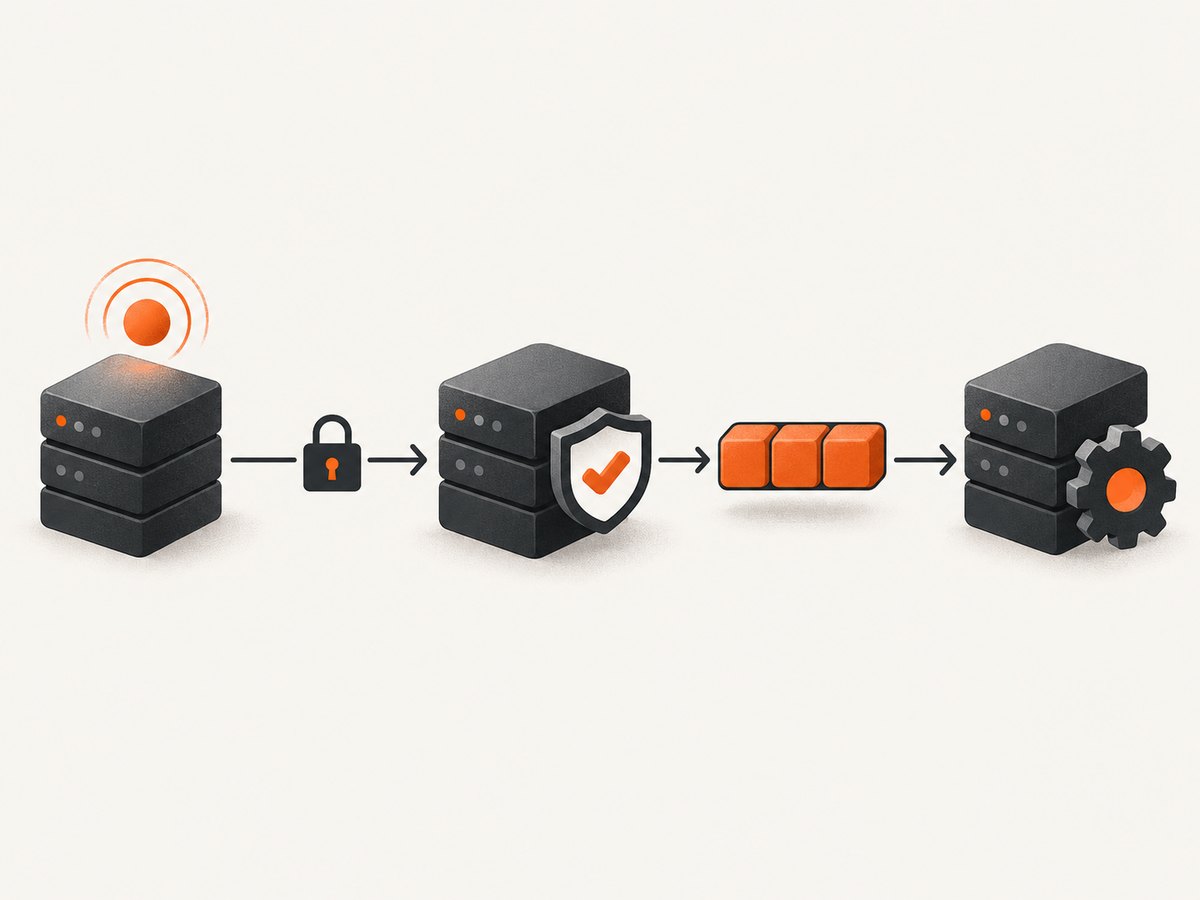
POSTrequest. - Your endpoint authenticates the request and validates its payload.
- You record the delivery or event ID, return a fast
2xxresponse, and queue slower work.
GitHub describes webhooks as a way to receive data as it happens instead of polling an API. The request includes event metadata such as X-GitHub-Event, X-GitHub-Delivery, and a signature header. Other providers use different names and payload formats, so their documentation is authoritative.
Typical request
POST /webhooks/orders HTTP/1.1
Host: example.com
Content-Type: application/json
User-Agent: payments-provider
X-Event-Type: order.created
X-Delivery-Id: 8f4e2c...
X-Signature: sha256=...

{"id":"ord_123","status":"created","total":4200}
CloudEvents’ HTTP binding requires a POST and a Content-Type header. The Standard Webhooks specification recommends JSON but does not define one universal event schema.
Webhook versus API
An API is an interface that your code calls when it wants data or wants to perform an action. A webhook is a delivery mechanism in which the provider calls your endpoint after an event occurs. A webhook may carry data that was produced by an API operation, but it is not a replacement for the API. Most integrations use both: the webhook signals that something happened, and an API call retrieves complete or current details.
| Question | Webhook | API request |
|---|---|---|
| Who starts the request? | The event provider | Your application |
| When does it run? | When a subscribed event occurs | Whenever your code calls it |
| Latency | Usually near real time | Depends on your polling or request schedule |
| Receiver requirement | Publicly reachable endpoint | Outbound network access |
| Main reliability concern | Retries, duplicates, replay, and missed delivery | Rate limits, pagination, and repeated requests |
Webhook versus polling
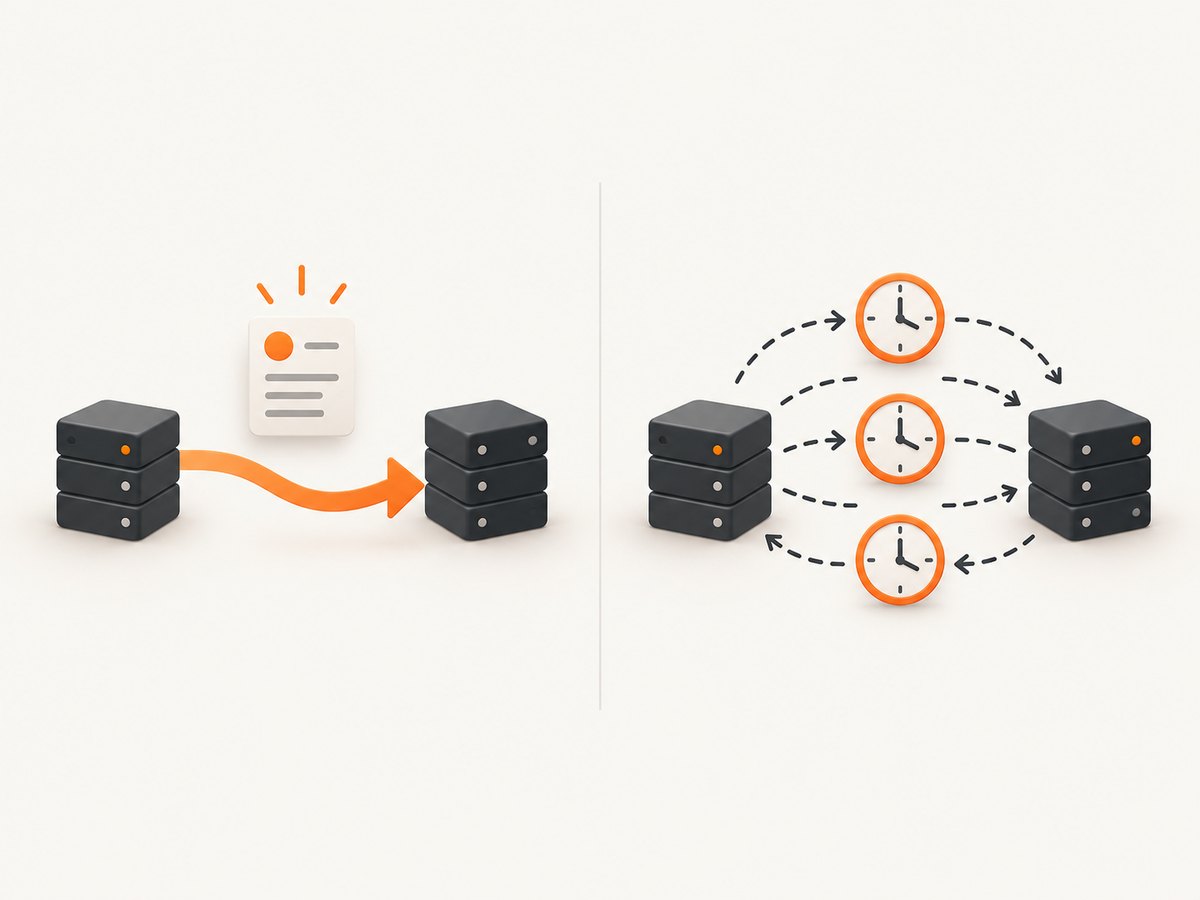
Polling repeatedly asks an API whether anything changed. A webhook pushes a notification when the change occurs. Webhooks can reduce needless requests and notification delay, but they require an endpoint that is reachable from the provider and code that handles authentication, retries, duplicates, and monitoring.
| Concern | Webhook | Polling |
|---|---|---|
| Notification delay | Provider sends after the event | At least the polling interval |
| Request volume | Mostly event-driven | Requests occur even when nothing changed |
| Network setup | Inbound HTTPS endpoint required | Outbound API access is usually enough |
| Failure handling | Verify signatures, retry safely, deduplicate | Track cursors, rate limits, and missed intervals |
Build a webhook endpoint
Minimal Node.js example
import express from 'express';
import crypto from 'node:crypto';

const app = express();
const secret = process.env.WEBHOOK_SECRET;

// Capture the exact bytes so the signature is verified before JSON parsing.
app.post('/webhooks/orders', express.raw({ type: 'application/json' }), async (req, res) => {
  const received = req.get('X-Signature') || '';
  const expected = 'sha256=' + crypto
    .createHmac('sha256', secret)
    .update(req.body)
    .digest('hex');

  const valid = received.length === expected.length &&
    crypto.timingSafeEqual(Buffer.from(received), Buffer.from(expected));

  if (!valid) return res.status(401).send('invalid signature');

  let event;
  try {
    event = JSON.parse(req.body.toString('utf8'));
  } catch {
    return res.status(400).send('invalid JSON');
  }

  const deliveryId = req.get('X-Delivery-Id');
  // Persist deliveryId in a database with a unique constraint here.
  // If it already exists, acknowledge the retry and do not repeat the work.
  console.log({ deliveryId, type: req.get('X-Event-Type'), event });

  // Queue expensive work, then acknowledge promptly.
  return res.sendStatus(202);
});

app.listen(3000);
The header names and signature construction in this example are illustrative. Use the exact algorithm, signed value, header, timestamp rules, and replay window documented by your provider.
Minimal Python example
import hashlib
import hmac
import json
import os
from flask import Flask, request, abort

app = Flask(__name__)
secret = os.environ["WEBHOOK_SECRET"].encode()

@app.post("/webhooks/orders")
def orders_webhook():
    raw = request.get_data(cache=False)
    received = request.headers.get("X-Signature", "")
    expected = "sha256=" + hmac.new(secret, raw, hashlib.sha256).hexdigest()

    if not hmac.compare_digest(received, expected):
        abort(401)

    try:
        event = json.loads(raw)
    except json.JSONDecodeError:
        abort(400)

    delivery_id = request.headers.get("X-Delivery-Id")
    # Insert delivery_id with a unique constraint before irreversible work.
    # Enqueue event for a worker and return quickly.
    print(delivery_id, event)
    return ("", 202)

if __name__ == "__main__":
    app.run(port=3000)
cURL request for local testing
body='{"id":"ord_123","status":"created"}'
curl -i https://example.com/webhooks/orders \
  -H 'Content-Type: application/json' \
  -H 'X-Event-Type: order.created' \
  -H 'X-Delivery-Id: test-123' \
  -H 'X-Signature: sha256=REPLACE_WITH_PROVIDER_SIGNATURE' \
  --data "$body"
Secure a webhook endpoint
- Use HTTPS. Do not accept production webhook traffic over plain HTTP.
- Verify the provider signature. Compute the HMAC over the exact raw request body before parsing JSON. Use a constant-time comparison.
- Keep secrets out of URLs. Store the secret in a secret manager or protected environment variable.
- Check timestamps when supported. Reject requests outside the provider’s replay window.
- Restrict event types. Ignore or quarantine events your endpoint did not subscribe to.
- Limit payload size. Apply a server and proxy limit appropriate for the provider’s documented maximum.
- Log safely. Record delivery IDs, event types, status, and timing without logging tokens or sensitive payload fields.
GitHub recommends an HMAC SHA-256 value in X-Hub-Signature-256, constant-time comparison, HTTPS, and keeping credentials out of URLs. Never trust an incoming webhook merely because it reached your route.
Retries, duplicates, and idempotency
Providers can retry when your endpoint times out, returns an error, or cannot be reached. Networks can also duplicate requests. Treat every delivery as potentially repeated.
- Read the provider’s stable delivery or event ID.
- Insert it into a durable table with a unique constraint before doing irreversible work.
- If insertion reports a duplicate, return a successful response without repeating the operation.
- Perform work from a queue or worker.
- Record success, failure, and retry state for operations staff.
The Standard Webhooks specification says the unique event identifier remains the same when a failed webhook is retried. GitHub recommends acknowledging within 10 seconds and moving expensive work to background processing.
CREATE TABLE webhook_deliveries (
  delivery_id TEXT PRIMARY KEY,
  received_at TIMESTAMPTZ NOT NULL DEFAULT now(),
  event_type TEXT NOT NULL,
  status TEXT NOT NULL DEFAULT 'queued'
);
Response codes and processing strategy
| Response | When to use it |
|---|---|
2xx |
Signature and basic validation passed; delivery is accepted or already processed. |
400 |
The request is malformed and cannot be interpreted. |
401 or 403 |
Authentication or signature validation failed. |
404 |
Only when the route is not a valid subscription endpoint. |
429 |
Use only when you understand the provider’s retry behavior and need backpressure. |
5xx |
Temporary failure that should cause a provider retry, if supported. |
Return the response after durable acceptance, not after completing a long task. Queue email, database fan-out, image processing, and third-party API calls. A fast acknowledgement reduces timeout-driven retries.
Provider differences to check
There is no universal webhook payload. Before implementing, document:
- Event names and whether one endpoint receives multiple types
- Envelope fields and schema versions
- Signature algorithm, signed content, headers, and timestamp rules
- Timeout and retry schedule
- Maximum payload size
- Delivery and event ID semantics
- Redelivery controls and replay tooling
- Whether ordering is guaranteed
- How the provider reports disabled or failing endpoints
For example, GitHub documents a 25 MB payload cap and provider-specific headers. That limit should not be generalized to another service.
Testing and local development
- Create a staging endpoint with a separate secret.
- Use the provider’s test event or a signed fixture.
- Test valid requests, bad signatures, malformed JSON, oversized bodies, duplicate IDs, old timestamps, and unknown event types.
- Force a worker failure and confirm the provider retries or your queue retries safely.
- Expose local development through a secure tunnel only when your provider requires a public URL, and never use production secrets locally.
Troubleshooting common webhook errors
| Symptom | Likely cause | Fix |
|---|---|---|
| Signature is always invalid | JSON was parsed and re-serialized, changing whitespace or field order. | Verify the signature against the untouched raw bytes. |
| Provider reports timeouts | The endpoint performs slow work before responding. | Persist the delivery, enqueue work, and return a 2xx quickly. |
| Orders are created twice | Retries or duplicate deliveries are processed independently. | Use the stable delivery/event ID as a unique idempotency key. |
| No requests arrive | DNS, TLS, firewall, route, or provider configuration problem. | Check the public URL, certificate, access logs, provider delivery log, and subscription status. |
| Unexpected event shape | Different event types or schema versions share one endpoint. | Branch on the documented event type and validate each schema. |
| Large deliveries fail | Reverse proxy or application body limit is too low. | Set a documented limit that accommodates the provider and reject excess bodies safely. |
| Replay attacks succeed | The implementation checks only a static signature. | Validate a signed timestamp and enforce the provider’s replay window when available. |
Performance, reliability, and cost
Webhook cost is usually driven by the provider’s event volume, request processing, queueing, storage, and any API calls made by your worker. Reduce waste by subscribing only to needed event types, acknowledging quickly, and deduplicating before expensive work.
For reliability, monitor delivery success rate, response latency, retry count, queue age, signature failures, duplicate rate, and events that remain unprocessed. Keep a durable event record so operators can inspect and replay safely. Do not assume delivery order unless the provider guarantees it; use event timestamps or fetch current state from the provider when ordering matters.
Using webhooks with screenshot jobs
Screenshot workflows often need asynchronous processing when a page requires a long wait, many URLs, or a PDF render. A service can submit a job and notify your endpoint through a signed webhook when the result is ready. Apply the same controls: verify the signature, persist the delivery ID, acknowledge quickly, and fetch or store the result in a worker.
Or skip the browser setup
ScreenshotNeo provides a website screenshot API and MCP server. For a one-call capture, use the API shown in the ScreenshotNeo documentation:
curl -G "https://api.screenshotneo.com/v1/shot" -d access_key=YOUR_API_KEY --data-urlencode url=https://stripe.com -o shot.webpimport requests
r = requests.get("https://api.screenshotneo.com/v1/shot", params={"access_key": "YOUR_API_KEY", "url": "https://stripe.com"}, timeout=90)
open("shot.webp", "wb").write(r.content)const q = new URLSearchParams({ access_key: 'YOUR_API_KEY', url: 'https://stripe.com' });
const res = await fetch(`https://api.screenshotneo.com/v1/shot?${q}`);ScreenshotNeo removes cookie banners, newsletter popups, and chat widgets before the shot. Bot checks, blank pages, failed loads, timeouts, and cache hits are not billed, and the response reports the page verdict and billing result in X-Page-Verdict and X-Billed headers. Its MCP server lets Claude, Cursor, and other MCP clients use take_screenshot, get_page_info, and capture_pdf. The free plan includes 1,000 screenshots a month with no card; paid plans start at $5 for 3,000.
Start with 1,000 free ScreenshotNeo screenshots a month.
Webhook FAQ
Can a webhook call a private localhost URL?
Usually no. The provider must be able to reach the endpoint. Use a public staging endpoint or an approved secure tunnel for development.
Should I trust the JSON body because it came from a known IP?
No. Verify the provider’s signature. IP allowlists can be an additional control when the provider documents stable source ranges.
Should a webhook handler call another API before responding?
Only for quick, bounded validation when required. Durable acceptance and background processing are safer for slow or failure-prone work.
Are webhook deliveries ordered?
Only when the provider explicitly guarantees ordering. Design consumers to handle late and duplicated events.
What happens if my endpoint is down?
Many providers retry, but retry timing and retention differ. Confirm the provider’s policy and maintain your own reconciliation process for important data.


