What Is an Animated GIF? How It Works, When to Use It, and How to Make One
An animated GIF is a bitmap file containing multiple frames. Learn how GIF animation works, how to create one, and how to make it accessible.
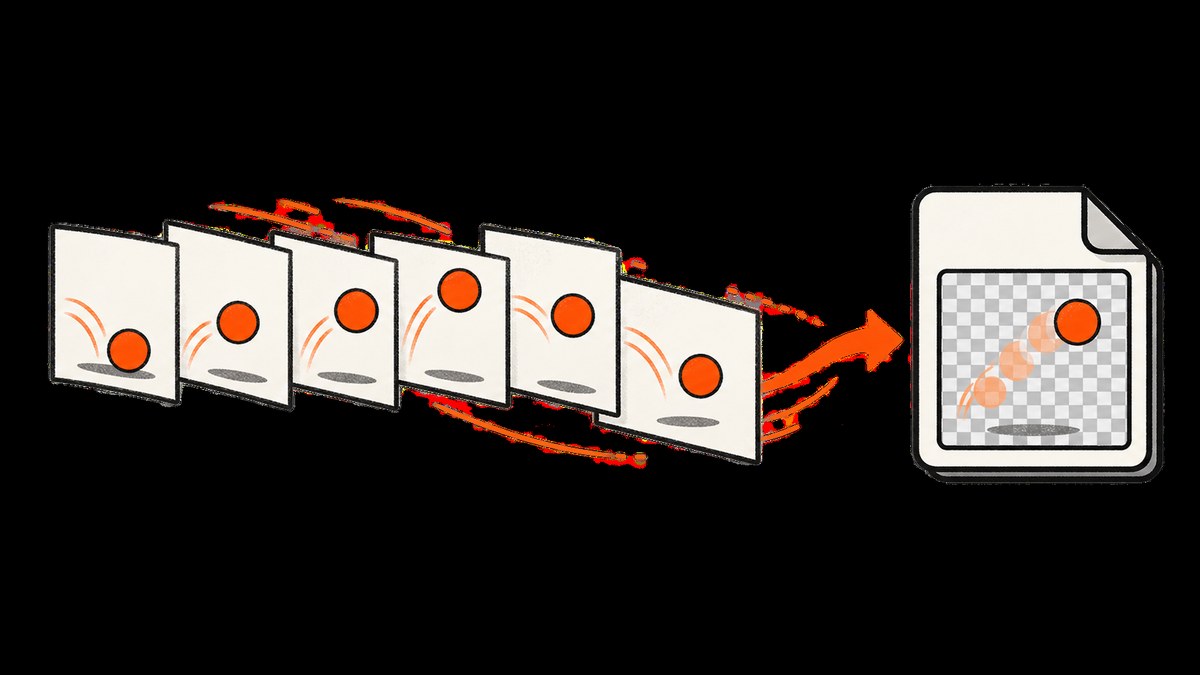
Direct answer: An animated GIF is a bitmap image file that contains multiple images, called frames, plus control data that tells compatible software how to display those frames in sequence. The result looks like a short video, but the file is still an image format. GIF animation has no audio, and it is not a vector animation.
A GIF is useful when you need a short, looping piece of simple motion that works in places where an image is easier to embed than a video. It is less suitable for long, photographic, high-color or sound-dependent content. The right choice depends on image detail, duration, file size, transparency behavior, playback controls and accessibility requirements.
How does an animated GIF work?
The GIF89a specification describes a data stream with a header, a logical screen, data blocks and a trailer. Inside the stream, graphic blocks can include image data and a graphic-control extension. In practical terms, an encoder stores a sequence of bitmap frames and timing instructions. A viewer decodes the frames and renders them in order.
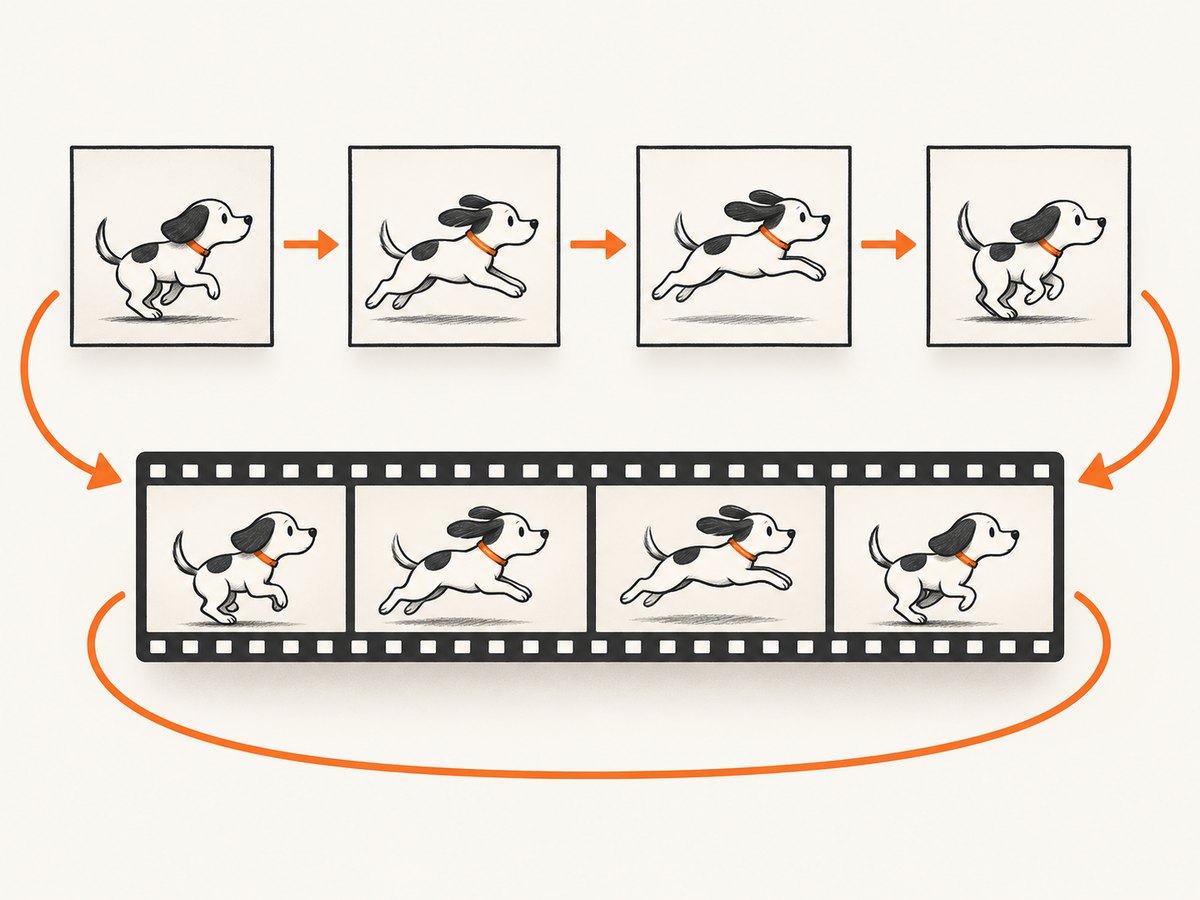
Each frame has a delay, measured in hundredths of a second in the format’s control data. A GIF can also specify disposal behavior: whether a frame remains visible, is replaced by the next frame, or is cleared before the next frame appears. Looping is commonly added through an application extension understood by web browsers and image software.
Not every frame must be a complete canvas. A common optimization stores one full-size opening frame, followed by smaller rectangles containing only the pixels that changed. MDN describes this as a space-saving arrangement, and Adobe’s exporter can optimize an animation by storing frame-to-frame changes. The exact strategy depends on the file and encoder.
GIF versus video
| Question | Animated GIF | Video |
|---|---|---|
| What is stored? | Bitmap frames and display control data | Compressed frames, usually with an audio track and playback metadata |
| Audio | Not supported | Usually supported |
| Playback controls | Usually controlled by the surrounding page or viewer | Native controls such as play, pause and seek are available |
| Best fit | Short, simple loops and widely compatible image embeds | Longer demonstrations, photographic motion and sound |
| Accessibility | Needs surrounding HTML text and motion controls where appropriate | Can provide captions, transcripts and user controls |
GIF is an image format with animation capabilities, not a miniature video codec. A video may be substantially smaller for the same duration and visual quality, especially when it contains gradients, photographs or many colors.
What are animated GIFs used for?
Typical uses include short demonstrations, interface feedback, memes, reaction images, simple product explanations and looping decorative motion. A GIF can show a two-second cursor movement, a before-and-after transition or a small diagram without requiring a video player.
Use a GIF when:
- The motion is short and can loop without confusing the viewer.
- There is no audio requirement.
- The target platform reliably displays GIF images.
- The artwork is relatively simple and the resulting file size is acceptable.
Consider another format when:
- The sequence is long, highly detailed or photographic.
- Users need pause, stop, seek or playback-speed controls.
- Audio, captions or a transcript are part of the message.
- The image contains gradients or colors that GIF’s palette cannot represent cleanly.
Color, transparency and file-size tradeoffs
GIF uses a palette-based image model. An individual frame can reference up to 256 palette entries, so photographs and smooth gradients may show banding or dithering. Reducing dimensions, frame count, color count and visual change usually reduces file size.
GIF transparency is also limited compared with formats that support a full alpha channel. A GIF can mark a palette color as transparent, but it does not provide arbitrary partial opacity for every pixel in the same way as a modern alpha-enabled image format. Exporters may expose a matte-color setting to blend edge pixels against an expected background. If the background changes, those edges can look rough.
Frame disposal and delta encoding affect both appearance and size. A static background with a small moving object compresses efficiently when later frames contain only the changed region. A full-screen change on every frame requires much more data. Test the exported file at its actual display size rather than judging only the source timeline.
How to make an animated GIF with Python
The following example uses Pillow. It creates a sequence of numbered bitmap frames, converts them to a consistent mode, and writes a looping GIF. Install Pillow first:
python -m pip install pillowSave this as make_gif.py:
from PIL import Image, ImageDraw

WIDTH, HEIGHT = 640, 360
frames = []

for frame_number in range(24):
    image = Image.new("RGB", (WIDTH, HEIGHT), "white")
    draw = ImageDraw.Draw(image)

    # Move a square from left to right.
    x = 20 + frame_number * 24
    draw.rectangle((x, 145, x + 70, 215), fill=(35, 105, 220))
    draw.text((20, 20), f"Frame {frame_number + 1}", fill="black")
    frames.append(image)

frames[0].save(
    "moving-square.gif",
    save_all=True,
    append_images=frames[1:],
    duration=80,       # milliseconds per frame
    loop=0,             # 0 means repeat forever
    optimize=True
)
Run it with:
python make_gif.pyThe duration value controls playback speed. A smaller value makes the sequence faster. Set loop=1 to play twice in total, or use another positive number for a finite repeat count. If you are converting existing PNG files, load them in filename order, convert them to the same dimensions and color mode, then pass the first image to save with the remainder in append_images.
Converting video frames with a command-line tool
For a short, silent clip, an encoder such as FFmpeg can extract frames and create a palette before assembling the GIF. Palette generation generally gives better results than letting every frame choose colors independently:
ffmpeg -i input.mp4 -vf "fps=12,scale=640:-1:flags=lanczos,split[s0][s1];[s0]palettegen=max_colors=256[p];[s1][p]paletteuse" -loop 0 output.gifLower the frame rate or width when the output is too large. Crop away unchanging margins, shorten the clip and avoid exporting unnecessary frames.
How to make a GIF from website screenshots
A common workflow is to capture the same page at several states, then combine those images into a GIF. For a local page, you can use a browser automation tool such as Playwright, save PNG frames, and assemble them with Pillow or FFmpeg. Keep the viewport, fonts and device scale constant so that the page does not jump between frames.
Capture only the state changes you need. For example, take one frame before opening a menu, one while it is open and one after selecting an item. Wait for fonts, images and animations to settle before each capture. If a page has a cookie banner, newsletter popup or chat widget, those elements can become distracting moving objects in the final animation.
Accessibility requirements for animated GIFs
A GIF file typically does not carry the web page’s alternative text. The surrounding HTML should provide an alt attribute that communicates the relevant meaning:
<img src="moving-square.gif"
     alt="A blue square moves from left to right across a white canvas.">
Write concise text that describes the information conveyed by the animation. If the movement is decorative and adds no meaning, an empty alt="" may be appropriate, while nearby text still needs to explain any important content.
Motion should not prevent users from accessing the page. Avoid rapid flashing and provide a way to pause, stop or hide motion when the animation continues automatically. W3C’s G152 technique discusses stopping animated GIFs that blink within five seconds as one technique related to WCAG 2.2.2, Pause, Stop, Hide. W3C states: “Techniques are examples of ways to meet Web Content Accessibility Guidelines (WCAG). They are not required to meet WCAG.” Read the G152 technique and assess the actual behavior of your content.
For essential information, provide a static alternative or a text explanation. Respect the user’s reduced-motion preference where your page controls playback. A GIF embedded as a plain image does not expose the same controls as a video element, so replacing it with a video or an interactive component may be the better design.
GIF creation and export options
Google Web Designer documents creating a document with the Animated GIF type and exporting a video document as an animated GIF. Its documentation notes that some video features, including audio, are not supported or optimized for GIF export, and documents GIF timelines up to five minutes. Adobe Animate documents GIF publishing and frame-to-frame optimization, while its export options include transparency and matte-color controls for GIF and PNG-8. The exact controls vary by software version and workflow.
Before publishing, check:
- Canvas dimensions and display density.
- Frame rate and total duration.
- Loop count and frame disposal behavior.
- Palette quality, dithering and transparency edges.
- Compressed file size on the actual page.
- Alt text, motion controls and a static fallback.
Or skip the browser setup
If your goal is to collect consistent website frames for an animation, ScreenshotNeo can return a clean screenshot from one GET request. Its capture process accepts cookie and consent banners as a visitor, then removes more than 60 known consent platforms along with newsletter popups and chat widgets. Each cleanup step can be turned off.
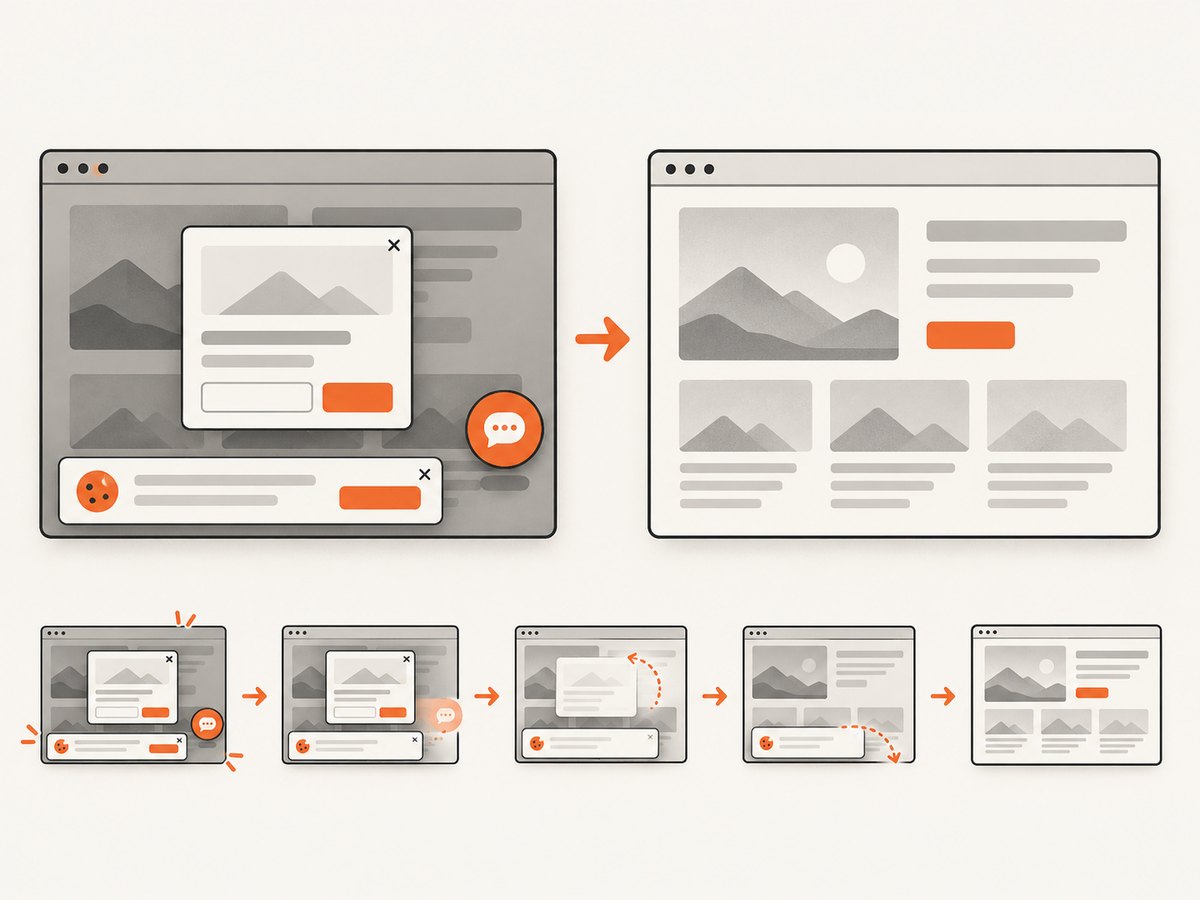
Start with one frame, then vary a URL or capture state in your own workflow:
curl -G "https://api.screenshotneo.com/v1/shot" \
  -d access_key=YOUR_API_KEY \
  --data-urlencode url=https://stripe.com \
  -o shot.webp
import requests
r = requests.get(
"https://api.screenshotneo.com/v1/shot",
params={"access_key": "YOUR_API_KEY", "url": "https://stripe.com"},
timeout=90,
)
r.raise_for_status()
open("shot.webp", "wb").write(r.content)const q = new URLSearchParams({
access_key: 'YOUR_API_KEY',
url: 'https://stripe.com'
});
const res = await fetch(`https://api.screenshotneo.com/v1/shot?${q}`);
if (!res.ok) throw new Error(`HTTP ${res.status}`);
const bytes = new Uint8Array(await res.arrayBuffer());
await Bun.write('shot.webp', bytes);See the ScreenshotNeo documentation for the full request options. You can capture a full page with lazy images loaded, target one element by CSS selector, choose dark mode, use device presets or a custom viewport, set retina scale, add custom CSS or JavaScript, click before capture, hide selectors, wait for a selector, delay or network idle, block ads or resource types, supply headers, cookies, a user agent, authorization, timezone or geolocation, make the background transparent, resize the image, cache with a chosen TTL, create signed links, submit asynchronous jobs with signed webhooks, capture up to 100 URLs in one bulk call, and query usage. PNG, JPEG, WebP and PDF outputs are supported.
Only clean shots are billed. Bot checks and CAPTCHAs, blank pages, timeouts, failed loads and cache hits cost nothing, and the response identifies the result with X-Page-Verdict and X-Billed headers. An MCP server provides take_screenshot, get_page_info and capture_pdf tools for Claude, Cursor and other MCP clients.
For a GIF pipeline, save several returned images, normalize their dimensions, and assemble them with Pillow or FFmpeg. Use caching when frames repeat, asynchronous jobs or bulk capture for larger batches, and a generous timeout for pages that load slowly. The free plan includes 1,000 screenshots per month with no card; paid plans start at $5 for 3,000. Create a free ScreenshotNeo account.
Troubleshooting animated GIFs
The GIF appears as a still image
Check that the file contains more than one image descriptor and that the viewer supports animation. Some editors show only the first frame in an editing canvas. Open the file in a browser or an animated-image viewer.
The animation is too large
Reduce width, duration and frame rate. Crop unchanged margins, reduce colors and enable delta or palette optimization. A short WebP or video may be a better delivery format when the platform supports it.
Edges look jagged around transparent objects
Choose a matte color matching the page background, remove the transparency requirement, or export to a format with full alpha support. Palette transparency cannot represent every partial-opacity edge.
The motion is too fast or too slow
Inspect the per-frame delay. Some tools interpret very small delays differently, so use a practical duration and verify in the target browser. Avoid relying on a single editor’s preview timing.
Frames jump or change size
Normalize every input frame to the same width, height, color mode and pixel density. In website captures, keep the viewport and device scale fixed and wait for fonts and layout to settle.
Important meaning is missed by screen readers
Add useful surrounding HTML alt text and explain the result in nearby text. Do not assume the GIF file itself carries an accessible description.
Performance, reliability and cost considerations
For delivery performance, measure the final compressed file, not just the source frames. A GIF with many full-canvas changes can be expensive to download and decode. Prefer a static poster plus a user-controlled video when the sequence is long. Lazy-load nonessential animation and avoid placing several large GIFs above the fold.
For generated frames, deterministic inputs improve reliability: fixed viewport, stable fonts, explicit waits and a known page state. Retry transient capture failures, but do not blindly retry bot checks or persistent authorization errors. Store source frames when you need to reproduce an animation, and record the frame delay and loop setting alongside the output.
With ScreenshotNeo, caching can reduce repeated captures, while bulk capture and asynchronous jobs help with larger frame sets. Check the response verdict and billing headers before treating a result as a usable frame. The API’s plan limits and prices are documented by ScreenshotNeo; yearly billing provides two months free, and every feature is available on every plan.
Frequently asked questions
Is an animated GIF a video?
No. It is a bitmap image file containing multiple frames and control data. It can look like a video, but it has no audio and usually lacks native playback controls.
Can a GIF have sound?
No. Use a video format when audio is part of the experience.
Do all GIFs loop forever?
No. The file can specify an infinite loop or a finite repeat count. Some viewers may handle unusual loop metadata differently.
Should every GIF have alt text?
Every meaningful GIF needs an accessible text alternative in the surrounding HTML. Decorative GIFs can use empty alt text when the surrounding page already supplies the needed context.
When should I use WebP or video instead?
Choose another format when you need smaller files for detailed imagery, full alpha transparency, audio, captions, seeking or explicit pause controls. Test the target platform before switching.
Can ScreenshotNeo create an animated GIF directly?
ScreenshotNeo returns individual PNG, JPEG or WebP screenshots and PDFs. Capture the frames you need, then assemble them with a GIF encoder such as Pillow or FFmpeg.
Sources
Library of Congress GIF format overview; GIF89a specification; MDN image format guide; Adobe Animate publish settings; Adobe animated GIF export options; Google Web Designer animated GIF documentation.


