What Is BrowserStack Local? A Complete Guide to Local Testing
BrowserStack Local creates an encrypted tunnel from BrowserStack browsers to localhost, staging, and private applications. Learn setup, networking, security, and troubleshooting.
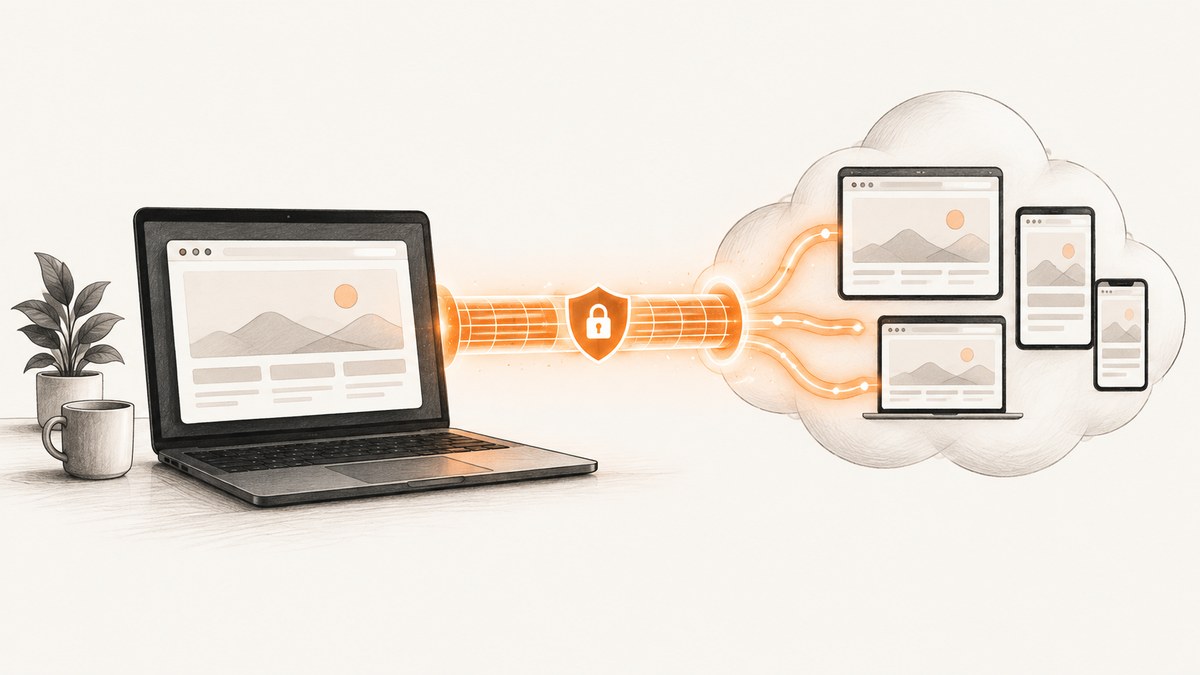
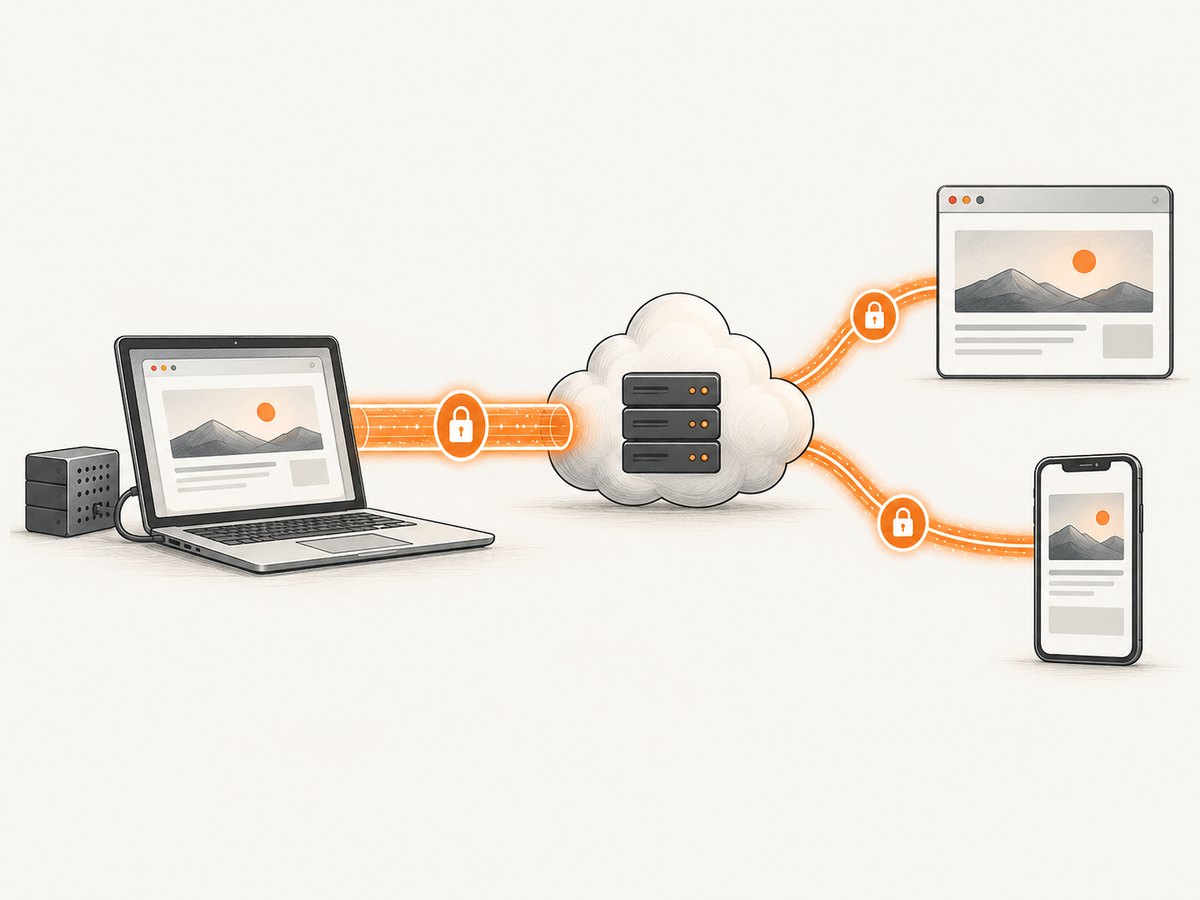
BrowserStack Local (called Local Testing in BrowserStack documentation) is a software tunnel that lets BrowserStack’s remote browsers and devices reach websites and applications running on localhost, staging servers, VPNs, firewalled networks, or other private infrastructure. You run a Local agent on a machine that can reach the target application. The agent opens an outbound encrypted connection to BrowserStack, and BrowserStack sessions send matching requests through that tunnel.
This solves reachability. You do not need to expose an internal application to the public internet just so BrowserStack Live, App Live, or automated testing can load it. BrowserStack documents Local Testing for manual and automated workflows, including Selenium, Cypress, Playwright, JavaScript testing, Appium, Espresso, XCUITest, Maestro, Detox, Flutter, and low-code automation. See the Local Testing overview.
How BrowserStack Local works
- Start the BrowserStack Local desktop app or command-line binary on a machine that can access your private site.
- Authenticate the agent with your BrowserStack access key.
- The agent establishes an outbound connection to a BrowserStack repeater, normally over port 443.
- A remote browser or device requests your private hostname.
- The repeater sends the request through the tunnel. The local agent resolves the hostname and forwards it to a server reachable from the local network.
- The response returns through the same connection to the remote session.
BrowserStack describes the connection as persistent and based on Secure WebSockets. Its architecture documentation says the repeater cannot initiate a connection to the Local agent and that only servers permitted for the connection are reachable. Those are BrowserStack’s descriptions of its own design, not an independent security audit. Read the architecture guide and network requirements before approving the design for a sensitive environment.
When should you use Local Testing?
| Target or situation | Why Local Testing helps |
|---|---|
| Localhost development server | Remote browsers can load an app running on your workstation. |
| Staging or QA environment | Test a release before production without making staging public. |
| Internal application | Reach services available only on a company network or VPN. |
| Firewall or proxy protected site | The local agent makes the outbound connection instead of requiring inbound access. |
| Private mobile web testing | Use BrowserStack mobile devices against an environment unavailable on the public internet. |
You usually do not need Local Testing when the BrowserStack browser can already reach a public site directly. An exception is a hostname that resolves differently inside your network. BrowserStack documents a force-local option for applicable integrations when all requests should route through the local connection. Check the integration guide for the exact capability name and syntax.
Choose a setup method
Desktop app for Live and App Live
BrowserStack’s support documentation describes the desktop app as the easier route for Live and App Live on Windows and macOS. Install and sign in to the app, start Local Testing, and then open the private URL in the Live or App Live session. The exact controls can change, so use the current Live setup guide.
Command-line binary for automation or Linux
The command-line binary is the documented route for Automate, App Automate, and Linux Live or App Live workflows. The basic command is:
./BrowserStackLocal --key YOUR_ACCESS_KEYKeep the access key in a secret manager or protected CI variable. Do not commit it to a repository or print it in build logs. Leave the process running while the remote sessions execute. Ending a test session does not necessarily end the Local connection; BrowserStack documents that the tunnel can remain active for another session until you disconnect the command-line binary.
Integration-managed Local Testing
Some automated integrations start or configure Local Testing as part of the test runner. Follow the guide for the selected runner rather than combining multiple startup methods. BrowserStack publishes integration-specific instructions, including a Cypress guide.
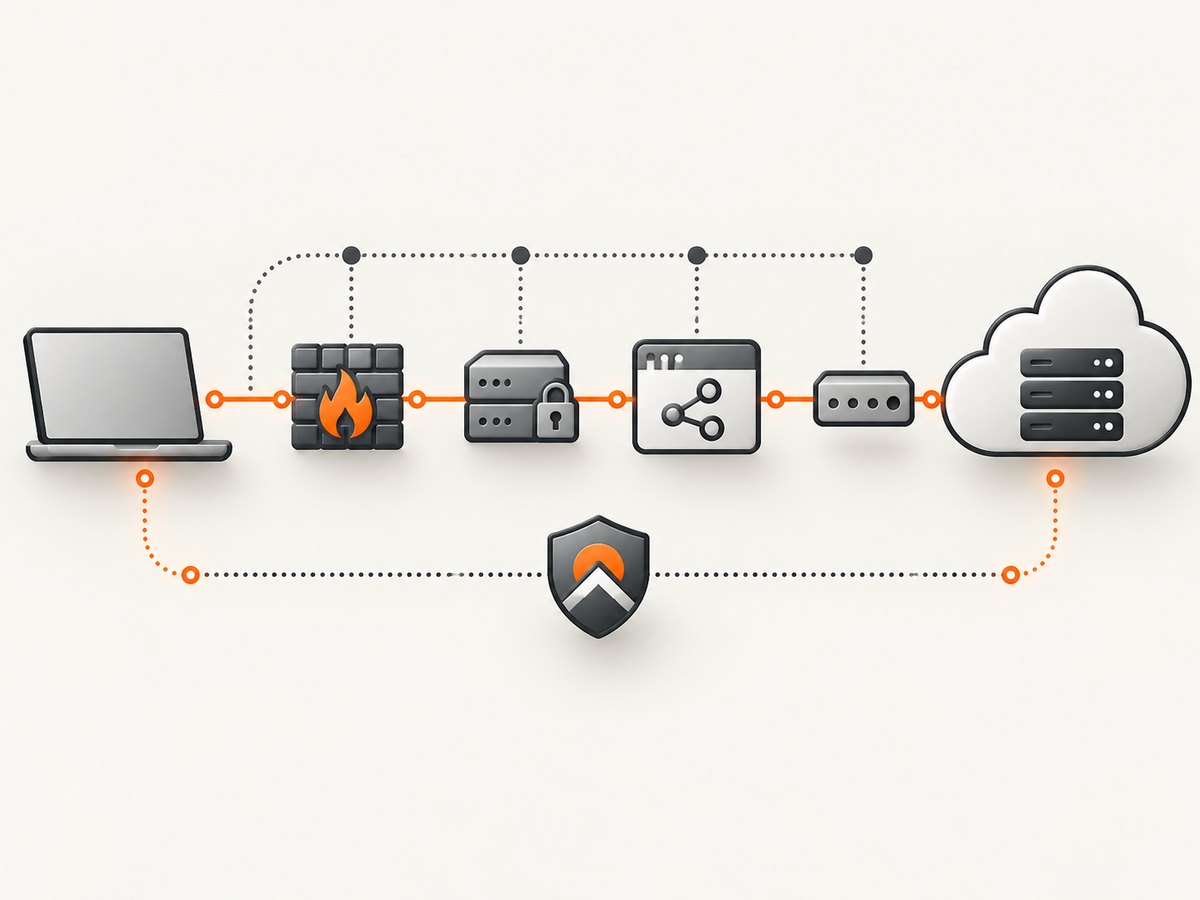
Network and proxy requirements
Ask your network team to verify these requirements before debugging the test itself:
- Outbound HTTP(S) access to
local.browserstack.comon ports 80 and 443. - Outbound WSS access to a BrowserStack repeater on port 443.
- Proxy support for WebSockets.
- HTTP
CONNECTsupport when TLS traffic must pass through the proxy. - Firewall and VPN rules that allow the Local agent to reach the private host and port.
BrowserStack documents a legacy SSL-encrypted fallback when WebSockets are blocked, but says it is much slower. Treat that fallback as a compatibility option, not the preferred network path. SSL inspection can also interfere with certificate validation or WebSocket upgrades; involve the team that manages the proxy instead of disabling verification broadly.
Run a first local test
- Start a web server on a machine that can reach your application. Confirm the page opens locally with the exact hostname and port you plan to test.
- Start the Local agent with your access key:
./BrowserStackLocal --key YOUR_ACCESS_KEY- Open BrowserStack Live or configure your automated runner.
- Navigate to the private hostname, including its port if it is not on the default HTTP or HTTPS port.
- Verify that the page, API calls, images, fonts, and WebSocket features load from the remote session.
- Run the test suite while the agent remains connected.
- Disconnect the agent when the work is complete, especially on shared machines or CI workers.
iOS Live hostname caveat
BrowserStack’s Live setup guide documents a specific iOS case: localhost may need to be replaced with http://bs-local.com. If that hostname does not resolve automatically, use bs-local.com with the same port and make sure your local server serves that host. Confirm the current behavior for the exact Live and device workflow you use.
Parallel builds, identifiers, and routing
Parallel CI jobs can interfere with one another when they share a Local connection or route different applications through the same tunnel. BrowserStack’s integration documentation describes Local identifiers and force-local routing as relevant configuration points. Give parallel builds distinct identifiers when the runner supports them, and configure the matching identifier in each test capability. Use force-local when a public hostname must resolve through your network. Use the current product-specific guide for exact capability names because syntax differs by runner.
Security and lifecycle considerations
- The local agent initiates the outbound connection; your internal server does not need an inbound connection from BrowserStack.
- Restrict the access key to CI secrets or protected local configuration.
- Allow the minimum private hosts and ports needed by the test environment.
- Review proxy, VPN, and SSL-inspection policies before enabling the tunnel.
- Disconnect the binary when the tunnel is no longer needed.
BrowserStack distinguishes closing a remote browsing session from disconnecting Local Testing. Its documentation says information associated with the repeater session is deleted after the command-line binary disconnects, and describes cleanup of remote session data from its virtual machine. Confirm retention and compliance requirements against your organization’s contract and BrowserStack’s current policies.
Troubleshooting BrowserStack Local
| Symptom | Likely cause | Fix |
|---|---|---|
| Local agent will not connect | Outbound firewall, proxy, or DNS blocks BrowserStack endpoints. | Allow local.browserstack.com on ports 80 and 443, allow WSS on 443, and verify proxy WebSocket and CONNECT support. |
| BrowserStack says Local is disconnected | The binary exited, crashed, or the CI job cleaned it up. | Keep the process alive for the whole test run and inspect the agent log and CI process lifecycle. |
| Private page shows a connection error | The machine running Local cannot resolve or reach the hostname and port. | Open the exact URL from that machine first. Check VPN routes, DNS, firewall rules, and the local server bind address. |
| Public page loads but private API calls fail | Only the document host is reachable, or API requests use another private hostname. | Allow every required API, asset, font, and WebSocket host through the local network and configure routing for the relevant integration. |
| Proxy connection hangs | The proxy does not permit WebSockets or HTTPS CONNECT. | Request those capabilities from the network team. BrowserStack documents an SSL fallback, but it is slower. |
| Tests cannot find the local page on iOS | localhost refers to the device context. |
Try bs-local.com with the same port as documented in BrowserStack’s iOS Live instructions. |
| One parallel job reaches another job’s environment | Jobs share a Local identifier or tunnel. | Use separate identifiers and match each test capability to its intended tunnel. |
| Automated setup conflicts with a manually started agent | Two processes manage the same Local connection. | Choose either integration-managed startup or an explicit binary process according to the runner guide. |
Performance, reliability, and cost planning
The tunnel adds a network hop: BrowserStack browser to repeater, through the local agent, then to the private server. Keep the agent close to the target environment, avoid routing unrelated traffic through it, and use a stable network path. BrowserStack states that its SSL fallback is much slower than the normal WebSocket route. Browser and device availability, test concurrency, and Local Testing entitlements depend on the BrowserStack product and account plan; verify current limits before designing a large CI matrix.
For reliability, start Local before the test runner, fail the build if the agent cannot establish its connection, keep logs available for diagnosis, and disconnect it in cleanup hooks. A persistent tunnel can support another test session, but an abandoned process can consume resources or expose more network reachability than intended.
Or skip the browser setup
If your goal is a clean screenshot rather than interactive cross-browser testing, ScreenshotNeo returns an image or PDF from one API request. It removes cookie and consent banners, newsletter popups, and chat widgets before capture. Bot checks, blank pages, failed loads, timeouts, and cache hits are not billed, and the response identifies the result with X-Page-Verdict and X-Billed headers. Its MCP server lets Claude, Cursor, and other MCP clients use take_screenshot, get_page_info, and capture_pdf.
See the ScreenshotNeo API documentation for options such as full-page capture, CSS element selection, device presets, dark mode, custom CSS and JavaScript, waits, request blocking, headers, cookies, geolocation, PDF settings, caching, signed links, webhooks, bulk capture, and usage data.
cURL
curl -G "https://api.screenshotneo.com/v1/shot" -d access_key=YOUR_API_KEY --data-urlencode url=https://stripe.com -o shot.webpPython
import requests
r = requests.get("https://api.screenshotneo.com/v1/shot", params={"access_key": "YOUR_API_KEY", "url": "https://stripe.com"}, timeout=90)
open("shot.webp", "wb").write(r.content)
Node.js
const q = new URLSearchParams({ access_key: 'YOUR_API_KEY', url: 'https://stripe.com' }); const res = await fetch(`https://api.screenshotneo.com/v1/shot?${q}`);The free plan includes 1,000 screenshots each month with no card. Paid plans start at $5 for 3,000 screenshots, and every feature is included on every plan. Create a free ScreenshotNeo account.
FAQ
Does BrowserStack Local make my localhost public?
No. The documented model uses an outbound connection from the Local agent to BrowserStack. The internal server still needs to be reachable from the machine running that agent.
Can I use Local Testing with staging behind a VPN?
Yes, if the machine running the agent is connected to the VPN and can resolve and reach the staging host and port.
Do I need Local Testing for every BrowserStack test?
No. Use it when the target is private or resolves differently inside your network. Public sites that BrowserStack can reach directly do not normally require it.
What happens when I close a Live session?
Closing the remote session does not necessarily stop the Local connection. Disconnect the desktop app or command-line binary when you are finished.
Which BrowserStack product should I configure?
Choose the setup guide for Live, App Live, Automate, App Automate, or your test runner. BrowserStack provides separate instructions because startup and capability configuration differ.


