What Is CORS? How It Works and How to Fix CORS Errors
CORS lets a server tell browsers which origins may read its responses. Learn how preflights work, configure safe headers, and troubleshoot blocked requests.

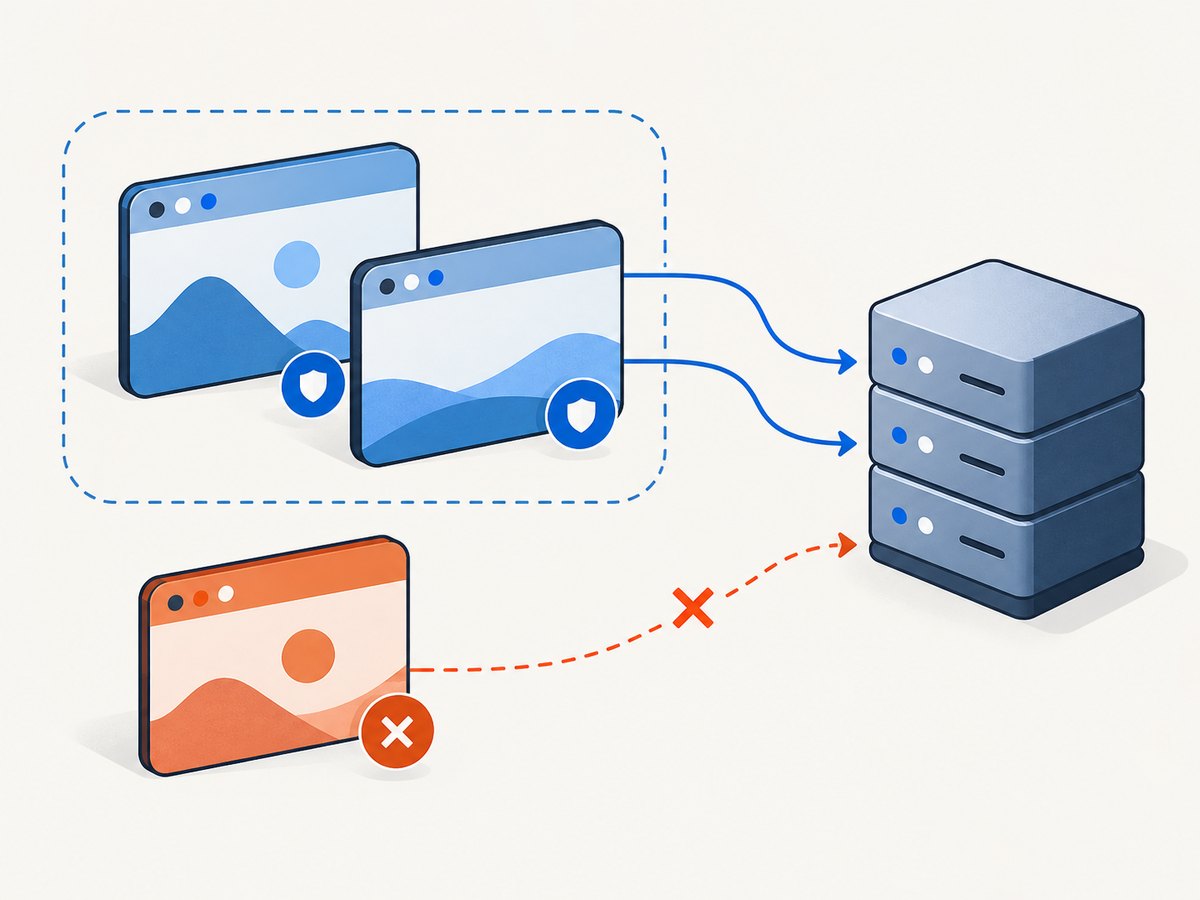
CORS (Cross-Origin Resource Sharing) is an HTTP-header mechanism that lets a server tell a browser which other origins may read a response through browser APIs such as fetch() and XMLHttpRequest. The server sends permission in its response headers; the browser enforces that permission. A frontend script cannot grant itself access by changing a request option. See MDN’s CORS guide.
This matters when a web app at https://app.example.com calls an API at https://api.example.com: they are different origins even though they share a parent domain. The API must allow the app’s origin if browser JavaScript needs to read its response.
1. What is an origin?
An origin is the combination of scheme, host, and port. All three must match for two URLs to have the same origin.
| Page origin | Request origin | Same origin? | Why |
|---|---|---|---|
https://app.example.com |
https://api.example.com |
No | Different host |
https://app.example.com |
http://app.example.com |
No | Different scheme |
https://app.example.com |
https://app.example.com:8443 |
No | Different port |
https://app.example.com |
https://app.example.com |
Yes | Same scheme, host, and port |
The same-origin policy limits how a document from one origin can interact with resources from another. CORS is a controlled way for a server to relax that restriction for browser requests. It is not a general rule that prevents every cross-origin network request: it chiefly controls whether browser scripts can read a response.
2. How CORS works: request, preflight, response
For a cross-origin browser request, the browser checks whether the request is eligible to be sent directly. A request using a safelisted method, headers, and content type may be sent without an OPTIONS preflight. A request with a method such as PUT, a custom header, or a non-safelisted content type typically triggers preflight. “Simple request” is a common legacy phrase; check the actual method, headers, and content type rather than assuming every cross-origin request preflights.

A preflight is an OPTIONS request that asks whether the server permits the intended method and headers. For example, a browser might send:
OPTIONS /api/profile HTTP/1.1
Origin: https://app.example.com
Access-Control-Request-Method: PATCH
Access-Control-Request-Headers: content-type, authorization
The server can respond with permission such as:
HTTP/1.1 204 No Content
Access-Control-Allow-Origin: https://app.example.com
Access-Control-Allow-Methods: GET, POST, PATCH
Access-Control-Allow-Headers: Content-Type, Authorization
Vary: Origin
If the preflight grants the requested access, the browser sends the actual request. It then checks the actual response’s CORS headers before exposing the response body and headers to JavaScript. A successful preflight alone does not make a later response readable: the actual response must also carry the appropriate permission header.
3. The headers that control browser access
| Header | Purpose |
|---|---|
Access-Control-Allow-Origin |
Names an allowed origin or * for public, non-credentialed access. |
Access-Control-Allow-Methods |
Lists methods the server permits for a preflighted request. |
Access-Control-Allow-Headers |
Lists non-safelisted request headers the browser may send. |
Access-Control-Allow-Credentials |
Set to true when the server permits credentialed browser access. |
Access-Control-Expose-Headers |
Names response headers, beyond the browser’s safelist, that JavaScript may read. |
Access-Control-Max-Age |
Indicates how long a browser may reuse a preflight result, subject to browser limits. |
Vary: Origin |
Signals that a cacheable response can vary based on the request’s Origin. |
These are server response headers. Sending Access-Control-Allow-Origin as a request header from JavaScript does not grant access; the API has to return the permission.
4. Configure CORS on your server
Choose the policy from the resource’s actual audience and whether browser credentials are needed. A genuinely public resource that does not rely on credentials can use Access-Control-Allow-Origin: *. For an application API, allow only the frontend origins that need access. If the server chooses among allowed origins dynamically, return Vary: Origin so caches do not serve one origin’s response as if it belonged to another. MDN’s CORS configuration guide recommends explicit, narrow configuration.
Example: a Node.js API with Express
This runnable example uses a small explicit allowlist, handles preflight requests, and allows a JSON request carrying an authorization header. Install Express with npm install express, save as server.js, then run node server.js.
const express = require('express');
const app = express();

const allowedOrigins = new Set([
  'https://app.example.com',
  'http://localhost:5173',
]);

app.use((req, res, next) => {
  const origin = req.get('Origin');
  res.vary('Origin');

  if (origin && allowedOrigins.has(origin)) {
    res.set('Access-Control-Allow-Origin', origin);
    res.set('Access-Control-Allow-Methods', 'GET, POST, PATCH, OPTIONS');
    res.set('Access-Control-Allow-Headers', 'Content-Type, Authorization');
    // Add this only if browser requests need cookies or other credentials.
    // res.set('Access-Control-Allow-Credentials', 'true');
  }

  if (req.method === 'OPTIONS') return res.sendStatus(204);
  next();
});

app.use(express.json());
app.get('/api/profile', (req, res) => res.json({ name: 'Example' }));
app.listen(3000, () => console.log('API listening on port 3000'));
In production, make sure the CORS middleware runs before routes and that your proxy, CDN, or error handler does not remove the headers. Do not treat the allowlist as authentication: a non-browser client can forge an Origin header. Authenticate and authorize every protected operation independently.
Example: a public, non-credentialed resource
Access-Control-Allow-Origin: *Use the wildcard only when any website may read the resource and browser credentials are not part of the access model. Do not combine wildcard origin access with Access-Control-Allow-Credentials: true; credentialed access requires a specific allowed origin.
5. Credentialed requests and cookies
Credentials include cookies and HTTP authentication information. A browser client must opt in to sending credentials cross-origin, and the server must explicitly permit them. For fetch(), the client option is credentials: 'include'. The response must name the trusted origin in Access-Control-Allow-Origin and include Access-Control-Allow-Credentials: true. The wildcard origin is not valid for this case.
fetch('https://api.example.com/account', {
  credentials: 'include',
})
  .then(response => {
    if (!response.ok) throw new Error(`HTTP ${response.status}`);
    return response.json();
  })
  .then(data => console.log(data))
  .catch(error => console.error('Request failed:', error));
Only allow known, trusted origins. Do not reflect any incoming Origin value without validating it against an allowlist. CORS does not stop all cross-site requests and is not a CSRF defense. Use suitable CSRF protections for state-changing operations; cookie SameSite settings are one layer, not a complete substitute. See the OWASP CSRF Prevention Cheat Sheet.
6. Read custom response headers
Even if a script can read the response body, it may not be able to read every response header. To expose a custom header such as X-Request-Id, the server returns:
Access-Control-Expose-Headers: X-Request-IdThen browser JavaScript can call response.headers.get('X-Request-Id'). This is useful for request identifiers or other metadata that the client needs to inspect. Expose only the headers the application requires.
7. How to fix a CORS error
A CORS error is a browser diagnostic, not a single server status. JavaScript often receives a generic network-style failure while the browser console and Network panel contain the useful detail. Work through the request in this order.
- Record the exact page origin. Copy the scheme, host, and port from the address bar. Remember that
http://localhost:3000andhttp://localhost:5173are different origins. - Inspect the failing request. In Developer Tools → Network, check the request URL, the
Originrequest header, status, redirects, and response headers. Also inspect anyOPTIONSrequest immediately before it. - Match the preflight. The preflight response must permit the actual method and every requested non-safelisted header. If the browser asks for
authorization, allowing onlycontent-typeis insufficient. - Check the actual response. Confirm that the final response, including error responses where relevant, has the required
Access-Control-Allow-Origin. Check redirects and CDN or proxy behavior as well as the application server. - Align credential settings. If the browser sends cookies with
credentials: 'include', use an explicit origin and returnAccess-Control-Allow-Credentials: true. If credentials are not needed, remove them from the request and keep the policy simpler. - Change the server you control. If the API belongs to another operator, ask them to allow your origin or call it from a server-side integration you control when that is appropriate. Browser code cannot make the remote server grant permission.
MDN documents common browser messages in its CORS errors reference. The console is a starting point; the Network panel shows the request and headers that identify which side needs a change.
Common errors, causes, and fixes
| Symptom | Likely cause | Fix |
|---|---|---|
No Access-Control-Allow-Origin |
Server did not allow the page’s origin, or a redirect/error response omitted CORS headers. | Configure the API or final response to return the allowed origin. |
| Origin does not match | Allowlist has the wrong scheme, host, or port. | Compare the browser’s exact Origin value and add only the intended origin. |
| Preflight fails | OPTIONS is rejected, redirected, or missing allowed methods/headers. |
Handle OPTIONS before authentication or route logic that rejects it; permit the requested method and headers. |
| Wildcard used with credentials | Credentialed CORS cannot use * for the allowed origin. |
Return the specific trusted origin and allow credentials, or stop sending credentials. |
| Fetch succeeds but custom header is null | The response header is not exposed to browser scripts. | Add that header to Access-Control-Expose-Headers. |
| Works locally, fails after deployment | Production uses a different origin, proxy, HTTPS scheme, or cache path. | Inspect production’s exact origin and final response headers; update the relevant server or edge configuration. |
| Changing frontend code has no effect | CORS permission is controlled by the server response. | Change the API configuration or route the integration through a backend you control. |
8. What CORS does not do
- It does not authenticate callers. Non-browser programs can make HTTP requests without browser CORS enforcement. Check identity and permissions on the server.
- It does not replace authorization. An allowed frontend origin should not automatically gain access to every account or resource.
- It is not a complete CSRF defense. A browser can sometimes send a cross-origin request even if JavaScript cannot read the response. Protect state-changing endpoints separately.
- It does not provide a frontend-only bypass. Browser extensions, disabling browser security, or development proxies may change a local setup, but do not grant permission to production users’ browsers.
OWASP advises disabling CORS where cross-domain calls are not expected and using the narrowest policy that satisfies the service. Its HTML5 Security Cheat Sheet covers the broader browser security context.
9. Performance and reliability considerations
A preflight adds an extra network round trip before the actual request, so reducing unnecessary preflights can help request latency. Do not weaken access policy just to avoid them. Where appropriate, set Access-Control-Max-Age so browsers can reuse preflight permission; browsers may cap the value, and policy changes may take time to appear for clients with a cached preflight.
Reliability depends on returning consistent CORS headers through every relevant path: success, validation failure, authentication failure, and server error. If a CDN caches responses that vary by origin, include Vary: Origin when the server selects the response header dynamically. Check that the edge cache honors the variation. For a fixed public wildcard response, origin variation is not needed solely for that header.
Cost is usually an operational concern rather than a separate CORS charge: preflights and extra round trips consume request capacity and latency. Keep the allowlist intentional, avoid retries that merely repeat a denied request, and cache preflight permission where it fits your change-control needs.
10. Capture a page without browser CORS setup
If your task is to capture a website screenshot rather than read an API response from browser JavaScript, a screenshot API can avoid configuring a browser fetch for the target site. ScreenshotNeo is a website screenshot API and MCP server. Its screenshot endpoint accepts a URL and returns an image or PDF. This does not change CORS rules for your application’s own fetch calls; it provides a separate server-side capture path.
Or skip the browser setup
One GET request captures the URL. See the ScreenshotNeo API documentation for request options.
curl -G "https://api.screenshotneo.com/v1/shot" -d access_key=YOUR_API_KEY --data-urlencode url=https://stripe.com -o shot.webpimport requests
r = requests.get(
"https://api.screenshotneo.com/v1/shot",
params={"access_key": "YOUR_API_KEY", "url": "https://stripe.com"},
timeout=90,
)
open("shot.webp", "wb").write(r.content)const q = new URLSearchParams({ access_key: 'YOUR_API_KEY', url: 'https://stripe.com' });
const res = await fetch(`https://api.screenshotneo.com/v1/shot?${q}`);
if (!res.ok) throw new Error(`Screenshot request failed: ${res.status}`);
await require('node:fs/promises').writeFile('shot.webp', Buffer.from(await res.arrayBuffer()));Cookie banners, newsletter popups, and chat widgets are removed before the shot; each cleanup step can be turned off. Bot checks, blank pages, failed loads, timeouts, and cache hits are not billed, and response headers report the page verdict and billing status. Its MCP server gives AI agents tools to take screenshots, get page information, and capture PDFs. Free includes 1,000 shots a month with no card; paid plans start at $5 for 3,000 shots. Create a free ScreenshotNeo account.
11. Short FAQ
Does CORS apply to command-line tools?
Browser CORS enforcement applies to browser script access. Tools such as cURL and server-side Python or Node.js clients can make HTTP requests without that browser permission check; the server may still require authentication or deny the request for other reasons.
Does every cross-origin request send OPTIONS?
No. A request that meets the relevant safelist conditions can go directly to the server. Requests with certain methods, headers, or content types trigger a preflight.
Can I fix a CORS error with mode: 'no-cors'?
That mode produces an opaque response whose body and headers are inaccessible to the calling script. It is useful only when the caller does not need to inspect the response; it does not make a blocked API response readable.
Is CORS a server setting or a browser setting?
The server publishes the policy in HTTP response headers. The browser enforces it when deciding whether to expose the response to a script.
Keep the model simple: identify the page’s exact origin, configure the server response for the intended audience, and inspect preflight plus final response headers when debugging. CORS grants browser access; authentication, authorization, and CSRF defenses remain separate responsibilities.


