What Is OG Image Generation? A Developer’s Guide
OG image generation creates the image shown in social link previews. Learn the metadata, dimensions, static and dynamic workflows, Next.js code, and testing steps.

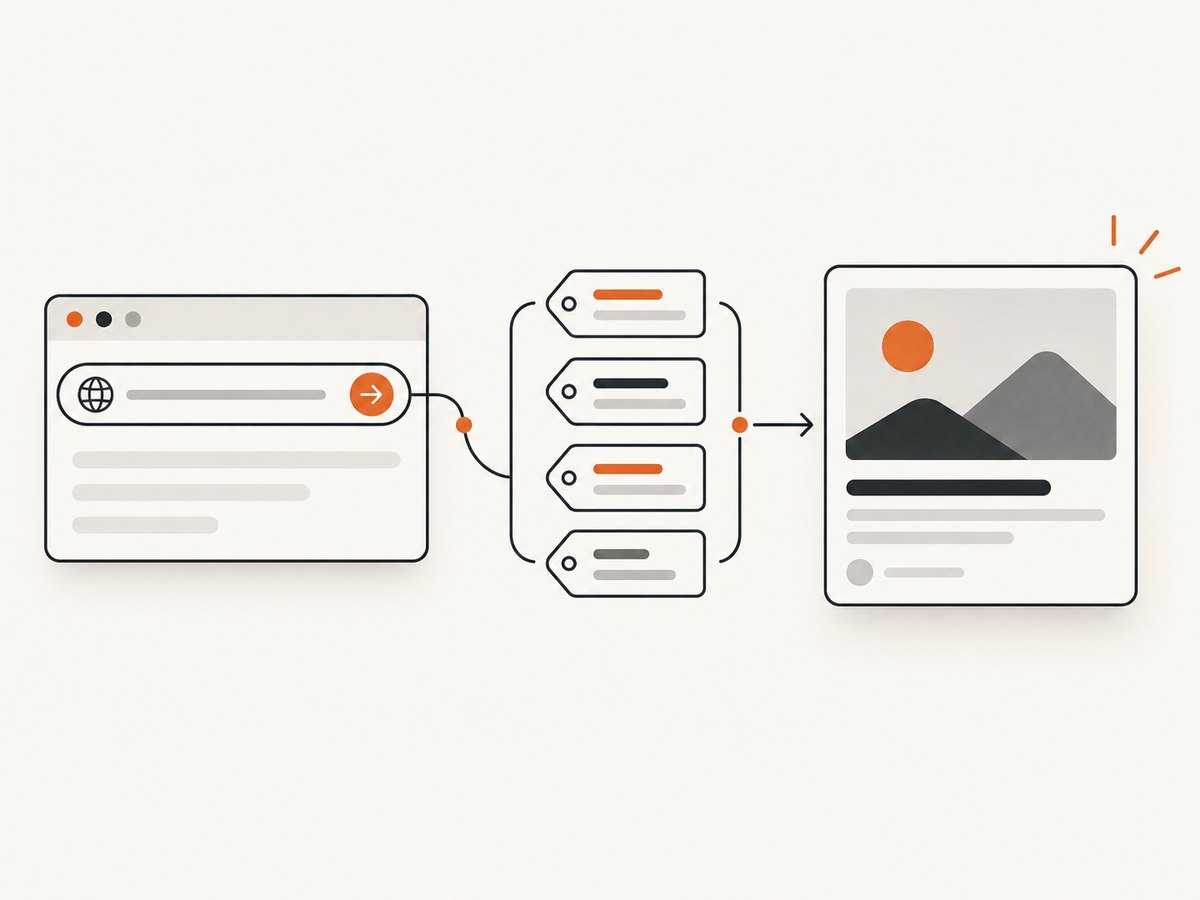
OG image generation is the process of creating an image for a webpage’s social sharing preview and exposing that image through the page’s og:image metadata. The image may be a static file you design once or a graphic rendered from page data such as a post title, author, category, or product name.
The image is only one part of the preview. A complete Open Graph implementation also declares the page title, content type, and canonical URL. The Open Graph Protocol describes this metadata as information that lets a webpage become a rich object in a social graph (Open Graph Protocol).
What an OG image contains
Put Open Graph tags in the document’s <head>. The four basic properties are:
og:title— the title shown with the shared link.og:type— commonlywebsiteorarticle.og:image— an absolute URL to the preview image.og:url— the canonical URL represented by the object.
When an OG image is present, add og:image:alt with a useful description. You can also provide structured image properties such as MIME type, width, height, and an HTTPS image URL. If a consumer encounters duplicate or conflicting values, the first property generally takes precedence.
<head>
  <meta property="og:title" content="How to generate OG images" />
  <meta property="og:type" content="article" />
  <meta property="og:url" content="https://example.com/guides/og-images" />
  <meta property="og:image" content="https://example.com/og/og-images.png" />
  <meta property="og:image:alt" content="A guide to generating Open Graph images" />
  <meta property="og:image:type" content="image/png" />
  <meta property="og:image:width" content="1200" />
  <meta property="og:image:height" content="630" />
</head>
Static versus generated OG images
| Workflow | How it works | Best for | Trade-off |
|---|---|---|---|
| Static | Design or export an image, upload it, and reference its URL in og:image. |
A small set of pages or a consistent brand card. | Every page variation must be created and maintained manually. |
| Generated | Render a template from route data at build time or request time. | Blogs, catalogs, user profiles, and other data-driven pages. | Rendering has runtime, font, layout, caching, and deployment constraints. |
Next.js supports both file-based assets and generated images. Its opengraph-image convention can generate an image at build time or when a request arrives (Next.js metadata and OG images).
Choosing dimensions and formats
There is no single dimension that every platform requires. Next.js ImageResponse uses 1200 × 630 pixels as its current default. LinkedIn’s sharing guidance separately gives 1200 × 627 pixels as a minimum for its sharing module and lists JPG, PNG, or GIF. Treat these as documented framework and platform guidance rather than a universal law.
- Use 1200 × 630 when following the common Next.js/Vercel example.
- Check the destination platform before publishing a fixed template.
- Keep important text away from edges because previews may crop or resize the image.
- Use an absolute, publicly reachable HTTPS URL for
og:image. - Choose PNG, JPEG, or WebP according to your renderer and platform support; verify the final response has the intended MIME type.
Generate an OG image with Next.js
For a Next.js App Router project, create an opengraph-image.tsx file in the route segment that should own the image. ImageResponse converts a supported subset of JSX and CSS into a PNG (ImageResponse API reference).
import { ImageResponse } from 'next/og'

export const runtime = 'edge'

export default async function Image({ params }: { params: { slug: string } }) {
  const title = decodeURIComponent(params.slug).replaceAll('-', ' ')

  return new ImageResponse(
    (
      <div
        style={{
          background: '#101828',
          color: 'white',
          display: 'flex',
          flexDirection: 'column',
          justifyContent: 'center',
          padding: '72px',
          width: '1200px',
          height: '630px',
          fontFamily: 'sans-serif',
        }}
      >
        <div style={{ fontSize:  thirty }}>Engineering guide</div>
        <div style={{ fontSize:  seventy, fontWeight: 700, marginTop: 24 }}>
          {title}
        </div>
      </div>
    ),
    { width: 1200, height: 630 },
  )
}
Replace the illustrative font-size values with valid numbers such as 30 and 70 in your source. In production, load the title from trusted route data and escape or validate values before rendering.
Declare the generated image in page metadata
import type { Metadata } from 'next'

export const metadata: Metadata = {
  title: 'How to generate OG images',
  openGraph: {
    type: 'article',
    url: 'https://example.com/guides/og-images',
    title: 'How to generate OG images',
    images: [{
      url: 'https://example.com/guides/og-images/opengraph-image',
      width: 1200,
      height: 630,
      alt: 'A guide to generating Open Graph images',
    }],
  },
}
ImageResponse constraints
ImageResponse supports common flexbox layouts, absolute positioning, text wrapping, centering, custom fonts, and nested images. It implements only a subset of CSS: CSS Grid is explicitly unsupported. The reference also documents a 500KB maximum bundle size. Keep templates small, avoid unsupported layout features, and move large data or assets outside the generated bundle where your deployment model allows.
Data-driven generation pattern
- Resolve the page identifier from the route.
- Fetch only the title, subtitle, author, and other fields needed for the card.
- Validate lengths and provide fallbacks for missing fields.
- Render the image with a deterministic template.
- Cache the result at build time or at the edge when content changes infrequently.
- Return stable metadata pointing at the generated image URL.
export async function generateMetadata({ params }): Promise<Metadata> {
  const post = await getPost(params.slug)
  const image = `https://example.com/blog/${params.slug}/opengraph-image`

  return {
    title: post.title,
    openGraph: {
      type: 'article',
      url: `https://example.com/blog/${params.slug}`,
      title: post.title,
      images: [{ url: image, alt: `${post.title} preview image` }],
    },
  }
}
Testing and validation checklist
- Fetch the page HTML without JavaScript and confirm every OG tag is in
<head>. - Verify
og:imagereturns a 200 response, the intended image MIME type, and the expected dimensions. - Use an absolute HTTPS URL that social crawlers can access without authentication.
- Check that the canonical URL and image URL do not redirect through blocked or expiring links.
- Test a page with a long title, missing optional fields, non-Latin characters, and an unusually long slug.
- After changing an image, account for crawler caching; use a versioned URL when a platform continues showing an older asset.
Performance, reliability, and cost considerations
Static files usually have the simplest operational profile. Generated images add data fetching and rendering work, so cache deterministic results and avoid fetching unrelated page data. Build-time generation shifts work into deployment; request-time generation keeps content current but needs a reliable runtime and sensible cache headers. Keep templates and fonts within the renderer’s limits, and make sure a missing record produces a valid fallback image instead of a failed response.
Do not assume that one ratio, font, or CSS feature will render identically on every social platform. Validate the output at the platforms where your links are shared, and recheck their requirements when they change.
Common errors and fixes
| Symptom | Likely cause | Fix |
|---|---|---|
| No image appears | The tag is absent, malformed, relative, or blocked. | Use an absolute HTTPS URL and inspect the raw HTML head. |
| Old image still appears | The social crawler cached a previous response. | Use a versioned image URL and allow time for recrawling. |
| Generated route returns an error | Unsupported CSS, missing data, or an oversized bundle. | Use flexbox, add fallbacks, and stay below the documented 500KB limit. |
| Text is clipped | Unbounded user content exceeds the template. | Clamp text, reduce font size for long values, and test multiple scripts. |
| Image works locally but not in production | Runtime, font, asset, or network assumptions differ. | Use the deployment-supported runtime and package required assets explicitly. |
| LinkedIn preview is rejected or cropped | The asset does not meet the platform’s stated size or format guidance. | Check the current LinkedIn help page and export a supported image. |
Or skip the browser setup
If your OG image is based on a webpage that must be rendered first, ScreenshotNeo provides a single API request for a clean PNG, JPEG, WebP, or PDF. It accepts cookie and consent banners like a visitor, removes more than 60 known consent platforms plus newsletter popups and chat widgets, and lets you turn each cleanup step off. Bot checks, blank pages, timeouts, failed loads, and cache hits cost nothing; response headers report the page verdict and whether the request was billed.

See the ScreenshotNeo API documentation for all options.
cURL
curl -G "https://api.screenshotneo.com/v1/shot" \
  -d access_key=YOUR_API_KEY \
  --data-urlencode url=https://stripe.com \
  -o shot.webp
Python
import requests

r = requests.get(
    "https://api.screenshotneo.com/v1/shot",
    params={"access_key": "YOUR_API_KEY", "url": "https://stripe.com"},
    timeout=90,
)
r.raise_for_status()
open("shot.webp", "wb").write(r.content)
Node.js
const q = new URLSearchParams({ access_key: 'YOUR_API_KEY', url: 'https://stripe.com' });
const res = await fetch(`https://api.screenshotneo.com/v1/shot?${q}`);
if (!res.ok) throw new Error(`Screenshot failed: ${res.status}`);
const bytes = Buffer.from(await res.arrayBuffer());
require('fs').writeFileSync('shot.webp', bytes);
ScreenshotNeo also supports full-page capture, CSS-selector element capture, dark mode, device presets, custom viewports, retina scale, custom CSS and JavaScript, waits, request blocking, headers, cookies, user agents, authorization, timezone and geolocation, resizing, TTL caching, signed links, asynchronous jobs with signed webhooks, bulk capture of up to 100 URLs per call, a usage API, and an OpenAPI specification. An MCP server exposes take_screenshot, get_page_info, and capture_pdf to Claude, Cursor, and other MCP clients.
There are 1,000 free shots each month with no card. Paid plans start at $5 for 3,000 shots, and every feature is included on every plan. Start with 1,000 free screenshots.
FAQ
Is an OG image the same thing as Open Graph metadata?
No. The OG image is the visual asset. Open Graph metadata includes that asset’s URL plus properties such as title, type, and canonical URL.
Do I need to generate a unique image for every page?
No. A shared static image is valid. Generate per-page images when page-specific titles or data make the preview more useful.
Can I use HTML and CSS to create the image?
Yes, when your renderer supports the required subset. Next.js ImageResponse supports JSX and selected CSS features, but not CSS Grid and with a documented 500KB bundle limit.
What size should I publish?
1200 × 630 is the current Next.js default. LinkedIn documents 1200 × 627 as a minimum for its sharing module. Confirm the current guidance for every platform you target.
Why does a social preview show the wrong title?
Inspect the raw HTML for duplicate or conflicting tags, confirm the canonical URL, and allow for crawler caching after corrections.


