What Is Open Graph? A Developer’s Guide to Social Preview Metadata
Open Graph is the metadata protocol that turns a URL into a rich shared link. Learn its tags, implementation, validation, and reliable preview testing.

Open Graph is a metadata protocol that lets a web page become a rich object when its URL is shared or consumed by a social service. You add specific <meta> tags inside the document’s <head>. Those tags describe the page’s title, type, image, and canonical URL, so a parser can build a link preview instead of treating the URL as an unexplained string.
The official Open Graph Protocol describes its purpose this way: “The Open Graph protocol enables any web page to become a rich object in a social graph.” The protocol’s four required properties are og:title, og:type, og:image, and og:url.Read the Open Graph Protocol specification.
Open Graph in one example
Place the following tags in the page head. Replace the example values with metadata for the page being shared.
<!doctype html>
<html prefix="og: https://ogp.me/ns#">
<head>
  <meta property="og:title" content="Example page title" />
  <meta property="og:type" content="website" />
  <meta property="og:url" content="https://example.com/page/" />
  <meta property="og:image" content="https://example.com/share-image.jpg" />
</head>
<body>...</body>
</html>
og:title is the display title, og:type identifies what the object is, og:url supplies its permanent canonical identifier, and og:image supplies the image representing it. The protocol uses the property and content attributes shown above.
Why Open Graph metadata matters
When someone shares a URL, the receiving service may fetch the page and parse its head. Open Graph gives that service explicit values instead of making it guess from visible headings, browser titles, or arbitrary images. A correctly described page can therefore appear as a consistent card containing a title, image, and other context.
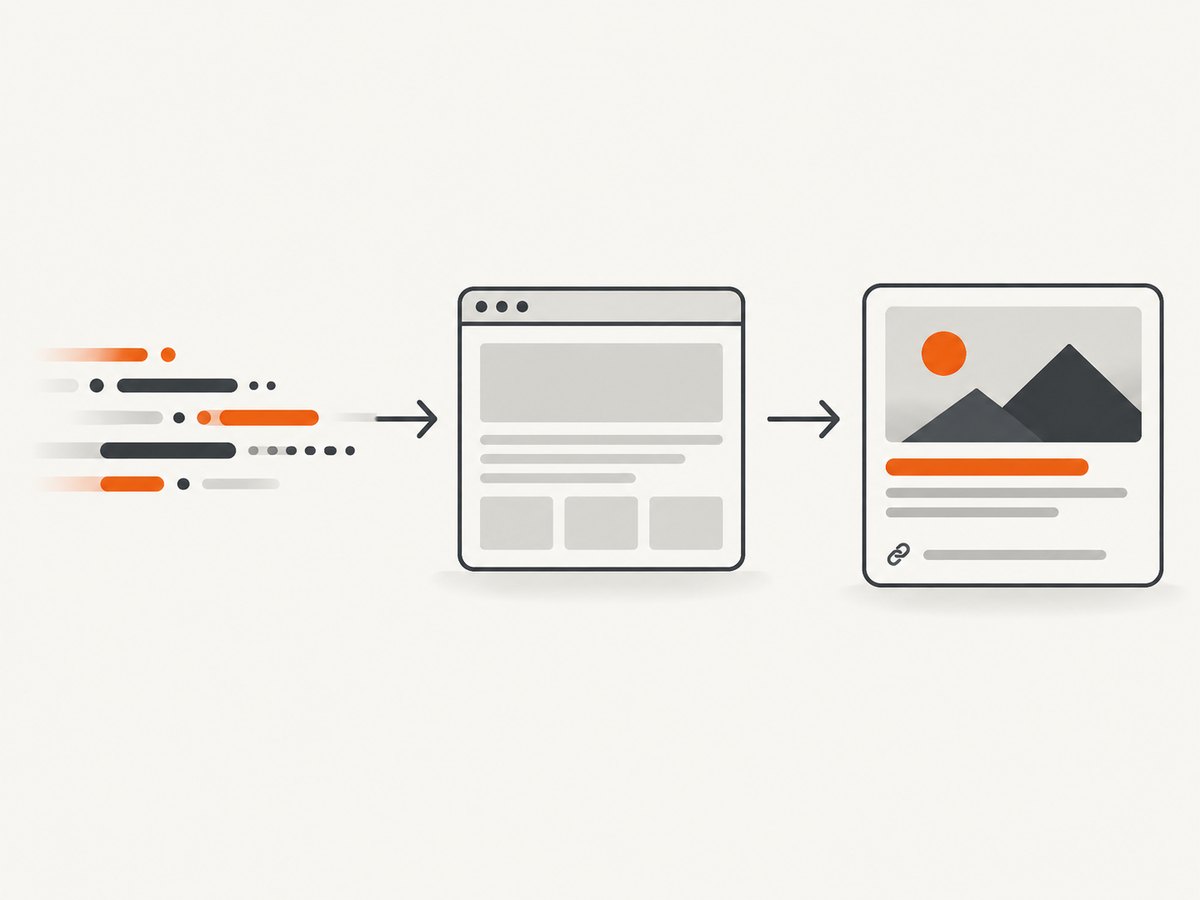
Open Graph is metadata, not a rendering API and not a guarantee that every platform will display an identical card. Each service can fetch at a different time, cache a result, choose which fields to honor, or impose its own presentation rules. The specification identifies a Facebook Object Debugger as a parser and debugger reference; check the relevant sharing service when you need platform-specific behavior.
The four required Open Graph properties
| Property | Purpose | What to provide |
|---|---|---|
og:title |
The title shown for the object. | A concise, page-specific title. |
og:type |
The object’s kind. | Usually website; more specific types can require additional properties. |
og:image |
The image representing the object. | An absolute URL to the intended share image. |
og:url |
The object’s canonical, permanent identifier. | The preferred URL for this page, including the intended protocol and path. |
These are the basic properties listed by the protocol. Keep their values aligned: the title should describe the page at the canonical URL, and the image should represent that same page.
Optional metadata that adds context
The protocol also documents optional properties that can make an object more descriptive:
og:description: a one- or two-sentence summary of the page.og:site_name: the broader site or publication name.og:locale: the page’s language and territory, such asen_US.og:locale:alternate: another locale in which the object is available.og:audioandog:video: media associated with the object.
For images, the specification describes structured properties including og:image:secure_url, og:image:type, dimensions, and alternate text. A complete image declaration can look like this:
<meta property="og:image" content="https://example.com/share-image.jpg" />
<meta property="og:image:secure_url" content="https://example.com/share-image.jpg" />
<meta property="og:image:type" content="image/jpeg" />
<meta property="og:image:width" content="1200" />
<meta property="og:image:height" content="630" />
<meta property="og:image:alt" content="A product dashboard on a laptop" />
Use structured image fields when your target parser supports them and you know the values are accurate. Do not claim that these fields force a particular crop or layout on every service.
How to add Open Graph tags step by step
- Choose the canonical URL. Decide which URL represents the page after redirects, tracking parameters, and duplicate paths are removed. Put that exact URL in
og:url. - Write a page-specific title and description. Use the page’s real subject, not a generic site title. Keep the description useful when it is shown without the body copy.
- Select the representative image. Host it at an absolute URL that the parser can fetch. Use an image belonging to the page rather than a random default whenever possible.
- Set the object type. Use
websitefor a normal page unless your chosen type and its required properties accurately describe the object. - Put the tags in the server-delivered head. They must be present in the HTML returned to a crawler. If a framework adds them only after client-side JavaScript runs, verify that the consuming parser executes that JavaScript before relying on it.
- Deploy and inspect the response. Fetch the page as an HTTP client, follow redirects, and confirm the tags are present in the final HTML head.
- Check the target service. Use its preview or debugger workflow where available. A service can cache an earlier fetch, so a corrected page may not appear immediately.
Framework and template implementation
Open Graph is framework-independent. In a server-rendered template, emit the values from the page’s data model:
<head>
  <title>{{ page.title }}</title>
  <meta name="description" content="{{ page.description }}" />
  <meta property="og:title" content="{{ page.title }}" />
  <meta property="og:type" content="website" />
  <meta property="og:url" content="{{ page.canonical_url }}" />
  <meta property="og:image" content="{{ page.share_image_url }}" />
  <meta property="og:description" content="{{ page.description }}" />
  <meta property="og:site_name" content="{{ site.name }}" />
  <meta property="og:locale" content="en_US" />
</head>
Escape attribute values using your template engine’s HTML escaping. Generate one set of values per route, and make sure localization changes both the content and the locale metadata. Keep canonical URL generation deterministic so alternate query strings do not produce conflicting object identities.
Inspecting and validating a page
Start with a raw HTTP response rather than a screenshot. You need to know what a crawler receives.
curl -L https://example.com/page/ -o page.html
rg -n 'og:(title|type|url|image|description|locale|site_name)' page.html
Check this list:
- The final response is the intended page after redirects.
- All four basic properties exist exactly once unless your parser’s documentation says otherwise.
og:urlis absolute and canonical.og:imageis absolute and points to the intended asset.- The image URL is reachable without a login, expiring token, or browser-only interaction.
- The HTML head contains the tags before any client-side route transition.
- Values are escaped and do not contain accidental markup.
The Open Graph documentation links to the Facebook Object Debugger as a parser and debugger reference. Treat a debugger result as one parser’s observation, then verify the sharing service that matters to your application. web.dev’s social discovery guidance also discusses og:-namespaced metadata.
Preview testing with a real browser capture
A metadata inspection tells you what tags exist; a browser capture tells you what the page looks like after CSS, scripts, fonts, and responsive layout run. This is useful when reviewing a share image generator, a preview route, or a page whose metadata changes based on rendering state.

For a do-it-yourself capture, launch a headless browser, navigate to the page, wait for the document and images needed by the preview, and save a PNG or WebP. Hide cookie banners and other overlays before capturing, and use a fixed viewport so visual comparisons are repeatable. If the page is long, use full-page capture; if you are reviewing one preview card, capture the card element by selector.
Or skip the browser setup
ScreenshotNeo is a website screenshot API and MCP server. One GET request returns a PNG, JPEG, WebP, or PDF. The request below captures a page without maintaining your own browser workers:
curl -G "https://api.screenshotneo.com/v1/shot" -d access_key=YOUR_API_KEY --data-urlencode url=https://ogp.me/ -o shot.webpSee the ScreenshotNeo API documentation for the full option list. The same request in Python:
import requests

r = requests.get(
    "https://api.screenshotneo.com/v1/shot",
    params={"access_key": "YOUR_API_KEY", "url": "https://ogp.me/"},
    timeout=90,
)
r.raise_for_status()
open("shot.webp", "wb").write(r.content)
And Node.js:
const q = new URLSearchParams({ access_key: 'YOUR_API_KEY', url: 'https://ogp.me/' });
const res = await fetch(`https://api.screenshotneo.com/v1/shot?${q}`);
if (!res.ok) throw new Error(`HTTP ${res.status}`);
const fs = await import('node:fs/promises');
await fs.writeFile('shot.webp', Buffer.from(await res.arrayBuffer()));
ScreenshotNeo removes cookie and consent banners, newsletter popups, and chat widgets before the capture; each cleanup step can be turned off. Bot checks, blank pages, timeouts, failed loads, and cache hits cost nothing, and the response identifies the result with X-Page-Verdict and X-Billed headers. Its MCP server provides take_screenshot, get_page_info, and capture_pdf tools for Claude, Cursor, and other MCP clients.
For Open Graph review, useful options include a full-page shot, an element selector for the preview card, custom CSS to hide unrelated content, a wait for a selector or network idle, a chosen viewport or device preset, dark mode, and caching with a TTL you choose. You can also provide custom headers, cookies, a user agent, timezone, geolocation, or JavaScript when your preview route requires them. The API supports bulk capture for up to 100 URLs per call, asynchronous jobs with signed webhooks, signed links for public image tags, usage reporting, and an OpenAPI specification.
There are 1,000 free screenshots per month with no card. Paid plans start at $5 for 3,000 shots; yearly billing gives two months free, and every feature is available on every plan. Create a free ScreenshotNeo account.
Common errors and fixes
| Symptom | Likely cause | Fix |
|---|---|---|
| No preview image | og:image is missing, relative, inaccessible, or points to a blocked asset. |
Use an absolute public URL, confirm the final response, and inspect the image URL independently. |
| Old title or image | The sharing service cached an earlier fetch. | Confirm the deployed HTML first, then use the service’s documented refresh or debugger workflow. |
| Wrong page represented | og:url does not match the canonical route or redirects to another page. |
Follow redirects and generate one canonical URL per page. |
| Tags appear in browser tools but not to a crawler | Metadata is injected only after client-side JavaScript runs. | Render the tags in the server response or confirm that the target parser supports the required rendering. |
| Duplicate or conflicting values | A layout and a page component both emit Open Graph tags. | Centralize generation and emit one authoritative value for each basic property. |
| Capture includes a banner or chat bubble | The browser reached the page before cleanup or the overlay is not covered by your selector rules. | Wait for the page state, hide the selector, or use ScreenshotNeo’s consent and overlay cleanup. |
| Capture is blank or times out | The page failed to load, requires authentication, or is protected by a bot check. | Check status, redirects, credentials, and required waits. ScreenshotNeo reports these outcomes and does not bill blank pages, bot checks, timeouts, or failed loads. |
Performance, reliability, and cost considerations
Keep metadata generation close to the page data so it does not require a second application request. Cache generated share images when the underlying page has not changed. For browser captures, reuse workers, set explicit timeouts, wait for a meaningful readiness condition, and avoid capturing more pixels than you need. Element captures are generally cheaper to move through a pipeline than full-page images because they contain less output, while full-page captures are useful for auditing responsive pages.
When reliability matters, record the URL, viewport, options, response status, and capture verdict. Treat a timeout or bot check as a distinct outcome from a valid screenshot. ScreenshotNeo exposes X-Page-Verdict and X-Billed so billing and result handling can follow the actual page outcome. Its cache can reduce repeated work when a chosen TTL is appropriate; asynchronous jobs and signed webhooks help keep long captures out of a synchronous request path.
Open Graph itself has no usage fee: it is a set of HTML metadata fields. Costs arise from the systems that generate, host, inspect, or capture your pages. ScreenshotNeo’s free tier covers 1,000 shots each month; the published paid tiers are Starter ($5 for 3,000), Growth ($15 for 15,000), Pro ($39 for 60,000), Scale ($99 for 250,000), and Business ($249 for 1,000,000).
Open Graph implementation checklist
- Every shareable route has
og:title,og:type,og:url, andog:image. - The values are emitted in the initial HTML head.
- The canonical URL is absolute and stable.
- The image URL is absolute, reachable, and owned by the page or site.
- Optional description, site name, locale, and structured image fields are accurate.
- Redirects, authentication, robots rules, and cache behavior have been checked for the target parser.
- A representative page has been inspected with the relevant debugger and, where useful, a browser screenshot.
- Localized routes produce matching localized titles, descriptions, URLs, and locale values.
FAQ
Is Open Graph the same as SEO metadata?
No. Open Graph describes how a page can be represented as a rich shared object. Search engines and other consumers can use different metadata systems and rules.
Do I need all four basic properties?
The protocol lists og:title, og:type, og:image, and og:url as the basic required properties for an object.
Can Open Graph choose the exact preview layout?
No. It supplies metadata. The receiving service decides whether and how to render that metadata.
Should og:url include tracking parameters?
Use the canonical URL that identifies the page. Exclude tracking parameters when they do not identify a different object.
Can I generate an Open Graph image dynamically?
Yes. Serve the generated image at a stable, publicly fetchable URL and reference that URL in og:image. Test the final HTML and image response independently.
When is a screenshot useful if the protocol is just metadata?
A screenshot verifies the rendered page or a preview component after scripts and CSS run. It complements, rather than replaces, inspection of the HTML metadata.
Summary
Open Graph is a small, explicit contract in the HTML head: title, type, image, and canonical URL, with optional description, locale, site, media, and structured image fields. Emit it in the server-delivered page, validate the final response, account for parser caching, and use a real browser capture when visual state matters. For repeatable captures without maintaining browser infrastructure, ScreenshotNeo provides the API, cleanup controls, verdict headers, and MCP tools described above.


