What Is Regression Testing? Examples
Regression testing checks whether a software change broke behavior that used to work. Learn how it differs from retesting, which tests to rerun, and practical examples.
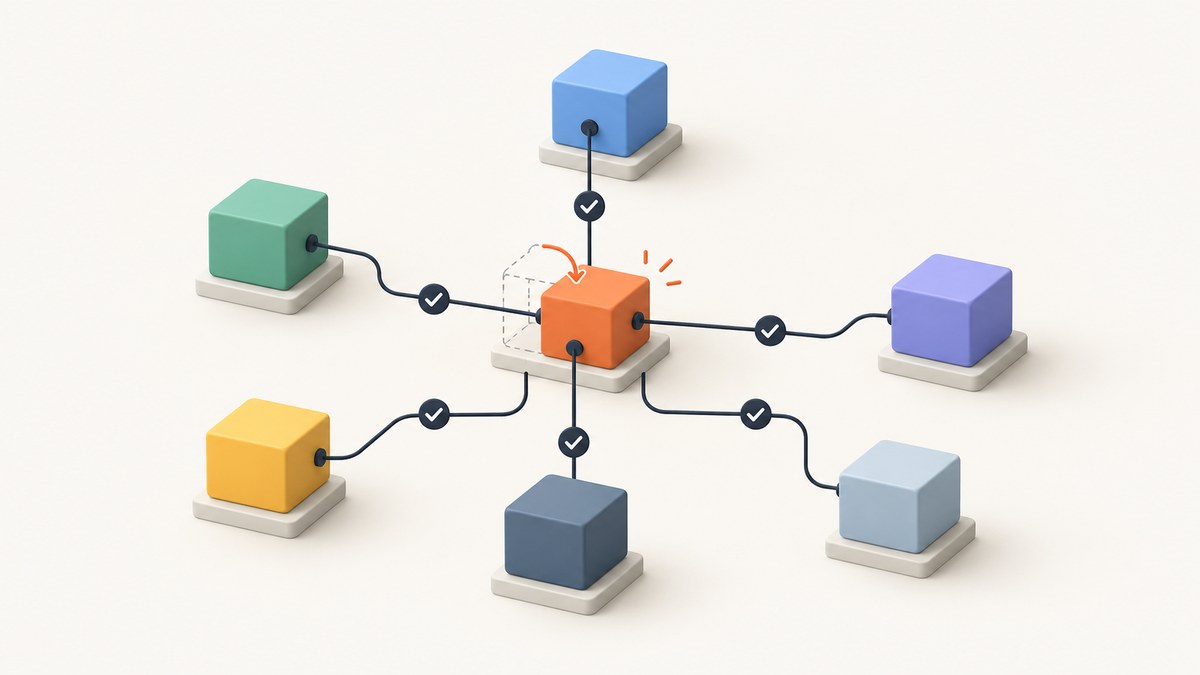
Regression testing checks whether a software change has broken behavior that was already working. After modifying code, configuration, dependencies, or the operating environment, a team reruns relevant tests to look for failures in parts that were not meant to change. The tests may be unit, integration, functional, or end-to-end tests; “regression” describes what they are checking, not one mandatory test level or one fixed suite.
For example, after adding Apple Pay to checkout, a team might check that card payments, order totals, and confirmation messages still work. Testing that Apple Pay itself completes successfully is testing the new feature. Checking that existing checkout paths still work is regression testing.
1. What is regression testing?
ISO/IEC/IEEE 29119-1:2022 defines regression testing as testing after modifying a test item or its operational environment to find failures in unmodified parts. The standard distinguishes this from retesting: regression testing checks for unintended effects elsewhere; retesting checks whether a specific modification successfully removed a fault. See the [ISO overview](https://www.iso.org/standard/79428.html).
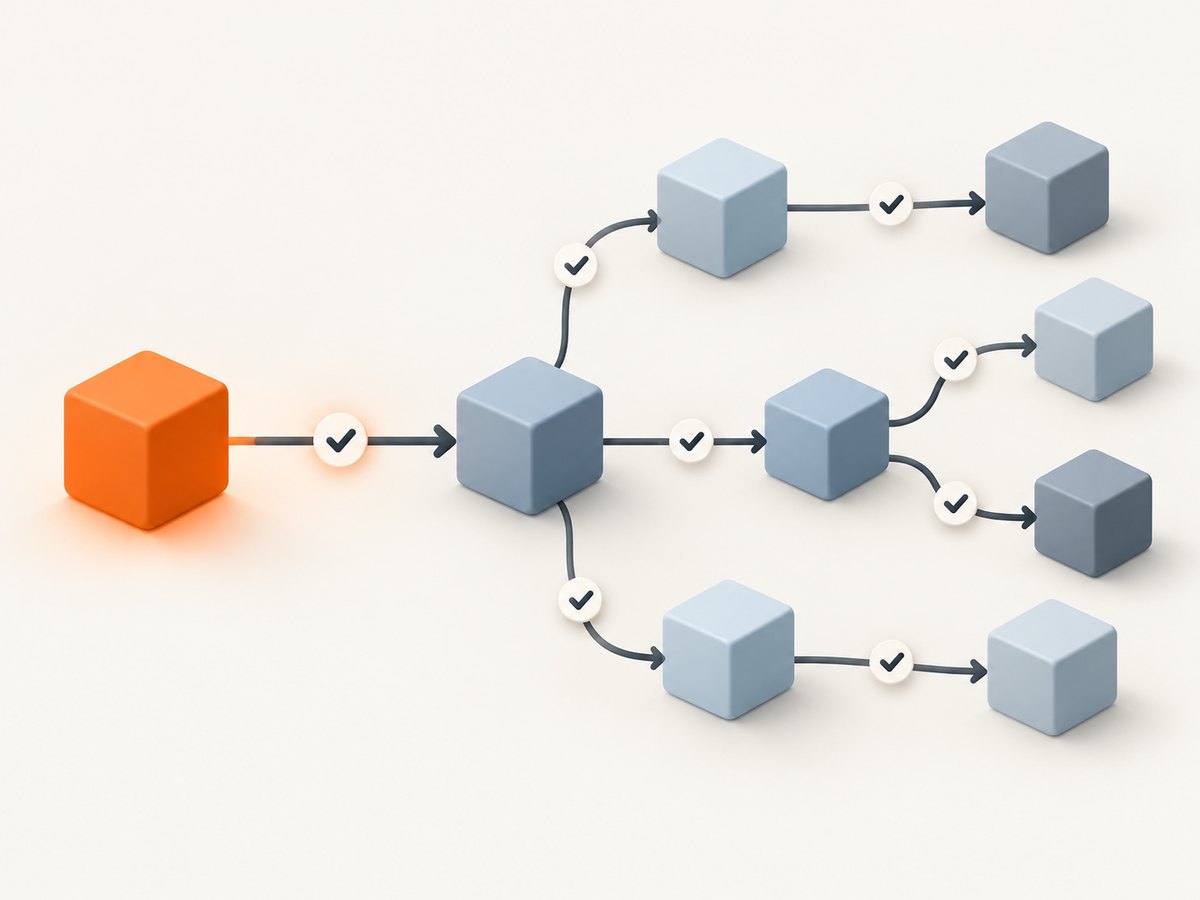
In everyday software work, a regression is a behavior that used to work but stops working after a change. The change might be a feature, bug fix, refactor, library upgrade, database migration, feature flag, infrastructure adjustment, or browser support update. Regression tests provide evidence that important existing behavior remains intact.
Regression testing does not mean rerunning every test after every edit. NASA’s software engineering guidance describes selecting a subset of tests previously run, with selection depending on execution effort and the confidence required. A small, isolated change may justify a focused set; a broad or high-impact change may justify a larger run. [NASA Software Engineering Handbook](https://swehb.nasa.gov/display/ SWEHBVD/Regression+Testing) (If this link changes, search NASA’s Software Engineering Handbook for “Regression Testing.”)
2. Regression testing examples
Example: add another checkout payment method
Suppose an online store adds Apple Pay. Tests for the new option check whether a customer can choose Apple Pay and complete payment. Regression tests check existing card payment, shipping totals, tax calculation, order confirmation, and inventory updates. A change in the checkout component could affect those paths even if the card-payment code was not intentionally edited.
Microsoft’s Azure testing guidance describes a pipeline with checkout unit tests on commits, integration tests after unit tests pass on pull requests, and regression tests in the deployment pipeline. This is an example of a workflow, not a rule every team must follow. [Microsoft Azure testing guidance](https://learn.microsoft.com/en-us/devops/develop/what-is-continuous-testing).
Example: fix a bug and keep its reproducer
A user reports that submitting a particular date causes an error. Convert that input into a repeatable test, fix the defect, and keep the test in the suite. The first run verifies the fix; later runs help catch the same defect if a future change brings it back. MIT OpenCourseWare discusses this bug-reproducer pattern in its [software testing material](https://ocw.mit.edu/courses/6-005-software-construction-spring-2016/).
Example: introduce a search bar
After adding search, test that existing menu buttons still respond, navigation still works, and search results behave as expected. Selenium uses a new search bar potentially breaking other menu buttons as an example of why a team may rerun a full or partial suite. [Selenium documentation](https://www.selenium.dev/documentation/).
Example: add password recovery
After adding a forgot-password flow, test the recovery journey and confirm that ordinary login still accepts valid credentials, rejects invalid ones, and handles expired sessions as designed. IBM gives the example of checking that the original login mechanism still works after adding recovery. [IBM regression testing overview](https://www.ibm.com/think/topics/regression-testing).
3. Regression testing vs. retesting
| Question | Retesting | Regression testing |
|---|---|---|
| What does it check? | Whether the reported defect or changed behavior is fixed. | Whether other behavior still works after the change. |
| Which test case? | Usually the case that exposed the defect, plus relevant variations. | Selected existing tests likely to reveal side effects. |
| Example after a bug fix | Repeat the input that previously caused the crash. | Check nearby workflows that could have been affected by the fix. |
The same test can serve both purposes at different points. Repeating the reproducer immediately after a fix is retesting. Keeping it in the regression suite helps detect a future recurrence. Passing regression tests does not prove the change is defect-free; it gives confidence over the behaviors and environments those tests cover.
4. Types and scope of regression testing
Regression checks can run at several levels. Pick the level that observes the behavior at risk:
- Unit: checks a small function or component in isolation. Useful for fast feedback on calculations, validation, and branching logic.
- Integration: checks interactions between components or services, such as checkout and a payment adapter.
- Functional or system: checks complete user-facing behavior, such as signing in or placing an order.
- Visual: compares rendered output where layout or styling changes could unintentionally alter a page. A screenshot can help review the result, but a screenshot by itself does not establish that the workflow or underlying behavior is correct.
Testing terminology varies. IBM describes approaches such as unit, partial, complete, selective, progressive, corrective, and retest-all regression testing. These labels can help explain scope or intent, but they are not one universal taxonomy required by the ISO definition. [IBM overview](https://www.ibm.com/think/topics/regression-testing).
A focused or selective run executes tests chosen for likely impact. A complete run executes a broader suite. Focused runs can return feedback sooner, but depend on good knowledge of dependencies and change impact. Broader runs cover more interactions but take more execution time and can require more maintenance. Neither scope is always the right choice.
5. How to choose tests to rerun
- Describe the change. Identify changed code, configuration, data contracts, dependencies, and environment assumptions.
- Map likely effects. Follow dependencies and user flows that pass through changed components. Include nearby functions that share state, APIs, database tables, or UI components.
- Rank by risk. Prioritize high-impact paths, security-sensitive behavior, revenue flows, frequently used features, and areas with a history of defects. Consider how serious a failure would be and how likely the change is to cause one.
- Choose scope and level. Select a fast focused set for early feedback, then expand coverage when the change is broad, the consequences of failure are high, or confidence requirements call for it.
- Run and inspect failures. Decide whether a failure signals a product defect, a stale test, test data drift, or an environmental problem. Fix the underlying cause and rerun affected checks.
- Record the rationale. Note what was run and why. This helps a reviewer understand remaining risk when the full suite was not selected.
Test selection should reflect actual system structure. A file-level list of changed code can miss indirect effects such as shared database schemas, common UI components, feature flags, and service contracts. Where dependency information is incomplete, broaden the run or add exploratory checks around uncertain areas.
6. Manual testing, automation, and CI/CD
Regression testing can be manual or automated. Manual checks suit exploratory work, new or unstable flows, and behavior that is difficult to assert reliably. Automated tests are useful for repeatable checks that teams need to run often. Automation is a practical choice, not a requirement that every regression check be automated.
A common pipeline stages checks so quick feedback arrives first: unit tests on commits, integration tests on pull requests, and broader regression or system checks before deployment. Microsoft’s Azure guidance shows this kind of quality-gate workflow. Teams can run independent tests in parallel and stop early when a critical check fails to control wasted pipeline time. Keep the stage names meaningful: a “regression” stage might contain several test levels.
Example: a browser check with Playwright
Here is a small runnable example that checks an existing sign-in flow after a UI change. It is illustrative: the target URL, selectors, and expected result must match your application. Install Playwright with npm install -D @playwright/test, then run it with npx playwright test. Configure a test account through environment variables in your CI system rather than committing credentials.
import { test, expect } from '@playwright/test';

test('existing customer can still sign in', async ({ page }) => {
  const baseUrl = process.env.APP_URL ?? 'http://127.0.0.1:3000';
  const email = process.env.TEST_EMAIL;
  const password = process.env.TEST_PASSWORD;
  if (!email || !password) throw new Error('Set TEST_EMAIL and TEST_PASSWORD');

  await page.goto(`${baseUrl}/login`);
  await page.getByLabel('Email').fill(email);
  await page.getByLabel('Password').fill(password);
  await page.getByRole('button', { name: 'Sign in' }).click();
  await expect(page.getByRole('heading', { name: 'Dashboard' })).toBeVisible();
});
Run the test against a controlled test environment with stable data. Avoid real payment, email, or other external side effects. Use test doubles or sandbox services where appropriate. A reliable test should state the setup it depends on and clean up the data it creates.
7. Reviewing visual regressions with screenshots
When a change affects a website’s layout, a screenshot can make visual differences easier to inspect. Capture the same route at the same viewport, browser settings, and data state before and after a change. Keep dynamic content stable where possible: timestamps, rotating promotions, personalized recommendations, and animations can create differences unrelated to the code change.

A practical visual review process is: identify important pages, choose stable states and viewport sizes, capture a baseline, capture the candidate build under the same conditions, and review changed regions. Treat image comparison as a signal for investigation. It cannot tell whether a difference is intentional, and it may miss behavior that is visually unchanged but functionally broken.
For repeatable page captures, ScreenshotNeo is a website screenshot API and MCP server from [ScreenshotNeo](https://screenshotneo.com). It can capture full pages or a CSS-selected element, set viewport and device options, apply custom CSS or JavaScript, wait for a selector, delay, or network idle, and return PNG, JPEG, WebP, or PDF. Its screenshot options are documented at [ScreenshotNeo docs](https://screenshotneo.com/docs/).
Example cURL request for a visual review artifact:
curl -G "https://api.screenshotneo.com/v1/shot" \
  -d access_key=YOUR_API_KEY \
  --data-urlencode url=https://example.com \
  -o candidate.webp
To make before-and-after comparison meaningful, capture both builds with matching options and stable content. Store the build identifier and capture settings with the artifact. A screenshot API captures a page; it does not replace assertions for sign-in, payments, navigation, or other application behavior.
8. Or skip the browser setup
One GET request returns a screenshot, with format, viewport, full-page capture, selector, wait, and other options available in the [API documentation](https://screenshotneo.com/docs/):
curl -G "https://api.screenshotneo.com/v1/shot" -d access_key=YOUR_API_KEY --data-urlencode url=https://stripe.com -o shot.webpimport requests
r = requests.get("https://api.screenshotneo.com/v1/shot", params={"access_key": "YOUR_API_KEY", "url": "https://stripe.com"}, timeout=90)
open("shot.webp", "wb").write(r.content)const q = new URLSearchParams({ access_key: 'YOUR_API_KEY', url: 'https://stripe.com' });
const res = await fetch(`https://api.screenshotneo.com/v1/shot?${q}`);
if (!res.ok) throw new Error(`Screenshot request failed: ${res.status}`);
const fs = await import('node:fs/promises');
await fs.writeFile('shot.webp', Buffer.from(await res.arrayBuffer()));- Cookie banners are accepted and removed before the shot, along with known newsletter popups and chat widgets; each cleanup step can be turned off.
- Bot checks, CAPTCHAs, blank pages, timeouts, failed loads, and cache hits cost nothing. Response headers identify the page verdict and whether the shot was billed.
- An MCP server offers
take_screenshot,get_page_info, andcapture_pdffor Claude, Cursor, and other MCP clients. - The free plan includes 1,000 screenshots a month with no card. Paid plans start at $5 for 3,000 shots; every feature is on every plan.
Sign up for 1,000 free screenshots a month, no card required.
9. Reliability, performance, and cost
Regression suites are useful only when their failures are interpretable. Keep test data controlled, avoid dependence on production records, and make setup and cleanup repeatable. A flaky test that fails intermittently can obscure real regressions; investigate timing assumptions, shared mutable state, network dependencies, and incomplete cleanup instead of repeatedly rerunning until it passes.
Execution time is a tradeoff. Run fast, high-signal checks early, split independent tests where parallelism is practical, and reserve longer end-to-end checks for the scope that warrants them. Parallel execution can shorten elapsed time, but shared accounts, databases, and rate limits can make tests interfere with each other. Monitor both total runtime and the delay before a developer receives useful failure details.
Testing cost includes compute, test maintenance, environment operation, and time spent diagnosing noise. Avoid expanding the suite with redundant checks that detect the same failure at much higher cost without adding meaningful confidence. Keep a full suite available for changes whose risk or impact justifies it, and revisit the selected set as architecture changes.
For external screenshot captures, costs and reliability depend on the chosen service and its plan; do not treat capture success as proof that the application test passed. ScreenshotNeo says only clean shots are billed and provides page verdict and billing headers; its published plans include a free tier and paid tiers. For any service, check response status and relevant response metadata, set reasonable client timeouts, and retain capture settings if the image will be used in a review.
10. Troubleshooting regression tests
| Symptom | Likely cause | What to do |
|---|---|---|
| A test fails after an unrelated change | The test found a side effect, or its assumptions are stale. | Reproduce locally, inspect the changed dependency path, then determine whether product behavior or the test expectation should change. |
| A test passes locally but fails in CI | Environment, browser, timezone, locale, data, or timing differs. | Align runtime versions and configuration; log the environment; make test data explicit and wait for observable conditions instead of fixed sleeps. |
| A visual diff is noisy | Dynamic content, fonts, animation, viewport, or device scale differs. | Stabilize data and fonts, disable animation where suitable, and use matching capture settings and page state. |
| The selected regression set misses a defect | Impact analysis omitted an indirect dependency or shared workflow. | Broaden coverage for the affected path, improve dependency mapping, and add a regression case for the missed behavior. |
| The suite takes too long | Slow tests run before fast feedback or duplicate coverage. | Stage tests by runtime and risk, parallelize independent work, and remove redundant checks carefully. |
| A screenshot response is an error or unexpected page | The URL, access, page load, or capture option may be invalid. | Check the HTTP status and response headers, confirm the page is publicly reachable, simplify the request, then add waits or custom options as needed. With ScreenshotNeo, inspect X-Page-Verdict and X-Billed. |
11. Frequently asked questions
Is regression testing done after every code change?
Teams choose a suitable set based on the change and its risk. A small edit may need a focused check; broader changes may need a wider run. A delivery process can define minimum automated checks for each change.
Is regression testing the same as integration testing?
No. Integration testing is a test level focused on interactions between components. Regression testing is the purpose of checking for unintended breakage after a change. An integration test can be part of a regression suite.
Can regression testing be manual?
Yes. Manual checks can cover exploratory or hard-to-automate behavior. Repeatable, frequently needed checks are often good automation candidates.
What is a regression test case?
It is a test retained or selected to check that established behavior remains correct after a change. A bug reproducer can become one when it is kept to detect a recurrence.
Does a passing regression suite mean the release is safe?
It means the selected tests passed in their tested conditions. Confidence also depends on coverage, test quality, environment match, and the consequences of behavior the suite does not exercise.
Sources
- ISO/IEC/IEEE 29119-1:2022 overview — definition and distinction from retesting.
- NASA Software Engineering Handbook, regression testing — selection and confidence guidance.
- Microsoft Azure: continuous testing — staged pipeline example.
- IBM: regression testing — examples and scope terminology.
- MIT OpenCourseWare: Software Construction — preserving bug reproductions as tests.
- Selenium documentation — search bar and menu example.


