What Is a SOCKS5 Proxy? How It Works and When to Use One
SOCKS5 relays application traffic through a proxy server. Learn how its handshake, commands, DNS behavior and security limits affect when to use it.
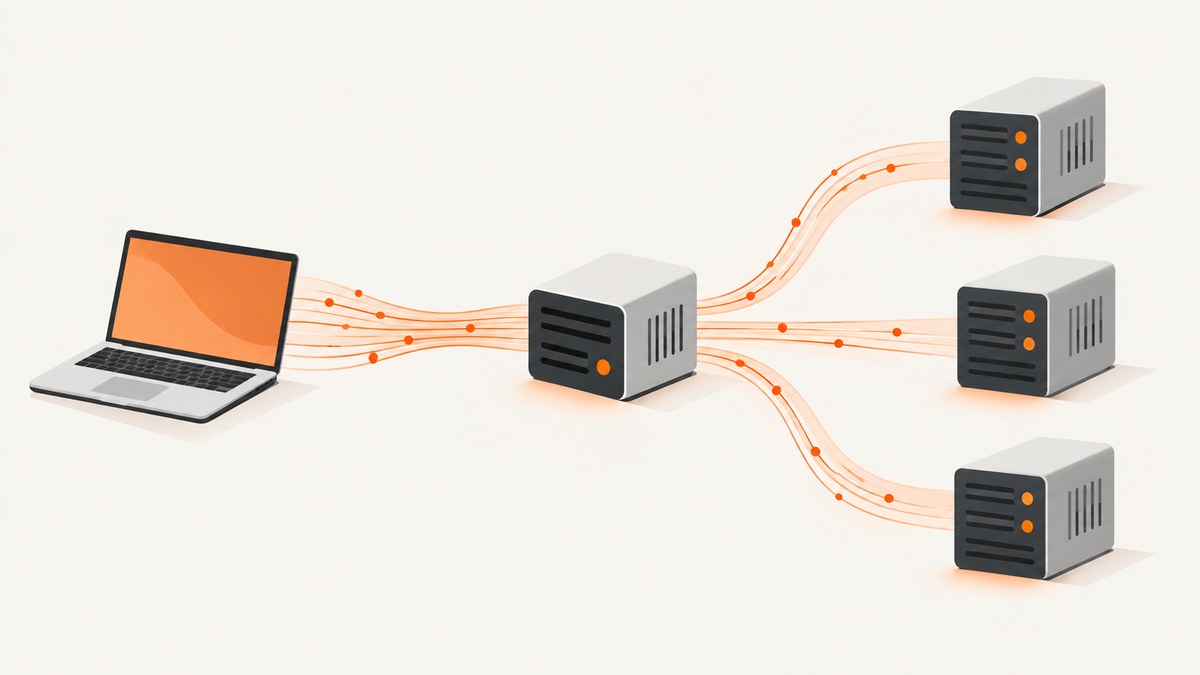
A SOCKS5 proxy is a server that relays traffic for an application. The application connects to the proxy, negotiates a SOCKS session, asks it to connect to a destination, and then exchanges application data through that connection. SOCKS5 supports TCP commands and a UDP relay mechanism, but the protocol does not automatically encrypt the data or route every application on a device.
Use SOCKS5 when the application supports it—or can send traffic through a local forwarding tool—and a proxy fits the required protocol, destination policy, and DNS behavior. Check the specific client and proxy implementation: SOCKS5 does not guarantee UDP support, remote DNS, anonymity, or whole-device protection. The protocol definition is in RFC 1928.
1. What SOCKS5 is
SOCKS5 is version 5 of the SOCKS proxy protocol. It sits between an application and transport services: the client asks a SOCKS server to establish a connection or relay datagrams, and the server passes the application’s traffic along. It is application-neutral; it is not an HTTP-only proxy format. Microsoft’s protocol documentation describes SOCKS as its own binary protocol rather than HTTP (Microsoft SOCKS Connections).
For a conventional TCP-based client, the proxy is often reached on TCP port 1080. That is a convention, not a mandatory port: a deployment may use another one. Likewise, whether a server permits particular commands, destinations, ports, or authentication methods depends on its implementation and policy.
| Term | Meaning |
|---|---|
| Client | The SOCKS-aware application or local tool that initiates the proxy session. |
| Proxy server | The endpoint that negotiates the session and relays traffic to or from a destination. |
| CONNECT | Ask the proxy to establish a TCP connection to a destination. |
| BIND | Ask the proxy to accept an incoming connection, for protocols that need that behavior. |
| UDP ASSOCIATE | Request a UDP relay association controlled by a TCP connection. |
2. How does a SOCKS5 proxy work?
A typical TCP connection follows a short negotiation before the application’s own protocol begins:
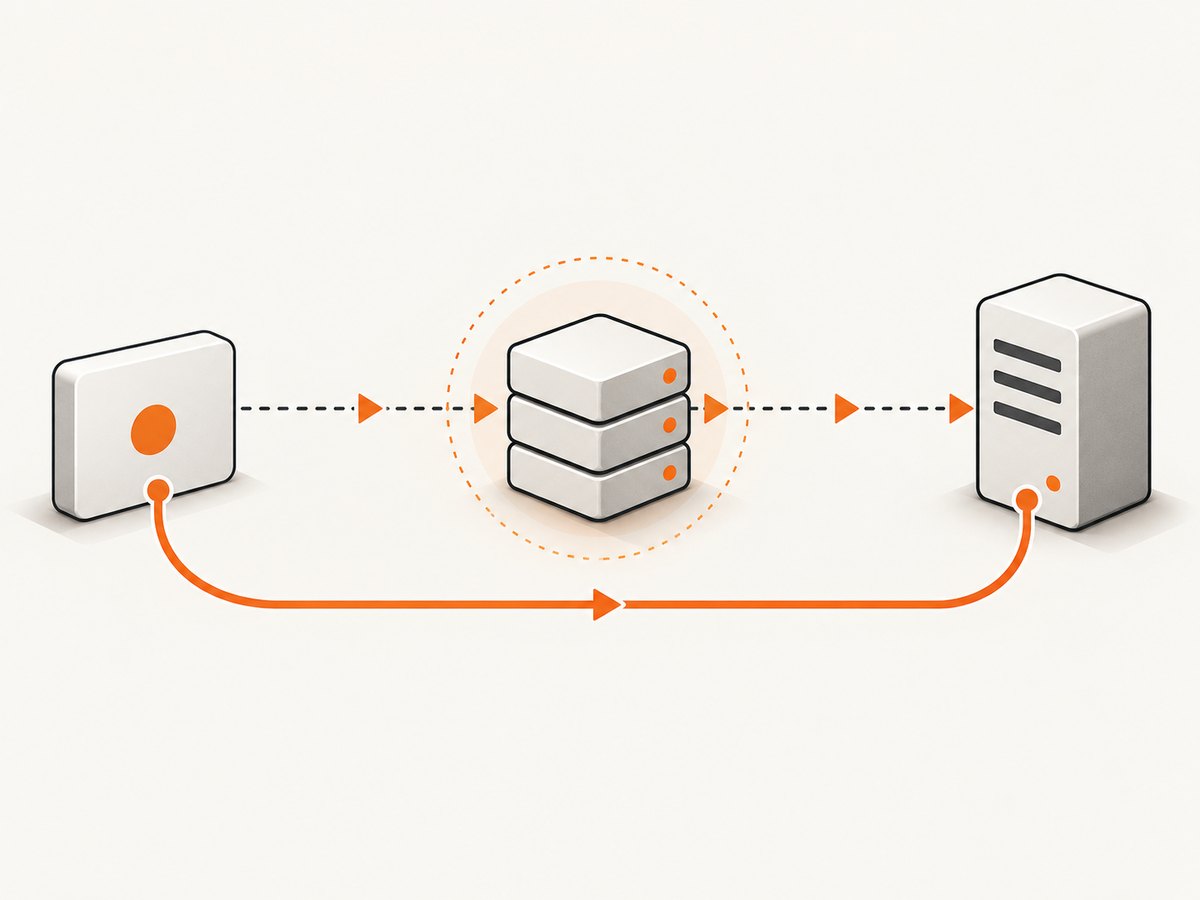
- Connect to the proxy. The client opens a TCP connection to the SOCKS server address and port.
- Negotiate authentication. The client lists supported authentication methods; the server selects one. SOCKS5 defines a no-authentication option, GSSAPI, and username/password, among the methods. The selected method may require additional exchanges.
- Send a request. The client supplies a command, destination address, and port. The address can be IPv4, IPv6, or a domain name.
- Receive the result. The proxy accepts or rejects the request and reports the result. It may reject it because of policy, destination reachability, unsupported commands, or other implementation limits.
- Relay data. After a successful CONNECT, the application’s data stream passes over the established connection. For UDP, the client uses the negotiated relay association; it remains tied to its controlling TCP connection.
The SOCKS handshake does not define the application protocol that follows. That could be an encrypted protocol such as HTTPS or an unencrypted application protocol. The application data is not automatically wrapped in encryption merely because SOCKS5 was used.
3. The three SOCKS5 commands
| Command | Use | Practical consideration |
|---|---|---|
| CONNECT | Establish an outbound TCP connection, the common case for web and other TCP clients. | Confirm the proxy permits the destination and port. A successful SOCKS negotiation does not mean the destination application will accept the connection. |
| BIND | Support a protocol where the client expects the proxy to accept an inbound connection. | Specialized use; verify that both client and proxy implement it and that network policy permits the flow. |
| UDP ASSOCIATE | Create a relay association for UDP datagrams. | Both client and proxy must support and allow UDP. The association ends when its controlling TCP connection closes. |
Do not infer UDP support from a service advertising SOCKS5 alone. Proxy products can implement only a subset of the protocol or restrict commands through configuration and policy. Cisco’s appliance documentation, for example, describes its own configuration and limitations; those details are specific to that appliance (Cisco SOCKS documentation).
4. When to use SOCKS5
SOCKS5 can be useful when an application supports SOCKS and needs a general-purpose proxy mechanism, or when a local forwarding tool can bridge an application to a SOCKS endpoint. Its UDP command may suit software that needs UDP, if the whole path supports it. It may also be a fit when you need an application-specific proxy route rather than network-wide routing.
Before choosing a SOCKS5 setup, check these details with the application and proxy operator:
- Does the application support SOCKS5 natively, or do you need a local forwarding tool?
- Does it need TCP, UDP, or both? Does it use CONNECT, BIND, or UDP ASSOCIATE?
- Which authentication methods does each side support? Is authentication required?
- Are the destination host and port allowed by the proxy’s policy?
- Where will DNS resolution occur, and does that match your privacy and network requirements?
- What protects the application data independently of the proxy protocol?
SOCKS5 does not automatically cover traffic from unrelated programs. The application, browser, or forwarding software must actually send its traffic through the proxy. RFC 1928 describes SOCKS as an application-to-transport shim and excludes network-layer gateway services such as forwarding ICMP.
5. SOCKS5, encryption, authentication, and DNS
Does SOCKS5 encrypt traffic?
Not by itself. SOCKS5 negotiates a proxy session and relays application data. RFC 1928 says security depends on the authentication and encapsulation methods implemented and selected. Even username/password authentication does not, on its own, prove the relayed data is confidential. Check the method’s protections and the application protocol’s encryption separately.
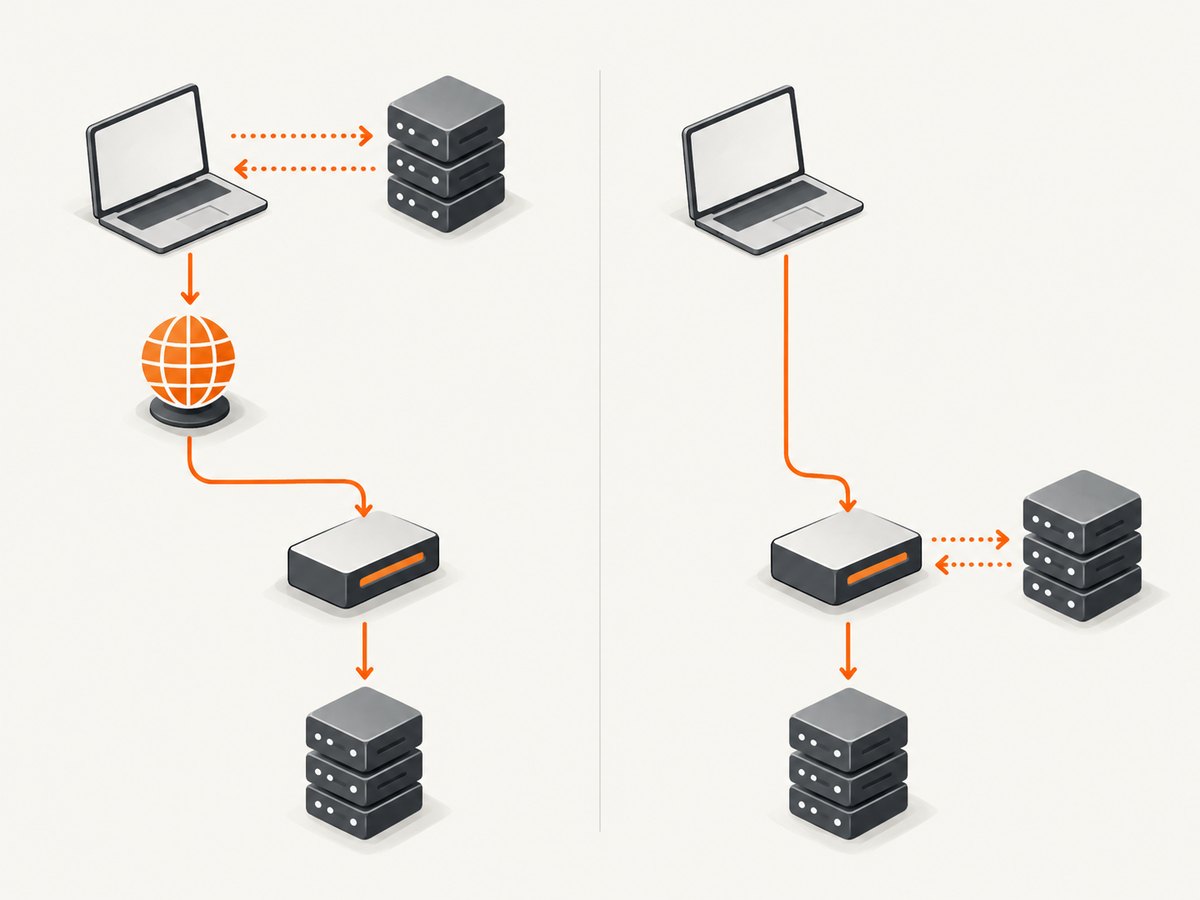
For example, if the application uses HTTPS correctly, its application-layer encryption is separate from the SOCKS relay. If the application sends plaintext, SOCKS5 does not silently turn that traffic into encrypted traffic. Treat proxy credentials as authorization credentials, not as an encryption guarantee.
Does SOCKS5 hide DNS requests?
It can carry a domain name in a SOCKS request, but that does not mean every client sends names to the proxy. A client may resolve a name locally before asking the proxy to connect to an IP address, or it may send the domain name for resolution on the proxy side. The client’s behavior and configuration determine which happens. Cisco documents local versus remote DNS behavior for a specific Firefox and appliance setup; do not generalize that configuration to every client.
If remote resolution is required, confirm the client’s setting, inspect its documentation, and check the proxy’s behavior. A SOCKS5 address in a settings page is not proof that DNS queries avoid the local network.
Is SOCKS5 a VPN?
No. A SOCKS proxy is normally configured per application or through software that forwards selected traffic. A VPN can provide routing at a broader device or network layer, depending on its configuration. SOCKS5 does not guarantee that every application or every kind of network traffic uses the proxy, and it does not provide network-layer gateway services such as ICMP forwarding. Choose based on the traffic scope and protections you actually need.
6. Configure and verify a SOCKS5 connection
Exact settings vary by client. Use the following checklist rather than assuming a universal setup:
- Obtain the proxy hostname or IP address and port from the operator. Port 1080 is common, but use the supplied value.
- Select SOCKS5 in the application’s proxy settings. Avoid selecting an HTTP proxy option for a SOCKS endpoint.
- Enter credentials only if the endpoint requires them, using a client that supports the endpoint’s chosen authentication method.
- Set remote DNS if the application supports it and proxy-side resolution is desired. Verify the setting instead of assuming it is enabled.
- Determine whether the application requires UDP or a less common command such as BIND. Confirm support with both client and server.
- Make a request to a destination the proxy is allowed to reach, then check the application result and relevant proxy logs or diagnostics.
This article does not prescribe a provider address or credentials: those are specific to the service or organization operating the proxy. Avoid placing credentials in shared screenshots, shell history, source control, or logs. Follow the application’s own documentation for exact field names and DNS controls.
7. Troubleshooting common SOCKS5 errors
| Symptom | Likely cause | What to check |
|---|---|---|
| Connection refused or timeout to the proxy | Wrong host or port, unreachable endpoint, firewall rule, or stopped service. | Recheck the supplied endpoint and network path. Confirm the configured port; do not assume 1080. |
| Authentication negotiation fails | The client and server have no acceptable method in common, credentials are wrong, or authentication is required but not configured. | Compare supported methods and credential requirements with the proxy operator. A method offered by one side is not necessarily supported by the other. |
| Proxy connects but destination fails | Destination or port is denied, the destination is down, or the proxy cannot reach it. | Try an authorized destination and port; consult proxy policy or logs. Distinguish a successful proxy handshake from a successful destination connection. |
| UDP application does not work | UDP ASSOCIATE is unsupported, blocked, or the controlling TCP session was closed. | Confirm UDP support end to end and keep the control connection alive for the association’s lifetime. |
| Unexpected DNS location or resolution failure | The client resolves locally, remote DNS is disabled, or the proxy cannot resolve the supplied domain. | Inspect the application’s DNS mode and test the exact hostname behavior. Configure remote resolution only if supported. |
| Some apps still connect directly | Only one application is configured, or the app bypasses its proxy setting for some traffic. | Check each application’s proxy configuration and its documented bypass behavior. SOCKS5 does not automatically route all device traffic. |
| Traffic is not confidential | The application uses plaintext, or the selected SOCKS authentication/encapsulation provides no data encryption. | Use the application’s own encrypted protocol where available and assess the actual proxy method rather than relying on the SOCKS version number. |
8. Performance, reliability, and cost considerations
A SOCKS route adds a proxy connection and relay path. The practical result depends on the client, proxy location and capacity, destination, DNS route, transport, and policy; the protocol specification supplies no general speed guarantee. Test the actual application and destinations that matter. A proxy can fail independently of the destination, and a destination can fail even when the proxy handshake succeeds.
For reliable use, confirm how the client reports connection and authentication failures, whether it retries safely, and what happens if the proxy disconnects. Do not treat a fallback to direct access as harmless if routing through the proxy is a requirement. For UDP, account for the lifetime of the controlling TCP connection. Keep credentials managed and rotated under the operator’s policy, and make DNS behavior part of operational verification.
SOCKS5 is a protocol, not a pricing model. Any service fees, traffic limits, geographic endpoints, or support commitments are set by the provider and are not specified by RFC 1928. Compare services on application compatibility, required commands and transport, authentication, DNS behavior, destination policies, and independently verified service terms. No market-wide performance or adoption figures are established by the protocol references here.
9. Screenshot work is a different task
If the job is to capture a web page as an image or PDF, configuring a SOCKS5 proxy is not the screenshot itself. You need a browser or capture service to load the page and render it. ScreenshotNeo is a website screenshot API and MCP server from Yorker Media; its API accepts a URL and returns an image or PDF. See the ScreenshotNeo documentation for request options.
10. Or skip the browser setup
For a page capture, a single GET request can return the rendered result. Replace the example target URL with the page you want to capture and put your API key in place of the placeholder.
cURL
curl -G "https://api.screenshotneo.com/v1/shot" -d access_key=YOUR_API_KEY --data-urlencode url=https://stripe.com -o shot.webpPython
import requests

r = requests.get(
    "https://api.screenshotneo.com/v1/shot",
    params={"access_key": "YOUR_API_KEY", "url": "https://stripe.com"},
    timeout=90,
)
r.raise_for_status()
open("shot.webp", "wb").write(r.content)
Node.js
const q = new URLSearchParams({ access_key: 'YOUR_API_KEY', url: 'https://stripe.com' });
const res = await fetch(`https://api.screenshotneo.com/v1/shot?${q}`);
if (!res.ok) throw new Error(`Screenshot request failed: ${res.status}`);
await Bun.write('shot.webp', res);
The response can be PNG, JPEG, WebP, or PDF. ScreenshotNeo removes cookie/consent banners, newsletter popups, and chat widgets before capture; each cleanup step can be disabled. Bot checks and CAPTCHAs, blank pages, timeouts, failed loads, and cache hits are not billed, and response headers identify the page verdict and billing status. Its MCP server provides take_screenshot, get_page_info, and capture_pdf for Claude, Cursor, and other MCP clients.
The free plan includes 1,000 shots per month with no card. Paid plans start at $5 for 3,000 shots; all listed plans include every feature. Other options include full-page capture with lazy images loaded, CSS selector capture, device presets and custom viewports, dark mode, retina scale, PDF settings, HTML/CSS capture, custom CSS and JavaScript, waits, request blocking, custom headers and cookies, geolocation, caching, signed image links, asynchronous jobs, bulk capture, and usage reporting. Refer to the docs for parameter names and configuration details.
Sign up free for 1,000 screenshots a month, with no card required.
11. Frequently asked questions
Is SOCKS5 the same as a SOCKS5 proxy service?
No. SOCKS5 is the protocol. A proxy service or organization operates an endpoint that may implement some or all relevant protocol features and apply its own access policies.
Can a SOCKS5 proxy carry HTTPS?
SOCKS5 can establish a TCP connection that an application then uses for HTTPS. TLS is provided by the HTTPS connection, independently of the SOCKS negotiation.
Does port 1080 have to be used?
No. It is a conventional SOCKS port, not a requirement. Use the port configured by the proxy operator.
Can I use SOCKS5 for every app?
Only if each app supports the proxy or its traffic is routed through compatible forwarding software. A SOCKS setting in one program does not configure the whole device.
Does the SOCKS5 version guarantee a feature set?
The RFC defines commands and negotiation, but implementations and policies differ. Verify the specific authentication methods, commands, transports, DNS behavior, and destination rules you need.


