How to Generate Link Previews with the WhatsApp API
Set `text.preview_url` to true and put the link in `text.body` to request a WhatsApp preview. Here’s a runnable Cloud API example and what its response does—and doesn’t—confirm.

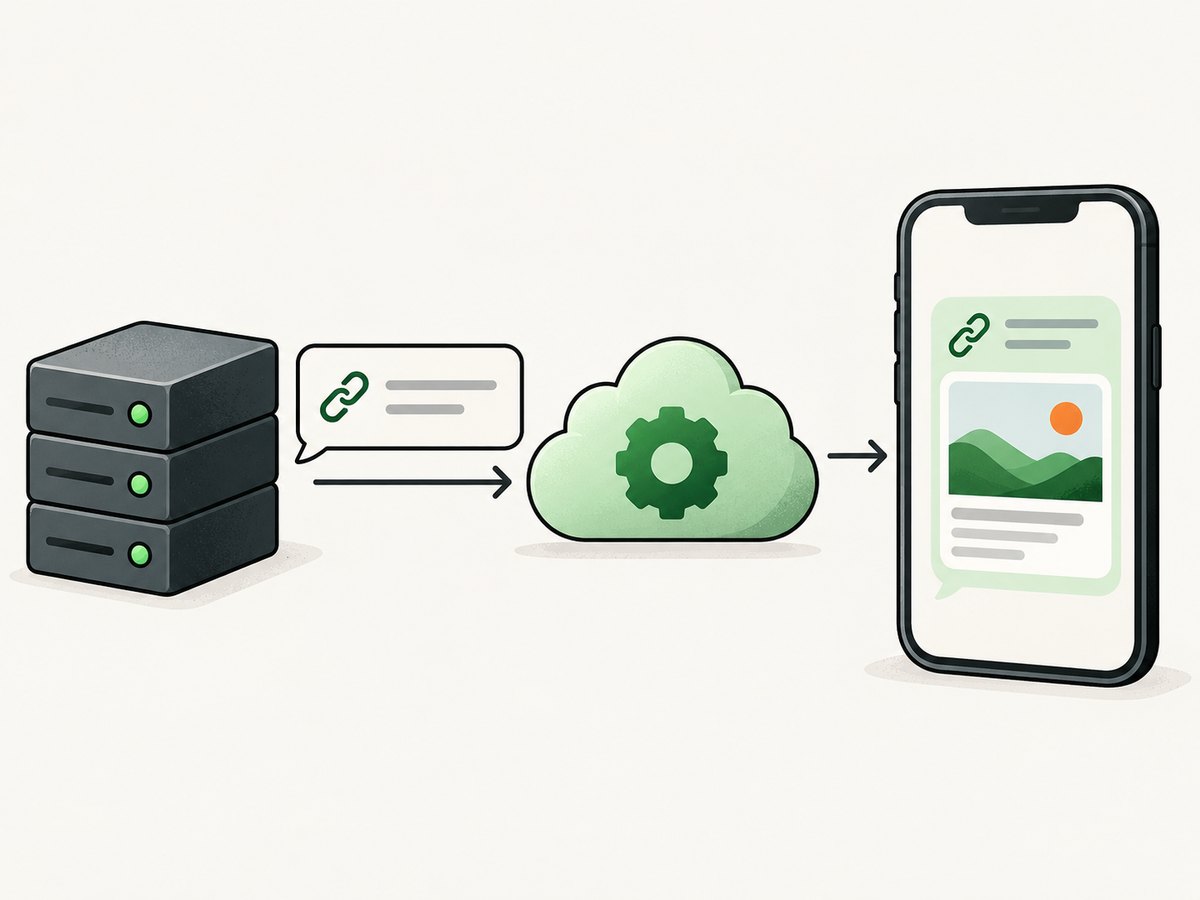
To request a link preview in a WhatsApp Cloud API text message, put the URL in text.body and set text.preview_url to true. Send that object as JSON to the /messages endpoint for your WhatsApp phone number ID, using bearer-token authorization. A successful API response means the request was accepted; it does not prove that every recipient’s WhatsApp client displayed the same preview, or displayed one at all. (Meta’s preview URL request example)
This guide shows the request with cURL, Python, and Node.js, explains setup and response handling, and covers troubleshooting and operational limits. The preview setting is a request option: do not confuse it with a guarantee about how a recipient’s client renders a link.
1. The minimal WhatsApp Cloud API request
The message has three relevant parts: messaging_product identifies WhatsApp, to identifies the recipient, and text contains both the preview flag and message body. The HTTPS URL goes in the body as ordinary text.
{
  "messaging_product": "whatsapp",
  "to": "{{Recipient-Phone-Number}}",
  "text": {
    "preview_url": true,
    "body": "Please visit https://youtu.be/hpltvTEiRrY to inspire your day!"
  }
}
Meta’s example posts this JSON to https://graph.facebook.com/{{Version}}/{{Phone-Number-ID}}/messages. Replace the version placeholder with the Graph API version selected for your integration and the phone-number ID with the ID of the sending business phone number. The request uses an access token as a bearer token. The source example is version-templated, so check Meta’s current Cloud API documentation for the version supported by your account and deployment.
2. Prerequisites and credentials
Before making the request, prepare the WhatsApp Cloud API resources and credentials used by your application. Meta’s Cloud API collection identifies a Meta business portfolio, WhatsApp Business Account, and business phone number as setup requirements. You need the sending phone number ID, a recipient number in the format expected by your API setup, a Graph API version, and an access token authorized for the request. See the Meta WhatsApp Cloud API collection for setup and token context.
- Create or select the required business and WhatsApp resources in Meta’s current setup flow.
- Record the phone number ID for the sender. The endpoint is scoped to this ID, not simply to the human-readable phone number.
- Choose the Graph API version used by your integration and include it in the endpoint path.
- Obtain an access token with the permissions needed to send messages. Store it as a secret in your deployment environment; do not commit it to source control or expose it in browser code.
- Use a recipient number you are authorized to message and follow the applicable WhatsApp messaging rules for your account and use case.
The Meta-hosted Postman collection distinguishes user tokens from system-user tokens and gives different lifetimes for them. Those details can change with Meta’s setup flows and configuration, so verify the current token behavior where you create the token rather than relying on a hard-coded expiry assumption.
3. Send the request with cURL
Set the credential and endpoint values in your shell, then submit the JSON body. This example uses environment variables to avoid placing a real token directly in a command that may be saved in shell history.
export WHATSAPP_TOKEN='YOUR_ACCESS_TOKEN'
export PHONE_NUMBER_ID='YOUR_PHONE_NUMBER_ID'
export GRAPH_API_VERSION='YOUR_GRAPH_API_VERSION'
export RECIPIENT='15551234567'

curl --request POST \
  "https://graph.facebook.com/${GRAPH_API_VERSION}/${PHONE_NUMBER_ID}/messages" \
  --header "Authorization: Bearer ${WHATSAPP_TOKEN}" \
  --header "Content-Type: application/json" \
  --data '{
    "messaging_product": "whatsapp",
    "to": "'"${RECIPIENT}"'",
    "text": {
      "preview_url": true,
      "body": "Please visit https://youtu.be/hpltvTEiRrY to inspire your day!"
    }
  }'
The body above is readable as an example, but interpolating shell variables into JSON can become error-prone if values contain characters that need JSON escaping. In a production script, construct JSON with a JSON-aware tool or language library and keep credentials in a secret manager or protected environment variable. Never log the bearer token.
4. Send it with Python
With Python and the requests package installed, construct the payload as a dictionary so the library encodes valid JSON. Set the token and API values through environment variables in a real service.
import os
import requests

version = os.environ["GRAPH_API_VERSION"]
phone_number_id = os.environ["PHONE_NUMBER_ID"]
token = os.environ["WHATSAPP_TOKEN"]
recipient = os.environ["RECIPIENT"]

endpoint = f"https://graph.facebook.com/{version}/{phone_number_id}/messages"
payload = {
    "messaging_product": "whatsapp",
    "to": recipient,
    "text": {
        "preview_url": True,
        "body": "Please visit https://youtu.be/hpltvTEiRrY to inspire your day!",
    },
}

response = requests.post(
    endpoint,
    headers={
        "Authorization": f"Bearer {token}",
        "Content-Type": "application/json",
    },
    json=payload,
    timeout=30,
)
response.raise_for_status()
print(response.json())
The timeout is a client-side bound for waiting on the HTTP response, not a WhatsApp delivery guarantee. Catch requests.exceptions.Timeout and connection errors in application code, and decide whether to retry based on the error and the current API guidance. Avoid blindly retrying a request when you cannot determine whether the first attempt was accepted.
5. Send it with Node.js
This example uses Node.js built-in fetch. Set the endpoint pieces and bearer token in the process environment; use the API version your integration has selected.
const version = process.env.GRAPH_API_VERSION;
const phoneNumberId = process.env.PHONE_NUMBER_ID;
const token = process.env.WHATSAPP_TOKEN;
const recipient = process.env.RECIPIENT;

if (!version || !phoneNumberId || !token || !recipient) {
  throw new Error('Set GRAPH_API_VERSION, PHONE_NUMBER_ID, WHATSAPP_TOKEN, and RECIPIENT');
}

const endpoint = `https://graph.facebook.com/${version}/${phoneNumberId}/messages`;
const payload = {
  messaging_product: 'whatsapp',
  to: recipient,
  text: {
    preview_url: true,
    body: 'Please visit https://youtu.be/hpltvTEiRrY to inspire your day!',
  },
};

const res = await fetch(endpoint, {
  method: 'POST',
  headers: {
    Authorization: `Bearer ${token}`,
    'Content-Type': 'application/json',
  },
  body: JSON.stringify(payload),
});

const responseBody = await res.json();
if (!res.ok) {
  throw new Error(`WhatsApp API returned ${res.status}: ${JSON.stringify(responseBody)}`);
}
console.log(responseBody);
Use a Node.js version that provides global fetch, or supply an HTTP client supported by your application’s runtime. Treat non-success HTTP responses as errors and retain the response details needed to diagnose them, while redacting credentials and sensitive recipient data from logs.
6. Understand the response
The documented success example returns a JSON object with a messaging_product field, a contacts array, and a messages array containing a message ID such as wamid.ID. This is evidence that the API accepted the send request in the example. It is not evidence that a recipient read the message, that a preview was fetched, or that a particular preview card appeared on the recipient’s device. (Meta request and sample response)
Build your service around the distinction between request acceptance and the user-visible result. Store the returned message ID with your application’s own send record so you can correlate a request with subsequent operational events supported by your integration. Do not present “message accepted” as “preview shown” in your own product UI or delivery analytics.
7. Preview options and practical edge cases
Set the flag inside the text object
preview_url is an optional boolean on the text object. To request a preview, send the JSON boolean true, not the string "true". The URL must be present in text.body; the documented example uses an HTTPS link. The Meta-hosted SDK reference describes the flag as including a preview box when true, but that SDK project is archived. Use current, versioned Cloud API documentation for implementation details. (Archived SDK TextObject reference)
More than one URL or surrounding text
The cited request example establishes a URL embedded in ordinary message text. It does not specify how multiple URLs, unusual URL punctuation, or every client’s rendering should behave. If the preview target matters, make the intended destination unambiguous: include one complete URL and check the message experience in the actual clients and configurations relevant to your use case. Do not claim a particular URL will always be selected based on this evidence.
HTTPS and redirects
The example uses an HTTPS URL. The cited sources do not define redirect handling or requirements for a site’s metadata, so avoid treating a redirect chain or a specific metadata tag as a guaranteed fix. Start with a directly reachable canonical HTTPS URL when practical, then validate the result in the recipient experience you need to support.
Client rendering is outside this request flag
The API setting requests a preview; it does not force every WhatsApp version, device, or recipient context to display an identical card. The cited sources do not establish image-selection rules, preview-cache behavior, Open Graph requirements, or metadata requirements. If a preview does not look as expected, inspect the exact message and client behavior rather than assuming a specific website change is mandated by the API documentation.
8. Troubleshooting
| Symptom | Likely cause | What to check |
|---|---|---|
| HTTP authorization error | Missing, invalid, expired, or insufficiently authorized access token | Confirm the bearer header is present, the token belongs to the intended setup, and its current validity and permissions in Meta’s tools. |
| Request targets the wrong resource | The endpoint uses a phone number rather than the phone-number ID, or the ID/version path is malformed | Check the exact endpoint structure: /<version>/<phone-number-id>/messages. |
| Payload validation error | Malformed JSON, missing messaging_product, invalid recipient value, or wrong field type |
Send JSON with the correct content type; ensure preview_url is a boolean and the URL is in text.body. |
| API returns a message ID but no visible preview | Acceptance does not guarantee client rendering; the cited sources do not document all preview eligibility or rendering conditions | Verify that the URL is in the body, the flag is the JSON boolean true, and inspect the actual recipient client. Avoid inferring undocumented metadata or cache rules. |
| Python or Node.js reports a network timeout | The client did not receive a response within its configured wait period | Check connectivity and service logs. Before retrying, consider whether the request may already have been accepted; avoid creating duplicates through blind retries. |
| cURL reports a JSON parsing or shell error | Quotes or special characters in interpolated values broke the inline JSON | Use a JSON file or a JSON encoder in a script instead of hand-built shell interpolation. |
| Preview content differs from expectations | Rendering details are not established by the cited request example and can’t be inferred from the API acceptance response | Record the URL and client context, reproduce with the recipient experience, and consult current Meta documentation for any newly documented behavior. |
9. Reliability, performance, and cost considerations
The cited implementation is one HTTPS POST. The research sources provide no latency benchmark, throughput limit, retry policy, or price for this operation, so do not size a system from invented numbers. For production, set a bounded client timeout, capture HTTP status and sanitized error details, keep the message ID for correlation, and use the current Meta guidance for rate limits, retries, and token management.
Make retries deliberate. A timeout may mean the client did not receive the result even though the server processed the request. If your application retries automatically, assess duplicate-message risk and use any supported idempotency or reconciliation mechanism documented for your chosen API version; the sources here do not establish one. Track accepted requests separately from user-visible delivery and preview rendering.
Keep the access token out of client-side applications, command logs, analytics events, and exception reports. Rotate and renew credentials according to the current Meta token lifecycle for the token type you use. For costs, consult the current Meta business and WhatsApp pricing applicable to your account and message type; this research dossier does not establish a price.
10. Need a screenshot of the linked page?
A WhatsApp link preview and a website screenshot are different outputs. The preview flag requests a preview in the WhatsApp message; it is not a way to download a PNG or PDF of the destination page. If your workflow also needs a stable page image for QA, reporting, or a content review, capture the destination separately.
Or skip the browser setup
ScreenshotNeo is a website screenshot API and MCP server for developers. One GET request returns a PNG, JPEG, WebP, or PDF. Its request options include full-page capture, CSS selector capture, custom CSS and JavaScript, cookies, headers, device presets, and wait conditions. See the ScreenshotNeo API docs.
curl -G "https://api.screenshotneo.com/v1/shot" -d access_key=YOUR_API_KEY --data-urlencode url=https://stripe.com -o shot.webpScreenshotNeo accepts cookie or consent banners like a visitor and removes more than 60 known consent platforms, newsletter popups, and chat widgets before capture; each step can be turned off. Bot checks and CAPTCHAs, blank pages, timeouts, failed loads, and cache hits are not billed, and the response identifies the page verdict and billing status in headers. Its MCP server gives AI agents tools to take screenshots, get page information, and capture PDFs. The free plan includes 1,000 screenshots per month with no card; paid plans start at $5 for 3,000. These screenshots are separate from WhatsApp messages and do not control whether WhatsApp renders a link preview.
Sign up for ScreenshotNeo and get 1,000 screenshots a month free, with no card required.
11. FAQ
Does preview_url: true force WhatsApp to show a card?
No. It requests a preview in the API text message. The cited response confirms request acceptance, not identical rendering on every recipient client.
Is preview_url a top-level message field?
No. Put it inside the text object alongside body.
Does the URL go in a separate preview field?
No separate URL field is shown in the documented text-message example. Include the URL in text.body.
Can I use the archived Node.js SDK reference as the current source of truth?
Use it only as supporting context for the field’s meaning. The SDK project is archived; check Meta’s current, versioned Cloud API documentation for operational details.


