Why Claude OAuth Is Not Working and How to Fix It
Claude Code login failures have different causes. Identify where the flow breaks, then use the matching fix for browser callbacks, access denials, API key overrides, or expired credentials.
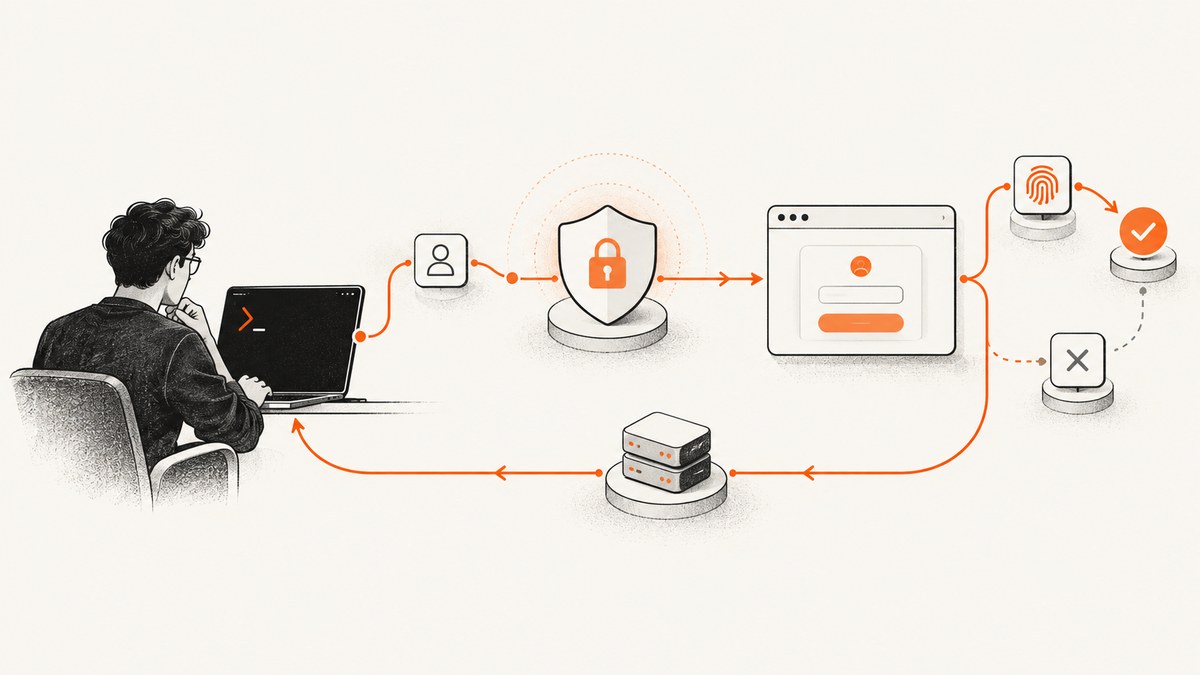
Claude Code OAuth problems are easier to fix when you identify where the flow breaks. A browser that never opens, an “OAuth error: Invalid code,” a 403 after login, and a session that repeatedly asks you to sign in point to different causes.
Start by noting the exact message and when it appears. Then check the account type and credential method Claude Code is using. For a browser handoff problem, copy the login URL and finish the callback in the terminal. For a 403, check account access and organization roles. For a login that seems ignored, inspect environment variables and confirm the active method with /status. Anthropic’s [authentication guide](https://code.claude.com/docs/en/iam) and [login troubleshooting guide](https://code.claude.com/docs/en/troubleshoot-install) are the primary references; their instructions can change, so use them alongside this guide.
1. Identify the failure before changing settings
Write down the exact error, the step where it appears, and the environment running Claude Code. For example: “browser opened, then terminal said Invalid code”; “login succeeded, first request returned 403”; or “works locally, but callback fails in WSL2.” This tells you whether to investigate the OAuth handoff, account entitlement, selected credential, network path, or saved login.
| Symptom | Likely area to check |
|---|---|
| Browser never opens | Manual URL handoff, terminal environment, browser configuration |
| Browser shows a code or “Invalid code” | Callback reachability, expired or truncated code |
| Login says successful, then request gets 403 | Subscription, Console role, organization permissions, proxy |
| Paid account sees “This organization has been disabled” | Possibly an API key overriding subscription OAuth |
| Repeated login prompts or expired-token errors | Token renewal, system clock, credential persistence |
| Using Bedrock, Vertex AI, Foundry, or a gateway | Provider or gateway credentials, not the ordinary browser flow |
Also establish which sign-in route you intend to use. Claude Code supports claude.ai Pro or Max accounts, invited Team and Enterprise accounts, Claude Console, cloud providers, and a self-hosted Claude apps gateway. A free claude.ai account does not include Claude Code access. Cloud-provider authentication uses provider credentials and does not require the standard browser OAuth flow. See Anthropic’s [current authentication instructions](https://code.claude.com/docs/en/iam) for supported routes and version-dependent details.
2. Fix a browser that does not open or return to the terminal
On first launch, Claude Code normally opens a browser for sign-in. If it does not, the official fallback is to press c at the prompt, copy the login URL, and open that URL in a browser yourself. After sign-in, the browser normally returns control to the local CLI callback server.

- Run
claudeand wait for the login prompt. - If no browser opens, press
cto copy the login URL. - Open the copied URL in a browser where you can sign in to the intended account.
- If the browser displays a login code instead of returning to the CLI, copy the complete code.
- Return to the waiting terminal and paste it at
Paste code here if prompted.
This callback often fails when the CLI and browser run on different machines or network namespaces, including WSL2, SSH sessions, and containers. The browser can authenticate successfully but still cannot reach the callback server on the remote host. In that case, open the URL on your local computer and paste the resulting code into the remote terminal. If the interactive prompt cannot accept the pasted code, Anthropic recommends claude auth login, which reads the code from standard input. For WSL when a browser does not launch, Anthropic’s troubleshooting guide also documents configuring BROWSER to point to a Windows browser executable; follow that guide for the appropriate path for your setup.
“OAuth error: Invalid code”
Anthropic identifies an expired code or truncated copy-and-paste as common causes. Restart the login and finish the browser step promptly. Copy the full URL with c if a terminal link was cut off. On a remote machine, use the local browser and transfer the entire displayed code back to the waiting remote prompt. Avoid reusing a code from an earlier attempt.
3. If login succeeds but an API request returns 403
A 403 after successful sign-in is an authorization or network-path problem, not necessarily a broken OAuth exchange. Check these in order:
- Account entitlement: confirm that the account has a Claude Pro or Max subscription, or that it belongs to a Team or Enterprise organization with Claude Code access. A free claude.ai account is not sufficient.
- Correct organization account: Team and Enterprise users must sign in with the claude.ai account invited by their administrator.
- Console role: a Console administrator should confirm the user accepted the invitation and has the “Claude Code” or “Developer” role under Console Settings → Members.
- Enterprise access: if the error says “Claude Code access has not been granted for this account,” an Owner must assign a role or group that grants access. A local CLI setting cannot add organization permission.
- Corporate network: if the account and role are correct, check whether a corporate proxy, TLS inspection, or other network control is interfering with requests.
Do not treat all HTTP errors as equivalent. Anthropic’s [API error reference](https://platform.claude.com/docs/en/api/errors) distinguishes 401 authentication errors, 402 billing errors, 403 permission errors, and 429 rate or spend-limit errors. A 403 is not fixed merely by repeating OAuth when an organization has not granted access.
4. Check whether an environment variable is selecting another credential
Claude Code can use credentials other than the interactive subscription login. In particular, a set ANTHROPIC_API_KEY can change the login flow and may take precedence over subscription OAuth. A stale key associated with an unavailable or disabled organization can produce confusing failures even when your paid subscription is active. In non-interactive -p mode, the API key is used when present.

In Bash or Zsh, inspect and temporarily remove the variable in the current shell:
printenv ANTHROPIC_API_KEY
unset ANTHROPIC_API_KEY
claude
Then check /status inside Claude Code to confirm which authentication method is active. If removing the variable fixes the issue, remove the stale export from the shell startup file that sets it, such as ~/.zshrc, ~/.bashrc, or ~/.profile, and start a fresh terminal. On Windows, inspect the PowerShell profile and user environment variables as well.
Other credentials can also affect selection. Anthropic documents precedence for cloud-provider credentials, ANTHROPIC_AUTH_TOKEN, ANTHROPIC_API_KEY, apiKeyHelper, CLAUDE_CODE_OAUTH_TOKEN, profiles, and subscription OAuth. If you intentionally use a provider, gateway, helper, or profile, verify that it is configured for that route rather than deleting credentials indiscriminately. /status is the fastest way to see which method Claude Code selected.
5. Renew an expired session and check credential storage
If requests report an expired login, run /login in Claude Code to authenticate again. For a full reset when the stored session is unclear, use the documented sequence: run /logout, close Claude Code, start it again with claude, and complete sign-in. Anthropic notes that an inaccurate system clock can interfere with token validation, so check that the machine’s date and time are synchronized if renewals keep failing.
On macOS, credentials normally live in the encrypted Keychain. If the Keychain cannot accept a write, such as when it is locked in an SSH session, Claude Code can fall back to ~/.claude/.credentials.json. Linux uses that credentials file with restrictive permissions; Windows stores credentials under the user profile. The location can change with CLAUDE_CONFIG_DIR. Run claude doctor from a shell if you suspect a Keychain write problem, and follow Anthropic’s recovery steps if the diagnostic says the Keychain is not writable. Prefer the documented /login and /logout commands to manually deleting credential files.
6. Separate OAuth problems from provider, proxy, and installation problems
If you use Amazon Bedrock, Google Cloud’s Agent Platform, or Microsoft Foundry, configure that provider’s environment and credentials; the ordinary browser login is not the expected sign-in route. A gateway deployment likewise uses its configured corporate identity flow. Provider IAM or gateway policy can deny a request even when the local CLI starts correctly.
For connectivity symptoms such as TLS errors, a login page that cannot load, or requests timing out, check network access and proxy configuration. Anthropic’s [corporate proxy guide](https://code.claude.com/docs/en/network-config) documents HTTP_PROXY and HTTPS_PROXY, notes that NO_PROXY and SOCKS proxies are unsupported, and covers custom CA configuration using SSL_CERT_FILE and NODE_EXTRA_CA_CERTS. Use those settings only when the error points to a proxy or certificate path. The [setup guide](https://code.claude.com/docs/en/getting-started) covers supported environments and prerequisites.
Run /doctor inside an active session, or claude doctor from the shell if the app cannot start. If the command itself is missing or crashes before login, first resolve that installation or PATH issue; changing OAuth credentials will not repair a broken executable.
7. Quick decision checklist
- Record the exact error and the step where it occurs.
- Confirm the account route: claude.ai plan, invited Team or Enterprise, Console, provider, or gateway.
- For browser problems, copy the full URL with
c; for remote sessions, finish sign-in locally and paste the code into the remote prompt. - For “Invalid code,” retry promptly and copy the full code without truncation.
- For 403, verify entitlement, organization membership, Console role, and proxy path.
- For a disabled-organization message with an active subscription, inspect
ANTHROPIC_API_KEYand confirm the selected method with/status. - For expired sessions, run
/login; check clock accuracy and Keychain diagnostics if renewal repeats. - For unresolved organization, billing, or subscription questions, contact Anthropic support with the exact message and environment details.
Or skip the browser setup
ScreenshotNeo is a website screenshot API and MCP server; it does not authenticate Claude Code or repair a Claude OAuth session. It can help when the separate task is capturing webpages from code or an AI agent. One GET request returns an image or PDF. See the [ScreenshotNeo API documentation](https://screenshotneo.com/docs/).
curl -G "https://api.screenshotneo.com/v1/shot" -d access_key=YOUR_API_KEY --data-urlencode url=https://stripe.com -o shot.webpCookie and consent banners, newsletter popups, and chat widgets are removed before the screenshot, with each step configurable. Bot checks, blank pages, timeouts, failed loads, and cache hits cost nothing; response headers report the page verdict and billing status. An MCP server provides take_screenshot, get_page_info, and capture_pdf tools for AI agents. The free plan includes 1,000 screenshots a month with no card; paid plans start at $5 for 3,000. [Try ScreenshotNeo free](https://screenshotneo.com/account/sign-up/).
FAQ
Does Claude Code work with a free claude.ai account?
No. The documented account routes include Pro or Max, invited Team or Enterprise, Console, supported cloud providers, and configured gateways.
Why does the browser show a code instead of returning to the terminal?
The browser may not be able to reach the CLI callback server, especially when the browser and CLI run on different hosts. Paste the displayed code into the waiting terminal prompt.
Should I delete Claude Code credential files to fix OAuth?
Start with /logout and /login. Credential locations vary by operating system and configuration directory; use Anthropic’s documented recovery steps for storage errors.
Will logging in again fix every 403?
No. A 403 can indicate missing subscription access, an organization role restriction, or a network-path issue. Check those causes before repeating sign-in.
Can ScreenshotNeo fix Claude OAuth?
No. ScreenshotNeo captures websites; it is an option for a separate screenshot task, not a Claude Code authentication tool.


