Why Wicked PDF Fails to Render Asset Sync HTML and CSS Assets in Production
Wicked PDF often loses CSS, JavaScript, or images after deployment. Diagnose asset systems, precompilation, URL reachability, and renderer behavior.
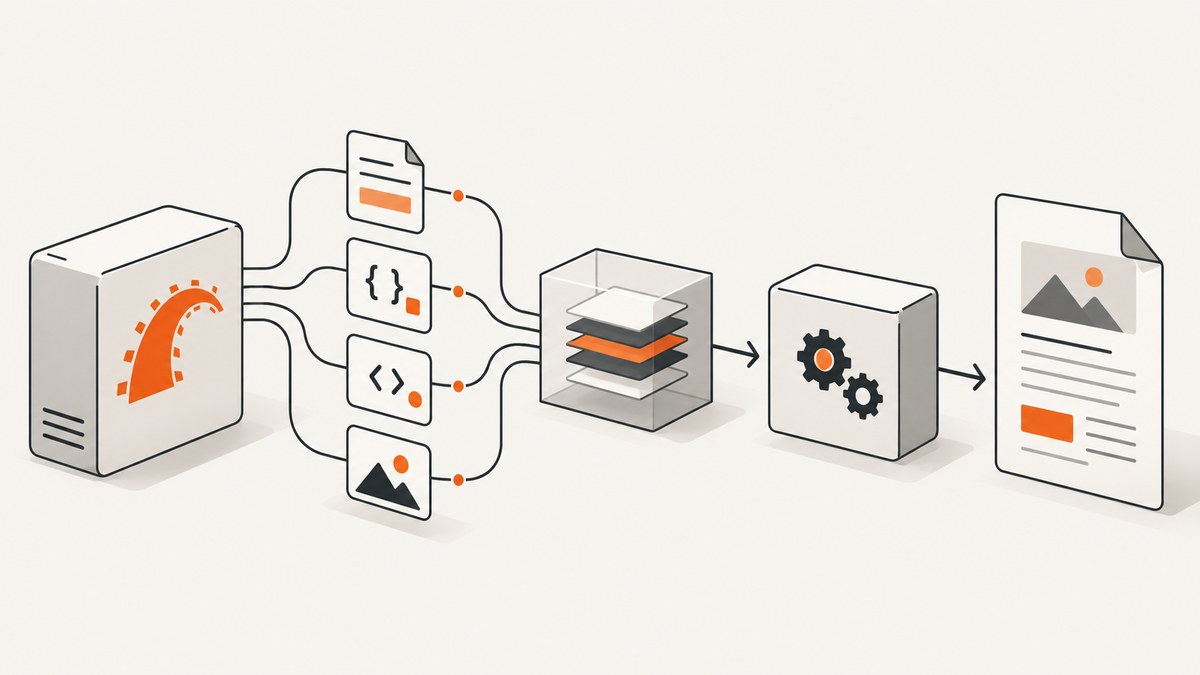
Direct answer: Wicked PDF usually loses stylesheets, scripts, or images in production because the PDF view references assets that were not included in the production build, uses the wrong helper for the installed asset system, or emits URLs that the wkhtmltopdf process cannot reach. A page can look correct in a development browser while the renderer receives a different HTML document or cannot access its asset URLs.
Diagnose the problem in this order: identify the asset system, confirm that the PDF assets are compiled and present in the deployment artifact, inspect the exact HTML and URLs generated for the PDF, then test those URLs from the machine or container running the renderer. The correct fix depends on whether the application uses Sprockets, Propshaft, Webpacker, a CDN, or inline data.
1. Identify the production asset system first
Do not copy an old Sprockets recipe into a newer Rails application without checking the installed versions. Current Rails documentation describes Propshaft as the default asset pipeline for new applications. Older applications may use Sprockets, while existing Webpacker applications use pack helpers. Webpacker is retired in current Rails guidance, but its integration still appears in older deployments.
| Asset setup | What to verify | Typical Wicked PDF reference |
|---|---|---|
| Propshaft | Production precompile output, manifest entries, digest filenames, and files under public/assets |
Use the helper style supported by your installed wicked_pdf integration and Rails version |
| Sprockets | Every stylesheet, script, and image used by the PDF view is included in the precompile configuration | wicked_pdf_stylesheet_link_tag, wicked_pdf_javascript_include_tag, and wicked_pdf_image_tag |
| Webpacker | The PDF build produces the pack and the deployed manifest points to it | wicked_pdf_stylesheet_pack_tag, wicked_pdf_javascript_pack_tag, and wicked_pdf_asset_pack_path |
| CDN or external host | The renderer can resolve the hostname, negotiate TLS, and access the resource without browser-only credentials | Use an absolute URL that is reachable from the renderer |
The wicked_pdf README documents these helper families and explains that helper behavior differs between development and production. Match the documentation to the gem and Rails versions actually installed in the application.
2. Make PDF assets part of the production build
A browser running your Rails server may load an uncompiled source file or a development asset route. A production renderer normally sees only the deployed artifact and the URLs emitted by the rendered view. For an asset-pipeline PDF view, include the required files in the production precompile step appropriate to your version.
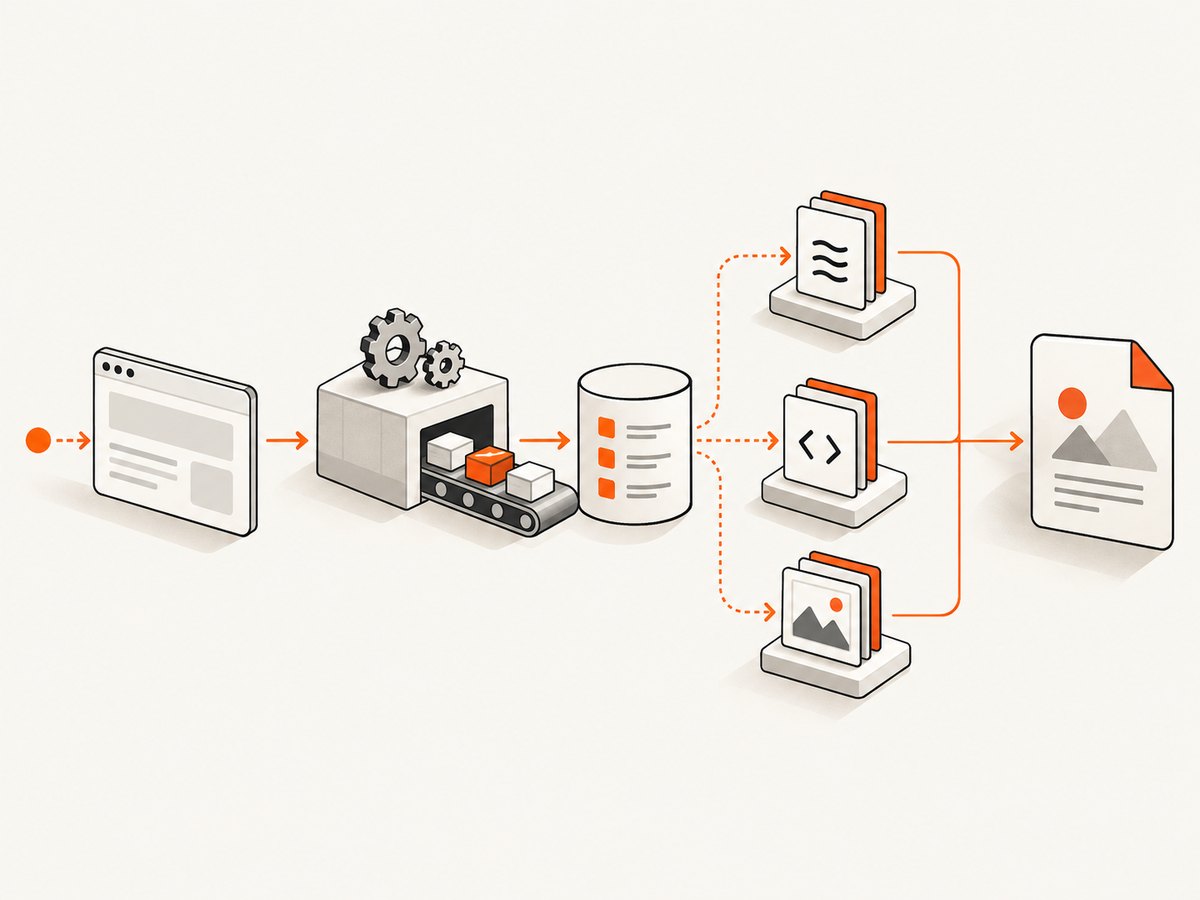
Inspect the build output
- Run the same asset build command used by CI or deployment.
- List the resulting files in
public/assetsor the directory configured by your asset system. - Check the manifest for the logical names used by the PDF view and their digest names.
- Confirm that the container, release directory, or image running wkhtmltopdf contains those files.
Propshaft copies assets into public/assets during precompilation and translates logical paths through a manifest with digest-based names. Read the current Propshaft documentation before adapting Sprockets-era instructions. Rails 7.2 also documents failures when an asset is not precompiled, including AssetNotPrecompiledError; see the Rails 7.2 asset pipeline guide.
Use the helper that matches the integration
<!-- Sprockets or the asset-pipeline integration documented for your gem version -->
<%= wicked_pdf_stylesheet_link_tag 'invoice' %>
<%= wicked_pdf_javascript_include_tag 'invoice' %>
<%= wicked_pdf_image_tag 'company-mark.png' %>
<!-- Existing Webpacker application -->
<%= wicked_pdf_stylesheet_pack_tag 'invoice' %>
<%= wicked_pdf_javascript_pack_tag 'invoice' %>
<%= wicked_pdf_asset_pack_path 'company-mark.png' %>The exact helper names are integration dependent. If a helper returns an empty path, a development-only path, or a logical filename that does not exist in the deployed manifest, fix the asset integration rather than changing CSS selectors.
3. Inspect the HTML that Wicked PDF actually renders
“The page looks styled in Chrome” proves only that Chrome loaded one version of the page. Capture or log the HTML generated for the PDF request and inspect every stylesheet, script, font, and image reference.
html = render_to_string(
  template: 'invoices/show',
  formats: [:html],
  locals: { invoice: @invoice }
)
Rails.logger.info(html)
For each URL, check:
- Is it absolute, root-relative, or a local filesystem path?
- Does it include the expected digest filename?
- Does the hostname resolve inside the worker or container?
- Does it require cookies, authorization, a VPN, or a private DNS zone?
- Does it return CSS, JavaScript, or an image rather than an HTML error page?
- Does the response have a successful status and a suitable content type?
Use the deployed host and the renderer’s network namespace for these checks. A URL that works on your laptop can fail in a background job, Docker container, isolated Kubernetes pod, or server without outbound network access.
4. Understand local-file and URL edge cases
The Wicked PDF README describes local-file behavior when using show_as_html and notes that browser cross-domain safety can interfere with file:/// references. It also warns that one wrong image path may affect other images in wkhtmltopdf output. Treat this as a documented renderer edge case, not as a universal root cause.

Prefer a consistently reachable asset URL when possible. If you must use local files, verify the renderer’s file permissions and the exact absolute path. Avoid mixing relative HTTP URLs, file:/// URLs, and paths that exist only on the web process host.
5. Choose an asset delivery strategy
| Strategy | Use it when | Trade-off |
|---|---|---|
| Asset-pipeline helper plus precompile | Your Rails asset system can produce stable production URLs | Requires build and deployment configuration to stay aligned |
| Webpacker pack helper | An existing application still builds PDF packs through Webpacker | Version-specific and unsuitable for a new Rails setup without that integration |
| Reachable CDN URL | The renderer has network access and assets are intentionally public | DNS, TLS, firewall, cache, and authentication become renderer dependencies |
| Base64 embedding | A small stylesheet, image, or font cannot reliably be fetched by the renderer | Content is copied into the HTML; the README warns that large assets can take longer |
<!-- Illustrative inline asset usage; use the helper documented for your version -->
<style>
  <%= wicked_pdf_asset_base64('invoice.css') %>
</style>
Base64 is not automatically better. It increases the generated HTML and can make large CSS, JavaScript, or image payloads expensive to process. Use it selectively after confirming that URL reachability is the actual failure.
6. A repeatable production debugging checklist
- Record versions: Rails, wicked_pdf, wkhtmltopdf, the asset package, and the operating system.
- Identify the asset system: Propshaft, Sprockets, Webpacker, another bundler, or a CDN.
- Build exactly as production does: run the deployment precompile step in a clean environment.
- Verify artifacts: inspect the manifest and files in the release image or directory.
- Render the PDF HTML: save the HTML before wkhtmltopdf processes it.
- Check every reference: status, content type, URL, digest, and authentication.
- Test from the renderer: use curl or an equivalent command inside the worker container.
- Compare HTML mode and PDF mode: if
show_as_htmlworks but PDF does not, investigate renderer URL and local-file behavior. - Change one variable: switch one helper or one asset to a known reachable reference, then compare output.
7. Common errors and fixes
| Symptom | Likely cause | Fix |
|---|---|---|
AssetNotPrecompiledError |
The logical asset is absent from the production precompile list or manifest | Add it using the configuration for the installed asset system, rebuild, and verify the deployment artifact |
| CSS works in development but disappears after deploy | The PDF references a development path or an uncompiled source file | Use the matching wicked_pdf helper and inspect the production digest URL |
Images are blank while HTML contains <img> tags |
Wrong path, inaccessible host, missing file permission, or renderer local-file behavior | Open the exact URL from the renderer environment and test one image at a time |
| Stylesheet URL returns a login page | The asset host requires session cookies or authentication | Serve the asset publicly to the renderer, provide supported headers, or embed a small asset |
| Fonts or background images fail only in PDF | Nested CSS URLs point to a different host or relative directory | Inspect computed URLs in the generated CSS and make them reachable or inline small files |
Works with show_as_html, fails in PDF |
wkhtmltopdf cannot access a local or cross-domain resource | Follow the README’s local-file guidance and test from the renderer process |
| One bad image causes several images to vanish | Renderer handling of an invalid image path | Correct or remove the bad path, then regenerate the PDF |
8. Reliability, performance, and cost considerations
Asset failures are often intermittent when the renderer depends on a remote CDN, private hostname, or expiring authentication. Make the asset delivery path deterministic: pin the deployment artifact, use immutable digest URLs, keep DNS and TLS available from the worker network, and log the final HTML and renderer stderr for failed jobs.
Large inline assets increase HTML size and parsing time. Remote assets reduce HTML size but add network requests and failure points. Precompiled local assets usually provide the most predictable behavior when the renderer runs beside the Rails application. If a PDF contains many pages or large images, measure total render time after fixing correctness; do not assume that changing to base64 improves speed.
For retries, distinguish asset failures from transient renderer failures. A retry cannot repair a missing file in an immutable image. Rebuild or redeploy when the artifact is incomplete, and alert on repeated URL status failures rather than repeatedly generating identical broken PDFs.
9. Or skip the browser setup
If your goal is a clean image or PDF of a production page rather than a Rails-generated invoice, ScreenshotNeo provides a single HTTP endpoint. It accepts cookie and consent banners before capture and removes more than 60 known consent platforms, newsletter popups, and chat widgets; each step can be turned off. Bot checks, blank pages, timeouts, failed loads, and cache hits are not billed, and the response identifies the result with X-Page-Verdict and X-Billed headers. It also offers an MCP server with take_screenshot, get_page_info, and capture_pdf tools for Claude, Cursor, and other MCP clients.
See the ScreenshotNeo API documentation for all options, including full-page capture, CSS selectors, device presets, custom CSS and JavaScript, waits, request blocking, headers, cookies, user agents, geolocation, PDF settings, caching, signed links, asynchronous jobs, bulk capture, and usage reporting.
curl -G "https://api.screenshotneo.com/v1/shot" -d access_key=YOUR_API_KEY --data-urlencode url=https://stripe.com -o shot.webpimport requests
r = requests.get("https://api.screenshotneo.com/v1/shot", params={"access_key": "YOUR_API_KEY", "url": "https://stripe.com"}, timeout=90)
open("shot.webp", "wb").write(r.content)const q = new URLSearchParams({ access_key: 'YOUR_API_KEY', url: 'https://stripe.com' });
const res = await fetch(`https://api.screenshotneo.com/v1/shot?${q}`);The free plan includes 1,000 screenshots each month with no card. Paid plans start at $5 for 3,000 shots, and every feature is available on every plan. Create a free ScreenshotNeo account.
10. FAQ
Does a successful Rails page prove the PDF will work?
No. The browser and wkhtmltopdf may receive different HTML, asset URLs, permissions, cookies, and network access.
Should every PDF asset be base64 encoded?
No. Inline only the assets that cannot be reliably fetched; large embedded files can increase processing time.
Is Propshaft configured the same way as Sprockets?
No. Propshaft uses a production precompile and digest manifest model. Check the current Rails and Propshaft documentation for the installed versions.
Can a CDN solve all Wicked PDF asset problems?
Only if the renderer can resolve and access the CDN URL and the asset does not require browser session state.
What evidence is needed to identify one exact root cause?
Rails and gem versions, the asset system, generated PDF HTML, emitted asset URLs, deployment files, and renderer logs.


