How to Use wkhtmltoimage on ARM Systems
Install and troubleshoot wkhtmltoimage on ARM64, Raspberry Pi, Debian, Ubuntu, and RPM-based systems, with practical notes on packages, dependencies, fonts, and safer alternatives.
wkhtmltoimage can run on ARM systems when you install a package that matches both the CPU architecture and the Linux distribution. The wkhtmltopdf project’s stable series is 0.12.6, and its official download matrix includes ARM64/aarch64 packages for Debian, Ubuntu, AlmaLinux, CentOS, Amazon Linux 2, and openSUSE, plus Raspberry Pi builds for several Debian releases. Start by checking your architecture and OS release, choose the matching package, install its system dependencies and fonts, and verify the rendered output—not just that the binary launches.
This guide covers package selection, installation, verification, rendering, troubleshooting, and fallback options for ARM servers and Raspberry Pi devices. The project uses QtWebKit for HTML rendering, so compatibility and security need attention alongside CPU architecture.
1. Confirm your ARM architecture and distribution
“ARM” alone is not enough to select a package. A 32-bit ARM operating system, a 64-bit ARM operating system, and an x86-64 operating system need different builds. Distribution families also differ in package format and system library versions.
Run these commands before downloading anything:
uname -m
cat /etc/os-release
getconf GNU_LIBC_VERSION
On Debian or Ubuntu, a 64-bit ARM host normally reports aarch64 from uname -m; package architecture names use arm64. On RPM-based distributions, the package architecture is generally called aarch64. Record the distribution name and version from /etc/os-release as well.
| System family | Common package architecture | What to match |
|---|---|---|
| Debian / Ubuntu | arm64 |
Distribution release and ARM64 package |
| AlmaLinux / CentOS / Amazon Linux 2 | aarch64 |
RPM-family distribution and release |
| openSUSE | aarch64 |
openSUSE release and package format |
| Raspberry Pi OS | Varies by OS install | Use a Raspberry Pi build matching the Debian base and bitness |
Use the official wkhtmltopdf project download matrix to identify the package. Avoid substituting an Ubuntu package on Debian or an RPM package on a Debian-family system just because the processor architecture matches. The project publishes builds for named distribution targets, and those targets reflect library and packaging differences.
2. Install a matching prebuilt package
If the official matrix lists your distribution release and architecture, a distribution-specific prebuilt package is usually the simplest route. Download the ARM64/aarch64 artifact from the official project page and install it using the native package manager. The exact package filename and command depend on the current package version and distribution, so use the filename shown for your target rather than copying an unrelated release name.
Debian or Ubuntu package installation
For a downloaded Debian package, install it with apt so the package manager can report dependency problems:
sudo apt install ./wkhtmltox_PACKAGE_arm64.deb
wkhtmltoimage --version
Replace wkhtmltox_PACKAGE_arm64.deb with the actual downloaded filename. If your version of apt does not accept a local path, use sudo dpkg -i ./actual-package-name.deb, then ask apt to resolve any missing dependencies:
sudo dpkg -i ./actual-package-name.deb
sudo apt-get -f install
wkhtmltoimage --version
RPM-family installation
For an RPM package built for your distribution and aarch64, use the system package manager. For example, on a compatible system:
sudo dnf install ./actual-package-name.aarch64.rpm
wkhtmltoimage --version
Use the package manager available on the specific system, such as yum where appropriate. Do not force installation of a package built for another release to bypass dependency checks; that can leave the renderer linked against incompatible system libraries.
When the package installer rejects the file
The project FAQ describes extracting a package when it cannot be installed by the package manager. Extraction does not eliminate runtime requirements: shared libraries and fonts must still be present on the system. Follow the official downloads and FAQ guidance, inspect the extracted binary’s dependencies, and run it in an environment that supplies them. Treat extraction as a packaging workaround, not a self-contained deployment.
3. Understand what “static” means for these ARM builds
The ARM packages statically link Qt, but they do not include every dependency the program needs. The project calls out differences in system library versions, OpenSSL, libc, and the font stack. A package can therefore install or start successfully while still failing to load a shared library or rendering text incorrectly.
The project’s packaging configuration describes the software as converting HTML to PDF and image formats using QtWebKit, and maps both arm64 and aarch64 to linux/arm64/v8. That mapping is useful for understanding the architecture target, but it does not guarantee compatibility with every Linux distribution running on an ARM processor.
Inspect dynamic library requirements when a binary fails to start:
ldd "$(command -v wkhtmltoimage)"Look for entries marked “not found.” Install the corresponding packages using your distribution’s package manager, then rerun ldd. The exact package names vary by distribution; check its package database for the library name rather than guessing based on a different release.
4. Verify a real render, including fonts and images
A successful --version output only confirms that the executable starts. It does not show that a production page will render with the correct fonts, CSS, images, or dimensions. Run a local fixture that includes ordinary text, a non-ASCII character, a local image, and CSS, then inspect the generated image.
For a quick smoke test against a public page, use:
wkhtmltoimage https://example.com /tmp/example.pngTo exercise local HTML and avoid network variability, create a small fixture file:
cat > /tmp/arm-render-check.html <<'HTML'
<!doctype html>
<html>
<head>
  <meta charset="utf-8">
  <style>
    body { font: 18px sans-serif; margin: 24px; }
    .box { border: 2px solid #345; padding: 16px; }
  </style>
</head>
<body>
  <div class="box">ARM render check — café — 漢字</div>
</body>
</html>
HTML
wkhtmltoimage /tmp/arm-render-check.html /tmp/arm-render-check.png
file /tmp/arm-render-check.png
Review the output for blank squares, substituted fonts, clipped content, and incorrect layout. Fontconfig and freetype2 affect text shaping and rasterization, and the fonts installed on the host determine whether requested families and glyphs exist. Install the fonts your pages require and keep font packages consistent between development and production.
5. Common ARM installation and rendering problems
| Symptom | Likely cause | Fix |
|---|---|---|
| “Exec format error” | Package CPU architecture does not match the host or OS bitness | Check uname -m; install the matching arm64/aarch64 package, or a compatible Raspberry Pi build. |
| Package manager reports wrong architecture | Wrong package variant, often x86-64 or 32-bit ARM | Download the architecture listed for your exact target from the official matrix. |
| “error while loading shared libraries” | A required system library is missing or has an incompatible version | Run ldd, install the missing distribution packages, and prefer a build made for your OS release. |
| OpenSSL or libc version error | Package built against a different system baseline | Choose the matching distribution package. Do not replace system libc casually; use a supported OS image or build a compatible renderer. |
| Text appears as boxes or is missing | Required font or glyph is absent; fontconfig/freetype stack differs | Install the needed fonts and font libraries; rerun the local fixture on the final host. |
| Layout differs across machines | Different fonts, library versions, screen or rendering conditions | Pin the OS image and font set, record versions, and compare rendered fixtures on deployment hardware. |
| Remote images are missing | Network access, TLS, resource timing, or remote URL issue | Verify the resource URL from the host, check certificates and network rules, and test with local assets to isolate the cause. |
| Installer refuses package | Package metadata does not match the current distro or package manager | Use the package for the correct release. Extraction is possible per the project FAQ, but dependencies remain required. |
When reporting a failure, include the OS release, architecture, libc version, wkhtmltoimage --version, and missing-library output. Those details distinguish architecture mismatches from distribution-library problems.
6. Raspberry Pi deployment notes
The official matrix includes Raspberry Pi builds for several Debian releases. Check both the base release and whether the installed operating system is 32-bit or 64-bit before choosing one. “Raspberry Pi” is a hardware family, not a package target by itself.
For a reproducible ARM test setup, Qt names a Raspberry Pi 5 8GB running Ubuntu 24.04 as its Linux-on-Arm desktop reference platform. This is a useful baseline for testing, not a compatibility guarantee for every ARM system or every wkhtmltoimage package. Record the board model, OS release, architecture, libc, installed fonts, and renderer version in deployment notes.
On a small device, rendering competes with other workloads for memory and CPU. Test representative page sizes and concurrency under the actual service limits. If the renderer is invoked by a web service, bound concurrent jobs and execution time; a complex page can consume substantially more resources than a simple document.
7. When a prebuilt package does not fit
There are three practical routes when the official package matrix has no close match:
- Move to a supported distribution baseline. This is often the most reproducible option when your workload permits changing the OS image.
- Build from source. This offers control over system-library and Qt choices but requires maintaining the build environment and validating the output. Qt’s current Linux documentation lists arm64 support for Ubuntu 24.04 and Debian 11/12. Its reference Linux-on-Arm desktop platform is Raspberry Pi 5 with 8GB RAM and Ubuntu 24.04.
- Use another maintained HTML renderer. Compare ARM availability, rendering compatibility with your pages, library requirements, fonts, maintenance status, isolation needs, and reproducibility before switching.
Qt documents minimum glibc versions of 2.28 for Qt 6.8 and 2.34 for Qt 6.10. Building Qt from source can avoid an installer’s glibc restriction, but it does not remove the need to manage dependencies or prove that the resulting browser stack matches your rendering needs. Consult the Qt Linux requirements and Qt source-build documentation for the Qt version you intend to use.
8. Security, reliability, performance, and cost
Security and isolation
The wkhtmltopdf project warns against using wkhtmltopdf with untrusted HTML because user-supplied HTML or JavaScript can lead to server takeover. The companion image renderer uses the same QtWebKit rendering process and attack surface, so apply the same caution to wkhtmltoimage. Sanitize user-supplied markup and scripts, and isolate rendering jobs from application secrets and sensitive files. Apply least privilege and restrict network access where the job design allows it.
Reliability and reproducibility
Keep the target OS, package release, libraries, and fonts stable between environments. Store a small set of representative fixture pages and compare dimensions and visual output after changing the OS or package. Capture diagnostics from the renderer’s standard output and error streams, set an execution timeout in the calling service, and decide how to handle failed or incomplete output before publishing it.
Performance and operating cost
The supplied project sources do not establish performance benchmarks, so measure on the target ARM hardware with representative pages. Page complexity, image loading, CSS, JavaScript, output dimensions, available memory, and concurrent render count all affect resource use. Track render duration, process memory, failure rate, and output size. If the service is used under load, cap concurrency and queue work rather than allowing unbounded renderer processes.
The software package itself does not define the total deployment cost. Account for the ARM device or server, storage, power, maintenance of OS and library updates, and the time required to keep fonts and output consistent. A source build adds build and maintenance work; a distribution-specific package usually reduces setup work when it matches the host.
9. Or skip the browser setup
If the goal is to capture a website rather than run a renderer on your ARM host, ScreenshotNeo is a website screenshot API and MCP server from Yorker Media. One GET request returns PNG, JPEG, WebP, or PDF. See the ScreenshotNeo API documentation for request options.
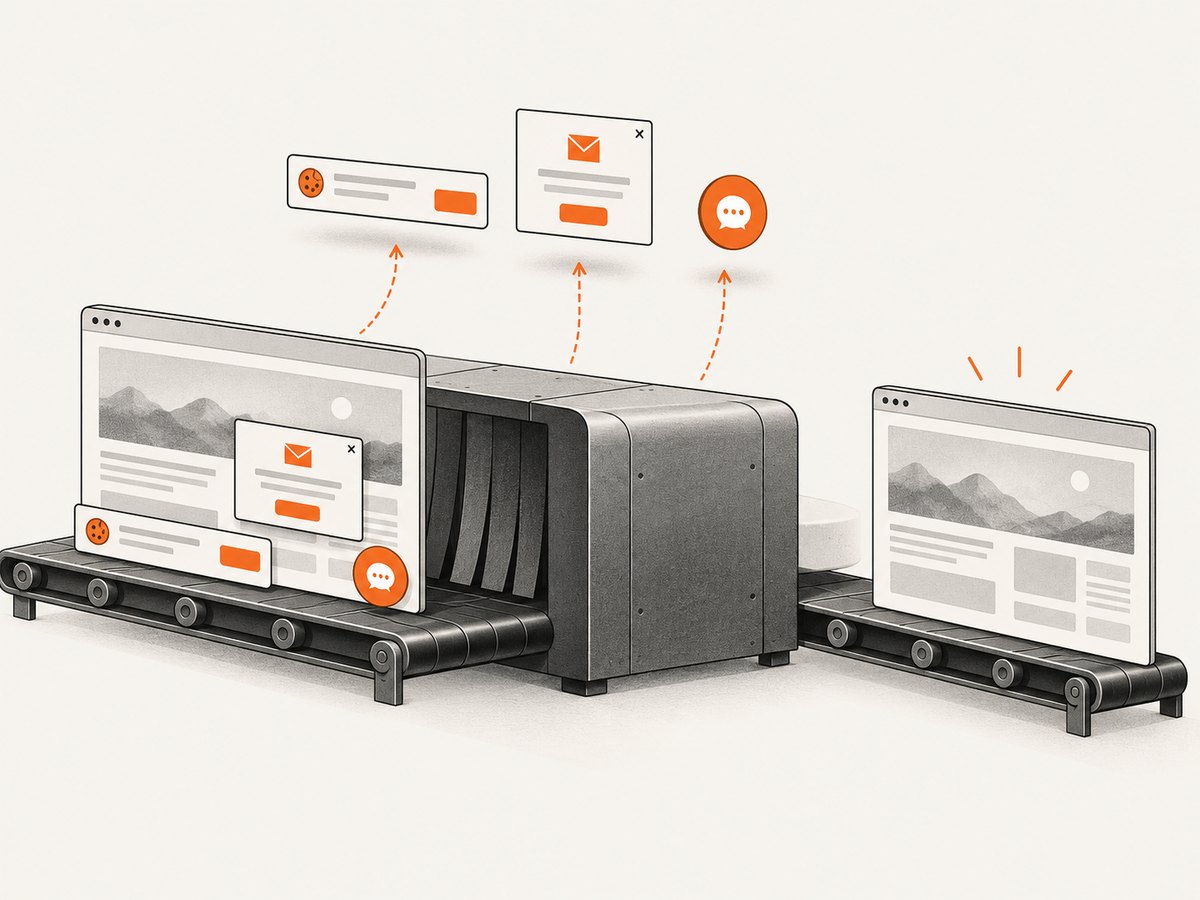
curl -G "https://api.screenshotneo.com/v1/shot" -d access_key=YOUR_API_KEY --data-urlencode url=https://stripe.com -o shot.webpCookie banners, newsletter popups, and chat widgets are removed before the shot; each cleanup step can be turned off. Bot checks, blank pages, timeouts, failed loads, and cache hits cost nothing, and response headers report the page verdict and billing status. An MCP server gives AI agents tools to take screenshots, get page information, and capture PDFs. The free plan includes 1,000 screenshots a month with no card; paid plans start at $5 for 3,000 shots. Every feature is on every plan.
Create a free ScreenshotNeo account for 1,000 screenshots a month with no card.
10. Frequently asked questions
Does wkhtmltoimage run on ARM64?
Yes, the official download matrix lists ARM64/aarch64 packages for several Linux distribution families. Select the build for both the architecture and the distribution release.
Is there an aarch64 build for every Linux distribution?
No. The official matrix covers named targets, not every ARM distribution or version. For an unmatched system, consider a supported OS baseline, a source build, or a different renderer.
Does a successful version check prove that fonts will render correctly?
No. The binary can start while the host lacks the fonts or font stack needed for the page. Render a fixture with representative text and inspect the image on the deployment system.
Can I use it to render arbitrary HTML submitted by users?
That is risky. Follow the project’s warning: sanitize untrusted HTML and JavaScript, and isolate the rendering process from sensitive server resources.
Which details should I record for an ARM deployment?
Record the exact OS release, architecture, glibc version, wkhtmltoimage version, installed fonts, and the output of a representative rendering fixture.


