How to Capture a Thumbnail with wkhtmltoimage from a Site on the Same IP
Render the correct virtual host with wkhtmltoimage by preserving the hostname, fixing DNS or proxy resolution, and choosing reliable capture settings.
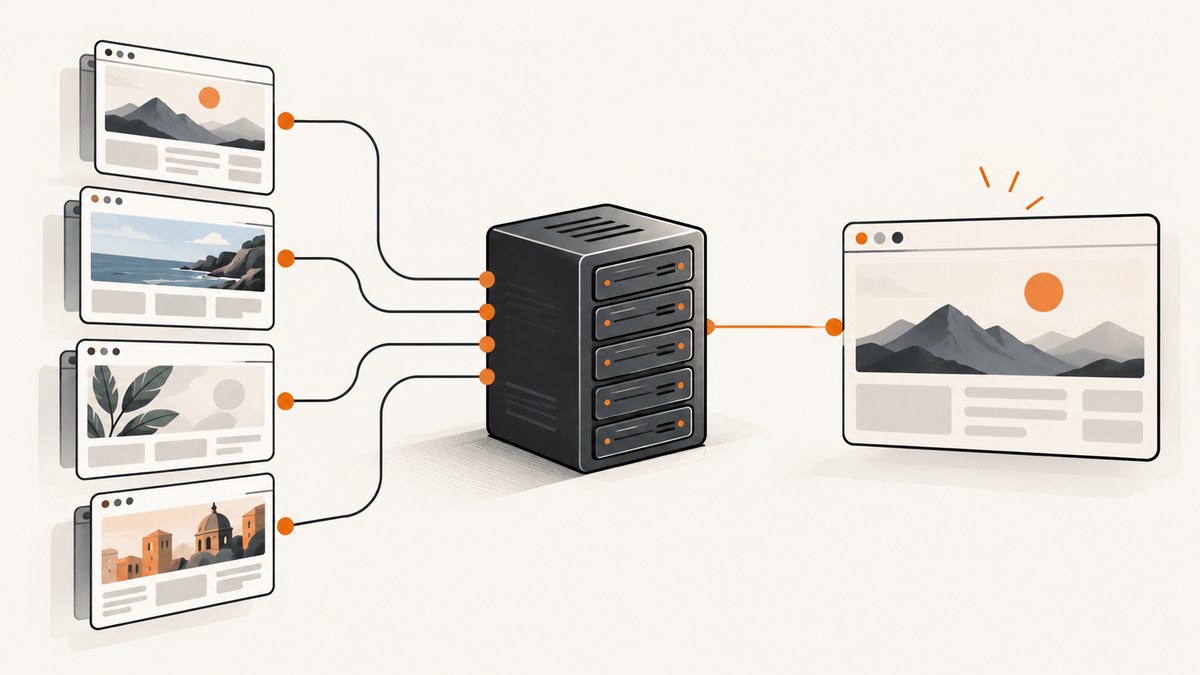
Direct answer: put the intended website hostname in the wkhtmltoimage input URL. Do not replace it with the shared IP address. HTTP virtual hosting uses the hostname authority (the URL’s host) to select the correct site when several domains resolve to one IP. If the capture machine resolves that hostname incorrectly, fix DNS or the machine’s hosts file, or configure the proxy to resolve the hostname. Keep the hostname in the URL throughout.
wkhtmltoimage https://site.example/thumbnail-page page.pngThis is the general command form documented by the Debian wkhtmltoimage manual: wkhtmltoimage [OPTIONS]... <input file> <output file>. Replace the hostname, path, and output name with your values.
Why the hostname matters when sites share an IP
Two domains can resolve to the same address and still serve completely different websites. An HTTP request carries a host authority, and HTTP/1.1 requires the server to use that authority to distinguish names hosted at one address. The rule is described in RFC 7230, section 5.4.
For example, these names might both resolve to 203.0.113.20:
https://shop.example/products/42
https://blog.example/products/42
The server can route the first request to the shop virtual host and the second to the blog virtual host. If you instead request https://203.0.113.20/products/42, the server receives an IP authority. It may select a default virtual host, return a certificate error, redirect unexpectedly, or show the wrong content.
Sharing an IP also does not make the pages the same browser origin. Qt WebKit’s security origin is based on scheme, host, and port, as explained in the Qt WebSecurityOrigin documentation. The hostname remains significant even when DNS returns the same address.
Basic capture workflow
- Choose the exact public hostname. Include
https://orhttp://, the path, and a non-default port when required. - Check resolution on the renderer machine. Run
getent hosts site.example,dig +short site.example, or the equivalent resolver command on the host that runswkhtmltoimage. - Capture with the hostname in the URL. Save to a known extension such as
.png,.jpg, or.webpaccording to the installed build’s support. - Inspect the result and stderr. A successful process can still produce an incomplete page if JavaScript, redirects, or external resources were not ready.
# Verify the address used by this machine
dig +short site.example

# Capture the virtual host, not its numeric address
wkhtmltoimage \
  --width 1280 \
  --height 720 \
  --format png \
  https://site.example/thumbnail-page \
  thumbnail.png
Use wkhtmltoimage --version and wkhtmltoimage --extended-help before relying on an option. Distribution packages differ, and the switches available in one build may not exist in another.
Controlling DNS, hosts files, and proxies
Fix resolution on the capture host
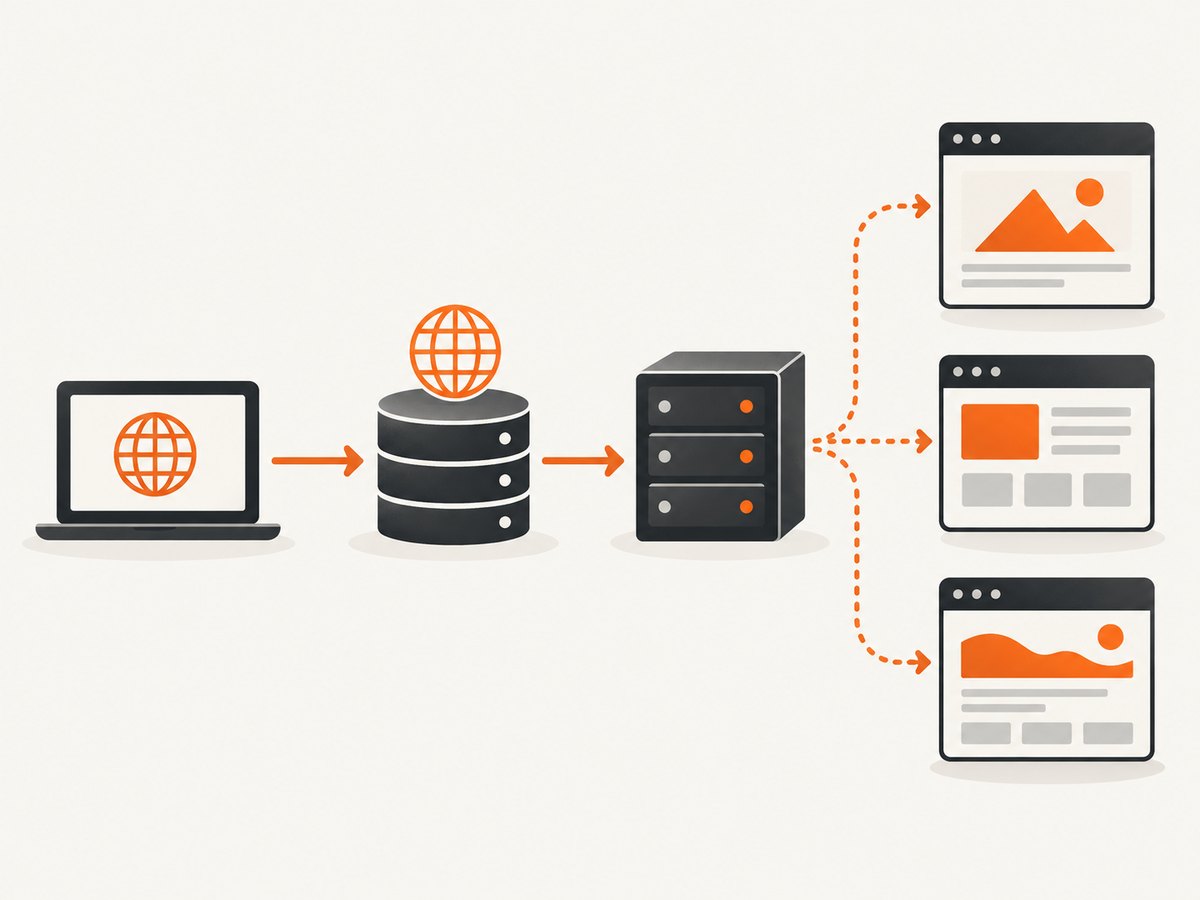
If public DNS points to the wrong server for your environment, make the renderer’s resolver return the intended address while leaving the URL hostname unchanged. A controlled test can use an entry in /etc/hosts:
203.0.113.20 site.exampleOnly make this change when you control the machine and understand its scope. In containerized jobs, the equivalent may be a container-specific hosts entry, an internal DNS record, or a resolver setting supplied by the orchestrator.
Let the proxy resolve the hostname
When traffic goes through a proxy, the proxy may be the component that must resolve site.example. The documented --proxy-hostname-lookup switch requests hostname lookup through the proxy:
wkhtmltoimage \
  --proxy http://proxy.example:8080 \
  --proxy-hostname-lookup \
  https://site.example/thumbnail-page \
  thumbnail.png
Proxy syntax and authentication vary by build. Confirm the exact options in your local extended help.
Why --custom-header Host ... is not an IP mapping
--custom-header adds an HTTP request header. It does not document a way to map an arbitrary URL hostname to a chosen destination IP. Setting a manual Host header while using a different URL authority can create confusing TLS, redirect, cookie, and proxy behavior. Diagnose DNS and proxy routing first, and preserve the intended hostname in the URL.
Viewport, format, and readiness options
| Option | Use | Practical guidance |
|---|---|---|
--width <pixels> |
Sets viewport width. The documented default is 1024 pixels. | Match the thumbnail layout you want; responsive breakpoints can change the page. |
--height <pixels> |
Sets viewport height. Without it, height is calculated from content. | Set it for a fixed card or social preview; omit it for a content-height image. |
--format <format> |
Selects the output format supported by your package. | Use PNG for lossless graphics, JPEG for smaller photographic files, and verify WebP support locally. |
--quality 0-100 |
Controls JPEG quality. | It affects JPEG output; it does not improve PNG output. |
--javascript-delay <msec> |
Waits after page load before rendering. The documented default is 200 ms. | Increase it for known, short animations, but treat it as a heuristic. |
--window-status <value> |
Waits until page JavaScript sets window.status to the value. |
Use a page-specific readiness signal when you control the page. |
--load-error-handling abort|ignore|skip |
Controls behavior when loading fails. | Use the strictest behavior suitable for your pipeline and log failures. |
--custom-header <name> <value> |
Adds an HTTP request header. | Use for documented application headers; propagation to subresources is separate. |
--custom-header-propagation |
Propagates custom headers to resource requests. | Enable only when the page’s assets require those headers. |
A fixed delay cannot know whether every asynchronous request, hydration step, or animation has completed. If the page can signal readiness, set window.status after the required work and use --window-status. For heavily dynamic pages, the wkhtmltopdf project status page recommends considering a modern browser engine such as Puppeteer because wkhtmltoimage uses an aging Qt WebKit engine.
Complete runnable examples
Shell
#!/usr/bin/env sh
set -eu

URL='https://site.example/thumbnail-page'
OUT='thumbnail.png'

wkhtmltoimage \
  --width 1200 \
  --height 630 \
  --format png \
  --javascript-delay 800 \
  --load-error-handling abort \
  "$URL" "$OUT"

file "$OUT"
Python
import subprocess
from pathlib import Path

url = "https://site.example/thumbnail-page"
out = Path("thumbnail.png")
cmd = [
    "wkhtmltoimage",
    "--width", "1200",
    "--height", "630",
    "--format", "png",
    "--javascript-delay", "800",
    "--load-error-handling", "abort",
    url,
    str(out),
]
result = subprocess.run(cmd, text=True, capture_output=True)
if result.returncode != 0:
    raise RuntimeError(f"wkhtmltoimage failed: {result.stderr.strip()}")
print(out, out.stat().st_size, "bytes")
Node.js
import { spawn } from "node:child_process";

const args = [
  "--width", "1200",
  "--height", "630",
  "--format", "png",
  "--javascript-delay", "800",
  "--load-error-handling", "abort",
  "https://site.example/thumbnail-page",
  "thumbnail.png"
];

const child = spawn("wkhtmltoimage", args, { stdio: ["ignore", "inherit", "pipe"] });
let errors = "";
child.stderr.on("data", chunk => { errors += chunk; });
child.on("close", code => {
  if (code !== 0) {
    console.error(errors);
    process.exit(code ?? 1);
  }
  console.log("Saved thumbnail.png");
});
cURL for a diagnostic HTTP request
cURL does not render a thumbnail, but it helps verify DNS, TLS, redirects, and the response selected by the hostname:
curl -I -L --connect-timeout 10 \
  https://site.example/thumbnail-page
Diagnosing the wrong site or a blank image
| Symptom | Likely cause | Fix |
|---|---|---|
| Default website appears | The URL used the IP address, or DNS points elsewhere. | Use the intended hostname in the URL and correct resolution on the renderer host. |
| TLS certificate error | The certificate matches the hostname, not the numeric IP, or a proxy is intercepting TLS. | Keep the hostname authority and inspect the proxy and trust store. |
| Redirect goes to another domain | The selected virtual host or canonical redirect differs from the requested host. | Check the initial response with curl -I -L and correct routing or application configuration. |
| Blank or partially rendered page | JavaScript, blocked resources, load errors, or an old engine. | Review stderr, increase a deliberate delay, use --window-status, and consider a current browser engine. |
| Images missing | Lazy loading has not triggered, resource requests fail, or custom headers were not propagated. | Use a page readiness signal, check asset URLs, and review custom-header propagation. |
| Option is rejected | Your packaged build differs from the manual you read. | Run wkhtmltoimage --extended-help and adapt to the installed version. |
| Command hangs | A page or resource never completes, or a proxy is unreachable. | Set external process timeouts, test the URL with cURL, and use load-error handling appropriate to your job. |
Performance, reliability, and security
Performance
Rendering time is dominated by DNS, connection setup, page resources, JavaScript, and the configured wait. Reuse a long-lived worker when your deployment permits it, avoid unnecessary full-page dimensions, and choose the smallest viewport that matches the output. A fixed delay improves consistency only when it reflects the page’s actual readiness; excessive delays reduce throughput.
Reliability
Record the URL, resolved address, renderer version, exit code, stderr, and output dimensions for each job. Separate network failures from rendering failures so retries are targeted. Retry transient DNS, proxy, or connection errors with a limit; do not blindly retry deterministic certificate or virtual-host configuration errors.
Security
URL capture is a server-side fetch capability. If users can submit URLs, restrict outbound network access, prevent access to internal services, limit CPU and memory, and isolate the renderer. The project status page warns against processing untrusted HTML without sanitization and isolation. Treat that warning as a deployment requirement to review, not as a guarantee supplied by the command.
Or skip the browser setup
ScreenshotNeo provides a website screenshot API and MCP server. One request keeps the hostname in the URL while handling the browser environment for you. See the ScreenshotNeo API documentation for all options.
cURL
curl -G "https://api.screenshotneo.com/v1/shot" -d access_key=YOUR_API_KEY --data-urlencode url=https://site.example/thumbnail-page -o shot.webpPython
import requests
r = requests.get("https://api.screenshotneo.com/v1/shot", params={"access_key": "YOUR_API_KEY", "url": "https://site.example/thumbnail-page"}, timeout=90)
open("shot.webp", "wb").write(r.content)
Node.js
const q = new URLSearchParams({ access_key: 'YOUR_API_KEY', url: 'https://site.example/thumbnail-page' });
const res = await fetch(`https://api.screenshotneo.com/v1/shot?${q}`);
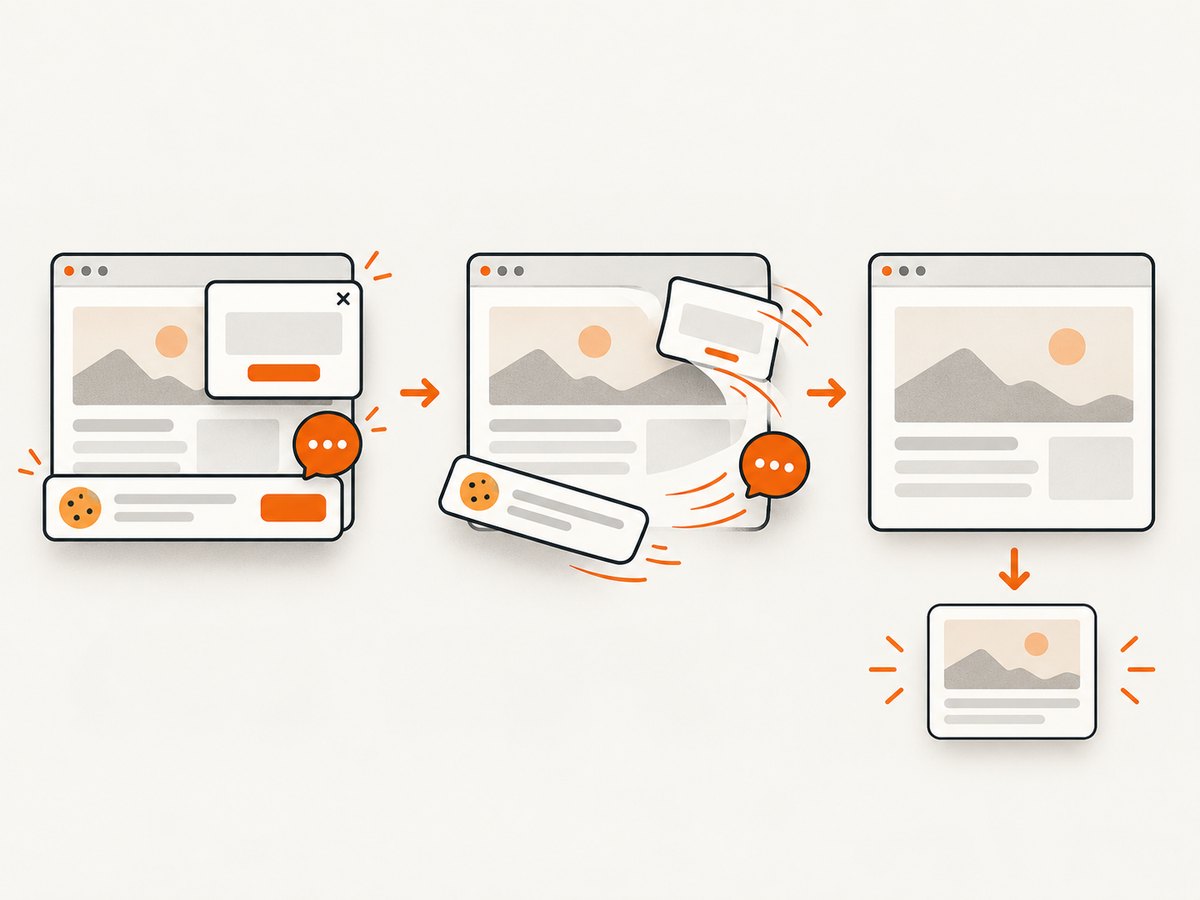
Cookie banners, newsletter popups, and chat widgets are removed before the shot. Bot checks, blank pages, timeouts, failed loads, and cache hits are not billed, and response headers identify the page verdict and whether it was billed. The MCP server exposes take_screenshot, get_page_info, and capture_pdf for Claude, Cursor, and other MCP clients. You get 1,000 screenshots per month free with no card; paid plans start at $5 for 3,000 shots. Create a free ScreenshotNeo account.
FAQ
Can I force wkhtmltoimage to use an IP while still selecting a virtual host?
The documented CLI does not provide a general URL-hostname-to-destination-IP mapping switch. Control resolution on the capture machine or through the proxy, and retain the hostname in the URL.
Will changing the Host header solve the problem?
It is not a documented substitute for DNS or proxy routing. It can also conflict with TLS and redirects, so use it only for a specific application requirement you understand.
Why does sharing an IP not bypass same-origin rules?
Browser security origins use scheme, host, and port. Equal DNS results do not make different hostnames the same origin.
When should I replace wkhtmltoimage?
Consider a modern browser engine when the page depends on current JavaScript, complex hydration, or browser APIs that the aging Qt WebKit engine does not support reliably.
How can I reproduce a production failure?
Run the same command on the same machine or container, record the renderer version, resolver output, proxy settings, stderr, and final redirects, then compare the captured hostname and response headers with a cURL request.


