How to Generate PDFs With wkhtmltopdf in CodeIgniter
Build reliable CodeIgniter PDFs with wkhtmltopdf: installation, secure PHP integration, CSS and JavaScript fixes, options, troubleshooting, and alternatives.
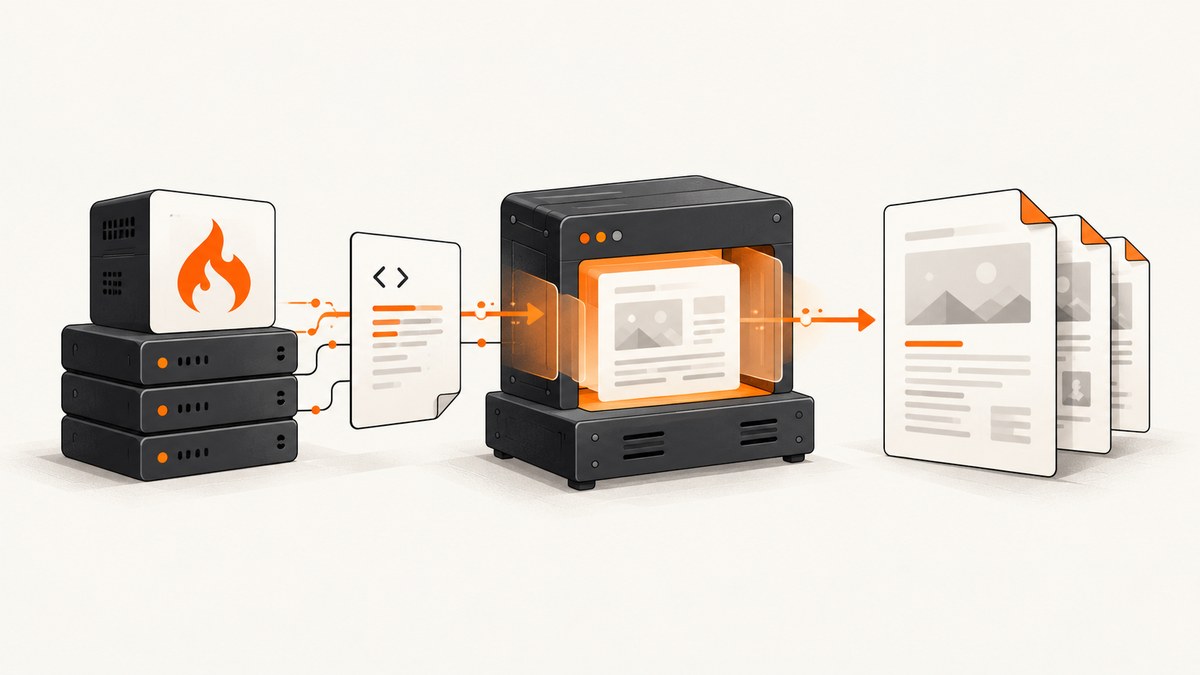
Direct answer: Generate a complete HTML document from a CodeIgniter view, save it to a temporary file, invoke the pinned wkhtmltopdf binary with explicit page and security options, validate the exit code and output file, then return the PDF through CodeIgniter. wkhtmltopdf is an external LGPLv3 command-line program using the Qt WebKit engine, not a CodeIgniter-native library. The stable series is 0.12.6, released in 2020, so record and test the exact binary path in every deployment.
This guide covers CodeIgniter 4 patterns, but the process also applies to CodeIgniter 3: render a view, create a temporary HTML file, execute the binary, and stream the result. For modern client-rendered pages, read the limitations section before choosing wkhtmltopdf.
1. Install and verify the prerequisites
Install CodeIgniter and PHP
Use the supported CodeIgniter project setup and confirm the PHP version and required extensions for your CodeIgniter release. Composer is the recommended maintenance path. Keep PDF generation in a service or library so controllers only validate input and return a response.
Install wkhtmltopdf
Download a package for the server operating system from the official downloads page. Pin the version, checksum the package in your build pipeline, and configure an absolute executable path such as /usr/local/bin/wkhtmltopdf. Do not assume the executable installed by a distribution package behaves identically on another host.
# Verify the binary during deployment
/usr/local/bin/wkhtmltopdf --version
# Expected series for this guide: wkhtmltopdf 0.12.6
The official command shape is:
wkhtmltopdf [options] input.html output.pdf
2. Render a complete HTML document
wkhtmltopdf renders HTML, not a partial view fragment. Include the doctype, html, head, charset, and body. Prefer absolute HTTPS asset URLs that the renderer can reach, or use a narrowly allowed local asset directory. Relative URLs often fail because the temporary HTML file is written outside your web root.
<!doctype html>
<html lang="en">
<head>
  <meta charset="UTF-8">
  <title><?= esc($title) ?></title>
  <style>
    @page { margin: 18mm 16mm 20mm; }
    body { font-family: Arial, sans-serif; color: #222; font-size: 11pt; }
    h1, h2 { page-break-after: avoid; }
    table { width: 100%; border-collapse: collapse; }
    th, td { border: 1px solid #ccc; padding: 6px; }
    thead { display: table-header-group; }
    tr { page-break-inside: avoid; }
  </style>
</head>
<body>
  <h1><?= esc($title) ?></h1>
  <p>Generated at <?= esc($generatedAt) ?></p>
  <?= $bodyHtml ?>
</body>
</html>
Escape values inserted into attributes and text. If $bodyHtml comes from users, sanitize it with an HTML policy before it reaches the renderer. Never concatenate untrusted JavaScript into this template.
3. A production CodeIgniter service
The following service writes HTML and PDF files below a private temporary directory, runs the process, captures diagnostics, enforces a timeout, and checks that the result is non-empty. A process component is preferable to a raw shell call because it makes timeout and stderr handling explicit. The example uses PHP’s proc_open so it has no extra package requirement.
<?php
namespace App\Services;

use RuntimeException;

final class WkhtmltopdfService
{
    public function __construct(
        private string $binary = '/usr/local/bin/wkhtmltopdf',
        private string $workDir = WRITEPATH . 'pdf'
    ) {}

    public function render(string $html, string $downloadName = 'document.pdf'): array
    {
        if (!is_file($this->binary) || !is_executable($this->binary)) {
            throw new RuntimeException('wkhtmltopdf executable is missing or not executable');
        }
        if (!is_dir($this->workDir) && !mkdir($this->workDir, 0700, true)) {
            throw new RuntimeException('Cannot create PDF work directory');
        }

        $id = bin2hex(random_bytes(16));
        $htmlPath = $this->workDir . DIRECTORY_SEPARATOR . $id . '.html';
        $pdfPath  = $this->workDir . DIRECTORY_SEPARATOR . $id . '.pdf';
        file_put_contents($htmlPath, $html, LOCK_EX);

        $command = implode(' ', [
            escapeshellarg($this->binary),
            '--page-size', 'A4',
            '--orientation', 'Portrait',
            '--encoding', 'UTF-8',
            '--print-media-type',
            '--disable-javascript',
            '--disable-local-file-access',
            '--load-error-handling', 'abort',
            '--load-media-error-handling', 'abort',
            escapeshellarg($htmlPath),
            escapeshellarg($pdfPath),
        ]);

        $pipes = [];
        $process = proc_open($command, [
            1 => ['pipe', 'w'],
            2 => ['pipe', 'w'],
        ], $pipes, $this->workDir);
        if (!is_resource($process)) {
            @unlink($htmlPath);
            throw new RuntimeException('Could not start wkhtmltopdf');
        }

        $stdout = stream_get_contents($pipes[1]);
        $stderr = stream_get_contents($pipes[2]);
        fclose($pipes[1]);
        fclose($pipes[2]);
        $exitCode = proc_close($process);

        @unlink($htmlPath);
        if ($exitCode !== 0 || !is_file($pdfPath) || filesize($pdfPath) === 0) {
            @unlink($pdfPath);
            log_message('error', 'wkhtmltopdf failed: exit={exit}, stderr={stderr}', [
                'exit' => $exitCode, 'stderr' => $stderr,
            ]);
            throw new RuntimeException('PDF generation failed');
        }

        $bytes = file_get_contents($pdfPath);
        @unlink($pdfPath);
        return ['bytes' => $bytes, 'name' => $downloadName, 'stderr' => $stderr];
    }
}
For long-running or untrusted workloads, replace the illustrative process call with Symfony Process or another component that supports a hard timeout and non-blocking output reads. Run the worker as a dedicated low-privilege user and keep its working directory non-writable by the web server except for a controlled temporary location.
4. Call the service from a controller
<?php
namespace App\Controllers;

use App\Services\WkhtmltopdfService;

final class Reports extends BaseController
{
    public function pdf()
    {
        $html = view('reports/invoice', [
            'title' => 'Invoice 1042',
            'generatedAt' => date(DATE_ATOM),
            'bodyHtml' => view('reports/invoice_rows', ['rows' => $this->rows()]),
        ]);

        $result = (new WkhtmltopdfService())->render($html, 'invoice-1042.pdf');
        return $this->response
            ->setHeader('Content-Type', 'application/pdf')
            ->setHeader('Content-Disposition', 'inline; filename="' . $result['name'] . '"')
            ->setBody($result['bytes']);
    }
}
5. Options that control layout and loading
| Goal | Options or technique | Guidance |
|---|---|---|
| Paper and orientation | --page-size A4, --orientation Landscape |
Set explicitly for repeatable output. |
| Margins | --margin-top 15mm, --margin-right 12mm, and matching bottom/left flags |
Coordinate with CSS @page; avoid conflicting rules. |
| Character encoding | --encoding UTF-8 |
Declare <meta charset> too. |
| Print styles | --print-media-type |
Use a print stylesheet for colors, visibility, and pagination. |
| JavaScript | --enable-javascript, --disable-javascript |
Disable it for static reports; enable only for controlled pages. |
| Readiness | --javascript-delay 1000 or --window-status ready |
Prefer a page signal; keep delays bounded. |
| Images | --no-images or default image loading |
Check URL reachability, MIME types, and server authentication. |
| Local files | --disable-local-file-access, narrowly scoped --allow /path |
Keep disabled unless a specific asset directory is required. |
| Failures | --load-error-handling abort, --load-media-error-handling abort |
Fail visibly instead of returning a deceptively incomplete PDF. |
| Headers and cookies | --custom-header Name Value, --cookie name value |
Never log secrets; scope credentials to the target request. |
Headers, cookies, and user-agent settings are useful for authenticated internal reports, but they also increase the impact of a server-side request forgery bug. Validate destination hosts and do not let users choose arbitrary URLs.
6. Fix missing CSS, images, and JavaScript
- CSS: use absolute URLs or inline critical styles. Confirm the renderer can resolve HTTPS certificates and DNS from the server.
- Images: return a correct image content type, avoid expiring signed URLs, and check that authentication cookies are passed.
- Fonts: use reachable web fonts or package approved font files. Test font licenses and fallbacks.
- JavaScript: wkhtmltopdf uses an older WebKit engine. Framework code that depends on modern browser APIs may never finish. Use a readiness element and
--window-status, or move to a browser engine. - Relative links: rewrite them against a controlled base URL or generate the document with absolute paths.
7. Security for user-submitted HTML
Do not pass untrusted HTML or JavaScript directly to wkhtmltopdf. The project’s download guidance warns that unsanitized input can lead to complete server takeover. Sanitize markup, remove scripts and event handlers, constrain outbound destinations, disable local-file access, and run the renderer with a dedicated unprivileged account. Add AppArmor on supported Linux systems or SELinux controls where available; deny network access when the report does not need it.
Use a queue for jobs that can take more than a normal request timeout. Enforce an overall deadline, a maximum HTML size, a maximum output size, and a process count limit. Delete temporary files in a finally block, including when generation fails.
8. Troubleshooting checklist
| Symptom | Likely cause | Fix |
|---|---|---|
command not found |
PATH differs for PHP-FPM and the shell. | Configure an absolute binary path and verify it as the service user. |
| Exit code is non-zero | Invalid URL, blocked asset, or renderer error. | Log stderr, test the same command manually, and use load-error options. |
| Blank PDF | Empty view, JavaScript not finished, or a failed navigation. | Save the generated HTML for inspection, add a readiness signal, and validate the response. |
| CSS missing | Relative URL or inaccessible asset. | Use absolute URLs, inline critical CSS, and test server-side reachability. |
| Images missing | Expired URL, authentication, TLS, or unsupported format. | Use stable URLs, pass scoped cookies, and inspect the image response. |
| Content cut off | Fixed-height containers or page-break rules. | Remove rigid heights, use print CSS, and add page-break-inside: avoid selectively. |
| Fonts differ | Font unavailable to the service user. | Install an approved fallback or serve a reachable font. |
| Request times out | Slow remote assets or JavaScript loop. | Bound delays, reduce dependencies, queue work, and terminate overdue processes. |
| Local file error | Local access is disabled. | Prefer HTTPS assets; if unavoidable, allow one dedicated directory only. |
9. Performance, reliability, and cost
Rendering starts a separate process and loads every asset, so startup and network time are part of each request. Reuse a queue worker, keep templates small, self-host stable assets, and avoid loading analytics or advertising resources. Generate only once when the source data has not changed, then cache the resulting PDF with a content hash. Monitor duration, exit status, output size, and stderr without recording credentials.
wkhtmltopdf has no per-render service fee, but you pay for CPU, memory, storage, and operational maintenance. Its WebKit engine is old and the stable release dates from 2020. For modern JavaScript-heavy pages, compare Puppeteer; for controlled reports, consider WeasyPrint; Prince is the commercial option named by the project. A pure-PHP option is tc-lib-pdf, installed with Composer for PHP 8.2+, but it uses a different rendering model and may require layout changes.
10. Or skip the browser setup
ScreenshotNeo provides a hosted website screenshot and PDF API. It accepts a URL in one GET request and can return PNG, JPEG, WebP, or PDF. The request below is the shortest route from a CodeIgniter controller to a PDF or screenshot; see the ScreenshotNeo API documentation for all parameters.

curl -G "https://api.screenshotneo.com/v1/shot" -d access_key=YOUR_API_KEY --data-urlencode url=https://stripe.com -o shot.webpimport requests
r = requests.get("https://api.screenshotneo.com/v1/shot", params={"access_key": "YOUR_API_KEY", "url": "https://stripe.com"}, timeout=90)
open("shot.webp", "wb").write(r.content)const q = new URLSearchParams({ access_key: 'YOUR_API_KEY', url: 'https://stripe.com' });
const res = await fetch(`https://api.screenshotneo.com/v1/shot?${q}`);For a PDF, pass the PDF option described in the documentation. ScreenshotNeo removes cookie and consent banners, newsletter popups, and chat widgets before capture; bot checks, blank pages, failed loads, timeouts, and cache hits are not billed, and response headers identify the page verdict and billing status. Its MCP server includes take_screenshot, get_page_info, and capture_pdf for Claude, Cursor, and other MCP clients. The Free plan includes 1,000 shots each month with no card; paid plans start at $5 for 3,000 shots. Create a free ScreenshotNeo account.
11. Choosing the right renderer
| Requirement | Best starting point | Reason |
|---|---|---|
| Controlled HTML with legacy WebKit-compatible CSS | wkhtmltopdf | Simple command-line deployment and predictable options when pinned. |
| Modern JavaScript application | Puppeteer or ScreenshotNeo | Browser rendering handles current client-side frameworks. |
| Static, print-focused reports without JavaScript | WeasyPrint or tc-lib-pdf | Different rendering models may simplify controlled documents. |
| Hosted URL capture, cleanup, and PDF API | ScreenshotNeo | Clean shots, only clean shots billed, and a $5 paid entry plan. |
12. FAQ
Is wkhtmltopdf a PHP library?
No. It is an external executable. CodeIgniter invokes it as a child process and streams the generated file.
Can I render a CodeIgniter view directly?
Render the view to a string first. wkhtmltopdf needs a complete HTML document or a reachable URL.
Why does a page look right in Chrome but wrong in the PDF?
wkhtmltopdf uses Qt WebKit, not a current Chromium engine. Unsupported CSS and JavaScript APIs will differ.
Should I enable local-file access to fix images?
Only for a narrowly scoped, trusted directory. Prefer controlled HTTPS assets and keep local access disabled.
When should I use an asynchronous job?
Use a queue when pages contain remote assets, JavaScript waits, large tables, or any workload that can exceed the HTTP request timeout.
How do I inspect a failed render?
Persist the generated HTML briefly in a protected diagnostic location, capture stderr and the exit code, reproduce as the same service user, then remove the diagnostic file.


