How to Set Consistent Top Margins Across wkhtmltopdf PDF Pages
Set a predictable top margin on every wkhtmltopdf page by separating the page inset from repeated-header spacing, then troubleshoot common sources of drift.

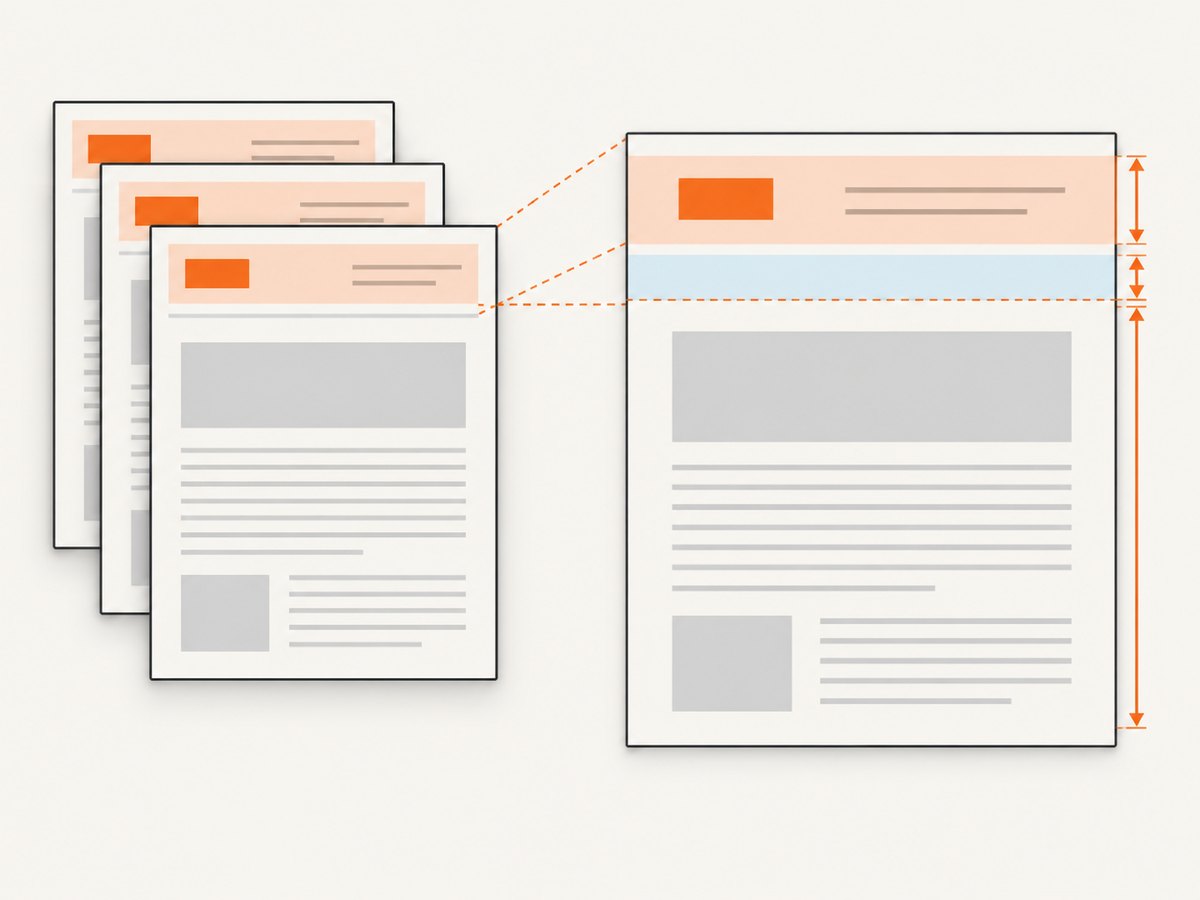
To keep the content starting at the same vertical position on every wkhtmltopdf page, set one explicit page-level top margin with --margin-top and control the separate gap below a repeated header with --header-spacing. Use physical units such as millimetres, reset the header document’s body margin, and remove unplanned CSS margins from the first content elements.
For a repeated HTML header, start with:
wkhtmltopdf \
  --margin-top 25mm \
  --header-spacing 0 \
  --header-html header.html \
  input.html output.pdf
--margin-top reserves the page-level top inset. --header-spacing sets the gap between the repeated header and the content; it is not the page margin. The library API exposes the equivalent concepts as margin.top and header.spacing. See the wkhtmltopdf command-line documentation and library page settings.
1. Understand the two measurements
A PDF page has a page box, a printable content area, and—if configured—a repeated header. The top margin places the content area below the physical top of each page. Header spacing is the distance from the header to that content. Mixing these measurements is a common cause of confusing layouts: increasing header spacing does not establish a stable page inset.
| Setting | What it controls | Typical use |
|---|---|---|
--margin-top |
Page-level space above the document content | Reserve room for the header and establish a consistent content start |
--header-spacing |
Gap between the repeated header and content | Add a deliberate, measured separation below the header |
CSS @page margin |
Page-box margin declared in the HTML document | Control page margins for CSS paged media, especially without an injected wkhtmltopdf header |
| CSS body or first-element margin | Spacing inside the rendered document content | Style the HTML itself; reset it when diagnosing margin drift |
The CLI documentation describes header spacing in millimetres and gives it a default of zero. It also warns that excessive spacing can put the header outside the PDF and recommends adjusting margin.top to correct that. Consequently, set the page margin first, then add only the header gap the layout needs.
2. Measure the header and choose a top margin
Render the header at the same page width, font, and resource conditions as the final PDF. Measure its full height, including borders and padding. Set the top margin to at least the header height plus the desired content gap. For example, an 18 mm header with a desired 2 mm gap suggests starting at 20 mm, with a little extra room if fonts, borders, or line wrapping can vary. This is a layout calculation, not a universal wkhtmltopdf value.
- Choose the PDF page size and orientation that the output will actually use.
- Measure the header’s rendered height in physical units.
- Set
--margin-topto the header height plus the intended gap. - Start with
--header-spacing 0; increase it only if a visible gap is needed. - Generate a multi-page PDF and inspect the start of the content on the first, a middle, and the last page.
Use explicit units. A command such as --margin-top 25mm is easier to reproduce than relying on browser pixels, whose conversion and scaling may not match the physical page dimensions you intend.
3. Reset the header document
wkhtmltopdf loads an HTML header separately from the main document. Browser defaults in that separate document can shift the header before your own styles are applied. Start with a zeroed body box:
<!doctype html>
<html>
<head>
  <meta charset="utf-8">
  <style>
    html, body {
      margin: 0;
      padding: 0;
    }
    .header {
      height: 18mm;
      box-sizing: border-box;
      border-bottom: 0.3mm solid #444;
      font: 10pt sans-serif;
    }
  </style>
</head>
<body>
  <div class="header">Invoice report</div>
</body>
</html>
The project’s documented HTML-header example uses a body with zero border and margin. Resetting padding as well makes the intended box explicit. Keep the header’s height stable: wrapping text, late-loading images, variable content, and font substitutions can change its rendered dimensions.
4. Use one complete, repeatable command
Assuming an A4 portrait document and a header that fits within a 25 mm top area, this command establishes the page margin and removes additional header gap:
wkhtmltopdf \
  --page-size A4 \
  --margin-top 25mm \
  --margin-right 15mm \
  --margin-bottom 20mm \
  --margin-left 15mm \
  --header-html header.html \
  --header-spacing 0 \
  input.html output.pdf
Save the header and input HTML as files, then run the command in an environment where the wkhtmltopdf binary and any referenced resources are available. Verify the installed build before diagnosing differences:
wkhtmltopdf --versionPage size affects available content height and therefore pagination. The CLI supports --page-size, --page-height, and --page-width; A4 is the documented default. If you change page dimensions or switch to landscape, recheck the header width and wrapping as well as the page breaks. The numeric margins above are an example starting point, not a mandatory template.
5. Choose between command-line margins and CSS @page
For a single HTML document without a separately injected wkhtmltopdf header, CSS paged media offers a page-box margin mechanism:
<style>
  @page {
    size: A4;
    margin-top: 25mm;
    margin-right: 15mm;
    margin-bottom: 20mm;
    margin-left: 15mm;
  }

  html, body {
    margin: 0;
    padding: 0;
  }
</style>
CSS 2.2 defines page margins inside an @page rule. Its example sets all margins with @page { margin: 3cm; }. See the W3C CSS 2.2 paged-media specification. When using wkhtmltopdf’s injected repeated header, the command-line margin is generally simpler to reason about because the header is another layout layer with its own spacing setting.
Avoid setting the same top spacing in several places while troubleshooting. Temporarily remove top margins from html, body, headings, and the first content wrapper. Establish the page inset through one chosen control, then restore any internal spacing intentionally.
6. Account for multiple page objects
When a wkhtmltopdf invocation combines multiple page objects, the project has a documented issue report describing behavior in which the top margin can reflect the tallest header across objects, including an object without a header. The report concerns wkhtmltopdf 0.12.2.1 and records the reporter’s observed behavior; it is historical evidence, not a guarantee that every build behaves the same way. See wkhtmltopdf issue #2482.
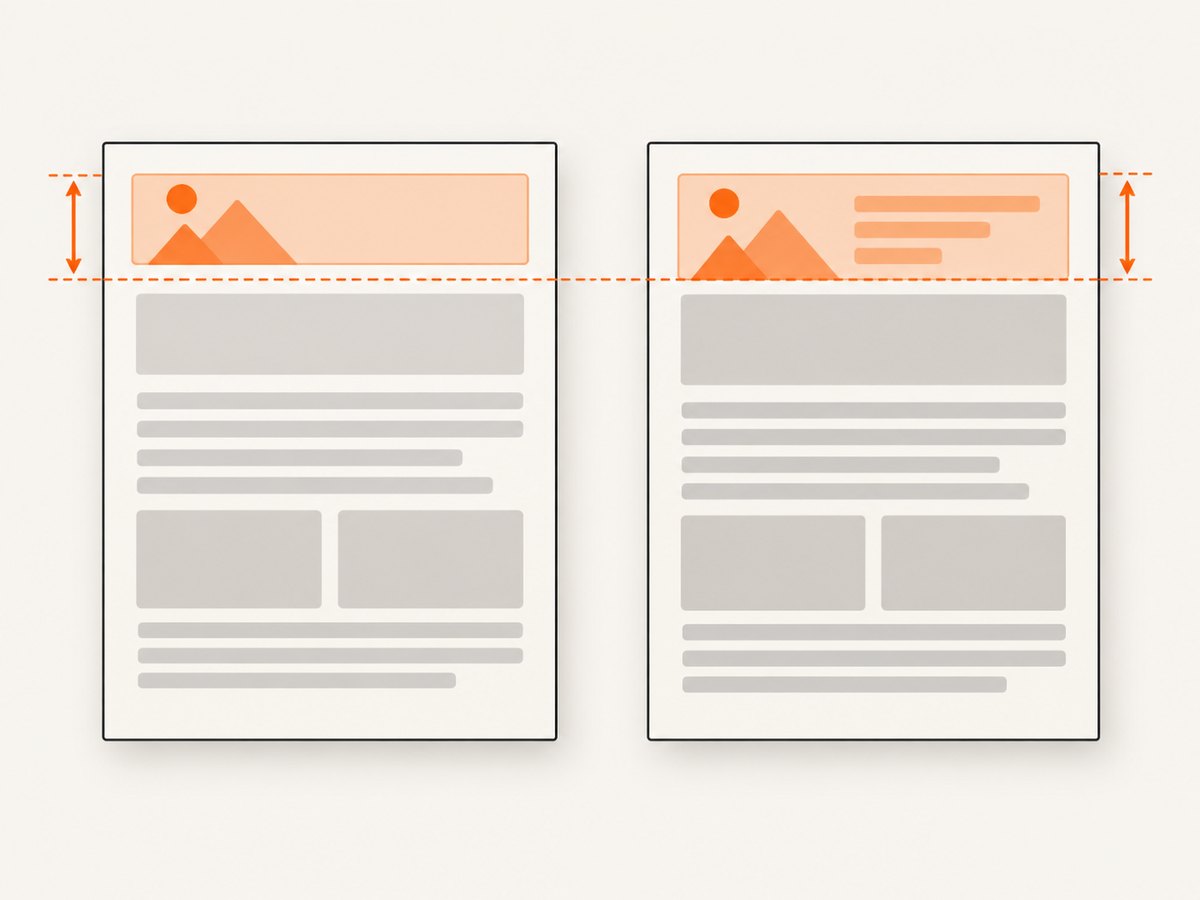
If pages or objects use different headers, standardize their dimensions and settings. If the desired headers cannot share one height, render separate PDFs and merge them with a downstream PDF tool. This avoids assuming that per-object header differences will produce independently calculated page margins in every wkhtmltopdf build.
7. Diagnose top-margin drift
- Record the build. Run
wkhtmltopdf --versionand include the output when comparing machines or investigating a discrepancy. - Remove competing CSS. Temporarily clear top margins from
html,body, headings, and the first content container. - Set the page inset explicitly. Use a physical unit with
--margin-top. - Separate the header gap. Set
--header-spacing 0, then add a measured gap if necessary. - Reset the header body. Set its margin and padding to zero.
- Stabilize the header.** Keep text from wrapping unexpectedly and ensure images and fonts do not alter its height after initial layout.
- Inspect several pages. Put a visible horizontal rule at the start of the content and compare pages 1, a middle page, and the last page.
- Normalize page objects. For multiple objects, make header dimensions consistent or render separate PDFs for later merging.
Inspecting only page one is insufficient: repeated headers and page breaks can expose layout changes later in the document. A visible start rule makes the content position easier to compare than estimating whitespace by eye.
8. Common errors and fixes
| Symptom | Likely cause | Fix |
|---|---|---|
| Header overlaps the first line | The reserved top area is shorter than the header, or the content gap is too small | Measure the rendered header and raise --margin-top; add only the needed --header-spacing |
| Header appears clipped or outside the page | Header spacing is too large for the reserved top area | Reduce spacing and increase --margin-top as needed; the project docs specifically connect this correction to margin.top |
| Every page starts too low | Page margin is larger than needed, or CSS margins stack with it | Remove duplicate top spacing and reduce the single intended page margin |
| Page two differs from page one | Variable header height, wrapping, late resources, or different page-object headers | Stabilize header content; normalize object header dimensions; inspect the installed version |
| Header body has an unexpected inset | Default body margin or padding in the separate header document | Set html, body { margin: 0; padding: 0; } |
| Pagination changes after switching paper or orientation | Different page dimensions change available content area and line wrapping | Set page size explicitly and remeasure the header and content position |
| Results differ across environments | Different wkhtmltopdf builds or resource/font availability | Compare --version, make resources available consistently, and use a multi-page fixture |
9. Performance, reliability, and cost considerations
Margin settings themselves are small configuration values; layout stability depends more on predictable inputs. A fixed header height, available fonts and images, explicit page size, and a repeatable binary build reduce surprises. Late-loading resources and text that wraps differently can change the header height, so validate with the actual rendering environment and representative long content.
For reliable output, keep a small multi-page fixture alongside the HTML and header templates. Re-render it when changing fonts, page dimensions, CSS, or the wkhtmltopdf build. Check the first, middle, and last pages and confirm the same content-start position. The dossier provides no published performance benchmark or cost figures for this configuration; avoid estimating them from margin values alone.
10. Or skip the browser setup
If your actual task is capturing a website as an image or PDF rather than laying out a custom wkhtmltopdf document, ScreenshotNeo is a website screenshot API and MCP server for developers. It accepts one GET request with a URL and can return PNG, JPEG, WebP, or PDF. Its capture controls include PDF paper size, margins, landscape mode, and page ranges. See the ScreenshotNeo API documentation.
curl -G "https://api.screenshotneo.com/v1/shot" \
  -d access_key=YOUR_API_KEY \
  --data-urlencode url=https://stripe.com \
  -o shot.pdf
import requests
r = requests.get(
"https://api.screenshotneo.com/v1/shot",
params={"access_key": "YOUR_API_KEY", "url": "https://stripe.com"},
timeout=90,
)
open("shot.pdf", "wb").write(r.content)const q = new URLSearchParams({
access_key: 'YOUR_API_KEY',
url: 'https://stripe.com'
});
const res = await fetch(`https://api.screenshotneo.com/v1/shot?${q}`);ScreenshotNeo removes cookie banners, newsletter popups, and chat widgets before the shot; bot checks, blank pages, and failed loads are never billed. Its MCP server lets AI agents take screenshots. The free plan includes 1,000 screenshots a month with no card, and paid plans start at $5 for 3,000. Sign up for the free plan.
11. Frequently asked questions
Should I set the margin in millimetres or pixels?
Use a physical unit such as millimetres, centimetres, or inches when you need a physical page inset. It makes the intended measurement explicit.
Does header spacing set the top margin?
No. It controls the gap between the repeated header and content. Set the page-level inset separately with --margin-top or the library’s margin.top.
Can I use CSS @page and an HTML header together?
CSS defines page-box margins, while wkhtmltopdf’s injected header has its own spacing and page-margin settings. For a repeated injected header, begin with the command-line margin controls so the layout has one clear page-level measurement.
Why is my header correct on the first page but not later?
Check for content that changes its height, such as wrapping text or late-loaded images, and verify that every page object uses the same header dimensions. Compare the installed build and inspect more than the first page.
Will the same margin produce identical pagination on every paper size?
The top inset may remain the same, but page dimensions change the available content area. Recheck pagination, header wrapping, and content position after changing paper size or orientation.


