How to Make wkhtmltopdf PDF Checksums Deterministic Across Runs
Make wkhtmltopdf PDF checksums repeatable by pinning the renderer and runtime, freezing inputs, and checking where any byte-level differences come from.
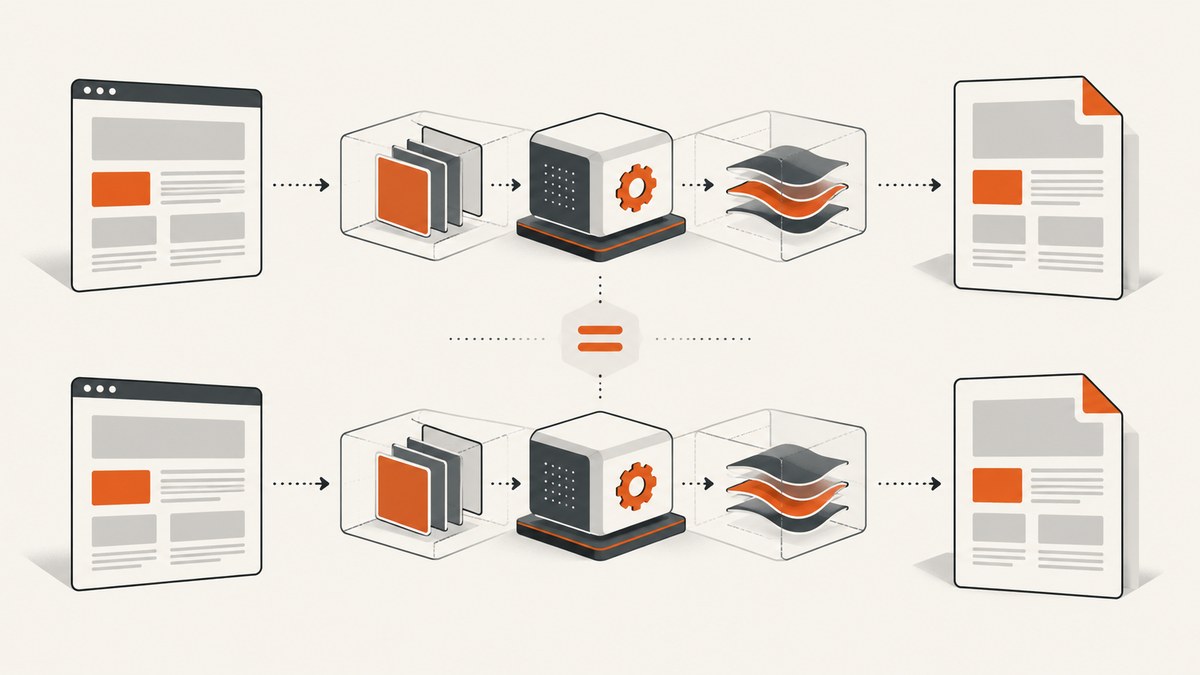
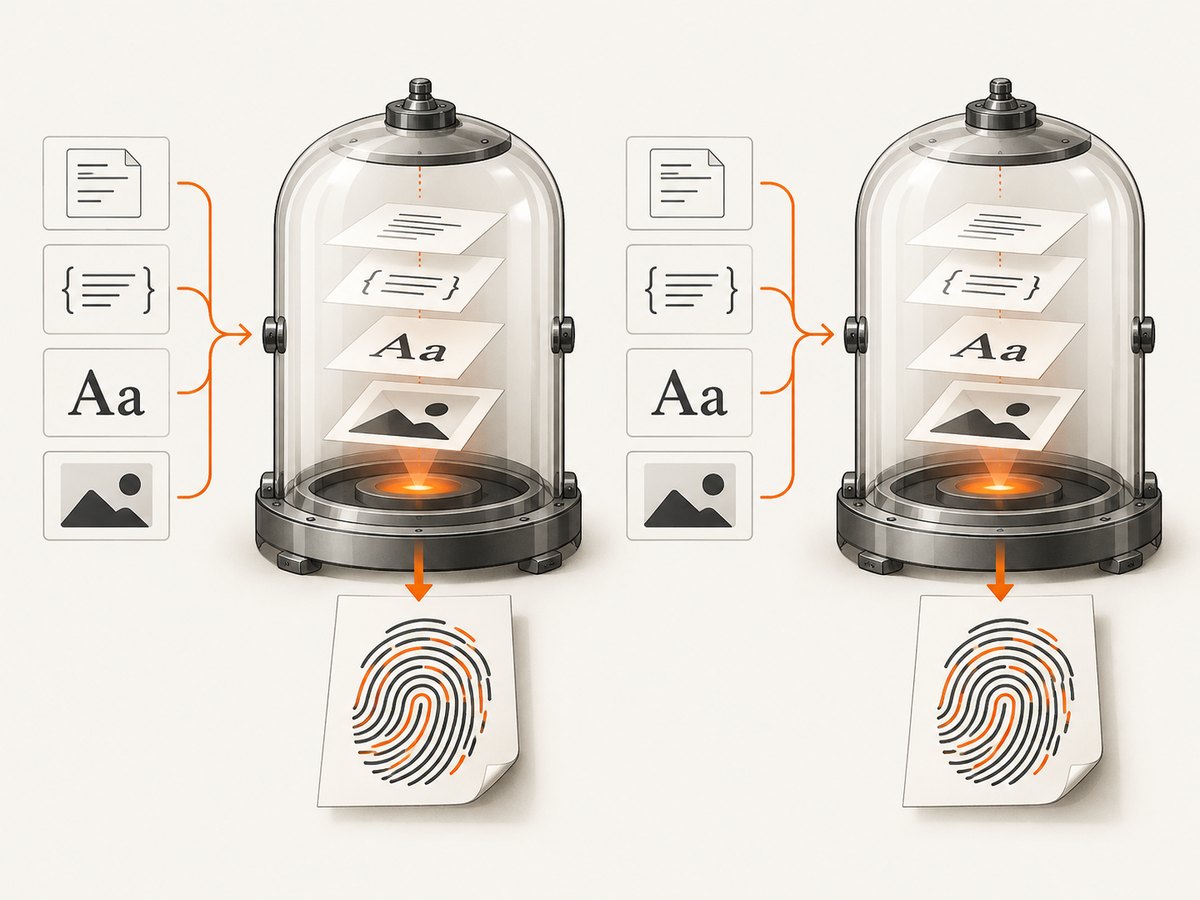
To make wkhtmltopdf PDF checksums deterministic, hold the entire rendering environment and every input constant: pin the exact binary and runtime image, vendor fonts and other assets, remove changing application data and clock substitutions, and specify rendering options explicitly. Then render the same input twice in that environment and compare SHA-256 hashes. If they differ, inspect the PDFs for metadata, trailer IDs, fonts, resource bytes, and object ordering.
A stable wkhtmltopdf --version string by itself is not enough. Fonts, native libraries, network resources, defaults, and generated PDF metadata can all affect output bytes. Upstream reports document byte-level differences from repeated conversions, including a report that differences remained after ignoring CreationDate. That report does not establish a universal fix, so treat determinism as a property of your pinned pipeline and a defined normalization policy. Upstream issue #4437 and issue #2501 describe the problem.
1. Define what “deterministic” means
There are two different goals developers may call deterministic:
- Byte-for-byte determinism: the complete PDF files are identical, so their SHA-256 hashes match.
- Content determinism: the pages look and behave the same, even if the files differ in metadata, identifiers, or internal object layout.
Choose one before building a check. A byte checksum includes the PDF’s metadata and internal structure. If your policy excludes volatile metadata, normalize it in a controlled post-processing step, hash the normalized artifact, and retain the original for audit. Do not silently strip fields until a test passes: record exactly which fields are excluded and apply the same policy to every build.
wkhtmltopdf is a headless command-line renderer based on Qt WebKit. The project describes it as rendering HTML to PDF and image formats without requiring a display service. See the official project overview. Its current stable series on the downloads page is 0.12.6, released June 11, 2020. The project also notes that distribution packaging differs and that runtime fonts depend on fontconfig and freetype2. See official downloads and platform notes.
2. Pin the renderer and complete runtime
Run the same executable, linked libraries, font stack, and OS image in local development and CI. Record the binary’s digest as well as its version output. A version label is useful for diagnosis, but different packages or builds can share a version while relying on different Qt patches or system libraries.
wkhtmltopdf --version
sha256sum "$(command -v wkhtmltopdf)"
uname -m
locale
Capture these values in build logs or a manifest. Pin the container image by immutable digest in your deployment configuration; do not use a floating tag for a checksum-sensitive job. Pin architecture, libc, shared libraries, locale, timezone, and relevant environment variables too. The official downloads page discusses differences between distribution packages and the runtime’s fontconfig/freetype2 configuration.
Do not switch between a distribution package and a project-provided patched-Qt binary during comparisons. If you intentionally upgrade the renderer or base image, expect checksums to change: treat the change as a new rendering baseline, inspect the output, then update golden hashes deliberately.
3. Freeze fonts and every render input
Text layout depends on the fonts available to the renderer. A missing font can trigger a fallback; a different font file can change glyph widths, line wrapping, pagination, and embedded font data. Package the exact font files and fontconfig configuration alongside the renderer, and record font hashes. Avoid relying on whichever fonts happen to be installed on a host.
Make the HTML input a snapshot as well. Vendor or snapshot:
- Stylesheets, scripts, images, SVGs, and web fonts.
- Data returned by APIs and database queries, including a stable row ordering.
- Any generated IDs, timestamps, random values, feature flags, and user-specific values.
- Content loaded after page startup, including asynchronous widgets and client-side rendering.
Prefer local files or a local fixture server. If the page must reference remote content, fetch and archive the exact bytes before rendering, then serve those bytes from a controlled endpoint. A live URL is a mutable input: even if your HTML does not change, its response, redirects, headers, or availability can.
4. Remove time-dependent substitutions and make options explicit
The wkhtmltopdf 0.12.6 manual documents header/footer substitutions including [date], [isodate], and [time], which use the current system date or time. Remove them from checksum runs or replace them with fixed literals. The manual documents these substitutions and rendering flags in the usage reference.
Do not rely on defaults. Set the options that affect your document, especially:
- Page size or explicit page width and height.
- Top, bottom, left, and right margins.
- DPI and image quality where relevant.
- Print versus screen media, including
--print-media-typewhen required. - JavaScript behavior and any wait strategy your page needs.
- Header/footer content, outline settings, and load-error policy.
The manual documents defaults such as A4 paper and 96 DPI. Explicit values make the job easier to review and reduce surprises when configuration changes. Match settings to your intended document rather than copying a set of options blindly.
5. A repeatable local checksum check
The following Bash script assumes report.html and all its referenced resources are already fixed and accessible in the same runtime. It renders twice with explicit options, prints hashes, and fails when they differ.
#!/usr/bin/env bash
set -euo pipefail

input="${1:-report.html}"
out_dir="${2:-build/checksums}"
mkdir -p "$out_dir"

# Keep options in one place so both conversions use the same configuration.
options=(
  --page-size A4
  --dpi 96
  --margin-top 12mm
  --margin-right 12mm
  --margin-bottom 12mm
  --margin-left 12mm
  --print-media-type
  --disable-javascript
  --load-error-handling abort
  --load-media-error-handling abort
)

wkhtmltopdf --version
wkhtmltopdf "${options[@]}" "$input" "$out_dir/first.pdf"
wkhtmltopdf "${options[@]}" "$input" "$out_dir/second.pdf"

first_hash="$(sha256sum "$out_dir/first.pdf" | cut -d ' ' -f 1)"
second_hash="$(sha256sum "$out_dir/second.pdf" | cut -d ' ' -f 1)"
printf 'first:  %s\nsecond: %s\n' "$first_hash" "$second_hash"

if [[ "$first_hash" != "$second_hash" ]]; then
  echo "PDF output differs between runs" >&2
  exit 1
fi
Adjust the flags to reflect the document you actually ship. For example, disabling JavaScript is appropriate only when the page is complete without it. If JavaScript creates required content, enable it and make its inputs and completion timing deterministic instead. Keep a copy of both outputs on mismatch so diagnosis is possible.
6. Compare outputs and locate the first divergence
Start with file hashes, then move from broad checks to PDF-aware inspection:

- Confirm both runs used the same input bytes, executable digest, container digest, command line, environment, and asset bytes.
- Check PDF metadata such as the Info dictionary and any XMP metadata for changing timestamps or producer fields.
- Inspect the trailer’s
/IDvalues. A generated identifier can differ between otherwise visually identical files. - Compare embedded fonts and subset names. A different fallback font or font subset can change file bytes and page layout.
- Check embedded images and other resources for changed bytes or encoding.
- Use a PDF-aware diff or object inspection tool to identify changed objects and ordering. A raw binary diff can show that bytes differ, but often does not explain why.
When a difference is only metadata, decide whether metadata belongs to the artifact identity. If it does, preserve it and accept that the checksum records that distinction. If it does not, normalize those fields with a controlled PDF post-processor, then hash the normalized file. Validate that the normalized PDF still meets your document requirements.
7. Common problems and fixes
| Symptom | Likely cause | What to check or change |
|---|---|---|
| Hashes differ despite matching version output | Different binary build, libraries, environment, fonts, inputs, or generated metadata | Compare binary and image digests, runtime libraries, font hashes, environment, and PDF metadata. |
| PDFs look the same but hashes differ | Trailer IDs, timestamps, object ordering, or other nonvisual data | Inspect PDF objects and metadata; define and apply a documented normalization policy only if byte identity is not required for those fields. |
| Line breaks or page counts change on another host | Font fallback or different fontconfig/freetype configuration | Bundle the same fonts and fontconfig configuration, then verify font inventory and hashes. |
| Only documents with headers or footers differ | Dynamic substitutions such as [date], [isodate], or [time] |
Remove the token or use a fixed value for checksum builds. |
| CI output changes while HTML is unchanged | Remote images, CSS, scripts, API data, redirects, or async content changed | Snapshot and serve dependencies locally; make data ordering and completion behavior explicit. |
| Output differs after a package or OS update | Renderer build, native dependencies, fonts, or defaults changed | Pin the complete image and binary; treat upgrades as baseline changes and review rendered output. |
| Conversion succeeds with missing content | Resource load failures are being tolerated | Use an explicit load-error policy appropriate to the job and investigate missing resources rather than accepting a partial artifact. |
For untrusted HTML, take the project’s security warning seriously: the official downloads page cautions against using wkhtmltopdf on unsanitized user-supplied HTML or JavaScript. Keep rendering isolated and sanitize inputs according to your application’s threat model.
8. CI, performance, and reliability
Render twice in the same immutable CI image as a basic repeatability gate. For stronger coverage, run the same job in a second clean container from the same image digest; this can expose hidden dependence on leftover files or host state. Keep a manifest with the renderer digest, image digest, options, locale, timezone, and asset revision beside the resulting artifact or build logs.
Determinism checks add at least one extra conversion, so they add rendering work. Keep expensive checks in the pipeline where they provide value: for example, on changes to the renderer image, fonts, templates, or PDF generation code, rather than necessarily on every unrelated change. Avoid parallel conversions that share mutable temporary files or a shared profile directory. Use isolated output paths and inputs.
Reliability depends on distinguishing a real content change from incidental byte changes. A mismatch should preserve both PDFs and the build manifest, and ideally produce a readable diff report. Do not automatically rewrite the expected checksum on every failure; inspect the change and intentionally approve a new baseline. There is no general guarantee that wkhtmltopdf itself produces byte-identical output in every environment. The upstream reproducibility report remains unresolved in the cited record, so your pinned recipe and validation policy define the boundary of the guarantee.
9. Or skip the browser setup
If your task is to capture a web page as an image rather than generate a paginated PDF with wkhtmltopdf, ScreenshotNeo provides a one-request screenshot API and an MCP server. It is not a replacement for this wkhtmltopdf checksum recipe when you need PDF generation from your own HTML. For web-page capture, make a request like this; see the ScreenshotNeo API documentation for options.
curl -G "https://api.screenshotneo.com/v1/shot" \
  -d access_key=YOUR_API_KEY \
  --data-urlencode url=https://stripe.com \
  -o shot.webp
ScreenshotNeo accepts cookie or consent banners before capture and removes 60+ known consent platforms, newsletter popups, and chat widgets; each step can be turned off. Bot checks, CAPTCHAs, blank pages, timeouts, failed loads, and cache hits cost nothing, and response headers say which verdict applied and whether the request was billed. Its MCP server gives AI agents tools for screenshots, page information, and PDF capture. The free plan includes 1,000 screenshots a month with no card; paid plans start at $5 for 3,000 shots. Sign up for 1,000 free screenshots a month, with no card required.
FAQ
Does removing CreationDate guarantee matching checksums?
No. The upstream report specifically describes non-determinism remaining after ignoring CreationDate. Other metadata, trailer IDs, fonts, assets, or object ordering may still differ.
Should I pin the exact wkhtmltopdf patch release?
Yes, for a checksum-sensitive pipeline. Record the binary digest and the runtime image digest, and update both deliberately when changing the renderer.
Can I use visual comparison instead of SHA-256?
Visual comparison answers whether pages appear alike; a checksum answers whether all file bytes match. Use the check that corresponds to your artifact identity requirement, or retain both checks.
What if dynamic dates are required in the final PDF?
Then each date-specific output is a different artifact by design. Freeze the date only for reproducibility fixtures, or include the date in the expected input and checksum record.


