How to Create a Wkhtmltopdf PDF for Email Attachments Without HttpResponse
Generate a PDF with PDFKit, attach its bytes to a Django email, and send it without creating an HttpResponse or temporary file.
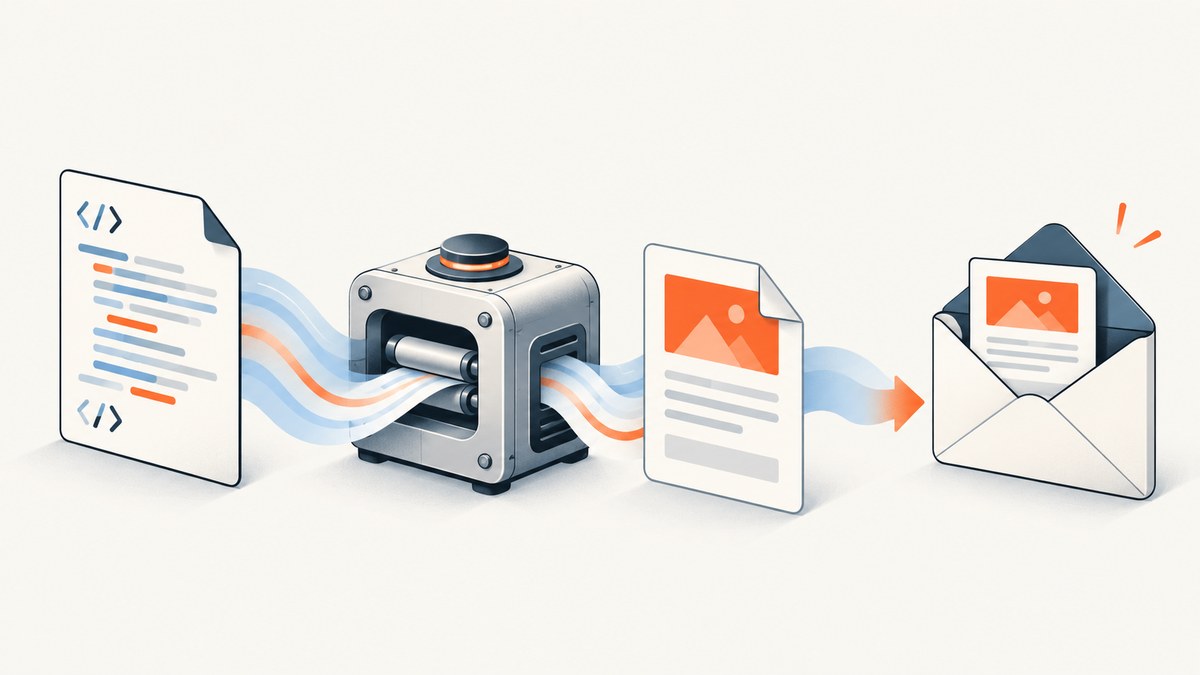
To email a PDF generated with wkhtmltopdf, render your HTML to PDF bytes and attach those bytes to Django’s EmailMessage. You do not need an HttpResponse: that object is for returning content to an HTTP client, while an email attachment is MIME content in an outgoing message.
With Python-PDFKit, passing False as the output path returns the generated PDF content instead of writing it to a file. Django’s EmailMessage.attach(filename, content, mimetype) adds that content to the email. The short version is:
import pdfkit
from django.core.mail import EmailMessage

html = "<h1>Invoice</h1><p>Example content</p>"
pdf_bytes = pdfkit.from_string(html, False)

email = EmailMessage(
    subject="Your invoice",
    body="Please find your invoice attached.",
    from_email="billing@example.com",
    to=["customer@example.com"],
)
email.attach("invoice.pdf", pdf_bytes, "application/pdf")
email.send()
This combines the documented PDFKit in-memory output option with Django’s attachment API. Check the installed versions and deployment environment before relying on it: PDFKit requires the wkhtmltopdf executable, and behavior can depend on the version and binary available to your application. See PDFKit usage and Django’s email documentation.
1. Understand the two separate operations
An HTTP response and an email attachment solve different delivery problems. A response carries data back to a browser or another HTTP caller. An email message packages content for delivery through your configured email backend. If a PDF is going only to an email recipient, create the PDF content and attach it directly to the message.
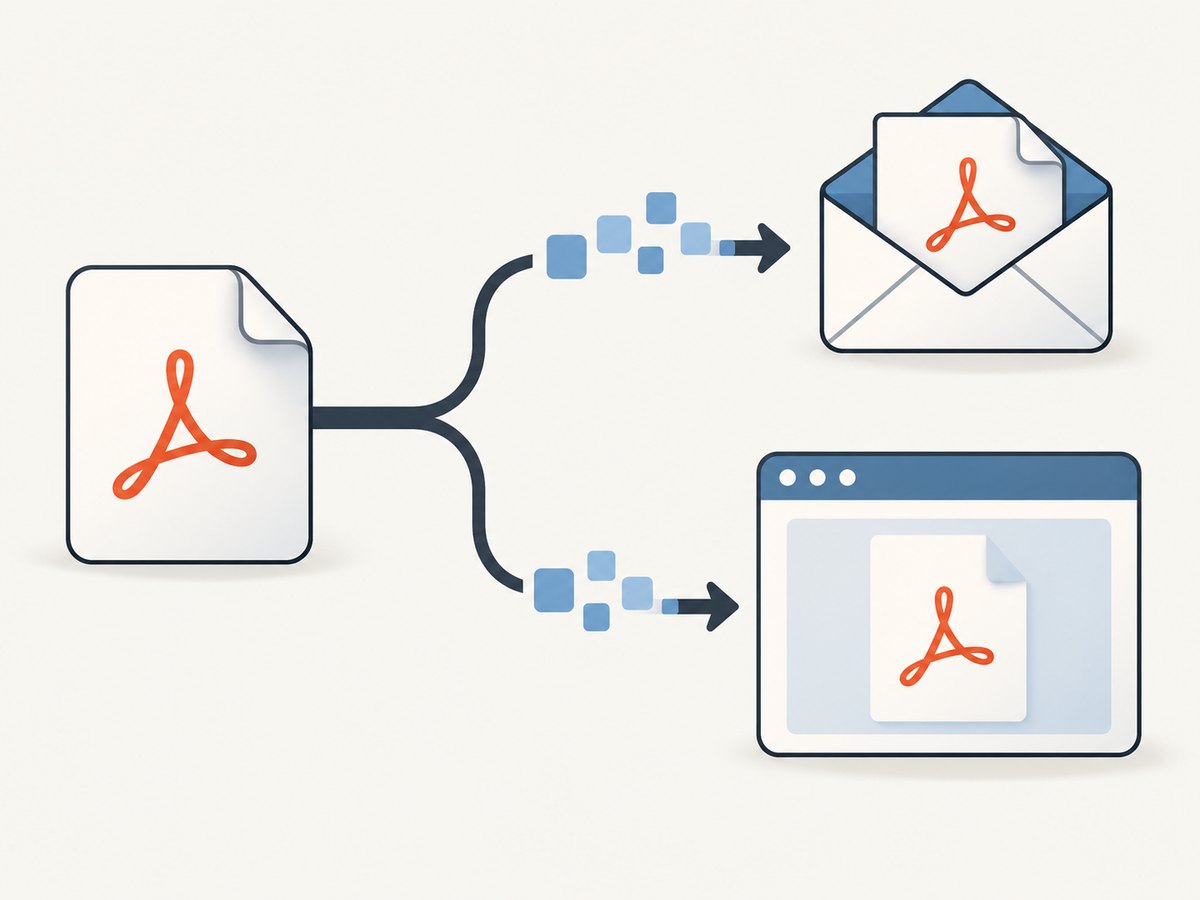
That distinction means you can remove code such as HttpResponse(pdf, content_type="application/pdf") from the email path. You still need PDF bytes—or a file containing a PDF—to attach. The PDF generation step does not depend on Django’s response classes.
2. Install and configure the renderer
PDFKit is a Python wrapper around the separate wkhtmltopdf command-line program. Installing the Python package alone does not guarantee that the operating system executable is installed or discoverable in the environment where Django runs. PDFKit documents configuring a path to the executable when it is not on the system path.
pip install pdfkitInstall wkhtmltopdf using the instructions appropriate for the deployment operating system and architecture. Then verify that the executable is available to the same service, container, worker, or scheduled task that generates the email. In deployments where its path is not on the system path, configure PDFKit with the actual path:
import pdfkit

config = pdfkit.configuration(wkhtmltopdf="/path/to/wkhtmltopdf")
pdf_bytes = pdfkit.from_string("<h1>Invoice</h1>", False, configuration=config)
Replace the example path with the path installed in your environment; it is not a universal location. Confirm the operating system, CPU architecture, runtime libraries, executable permissions, and binary availability in the actual deployment. The wkhtmltopdf project lists version 0.12.6, released June 11, 2020, as its stable release. PDFKit also describes itself as deprecated in line with wkhtmltopdf’s project status. Treat that maintenance status as a factor in choosing a renderer for new or long-lived systems. wkhtmltopdf downloads and status · PDFKit project.
3. Generate the PDF in memory and attach it
For a modest document that your application does not need to keep as a separate file, the in-memory flow avoids temporary-file creation and cleanup. The PDF bytes returned by PDFKit go straight to Django’s attachment method:
import pdfkit
from django.core.mail import EmailMessage


def email_invoice(invoice_html, recipient):
    pdf_bytes = pdfkit.from_string(invoice_html, False)

    message = EmailMessage(
        subject="Your invoice",
        body="Your invoice is attached as a PDF.",
        from_email="billing@example.com",
        to=[recipient],
    )
    message.attach("invoice.pdf", pdf_bytes, "application/pdf")
    return message.send()
The filename is what the recipient sees for the attachment. The MIME type application/pdf identifies the content as a PDF. Django’s API accepts the filename, content, and optional MIME type; providing the type explicitly makes the intent clear. Django: attaching files.
In a real application, supply invoice-specific HTML and a suitable filename, such as one based on an internal invoice number. Avoid putting confidential personal information into filenames unless that is appropriate for your recipients and mail systems. Keep recipient selection and authorization in the application flow that owns the invoice; the rendering helper should not decide who may receive it.
Use a Django email backend configured for your environment
EmailMessage.send() asks Django’s configured email backend to send the message. Configure that backend and its credentials through your application’s settings and deployment secrets. A successful PDF render does not prove that email delivery succeeded, and a successful backend handoff does not guarantee that a recipient’s mail server accepted or displayed the attachment. Handle rendering errors and email errors as separate failure points.
Django’s send_mail() is a thin wrapper intended for simpler messages. Its documentation recommends an EmailMessage instance for advanced features such as file attachments. Django email documentation.
4. Choose memory or a file
Use in-memory bytes when the document is a one-off attachment and small enough for your application to hold during rendering and sending. Use a file-backed workflow when a PDF already exists on disk, must be retained, or is too large for the in-memory path to suit your process. A file path is not required merely because an email has an attachment.
| Approach | Use it when | Trade-offs |
|---|---|---|
| In-memory bytes | The PDF is generated for this message and does not need a separate stored copy. | Simple flow with no temporary file to clean up; PDF data occupies process memory. |
| Existing file | Your application already stores the PDF or needs a file artifact. | Reuse the file and attach it by path; manage access, retention, and cleanup. |
| Temporary file | A library or workflow requires a path, or memory use is unsuitable. | Requires reliable cleanup, including when rendering or sending raises an error. |
When you already have a file, Django provides attach_file():
from django.core.mail import EmailMessage

message = EmailMessage(
    subject="Your invoice",
    body="Your invoice is attached.",
    from_email="billing@example.com",
    to=["customer@example.com"],
)
message.attach_file("/path/to/invoice.pdf", "application/pdf")
message.send()
Django can infer a MIME type from a filename when one is not provided. For a PDF, explicitly passing application/pdf makes the type unambiguous. If you create a temporary file, arrange cleanup in a finally block or a managed temporary-file context so failures do not leave unwanted files behind. Django documents both attach() and attach_file() in its email API. EmailMessage objects.
5. Use HTML and rendering options deliberately
PDFKit’s from_string() accepts HTML and supports wkhtmltopdf options. The simplest call is appropriate when the HTML is self-contained. If the document depends on stylesheets, images, fonts, or scripts, make sure the renderer can resolve those resources in its runtime environment. Relative paths that work in a browser may not resolve the same way when HTML is rendered by a background process.
PDFKit passes configuration and options to wkhtmltopdf. For example, options can include page size or encoding; consult the PDFKit usage documentation and wkhtmltopdf documentation for the supported options in your installed binary. A minimal pattern looks like this:
options = {
    "page-size": "A4",
    "encoding": "UTF-8",
}
pdf_bytes = pdfkit.from_string(
    invoice_html,
    False,
    options=options,
)
Keep option names and values aligned with the wkhtmltopdf build you deploy. Do not assume a setting available in one installation behaves identically in every build. If a page relies on JavaScript, give the renderer what it needs to load and execute that content, and verify the resulting document in the actual runtime. PDFKit documents its options and executable configuration in its usage guide.
6. Handle failures, size, and repeated work
Rendering and email sending are separate operations, so make the boundary visible in application code. If rendering fails, do not send an email with a missing or invalid attachment. If sending fails after rendering succeeds, decide whether to retry delivery or regenerate the document according to your application’s needs. Log enough context to diagnose the stage without logging full document contents or secrets.
In-memory rendering holds the generated PDF data in process memory while it is attached and sent. Large documents or high concurrency can increase memory pressure; a file-backed flow may fit better if a durable PDF is already part of the workflow. Rendering also consumes CPU and depends on the external executable. The research sources provide no general performance benchmark, so measure rendering time and memory with representative documents in your own deployment.
Avoid regenerating an identical document unnecessarily when your application can safely reuse a retained PDF. Conversely, do not reuse a stale invoice after its source data changes. Decide explicitly which document version the email should represent, and coordinate retries so a mail retry does not accidentally attach a different document than the original attempt.
7. Protect the renderer and the document
wkhtmltopdf warns against processing untrusted HTML or JavaScript without sanitizing user input, citing the risk of server takeover. Sanitization is important, but it should not be treated as proof that arbitrary content is safe. Constrain what rendered content can access, assess network access and execution isolation, and only render content appropriate for the trust boundary of the process. wkhtmltopdf project warning · wkhtmltopdf status.
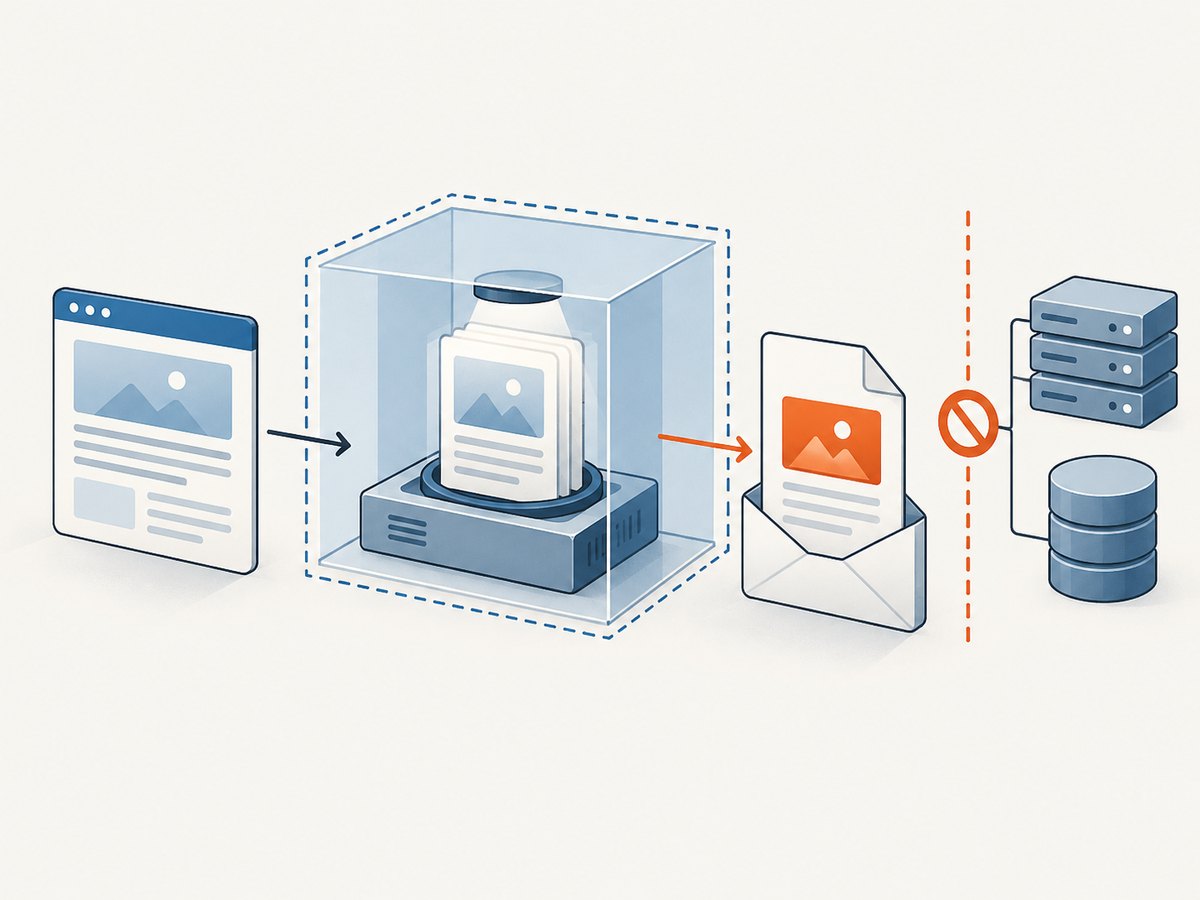
- Prefer templates and data that your application controls over arbitrary user-supplied HTML.
- Review whether documents can trigger requests to local or internal resources.
- Run the renderer with only the access it needs, and assess isolation in your deployment.
- Keep sensitive PDF bytes, temporary files, and logs within the intended access boundary.
- Do not assume an old binary becomes secure because input was sanitized.
The wkhtmltopdf project’s status page discusses its old WebKit base and suggests considering other renderers for some use cases. The project names WeasyPrint or Prince for controlled reports and Puppeteer for dynamic JavaScript pages; these are options to evaluate against your layout, maintenance, security, deployment, and consistency requirements, not a claim of comparative testing. Project status and alternatives.
8. Troubleshooting common problems
| Symptom | Likely cause | What to check |
|---|---|---|
| PDFKit cannot find wkhtmltopdf | The executable is missing from the runtime image or not on the process path. | Install the binary for the deployment OS and architecture; configure PDFKit with its actual path and verify permissions. |
| Rendering works locally but fails in production | The service environment differs: binary, libraries, fonts, paths, permissions, or network access may differ. | Inspect the actual worker/container environment and reproduce the render there. |
| The attachment is empty or invalid | Rendering did not return usable PDF bytes, or the wrong value was attached. | Confirm the output path argument is False, handle render exceptions, and pass the returned content to attach(). |
| The attachment has an unknown type | The MIME type is missing or incorrect. | Attach with application/pdf and use a filename ending in .pdf. |
| Styles or images are missing | External resources or relative paths cannot be resolved by the renderer. | Check resource URLs and paths from the application runtime; make required resources available to the renderer. |
| JavaScript-dependent content is absent | The page did not finish producing the content before capture, or the runtime does not support the required behavior. | Review renderer support and options; consider a renderer suited to dynamic pages and verify output in deployment. |
| Email sends without the expected attachment | The attachment was not added to the message that was sent, or a different message path is used. | Inspect the message construction path and ensure attach() runs before send(). |
| Memory use spikes on large documents | The rendered bytes remain in memory during message construction and sending. | Consider a file-backed workflow, reduce document size where appropriate, and observe memory under realistic concurrency. |
9. Version and compatibility notes
Use the Django documentation matching your installed release. Django 5.2 documents attach() and attach_file() and adds EmailAttachment support. Django 6.0 documents MIMEPart attachments and deprecates legacy MIMEBase attachments. The basic EmailMessage.attach() example above uses the documented attachment interface, but projects using newer or older Django versions should confirm details in their version’s documentation. Django 5.2 email docs · Django 6.0 email docs.
PDFKit’s project page flags deprecation, and wkhtmltopdf’s listed stable release is old. For a new system, include the renderer’s maintenance and security posture in the decision. For an existing system, pin and document the binary and Python package versions, validate output after upgrades, and keep the deployment’s actual executable available to every process that generates attachments.
Or skip the browser setup
If your job is to capture a web page as an image or PDF rather than render a Django template, ScreenshotNeo is a website screenshot API and MCP server from Yorker Media. It takes one GET request with a URL and returns a PNG, JPEG, WebP, or PDF. Its API can be useful when you do not want to install and operate a browser renderer in your own application. See the ScreenshotNeo API documentation.
curl -G "https://api.screenshotneo.com/v1/shot" \
  -d access_key=YOUR_API_KEY \
  --data-urlencode url=https://stripe.com \
  -o shot.webp
Python:
import requests

r = requests.get(
    "https://api.screenshotneo.com/v1/shot",
    params={"access_key": "YOUR_API_KEY", "url": "https://stripe.com"},
    timeout=90,
)
open("shot.webp", "wb").write(r.content)
Node.js:
const q = new URLSearchParams({ access_key: 'YOUR_API_KEY', url: 'https://stripe.com' });
const res = await fetch(`https://api.screenshotneo.com/v1/shot?${q}`);
ScreenshotNeo removes cookie and consent banners, newsletter popups, and chat widgets before capture. Bot checks, blank pages, failed loads, timeouts, and cache hits are not billed, and response headers report the page verdict and billing status. AI agents can use its MCP server tools, including take_screenshot, get_page_info, and capture_pdf. The free plan includes 1,000 screenshots per month without a card; paid plans start at $5 for 3,000 screenshots. Check the docs for request parameters and output configuration. Sign up for 1,000 free screenshots a month, no card required.
FAQ
Do I have to save the PDF before attaching it?
No. PDFKit can return the generated content when you pass no output path, and Django can attach those bytes directly.
Is an email attachment the same as a downloadable HTTP response?
No. They are different delivery mechanisms. An HTTP response serves a caller; an email attachment is content included in the message sent through Django’s email backend.
Can I use this with a non-Django mail library?
The PDF generation step is separate from Django. Keep the PDF bytes and pass them to the attachment interface provided by your chosen email library.
Should I use wkhtmltopdf for every HTML-to-PDF job?
No renderer is the right choice for every document. Compare the HTML and JavaScript support you need, maintenance and security posture, deployment dependencies, and output consistency before choosing.


