wkhtmltopdf File Output vs. stdout on Ubuntu with xvfb-run
Learn why wkhtmltopdf behaves differently with a file and stdout under xvfb-run, with Ubuntu commands, diagnostics, pipes, and fixes.
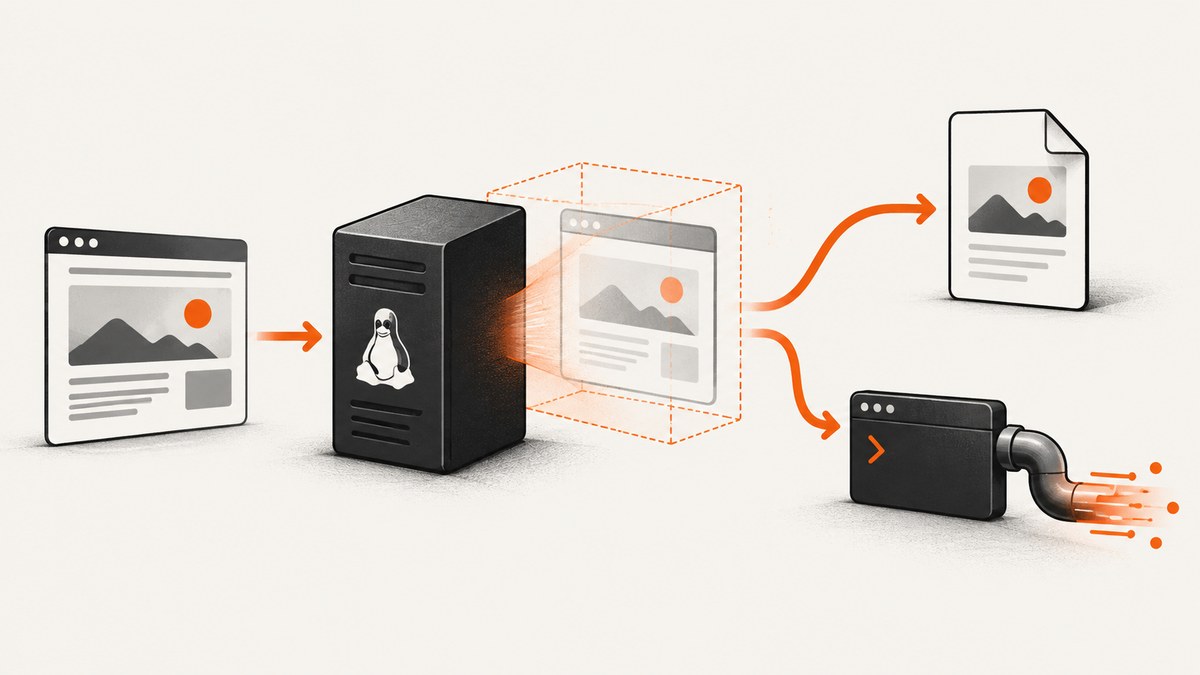
Short answer: wkhtmltopdf chooses its output destination from the final positional argument. A filename writes a PDF file; - writes the PDF to stdout. xvfb-run supplies a virtual X display and does not select the output destination. Keep the PDF stream on stdout, send diagnostics to stderr, and check both the wrapped command’s exit status and the wrapper setup.
Working commands
# Write a persistent file
wkhtmltopdf https://example.com report.pdf

# Write PDF bytes to stdout, then redirect them
wkhtmltopdf https://example.com - > report.pdf

# Run with a virtual display and write a file
xvfb-run -a wkhtmltopdf https://example.com report.pdf

# Run with a virtual display and redirect stdout
xvfb-run -a wkhtmltopdf https://example.com - > report.pdf
The command-line synopsis places the output destination after the input object. The official settings documentation defines - as stdout. An empty output setting in the library API means an in-memory buffer; that is different from the CLI argument -. See the wkhtmltopdf usage documentation and library settings reference.
What xvfb-run actually does
xvfb-run is a wrapper around an X client. It creates an X authority file, starts Xvfb, sets DISPLAY and the authority environment for the wrapped process, invokes your command, then cleans up. With -a, it searches for a free display number beginning at 99. Ubuntu’s manpage documents a default virtual screen of 1280x1024x24 and requires xauth.

That display setup is independent of PDF routing. A build may work without the wrapper because the project describes wkhtmltopdf as headless, while a distribution build or a particular feature may still need an X server. Check the exact executable and package rather than assuming every Ubuntu build behaves identically. Ubuntu package documentation is release-specific; for example, Bionic and Focal list different package contexts, and the Bionic manpage identifies a build without wkhtmltopdf’s patched Qt. See the Ubuntu xvfb-run manpage and the project homepage.
File output and stdout compared
| Destination | Use it when | Operational details |
|---|---|---|
report.pdf |
The result should persist on disk or be passed by path. | Check directory permissions, available space, and the exact path. |
- |
Another process consumes the PDF through a pipe or your shell controls the destination. | Preserve binary bytes, keep logs off stdout, and inspect the exit code. |
Neither choice is inherently faster according to the cited documentation. The practical difference is where bytes go and which component owns persistence.
Capture stdout safely in a shell script
PDF is binary data. Do not prepend status messages, progress text, or debugging output to the same stream. Shell redirection captures stdout only, so normal diagnostics on stderr remain visible.
#!/usr/bin/env bash
set -o errexit
set -o nounset
set -o pipefail

url="https://example.com"
out="report.pdf"
log="wkhtmltopdf.log"

if xvfb-run -a wkhtmltopdf "$url" - >"$out" 2>"$log"; then
  echo "Wrote $out"
else
  status=$?
  echo "wkhtmltopdf failed with status $status; see $log" >&2
  rm -f -- "$out"
  exit "$status"
fi
Pipe directly to another program
# Example: send the PDF bytes to a program that accepts stdin
xvfb-run -a wkhtmltopdf https://example.com - 2>wkhtmltopdf.log | your_pdf_consumer
status=${PIPESTATUS[0]}
if [ "$status" -ne 0 ]; then
  echo "wkhtmltopdf failed: $status" >&2
  exit "$status"
fi
Use Bash’s PIPESTATUS when a pipeline can hide the converter’s status. With POSIX sh, write to a temporary file or capture each process’s status explicitly.
Diagnostics that separate routing from display problems
- Record the executable and version.
- Run the same URL and options once with a named file and once with
-. - Capture stderr separately and record the exit status.
- Only then compare runs with and without
xvfb-run, when the installed build permits it.
command -v wkhtmltopdf
wkhtmltopdf --version
command -v xvfb-run
xauth -V

set +e
xvfb-run -a wkhtmltopdf https://example.com - >stdout.pdf 2>stderr.log
status=$?
set -e
printf 'exit status: %s\n' "$status"
ls -l stdout.pdf stderr.log
A named-file success and stdout failure is a useful comparison, but the historical issue report titled “Can’t write on STDOUT” describes one user’s failure and does not establish a universal incompatibility. Investigate the exact command, shell, build, and stderr output.

Common errors and fixes
| Symptom | Likely cause | Fix |
|---|---|---|
Can't write on STDOUT |
Build-specific behavior, incorrect output argument, a stream being consumed or altered, or an unrelated rendering failure. | Confirm the final argument is exactly -; redirect stdout to a file; capture stderr; compare with a named destination; check version and package. |
| PDF contains log text or is unreadable | Diagnostics or another command wrote to stdout. | Send logs with 1>&2 or 2>log; reserve stdout for PDF bytes. |
xvfb-run: error: xauth command not found |
The wrapper requires xauth. |
Install the distribution’s xauth package, then rerun. |
| Display or X server startup failure | Xvfb could not start, the display number is occupied, or wrapper setup failed. | Use -a, inspect stderr, check for stale processes and permissions, and verify Xvfb is installed. |
| Named file cannot be created | Directory permissions, a nonexistent parent directory, or insufficient disk space. | Use an absolute writable path, create the parent directory, and check storage. |
| Command exits nonzero but a PDF exists | Rendering warnings, failed resources, or wrapper cleanup errors. | Treat the exit code as authoritative; inspect stderr and validate the PDF before publishing it. |
| Works interactively but fails in a service | Different PATH, permissions, working directory, environment, or package version. |
Log command -v, version, environment assumptions, absolute paths, and service user permissions. |
Ubuntu and build differences
Do not generalize one Ubuntu release’s package behavior to all releases. The available manpages describe Bionic’s 0.12.4-1 and Focal’s 0.12.5-1ubuntu0.1 in different package contexts. Jammy metadata lists Xvfb as a virtual framebuffer option. Third-party static builds can differ again, especially around patched Qt, JavaScript, and headless behavior.
When reporting a bug, include:
- Ubuntu release and architecture.
- Output of
command -v wkhtmltopdfandwkhtmltopdf --version. - Whether the binary came from apt, a vendor package, or a static download.
- The complete command with secrets removed.
- Captured stderr, exit status, and whether a named file works.
Reliability, performance, and cost considerations
Reliability
- Use a temporary output path, validate that it is a PDF, then atomically rename it into place.
- Keep stderr in a per-job log so failures are diagnosable.
- Set an external process timeout; a hung page or script should not occupy a worker indefinitely.
- Use isolated working directories for concurrent jobs and unique filenames.
- Do not interpret a successful file write as proof that every asset loaded correctly.
Performance
stdout versus a named file changes the I/O path, not the browser’s page rendering work. Rendering time is commonly dominated by page loading, JavaScript, fonts, images, and network behavior. Measure your own pages and options if latency matters. A persistent file avoids an extra redirection step when the next program already expects a path; stdout avoids an intermediate file when the consumer accepts a stream.
Security
wkhtmltopdf’s project warns against processing untrusted HTML without sanitizing user-supplied HTML and JavaScript. Treat URLs, HTML, cookies, headers, and JavaScript as an input boundary. Restrict network access, run with a least-privileged account, and avoid exposing internal services to arbitrary page loads. The official downloads page contains the warning about untrusted HTML.
Python: invoke wkhtmltopdf and preserve stderr
import subprocess
from pathlib import Path

url = "https://example.com"
result = subprocess.run(
    ["xvfb-run", "-a", "wkhtmltopdf", url, "-"],
    stdout=subprocess.PIPE,
    stderr=subprocess.PIPE,
    check=False,
    timeout=120,
)

if result.returncode != 0:
    raise RuntimeError(
        f"wkhtmltopdf failed ({result.returncode}): "
        f"{result.stderr.decode(errors='replace')}"
    )

Path("report.pdf").write_bytes(result.stdout)
Node.js: stream stdout to a file
import { spawn } from "node:child_process";
import { createWriteStream } from "node:fs";

const child = spawn("xvfb-run", ["-a", "wkhtmltopdf", "https://example.com", "-"], {
  stdio: ["ignore", "pipe", "pipe"]
});

const output = createWriteStream("report.pdf");
let diagnostics = "";
child.stderr.setEncoding("utf8");
child.stderr.on("data", chunk => { diagnostics += chunk; });
child.stdout.pipe(output);

child.on("error", err => {
  output.destroy();
  throw err;
});

child.on("close", code => {
  if (code !== 0) {
    output.destroy();
    console.error(diagnostics);
    process.exitCode = code ?? 1;
  }
});
Or skip the browser setup
If you need a clean screenshot or PDF without maintaining wkhtmltopdf, Xvfb, package versions, and browser runtime details, ScreenshotNeo provides a website capture API and MCP server. One GET request returns PNG, JPEG, WebP, or PDF. Cookie and consent banners, newsletter popups, and chat widgets are removed before capture; bot checks, blank pages, timeouts, failed loads, and cache hits are not billed. Responses identify the result with X-Page-Verdict and X-Billed headers. Its MCP server includes take_screenshot, get_page_info, and capture_pdf tools for Claude, Cursor, and other MCP clients.
See the ScreenshotNeo API documentation for the full option list.
cURL
curl -G "https://api.screenshotneo.com/v1/shot" -d access_key=YOUR_API_KEY --data-urlencode url=https://stripe.com -o shot.webpPython
import requests
r = requests.get("https://api.screenshotneo.com/v1/shot", params={"access_key": "YOUR_API_KEY", "url": "https://stripe.com"}, timeout=90)
open("shot.webp", "wb").write(r.content)
Node.js
const q = new URLSearchParams({ access_key: 'YOUR_API_KEY', url: 'https://stripe.com' });
const res = await fetch(`https://api.screenshotneo.com/v1/shot?${q}`);
ScreenshotNeo includes full-page capture with lazy images loaded, CSS element capture, dark mode, device presets and custom viewports, retina scale, PDF paper sizes and page ranges, custom CSS and JavaScript, click and wait controls, request blocking, headers, cookies, user agents, authorization, timezone, geolocation, transparent backgrounds, resizing, TTL caching, signed links, asynchronous jobs with signed webhooks, bulk capture for up to 100 URLs per call, usage reporting, and an OpenAPI specification. The Free plan includes 1,000 screenshots per month with no card; paid plans start at $5 for 3,000 shots. Create a free ScreenshotNeo account.
FAQ
Does - mean no output?
No. On the CLI it means stdout. An empty output setting belongs to the library API and has different semantics.
Does xvfb-run make stdout work?
No. xvfb-run configures a virtual display. The final wkhtmltopdf argument still selects the destination.
Should I always use xvfb-run on Ubuntu?
No universal rule applies. Check the installed build, its headless behavior, and the features you use.
Why is my redirected PDF corrupted?
Something wrote non-PDF bytes to stdout. Redirect diagnostics to stderr and inspect the first bytes and exit status.
Is the old stdout issue proof of a general bug?
No. It is a historical report from one environment. Use it as a diagnostic clue, then reproduce with your binary and options.


