How to Pass Data to a wkhtmltopdf Footer in Go
Pass page metadata and application values to wkhtmltopdf HTML footers from Go, with query parameters, replacements, layout fixes, and troubleshooting.
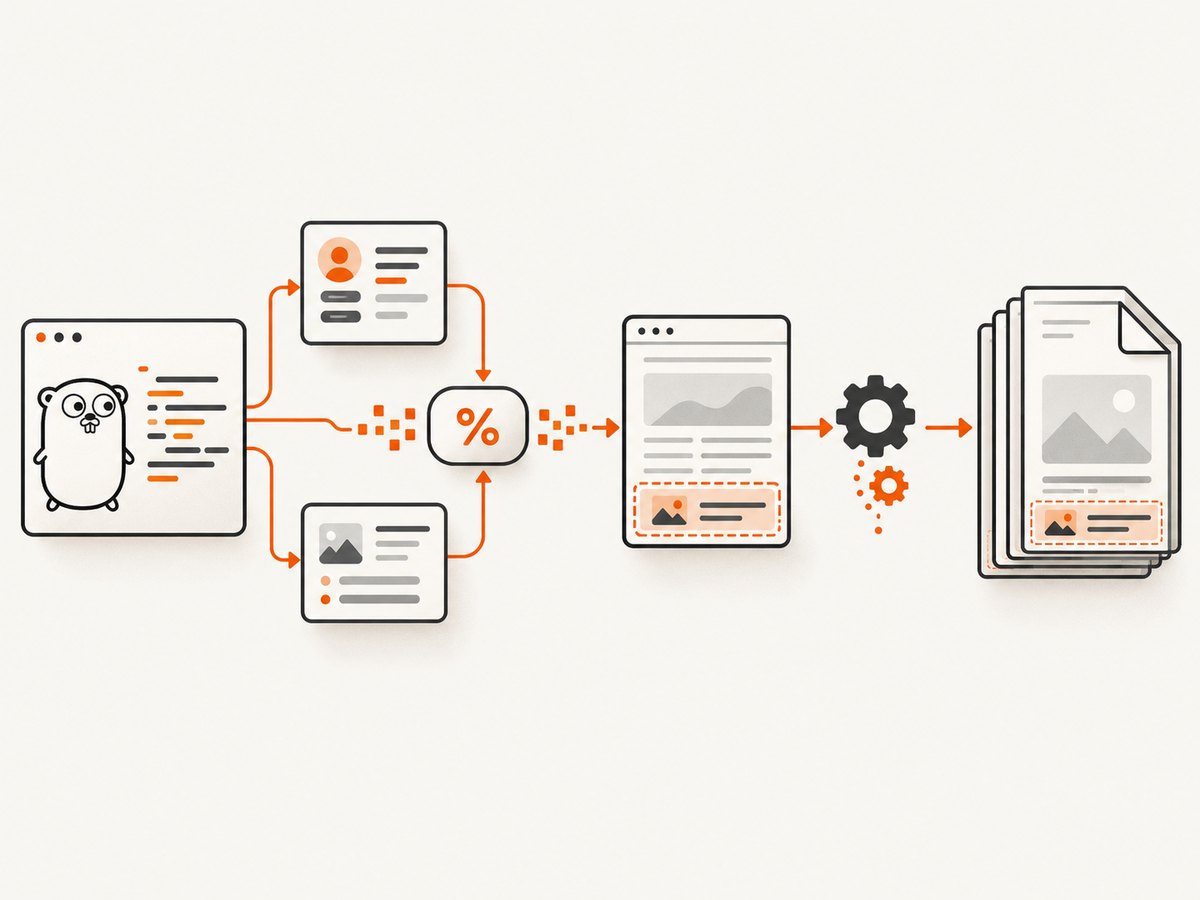
Direct answer: use wkhtmltopdf’s --footer-html option (or your Go wrapper’s equivalent) to load an HTML footer. wkhtmltopdf supplies footer arguments as GET-style query parameters, so application values must be explicitly encoded into the footer URL or passed through a wrapper-supported replacement mechanism. Built-in values such as page numbers are exposed through documented placeholders and matching CSS classes.
1. Choose how the footer receives data
| Data | Recommended path | Example |
|---|---|---|
| Page number and total pages | Footer HTML classes or built-in substitutions | <span class='page'></span>, [page] |
| Document title, URL, date | Built-in wkhtmltopdf fields | [title], [webpage], [date] |
| Application-specific values | URL query parameters or wrapper replacement API | ?customer=Acme |
The manual documents --footer-html <url>, standard fields such as [page], [topage], [frompage], [webpage], [title], [doctitle], [date], [isodate], [time], [section], [subsection], [sitepage], and [sitepages]. Its HTML-footer example reads the query string and copies each value into an element whose class has the same name.
2. Create a footer HTML document
This footer displays built-in page counts and a custom customer value. Use textContent so a value supplied by a user is treated as text rather than HTML.
<!doctype html>
<html>
<head>
  <meta charset='utf-8'>
  <style>
    body { margin: 0; font: 9pt sans-serif; color: #555; }
    .footer { border-top: 1px solid #bbb; padding-top: 4px; }
    .right { float: right; }
  </style>
</head>
<body>
  <div class='footer'>
    <span>Customer: <span class='customer'></span></span>
    <span class='right'>Page <span class='page'></span> of <span class='topage'></span></span>
  </div>
  <script>
    const params = new URLSearchParams(window.location.search);
    for (const [key, value] of params) {
      document.querySelectorAll('.' + CSS.escape(key)).forEach(el => {
        el.textContent = value;
      });
    }
  </script>
</body>
</html>
3. Complete Go example using os/exec
This example writes a temporary footer, URL-encodes the application value, and invokes the binary with an argument slice. It never concatenates user input into a shell command.
package main

import (
    "fmt"
    "net/url"
    "os"
    "os/exec"
    "path/filepath"
)

const footerHTML = `<!doctype html>
<html><body style="font:9pt sans-serif">
<span>Customer: <span class="customer"></span></span>
<span style="float:right">Page <span class="page"></span> of <span class="topage"></span></span>
<script>
const p = new URLSearchParams(location.search);
for (const [k,v] of p) document.querySelectorAll('.' + CSS.escape(k)).forEach(e => e.textContent = v);
</script>
</body></html>`

func main() {
    if len(os.Args) != 4 {
        fmt.Fprintf(os.Stderr, "usage: %s input.html output.pdf customer\n", os.Args[0])
        os.Exit(2)
    }
    input, output, customer := os.Args[1], os.Args[2], os.Args[3]

    dir, err := os.MkdirTemp("", "wk-footer-")
    if err != nil { panic(err) }
    defer os.RemoveAll(dir)

    footerPath := filepath.Join(dir, "footer.html")
    if err := os.WriteFile(footerPath, []byte(footerHTML), 0600); err != nil { panic(err) }

    footerURL := "file://" + footerPath + "?" + url.Values{"customer": {customer}}.Encode()
    args := []string{
        "--enable-local-file-access",
        "--margin-bottom", "20mm",
        "--footer-spacing", "5",
        "--footer-html", footerURL,
        input, output,
    }
    cmd := exec.Command("wkhtmltopdf", args...)
    cmd.Stdout = os.Stdout
    cmd.Stderr = os.Stderr
    if err := cmd.Run(); err != nil { panic(err) }
}
Run it with go run . input.html output.pdf 'Acme & Sons'. The exact local-file flags required depend on the wkhtmltopdf build. If your build refuses a local footer, serve the footer over HTTP(S) and pass that URL instead.
4. Using a Go wrapper
Many Go wrappers expose options corresponding to wkhtmltopdf settings. The wrapper source reviewed for this guide defines a FooterHTML option and a repeatable Replace map option. Names and types differ by release, so check the version you vendor.
// Illustrative wrapper-shaped configuration; adapt names to your package version.
page.FooterHTML.Set("file:///absolute/path/footer.html")
page.Replace.Set("customer", customerValue)
// Then add the page to a PDF generator and write the output.
Do not assume arbitrary Go variables automatically become footer fields. The value must travel through a supported replacement option or an encoded query parameter in the footer URL.
5. Built-in footer fields
For pagination and document metadata, use the fields documented by wkhtmltopdf. Depending on whether you use footer text options or an HTML footer, these appear as substitutions such as [page] and [topage], or as elements populated by classes such as page and topage. Common fields include:
[page],[frompage],[topage][sitepage],[sitepages][webpage],[section],[subsection][title],[doctitle][date],[isodate],[time]
6. Passing application data safely
- Encode values with
url.Valuesor an equivalent URL encoder. - Keep values in the argument list; do not build a shell command string.
- Render received values with
textContent, notinnerHTML. - Restrict which query keys the footer script accepts if the footer is exposed beyond the conversion process.
- Never place secrets, tokens, or personal data in a footer URL that may be logged.
7. Layout and page margins
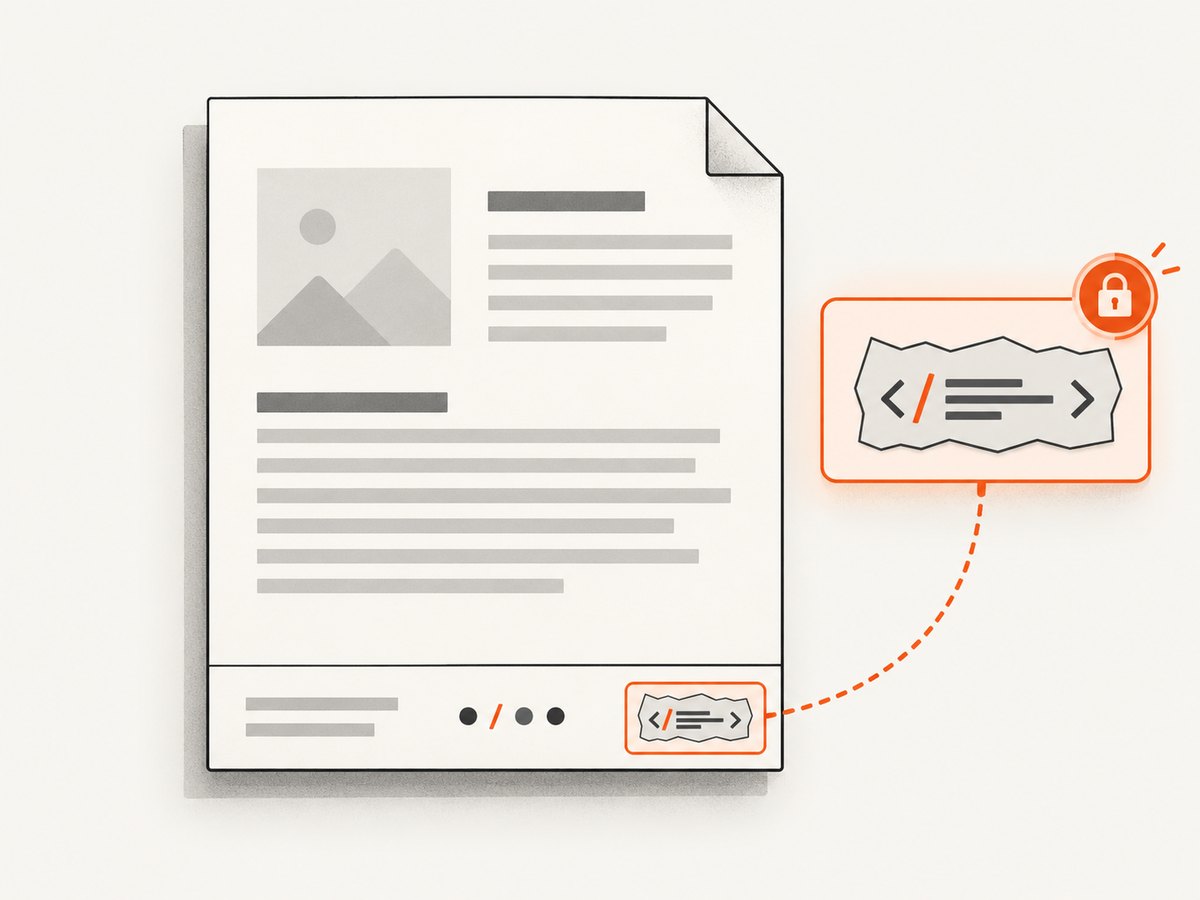
Reserve space with a bottom margin and then set footer spacing. If the footer overlaps content or falls outside the page, increase --margin-bottom, reduce --footer-spacing, or shorten the footer. The libwkhtmltox settings document footer spacing, page margins, and page offset; an excessive spacing value can move footer content outside the printable area. A page offset changes the number shown in headers, footers, and the table of contents, so use it only when numbering intentionally starts at a different value.
8. Local files, URLs, and deployment
- Local footer: use an absolute
file://URL and enable the local-file setting when required by your binary. - Served footer: use an HTTP(S) URL reachable from the conversion host. Check DNS, TLS, authentication, and firewall access.
- Containers: ensure the footer file exists inside the container and that the wkhtmltopdf binary can read it.
- Version differences: behavior can vary between the 0.12.6 patched-Qt build, forks, distributions, and Go wrapper releases.
9. Troubleshooting
| Symptom | Cause | Fix |
|---|---|---|
| Footer is missing | Wrong path, unreachable URL, or blocked local access | Use an absolute path, test the URL from the conversion host, and apply the build’s local-file option. |
| Customer value is blank | Query key does not match the CSS class | Make the parameter and class identical, and inspect the generated footer URL. |
| Special characters are truncated | Value was concatenated without URL encoding | Encode with url.Values. |
| HTML appears in the footer | Untrusted value inserted with innerHTML |
Use textContent. |
| Footer overlaps body | Bottom margin or spacing is too small | Increase --margin-bottom and tune --footer-spacing. |
| Page count is empty | Incorrect class or substitution for the selected footer mode | Use page/topage classes in HTML, or the documented bracket substitutions in footer text. |
| Works locally but not in production | Different binary, working directory, permissions, or network access | Log the exact executable version and arguments, use absolute paths, and verify resources inside the production environment. |
10. Performance, reliability, and cost
Keep footer HTML small and self-contained to avoid another network dependency. A local footer usually removes DNS and TLS variability, while a served footer is easier to update centrally. Reuse the wkhtmltopdf process only where your wrapper and deployment model support it safely; otherwise isolate conversions and capture stderr for diagnosis. wkhtmltopdf itself does not charge per PDF; your costs come from compute, storage, and any hosted assets or services your conversion loads.
11. Or skip the browser setup
If you only need a clean image or PDF of a URL, ScreenshotNeo provides a GET endpoint. Its consent handling removes cookie banners, newsletter popups, and chat widgets before capture. Bot checks, blank pages, failed loads, timeouts, and cache hits are not billed, and the response identifies the page verdict and billing status. It also provides an MCP server for AI agents.
See the ScreenshotNeo API documentation for all options.
curl -G 'https://api.screenshotneo.com/v1/shot' \
  -d access_key=YOUR_API_KEY \
  --data-urlencode url=https://stripe.com \
  -o shot.webp
package main
import (
"net/http"
"os"
)
func main() {
r, err := http.Get("https://api.screenshotneo.com/v1/shot?access_key=YOUR_API_KEY&url=https%3A%2F%2Fstripe.com")
if err != nil { panic(err) }
defer r.Body.Close()
f, err := os.Create("shot.webp"); if err != nil { panic(err) }
defer f.Close()
if _, err = f.ReadFrom(r.Body); err != nil { panic(err) }
}import requests
r = requests.get('https://api.screenshotneo.com/v1/shot', params={
'access_key': 'YOUR_API_KEY', 'url': 'https://stripe.com'
}, timeout=90)
r.raise_for_status()
open('shot.webp', 'wb').write(r.content)const q = new URLSearchParams({ access_key: 'YOUR_API_KEY', url: 'https://stripe.com' });
const res = await fetch(`https://api.screenshotneo.com/v1/shot?${q}`);
if (!res.ok) throw new Error(`${res.status} ${await res.text()}`);
require('fs').writeFileSync('shot.webp', Buffer.from(await res.arrayBuffer()));There is a free plan with 1,000 screenshots per month and no card. Paid plans start at $5 for 3,000 shots, and every feature is available on every plan. Create a free ScreenshotNeo account.
12. FAQ
Can I pass arbitrary Go variables with [variable]?
No. Built-in substitutions are defined by wkhtmltopdf. Custom values must be supplied through query parameters or a wrapper replacement facility.
Should I use an HTML footer or footer text?
Use HTML when you need custom layout, styling, or application data. Use footer text for simple built-in fields.
Why does the footer URL contain encoded data?
wkhtmltopdf delivers footer arguments as GET-style parameters, so URL encoding preserves spaces, ampersands, and non-ASCII characters.
Can the footer make API calls?
It can load resources only if the conversion environment permits them. Network-dependent footers add failure points; keep critical values in the URL or a local file.


