How to Fix wkhtmltopdf Footer Positioning Issues
Fix high, clipped, or overlapping wkhtmltopdf footers by checking the build, page margins, footer spacing, and HTML layout in a controlled sequence.
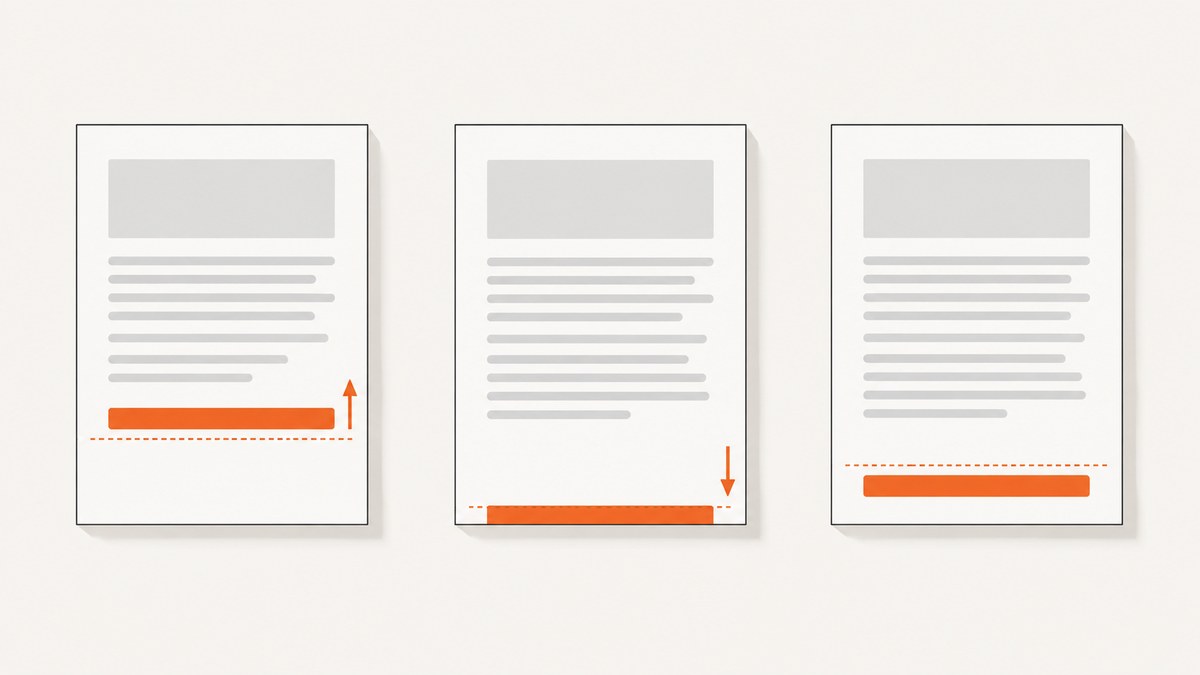
wkhtmltopdf footer problems are usually page-layout problems: the page’s bottom margin, the gap between content and footer, the footer document’s actual height, and sometimes header settings all affect what appears in the PDF. Check the exact binary and its supported options first. Then change one setting at a time, render again, and inspect the PDF for clipping and overlap.
There is no universal margin or spacing value that fixes every footer. The right values depend on the page size, footer content, and wkhtmltopdf build. The steps below use the project’s documented controls; they are a diagnosis workflow, not a claim that a particular command has been tested against your document.
1. Identify the binary and how the footer is configured
Before changing layout, record the version, operating system, wrapper or API, page size, and the full command or configuration. Different package builds may not support the same behavior. The upstream usage manual describes wkhtmltopdf 0.12.6 with patched Qt, while Debian Bookworm explicitly documents a package build that does not use patched Qt. Verify your installed binary rather than assuming upstream examples match it.
wkhtmltopdf --versionAlso establish whether your footer is plain text or a separate HTML document:
--footer-left,--footer-center, and--footer-rightplace simple text in the footer.--footer-htmlloads an external HTML document, which gives more layout control but introduces another page whose height, margins, and content can affect the result.
Write down whether a header is present and capture the current top and bottom margins and header/footer spacing. If you use a framework wrapper, find out which options it actually passes to the binary. The upstream manual distinguishes global options from per-object options; make sure each option is in the correct scope for your invocation.
2. Understand margin and footer spacing
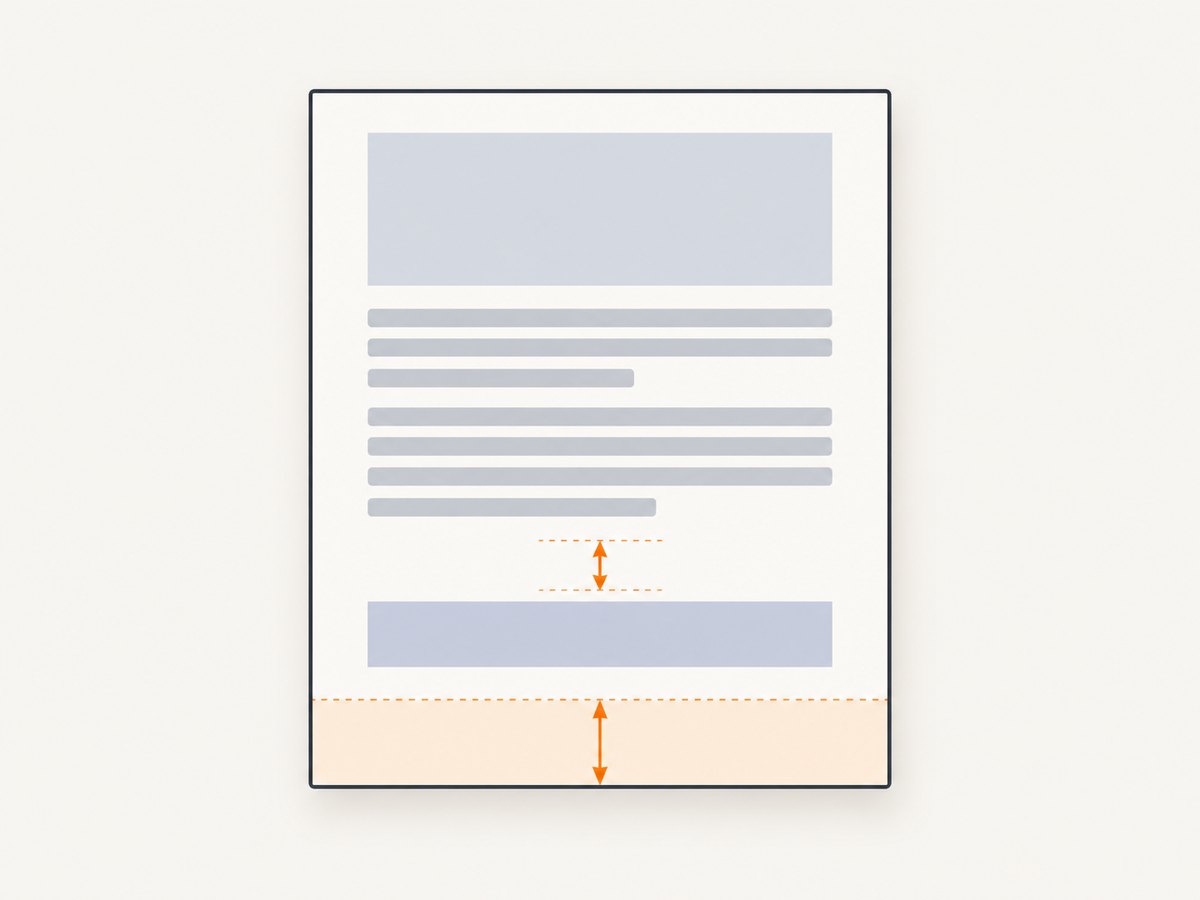
The two controls most often confused are the bottom margin and footer spacing. The command-line manual defines --margin-bottom as the page’s bottom margin. It defines --footer-spacing as the gap between content and the footer, measured in millimeters; the documented default is zero. Spacing adjusts separation. Do not assume that increasing spacing alone reserves enough room for a tall HTML footer.
| Control | What it adjusts | When to inspect it |
|---|---|---|
--margin-bottom |
Space at the bottom edge of the page | The footer is clipped or lacks room |
--footer-spacing |
Space between content and footer, in millimeters | The footer sits too close to body content |
--footer-html |
External HTML used to render the footer | Footer content or its layout is unexpectedly tall or clipped |
--margin-top and --header-spacing |
Top margin and header-to-content separation | A header is configured or position changes when header settings change |
The upstream manual also lists --footer-line and simple text placement options, plus page-number substitutions such as [page] and [topage]. Consult the manual for the exact syntax supported by your build: wkhtmltopdf usage manual.
3. Tune a plain-text footer from the command line
Start with the smallest reproducible command using the same input, page size, and installed binary as your real job. The following is a template: choose deliberate margin and spacing values for your document, then adjust them in small increments. The values shown are examples, not a universal recipe.
wkhtmltopdf \
  --page-size A4 \
  --margin-bottom 20mm \
  --footer-center "Page [page] of [topage]" \
  --footer-spacing 4 \
input.html output.pdf- Render with your current bottom margin and footer spacing. Save the command and resulting PDF as the baseline.
- If the footer is clipped at the page edge, increase
--margin-bottomslightly and render again. - If it is legible but too close to body content, adjust
--footer-spacingindependently. - Check pages with the most body content as well as short pages. A change that looks good on one page may expose overlap or clipping elsewhere.
- Once the position is right, check the page-number substitutions and any footer line in the rendered output.
Keep the page size, input, and all unrelated options constant during this sequence. If you change margin and spacing together, it becomes harder to tell which control affected the result.
4. Diagnose an HTML footer
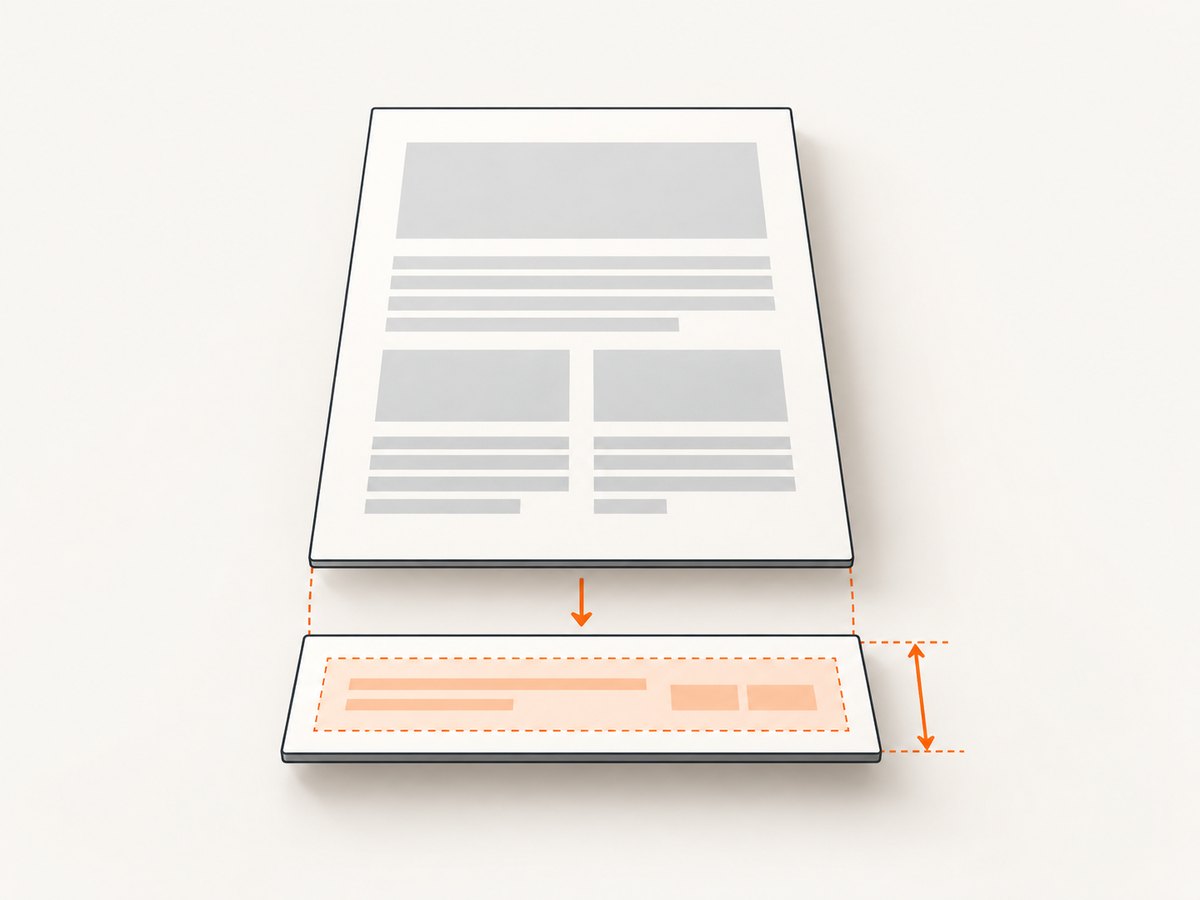
An external footer can contain more layout than a text footer: multiple rows, images, CSS margins, or content whose height changes. Inspect the footer HTML itself and remove unnecessary whitespace while diagnosing. Confirm its CSS and document layout do not make it taller than the space your page layout accommodates. If its content is clipped, try reserving more bottom margin, then render and inspect again. The manuals define the relevant controls, but do not give a universal formula for calculating the needed margin from an HTML footer’s height.
wkhtmltopdf \
  --page-size A4 \
  --margin-bottom 24mm \
  --footer-html footer.html \
  --footer-spacing 4 \
  input.html output.pdf
For page numbers in HTML headers or footers, the upstream manual demonstrates reading values supplied to the document and placing them into elements with matching classes. Follow the manual’s example for the expected markup and substitutions; do not assume that an arbitrary JavaScript page-number implementation will behave the same in every build.
Check the footer document in isolation where practical, then compare that layout with the PDF output. If the footer looks correct alone but is clipped in the final PDF, investigate available page space and the options passed to wkhtmltopdf. If the footer itself has excess height or margins, correct those before repeatedly changing the page settings.
5. Check headers and option scope
When a header is also configured, hold its settings constant while tuning the footer. The libwkhtmltox page-settings reference warns that excessive header spacing can put a header outside the PDF and says the top margin can correct it. Header and footer configuration can interact in reported cases, but historical issue reports are specific reproductions, not proof of a general bug.
If the footer moves when header settings change, record the exact values and test the header and footer separately in a minimal document. Verify the option scope as well: global options belong in the global options area, while object-specific settings belong with the relevant input object in the command structure. A wrapper may organize these differently from a raw command, so inspect the actual invocation or configuration it produces.
The API reference exposes corresponding settings such as margin.bottom and footer.* and header.* options. Its warning about header spacing is useful context when diagnosing a combined layout: libwkhtmltox page settings.
6. Troubleshooting common symptoms
| Symptom | Likely area to inspect | Next step |
|---|---|---|
| Footer sits too high | Bottom margin, footer spacing, header settings, or build behavior | Keep header settings fixed; vary one footer control per render and compare PDFs. |
| Footer is cut off | Insufficient room for the footer or excessive footer HTML height | Inspect footer content and margins; reserve more bottom margin and render again. |
| Footer overlaps body text | Content reaches too close to the footer | Adjust bottom margin and spacing separately; inspect dense pages, not only the first page. |
| Footer changes when a header is added | Header spacing, top margin, option scope, or build-specific behavior | Reproduce with a minimal input and vary header settings while holding footer settings constant. |
| Documented option appears ignored | Different package build or wrapper failing to pass the option | Check wkhtmltopdf --version; reproduce with the raw binary and compare its options with the wrapper configuration. |
| Page numbers are missing or literal | Substitution syntax or HTML footer markup | Check the manual’s syntax for [page] and [topage] or its HTML example. |
One historical upstream report describes a footer appearing high with --header-spacing 60; the reporter said adding footer spacing did not change that reproduction. Another report concerns wkhtmltopdf 0.12.6 on Windows 10 through Laravel Snappy and describes different behavior when an empty header was added. These are leads for reproducing a similar symptom, not general fixes. Do not add an empty header unless a minimal reproduction shows that it changes your specific case: issue #1988 and issue #4724.
7. A reliable diagnosis checklist
- Record the exact version/build, operating system, page size, wrapper, and complete options.
- Identify whether the footer is plain text or external HTML.
- Confirm global and per-object options are placed in the right scope.
- Save a baseline PDF before changing settings.
- Change bottom margin and footer spacing independently, using small steps.
- Inspect HTML footer height, margins, and content if it is clipped.
- Keep header settings fixed while tuning footer settings; then diagnose header behavior separately.
- Reduce the case to a minimal HTML input and run the raw binary if the wrapper’s behavior is unclear.
- Compare the generated PDF after each change, including pages with different content lengths.
This sequence helps distinguish document layout from option passing and binary differences. It cannot identify the cause of a particular PDF without its build details, command or API settings, footer HTML, page dimensions, and a reproducible sample.
8. Performance, reliability, and cost considerations
Footer tuning adds render-and-inspect iterations. Keep a minimal input and footer for diagnosis so unrelated page content does not obscure the effect of a setting. Once you have a stable layout, validate it against representative long and short pages and keep the binary version and command configuration with your deployment. That makes later changes in package or wrapper behavior easier to investigate.
The research sources do not publish a universal performance cost for footer settings, nor a reliable rate of failure across builds. Avoid assuming a particular margin or build will work everywhere. If PDF output is part of a production pipeline, handle the converter’s exit status and verify that an output file was produced before treating a job as complete. The footer-position sources do not establish a specific monitoring or retry strategy.
For package-specific behavior, check the distribution’s manual too. Debian Bookworm’s manpage explicitly describes its build as not using patched Qt, a reminder that package identity matters: Debian Bookworm wkhtmltopdf manpage.
9. Or skip the browser setup
If you need a screenshot of a web page rather than a wkhtmltopdf-generated PDF, ScreenshotNeo is a website screenshot API and MCP server. It does not change wkhtmltopdf’s PDF footer settings or replace this diagnosis. It can return a website capture as PNG, JPEG, WebP, or PDF using one GET request. See the ScreenshotNeo API documentation.
curl -G "https://api.screenshotneo.com/v1/shot" -d access_key=YOUR_API_KEY --data-urlencode url=https://stripe.com -o shot.webpimport requests
r = requests.get("https://api.screenshotneo.com/v1/shot", params={"access_key": "YOUR_API_KEY", "url": "https://stripe.com"}, timeout=90)
open("shot.webp", "wb").write(r.content)const q = new URLSearchParams({ access_key: 'YOUR_API_KEY', url: 'https://stripe.com' });
const res = await fetch(`https://api.screenshotneo.com/v1/shot?${q}`);ScreenshotNeo removes cookie banners, popups, and chat widgets before the shot; bot checks, blank pages, and failed loads are never billed. Its MCP server lets AI agents take screenshots. The Free plan includes 1,000 screenshots a month with no card, and paid plans start at $5 for 3,000. Sign up for 1,000 free screenshots a month, no card required.
10. FAQ
Is footer spacing the same as bottom margin?
No. The manual describes bottom margin as the page’s bottom margin and footer spacing as the gap between content and footer. Tune them as separate controls.
What value should I use for footer spacing?
There is no universally correct number in the cited documentation. Choose a value for your page and footer, render, inspect, and adjust in small steps.
Should I add an empty header to fix a high footer?
Only test it if a minimal reproduction shows the same behavior as the historical report. The issue report does not establish it as a general fix.
Can ScreenshotNeo fix a wkhtmltopdf footer?
No. ScreenshotNeo captures websites; it does not alter wkhtmltopdf layout settings. Use the troubleshooting sequence above for a PDF generated by wkhtmltopdf.


