How to Use wkhtmltopdf with Forms-Based Authentication
Authenticate first, pass the valid cookies to wkhtmltopdf, and troubleshoot redirects, scopes, CSRF, and protected assets safely.
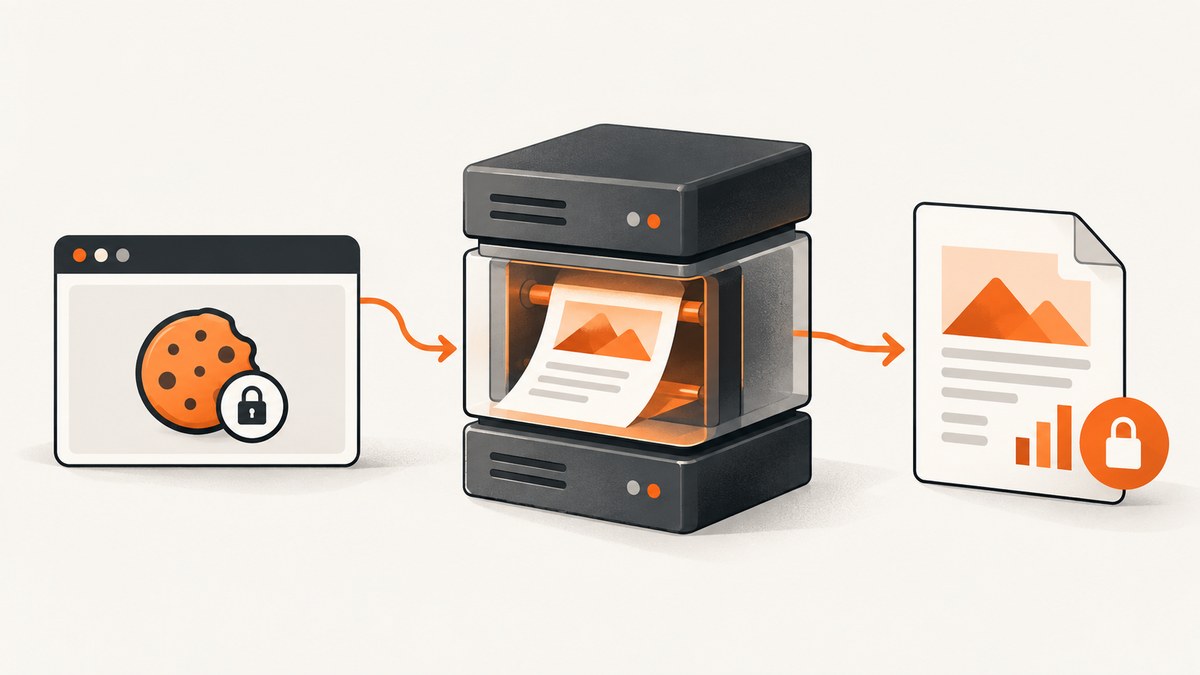
Direct answer: wkhtmltopdf renders a URL; it does not act as a browser-driven login agent for an HTML forms-authentication flow. Authenticate with the application first, obtain the valid session and authentication cookies, then pass those cookies to wkhtmltopdf with repeatable --cookie options or a --cookie-jar file. The exact cookie set depends on the application, redirects, cookie scope, expiration, and any secondary resources required by the protected page.
This distinction explains the common symptom: wkhtmltopdf produces a PDF of the login page instead of the report. The renderer requested the protected URL without the authenticated state, followed the redirect to the login form, and rendered what it received.
1. How forms authentication works
In a typical ASP.NET forms-authentication flow, a client requests a protected resource and is redirected to a login page. The client submits the HTML form, often with hidden fields and an anti-CSRF token. After successful validation, the server returns a redirect and an authentication cookie. Subsequent requests carrying that cookie can access the protected resource. Microsoft describes forms authentication as an HTML form that sends user credentials to the server: Forms Authentication in ASP.NET Web API.
wkhtmltopdf participates only in the final rendering step. It can send cookies and HTTP-authentication credentials, but it does not discover your login form, fill arbitrary fields, solve a challenge, execute an application-specific sign-in workflow, or reliably maintain a modern JavaScript identity session.
2. The basic cookie method
Step 1: Sign in outside wkhtmltopdf
Use your application’s normal login flow. This can be an HTTP client, a browser automation job, an internal service, or a login endpoint designed for server-to-server use. Preserve every cookie that the authenticated application actually sets. Do not assume that one cookie is enough.
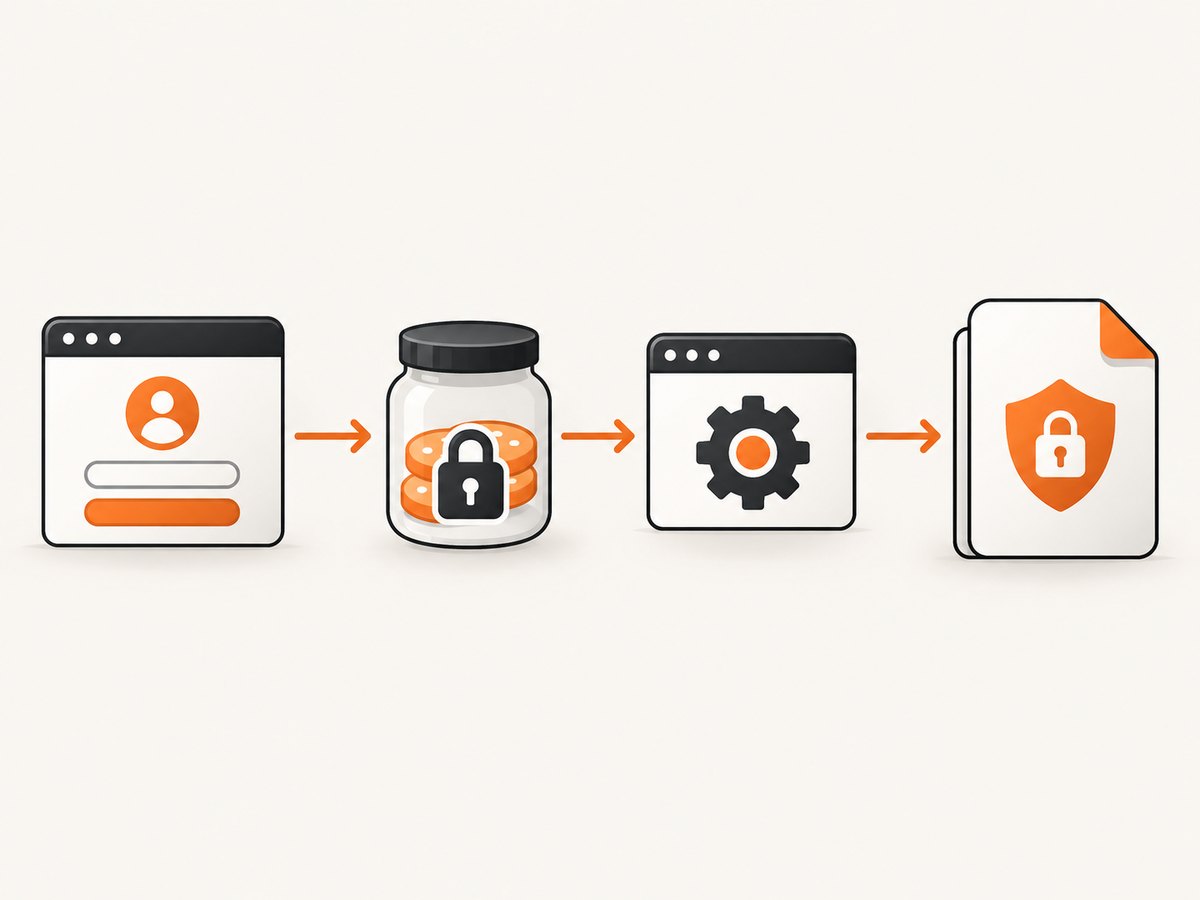
An ASP.NET deployment may use names such as .ASPXFORMSAUTH and ASP.NET_SessionId, but those names are illustrative rather than universal. Custom names, load-balancer affinity cookies, tenant cookies, or additional security cookies may also be required.
Step 2: Pass the cookies to wkhtmltopdf
The command-line documentation exposes repeatable --cookie <name> <value> arguments. Cookie values should be URL encoded. This example uses placeholders:
wkhtmltopdf \
  --cookie ASP.NET_SessionId '<session-value>' \
  --cookie .ASPXFORMSAUTH '<auth-value>' \
  'https://example.invalid/protected/report' output.pdf
Use the exact binary and options documented for your installation. The official usage documentation is available at wkhtmltopdf command-line usage.
Step 3: Verify the output
Check that the PDF contains protected content, images, stylesheets, and any other required assets. A successful process exit code only means that wkhtmltopdf completed its rendering attempt; it does not prove that authentication succeeded. Search extracted PDF text for a report heading or other application-specific marker.
3. Using a cookie jar
--cookie-jar <path> lets wkhtmltopdf read and write cookies through a file. A jar is useful when a preceding request flow creates or updates several cookies and the conversion needs that state. Library integrations expose the cookie-jar path as a load setting; see the generated settings documentation at wkhtmltox page settings.
# The authentication step must create this jar first.
# Restrict its permissions; it contains credential-equivalent state.
wkhtmltopdf \
  --cookie-jar /secure/runtime/report.cookies \
  'https://example.invalid/protected/report' output.pdf
Whether a jar is populated exactly as your preceding client expects depends on the cookie-file format and binary build. Confirm behavior with the installed version. Compare the two approaches before choosing:
| Method | Best fit | Operational trade-off |
|---|---|---|
Repeated --cookie |
A small, known cookie set | Inputs are visible in the process invocation and must be encoded correctly |
--cookie-jar |
Several cookies or state that changes across requests | Requires secure file permissions, lifecycle cleanup, and format validation |
4. Complete authentication examples
Shell with an existing cookie jar
set -eu
COOKIE_JAR="$(mktemp)"
chmod 600 "$COOKIE_JAR"
trap 'rm -f "$COOKIE_JAR"' EXIT

# Replace this with your application-specific authenticated flow.
# Store the resulting cookie state in COOKIE_JAR.
# Then render the protected URL.
wkhtmltopdf \
  --cookie-jar "$COOKIE_JAR" \
  'https://example.invalid/protected/report' \
  report.pdf
Python: authenticate, then render with requests and subprocess
import os
import subprocess
import tempfile
import requests

login_url = "https://example.invalid/login"
report_url = "https://example.invalid/protected/report"

with requests.Session() as session:
    # The fields and CSRF handling are application-specific.
    login_page = session.get(login_url, timeout=30)
    login_page.raise_for_status()
    response = session.post(
        login_url,
        data={"username": os.environ["APP_USER"],
              "password": os.environ["APP_PASSWORD"]},
        timeout=30,
        allow_redirects=True,
    )
    response.raise_for_status()

    # Supply only the cookies needed by the target host.
    cookies = session.cookies.get_dict()

with tempfile.NamedTemporaryFile(mode="w", delete=False) as jar:
    jar_path = jar.name

# For a production integration, write a cookie-jar format accepted by
# your wkhtmltopdf build, or pass encoded values explicitly.
args = ["wkhtmltopdf"]
for name, value in cookies.items():
    args += ["--cookie", name, value]
args += [report_url, "report.pdf"]
subprocess.run(args, check=True)
os.unlink(jar_path)
The login fields above are placeholders. Real applications may require a hidden anti-CSRF field, a return URL, a tenant identifier, a JavaScript-generated value, or a multi-step redirect. Reproduce the application’s actual flow rather than assuming that a username and password POST is sufficient.
Node.js: obtain cookies, then invoke wkhtmltopdf
import { execFile } from "node:child_process";
import { promisify } from "node:util";

const execFileAsync = promisify(execFile);
const loginUrl = "https://example.invalid/login";
const reportUrl = "https://example.invalid/protected/report";

const login = await fetch(loginUrl, { redirect: "manual" });
// Parse the login page and submit the application-specific form here.
// A real implementation must preserve every Set-Cookie value.
const authResponse = await fetch(loginUrl, {
  method: "POST",
  headers: { "content-type": "application/x-www-form-urlencoded" },
  body: new URLSearchParams({
    username: process.env.APP_USER,
    password: process.env.APP_PASSWORD
  }),
  redirect: "manual"
});

const setCookie = authResponse.headers.get("set-cookie");
if (!setCookie) throw new Error("The login response did not set a cookie");

// Parse cookies with a standards-aware library in production.
const cookiePairs = setCookie.split(/, (?=[^;]+=)/).map(value => value.split(";", 1)[0]);
const args = [];
for (const pair of cookiePairs) {
  const [name, ...rest] = pair.split("=");
  args.push("--cookie", name, rest.join("="));
}
args.push(reportUrl, "report.pdf");
await execFileAsync("wkhtmltopdf", args);
Cookie parsing is deliberately shown as an integration boundary. Set-Cookie headers can contain attributes and multiple values; use a maintained cookie library and preserve domain, path, expiry, secure, and same-site behavior where your flow requires it.
5. Why --username and --password usually do not help
wkhtmltopdf documents --username and --password for HTTP Authentication. These options target HTTP Basic or Digest-style challenges. They do not submit an arbitrary HTML login form and are not a special forms-authentication mechanism.
wkhtmltopdf \
  --username api-user \
  --password 'secret' \
  'https://example.invalid/protected/report' output.pdf
Use this only when the server actually responds with an HTTP authentication challenge. If your site redirects to /login, use the cookie workflow instead.
6. POST options are not a complete login solution
The CLI also provides --post and --post-file. Those options can send request data, but a login form may require hidden fields, CSRF tokens, redirects, JavaScript, a specific content type, or an anti-bot step. The existence of a POST option does not mean the complete authentication flow will work inside wkhtmltopdf.
7. Troubleshooting checklist
| Symptom | Likely cause | Fix |
|---|---|---|
| PDF shows the login page | No valid auth cookie, expired cookie, or a redirect to login | Capture the complete login flow, inspect redirects, pass the current cookies, and verify expiry and domain/path scope |
| One protected page works but images are missing | Secondary requests need the session or use a different host/path | Check asset URLs, cookie scope, redirects, and whether the application serves assets from another authenticated domain |
| Cookie value is rejected | Reserved characters were not URL encoded | Encode the value before supplying --cookie; avoid shell interpolation that alters characters |
| Authentication works in a browser but not in wkhtmltopdf | Modern JavaScript login, unsupported browser behavior, MFA, or a token generated by script | Complete authentication outside the renderer and export the resulting server-side cookie state; validate the exact binary |
| Intermittent login failures | Short cookie lifetime, load-balancer affinity, clock skew, or parallel jobs sharing a jar | Use a fresh session per job, isolate jars, synchronize clocks, and avoid sharing mutable cookie files |
| Header/footer content is unauthenticated | Header and footer URLs are separate requests | Ensure those requests receive authentication too; a historical issue reported duplicated cookies in version 0.12.1.0, with milestone 0.12.5 listed as fixed |
| Output is blank or incomplete | Page timeout, blocked resource, JavaScript timing, or an application error | Capture diagnostics, increase the relevant load timeout, wait for required content, and test the URL directly with the same session |
When diagnosing, log status codes and redirect locations in a protected diagnostic channel. Do not log raw authentication cookies. Compare a request made by your authenticated client with the request made by the renderer, including host, path, redirects, and required resources.
8. Security requirements
Authentication cookies are credentials. Keep them out of source control, command history, shared process listings where practicable, application logs, and world-readable temporary files. Restrict cookie-jar permissions, delete jars after conversion, and use a dedicated service account with the smallest permissions required.
Microsoft states that forms authentication does not encrypt user credentials and is not secure unless used with SSL. Use HTTPS for the login and protected resource, validate certificates, and apply the application’s anti-CSRF protections. Do not disable TLS verification to make a conversion pass.
The wkhtmltopdf project also warns: “Do not use wkhtmltopdf with any untrusted HTML.” Sanitize user-supplied HTML and JavaScript before rendering. Treat remote content, redirects, local-file access, and network egress as part of your threat model.
9. Version and environment validation
The project downloads page lists stable series 0.12.6, released June 11, 2020. That is release context, not a guarantee of current maintenance or identical behavior across packages. Validate the exact executable deployed in each environment.
- Record
wkhtmltopdf --versionand the package source. - Run an authenticated request with the same hostname, scheme, and path used in production.
- Confirm the cookie jar or explicit cookie arguments are readable only by the conversion process.
- Check redirects and final response content before conversion.
- Verify protected text, images, headers, footers, and fonts in the resulting PDF.
- Repeat after cookie expiry, deployment, load-balancer changes, and binary upgrades.
10. Performance, reliability, and cost considerations
Authentication adds a preceding network flow and can make each job stateful. Reusing a valid session can reduce login overhead, but reuse increases the risk of expired or cross-tenant cookies. For reliable batch work, use isolated sessions, bounded timeouts, controlled concurrency, and retry rules that distinguish authentication failures from transient network failures.
Do not retry a failed login indefinitely. A stale cookie, revoked account, or changed CSRF token will not be fixed by repetition. Record a redacted diagnostic reason, refresh authentication when appropriate, and send the job to a controlled failure queue.
PDF cost is usually driven by CPU, memory, network transfer, and job duration rather than by the cookie option itself. Measure your own pages: large images, web fonts, JavaScript charts, and long full-page documents can dominate rendering time. Cache only content that is safe to reuse for the same authorization context.
11. Or skip the browser setup
If your goal is a clean screenshot or PDF of a protected or public page, ScreenshotNeo provides a website screenshot API and MCP server. Its API accepts one GET request and returns PNG, JPEG, WebP, or PDF. For a public URL, the simplest call is:

curl -G "https://api.screenshotneo.com/v1/shot" -d access_key=YOUR_API_KEY --data-urlencode url=https://stripe.com -o shot.webpimport requests
r = requests.get("https://api.screenshotneo.com/v1/shot", params={"access_key": "YOUR_API_KEY", "url": "https://stripe.com"}, timeout=90)
open("shot.webp", "wb").write(r.content)const q = new URLSearchParams({ access_key: 'YOUR_API_KEY', url: 'https://stripe.com' }); const res = await fetch(`https://api.screenshotneo.com/v1/shot?${q}`);See the ScreenshotNeo API documentation for authentication and options. ScreenshotNeo removes cookie and consent banners, newsletter popups, and chat widgets before capture; bot checks, blank pages, failed loads, timeouts, and cache hits are not billed, and each response reports its verdict and billing headers. Its MCP server provides take_screenshot, get_page_info, and capture_pdf tools for Claude, Cursor, and other MCP clients. The free plan includes 1,000 screenshots per month with no card; paid plans start at $5 for 3,000.
Create a free ScreenshotNeo account and start with 1,000 screenshots per month without a card.
12. FAQ
Can wkhtmltopdf log in to any forms-based site?
No. It can render with supplied cookies, but the login flow may require JavaScript, MFA, CSRF tokens, or other browser behavior. Authenticate with a suitable client first.
Should I pass every cookie?
Start with the smallest set that works for the target host and path. Add cookies only when the application proves they are required, and avoid forwarding unrelated tracking or cross-tenant state.
Does a successful exit code prove authentication?
No. Inspect the PDF content and, when possible, the final response and redirects. wkhtmltopdf can successfully render a login page.
When should I choose a cookie jar?
Use one when state is created or updated across requests and your installed binary accepts the jar format. Use explicit cookies when the required set is small and stable.
Is wkhtmltopdf suitable for untrusted HTML?
The project explicitly warns against using it with untrusted HTML. Sanitize content and isolate the renderer before processing user-controlled input.


